Samba is a Unix-based
re-implementation of SMB prototol. At a high level, the SMB protocol suite is relatively
simple. It includes typical commands for the file and print operations such as Opening
and closing a file, Creating and deleting files and directories, Reading and writing
a file, etc. Each of these operations can be encoded into an SMB message and transmitted
to and from a server. The original name SMB comes from their data format: these
are versions of the standard DOS system-call data structures, or Server Message
Blocks, redesigned for transmitting to another machine across a network.
Samba is a Linux reimplementation of SMB protocol in which file and print sharing are
implemented by smbd, one of the Samba daemons.
Here is a relevant
quote from Sean A. Walberg tutorial published at IBM Developer Works (
Configure Samba, Apr 27, 2011 )
Microsoft file sharing used network basic input/output system (NetBIOS) over
TCP when it first moved into the IP world. This method encapsulated NetBIOS
content inside a TCP session using TCP port 139. The NetBIOS protocol
encompasses several features. TCP port 139 is used only for the session services,
which are file transfer and message passing. The name lookup services are not
handled on this port.
NetBIOS over TCP works, but there is overlap between the session and reliability
features provided by NetBIOS and those provided by TCP. With some subtle changes,
it became possible to run SMB/CIFS right on top of TCP. This method is known
as direct hosting and is used to simplify the protocol. Direct hosting
occurs on TCP port 445. When NetBIOS was eliminated from the protocol
suite, Microsoft needed another way to handle name lookups. Domain Name System
(DNS) was a natural choice, which is why DNS forms the basis of AD DS.
By default, Samba listens on ports 139 and 445. You can change this behavior
with the smb ports global parameter. For example, smb ports
= 445 tells Samba to listen only on port 445. You can have Samba
listen on any port you want, although any client wanting to connect would have
to be told to use the nonstandard port.
If you are unsure which ports Samba is listening on, you can use the
netstat command to find out.
Samba consists of two key programs, plus a bunch of other stuff that we'll
get to later. The two key programs are smbd and nmbd.
Their job is to implement the four basic modern-day CIFS services, which are:
File & print services
Authentication and Authorization
Name resolution
Service announcement (browsing)
File and print services are, of course, the cornerstone of the CIFS suite. These
are provided by smbd, the SMB Daemon. Smbd also handles
"share mode" and "user mode" authentication and authorization. That is, you
can protect shared file and print services by requiring passwords.
In share mode, the simplest and least recommended
scheme, a password can be assigned to a shared directory or printer (simply
called a "share"). This single password is then given to everyone
who is allowed to use the share. With user mode authentication, each user has
their own username and password and the System Administrator can grant or deny
access on an individual basis.
The Windows NT Domain system provides a further level of authentication refinement
for CIFS. The basic idea is that a user should only have to log in once to have
access to all of the authorized services on the network. The NT Domain system
handles this with an authentication server, called a Domain Controller. An NT
Domain (which should not be confused with a Domain Name
System (DNS) Domain) is basically a group of machines which share
the same Domain Controller.
The NT Domain system deserves special mention because, until the release
of Samba version 2, only Microsoft owned code to implement the NT Domain authentication
protocols. With version 2, Samba introduced the first non-Microsoft-derived
NT Domain authentication code. The eventual goal, of course, it to completely
mimic a Windows NT Domain Controller.
The other two CIFS pieces, name resolution and browsing, are handled by
nmbd. These two services basically involve the management and distribution
of lists of NetBIOS names.
Name resolution takes two forms: broadcast and point-to-point. A machine
may use either or both of these methods, depending upon its configuration. Broadcast
resolution is the closest to the original NetBIOS mechanism. Basically, a client
looking for a service named Trillian will call out "Yo! Trillian!
Where are you?", and wait for the machine with that name to answer with
an IP address. This can generate a bit of broadcast traffic (a lot of shouting
in the streets), but it is restricted to the local LAN so it doesn't cause too
much trouble.
The other type of name resolution involves the use of an NBNS (NetBIOS
Name Service) server. (Microsoft called their NBNS implementation
WINS, for Windows Internet Name Service,
and that acronym is more commonly used today.) The NBNS works something like
the wall of an old fashioned telephone booth. (Remember those?) Machines can
leave their name and number (IP address) for others to see.
Hi, I'm node Voomba. Call me for a good time! 192.168.100.101
It works like this: The clients send their NetBIOS names & IP addresses to
the NBNS server, which keeps the information in a simple database. When a client
wants to talk to another client, it sends the other client's name to the NBNS
server. If the name is on the list, the NBNS hands back an IP address. You've
got the name, look up the number.
Clients on different subnets can all share the same NBNS server so, unlike
broadcast, the point-to-point mechanism is not limited to the local LAN. In
many ways the NBNS is similar to the DNS, but the NBNS name list is almost completely
dynamic and there are few controls to ensure that only authorized clients can
register names. Conflicts can, and do, occur fairly easily.
Finally, there's browsing. This is a whole 'nother kettle of worms, but Samba's
nmbd handles it anyway. This is not the web browsing we know
and love, but a browsable list of services (file and print shares) offered by
the computers on a network.
On a LAN, the participating computers hold an election to decide which of
them will become the Local Master Browser (LMB). The "winner" then identifies
itself by claiming a special NetBIOS name (in addition to any other names it
may have). The LMBs job is to keep a list of available services, and it is this
list that appears when you click on the Windows "Network Neighborhood" icon.
In addition to LMBs, there are Domain Master Browsers (DMBs). DMBs
coordinate browse lists across NT Domains, even on routed networks. Using the
NBNS, an LMB will locate its DMB to exchange and combine browse lists. Thus,
the browse list is propagated to all hosts in the NT Domain. Unfortunately,
the synchronization times are spread apart a bit. It can take more than an hour
for a change on a remote subnet to appear in the Network Neighborhood.
Other Stuff
Samba comes with a variety of utilities. The most commonly used are:
smbclient
A simple SMB client, with an interface similar to that of the FTP utility.
It can be used from a Unix system to connect to a remote SMB share, transfer
files, and send files to remote print shares (printers).
nmblookup
A NetBIOS name service client. Nmblookup can be used to find
NetBIOS names on a network, lookup their IP addresses, and query a remote
machine for the list of names the machine believes it ownes.
swat
The Samba Web Administration Tool.
Swat allows you to configure Samba remotely, using a web
browser.
There are more, of course, but describing them would require explaining even
more bits and pieces of CIFS, SMB, and Samba. That's where things really get
tedious, so we'll leave it alone for now.
SMB Filesystems for Linux
One of the cool things that you can do with a Windows box is use an SMB file
share as if it were a hard disk on your own machine. The N: drive
can look, smell, feel, and act like your own disk space, but it's really disk
space on some other computer somewhere else on the network.
Linux systems can do this too, using the smbfs filesystem.
Built from Samba code, smbfs (which stands for SMBFilesystem) allows Linux to map a remote SMB share into its
directory structure. So, for example, the /mnt/zarquon directory
might actually be an SMB share, yet you can read, write, edit, delete, and copy
the files in that directory just as you would local files.
The smbfs is nifty, but it only works with Linux. In fact,
it's not even part of the Samba suite. It is distributed with Samba as a courtesy
and convenience. A more general solution is the new smbsh (SMB
shell, which is still under development at the time of this writing).
This is a cool gadget. It is run like a Unix shell, but it does some funky fiddling
with calls to Unix libraries. By intercepting these calls, smbsh
can make it look as though SMB shares are mounted. All of the read, write, etc.
operations are available to the smbsh user. Another feature of
smbsh is that it works on a per-user, per shell basis, while
mounting a filesystem is a system-wide operation. This allows for much finer-grained
access controls.
Setup and Management
Samba is configured using the smb.conf file. This is a simple
text file designed to look a lot like those *.ini files used in Windows. The
goal, of course, is to give network administrators familiar with Windows something
comfortable to play with. Over time, though, the number of things that can be
configured in Samba has grown, and the percentage of Network Admins willing
to edit a Windows *.ini file has shrunk. For some people, that makes managing
the smb.conf file a bit daunting.
Still, learning the ins and outs of smb.conf is a worth-while
penance. Each of the smb.conf variables has a purpose, and a
lot of fine tuning can be accomplished. The file structure contents are fully
documented, so as to give administrators a running head start, and smb.conf
can be manipulated using swat, which at least makes it nicer to look
at.
The Present
Samba 2.0 was released in January 1999. One of the most significant and cool
features of the 2.0 release was improved speed. Ziff-Davis Publishing used their
Netbench software to benchmark Samba 2.0 on Linux against Windows NT4. They
ran all of their tests on the same PC hardware, and their results showed Samba's
throughput under load to be at least twice that of NT. Samba is shipped with
all major Linux distributions, and Ziff-Davis tested three of those.
Another milestone was reached when Silicon Graphics (SGI) became the first
commercial Unix vendor to support Samba. In their December 1998 press release,
they claimed that their Origin series servers running Samba 2.0 were the most
powerful line of file servers for Windows clients available. SGI now offers
commercial support for Samba as do several other providers, many of which are
listed on the Samba web site (see http://samba.org/). Traditional Internet
support is, of course, still available via the comp.protocols.smb
newsgroup and the [email protected] mailing list.
The Samba Team continues to work on new goodies. Current interests include
NT ACLs (Access Control Lists), support for LDAP
(the Lightweight Directory Access Protocol),
NT Domain Control, and Microsoft's DFS (Distributed File
System).
The SMB protocol over TCP/IP uses three ports:
UDP/137 name resolution and registration (Name service)
UDP/137 carries name registrations and name queries. When the queries are
unicast this protocol if often referred to as WINS (or Windows Internet Name
Server).
In order to start Sessions or distribute Datagrams, an application must register
its NetBIOS name using the Name service. NetBIOS names are 16
bytes in length
and vary based on the particular implementation. Frequently, the 16th byte is
used to designate a "type" similar to the use of ports in TCP/IP. In NBT, the
name service operates on UDP port 137 (TCP port 137 can also be used, but it
is rarely if ever used).
The name service primitives offered by NetBIOS are:
Add Name — registers a NetBIOS name.
Add Group Name — registers a NetBIOS "group" name.
Delete Name — un-registers a NetBIOS name or group name.
Find Name — looks up a NetBIOS name on the network.
UDP/138 Datagram distribution service.
Datagram mode is "connectionless". Since each message is sent independently,
they must be smal; the application becomes responsible for error detection and
recovery. In NBT, the datagram service runs on UDP port 138.
The datagram
service primitives offered by NetBIOS are:
Send Datagram — send a datagram to a remote NetBIOS name.
Send Broadcast Datagram — send a datagram to all NetBIOS names on the
network.
Receive Datagram — wait for a packet to arrive from a Send Datagram
operation.
Receive Broadcast Datagram — wait for a packet to arrive from a Send
Broadcast Datagram operation.
TCP/139Session service. TCP/139 is where the
main action happens with the SMB protocol. Session mode lets two computers
establish a connection for a "conversation", allows larger messages to be handled,
and provides error detection and recovery. In NBT, the session service runs
on TCP port 139.
The session service primitives offered by NetBIOS are:
Call — opens a session to a remote NetBIOS name.
Listen — listen for attempts to open a session to a NetBIOS name.
Hang Up — close a session.
Send — sends a packet to the computer on the other end of a session.
Send No Ack — like Send, but doesn't require an acknowledgment.
Receive — wait for a packet to arrive from a Send on the other end of
a session.
In the original protocol used to implement NetBIOS services on PC-Network,
to establish a session, the computer establishing the session sends an Open
request which is responded to by an Open acknowledgment. The computer that started
the session will then send a Session Request packet which will prompt either
a Session Accept or Session Reject packet. Data is transmitted during an established
session by data packets which are responded to with either acknowledgment packets
(ACK) or negative acknowledgment packets (NACK). Since NetBIOS is handling the
error recovery, NACK packets will prompt retransmission of the data packet.
Sessions are closed by the non-initiating computer by sending a close request.
The computer that started the session will reply with a close response which
prompts the final session closed packet.
There are two main authentication models available.
The SMB model defines two levels of security:
Share level. Protection is applied at the share level on a server.
Each share can have a password, and a client only needs that password to access
all files under that share. This was the first security model that SMB had and
is the only security model available in the Core and CorePlus protocols.
User Level. Protection is applied to individual files in each share
and is based on user access rights. Each user (client) must log in to the server
and be authenticated by the server. When it is authenticated, the client is
given a UID which it must present on all subsequent accesses to the server.
If you've been looking for a way to keep your data safe and secure you've most likely come across NAS. Let's take a look at 3
best in our opinion free NAS software solutions for home users and businesses.
Nowadays, NAS is used by everyday families who simply want to share photos and enjoy access to a digital library of entertainment,
no matter where they're at. So whether you're looking to build your own private network, gather movies, music, and TV shows, or just
to take data backup to the next level, NAS might be what you're looking for.
What is NAS
NAS (Network Attached Storage) is a term used to refer to storage devices that connect to a network and provide file access services
to computer systems. The simplest way to think of NAS is as a type of specialized file server. It allows data storage and retrieval
from a central location for authorized network users and various clients.
In other words, NAS is similar to having your own private cloud in home or in the office. It is faster, less expensive, and offers
all of the benefits of a public cloud on-premises, giving you complete control.
NAS software solutions come in all sorts of flavors. Finding the right one for your needs is the real challenge. There are many
of NAS servers and options available today but how to find the best NAS software for your home or business needs? With that being
said, lets look at 3 best in our opinion free NAS software solutions.
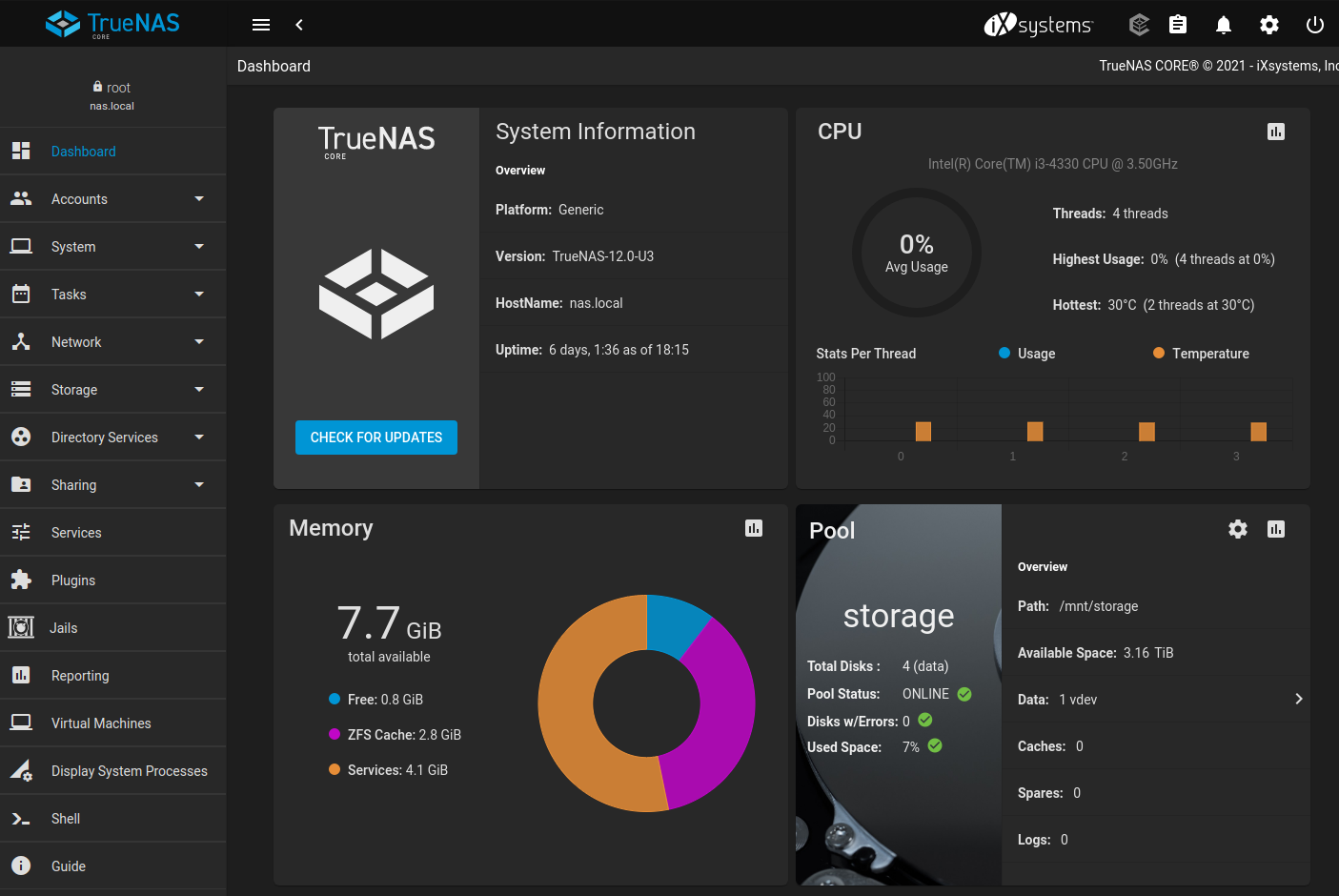
TrueNAS CORE
TrueNAS CORE (previously known as FreeNAS) is a FreeBSD-based operating system which provides free NAS services. It is community-supported,
open source branch of the TrueNAS project, sponsored by iXsystems .
TrueNAS CORE is probably the best known NAS operating system out there. It's been in development since 2005 and has over 10 million
downloads. It is more focused on power users , so this may not be recommended for people who are making a NAS server for the first
time.
OpenZFS
is the heart of TrueNAS CORE. It is an enterprise-ready open source file system, RAID controller, and volume manager with unprecedented
flexibility and an uncompromising commitment to data integrity. It eliminates most, if not all of the shortcomings found in legacy
file systems and hardware RAID devices. Once you go OpenZFS, you will never want to go back.
RAID-Z, the software RAID that is part of OpenZFS, offers single parity redundancy equivalent to RAID 5. The additional levels
RAID-Z2 and RAID-Z3 offer double and triple parity protection respectively. If you want to eliminate almost entirely any possibility
of data loss and stability is the name of the game, OpenZFS is what you're looking for.
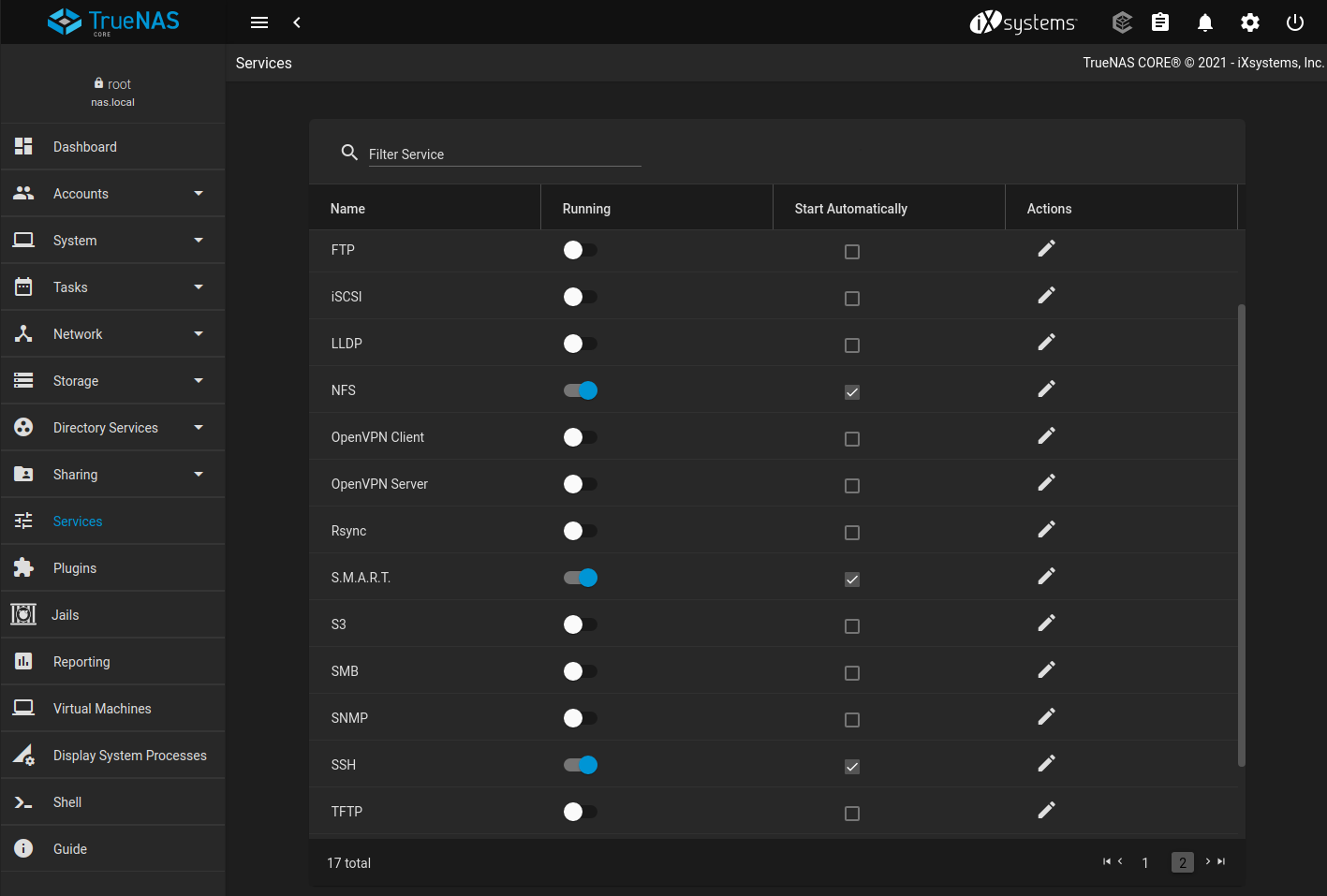
TrueNAS CORE has some of the best features that you can find in NAS devices, such as data snapshots, a self-repair file system,
encryption on their data volumes, and so on. Almost every file sharing is supported via TrueNAS CORE, which includes major file systems
like SMB/CIFS (Windows file shares), NFS (Linux/UNIX files), AFP (Apple file shares), FTP, iSCSI, and WebDAV. It also supports integration
with cloud storage providers like Amazon S3 and Google Cloud out of the box.
If TrueNAS CORE has one goal, it is simplifying complex administrative tasks for users. Every aspect of a system can be managed
from the web-based management interface. Administrative tasks ranging from storage configuration to share and user management to
software updating can all be performed with confidence without missing a critical step or experiencing a silent failure.
Even though storage is its primary feature, there is much more that really makes this product shine. TrueNAS CORE supports plugins
to extend its functionally such as Plex Media Server, Nextcloud, BitTorrent, OpenVPN, MadSonic, GitLab, Jenkins, etc. This means
that it is capable of more than just storage. For example, TrueNAS CORE can be used as part of your home entertainment setup, serving
your media to your Home Theater PC, PSP, iPod, or other network devices.
TrueNAS CORE is recommended if you are making an enterprise-grade server for your home, office or large businesses where data
is stored centrally and share from there. In addition to, TrueNAS CORE is the best choice when you are looking to find some storage
network which is reasonable.
On the other hand, TrueNAS CORE is not perfect for low-RAM users. It is a highly advanced level and feature-rich NAS solution
that recommends at least 8GB of RAM, a multi-core processor as well as a reliable storage drive to keep your data safe.
TrueNAS CORE pros and cons
Pros
OpenZFS support.
Encryption support.
Can be extended with its plugin and jails systems.
Gorgeous web-based management interface.
Very popular with a large following and frequent updates.
Incredible enterprise storage features.
Cons
Many of the features are overkill for home users, especially those looking to build something simple.
It's not the greatest choice for old, low-spec hardware. It wants loads of RAM, particularly if you plan to use OpenZFS. This
is more a OpenZFS thing than a FreeNAS thing, though.
Download TrueNAS CORE
One thing should be noticed before installing TrueNAS CORE on some old specs system is that it needs a good amount of RAM (you
need minimum 8GB RAM) to work, especially when you planning to install a OpenZFS file system. In addition to, for every terabyte
of storage, TrueNAS CORE requires 1 GB of RAM. Because of this, you will need newer hardware to make a server.
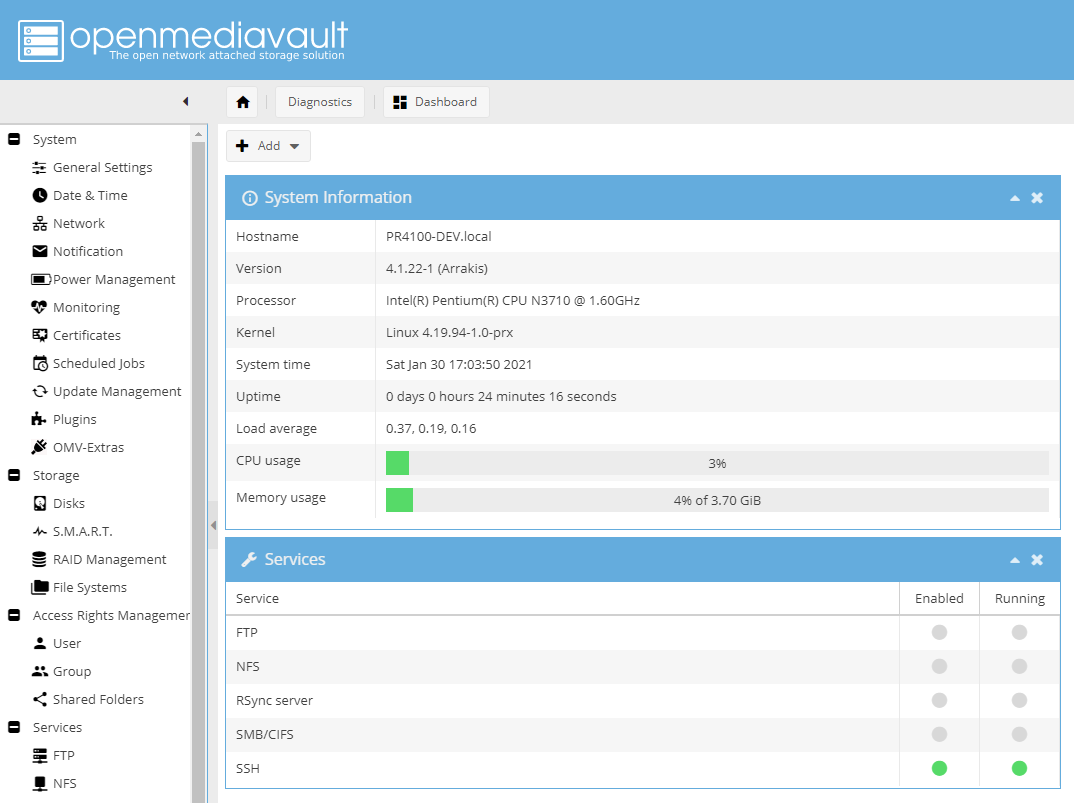
OpenMediaVault is a Debian based
Linux distribution for NAS and well-known for home users
and small businesses. It supports all major protocols such as SSH, (S)FTP, SMB, CIFS, and RSync and offers a straightforward way
to set up NAS servers for home users. In addition, the server is modular and can be extended with a variety of official and third-party
plugins. For example, you can turn your NAS into a torrent client to download data directly into the NAS storage. You can use it
also to stream stored music and videos across the network via Plex Media Server plugin.
OpenMediaVault is straightforward to rollout and simple to manage, thanks to its well designed web-based user interface, which
makes it suitable for even non-technical users. The user interface can further be enhanced by using its plugin directories.
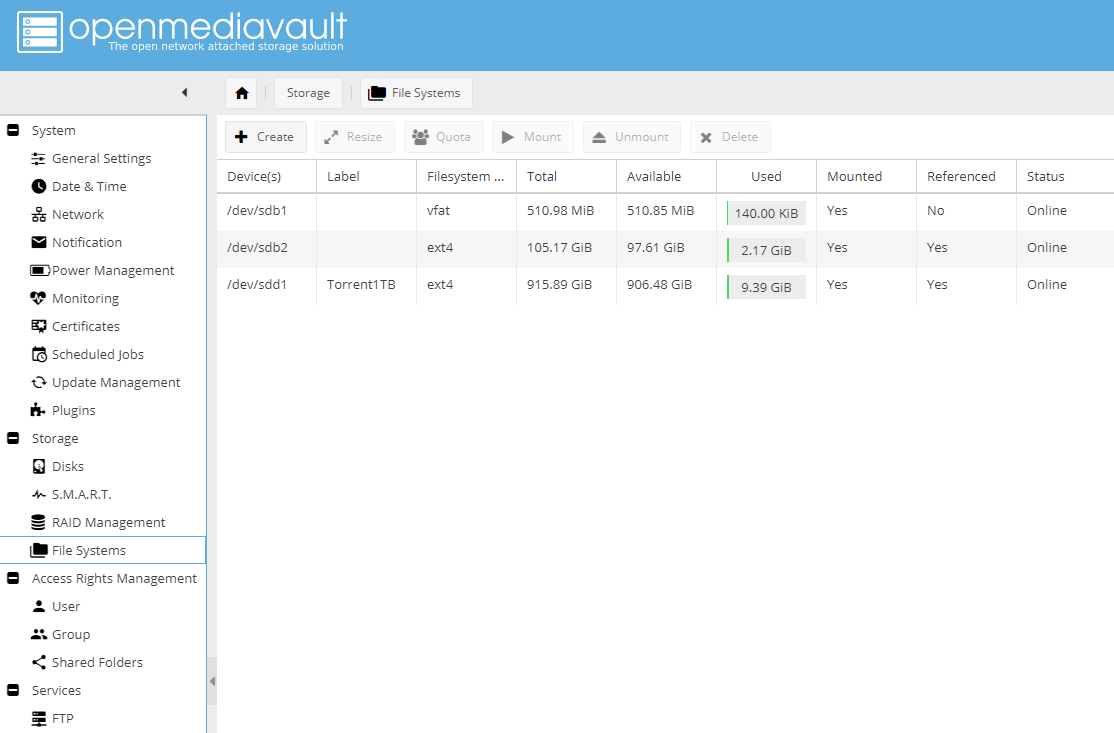
OpenMediaVault supports all the popular deployment mechanisms, including several levels of software RAID, each of which necessitates
a different number of disks. The project shares some features with TrueNAS CORE like storage monitoring, file sharing, and disk management
and supports multiple
file systems like ext4, Btrfs, JFS, and XFS. However, it doesn't have some of the more advanced features that TrueNAS CORE has,
like hot-swapping or the OpenZFS file system.
One of OpenMediaVault's best features compared to TrueNAS CORE is it's low system requirements. You can run OMV on low-powered
devices like the Raspberry Pi.
The project is complimented with an extensive support infrastructure
with plenty of documentation to handhold first time users.
OpenMediaVault is a very capable NAS deployment distro right out of the box. However, it can be made more advanced with tons of
features using plugins integrated into the base system, and even with third party plugins using the
OMV-Extras repository.
OpenMediaVault pros and cons
Pros
Based on Debian, thus easy maintenance of updates using the
apt command .
Easy to install.
Simple and easy to use web-based management interface.
Supports multiple filesystems.
Multi services.
Lots of plugins.
Cons
Dated interface.
File sharing options are limited.
Download OpenMediaVault
OpenMediaVault installable media is available for 64-bit machines. The installation images
can be found here . OMV even supports a number
of ARM architectures, including the one used by the Raspberry Pi. The ISO image can also be used to
create an USB stick
in addition to hard drives and SSDs, which is especially useful if you plan to use a single-board computer like the Raspberry
Pi.
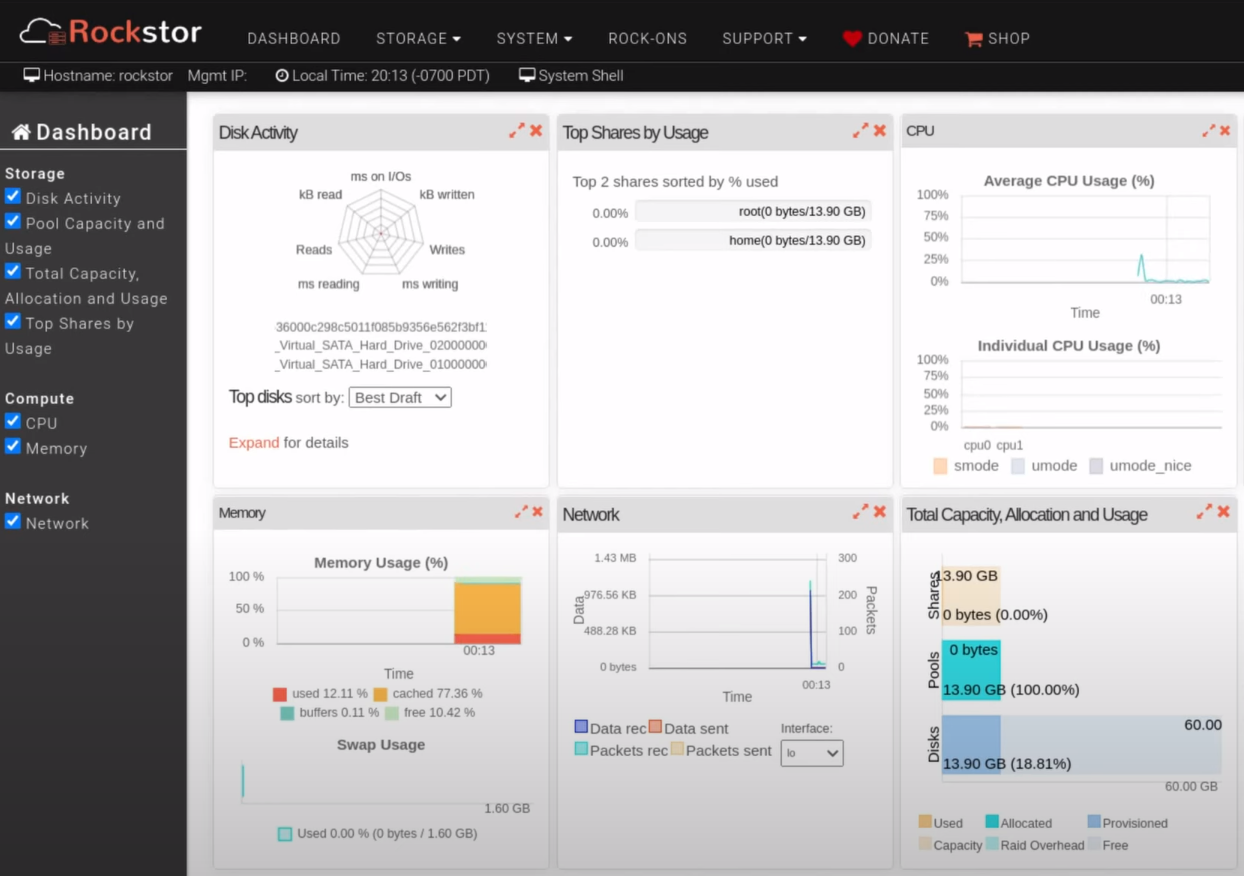
Rockstor
Rockstor is a free NAS management system and probably the best alternative to TrueNAS CORE. It is Linux-based NAS server distro
that's based on a rock-solid openSUSE Leap and focuses solely on the
Btrfs
file system . The previous Rockstor's releases were based on CentOS, however CentOS development considerations have now been
deprecated.
In addition to standard NAS features like file sharing via NFS, Samba, SFTP and AFP, advanced features such as online volume management,
CoW Snapshots, asynchronous replication, compression, and Bitrot protection are also supported.
The biggest difference between TrueNAS CORE and Rockstor is it uses the Btrfs file system , which is very similar to ZFS used
by TrueNAS CORE. Btrfs' big draw is its Copy-on-Write (CoW) nature of the filesystem. Btrfs is the new player among file systems.
It knew how to capture many looks in the community because it comes to compete directly with advanced functions of ZFS.
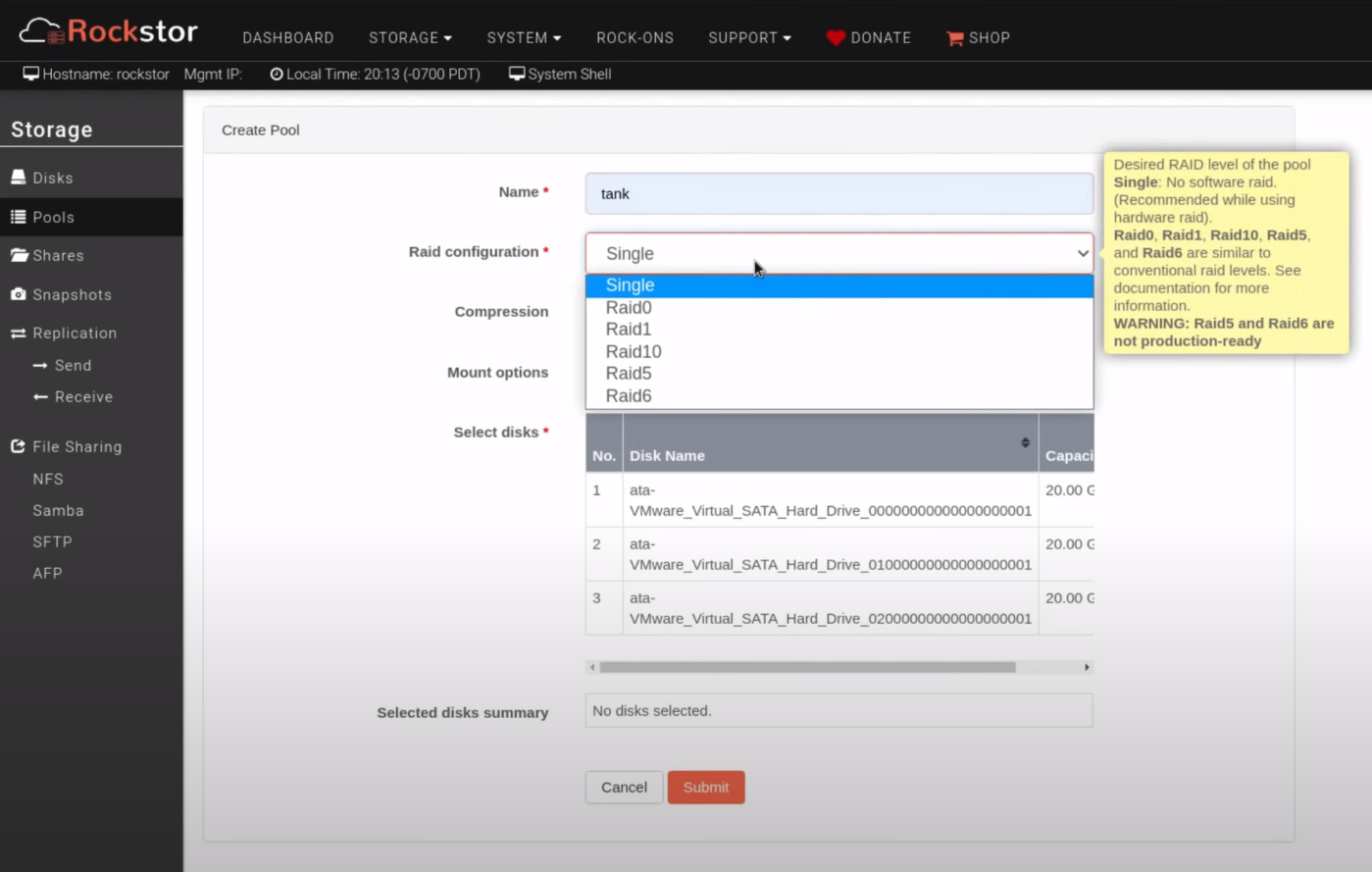
Rockstor lets you arrange the available space into different RAID configurations and give you control over how you want to store
your data. You also get the ability to resize a pool by adding or removing disks and even change its RAID profile without losing
your data and without disrupting access.
Rockstor supports two update channels. There's the freely available Testing Updates channel that gets updates that haven't been
thoroughly tested. Conversely, the updates in the Stable Updates channel have been tested for use in a production environment but
are only available at a yearly subscription fee of £20.
One of the best things that Rocktor provides to its users is its plugin system, which has a variety of different plugins, more
well-known by the name Rock-ons. The plugins are available as containers, which
Docker virtualizes on the
host system. These Rock-ons, combined with advanced NAS features, turn Rockstor into a private cloud storage solution accessible
from anywhere, giving users complete control of cost, ownership, privacy and data security.
If you need a reliable NAS server with no frills, the Rockstor NAS Server is the way to go.
Rockstor pros and cons
Pros
Linux, uses the Btrfs file system, which like BSD's ZFS includes splendid data integrity and security features like snapshots,
pools, checksums, encryption, etc.
More reasonable hardware requirements than TrueNAS CORE, especially when it comes to RAM.
You can download the Rockstor ISO file from Sourceforge. The ISO
image can be used to install Rockstor into a virtual machine like VMWare or Virtualbox directly. To install the software on real
hardware, you need a boot media like a
bootable USB stick . Just
burn the downloaded
ISO image onto USB drive .
Conclusion
With these NAS solutions on hand we have added choices for not only businesses and small offices, but home users as well. Considering
the significance of data in this day and age, you would be wise to take one of these solutions to manage your NAS efficiently.
TrueNAS CORE: Superb enterprise-grade NAS distro. Suitable for experienced Linux admins as well as for power users with BSD's
knowledge, lots of storage, and powerful hardware.
OpenMediaVault: Best for home users and small businesses, especially with low powered equipment. If you don't need enterprise
features like ZFS or you prefer a Debian-based distro, OpenMediaVault is the way to go.
Rockstor: The best of both worlds – Linux OS + the strength of the Btrfs file system. Rockstor is a great NAS solution for
businesses and home users alike.
Whether you choose TrueNAS CORE, OpenMediaVault or Rockstor, you'll have software that's in active development, well supported
and with plenty of available features. When these storage solutions are implemented and maintained properly, they provide the required
safety to data.
If you are setting this on a Ubuntu server you can use vim or nano to edit smb.conf file, for
Ubuntu desktop just use the default text editor file. Note that all commands (Server or Desktop)
must be run as a root. $ sudo nano /etc/samba/smb.conf Then add the information below to the very
end of the file -
[share]
comment = Ubuntu File Server Share
path = /srv/samba/share
browsable = yes
guest ok = yes
read only = no
create mask = 0755
Comment : is a short description of the share.
Path : the path of the directory to be shared.
This example uses /srv/ samba/share because, according to the Filesystem Hierarchy Standard (FHS),
/srv is where site-specific data should be served. Technically Samba shares can be placed anywhere
on the filesystem as long as the permissions are correct, but adhering to standards is recommended.
browsable : enables Windows clients to browse the shared directory using Windows Explorer.
guest ok : allows clients to connect to the share without supplying a password.
read only : determines if the share is read only or if write privileges are granted. Write privileges
are allowed only when the value is no, as is seen in this example. If the value is yes, then access
to the share is read only.
create mask : determines the permissions new files will have when created.
Now that Samba is configured, the directory /srv/samba/share needs to be created and the permissions
need to be set. Create the directory and change permissions from the terminal - sudo mkdir -p /srv/samba/share
sudo chown nobody:nogroup /srv/samba/share/
The -p switch tells mkdir to create the entire directory
tree if it does not exist.
Finally, restart the samba services to enable the new configuration: sudo systemctl restart smbd.service
nmbd.service From a Windows client, you should now be able to browse to the Ubuntu file server and
see the shared directory. If your client doesn't show your share automatically, try to access your
server by its IP address, e.g. \\192.168.1.1 or hostname in a Windows Explorer window. To check that
everything is working try creating a directory from Windows.
To create additional shares simply create new [dir] sections in /etc/samba/smb.conf , and restart
Samba. Just make sure that the directory you want to share actually exists and the permissions are
correct.
Security researchers are urging users to install new Samba security updates in order to
address a critical vulnerability that allows attackers to execute arbitrary code with root
privileges.
Samba is an implementation of the SMB/CIFS networking protocol that enables Unix-like systems,
including Linux, BSD, Solaris and Mac OS X to share files and printers with Windows computers. It
also allows such systems to be integrated into Microsoft Active Directory environments and even
act as domain controllers.
The new vulnerability is located in the smbd file server and was discovered by Richard van Eeden
of Microsoft Vulnerability Research.
By Kelly Jackson Higgins Dark Reading
A dangerous vulnerability in a pervasive tool for running Linux systems in a
Windows environment leaves the door open for an attacker to access these systems
without requiring any authentication.
The open-source Samba group this week released an update to the Samba program
to fix a bug that could allow an attacker to remotely acquire root access to
the targeted server. The bug in Samba versions 3.6.3 and previous versions is
a buffer overflow flaw in Samba's remote procedure call code. "As this does
not require an authenticated connection it is the most serious vulnerability
possible in a program, and users and vendors are encouraged to patch their Samba
installations immediately," according to
a newly
issued advisory from Samba on the new CVE-2012-1182 vulnerability, which
includes links to patches for the software.
Nicholas Percoco, senior vice president and head of Trustwave SpiderLabs,
says the flaw affects anyone who has embedded Linux-based appliances that use
Samba for file sharing, such as NASes, print servers, and printers. While these
devices tend to run in an intranet rather than over the big Internet, the main
risk would be from a sophisticated targeted attack or a malicious insider, he
says.
"This is a very critical patch you should be applying ... if an attacker
gets root access, it's game over from a security perspective," Percoco says.
"You should not be running Samba [systems] on the Internet. That being said,
it doesn't mean people aren't."
A proof-of-concept is circulating, and Percoco says the vulnerability is
prime for abuse as a network worm as well as for a targeted attack. "It can
also be the perfect storm for a Unix-based worm. This is something like the
Nimda For Linux/Unix," he says.
Samba is not immune to problems. Sometimes, these problems are caused by
the system administrator; sometimes they're caused by the user. Your job as
the system administrator is to figure out where the problem lies, then how to
solve it.
Testing the configuration file
If Samba won't start or you want to check your configuration file for correctness,
then the testparm utility will help. This utility checks smb.conf
for correctness. Listing 4 shows the result of testparm if there
is an error.
Listing 4. Using testparm on an incorrect smb.conf file
# testparm
Load smb config files from /etc/samba/smb.conf
Unknown parameter encountered: "hide dto files"
Ignoring unknown parameter "hide dto files"
Processing section "[homes]"
Processing section "[printers]"
Processing section "[public]"
Loaded services file OK.
Server role: ROLE_STANDALONE
Press enter to see a dump of your service definitions

[global]
        workgroup = MYGROUP
        server string = Samba Server Version %v
        passdb backend = tdbsam
        log file = /var/log/samba/log.%m
        max log size = 50
        cups options = raw

<< rest of the output omitted >>
The output of testparm starts with the location of the files.
If you want to specify a different file, pass the name of the file on the command
line, as in this example:
testparm /home/me/smb.conf
Next, testparm is complaining about an invalid parameter called
hide dto files. This parameter should really be hide
dot files.
After processing the configuration file, you are given some information about
the server's role and a condensed version of the configuration file. This version
has the comments stripped out and is consistently formatted, so you will sometimes
catch errors here that you missed while browsing smb.conf in a text editor.
You should run testparm on your configuration file after making
changes. Samba ignores most typographical errors in the configuration files
and doesn't always write messages to the console when starting up. It's likely
that you won't catch these types of mistakes until something isn't working properly.
Testparm alerts you to any typos in smb.conf.
By default, testparm only shows you the configuration as entered
in smb.conf. If you suspect that you are using a default value somewhere, you
can use the -v option to force testparm also to show
default values.
Another use of testparm is to limit the output to a single section
or parameter. Listing 5 shows how to use testparm to see the value
of the security mask option.
Listing 5. Limiting testparm to a single parameter
In Listing 5, the -s parameter stops testparm
from waiting for user input in between parsing smb.conf and displaying it to
the screen. Using --parameter name "security mask" asks for the
value of security mask. The result is 0777, which
is the default value. In this mode, it is not necessary to specify -v
to show default values.
Connecting as a client
In lieu of going to a user's desktop and trying things out yourself, you
can do a great deal of testing from the command line at your own desk. The first
and easiest test is to make sure that you can connect to the Samba port. The
easiest way to do this is with the telnet command, which is shown
in Listing 6.
Listing 6. Testing connectivity with telnet
# telnet bob 139
Trying 192.168.1.134...
telnet: connect to address 192.168.1.134: Connection refused
In Listing 6, the root user is connecting to the server bob on port
139. You could also use port 445 to test for the direct-hosted SMB port. The
result is Connection refused, which indicates either that the daemon
isn't listening on that address or that a firewall is blocking the connection.
Other results, such as No route to host or Connection timed
out, can mean the same thing.
Clients generally connect to a server with a name, not an IP address. If
you use telnet to connect to the server by name rather than IP
address, pay special attention to the IP address returned. In the example above,
the server (bob) was resolved to 192.168.1.134. Sometimes, you can have errors
in your DNS records that result in the clients connecting to the wrong address.
If you are not using DNS for Windows name resolution, you can use the
nmblookup command to perform a NetBIOS name lookup. Listing 7 shows
a query for the bob server.
Listing 7. Performing a NetBIOS name query for bob
# nmblookup bob
querying bob on 192.168.1.255
192.168.1.138 bob<00>
According to Listing 7, the server bob is at 192.168.1.138, not 192.168.1.134,
as you saw in Listing 6. This result points to a problem with DNS, especially
if ports 139 and 445 are responsive on 192.168.1.138.
Another test is to see whether the configuration file denies access to a
particular host. Testparm is used again in Listing 8.
Listing 8. Checking access with testparm
# testparm /etc/samba/smb.conf  seanspc 192.168.1.147
Load smb config files from /etc/samba/smb.conf
Processing section "[homes]"
Processing section "[printers]"
Processing section "[public]"
Loaded services file OK.
Server role: ROLE_STANDALONE
Deny connection from seanspc (192.168.1.147) to homes
Deny connection from seanspc (192.168.1.147) to printers
Deny connection from seanspc (192.168.1.147) to public
Firewalls or application?
There are many ways to block a connection to a host, but all the options
can be grouped into two categories: network and application. By blocking at
the network layer, either on a firewall or using a host-based firewall like
iptables, you will see that the telnet connection shown in Listing
6 is refused or times out. This is because the packet never makes it to the
Samba application.
If Samba is configured not to allow connections from a particular host, you
will see that the telnet connection succeeds, but any client access
is greeted with an error. This is because the packet is read by the application
but doesn't like the IP address or hostname and sends an application-level error.
Without accepting the packet at the application layer, Samba can't know whether
the IP address is acceptable.
In Listing 8, three items are passed to testparm:
The path to the Samba configuration file
The NetBIOS name of the machine to test
The IP address of the machine to test
The output from Listing 8 shows that the machine in question is denied access
to all shares. When using testparm in this mode, the utility does
not actually connect as that machine. Instead, testparm processes
the configuration file to see whether the access would be allowed.
If all the tests up to now succeed, you can attempt to make a client connection
using the smbclient utility. The first test is to attempt to browse
the share list, which is shown in Listing 9.
Listing 9. Showing a machine's shares
[sean@bob source3]$ smbclient -L '\\bob'
Enter sean's password:
Anonymous login successful
Domain=[MYGROUP] OS=[Unix] Server=[Samba 3.5.6-69.fc13]

        Sharename       Type      Comment
        ---------       ----      -------
        extdrive        Disk
        Sean Walberg's iMac Disk
        timemachine     Disk
        IPC$            IPC       IPC Service (Samba Server Version 3.5.6-69.fc13)
        test            Printer   test
        Downstairs_Laser Printer   HP 6L
        Cups-PDF        Printer   Cups-PDF
Anonymous login successful
Domain=[MYGROUP] OS=[Unix] Server=[Samba 3.5.6-69.fc13]

        Server               Comment
        ---------            -------
        BOB                  Samba Server Version 3.5.6-69.fc13

        Workgroup            Master
        ---------            -------
        MYGROUP              BOB
        WORK                 SWALBERG-XPLT
        WORKGROUP            IMAC-1FC525
In Listing 9, the user is requesting a list of shares with the -L
parameter on the server called bob. The server name is prefixed with
two backslashes (\\), because it is a Universal Naming Convention
(UNC) path. Be careful about your choice of single versus double quotation marks,
as well. Single quotation marks interpolate and see the backslashes as escape
characters.
If your server has more security set up, you may need to pass the name of
the user or the domain with the -W and -U parameters,
respectively.
Finally, you can try to connect to a share by omitting the -L
parameter and specifying a full UNC path to the share. Listing 10 shows the
client connecting to a server using a different workgroup and user name.
Listing 10. Connecting to a share with a different user name and domain
[sean@bob source3]$ smbclient '\\swalberg-xplt\photos' -U swalberg -W WORK
Enter swalberg's password:
Domain=[WORK] OS=[Windows 5.1] Server=[Windows 2000 LAN Manager]
smb: \> dir
  .                                   D        0  Thu Jan  6 11:39:50 2011
  ..                                  D        0  Thu Jan  6 11:39:50 2011
<< files omitted >>
                38156 blocks of size 4194304. 2938 blocks available
smb: \>>
If these tests pass, you can be reasonably certain that the problem is
not with the Samba configuration but somewhere between the client and the server
or something on the client itself. You look at the logs in the next section,
which offer some clues as to where the problem lies.
Version 1.0
Author: Falko Timme <ft [at] falkotimme [dot] com>
Follow me on Twitter
Last edited 04/0/2011
This tutorial explains the installation of a Samba fileserver on OpenSUSE 11.4
and how to configure it to share files over the SMB protocol as well as how
to add users. Samba is configured as a standalone server, not as a domain controller.
In the resulting setup, every user has his own home directory accessible via
the SMB protocol and all users have a shared directory with read-/write access.
I do not issue any guarantee that this will work for you!
1 Preliminary Note
I'm using an OpenSUSE 11.4 system here with the hostname server1.example.com
and the IP address 192.168.0.100.
2 Installing Samba
We need to install Samba in this chapter, but it conflicts with the package
patterns-openSUSE-minimal_base. Therefore we must uninstall that package first.
To do so, start YaST:
yast2
In YaST, go to Software > Software Management:
Type patterns-openSUSE-minimal_base in the Search field and press ENTER. The
package should be listed as installed (i) in the main window. Mark the package
and press the ENTER key until there's a minus (-) sign in front of the package
(the minus stands for uninstall), then hit [Accept]:
As a replacment for the package, some other packages need to be installed. Accept
the selection by hitting [OK]:
Leave YaST afterwards.
Now install the Samba packages:
yast -i cups-libs samba
Edit the smb.conf file:
vi /etc/samba/smb.conf
Make sure you have the following lines in the [global] section:
[...]
security = user
passdb backend = tdbsam
[...]
This enables Linux system users to log in to the Samba server.
(If you get the message You do not have a valid vim binary package installed.
Please install either "vim", "vim-enhanced" or "gvim"., please run
yast2 -i vim
to install vi and try again. )
Then create the system startup links for Samba and start it:
chkconfig -f --add smb
/etc/init.d/smb start
3 Adding Samba Shares
Now I will add a share that is accessible by all users.
Create the directory for sharing the files and change the group to the users
group:
At the end of the file /etc/samba/smb.conf add the following lines:
vi /etc/samba/smb.conf
[...]
[allusers]
comment = All Users
path = /home/shares/allusers
valid users = @users
force group = users
create mask = 0660
directory mask = 0771
writable = yes
If you want all users to be able to read and write to their home directories
via Samba, add the following lines to /etc/samba/smb.conf (make sure you comment
out or remove the other [homes] section in the smb.conf file!):
4 Adding And Managing Users
In this example, I will add a user named tom. You can add as many users as you
need in the same way, just replace the username tom with the desired username
in the commands.
useradd tom -m -G users
Set a password for tom in the Linux system user database. If the user tom should
not be able to log in to the Linux system, skip this step.
passwd tom
-> Enter the password for the new user.
Now add the user to the Samba user database:
smbpasswd -a tom
-> Enter the password for the new user.
Now you should be able to log in from your Windows workstation with the file
explorer (address is \\192.168.0.100 or \\192.168.0.100\tom for tom's home directory)
using the username tom and the chosen password and store files on the Linux
server either in tom's home directory or in the public shared directory.
smbtad is the data receiver of the SMB Traffic Analyzer project. With SMB
Traffic Analyzer, statistics about the data flow on a Samba network can be created.
Test Your Config File with testparm
It's important to validate the contents of the smb.conf file
using the testparm program. If testparm runs correctly, it will
list the loaded services. If not, it will give an error message. Make sure it
runs correctly and that the services look reasonable before proceeding. Enter
the command:
I set up a samba share on my fc2 laptop, and I can't seem to connect to
it from Windows XP or another fc2 laptop. Here's my samba server config.
Keep in mind that I want it simple, no hassle, guest access where anyone
can read/write/delete, etc.
config:
[global]
workgroup = boxes
netbios name = arsenal
hosts allow = 192.168.1. 192.168.2. 127.
security = share
[ paperarsenal ]
comment = whatever
path = /public
read only = no
writable = yes
guests ok = yes
browseable = yes
public = yes
hi,

i upgraded from 2.0.7 to 2.2 last night hoping to lose these getpeername
errors that show up in my log.smbd.0.0.0.0 file (and now also
/var/log/messages YIKES!).

grepping on the time in my samba log files, i come up with at least three
different cases for when this error occurs: a denied connection because
the ip is not allowed;  a bad user map (when 2.2 upgrade didn't restore
smbuser); and a successful connection. the first kind happens ALOT, though
i don't know why? perhaps the election process or some other such
windows magic?


i also include my smb.conf (which i did restore with path corrections),
perhaps with your experience you'll see something right away that escapes
me.

how can i get rid of these getpeername errors?


thanks!!

elena


[2001/05/01 02:08:25, 0] lib/util_sock.c:get_socket_addr(1084)
  getpeername failed. Error was Bad file descriptor
[2001/05/01 02:08:25, 0] lib/util_sock.c:get_socket_addr(1084)
  getpeername failed. Error was Bad file descriptor


[2001/05/01 02:08:25, 0] lib/access.c:check_access(324)
  Denied connection from  (129.24.181.51)
[2001/05/01 02:08:25, 1] smbd/process.c:process_smb(824)
  Connection denied from 129.24.181.51

-----------

[2001/05/01 08:09:48, 0] lib/util_sock.c:get_socket_addr(1084)
  getpeername failed. Error was Bad file descriptor
[2001/05/01 08:09:48, 0] lib/util_sock.c:get_socket_addr(1084)
  getpeername failed. Error was Bad file descriptor


[2001/05/01 08:09:48, 1] smbd/password.c:pass_check_smb(526)
  Couldn't find user 'pboyd' in UNIX password database.
[2001/05/01 08:09:48, 1] smbd/reply.c:reply_sesssetup_and_X(975)
  Rejecting user 'pboyd': authentication failed

----------

[2001/05/01 07:32:17, 0] lib/util_sock.c:get_socket_addr(1084)
  getpeername failed. Error was Bad file descriptor
[2001/05/01 07:32:17, 0] lib/util_sock.c:get_socket_addr(1084)
  getpeername failed. Error was Bad file descriptor

[2001/05/01 07:32:17, 1] smbd/service.c:make_connection(638)
  conf2 (129.24.176.41) connect to service conf as user slullie (uid=526,
gid=2\
40) (pid 30230)

/etc/samba/smb.conf:

# Samba config file created using SWAT
# from localhost.localdomain (127.0.0.1)
# Date: 2000/10/23 14:00:49

# Global parameters
[global]
        workgroup = bsvcs-grp
        netbios name = WhateverItTakes
        server string = UNM Business Services
        encrypt passwords = Yes
        update encrypted = Yes
        unix password sync = Yes
        passwd program = /usr/bin/passwd
        username map = /etc/samba/smbusers
        log file = /var/log/samba/log.%m.%I
        log level = 1
        max log size = 15
        socket options = TCP_NODELAY SO_RCVBUF=8192 SO_SNDBUF=8192
        load printers = No
        domain logons = Yes
        preferred master = No
        domain master = No
        dns proxy = No
        name resolve order = lmhosts hosts bcast
        invalid users = root bin daemon adm sync shutdown \
                        halt mail news uucp operator gopher \
                        nobody games ftp lp xfs named gdm \
                        piranha postgres pvm squid default \
                        autobot
        hosts allow = 129.24.176. 127.0.0.1 EXCEPT  129.24.180.
129.24.178. 129\
.24.177. 129.24.179. 129.24.181. 129.24.182 129.24.183
        directory mask = 0770
        create mask = 0770
        force create mode = 0770
        force directory mode = 0770
[homes]
        comment = Home Directories
        read only = No
        browseable = No
        directory mask = 0700
        create mask = 0700
        force create mode = 0700
        force directory mode = 0700

[support]
        path = /home/support
        comment = Tech Support
        writeable = yes
        valid users = @support
        force group = support

[business]
        path = /home/business
        comment = Business Services
        writeable = yes
        valid users = @business @support
        force group = business

[root at wit /etc]# testparm
Load smb config files from /etc/samba/smb.conf
INFO: Debug class all level = 1   (pid 30978 from pid 30978)
Loaded services file OK.
This wasn't received as a question but I thought I might share one of my favorite
little tricks (if I can call it that) when using Linux. In my work, I commonly
need to transfer files from one home computer to another and I've found the
quickest and easiest way to do this is to use Samba, or more specifically
smbclient (which is sometimes a link to smbclient3). For me, typing a bit
in a terminal is much easier than most other methods of transferring files locally.
In the past it could take a bit of effort to get Samba and the Samba tools to
function properly, but today many distributions set it up to function almost
out-of-the-box (albeit less secure). I've found that in most distributions all
I need to do is set a password on my main work computer. This is easily done
using the smbpasswd tool. As root (or for Ubuntu users, prefaced with
sudo):
smbpasswd <username>, then type in the new password.
From then on, I can samba into my desktop and drop files as needed. If desired,
one can list the IP addresses and hostnames for each machine in their /etc/hosts
so that computer names can be used, but in my work, I'm installing new releases
all the time. So, I just use my desktop's local IP address. So, say for example
that I needed to transfer a couple of screenshots from my testing machine to
my desktop, I merely samba into my desktop and drop the files into my home directory.
To log in:
smbclient --user=s //192.168.0.100/s, then give the password.
Then to move those screenshots I use a simple command:
mput *png
This will transfer all files with the .png extension. Notice how Samba can use
wildcards to make operations so much easier. In fact, you can even use auto-completion
many times - and I do. Retrieving files is just as easy. For example:
mget opensuse-112_d <enter>, will finished the filename opensuse-112_desktop.jpg
and transfer a copy to the current machine.
Using mput instead of put verifies the transfer of each file before
actually doing it.
This isn't even a drop in the bucket of the things one can do with smbclient
or other Samba tools. A quick peruse of the MAN pages can give you an idea.
At home behind my Internet firewall, smbclient saves me lots of effort.
NULL sessions take advantage of "features" in the SMB (Server Message Block)
protocol that exist primarily for trust relationships. You can establish a NULL
session with a Windows host by logging on with a NULL user name and password.
Using these NULL connections allows you to gather the following information
from the host:
List of users and groups
List of machines
List of shares
Users and host SID' (Security Identifiers)
NULL sessions exist in windows networking to allow:
Trusted domains to enumerate resources
Computers outside the domain to authenticate and enumerate users
The SYSTEM account to authenticate and enumerate resources
NetBIOS NULL sessions are enabled by default in Windows NT and 2000. Windows
XP and 2003 will allow anonymous enumeration of shares, but not SAM accounts.
The NULL session vulnerability is fairly widespread, however the introduction
of Windows XP and Windows 2003 has made it far less useful. For the most part
if the appropriate ports are accessible a NULL session is possible.
Port
Protocol
Description
135
TCP
Location Service (RPC endpoint mapping)
135
UDP
Location Service (RPC endpoint mapping)
137
TCP
NETBIOS Name Service
137
UDP
NETBIOS Name Service
138
TCP
NETBIOS Datagram Service
138
UDP
NETBIOS Datagram Service
139
TCP
NETBIOS Session Service
139
UDP
NETBIOS Session Service
445
TCP
SMB/CIFS
Figure 1
Port 139 or 445 TCP is required to be open in order for a NULL session to
be successful (it needs to connect to IPC$ first). The other ports may be required,
depending on the configuration, for services such as name resolution. There
are many tools available to exploit NULL sessions, here are some examples:
enum is truly one of the best tools for exploiting the NULL session vulnerability.
It is the "Swiss army knife" of NULL session hacking, allowing you to exploits
every aspect of this flaw. Its true power lies in the ability to enumerate users,
and then try to brute force the password using a supplied password list. Sample
output is below (I usually run with the –S and –U flags as shown below):
C:\tools>enum -SU <IP Address>
server: <IP Address>
setting up session... success.
getting user list (pass 1, index 0)... success, got 5.
Administrator Guest IUSR_CHANNEL IWAM_CHANNEL victim_user
enumerating shares (pass 1)... got 4 shares, 0 left:
IPC$ c ADMIN$ C$
cleaning up... success.
From the above output we can see that the machine has one additional
user aside from the default accounts, called "victim_user", and that none of
the default accounts have been renamed. This is another great usage of NULL
sessions, if the user has been conscientious and renamed the administrator account,
we can see what it has been changed to. The guest account exists as well, which
comes by default in most windows, and should be left disabled. It appears as
though this machine is also running Microsoft IIS web server, from the IUSR_<machine
name> account that exists. Moving on to the shares we see all of the default
hidden administrative shares (denoted by the "$" character), as well as an unhidden
share called "c". The ability to view hidden shares on the host is yet another
great feature of NULL sessions.
Part of the NT Forensic Toolkit from Foundstone, this tool makes
it very easy to enumerate users and shares from a vulnerable windows host, and
is the most accurate in my experience. Some sample output is below:
C:\tools>hunt \\<IP Address>
share = IPC$ - Remote IPC
share = c -
share = ADMIN$ - Remote Admin
share = C$ - Default share
User = Administrator, , , Built-in account for administering the computer/domain
Admin is <NetBIOS Name>\Administrator
User = Guest, , , Built-in account for guest access to the computer/domain
User = IUSR_<NetBIOS Name>, Internet Guest Account, Built-in account
for anonymous access to Internet Information Services, Built-in account
for anonymous access to Internet Information Services
User = IWAM_<NetBIOS Name>, Internet Guest Account, Built-in account
for anonymous access to Internet Information Services out of process
applications, Built-in account for anonymous access to Internet Information
Services out of process applications
User = victim_user Victim Name, ,
Figure 3
Above we see the same information as enum presents represented
in a slightly different format.
This command line tool queries the host for most of the information
made available by a NULL session (Including any trust relationships) and displays
it to the screen. Sample output is below:
Trying to establish null session...
Null session established.
USER ACCOUNTS:
* Administrator
(This account is the built-in administrator account)
* Guest
(This account is the built-in guest account)
* victim_user
WORKSTATION TRUST ACCOUNTS:
INTERDOMAIN TRUST ACCOUNTS:
SERVER TRUST ACCOUNTS:
SHARES:
* IPC$
* drivec$
Figure 4
The output above shows the listing of users, similar to the
other tools. winfo is unique in that it will also show the trust relationships
this machine may have with other machines. Finally, it will list the shares
it has made available.
Formerly Dumpacl, This tool is similar to winfo, but has a GUI
interface.
Built-in tools
You can use built-in tools to enumerate NULL sessions by executing
the following command using the "net" utility that comes with Windows. Without
NULL sessions when we attempt to list the shares on a remote windows computer
we get the following error:
C:\tools>net view \\MY.SUB.NET.IP
System error 5 has occurred.
Access is denied.
Figure 5
By default we would not have permissions to list the shares.
If we map the IPC$ share (Inter Process Communications) using our NULL username
and password combinations we are successful:
C:\tools>net use \\MY.SUB.NET.IP\IPC$ "" /u:""
The command completed successfully.
Figure 6
Now we try to list the shares again with greater
success:
C:\tools>net view \\MY.SUB.NET.IP Shared resources at \\MY.SUB.NET.IP
Share name Type Used as Comment -------------------------------------------------------
An attacker will use the information gained from NULL sessions and try to
logon to the system, using various tools that will try different username and
password combinations. Common attacks against University computers have shown
that attackers will typically gain access to the system, install FTP servers,
IRC bots, and DDOS tools, then copy the illegal (copyrighted and pirated) software
up for distribution. The FTP server Serv-U FTP Server and the IRC bot iroffer
are very common as well. This task is made easier by users who when prompted
for an administrator password when installing NT/2000/XP leave it blank. Please
set a password on every account on your machine, if not for the security of
your machine, then for the security of all our machines.
A worm called "Zotob" that takes advantage of the MS05-039 vulnerability
relies on NULL sessions to propagate. Follow the instructions in the next section
to protect yourself (and of course apply all operating system patches).
Follow the link below to download a script to disable NULL sessions: Download
Disable NULL sessions Script (Authored by Brown University Software Services)
Below are instructions on how to manually disable NetBIOS NULL sessions:
Windows XP Home Edition
Note: This also works in Windows 2000 and XP Professional.
1. Set the Following Registry Key: HKLM/System/CurrentControlSet/Control/LSA/RestrictAnonymous=2
2. Reboot to make the changes take effect.
Windows XP Professional Edition and Windows Server 2003
1. Go to Administrative Tools --> Local Security Policy --> Local Policies
--> Security Options. Make sure the following two policies are enabled:
Network Access: Do not allow anonymous enumeration of SAM accounts: Enabled
(Default) Network Access: Do not allow anonymous enumeration of SAM accounts and
shares: Enabled
This can also be accomplished using the following registry keys:
HKLM\System\CurrentControlSet\Control\Lsa\RestrictAnonymous=1 (This disallows
enumeration of shares) HKLM\System\CurrentControlSet\Control\Lsa\RestrictAnonymousSAM=1
(Default, not allowing enumeration of user accounts)
2. Reboot to make the changes take effect.
Windows 2000
1. Go to --> Administrative Tools --> Local Security Settings --> Local
Policies --> Security Options
2. Select "Additional restrictions of anonymous connections" in the Policy
pane on the right
3. From the pull down menu labeled "Local policy setting", select: "No
access without explicit anonymous permissions"
4. Click OK
5. The registry setting equivalent is: HKLM\System\CurrentControlSet\Control\Lsa\RestrictAnonymous=2
6. Reboot to make the changes take effect.
Windows NT 4.0 (Service Pack 3 or later)
Set the Following Registry Key: HKLM/System/CurrentControlSet/Control/LSA/RestrictAnonymous=1
Samba
I am not certain how this works in the latest releases of Samba. Please
email me with any feedback or experiences you could provide.
While the above describes how to disable this vulnerability on the host,
there are some things you can do on the network to help defend against NULL
sessions:
Blocking NetBIOS ports on your firewall or border router
Blocking the Windows networking ports in Figure 1 will prevent against
NULL sessions (And other attacks that use NetBIOS)
Remove the IPC$ share (net share IPC$ /delete)
Intrusion Detection
Most Intrusion Detection systems come with signatures to detect NULL session
activity, although when run on the "inside" of your network will generate false
positives if not configured correctly. Configuring the Snort (
www.snort.org ) NULL session detection rule
( http://www.snort.org/pub-bin/sigs.cgi?sid=530
) to look at certain traffic proves to be very effective. For example, you may
only want to look at NULL session attempts from the Internet to your internal
network, and IDS rules should be configured accordingly.
Account Policy
All versions of Windows that are vulnerable to this attack provide some mechanism
to set account policies. The Center for Internet Security has released benchmark
standards for all Windows platforms that include recommended account policies
(See http://www.cisecurity.org for more
details and to download the benchmarks). They cover password expiration, password
length, and account lockout policies, which should all be applied to your domain
(or workstation if you are not part of a domain). These documents also outline
some recommendations for audit policies, or logging of certain activity on your
computer. You should enable logging of security events on your windows servers
and workstations for accounting purposes. Account and auditing policies should
be tailored to individual organizations needs. Having these in place will significantly
decrease the risk of someone using NULL sessions to gain access to your machine.
rr.sans.org/win/null.php -
"NULL sessions In NT/2000" - Perhaps the best description of why NULL sessions
exist, and general NULL session facts includes a complete description of how
NetBIOS NULL sessions are used in a Windows networking environment. By Joe Finamore.
www.giac.org/certified_professionals/practicals/gcih/0345.php - "Weak Passwords
+ NULL Session = Windows 2000 Exploit" -This paper outlines the dangers of NULL
sessions and gives an example of incident that uses this vulnerability. By Michael
S. Kriss.
Chris Hertel wrote:
> Yes, we know. Have known for over a year.
> I think it was Tridge who convinced Microsoft to use port 445.
Cool. So can I assume that it will be no problem to add support for it?
And are plans for such in process?
- Jay Ts
------------------------------------------
> > Hi,
> >
> > Yesterday a friend forwarded to me this URL at Microsoft:
> >
> > http://support.microsoft.com/support/kb/articles/Q204/2/79.ASP> >
> > It is about support in Windows 2000/XP for running SMB for
> > file and printer sharing over port 445, with no overhead of
> > NetBIOS.
> >
> > The question of course is, are the Samba Team aware of this,
> > and can it be supported in future versions of Samba?
> >
> > The webpage says it is possible to set up a Win 2000/XP network to
> > only use the new protocol, and shut out SMB/NetBIOS networking on
> > ports 137-139 entirely.
> >
> > - Jay Ts
(ReallyLinux.com)
This article is for all of those readers asking for a very
basic overview of networking Windows and Linux PCs. You may also benefit from
my article:
From Windows to Linux.
Can a Windows system and a Linux system talk together
harmoniously? After all, there is a lot of work and personal data left on Windows
PCs that many want to keep! So this question of networking the two systems is
both reasonable and vital.
... ...
Therefore, basic Windows file sharing can be done with relative ease if your
Linux flavor includes the Samba tools. Of course, it also requires a little
work on the Windows PC since any good communication comes from two sides!
The goal then, regardless which Linux flavor you're using, is to:
Ensure that Samba tools are included and available
Configure the PC network cards and settings
Configure the Windows PC to allow workgroup sharing
Configure Samba tools to recognize the Windows PC
I include details for each of these steps in the article. Implementing the
steps above is somewhat unique across every major flavor I've used. Some flavors
will require you to select Samba tools at the very beginning of the installation
process. Other flavors include the full Samba suite of tools as part of the
package, ready to go. It depends so much on your flavor that I can't provide
specific guidance without writing another fifty pages on the subject. I plan
to release an indepth SAMBA article here in the future.
However, what I can share with you now are steps needed to implement Samba
using Fedora as a tutorial or guide. These steps are for making a basic
WindowsXP Home Edition available to Linux.
My assumption is that before you begin, you've already familiarized yourself
with the
Post-Installation Configuration article, and that you have the two
PCs connected properly with a network hub and cables.
(Oct 15, 2000, 16:00 UTC) (558 reads) (0 talkbacks) (Posted by
mhall)
"In this article, We will cover how to setup
and configure a Linux File/Print Server on your Windows network."
The Last but not LeastTechnology is dominated by
two types of people: those who understand what they do not manage and those who manage what they do not understand ~Archibald Putt.
Ph.D
FAIR USE NOTICEThis site contains
copyrighted material the use of which has not always been specifically
authorized by the copyright owner. We are making such material available
to advance understanding of computer science, IT technology, economic, scientific, and social
issues. We believe this constitutes a 'fair use' of any such
copyrighted material as provided by section 107 of the US Copyright Law according to which
such material can be distributed without profit exclusively for research and educational purposes.
This is a Spartan WHYFF (We Help You For Free)
site written by people for whom English is not a native language. Grammar and spelling errors should
be expected. The site contain some broken links as it develops like a living tree...
You can use PayPal to to buy a cup of coffee for authors
of this site
Disclaimer:
The statements, views and opinions presented on this web page are those of the author (or
referenced source) and are
not endorsed by, nor do they necessarily reflect, the opinions of the Softpanorama society.We do not warrant the correctness
of the information provided or its fitness for any purpose. The site uses AdSense so you need to be aware of Google privacy policy. You you do not want to be
tracked by Google please disable Javascript for this site. This site is perfectly usable without
Javascript.