|
|
Home | Switchboard | Unix Administration | Red Hat | TCP/IP Networks | Neoliberalism | Toxic Managers |
| (slightly skeptical) Educational society promoting "Back to basics" movement against IT overcomplexity and bastardization of classic Unix | |||||||
| News | Perl Language | Recommended Links | Reference | Sorting algorithms | Regular expressions | Tutorial | Unix sort |
| Grep and map | tr | split | substr | sprintf | History | Humor | Etc |
|
|
[From
Perl Cookbook] Perl sort function takes an optional
code block, which lets you replace the default alphabetic comparison subroutine
with your own.
|
|
sort has to
compare two values. $a and $b, which are automatically localized.The comparison function should return a negative number if $a
ought to appear before $b in the output list, 0
if they're the same and their order doesn't matter, or a positive number if
$a ought to appear after $b.
Perl has two operators that behave this way:
<=> for sorting numbers in
ascending numeric order, and cmp for sorting strings in ascending
alphabetic order. By default, sort uses cmp-style
comparisons.
Here's code that sorts the list of PIDs in @pids, lets the user
select one, then sends it a TERM signal followed by a KILL signal. We use a code
block that compares $a to $b with
<=> to sort numerically:
# @pids is an unsorted array of process IDs
foreach my $pid (sort { $a <=> $b } @pids) {
    print "$pid\n";
}
print "Select a process ID to kill:\n";
chomp ($pid = <>);
die "Exiting ... \n" unless $pid && $pid =~ /^\d+$/;
kill('TERM',$pid);
sleep 2;
kill('KILL',$pid);
If you use $a <=> $b or
$a cmp $b, the list will be sorted in ascending
order. For a descending sort, all we have to do is swap $a
and $b in the sort subroutine:
@descending = sort { $b <=> $a } @unsorted;
Comparison routines must be consistent; that is, they should always return the same answer when called with the same values.
You can also say sort SUBNAME LIST
where SUBNAME is the name of a comparison subroutine returning
-1, 0, or +1. In the interests of speed,
the normal calling conventions are bypassed, and the values to be compared
magically appear for the duration of the subroutine in the global package
variables $a and $b. Because of the odd way Perl calls
this subroutine, it may not be recursive.
A word of warning: $a and $b are set in the package
active in the call to sort, which may not be the same as the one
that the SUBNAME function passed to sort
was compiled in! For example:
package Sort_Subs;
sub revnum { $b <=> $a }

package Other_Pack;
@all = sort Sort_Subs::revnum 4, 19, 8, 3;
This will silently fail (unless you have -w
in effect, in which case it will vocally fail), because the sort
call sets the package variables $a and $b in its own
package, Other_Pack, but the revnum function uses its own package's
versions. This is another reason why in-lining sort functions is easier, as in:
@all = sort { $b <=> $a } 4, 19, 8, 3;
|
|
Switchboard | ||||
| Latest | |||||
| Past week | |||||
| Past month | |||||
 |
 |
 |
May 23, 2021 | www.tecmint.com
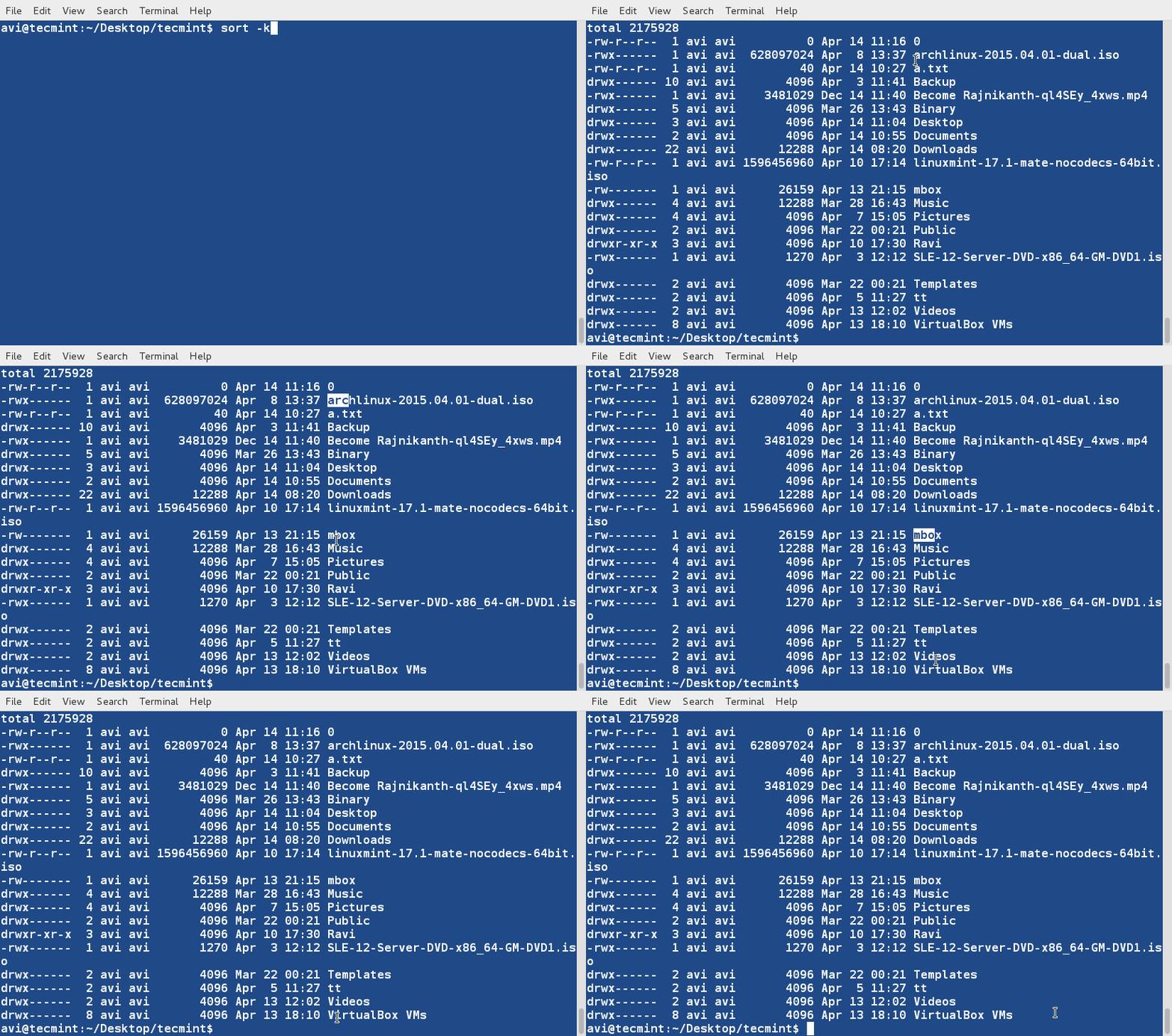
7. Sort the contents of file ' lsl.txt ' on the basis of 2nd column (which represents number of symbolic links).
$ sort -nk2 lsl.txtNote: The ' -n ' option in the above example sort the contents numerically. Option ' -n ' must be used when we wanted to sort a file on the basis of a column which contains numerical values.
8. Sort the contents of file ' lsl.txt ' on the basis of 9th column (which is the name of the files and folders and is non-numeric).
$ sort -k9 lsl.txt
9. It is not always essential to run sort command on a file. We can pipeline it directly on the terminal with actual command.
$ ls -l /home/$USER | sort -nk5
10. Sort and remove duplicates from the text file tecmint.txt . Check if the duplicate has been removed or not.
$ cat tecmint.txt
$ sort -u tecmint.txt
Rules so far (what we have observed):
- Lines starting with numbers are preferred in the list and lies at the top until otherwise specified ( -r ).
- Lines starting with lowercase letters are preferred in the list and lies at the top until otherwise specified ( -r ).
- Contents are listed on the basis of occurrence of alphabets in dictionary until otherwise specified ( -r ).
- Sort command by default treat each line as string and then sort it depending upon dictionary occurrence of alphabets (Numeric preferred; see rule – 1) until otherwise specified.
11. Create a third file ' lsla.txt ' at the current location and populate it with the output of ' ls -lA ' command.
$ ls -lA /home/$USER > /home/$USER/Desktop/tecmint/lsla.txt
$ cat lsla.txt
Those having understanding of ' ls ' command knows that ' ls -lA'='ls -l ' + Hidden files. So most of the contents on these two files would be same.
12. Sort the contents of two files on standard output in one go.
$ sort lsl.txt lsla.txt
Notice the repetition of files and folders.
13. Now we can see how to sort, merge and remove duplicates from these two files.
$ sort -u lsl.txt lsla.txt
Notice that duplicates has been omitted from the output. Also, you can write the output to a new file by redirecting the output to a file.
14. We may also sort the contents of a file or the output based upon more than one column. Sort the output of ' ls -l ' command on the basis of field 2,5 (Numeric) and 9 (Non-Numeric).
$ ls -l /home/$USER | sort -t "," -nk2,5 -k9
That's all for now. In the next article we will cover a few more examples of ' sort ' command in detail for you. Till then stay tuned and connected to Tecmint. Keep sharing. Keep commenting. Like and share us and help us get spread.
|
|
|
Jul 12, 2019 | linuxhandbook.com
5. Sort by months [option -M]Sort also has built in functionality to arrange by month. It recognizes several formats based on locale-specific information. I tried to demonstrate some unqiue tests to show that it will arrange by date-day, but not year. Month abbreviations display before full-names.
Here is the sample text file in this example:
March
Feb
February
April
August
July
June
November
October
December
May
September
1
4
3
6
01/05/19
01/10/19
02/06/18Let's sort it by months using the -M option:
sort filename.txt -MHere's the output you'll see:
01/05/19
01/10/19
02/06/18
1
3
4
6
Jan
Feb
February
March
April
May
June
July
August
September
October
November
December
... ... ...
7. Sort Specific Column [option -k]If you have a table in your file, you can use the
-koption to specify which column to sort. I added some arbitrary numbers as a third column and will display the output sorted by each column. I've included several examples to show the variety of output possible. Options are added following the column number.1. MX Linux 100
2. Manjaro 400
3. Mint 300
4. elementary 500
5. Ubuntu 200sort filename.txt -k 2This will sort the text on the second column in alphabetical order:
4. elementary 500
2. Manjaro 400
3. Mint 300
1. MX Linux 100
5. Ubuntu 200
sort filename.txt -k 3nThis will sort the text by the numerals on the third column.
1. MX Linux 100
5. Ubuntu 200
3. Mint 300
2. Manjaro 400
4. elementary 500
sort filename.txt -k 3nrSame as the above command just that the sort order has been reversed.
4. elementary 500
2. Manjaro 400
3. Mint 300
5. Ubuntu 200
1. MX Linux 100
8. Sort and remove duplicates [option -u]If you have a file with potential duplicates, the
READ Learn to Use CURL Command in Linux With These Examples-uoption will make your life much easier. Remember that sort will not make changes to your original data file. I chose to create a new file with just the items that are duplicates. Below you'll see the input and then the contents of each file after the command is run.1. MX Linux
2. Manjaro
3. Mint
4. elementary
5. Ubuntu
1. MX Linux
2. Manjaro
3. Mint
4. elementary
5. Ubuntu
1. MX Linux
2. Manjaro
3. Mint
4. elementary
5. Ubuntusort filename.txt -u > filename_duplicates.txtHere's the output files sorted and without duplicates.
1. MX Linux 2. Manjaro 3. Mint 4. elementary 5. Ubuntu9. Ignore case while sorting [option -f]Many modern distros running sort will implement ignore case by default. If yours does not, adding the
-foption will produce the expected results.sort filename.txt -fHere's the output where cases are ignored by the sort command:
alpha
alPHa
Alpha
ALpha
beta
Beta
BEta
BETA
10. Sort by human numeric values [option -h]This option allows the comparison of alphanumeric values like 1k (i.e. 1000).
sort filename.txt -hHere's the sorted output:
10.0
100
1000.0
1k
I hope this tutorial helped you get the basic usage of the sort command in Linux. If you have some cool sort trick, why not share it with us in the comment section?
Christopher works as a Software Developer in Orlando, FL. He loves open source, Taco Bell, and a Chi-weenie named Max. Visit his website for more information or connect with him on social media.
JohnThe sort command option "k" specifies a field, not a column. In your example all five lines have the same character in column 2 – a "."Stephane Chauveau
In gnu sort, the default field separator is 'blank to non-blank transition' which is a good default to separate columns. In his example, the "." is part of the first column so it should work fine. If –debug is used then the range of characters used as keys is dumped.What is probably missing in that article is a short warning about the effect of the current locale. It is a common mistake to assume that the default behavior is to sort according ASCII texts according to the ASCII codes. For example, the command echo `printf ".nxn0nXn@në" | sort` produces ". 0 @ X x ë" with LC_ALL=C but ". @ 0 ë x X" with LC_ALL=en_US.UTF-8.
|
|
|
Sep 25, 2018 | www.amazon.com
awk , cut , and join , sort views its input as a stream of records made up of fields of variable width, with records delimited by newline characters and fields delimited by whitespace or a user-specifiable single character.sort
- Usage
- sort [ options ] [ file(s) ]
- Purpose
- Sort input lines into an order determined by the key field and datatype options, and the locale.
- Major options
- -b
- Ignore leading whitespace.
- -c
- Check that input is correctly sorted. There is no output, but the exit code is nonzero if the input is not sorted.
- -d
- Dictionary order: only alphanumerics and whitespace are significant.
- -g
- General numeric value: compare fields as floating-point numbers. This works like -n , except that numbers may have decimal points and exponents (e.g., 6.022e+23 ). GNU version only.
- -f
- Fold letters implicitly to a common lettercase so that sorting is case-insensitive.
- -i
- Ignore nonprintable characters.
- -k
- Define the sort key field.
- -m
- Merge already-sorted input files into a sorted output stream.
- -n
- Compare fields as integer numbers.
- -o outfile
- Write output to the specified file instead of to standard output. If the file is one of the input files, sort copies it to a temporary file before sorting and writing the output.
- -r
- Reverse the sort order to descending, rather than the default ascending.
- -t char
- Use the single character char as the default field separator, instead of the default of whitespace.
- -u
- Unique records only: discard all but the first record in a group with equal keys. Only the key fields matter: other parts of the discarded records may differ.
- Behavior
- sort reads the specified files, or standard input if no files are given, and writes the sorted data on standard output.
Sorting by LinesIn the simplest case, when no command-line options are supplied, complete records are sorted according to the order defined by the current locale. In the traditional C locale, that means ASCII order, but you can set an alternate locale as we described in Section 2.8 . A tiny bilingual dictionary in the ISO 8859-1 encoding translates four French words differing only in accents:
$ cat french-english                           Show the tiny dictionary

côte    coast

cote    dimension

coté    dimensioned

côté    side
To understand the sorting, use the octal dump tool, od , to display the French words in ASCII and octal:$ cut -f1 french-english | od -a -b Display French words in octal bytes 0000000 c t t e nl c o t e nl c o t i nl c 143 364 164 145 012 143 157 164 145 012 143 157 164 351 012 143 0000020 t t i nl 364 164 351 012 0000024Evidently, with the ASCII option -a , od strips the high-order bit of characters, so the accented letters have been mangled, but we can see their octal values: é is 351 8 and ô is 364 8 . On GNU/Linux systems, you can confirm the character values like this:$ man iso_8859_1 Check the ISO 8859-1 manual page ... Oct Dec Hex Char Description -------------------------------------------------------------------- ... 351 233 E9 é LATIN SMALL LETTER E WITH ACUTE ... 364 244 F4 ô LATIN SMALL LETTER O WITH CIRCUMFLEX ...First, sort the file in strict byte order:$ LC_ALL=C sort french-english Sort in traditional ASCII order cote dimension coté dimensioned côte coast côté sideNotice that e (145 8 ) sorted before é (351 8 ), and o (157 8 ) sorted before ô (364 8 ), as expected from their numerical values. Now sort the text in Canadian-French order:$ LC_ALL=fr_CA.iso88591 sort french-english Sort in Canadian-French locale côte coast cote dimension coté dimensioned côté sideThe output order clearly differs from the traditional ordering by raw byte values. Sorting conventions are strongly dependent on language, country, and culture, and the rules are sometimes astonishingly complex. Even English, which mostly pretends that accents are irrelevant, can have complex sorting rules: examine your local telephone directory to see how lettercase, digits, spaces, punctuation, and name variants like McKay and Mackay are handled.
Sorting by FieldsFor more control over sorting, the -k option allows you to specify the field to sort on, and the -t option lets you choose the field delimiter. If -t is not specified, then fields are separated by whitespace and leading and trailing whitespace in the record is ignored. With the -t option, the specified character delimits fields, and whitespace is significant. Thus, a three-character record consisting of space-X-space has one field without -t , but three with -t ' ' (the first and third fields are empty). The -k option is followed by a field number, or number pair, optionally separated by whitespace after -k . Each number may be suffixed by a dotted character position, and/or one of the modifier letters shown in Table.
Letter
Description
b
Ignore leading whitespace.
d
Dictionary order.
f
Fold letters implicitly to a common lettercase.
g
Compare as general floating-point numbers. GNU version only.
i
Ignore nonprintable characters.
n
Compare as (integer) numbers.
r
Reverse the sort order.
Fields and characters within fields are numbered starting from one.
If only one field number is specified, the sort key begins at the start of that field, and continues to the end of the record ( not the end of the field).
If a comma-separated pair of field numbers is given, the sort key starts at the beginning of the first field, and finishes at the end of the second field.
With a dotted character position, comparison begins (first of a number pair) or ends (second of a number pair) at that character position: -k2.4,5.6 compares starting with the fourth character of the second field and ending with the sixth character of the fifth field.
If the start of a sort key falls beyond the end of the record, then the sort key is empty, and empty sort keys sort before all nonempty ones.
When multiple -k options are given, sorting is by the first key field, and then, when records match in that key, by the second key field, and so on.
! While the -k option is available on all of the systems that we tested, sort also recognizes an older field specification, now considered obsolete, where fields and character positions are numbered from zero. The key start for character m in field n is defined by + n.m , and the key end by - n.m . For example, sort +2.1 -3.2 is equivalent to sort -k3.2,4.3 . If the character position is omitted, it defaults to zero. Thus, +4.0nr and +4nr mean the same thing: a numeric key, beginning at the start of the fifth field, to be sorted in reverse (descending) order.
Let's try out these options on a sample password file, sorting it by the username, which is found in the first colon-separated field:$ sort -t: -k1,1 /etc/passwd Sort by username bin:x:1:1:bin:/bin:/sbin/nologin chico:x:12501:1000:Chico Marx:/home/chico:/bin/bash daemon:x:2:2:daemon:/sbin:/sbin/nologin groucho:x:12503:2000:Groucho Marx:/home/groucho:/bin/sh gummo:x:12504:3000:Gummo Marx:/home/gummo:/usr/local/bin/ksh93 harpo:x:12502:1000:Harpo Marx:/home/harpo:/bin/ksh root:x:0:0:root:/root:/bin/bash zeppo:x:12505:1000:Zeppo Marx:/home/zeppo:/bin/zshFor more control, add a modifier letter in the field selector to define the type of data in the field and the sorting order. Here's how to sort the password file by descending UID:
$ sort -t: -k3nr /etc/passwd               Sort by descending UID

zeppo:x:12505:1000:Zeppo Marx:/home/zeppo:/bin/zsh

gummo:x:12504:3000:Gummo Marx:/home/gummo:/usr/local/bin/ksh93

groucho:x:12503:2000:Groucho Marx:/home/groucho:/bin/sh

harpo:x:12502:1000:Harpo Marx:/home/harpo:/bin/ksh

chico:x:12501:1000:Chico Marx:/home/chico:/bin/bash

daemon:x:2:2:daemon:/sbin:/sbin/nologin

bin:x:1:1:bin:/bin:/sbin/nologin

root:x:0:0:root:/root:/bin/bash
A more precise field specification would have been -k3nr,3 (that is, from the start of field three, numerically, in reverse order, to the end of field three), or -k3,3nr , or even -k3,3 -n -r , but sort stops collecting a number at the first nondigit, so -k3nr works correctly.
In our password file example, three users have a common GID in field 4, so we could sort first by GID, and then by UID, with:
$ sort -t: -k4n -k3n /etc/passwd           Sort by GID and UID

root:x:0:0:root:/root:/bin/bash

bin:x:1:1:bin:/bin:/sbin/nologin

daemon:x:2:2:daemon:/sbin:/sbin/nologin

chico:x:12501:1000:Chico Marx:/home/chico:/bin/bash

harpo:x:12502:1000:Harpo Marx:/home/harpo:/bin/ksh

zeppo:x:12505:1000:Zeppo Marx:/home/zeppo:/bin/zsh

groucho:x:12503:2000:Groucho Marx:/home/groucho:/bin/sh

gummo:x:12504:3000:Gummo Marx:/home/gummo:/usr/local/bin/ksh93
The useful -u option asks sort to output only unique records, where unique means that their sort-key fields match, even if there are differences elsewhere. Reusing the password file one last time, we find:
$ sort -t: -k4n -u /etc/passwd             Sort by unique GID

root:x:0:0:root:/root:/bin/bash

bin:x:1:1:bin:/bin:/sbin/nologin

daemon:x:2:2:daemon:/sbin:/sbin/nologin

chico:x:12501:1000:Chico Marx:/home/chico:/bin/bash

groucho:x:12503:2000:Groucho Marx:/home/groucho:/bin/sh

gummo:x:12504:3000:Gummo Marx:/home/gummo:/usr/local/bin/ksh93
Notice that the output is shorter: three users are in group 1000, but only one of them was output...
Sorting Text BlocksSometimes you need to sort data composed of multiline records. A good example is an address list, which is conveniently stored with one or more blank lines between addresses. For data like this, there is no constant sort-key position that could be used in a -k option, so you have to help out by supplying some extra markup. Here's a simple example:
$ cat my-friends                           Show address file

# SORTKEY: Schloß, Hans Jürgen
Hans Jürgen Schloß
Unter den Linden 78
D-10117 Berlin
Germany

# SORTKEY: Jones, Adrian
Adrian Jones
371 Montgomery Park Road
Henley-on-Thames RG9 4AJ
UK

# SORTKEY: Brown, Kim
Kim Brown
1841 S Main Street
Westchester, NY 10502
USA
The sorting trick is to use the ability of awk to handle more-general record separators to recognize paragraph breaks, temporarily replace the line breaks inside each address with an otherwise unused character, such as an unprintable control character, and replace the paragraph break with a newline. sort then sees lines that look like this:
# SORTKEY: Schloß, Hans Jürgen^ZHans Jürgen Schloß^ZUnter den Linden 78^Z...

# SORTKEY: Jones, Adrian^ZAdrian Jones^Z371 Montgomery Park Road^Z...

# SORTKEY: Brown, Kim^ZKim Brown^Z1841 S Main Street^Z...
Here, ^Z is a Ctrl-Z character. A filter step downstream from sort restores the line breaks and paragraph breaks, and the sort key lines are easily removed, if desired, with grep . The entire pipeline looks like this:
cat my-friends |                                         Pipe in address file
  awk -v RS="" { gsub("\n", "^Z"); print }' |            Convert addresses to single lines
    sort -f |                                            Sort address bundles, ignoring case
      awk -v ORS="\n\n" '{ gsub("^Z", "\n"); print }' |  Restore line structure
        grep -v '# SORTKEY'                              Remove markup lines
The gsub( ) function performs "global substitutions." It is similar to the s/x/y/g construct in sed . The RS variable is the input Record Separator. Normally, input records are separated by newlines, making each line a separate record. Using RS=" " is a special case, whereby records are separated by blank lines; i.e., each block or "paragraph" of text forms a separate record. This is exactly the form of our input data. Finally, ORS is the Output Record Separator; each output record printed with print is terminated with its value. Its default is also normally a single newline; setting it here to " \n\n " preserves the input format with blank lines separating records. (More detail on these constructs may be found in Chapter 9 .)
The beauty of this approach is that we can easily include additional keys in each address that can be used for both sorting and selection: for example, an extra markup line of the form:
# COUNTRY: UKin each address, and an additional pipeline stage of grep '# COUNTRY: UK ' just before the sort , would let us extract only the UK addresses for further processing.
You could, of course, go overboard and use XML markup to identify the parts of the address in excruciating detail:
<address>
  <personalname>Hans Jürgen</personalname>
  <familyname>Schloß</familyname>
  <streetname>Unter den Linden<streetname>
  <streetnumber>78</streetnumber>
  <postalcode>D-10117</postalcode>
  <city>Berlin</city>
  <country>Germany</country>
</address>
With fancier data-processing filters, you could then please your post office by presorting your mail by country and postal code, but our minimal markup and simple pipeline are often good enough to get the job done.
4.1.4. Sort EfficiencyThe obvious way to sort data requires comparing all pairs of items to see which comes first, and leads to algorithms known as bubble sort and insertion sort . These quick-and-dirty algorithms are fine for small amounts of data, but they certainly are not quick for large amounts, because their work to sort n records grows like n 2 . This is quite different from almost all of the filters that we discuss in this book: they read a record, process it, and output it, so their execution time is directly proportional to the number of records, n .
Fortunately, the sorting problem has had lots of attention in the computing community, and good sorting algorithms are known whose average complexity goes like n 3/2 ( shellsort ), n log n ( heapsort , mergesort , and quicksort ), and for restricted kinds of data, n ( distribution sort ). The Unix sort command implementation has received extensive study and optimization: you can be confident that it will do the job efficiently, and almost certainly better than you can do yourself without learning a lot more about sorting algorithms.
4.1.5. Sort StabilityAn important question about sorting algorithms is whether or not they are stable : that is, is the input order of equal records preserved in the output? A stable sort may be desirable when records are sorted by multiple keys, or more than once in a pipeline. POSIX does not require that sort be stable, and most implementations are not, as this example shows:
$ sort -t_ -k1,1 -k2,2 << EOF Sort four lines by first two fields> one_two > one_two_three > one_two_four > one_two_five > EOF one_two one_two_five one_two_four one_two_threeThe sort fields are identical in each record, but the output differs from the input, so sort is not stable. Fortunately, the GNU implementation in the coreutils package [1] remedies that deficiency via the -- stable option: its output for this example correctly matches the input.
[1] Available at ftp://ftp.gnu.org/gnu/coreutils/ .
Perl grep, map and sort
Sort
Definition and syntax
Sort by numerical order
Sort by ASCII order
Sort by dictionary order
Sort by reverse order
Sort using multiple keys
Sort a hash by its keys (sort + map)
Sort a hash by its values (sort + map)
Generate an array of sort ranks
Sort words in a file and eliminate duplicates
Efficient sorting (sort + map)
Sorting lines on the last field (sort + map)
More efficient sorting (sort + map)
CPAN modules for sorting
Sort words with 4 or more consecutive vowels (sort + map + grep)
Print the canonical sort order (sort + map + grep)The sort function
sort LIST
sort BLOCK LIST
sort SUBNAME LISTThe sort function sorts the LIST and returns the sorted list value. If SUBNAME or BLOCK is omitted, the sort is in standard string comparison order (i.e., an ASCII sort). If SUBNAME is specified, it gives the name of a subroutine that compares two list elements and returns an integer less than, equal to, or greater than 0, depending on whether the elements are in ascending sort order, equal, or descending sort order, respectively. In place of a SUBNAME, you can provide a BLOCK as an anonymous, in-line sort subroutine.
The two elements to be compared are passed as the variables $a and $b. They are passed by reference, so don't modify $a or $b. If you use a subroutine, it cannot be recursive.
Perl versions prior to 5.6 use the Quicksort algorithm for sorting; version 5.6 and higher use the slightly more efficient Mergesort algorithm. Both are efficient N log N algorithms.
Sort by numerical order
@array = (8, 2, 32, 1, 4, 16);
print join(' ', sort { $a <=> $b } @array), "\n";
1 2 4 8 16 32Equivalently:sub numerically { $a <=> $b } print join(' ', sort numerically @array), "\n";1 2 4 8 16 32Sort by ASCII order (not dictionary order)@languages = qw(fortran lisp c c++ Perl python java); print join(' ', sort @languages), "\n";Perl c c++ fortran java lisp pythonEquivalently:print join(' ', sort { $a cmp $b } @languages), "\n";
Watch out if you have some numbers in the data:print join(' ', sort 1 .. 11), "\n";1 10 11 2 3 4 5 6 7 8 9Sort by dictionary orderuse locale; @array = qw(ASCII ascap at_large atlarge A ARP arp); @sorted = sort { ($da = lc $a) =~ s/[\W_]+//g; ($db = lc $b) =~ s/[\W_]+//g; $da cmp $db; } @array; print "@sorted\n";A ARP arp ascap ASCII atlarge at_largeThe use locale pragma is optional - it makes the code more portable if the data contains international characters. This pragma affects the operators cmp, lt, le, ge, gt and some functions - see the perllocale man page for details.Notice that the order of atlarge and at_large was reversed on output, even though their sort order was identical. (The substitution removed the underscore before the sort.) This happened because this example was run using Perl version 5.005_02. Before Perl version 5.6, the sort function would not preserve the order of keys with identical values. The sort function in Perl versions 5.6 and higher preserves this order. (A sorting algorithm that preserves the order of identical keys is called "stable".)
Sort by reverse order
To reverse the sort order, reverse the position of the operands of the cmp or <=> operators:sort { $b <=> $a } @array;
or change the sign of the block's or subroutine's return value:sort { -($a <=> $b) } @array;
or add the reverse function (slightly less efficient, but perhaps more readable):reverse sort { $a <=> $b } @array;
Sort using multiple keys
To sort by multiple keys, use a sort subroutine with multiple tests connected by Perl's or operator. Put the primary sort test first, the secondary sort test second, and so on.# An array of references to anonymous hashes @employees = ( { FIRST => 'Bill', LAST => 'Gates', SALARY => 600000, AGE => 45 }, { FIRST => 'George', LAST => 'Tester' SALARY => 55000, AGE => 29 }, { FIRST => 'Sally', LAST => 'Developer', SALARY => 55000, AGE => 29 }, { FIRST => 'Joe', LAST => 'Tester', SALARY => 55000, AGE => 29 }, { FIRST => 'Steve', LAST => 'Ballmer', SALARY => 600000, AGE => 41 } ); sub seniority { $b->{SALARY} <=> $a->{SALARY} or $b->{AGE} <=> $a->{AGE} or $a->{LAST} cmp $b->{LAST} or $a->{FIRST} cmp $b->{FIRST} } @ranked = sort seniority @employees; foreach $emp (@ranked) { print "$emp->{SALARY}\t$emp->{AGE}\t$emp->{FIRST} $emp->{LAST}\n"; }600000 45 Bill Gates 600000 41 Steve Ballmer 55000 29 Sally Developer 55000 29 George Tester 55000 29 Joe TesterSort a hash by its keysHashes are stored in an order determined by Perl's internal hashing algorithm; the order changes when you add or delete a hash key. However, you can sort a hash by key value and store the results in an array or better, an array of hashrefs. (A hashref is a reference to a hash.) Don't store the sorted results in a hash; this would resort the keys into the original order.
%hash = (Donald => Knuth, Alan => Turing, John => Neumann);
@sorted = map { { ($_ => $hash{$_}) } } sort keys %hash;
foreach $hashref (@sorted) {
    ($key, $value) = each %$hashref;
    print "$key => $value\n";
}
Alan => Turing Donald => Knuth John => NeumannSort a hash by its valuesUnlike hash keys, hash values are not guaranteed to be unique. If you sort a hash by only its values, the sort order of two elements with the same value may change when you add or delete other values. To do a stable sort by hash values, do a primary sort by value and a secondary sort by key:
%hash = ( Elliot => Babbage,
          Charles => Babbage,
          Grace => Hopper,
          Herman => Hollerith
        );
@sorted = map { { ($_ => $hash{$_}) } }
              sort { $hash{$a} cmp $hash{$b}
                     or $a cmp $b
                   } keys %hash;
foreach $hashref (@sorted) {
    ($key, $value) = each %$hashref;
    print "$key => $value\n";
}
Charles => Babbage Elliot => Babbage Herman => Hollerith Grace => Hopper(Elliot Babbage was Charles's younger brother. He died in abject poverty after numerous attempts to use Charles's Analytical Engine to predict horse races. And did I tell you about Einstein's secret life as a circus performer?)
Generate an array of sort ranks for a list
@x = qw(matt elroy jane sally);
@rank[sort { $x[$a] cmp $x[$b] } 0 .. $#x] = 0 .. $#x;
print "@rank\n";
2 0 1 3Sort words in a file and eliminate duplicatesThis Unix "one-liner" displays a sorted list of the unique words in a file. (The \ escapes the following newline so that Unix sees the command as a single line.) The statement @uniq{@F} = () uses a hash slice to create a hash whose keys are the unique words in the file; it is semantically equivalent to $uniq{ $F[0], $F[1], ... $F[$#F] } = (); Hash slices have a confusing syntax that combines the array prefix symbol @ with the hash key symbols {}, but they solve this problem succinctly.
perl -0777ane '$, = "\n"; \
   @uniq{@F} = (); print sort keys %uniq' file
-0777 - Slurp entire file instead of single line
-a - Autosplit mode, split lines into @F array
-e - Read script from command line
-n - Loop over script specified on command line: while (<>) { ... }
$, - Output field separator for print
file - File name
Efficient sorting: the Orcish maneuver and the Schwartzian transform
The sort subroutine will usually be called many times for each key. If the run time of the sort is critical, use the Orcish maneuver or Schwartzian transform so that each key is evaluated only once.Consider an example where evaluating the sort key involves a disk access: sorting a list of file names by file modification date.
# Brute force - multiple disk accesses for each file
@sorted = sort { -M $a <=> -M $b } @filenames;

# Cache keys in a hash (the Orcish maneuver)
@sorted = sort { ($modtimes{$a} ||= -M $a) <=>
                 ($modtimes{$b} ||= -M $b)
               } @filenames;
The Orcish maneuver was popularized by Joseph Hall. The name is derived from the phrase "or cache", which is the term for the "||=" operator. (Orcish may also be a reference to the Orcs, a warrior race from the Lord of the Rings trilogy.)# Precompute keys, sort, extract results # (The famous Schwartzian transform) @sorted = map( { $_->[0] } sort( { $a->[1] <=> $b->[1] } map({ [$_, -M] } @filenames) ) );
The Schwartzian transform is named for its originator, Randall Schwartz, who is the co-author of the book Learning Perl.Benchmark results (usr + sys time, as reported by the Perl Benchmark module):
Linux, 333 MHz CPU, 1649 files:
Brute force: 0.14 s Orcish: 0.07 s Schwartzian: 0.09 s
WinNT 4.0 SP6, 133 MHz CPU, 1130 files:
Brute force: 7.38 s Orcish: 1.43 s Schwartzian: 1.38 sThe Orcish maneuver is usually more difficult to code and less elegant than the Schwartzian transform. I recommend that you use the Schwartzian transform as your method of choice.
Whenever you consider optimizing code for performance, remember these basic rules of optimization: (1) Don't do it (or don't do it yet), (2) Make it right before you make it faster, and (3) Make it clear before you make it faster.
Sorting lines on the last field (Schwartzian transform)
Given $str with the contents below (each line is terminated by the newline character, \n):eir 11 9 2 6 3 1 1 81% 63% 13 oos 10 6 4 3 3 0 4 60% 70% 25 hrh 10 6 4 5 1 2 2 60% 70% 15 spp 10 6 4 3 3 1 3 60% 60% 14
Sort the contents using the last field as the sort key.$str = join "\n", map { $_->[0] } sort { $a->[1] <=> $b->[1] } map { [ $_, (split)[-1] ] } split /\n/, $str;
Another approach is to install and use the CPAN module Sort::Fields. For example:
use Sort::Fields;
@sorted = fieldsort [ 6, '2n', '-3n' ] @lines;
This statement uses the default column definition, which is a split on whitespace.
Primary sort is an alphabetic (ASCII) sort on column 6.
Secondary sort is a numeric sort on column 2.
Tertiary sort is a reverse numeric sort on column 3.
Efficient sorting revisited: the Guttman-Rosler transform
Given that the Schwartzian transform is the usually best option for efficient sorting in Perl, is there any way to improve on it? Yes, there is! The Perl sort function is optimized for the default sort, which is in ASCII order. The Guttman-Rosler transform (GRT) does some additional work in the enclosing map functions so that the sort is done in the default order. The Guttman-Rosler transform was first published by Michal Rutka and popularized by Uri Guttman and Larry Rosler.Consider an example where you want to sort an array of dates. Given data in the format YYYY/MM/DD:
@dates = qw(2001/1/1 2001/07/04 1999/12/25);
what is the most efficient way to sort it in order of increasing date?The straightforward Schwartzian transform would be:
@sorted = map { $_->[0] }
          sort { $a->[1] <=> $b->[1]
                 or $a->[2] <=> $b->[2]
                 or $a->[3] <=> $b->[3]
               }
          map { [ $_, split m</> $_, 3 ] } @dates;
The more efficient Guttman-Rosler transform is:@sorted = map { substr $_, 10 } sort map { m|(\d\d\d\d)/(\d+)/(\d+)|; sprintf "%d-%02d-%02d%s", $1, $2, $3, $_ } @dates;The GRT solution is harder to code and less readable than the Schwartzian transform solution, so I recommend you use the GRT only in extreme circumstances. For tests using large datasets, Perl 5.005_03 and Linux 2.2.14, the GRT was 1.7 times faster than the Schwartzian transform. For tests using Perl 5.005_02 and Windows NT 4.0 SP6, the GRT was 2.5 times faster. Using the timing data from the first efficiency example, the Guttman-Rosler transform was faster than a brute force sort by a factor of 2.7 and 13 on Linux and Windows, respectively.If you are still not satisfied, you may be able to speed up your sorts by upgrading to a more recent version of Perl. The sort function in Perl versions 5.6 and higher uses the Mergesort algorithm, which (depending on the data) is slightly faster than the Quicksort algorithm used by the sort function in previous versions.
Again, remember these basic rules of optimization: (1) Don't do it (or don't do it yet), (2) Make it right before you make it faster, and (3) Make it clear before you make it faster.
Some CPAN modules for sorting
These modules can be downloaded from http://search.cpan.org/.File::Sort - Sort one or more text files by lines
Sort::Fields - Sort lines using one or more columns as the sort key(s)
Sort::ArbBiLex - Construct sort functions for arbitrary sort orders
Text::BibTeX::BibSort - Generate sort keys for bibliographic entries.The open source community is adding to CPAN regularly - use the search engine to check for new modules. If one of the CPAN sorting modules can be modified to suit your needs, contact the author and/or post your idea to the Usenet group comp.lang.perl.modules. If you write a useful, generalized sorting module, please contribute it to CPAN!
The holy grail of Perl data transforms
When I presented this material to the Seattle Perl Users Group, I issued the following challenge:
"Find a practical problem that can be effectively solved by a statement using map, sort and grep. The code should run faster and be more compact than alternative solutions."
Within minutes Brian Ingerson came forward with the following Unix one-liner:
Print sorted list of words with 4 or more consecutive vowels
perl -e 'print sort map { uc } grep /[aeiou]{4}/, <>' \
   /usr/dict/words
AQUEOUS DEQUEUE DEQUEUED DEQUEUES DEQUEUING ENQUEUE ENQUEUED ENQUEUES HAWAIIAN OBSEQUIOUS PHARMACOPOEIA QUEUE QUEUED QUEUEING QUEUER QUEUERS QUEUES QUEUING SEQUOIA(Pharmacopoeia is an official book containing a list of drugs with articles on their preparation and use.)
Print the canonical sort order
While reading the perllocale man page, I came across this handy example of a holy grail, which is more natural and useful than the example above. This prints the canonical order of characters used by the cmp, lt, gt, le and ge operators.print +(sort grep /\w/, map { chr } 0 .. 255), "\n";0123456789ABCDEFGHIJKLMNOPQRSTUVWXYZ_abcdefghijklmnopqrstuvwxyzThe map converts the numbers to their ASCII value; the grep gets rid of special characters and funky control characters that mess up your screen. The plus sign helps Perl interpret the syntax print (...) correctly.This example shows that, in this case, the expression '_' lt 'a' is TRUE. If your program has the "use locale" pragma, the canonical order will depend on your current locale.
Sort
Christiansen, T., Far more than everything you've ever wanted to know about sorting
Christiansen, T., and Torkington, N., 1998, The Perl Cookbook, Recipe 4.15: Sorting a list by computable field, O'Reilly and Assoc.
Guttman, U. and Rosler, L., 1999, A fresh look at efficient sorting
Hall, J. N., More about the Schwartzian transform
Hall, J. N., 1998, Effective Perl Programming, p. 48., Addison-Wesley.
Knuth, D. E., 1998, The Art of Computer Programming: Sorting and Searching, 2nd ed., chap. 5, Addison-Wesley.
Wall, L., et al, Sort function man page
Wall, L., et al, Perl FAQ entry for sort ("perldoc -q sort")
[Mar 24, 2008] Perl Training Australia - Perl's sort function
A common task when working with any type of data is to sort that data into a consistent ordering. A list of people may be sorted by name, a list of files may be sorted by size, and a list of phone calls may be sorted by time or duration.
Perl makes it easy to sort lists of values. If I have a list of names, I can produce a sorted list of names with one simple line:
@sorted_names = sort @names;By itself, Perl's sort functions will place elements into "asciibetical" order. That is, according to the ordering of the ASCII table. For the most part this is the same as alphabetical, except that case does matter -- all strings starting in upper case will always be listed before those starting in lower case. That's very fast, but it's not always what we want.
What if we wanted to sort our list in true alphabetical order, or by numerical order instead? To do that, we need to pass an argument to Perl's sort function.
@sorted_names = sort {lc $a cmp lc $b} @names;The argument to sort is a block that Perl will call to determine how to order two elements. The rules here are simple. Two special variables, $a and $b, are bound by Perl to the values being compared. Perl then invokes our code and expects to see a value of -1, 0, or +1, depending on whether $a is less than, equal to, or greater than $b.
In our example, the 'cmp' operator returns -1, 0, or +1 for these three conditions, and compares both of its arguments as strings. Since we wanted to sort our values alphabetically, regardless of case, we also call 'lc' on each of the values, to provide us with a lower-cased version of each string.
If we want to perform a numerical sort, we simply need to pass in a different comparison block:
@sorted_numbers = sort {$a <=> $b} @numbers;Here we're using the '<=>' operator, popularly known as the 'starship operator'. It also returns values of -1, 0, or +1 as appropriate, but compares its arguments as numbers, not strings.
If we want to have a list in descending order (largest to smallest) rather than the other way around, we only need to swap the positions of $a and $b:
@descending_numbers = sort {$b <=> $a } @numbers;As you can see, Perl's sort is very flexible.
It's also possible to pass an arbitrary subroutine to Perl's sort function. This allows us to not only use some very complex comparison functions, but can also improve readability. Let's pretend we two subroutines declared, using our sort blocks from above:
    sub numerically    { $a <=> $b }
    sub alphabetically { lc $a cmp lc $b }
Now we can write:
    @sorted_numbers = sort numerically    @numbers;
    @sorted_names   = sort alphabetically @names;
NEXT WEEK: Using the Schwartzian Transform when working with expensive comparison algorithms
Sort::Merge Perl extension for merge sort
Sorting Data - Perl Programming
Now we get to the more complicated ways. If our "unsorted" were very large, it could take a while to run. At http://perlmonks.thepen.com/145659.html, I found this:#!/usr/bin/perl
my @words=<>;
#Guttman Rosler Transform or GRT
my @sorted=map { substr($_,4) }
sort
map { pack("LA*",tr/eE/eE/,$_) } @words;
foreach(@sorted) {
print;
}This needs a lot of explanation. First, "map". Perl's "map" function is like a "foreach" loop: whatever you want to do to an array is in the first argument, the array you work on is its second. It's better than a foreach loop though, because it gives us back a new array. As a very simple example:
So the "map { pack("LA*",tr/eE/eE/,$_) } @words;" part of the example above returns a new array that consists of a packed 4 byte number followed by the orginal contents of each line. That number is, of course, the count provided by "tr". We use pack here because it's very quick, but if we had more complex needs, we could use sprintf or even build the string ourselves. We just have to make sure we can un-build it at the end.@lcwords=map {lc($_)} @words;
It's then ordered by the "sort" on the previous line, and then the first "map { substr($_,4) }" works on that array, stripping out the packed 4 byte number that made our previous sorting work.
In spite of the double map use, this will actually run much faster than what we did before. Even on a relatively small file, "time" will show that this can be twice as fast.
Recommended Links
Google matched content
Softpanorama Recommended
Top articles
Sites
Get an alphabetical sort of words, but make 'aardvark' always come last.
(Now, why you would want to do that is another question...)@sorted = sort { if($a eq 'aardvark') { return -1; } elsif($b eq 'aardvark') { return 1; } else { return $a cmp $b; } } @words;
- This article at www.effectiveperl.com talks about some of the issues discussed here, and it also presents some more advanced concepts. I highly recommend having a look to the rest of the site, too. Their 'perl recipes' are interesting and useful. The book is excellent, too.
A Fresh Look at Efficient Perl Sorting
Sorting can be a major bottleneck in Perl programs. Performance can vary by orders of magnitude, depending on how the sort is written. In this paper, we examine Perl´s sort function in depth and describe how to use it with simple and complex data. Next we analyze and compare several well-known Perl sorting optimizations (including the Orcish Maneuver and the Schwartzian Transform). We then show how to improve their performance significantly, by packing multiple sortkeys into a single string. Finally, we present a fresh approach, using the sort function with packed sortkeys and without a sortsub. This provides much better performance than any of the other methods, and is easy to implement directly or by using a new module we created, Sort::Records.NOTE: Sort::Records died during development but five years later, Sort::Maker was released and does all that was promised and more. Find it on CPAN
Perl makes it easy to sort lists of values. If I have a list of names, I can produce a sorted list of names with one simple line:
@sorted_names = sort @names;By itself, Perl's sort functions will place elements into "asciibetical" order. That is, according to the ordering of the ASCII table. For the most part this is the same as alphabetical, except that case does matter -- all strings starting in upper case will always be listed before those starting in lower case. That's very fast, but it's not always what we want.
What if we wanted to sort our list in true alphabetical order, or by numerical order instead? To do that, we need to pass an argument to Perl's sort function.
@sorted_names = sort {lc $a cmp lc $b} @names;The argument to sort is a block that Perl will call to determine how to order two elements. The rules here are simple. Two special variables, $a and $b, are bound by Perl to the values being compared. Perl then invokes our code and expects to see a value of -1, 0, or +1, depending on whether $a is less than, equal to, or greater than $b.
In our example, the 'cmp' operator returns -1, 0, or +1 for these three conditions, and compares both of its arguments as strings. Since we wanted to sort our values alphabetically, regardless of case, we also call 'lc' on each of the values, to provide us with a lower-cased version of each string.
If we want to perform a numerical sort, we simply need to pass in a different comparison block:
@sorted_numbers = sort {$a <=> $b} @numbers;Here we're using the '<=>' operator, popularly known as the 'starship operator'. It also returns values of -1, 0, or +1 as appropriate, but compares its arguments as numbers, not strings.
If we want to have a list in descending order (largest to smallest) rather than the other way around, we only need to swap the positions of $a and $b:
@descending_numbers = sort {$b <=> $a } @numbers;As you can see, Perl's sort is very flexible.
It's also possible to pass an arbitrary subroutine to Perl's sort function. This allows us to not only use some very complex comparison functions, but can also improve readability. Let's pretend we two subroutines declared, using our sort blocks from above:
    sub numerically    { $a <=> $b }
    sub alphabetically { lc $a cmp lc $b }
Now we can write:
    @sorted_numbers = sort numerically    @numbers;
    @sorted_names   = sort alphabetically @names;
Tutorial
Sorting (jan 96) by Randal L. Schwartz
One of the most important tasks in managing data is getting it into some sort of sensible order. Perl provides a fairly powerful sort operator, which has a tremendous amount of flexibility. I'm going to talk about some sorts of sorts, and hopefully you'll sort everything out by the time you're finished reading. (And no, despite the similarity to my name, I will not talk about ``random sorts''.)
Let's take a simple case. I have the words in a list somewhere in the perl program, and I want to sort them into alphabetical (technically, ascending ASCII) order. Easy enough:
        @somelist = ("Fred","Barney","Betty","Wilma");
        @sortedlist = sort @somelist;
This puts the value of (``Barney'',``Betty'',``Fred'',``Wilma'') into @sortedlist. If I had had these names in a file, I could have read them from the file:
        #!/usr/bin/perl
        @somelist = <>; # read everything
        @sortedlist = sort @somelist;
        print @sortedlist;
In this case, @somelist (and thus @sortedlist) will also have newlines at the end of each name. That's OK here, because it won't affect the sort order, and it makes printing them out that much easier.
Of course, I can shorten this a bit:
        #!/usr/bin/perl
        @somelist = <>;
        print sort @somelist;
Or even further:
        #!/usr/bin/perl
        print sort <>;
(I suppose this is what gives Perl its reputation for being cryptic.) Here, I've used no variables at all. However, it does indeed sort everything being read, and print the result.
These sorts of sorts are fine if the data is textual. However, if the data is numeric, we'll get a bad order. That's because comparing 15 with 3 as strings will place 15 before 3, not after it. Because the default sort is textual, we need some other way to tell sort to sort numerically, not textually.
Anything besides a textual sort of the values of the element of the list has to be handled with a ``sort subroutine''. The way this works is simple -- at some point, when perl is looking at two elements from the larger list, trying to figure out how to order those two elements, it has to perform a comparison of some sort (heh). By default, this is an ASCII string comparison. However, you can give your own comparison function using a sort subroutine, with the following interface rules:
1. your sort subroutine will be called repeatedly with two elements of the larger list.
2. the two elements will appear in the scalar variables $a and $b. (No need to make them local or look at @_.)
3. you need to ``compare'' $a and $b in the sort subroutine, and decide which is bigger.
4. you need to return -1, 0, or +1, depending on whether $a is ``less than'', ``equal to'', or ``greater than'' $b, using your comparison operation.
Those of you familiar with the
qsort()library function from C should recognize this stuff. In fact, Perl uses theqsort()function, so it's no surprise.So, here's a sort subroutine that does the job in comparing $a and $b numerically, rather than as text:
        sub numerically {
                if ($a < $b) { -1; }
                elsif ($a == $b) { 0; }
                else { +1; }
        }
Now, all we have to do is tell Perl to use this sort subroutine as the comparison function, rather than the built-in ASCII ascending sort. That's done by placing the name of the subroutine (without any leading ampersand) between the keyword ``sort'' and the list of things to be sorted. For example:
@newlist = sort numerically 32,1,4,8,16,2;And now, instead of the list coming out in ASCII order (as it would if I had left out the ``numerically'' word), I get the powers of two in proper numeric sequence in @newlist.
The comparison of $a and $b numerically to generate one of -1, 0, or +1, is performed often enough that Larry Wall believed it warranted its own operator, <=>, which has come to be known as the ``spaceship operator'' for reasons I would rather not discuss. So, I can shorten ``numerically'' down to this:
        sub numerically {
                $a <=> $b;
        }
Now this is short enough that it seems a waste to have to define a separate subroutine, and in fact Perl allows an even more compact notation: the inline sort block, which looks like this:
@newlist = sort { $a <=> $b; } @oldlist;The interface to this inline sort block is exactly as I've described for the subroutine above. It's just a little more compact. Personally, I use this style whenever the sort subroutine is under 40 characters or so, and break down to create a real subroutine above that.
Let's look at reading a list of numbers from the input again:
        #!/usr/bin/perl
        print sort numerically <>;
        sub numerically { $a <=> $b; }
Now, if I present this program with a list of numbers, I'll get the sorted list of numbers. This is functionally equivalent to a Unix ``sort'' command with a ``-n'' switch.
Let's get a little crazier. Suppose I have a file that has people's names in the first column, and bowling scores in the second column:
        Fred 210
        Barney 195
        Betty 200
        Wilma 170
        Dino 30
and that I want to sort this file based on bowling scores. Well, getting the data into the program is pretty simple:
        #!/usr/bin/perl
        @data = <>;
but each element of @data looks like: ``Fred 210\n'', and so on. How do I sort this list @data, but look only at the number and not the name?
Well, I'd need to pull the number out of the string. How do I do that? One way is with split:
        $a = "Fred 210\n";
        ($name,$score) = split /\s+/, $a;
Here, I split $a by whitespace, yielding a two element list. The first element goes into $name (which I really don't care about) and the second element goes into $score. There. Now all I have to do is tell Perl to look at just the score:
        sub scores {
                ($name_a,$score_a) = split /\s+/, $a;
                ($name_b,$score_b) = split /\s+/, $b;
                $score_a <=> $score_b;
        }
and in fact, this will do it!
        #!/usr/bin/perl
        sub scores { ... } # as above
        print sort scores <>;
So, what's wrong with this picture? Well, it'd be just fine if we only looked at each entry in the list once. However, after we're done comparing Fred's score to Barney (and decide Fred is better), we also have to compare Fred's score to Betty's score. That means that we've had to split Fred's data twice so far. In fact, for a huge list, it'll have to perform the very same split over and over and over again.
There's a few ways out of this. One is to compute a separate array that has only the scores, and then sort that array. Let's look at that first.
The goal is to first read the data, and then compute an associative array whose keys represent a particular element of the array, and values represent the precomputed scores. Then, we are reducing the problem to one of an associative array lookup instead of a (perhaps) expensive split.
        @data = <>; # read data
        foreach (@data) {
                ($name,$score) = split; # get score
                $score{$_} = $score; # record it
        }
Now, $score{``Fred 210\n''} will be just 210, and so on, for each of the original elements of @data.
Next, we have to use the information. We need a subroutine that, given two elements of @data in $a and $b, looks up the corresponding scores in %score, and compares those numerically:
        sub score {
                $score{$a} <=> $score{$b};
        }
and this indeed does it. Let's put it all together:
        #!/usr/bin/perl
        @data = <>; # read data
        foreach (@data) {
                ($name,$score) = split; # get score
                $score{$_} = $score; # record it
        }
        print sort {
                $score{$a} <=> $score{$b};
        } @data;
Note that in this version, I recoded the sort subroutine as an inline block instead. (I'm just trying to give you a lot of alternative notations to play with.)
Another way to tackle the problem is to massage the list into a list of pairs of things. The second element of each pair (actually, an anonymous list of two elements) will be the computed sort determinant, and the first element will be the original data value (so we can get back to the original data). This is best handled with the ``map'' operator (not available in older Perl versions).
        @pairs = map {
                ($name, $score) = split;
                [ $_, $score ];
        } @data;
Here, the block of code is executed for each element of @data, with $_ set to the element. This causes each element to be split into $name and $score, and then I build a two-element anonymous list from the $score and the original value $_. These are collected into a new list. If @data had five elements, then @pairs has five elements, each of which is a reference to a two-element anonymous list. Ouch!
The next step is to sort the @pairs list. Within the sort subroutine, $a and $b will be references to two-element lists. The second element of each list is the sort key, and is addressed like $a->[1]. So, we get a sort subroutine like this:
        sub mangle {
                $a->[1] <=> $b->[1];
        }
and the sort looks like this:
@sorted = sort mangle @pairs;Now, @sorted is still the same pairs of data, but sorted according to the scores (did you forget we were still working with the scores?). I have to peel away the anonymous lists to get back the original data, while still preserving the order. Easy -- map to the rescue again:
        @finally = map {
                $_->[0];
        } @sorted;
This is because $_ will be each element of @sorted -- a reference to an anonymous list, and therefore $->[0] will fetch the first element of the anonymous list pointed to by $_, which is the original data. Whew!
Of course, in the Perl tradition, I can shove all this stuff together in a very lisp-like way. You've got to read this back to front to see what is happening:
        #!/usr/bin/perl
        print
                map { $_->[0] }
                sort { $a->[1] <=> $b->[1] }
                map {
                        ($name,$score) = split;
                        [$_,$score];
                } <>;
Eeek. But hey, it works!
One last optimization: I can put the split directly inside the anonymous list creation:
        #!/usr/bin/perl
        print
                map { $_->[0] }
                sort { $a->[1] <=> $b->[1] }
                map { [$_, (split)[1] ] }
                <>;
which works because the split here is being pulled apart by a ``literal slice'' -- only the second element of the list remains after we slice it up.
Perl provides some powerful sorting techniques, which can really be a boon once mastered. I hope I have inspired you more than I've confused you. Next time, something entirely different.
Reference
sort SUBNAME LIST
sort BLOCK LIST
sort LIST
Sorts the LIST and returns the sorted list value. If SUBNAME or BLOCK is omitted, sort()s in standard string comparison order. If SUBNAME is specified, it gives the name of a subroutine that returns an integer less than, equal to, or greater than
0, depending on how the elements of the array are to be ordered. (The<=>andcmpoperators are extremely useful in such routines.) SUBNAME may be a scalar variable name (unsubscripted), in which case the value provides the name of (or a reference to) the actual subroutine to use. In place of a SUBNAME, you can provide a BLOCK as an anonymous, in-line sort subroutine.In the interests of efficiency the normal calling code for subroutines is bypassed, with the following effects: the subroutine may not be a recursive subroutine, and the two elements to be compared are passed into the subroutine not via
@_but as the package global variables$aand$b(see example below). They are passed by reference, so don't modify$aand$b. And don't try to declare them as lexicals either.You also cannot exit out of the sort block or subroutine using any of the loop control operators described in the perlsyn manpage or with goto().
When
use localeis in effect,sort LISTsorts LIST according to the current collation locale. See the perllocale manpage.Examples:
    # sort lexically
    @articles = sort @files;
    # same thing, but with explicit sort routine
    @articles = sort {$a cmp $b} @files;
    # now case-insensitively
    @articles = sort {uc($a) cmp uc($b)} @files;
    # same thing in reversed order
    @articles = sort {$b cmp $a} @files;
    # sort numerically ascending
    @articles = sort {$a <=> $b} @files;
    # sort numerically descending
    @articles = sort {$b <=> $a} @files;
    # sort using explicit subroutine name
    sub byage {
        $age{$a} <=> $age{$b};  # presuming numeric
    }
    @sortedclass = sort byage @class;
    # this sorts the %age hash by value instead of key
    # using an in-line function
    @eldest = sort { $age{$b} <=> $age{$a} } keys %age;
    sub backwards { $b cmp $a; }
    @harry = ('dog','cat','x','Cain','Abel');
    @george = ('gone','chased','yz','Punished','Axed');
    print sort @harry;
            # prints AbelCaincatdogx
    print sort backwards @harry;
            # prints xdogcatCainAbel
    print sort @george, 'to', @harry;
            # prints AbelAxedCainPunishedcatchaseddoggonetoxyz
    # inefficiently sort by descending numeric compare using
    # the first integer after the first = sign, or the
    # whole record case-insensitively otherwise
    @new = sort {
        ($b =~ /=(\d+)/)[0] <=> ($a =~ /=(\d+)/)[0]
                            ||
                    uc($a)  cmp  uc($b)
    } @old;
    # same thing, but much more efficiently;
    # we'll build auxiliary indices instead
    # for speed
    @nums = @caps = ();
    for (@old) {
        push @nums, /=(\d+)/;
        push @caps, uc($_);
    }
    @new = @old[ sort {
                        $nums[$b] <=> $nums[$a]
                                 ||
                        $caps[$a] cmp $caps[$b]
                       } 0..$#old
               ];
    # same thing using a Schwartzian Transform (no temps)
    @new = map { $_->[0] }
        sort { $b->[1] <=> $a->[1]
                        ||
               $a->[2] cmp $b->[2]
        } map { [$_, /=(\d+)/, uc($_)] } @old;
If you're using strict, you MUST NOT declare
$aand$bas lexicals. They are package globals. That means if you're in themainpackage, it's@articles = sort {$main::b <=> $main::a} @files;or just
@articles = sort {$::b <=> $::a} @files;but if you're in the
FooPackpackage, it's
@articles = sort {$FooPack::b <=> $FooPack::a} @files;The comparison function is required to behave. If it returns inconsistent results (sometimes saying
$x[1]is less than$x[2]and sometimes saying the opposite, for example) the results are not well-defined.
Etc
Society
Groupthink : Two Party System as Polyarchy : Corruption of Regulators : Bureaucracies : Understanding Micromanagers and Control Freaks : Toxic Managers : Harvard Mafia : Diplomatic Communication : Surviving a Bad Performance Review : Insufficient Retirement Funds as Immanent Problem of Neoliberal Regime : PseudoScience : Who Rules America : Neoliberalism : The Iron Law of Oligarchy : Libertarian Philosophy
Quotes
War and Peace : Skeptical Finance : John Kenneth Galbraith :Talleyrand : Oscar Wilde : Otto Von Bismarck : Keynes : George Carlin : Skeptics : Propaganda : SE quotes : Language Design and Programming Quotes : Random IT-related quotes : Somerset Maugham : Marcus Aurelius : Kurt Vonnegut : Eric Hoffer : Winston Churchill : Napoleon Bonaparte : Ambrose Bierce : Bernard Shaw : Mark Twain Quotes
Bulletin:
Vol 25, No.12 (December, 2013) Rational Fools vs. Efficient Crooks The efficient markets hypothesis : Political Skeptic Bulletin, 2013 : Unemployment Bulletin, 2010 : Vol 23, No.10 (October, 2011) An observation about corporate security departments : Slightly Skeptical Euromaydan Chronicles, June 2014 : Greenspan legacy bulletin, 2008 : Vol 25, No.10 (October, 2013) Cryptolocker Trojan (Win32/Crilock.A) : Vol 25, No.08 (August, 2013) Cloud providers as intelligence collection hubs : Financial Humor Bulletin, 2010 : Inequality Bulletin, 2009 : Financial Humor Bulletin, 2008 : Copyleft Problems Bulletin, 2004 : Financial Humor Bulletin, 2011 : Energy Bulletin, 2010 : Malware Protection Bulletin, 2010 : Vol 26, No.1 (January, 2013) Object-Oriented Cult : Political Skeptic Bulletin, 2011 : Vol 23, No.11 (November, 2011) Softpanorama classification of sysadmin horror stories : Vol 25, No.05 (May, 2013) Corporate bullshit as a communication method : Vol 25, No.06 (June, 2013) A Note on the Relationship of Brooks Law and Conway Law
History:
Fifty glorious years (1950-2000): the triumph of the US computer engineering : Donald Knuth : TAoCP and its Influence of Computer Science : Richard Stallman : Linus Torvalds : Larry Wall : John K. Ousterhout : CTSS : Multix OS Unix History : Unix shell history : VI editor : History of pipes concept : Solaris : MS DOS : Programming Languages History : PL/1 : Simula 67 : C : History of GCC development : Scripting Languages : Perl history : OS History : Mail : DNS : SSH : CPU Instruction Sets : SPARC systems 1987-2006 : Norton Commander : Norton Utilities : Norton Ghost : Frontpage history : Malware Defense History : GNU Screen : OSS early history
Classic books:
The Peter Principle : Parkinson Law : 1984 : The Mythical Man-Month : How to Solve It by George Polya : The Art of Computer Programming : The Elements of Programming Style : The Unix Hater’s Handbook : The Jargon file : The True Believer : Programming Pearls : The Good Soldier Svejk : The Power Elite
Most popular humor pages:
Manifest of the Softpanorama IT Slacker Society : Ten Commandments of the IT Slackers Society : Computer Humor Collection : BSD Logo Story : The Cuckoo's Egg : IT Slang : C++ Humor : ARE YOU A BBS ADDICT? : The Perl Purity Test : Object oriented programmers of all nations : Financial Humor : Financial Humor Bulletin, 2008 : Financial Humor Bulletin, 2010 : The Most Comprehensive Collection of Editor-related Humor : Programming Language Humor : Goldman Sachs related humor : Greenspan humor : C Humor : Scripting Humor : Real Programmers Humor : Web Humor : GPL-related Humor : OFM Humor : Politically Incorrect Humor : IDS Humor : "Linux Sucks" Humor : Russian Musical Humor : Best Russian Programmer Humor : Microsoft plans to buy Catholic Church : Richard Stallman Related Humor : Admin Humor : Perl-related Humor : Linus Torvalds Related humor : PseudoScience Related Humor : Networking Humor : Shell Humor : Financial Humor Bulletin, 2011 : Financial Humor Bulletin, 2012 : Financial Humor Bulletin, 2013 : Java Humor : Software Engineering Humor : Sun Solaris Related Humor : Education Humor : IBM Humor : Assembler-related Humor : VIM Humor : Computer Viruses Humor : Bright tomorrow is rescheduled to a day after tomorrow : Classic Computer Humor
The Last but not Least Technology is dominated by two types of people: those who understand what they do not manage and those who manage what they do not understand ~Archibald Putt. Ph.D
Copyright © 1996-2021 by Softpanorama Society. www.softpanorama.org was initially created as a service to the (now defunct) UN Sustainable Development Networking Programme (SDNP) without any remuneration. This document is an industrial compilation designed and created exclusively for educational use and is distributed under the Softpanorama Content License. Original materials copyright belong to respective owners. Quotes are made for educational purposes only in compliance with the fair use doctrine.
FAIR USE NOTICE This site contains copyrighted material the use of which has not always been specifically authorized by the copyright owner. We are making such material available to advance understanding of computer science, IT technology, economic, scientific, and social issues. We believe this constitutes a 'fair use' of any such copyrighted material as provided by section 107 of the US Copyright Law according to which such material can be distributed without profit exclusively for research and educational purposes.
This is a Spartan WHYFF (We Help You For Free) site written by people for whom English is not a native language. Grammar and spelling errors should be expected. The site contain some broken links as it develops like a living tree...

You can use PayPal to to buy a cup of coffee for authors of this site Disclaimer:
The statements, views and opinions presented on this web page are those of the author (or referenced source) and are not endorsed by, nor do they necessarily reflect, the opinions of the Softpanorama society. We do not warrant the correctness of the information provided or its fitness for any purpose. The site uses AdSense so you need to be aware of Google privacy policy. You you do not want to be tracked by Google please disable Javascript for this site. This site is perfectly usable without Javascript.
Last modified: July 27, 2019