Yes, spyware can be complex, extremely annoying and obnoxious as well as extremly difficult to remove
(and latest banking and data encryption Trojans are a serious warning). Typically the period between
malware gets into your computer and the moment it is detected by AV program installed can vary from
hours to several weeks or even months. For some not very popular and regional (or highly
specialized, "government sponsored", etc ) malware it can be years.
At the same time while protection of PC using scanning AV program is never enough, paranoia
about spyware is completely unwarranted. Despite tremendous increase in spyware complexity and capabilities
in recent years, restoration of OS from a "healthy" C-drive image using a bootable CD created beforehand
on other (non-infected) computer is a sure way to defeat even the most complex spyware. One important
lesson that extortionware such as
Cryptolocker (Win32/Crilock.A) taught is that there should always be two sets of backup (say A and
B) and each week you should change from one set to another. And that periodic backup to double
layer DVD makes perfect sense if the size of your backup image is less then 8GB. Backup on a USB harddrives
can be attacked, backup on DVD is in-penetratable after it was created. Another method to defeat
attempts of data-encryption Trojans to destroy your backups is to daily move of your current backup
image via FTP or SCP to a different, Linux-based backup computer.
Using this "backup-based disinfection" is a three step approach. You can read about it at Softpanorama Malware Defense Strategy Here
is the contents:
Formally spyware is any software which uses an internet connection from your computer in the background
(as "backchannel") operating without user knowledge or explicit permission. that definition actually
includes a lot of modern commercial software. The presence of such a backchannel represents a
simple way to detect even the most sophisticated spyware and a TCP/IP sniffer often is an adequate tool
for this. For example, you can switch to other computer (and periodic switching between computers
is another good practice, as it keeps you "reference image" tested and up-to-date) and see what communications
exist on your "old" PC or laptop for a week or so using sniffer logs. That actually greatly helps against
"spyware paranoia" (NSA under each bed ;-).
Spyware is often connected with some way to get an advertising revenue, propagate spam or similar
things. In few cases they try to steal and use your financial information (so called banking Trojans).
And in very rare cases they want to monitor your activities. In any case now spyware became mostly "for
profit" criminal business, and this type of criminals have enough money to pay developers and buy exploits.
That means that each new generation of spyware is more sophisticated then previous generations of malware.
Interest to this type of programs from NSA and other three letter agencies does not help iether: the
methods they develop using government funds and highly paid developers are eventually revealed and then
flowing downhill from spooks to financial criminals. Story of malware used to damage Iranian uranium
enrichment program is pretty instructive in this respect. See
Duqu Trojan,
Flame and
Stuxnet for more information. Just those three advanced 'state of the art" of spyware development
considerably, creating essentially a "new era" in malware (as in "beforeStuxnet" and "after Stuxnet")
In any case we can safely assume that those days few spyware/adware programs are primitive and just
uses one Run key to launch itself (and that removal of this key disinfects computer).
Generally any use of an Internet "backchannel" connection should be preceded by a complete and truthful
disclosure followed by the receipt of explicit, informed, consent for such use. Often spyware is disguised
as a useful utility (atomic clock, toolbar, free game or other useful utility). In this case the
developer does not disclose that in addition to openly stated function it is using PC Internet
connection to send information about your activities or even your data to the third party. Typical connected
information is the site you visited (WeatherBug
is one classic example).
Often spyware deliberately complicates its removal from the computer or tried to reinstall itself
by downloading missing components, if one component is removed.
The spyware problem is not a pure Windows security problem. Situation is more complex. While the
insecurity and architectural flaws of Windows operating system is a problem that aids malware in general,
the channel for spreading spyware is usually Web and specifically Google search engine (which for some
reason does not mark DNS names that are less then a month old -- many "waterhole spyware distribution
sites" belong to this category. We really need something for IE that blocks sites which has
DNS registered less then a month or so ago.
OpenDNS is an interesting option is this respect. Checking can be incorporated into DNS Prefetching:
The DNS
Prefetch addon for Firefox enables DNS Prefetching which is a method of resolving and
caching DNS lookups before you actually click on a link. DNS prefetching just resolves domain names
before a user tries to navigate, so that there will be no effective user delay due to DNS resolution.
One example where prefetching can help is when a user is looking at a page with many links to various
other domains, for instance a search results page.
With DNS Prefetching, Firefox automatically scans the content of each page looking for links,
extracting the domain name from each link, and resolving each domain to an IP address. All this work
is done in parallel with the user's reading of the page. When a user clicks on any of these pre-resolved
names to visit a new domain, they save an average of over 250ms in navigation.
Spyware is a more serious problem than just a simple annoyance. Your privacy is being invaded.
That's why you should never store your taxes and banking data on the PC you use for browsing Internet.
Use a separate PC. This additional $300 investment is probably the best investment we can make to protect
ourselves from viruses and trojans stealing our financial data. If you have enough technical knowledge
you can use two different virtual machine images on the same computer. I also would not recommend
to store copies of your bank account password in the browser. Spyware has the ability to install
additional software in your machine without your consent that can download this information and decrypt
it. Also just the fact that you are doing on your computer is being watched by unknown third party
right now does not provides any comfort. although you need to understand that browsing Internet is no
longer anonymous activity, unless you use VPN or similar methods. Now logs of all your visits
are stored somewhere, at least temporary. And usually not only of the sites that you visited.
Advertizing plugins such as used by Google also store this information unless you disable Javascript
from running or block them in some other way. And advertizing vendors developed sophisticated
methods to track your identity even if you disable or periodically destroy all cookies. Just try to
change your browsing session from one computer to another and see that advertizing reflect you previous
activity.
Email spam and deceptive advertising of sites via Google or other search engine is still the major
channels of penetration of spyware into PCs. Google search results is especially nasty and effective
channel. Be careful not to get into "grey zone" site on the PC that you use for your daily work.
If you can't live without browsing grey areas of Internet, buy a Goggle Chomebook (such
Acer C720 11.6"
Chromebook) or Android tablet and browse those areas exclusively from them . Or install Ubuntu
on one of your old PCs. Using a different Os then Windows represent an additional lawyer of protection
-- most attacks are still directed toward Windows users and PC with Intel-compatible CPUs and
Windows XP-Windows 7-Windows 10 installed. Using a different OS and/or CPU architecture gives
you substantial additional protection via "security via obscurity" effect.
Spyware authors like virus authors look for a particular category of gullible and greedy users: despite
all this bad experience some people just can't avoid clicking on a "Get Kool Mouse
Pointerz Here" or "Free Microsoft Office 2013" type of links iether in search results or email
;-). Using a email client that disables all "rich content" and hides attachments such as Thunderbird
proves you with free and effective layer of protection against such threats.
Spyware authors like virus authors look for a particular category of gullible and greedy
users: despite all this bad experience some people just can't avoid clicking on
a "Get Kool Mouse Pointerz Here" or "Free Microsoft Office 2013" type of links iether in search
results or email ;-). Using a email client that disables all "rich content" and hides
attachments such as Thunderbird proves you with free and effective layer of protection against
such threats.
An ounce of prevention is worth a pound of cure. Here are some potentially useful methods for those
who are using IE Internet browser:
Do not upgrade to versions of Microsoft OS higher then Windows 7. After Windows 7 Microsoft
itself went into spyware business in full force. for example now they want to to authenticate to
your Pc using hotmail account. Which essentially gives them free information when and how you use
your PC. Although you can enhance your privacy using specific privacy settings windows 10 (see for
example
5 Tips to Increase Your Privacy With Windows 10 Matthew Held or just serach "how to enhance
windows 10 privacy" in any search engine you use) it is definitely more intrusive "by design" then
Windows 7. Probably by at least a factor.
Treat your C drive as disposable. Learn to periodically wipe out your Windows C drive
and restore it from "trusted" backup kept on write protected harddrive or USB drive. This idea of
periodic wipe out and reinstallation of some trusted image is simple, and very effective method of
fighting complex spyware including government sponsored spyware (as this would destroy Microsoft
brand, Microsoft brass probably will try to avoid allowing using Microsoft updates for installing
government spyware, unless this is the case connected with national security (which is a very brad
notion those days); but government agencies (and not only them) can definitely use update channels
of other vendors -- typical windows installation usually contains at least a dozen of commercial
programs each with its own update channel. Which easily can be compromised making such computer one
big security hole, no matter which AV program you use. This method is especially attractive
for small companies, who do not have dedicated security staff to watch for windows threats. And it
eliminates the need to spend money on commercial AV (free Microsoft Security Essentials are "good
enough" in this case). Also in this case you do not need to worry about unending, stupid and dangerous
patches of Adobe Reader and other crapware. Microsoft will reapply patches and if you
use drive other then C for your files there is not much to do after the reinstallation. Other patches
can be ignored as shelf-life of this instance is limited. If they are needed apply it to trusted
image first. Minimal adjustments required can be scripted using PowerShell or whatever tool
you are comfortable with.
Use two virtual instances of OS or at least two browsers with Microsoft IE set to high security
level and used for browsing of unknown sites. The key in protections of your browser against
new web threats is disabling JavaScript and ActiveX. there are aos some utilities that can
enhance level of securyt in this area but I do not follow this area closely. Long ago
Trend Micro USA
provided Browser
Guard - a free utility which uses advanced heuristics and emulation technologies to detect
Javascript exploits. But it is better to disable Javascript altogether for "grey areas" browsing.
The latest version (2011) included detection enhancement for Web Trojans, and for tracing infection
chains. But using a virtual machine is a much better deal.
Use DNS server that protects from "new and hot" sites -- many malware distribution sites are
less then 6 months old despite the fact that they are high in Google searches for certain keywords.
Just blocking sites which are "younger" then six month stop a lot of Trojans cold. One possibility
is OpenDNS
Install a router based firewall with Internet filter or free
K9 Web Protection. It you
know Linux you can use Linux based router and tune it to prevent any re-infections.
If you have Linux know-how, install and use
squid proxy on a separate PC.
Practice "separation of duties" policy with a cheap
Chromebook laptop or separate instance of virtual OS launched as virtual machine. You should
use virtual machine capabilities of Windows 7 and install "disposable" version of windows XP.
You can do all the browsing in it. It does not prevent you from getting spyware (and encryption
malware still can encrypt your data) but 99% level achieved by wiping out your "used" image is good
enough level to make this a worthwhile technique. If you know Linux you can use a Linux instance
for browsing instead of XP. Linux has its own exploits but it stops dead all Windows exploits without
any patching. Both GUI and browser (Firefox) are quite usable. You can also downgrade
your Windows to Windows 2000. Modern exploits react badly on such an old version of OS.
Never do "leisure" browsing from the account with admin privileges. Create yet another account
and use only it for browsing the Web. When you browsing unknown sites run IE only under some
regular user account that can't write to the registry (use "Switch user" option -- it's really
fast and convenient, although most users never tried it). Starting with Windows Vista and Windows
7, Microsoft introduced
User
Account Control (UAC), which, when enabled, allowed users to run with least user privileges.
This scenario limits the possibility of attacks by malware and other threats that require administrative
privileges to run.
You can configure UAC in your computer to meet your preferences:
If you detected spyware on your computer before removal look at the network connections
the computer uses and try to "cut an oxygen" by adding sites that it accesses to hosts file
and to the restricted zone. That might helps to prevent re-infections
If you install trial version of software use "Try and Forget" software to eliminate those
guest as they not always deinstall themselves completely. Avoid "trial" versions
as they can overburden you computer with unnecessary or harmful components and might not de-install
cleanly, presenting the same danger as spyware (hidden channel to the vendor). There are
a couple vendors that provide "try and forget" environment. One such environment is provided by
Acronis True Image Try&Decide feature
You can run your system in a special try mode with the Try&Decide feature. In this mode you
can try out new applications or experiment with the system while being sure that you can always
discard the changes made to the system and revert it back to the state it was just before turning
on the Try&Decide mode.
When you turn on the Try&Decide mode, the product activates a special Acronis driver, which
starts reading all requests to the protected partition and forwards these to the storage location
you have selected.
Install Microsoft Security Essentials which are free and contain some real time protection
components. While this gives you a minimal level of protection is better then nothing and actually
not much worse (and probably has less harmful components) then paid version of MacAfee, Symantec
and such. Being mostly signature based tool like any signature based tool they are not very effective
and you can be infected with any spyware that is not yet in their database, but still they are better
then nothing and in my opinion are better than many of commercial AV tools. Also with time even new
spyware became old and will be detected and hopefully correctly disinfected.
Unless you are targeted by government agencies spyware can be eliminated. If you use separate
PC for vital tasks chance to get spyware on this "more secure" PC is really small. Using several
virtual machines on 8GB laptop is no-brainer and also provides a reasonably high level of protection
(many types of advanced spyware detect the presence of VM environments and refuse to run on it, fearing
that they are "watched"/analysed ) .
Still there is high level of paranoia about spyware in mainstream press. Sometimes it reaches a really
stupid level of "if your computer is infected discard it and get a new one". A pretty telling
example of this paranoia was a
NYT article By
MATT RICHTEL and
JOHN MARKOFF"Corrupted PC's Find New Home in the Dumpster" (July 17, 2005 ). The main
hero of this article (who claim to holds PhD in computer science) demonstrates simply amazing level
of ignorance of Windows OS (unless this was just a pretext to upgrade his old computer ;-)
SAN FRANCISCO, July 15 - Add personal computers to the list of throwaways in the disposable society.
On a recent Sunday morning when Lew Tucker's Dell desktop computer was overrun by spyware and adware
- stealth software that delivers intrusive advertising messages and even gathers data from the user's
machine - he did not simply get rid of the offending programs. He threw out the whole computer.
Mr. Tucker, an Internet industry executive who holds a Ph.D. in computer science, decided
that rather than take the time to remove the offending software, he would spend $400 on a new machine.
He is not alone in his surrender in the face of growing legions of digital pests, not only adware
and spyware but computer viruses and other Internet-borne infections as well. Many PC owners
are simply replacing embattled machines rather than fixing them.
"I was spending time every week trying to keep the machine free of viruses and worms," said Mr.
Tucker, a vice president of Salesforce.com, a Web services firm based here. "I was losing the
battle. It was cheaper and faster to go to the store and buy a low-end PC."
In the face of a constant stream of pop-up ads, malfunctioning programs and performance slowed
to a crawl or a crash - the hallmarks of spyware and adware - throwing out a computer "is a rational
response," said Lee Rainie, director of the Pew Internet and American Life Project, a Washington-based
research group that studies the Internet's social impact.
While no figures are available on the ranks of those jettisoning their PC's, the scourge of unwanted
software is widely felt. This month the Pew group published a study in which 43 percent of the 2,001
adult Internet users polled said they had been confronted with spyware or adware, collectively known
as malware. Forty-eight percent said they had stopped visiting Web sites that might deposit unwanted
programs on their PC's.
Moreover, 68 percent said they had had computer trouble in the last year consistent with the problems
caused by spyware or adware, though 60 percent of those were unsure of the problems' origins. Twenty
percent of those who tried to fix the problem said it had not been solved; among those who spent
money seeking a remedy, the average outlay was $129.
By comparison, it is possible to buy a new computer, including a monitor, for less than $500,
though more powerful systems can cost considerably more.
Meantime, the threats from infection continue to rise, and "the arms race seems to have tilted
toward the bad guys," Mr. Rainie said.
The number of viruses has more than doubled in just the last six months, while the number of adware
and spyware programs has roughly quadrupled during the same period, said Vincent Weafer, a senior
director at Symantec, which makes the Norton computer security programs. One reason for the explosion,
Symantec executives say, is the growth of high-speed Internet access, which allows people to stay
connected to the Internet constantly but creates more opportunity for malicious programs to find
their way onto machines.
Mr. Weafer said an area of particular concern was infections adept at burying themselves in a
computer system so that the cleansing programs had trouble finding them. The removal of these programs
must often be done manually, requiring greater technical expertise.
There are methods of protecting computers from infection through antivirus and spyware-removal
software and digital barriers called firewalls, but those tools are far from being completely effective.
"Things are spinning out of control," said David Gelernter, a professor of computer science at
Yale.
Mr. Gelernter said his own family's computer became so badly infected that he bought a new one
this week. He said his two teenage sons were balking at spending the hours needed to scrub the old
one clean of viruses, worms and adware.
Mr. Gelernter blames the software industry for the morass, noting that people are increasingly
unwilling to take out their "software tweezers" to clean their machines.
Microsoft executives say they decided to enter the anti-spyware business earlier this year after
realizing the extent of the problem.
"We saw that a significant percentage of crashes and other problems were being caused by this,"
said Paul Bryan, an executive in the company's security business unit. Windows XP Service Pack 2,
an upgrade to the latest Windows operating system that has been distributed to more than 200 million
computers, includes an automated malware removal program that has been used 800 million times this
year, he said.
At least another 10 million copies of a test version of the company's spyware removal program
have been downloaded. Yet Microsoft executives acknowledged that they were not providing protection
for people who have earlier versions of the company's operating system. And that provides little
comfort for those who must navigate the perils of cyberspace.
Terrelea Wong's old computer now sits beside her sofa in the living room, unused, except as a
makeshift table that holds a box of tissues.
Ms. Wong, a physician at Kaiser Permanente Medical Center in South San Francisco, started getting
a relentless stream of pop-up ads a year ago on her four-year-old
Hewlett-Packard desktop computer. Often her entire screen would turn blue and urge her to "hit
any key to continue." Sometimes the computer would freeze altogether.
After putting up with the problem for months, Ms. Wong said she decided last November that rather
than fix her PC, she would buy a new one. Succumbing to the seduction of all the new bells and whistles,
she spent $3,000 on a new
Apple laptop.
She is instituting new rules to keep her home computer virus-free.
"I've modified my behavior. I'm not letting my friends borrow my computer," she said, after speculating
that the indiscriminate use of the Internet by her and her friends had led to the infection problems.
Peter Randol, 45, a stockbroker for
Charles Schwab in Denver, is at his wits' end, too. His family's four-year-old Dell computer
has not been the same since last year when they got a digital subscriber line for high-speed Internet
access. Mr. Randol said the PC's performance has slowed, a result he attributes to dozens of malicious
programs he has discovered on the computer.
He has eliminated some of the programs, but error messages continue to pop up on his screen, and
the computer can be agonizingly slow.
"I may have no choice but to buy a new one," he said, noting that he hopes that by starting over,
he can get a computer that will be more impervious to infection.
Buying a new computer is not always an antidote. Bora Ozturk, 33, who manages bank branches in
San Francisco, bought a $900 Hewlett-Packard computer last year only to have it nearly paralyzed
three months ago with infections that he believes he got from visiting Turkish news sites.
He debated throwing the PC out, but it had pictures of his newborn son and all of his music files.
He decided to fix it himself, spending 15 hours learning what to do, then saving all his pictures
and music to a disk and then wiping the hard drive clean - the equivalent of starting over.
For his part, Mr. Tucker, the Salesforce.com executive, said the first piece of software he installed
on the new machine two weeks ago was antivirus software. He does not want a replay of his frustrations
the last month, when the attacks on his old machine became relentless.
"It came down to the simple human fact that maintaining the old computer didn't pay," he said.
If we assume that "Mr. Tucker, an Internet industry executive who holds a Ph.D." holds
Ph.D in computer science, it is clear that he is iether idiot or crook. With all
due respect to this Ph.D holder I think that any holder of associate or bachelor degree in computer
science should be able to reinstall Windows OS. Moreover even bachelor degree in computer science presuppose
some interest and level of understanding of OS internals and TCP/IP networking ;-).
But there is some rational in this naive and deceptive NYT drivel: having a second computer helps
to fight spyware. Used computer of decent quality can be bought for less then $200 on eBay. By having
a second computer you can switch to it and continue your work instead of frantically trying to disinfect
the current machine. Actually the most damaging to your data blunders are done not by viruses or Trojans
but by users who try to fix the computer and do not fully understand the consequences of their action.
In a way classic scenario of Sysadmin Horror Stories
which is so intimately known by any Unix sysadmin is replaced here with a different OS and different
players.
Beware AV vendors that try to create hysteria and profit from it. In my opinion both Symantec and
McAfee lost track and use "gray" methods of increasing sales of their, generally speaking, mediocre
products. Microsoft Security Essentials and other similar free AV programs while far from being perfect
are good enough for most users and money spend of McAfee should generally be spend on buying better
backup drives and such.
Symantec transgressions
Spreading FUD is a classic method to increase sales. Of course, such behavior perfectly
suit the job description of any a senior director at Symantec. But this is slightly skeptical site
and we should know better then believe stupid FUD of Symantec weasels. The truth is that Symantec
behavior is some cases is very close to behavior of spam vendors (Symantec
employs scareware sales tactics, lawsuit charges - Computerworld)
The lawsuit, which was filed in a California federal court by lawyers representing Washington
State resident James Gross, charged Symantec with deceptive business practices, fraud and other
violations of state and federal laws.
Gross took exception to the way Symantec promotes a trio of tools: PC Tools Registry Mechanic,
PC Tools Performance Toolkit and Norton Utilities. According to Gross, Symantec pitches
those programs with a free diagnostic scan that consistently posts menacing warnings that the
customer's PC needs maintenance. To fix the all the problems, however, the user must pay for the
software.
Those are the same schemes used by "scareware" makers to con customers into forking over money
for essentially worthless security software, said Gross.
The paradox wasn't lost on Gross, who cited research on scareware programs from Symantec's
own security research arm.
"In what can only be described as supreme irony, or a clever attempt by Defendant to
persuade customers to choose its own 'legitimate' computer utility software, the results of Symantec's
research succinctly capture the fraud at issue in this lawsuit," said Gross' complaint.
I recently ordered Norton Antivirus 2010 as a download from Symantec for 39.95 (or so I thought).
A month later, my electronic bank statement revealed that Symantec had debited my account $140
in three separate transactions. Two debits were just double-bills for the 2010 Norton Antivirus
and one was for an internet security package at $70, which I never ordered.
I went to a Symantec chatroom to complain, and the stsffer immediately agreed to a full refund,
no questions asked.
The catch is I won't get my money back for 5-10 business days. And the company removed all
its software from my computer. Also, they immediately wanted a statement from me that I was satisfied
with their customer support (forget about it!).
I did some research and learned this company has been sued for deceptive business practices in
the past and recently paid a fine to the NY State Attorney General for renewing subscriptions
without permission and charging debit/credit cards.
McAfee transgressions.
McAfee is not much better then Symantec either. Here is a relevant info from Wikipedia:
In tests by Virus Bulletin
and other independent consumer-organizations, McAfee virus scan has not fared well, frequently
failing to detect some common viruses.[3]
A review of VirusScan 2006 by CNET
criticized the product due to "pronounced performance hits in two of our three real-world
performance tests"[4]
and some users reviewing the same product reported encountering technical problems.[5]
Some older versions of the VirusScan engine use all available CPU cycles.[6]
As of 2009 McAfee virus-scanning products did not handle false positives well, repeatedly removing
or quarantining
known clean files even after the user restores them.[7]
Customer Support Criticisms
Reviewers have described customer support for McAfee products as lacking, with support staff
slow to respond and unable to answer many questions.[9]
2010 Reboot Problem
On April 21, 2010, beginning approximately at 2 PM GMT, an erroneous virus definition
file update from McAfee affected millions of computers worldwide running Windows XP Service Pack
3. The update resulted in the removal of a Windows system file (svchost.exe)
on those machines, causing machines to lose network access and, in some cases, to enter a reboot
loop. McAfee rectified this by removing and replacing the faulty DAT file, version 5958, with
an emergency DAT file (version 5959) and has posted a fix for the affected machines in its consumer
"KnowledgeBase".[11]
Actually cleaning spyware it's not a rocket science as you always can restore OS from a healthy image
or reinstall Windows and software and then merge your data with this image.
In all, even the most complex cases of spyware infection, reinstallation from a "healthy" disk image
works perfectly well and for anybody who is professional in the field (and not a lazy misfit with CS
degree who has no backups and does not know what is installed on his/her computer) should take less
an hour. I doubt that anyone can find a plausible case when you cannot clean spyware by reinstallation.
But I encourage you to try and submit such case in a letter to the editor of Softpanorama.
Most vendors now provide a special partition with the image of initially installed Windows 7 or Windows
8 as well as ordered with PC software such as Microsoft Office (factory install image).
The manual always has a special chapter about restoring the image where description is understandable
for everybody with an average IQ ;-). If it's to bad y ou can always call vendor and they are quite
helpful.
Not all spyware produces any signs that you are infected. For obvious reasons banking Trojans do
not.
But many other types of spyware do produced to signs. If you are seeing new toolbars in your browser,
excessive popups, or your homepage has been switched, or more commonly PC became very slow or periodically
reboot itself or crashes chances are that you are infected. Other typical symptoms:
changed search results
changed advertisements of pages that you browse
IE periodically crashes
Computer freezes and keyboard became irresponsive.
Fake AV programs such as
Antivirus system
pro and
XP Antivirus 2012. Those programs belog to the category of Trojans called
Scareware. This type of
spyware masks itself as AV product and is installed on your PC without your permission. Usually via
rogue Web sites that are pretty high in certain Google searches (they buy adwords from Google
to achieve that status). After it infects your PC this type of spyware produces fake report
about multiple infections found to scare you into registering the product. An early example
of this trend was
Antivirus system
pro. A more recent example is
XP Antivirus 2012
Again, it should be stressed that such product is essentially an extortion scheme designed
to exploit the fear of infection for financial gain. This is a big business so expect more
or the same. See
How Two Scammers Built
an Empire Hawking Sketchy Software Wired Magazine Wired.com by Benjamin Wallace
Remote access Trojans(RATs) is malware that provides hidden channel of remote assess to
your computer administrator (or equivalent) account, much like VNC (on which many of them are based)
or ssh or telnet. Computer which has covert remote control installed and about the owner of
the computer does not know is called zombie. Such Trojans often use
rootkit technology
to hide their presence. The set of such computers controlled from a single center is called zombie
network. Some publications suggest that there are millions of such computers in the world. This is
a popular brand of malware with its own ecosystem that contain open source code that can serve as
a template for new strains of malware (All
copy and paste makes Jack a bored boy - Microsoft Malware Protection Center )
We recently came across what appeared to be a new sample, but was actually part of malware
discovered in 2010. This new-old sample is built from publicly available source code and, like
many of its kind, is frequently rebranded. Because of all the changes that malware authors have
made, we have detection for each customized iteration. One such iteration (SHA1 8d81462089f9d1b4ec4c7423710cf545be2708e7)
is commonly deployed under private obfuscators (such as H1N1 or Umbra). We detect this threat
as
TrojanSpy:Win32/SSonce.C(the sample also has a message for antivirus researchers, asserting
that our job is monotonous and boring.)
Other backdoors that originate from the same source code are currently detected as
Backdoor:Win32/Bezigate.A and
Backdoor:Win32/Talsab.C, and
Backdoor:Win32/Nosrawec.C. What we are seeing here is rampant use of copy/paste in the code.
Because of this, all these spying families share common features, such as: reverse-connection
to an attacker's server, plugins capable of file transfers, screen capture and anti-virus software
disabling. Although the code is publicly available, there are some features, such as mouse/keyboard
control, which are only available in private versions, as seen from the Facebook page of one of
the authors.
The idea of hijacking somebody else computer to use as a storage or computational resource is
as old as computing itself. Morris worm was the first computer worm that propagated from one Unix
machine to another by exploiting vulnerabilities of Unix known at this time. Later there were several
well publicized cases of oversees hackers trying to get access (and succeeding) at university and
research networks. See for example:
Spyware oriented on hijacking result of Web searches and replacement of advertisers. This
is one of the oldest catagory of spyware that is distinguishable not so much by the method of installation
but by the method they get create a revenue stream for themsleves. The oldest representative of this
type fp spyware would be CWS (CoolWebSearch) is a particular nasty Spyware that hijacks Web
searches, home page, and Internet Explorer settings. Most of these web sites that the homepage is
set to appear to have an affiliate relationship with coolwebsearch.com in which coolwebsearch pays
them for every visitor they refer. See
Merijn.org/cwschronicles
for listing of the variant (several dozens). The main source of infections are probably installers
located on hardporno web sites.
Banking trojans. The most common representative of this category is
Zeus toolkit based data stealing Trojans. It is a toolkit and as such it is capable of
being used to carry out many malicious and criminal tasks, but most commonly used by criminal
gangs to steal banking information using such methods as browser keystroke logging and form grabbing.
It was also used to install the CryptoLocker ransomware.[1] Wikipedia also ha an article on this
topic Zeus (Trojan horse)
Ransomware. The most prominent representative of this category is
CryptoLocker Trojan (Win32/Crilock.A) It changed views on malware, antivirus programs
and on backup routines. One of few Trojan/viruses which managed to get into front pages of major
newspapers like Guardian.
Unlike most Trojans this one does not need Admin access to inflict the most damage. It also targets
backups of your data on USB and mapped network drives. If you offload your backups to cloud storage
without versioning and this backup has an extension present in the list of extensions used by this
Trojan, it destroys (aka encrypt) your "cloud" backups too. The key idea is to encrypt the
user data in a way that excludes possibility of decryption without paying ransom. So it is very effective
in extorting money for decryption key. Which you may or may not get as servers that can transmit
it from the Command and Control center might be already blocked; still chances are reasonably high
-- server names to which Trojan connect to get public key changes (daily ?), so far at least one
server the Trojan "pings" is usually operational. So in many cases decryption were possible by paying
If you don't do so in three days the possibility of decrypting files is gone. It was discovered in
early September 2013 (around September 9 when domains to reach C&C center were registered, with the
first description on September 10, see Trojan:Win32/Crilock.A.). At the time most AV programs did
not detect it. In other words like in most cases of game changing viruses in the past AV companies
were caught without pants. Only in October 2013 sufficiently robust signatures to detect and block
it in memory were deployed. Methods of distribution of Cryptolocker were pretty traditional for malware:
mail attachments, sites propped high in certain search by buying Google adwords, etc. See
Cryptolocker Trojan (Win32/Crilock.A) for more information. A more general category of those
Trojans is called
Destructive
Trojans.
Government-sponsored spyware. This category is similar to banking Trojans but is
used for different purposes. Among know trojans belonging to this catagory are
Flame,
Duqu Trojan. See
Data Stealing Trojans
for more information.
Free AV scanner such a Microsoft security essentials is a useful first layer of defense. It is easily
breached and can't be relied upon but nevertheless it is unreasonable not to use a free scanning
software for detection. See Spyware Scanners. This is important
as not all spyware has obvious signs and reveals itself in changing the behavior of the computer of
IE or both. Businesses which want an inexpensive software tool that can be used to clean up a Spyware
infection on a one-time basis should use free Microsoft Security Essentials which Windows compatibility
wise is better, not worse then expensive ( and redundant) solutions from Symantec (junk), McAfee
(semi-junk) and other AV vendors. And as for spyware detection they all are at best mediocre. You might
be lucky and you might be not but generally it can be three or more months before they will include
particular malware that infected your PC into their signature databases.
Microsoft provides free spyware scanner (actually 10 days copy of Microsoft Security essentials)
That I recommend to try first.
If you see some suspicious files detected by free scan or files in " C:\Documents and Settings\dell\Local
Settings\Temp\" that you can't delete you can use free service called
VirusTotal which allow to submit sample
and run it over more then two dozens of AV tools. It produce some useful results and is best of the
breed as of 2012.
AV vendors are just an overhead caused by flaws in Microsoft Windows design. For example Microsoft
program loader is junk, signing executables is an option (Authencode),
but it is rarely used (With Security set to High, no potentially dangerous content will be run, signed
or unsigned). Ability to tell the source of the program in Windows is almost non-existent. System files
are scattered in really messy fashion and Windows directory is a big mess. Registry is another mess
which provides tremendous amount of ways to launch rogue programs.
In any case free spyware scanners are simple and yet effective against almost all but the most complex
spyware. And that's why they should be tried first. There are two prominent free Spyware scanners
(Adaware and
Spybot S&D).
Spybot S&D usage is discussed
in a separate page.
The main problem with of the Spyware scanners is that Spyware
is repeating the path of file viruses and newer variants are designed with the specific mechanism to
aviod detection by the scanners (polymorthic spyware). One early example of this trend was vx2
Spyware (SAHAgent, aka Golden Retriever, ShopAtHome and ShopAtHomeSelect). Another early example was
CoolWebSearch or ‘CWS’ as many refer to it. With more the a hundred know variants CWS has surpassed
most other spyware in sophistication of the infection and dificulty of removal.
In any case it does not make sense to spend money of commersial spyware scanner. It is batter to
bye a USB drive and a good backup tool like Acronis.
Please be aware that you need to check the reputation of the product before downloading it. Some
spyware mask itself as AV product and is installed on your PC without your permission., After that it
produced fake report about multiple infections found to scare you into registering the product.
An early example of this trend was
Antivirus system
pro. A more recent example is
XP Antivirus 2012
Such product is essentially an extortion scheme designed to exploit the fear of infection for financial
gain.
While analyzing network traffic is the best way to detect spyware, the non-scanner based strategies
of fighting spyware includes several additional lines of defense:
Hijackthis and similar tools which can provide a useful baseline
that includes integrated list of relevant registry entries and a process map, but currently
I do not know how to run it in a batch mode (other then via Expect). Still this is the
simplest way of manual creation of a useful baseline. It you are reading this page and do not yet
have a problem, please create at least a process baseline. It might turn to be extremely helpful
in the future. using. You cannot overestimate the value of the baseline in fighting complex
Spyware beasts.
A number of international papers
report today on the Israeli hacking company NSO which sells snooping software to various
regimes. The software is then used to hijack the phones of regime enemies, political
competition or obnoxious journalists. All of that was already well known but the story has
new legs as several hundreds of people who were spied on can now be named.
The phones appeared on a list of more than 50,000 numbers that are concentrated in
countries known to engage in surveillance of their citizens and also known to have been
clients of the Israeli firm, NSO Group, a worldwide leader in the growing and largely
unregulated private spyware industry, the investigation found.
The list does not identify who put the numbers on it, or why, and it is unknown how many
of the phones were targeted or surveilled. But forensic analysis of the 37 smartphones
shows that many display a tight correlation between time stamps associated with a number on
the list and the initiation of surveillance, in some cases as brief as a few seconds.
Forbidden Stories, a Paris-based journalism nonprofit, and Amnesty International, a
human rights group, had access to the list and shared it with the news organizations, which
did further research and analysis. Amnesty's Security Lab did the forensic analyses on the
smartphones.
The numbers on the list are unattributed, but reporters were able to identify more than
1,000 people spanning more than 50 countries through research and interviews on four
continents.
Who might have made such a list and who would give it to Amnesty and Forbidden
Stories?
NSO is one of the Israeli companies that is used to monetize the work of the Israel's
military intelligence unit 8200. 'Former' members of 8200 move to NSO to produce spy tools
which are then sold to foreign governments. The license price is $7 to 8 million per 50
phones to be snooped at. It is a shady but lucrative business for the company and for the
state of Israel.
NSO denies the allegations that its software is used for harmful proposes with
a lot of bullshittery :
The report by Forbidden Stories is full of wrong assumptions and uncorroborated theories
that raise serious doubts about the reliability and interests of the sources. It seems like
the "unidentified sources" have supplied information that has no factual basis and are far
from reality.
After checking their claims, we firmly deny the false allegations made in their report.
Their sources have supplied them with information which has no factual basis, as evident by
the lack of supporting documentation for many of their claims. In fact, these allegations
are so outrageous and far from reality, that NSO is considering a defamation lawsuit.
The reports make, for example, the claim that the Indian government under Prime Minister
Narendra Modi has used the NSO software to spy on the
leader of the opposition party Rahul Gandhi.
How could NSO deny that allegation? It can't.
Further down in the NSO's statement the company
contradicts itself on the issues:
How do you explain the
suspiciously-timed, and simultaneous, Five Eyes denunciation of China for alleged hacking of
Microsoft? Is it a way of deflecting too much wrath on Israel? Or, is b wrong and the China
story serves as real distraction.
thanks b.. it is an interesting development which seems to pit the usa against israel... i am
having a hard time appreciating this... maybe... interesting conundrum snowden paints himself
into... @ 1 prof... there are plenty of distractions to go around.. hard to know...
In our day-and-age, all "Spectacular Stories" serve as distractions, although some are
genuine scoops illuminating criminal behavior involving state actors. Ultimately, this scoop
provides much more leverage for Putin's ongoing insistence that an International Treaty
dealing with all things Cyber including Cyber-crime be convened ASAP.
"Who has an interest in shutting NSO down or to at least make its business more
difficult?
The competition I'd say. And the only real one in that field is the National Security Agency
of the United States."
There is at least one other possibility.
The leak could be from a highly sophisticated state actor that needs to "blind" US and
especially Israeli intelligence services temporarily.
That could very easily be China, Russia or even Iran. Some of their assets could be on the
list.
Exposing the service weakens, or possibly destroys, it until another workaround is
found.
China might do this to push customers towards some of their cellphones that are supposedly
immune to this.
Russia and Iran might need to blind Mossad, NSA and CIA or upcoming operations in Syria,
Iraq and possibly Afghanistan.
Weird to have the US burn an Israeli spy operation (I'd be surprised if they didn't build
back doors into their own software) in such a public manner.
The only reason I can think of for the US to shut NSO down is if they refused to share
information they had gathered with the NSA and so they were put out of business.
Snowden didn't have a problem with the NSA et al spying on foreign adversaries. He had a
problem when the NSA was spying illegally on US citizens.
The 'West' could be using it as a weapon to rein in Israel, which it sees as getting more
and more out of control. Netanyahu might be gone but the policies that he represents will not
just disappear.
The mass media didn't like Israel's destruction of the building in Gaza where the
Associated Press had its offices. How are the media supposed to publish reports from places
where they don't have anywhere to work?
Western governments are exasperated that Israel doesn't even pretend to have any respect
for international law and human rights. Nobody in power in the West cares about those things
either, and they really want to support Israel, but doing that is a lot harder when Israel
makes it so obvious that it is a colonial aggressor.
As the Guardian reported yesterday, "The Israeli minister of defence closely regulates
NSO, granting individual export licences before its surveillance technology can be sold to a
new country."
The attack on NSO looks like a message to the Israeli state.
I think you are very wrong in your assessment that this is about business and getting rid
of the competition. Information isn`t about money. It is about power.
The people at MoA might not have noticed it because of ideological bias but Netanyahu and
Biden (and before him Obama) were quite hostile towards each other. To a degree they were
almost waging a kind of undercover cold war against each other (culminating in United Nations
Security Council Resolution 2334).
In this context I don`t believe the "former" Israelis spies at NSO are just Isrealis. They
are a specific kind of Israelis. Namely extreme-right Israelis/Likud loyalists. Netanyahu
created his own private unit 8200 - outside of the Israeli state. The profit that NSO made
were just the "former" spies regular payment.
The USA - with the consent and probably active assistance of the new Israeli government -
took Netanyahus private intelligence service down.
The US has found out that the NSO spyware can be used BY the "other regimes" against US
leaders. Or at least against US assets.
The Israelis would sell their wares to anyone with a buck (or shekel, as the buck is
getting rather uncertain as a money).
IE. Saudi buys a section of numbers and then decides to track and eliminate "opposants".
BUT if there are CIA personnel implanted with a good cover story, then OOOPS, "another one
bites the dust".
What laws exist in your nation to prevent illegal snooping?
How about profiling by the digital companies? Nations need to pass laws making it a
CRIMINAL offense to conduct snooping or hacking without a warrant. What happened to Apple's
claims about its devices' superior security and privacy?
Let's see what sanctions or criminal ACTIONS are taken against NSO, its executives and
other companies. Is any of the information captured by NSO shared with Israel &/or Five
Eyes? Are their financial accounts frozen? Let's see how they're treated compared to
Huawei.
Are Dark web sites linked to the REvil ransomware gang operating? Shutdown all illegal
snooping and cyber crimes entities.
A rule or law isn't just and fair if it doesn't applies to everyone, and they can't be
applied at the whims of powerful. Laws and rules applied unequally have no credibility and
legitimacy.
"Injustice anywhere is a threat to justice everywhere."
– Martin Luther King Jr.
"A rule or law isn't just and fair if it doesn't applies to everyone, and they can't be
applied at the whims of powerful. Laws and rules applied unequally have no credibility and
legitimacy."
Max, are you sure you have got your feet on this planet earth? If there is one factor that
is common to his era, is that "Justice" is no longer blindfolded, but is looking out for the
best interests of "friends".
Can you name a few countries where your ideal is the norm?
*****
PS. Don't bother, as I won't reply, I'm off to bed to dream of a perfect world. Much easier,
and I can do it lying down.
Another possible scenario is that the NSO has been poaching people and/or techniques from US
intel agencies for use in its for-profit schemes.
That is one thing which is guaranteed to get a negative reaction - regardless of who is doing
it and which party is in power.
We do know that NSO has been very active on the exploit buying dark webs since their
inception...
The above article also notes that NSO was acquired by Francisco Partners in 2010...
Thus maybe all this is purely a capability play: The US is falling behind and so wants to
bring in house, more capability. One way is to squeeze an existing successful player so that
they have to cooperate/sell out...
All I can be sure of, is that none of the present foofaraw has anything to do with the
truth.
"In fact, these allegations are so outrageous and far from reality, that NSO is
considering a defamation lawsuit."
Ya..Right. That's not remotely gonna happen!
The NSO 'Group" would have to provide a substantial amount of their very sensitive
'operational' & 'proprietary' internal documents - which would most certainly be
requested in discovery - to any of the possible defendants should NSO be stupid/arrogant
enough to actually file a formal suit of "defamation" in a any US court.
Talk about a "defamation" legal case that would get shut down faster than Mueller's show
indictment of 13 'Russian' agents and their related businesses that were reportedly part of
the now infamous "Guccifer 2.0" "Hack"
When these "Russian" hackers simply countered by producing a surprise Washington based
legal team that publically agreed to call Mueller's bluff and have the all of the 'indicted'
defendants actually appear in court, they immediately "requested" - via the discovery process
- all relevant documents that the Mueller team purportedly had that confirmed that their was
any actual or attempted (hacking) criminality.
VIA POLITICO:
The 13 people charged in the high-profile indictment in February are considered unlikely to
ever appear in a U.S. court. The three businesses accused of facilitating the alleged
Russian troll farm operation -- the Internet Research Agency, Concord Management, and
Concord Catering -- were also expected to simply ignore the American criminal proceedings.
Last month, however, a pair of Washington-area lawyers suddenly surfaced in the case,
notifying the court that they represent Concord Management. POLITICO reported at the time
that the move appeared to be a bid to force Mueller's team to turn over relevant evidence
to the Russian firm and perhaps even to bait prosecutors into an embarrassing dismissal in
order to avoid disclosing sensitive information.
The NSO Group is never going to even considering this "defamation" route, but their
threatening legal bluster is pure... Hutzpa!
In a world in which this can be done, the worst of governments will do it, and in the worst
ways.
The US and other governments have promoted this. Their own intelligence services use it.
They actively oppose efforts to block it, as happened with private encryption ideas.
We can't both make it possible and prevent the bad guys from doing it.
We have deliberately made it possible, and opposed serious efforts to protect private life
against it. Now we are surprised?
@ Stonebird (#17), you missed the pun in those words. Maybe you're sleeping while reading.
The Financial Empire and its lackeys want a "rules-based international order" and
China-Russia... want a "rule of international laws". Both are meaningless and worthless as
they're applied unequally. I am awake and in sync with REALITY. Just playing with these two
ideas. We have the law of the jungle. However, Orcs (individuals without conscience –
dark souls) are worse than animals in greed, deceits and killing.
"The Black Speech of Mordor need to be heard in every corner of the world!"
Interesting story but I agree that the hype is overblown because nothing much will change
even if this NSO outfit has a harder time flogging its spyware to all and sundry.
The NSA, CIA, MI5/6, Mossad and the 5 Lies spies will continue spying on friend and foe
alike and tech companies like Amazon, Facebook and Google will likewise continue their
unethical surveillance practices and will keep passing on private citizen's data to
government spy agencies. So it goes.
For a dissident Snowden is a lightweight. His beef wasn't, as b points out, with the NSA
itself, he just didn't like them spying on Americans within the USA. He had no problem spying
on people in other countries as long as the proper 'rules' were followed. That, almost by
definition, makes him a limited hangout.
The AI report notes that this software was abandoned in 2018 for cloud implementations to
help hide responsibility;
Having Amazon AWS dump services naming NSO probably has no effect at all, as NSO will just
use other names;
" However, Orcs (individuals without conscience – dark souls) are worse than animals
in greed, deceits and killing."
Non-human animals operate on a genetically programmed autopilot and are not responsible
for their actions.
Humans are partially engineered by genetics but unlike the "lower" animals they have the
power to choose which actions they will take and they are therefore responsible for their
choices.
A bear or a mountain lion will attack a human when it is injured or when protecting its
young, but one can't blame these animals for exercising their survival instincts.
Human beings are the only mammal, indeed the only animal, that is capable of evil, i.e.
deliberately choosing to harm or kill other humans for profit or personal gain.
On this subject, I suggest barflies read the excellent post on the previous MoA Week in
Review thread by:
Posted by: Debsisdead | Jul 19 2021 1:36 utc | 71
My reply @167 and Uncle T's further comment.
The book on this criminal conduct is called 'Murdoch's Pirates.' The detestable Amazon
have it at 'unavailable' however it is available at Australian bookseller Booktopia.
How do you explain the suspiciously-timed, and simultaneous, Five Eyes denunciation of
China for alleged hacking of Microsoft? Is it a way of deflecting too much wrath on Israel?
Or, is b wrong and the China story serves as real distraction.
Posted by: Prof | Jul 19 2021 18:09 utc | 1
If the US navy were to purchase leaky boats would it not be absurd for it to then blame
Russia or China for the influx of water?
If the US government, and US industry, purchase software full of holes is it not equally
absurd for them to blame a foreign entity for any resulting leaks?
In answering these questions it is worthwhile to remember that US government entities
support the insertion of backdoors in US commercial software. Such backdoors can be
identified and exploited by 3rd parties.
If this somewhat limp-wristed takedown of NSO did not have the support of apartheid Israel's
intelligence services, the graun would not be pushing the story.
It is that simple, the guardian is run by rabid zionists such as Jonathon Freedland deputy
editor, who retains editorial control from the second seat rather than #1 simply because the
zionist board wanted to stroke the fishwrap's woke credentials by having a female editor.
Foreign news and england news all have many zionist journos.
Now even the sports desk features stories by a bloke called Jacob Steinberg 'n sport is not
generally an interest of jews.
Also if NSO a corporation born to advance particular media interests were in fact a tool of
apartheid israel's intelligence establishment, it is unlikely that it would have tried to
sue the graun back in 2019.
None of that precludes Mossad plants working at NSO, in fact the move against it would
suggest that zionist intelligence has wrung the organisation dry.
This 'takedown' suggests to me that these services will continue, but not for everyone as
before. ME governments will never again gain full access, no matter how friendly they may
claim to be. All future contracts with whatever entity follows will only proceed if permitted
by FukUSi.
div> Since the software is licensed by the number of phones it's installed
on, NSO must have a means of determining the device ID/phone number of each phone (You wouldn't
trust some shady third-world regime to be honest, would you?
Since the software is licensed by the number of phones it's installed on, NSO must have a
means of determining the device ID/phone number of each phone (You wouldn't trust some shady
third-world regime to be honest, would you?
The Israeli connection just read an account on AC by Rod Dreher and so far, writers
are downplaying the connection to Israel. If it was a Chinese or Russian company we would be
blaming Putin.
We blame Putin for every criminal in Russia but I don't see anyone blaming Israel for a
product they they authorized for export. Wow.
It does take two to tango, so I do understand talking about the clients who bought the
product but if they have the export version of the spyware the it's obvious that Israel has
the super-duper lethal version but that's okay. No biggie. But Iran having any weapons to
defend their own country is a scandal.
US taxpayers subsidize the Israeli military industry. The zionists then developed tools which
they use against palestinians and their adversaries. The same technologies are later sold at
a profit to various United states security agencies. A wonderful self licking ice cream cone
of christian zionism, so much winning... Paying up the wazoo for our own eslavement. Last I
checked, the chosen one's were never held accountable for their role prior to 911 operations.
The Amerikastani Con-serve-ative manages to write a whole article about this without
mentioning the name of the "country" that created and exported this software.
This same Amerikastani Con-serve-ative pretends to champion free speech but doesn't permit
the slightest criticism of this same "nation", the racist fascist apartheid zionist settler
colony in Occupied Palestine. In fact the very mention of the word "zionist" will get your
comment removed.
I'm of the school of thought that Snowden is still an active CIA asset used to assist in
discrediting government agencies, such as the NSA, to allow private corporations to take
their place in data collection and dissemination. Alphabet, and it's AI/quantum computers
should not be ignored in this particular scenario
Human beings with conscience are INNER directed. Those without strong conscience (Orcs)
are OUTER directed and thereby easily captured, corrupted and controlled. Human beings with
great conscience (soul/spirit), strong mind and healthy body are PARAGONS.
Orcs were once elves. They got programmed by the dark forces of Saruman & Sauron
(Sin). Sauron's EYE is for intimidation. Seeing it sends fear into the hearts of people and
sucks away their courage. "When did we let evil become stronger than us?" Communicate
reality, truth and expose power freely!
There is still light to defeat the darkness. May your light light others
🕯🕯🕯
Ultimately, this scoop provides much more leverage for Putin's ongoing insistence that an
International Treaty dealing with all things Cyber including Cyber-crime be convened ASAP.
Israel and the UK will never sign such a protocol. The USA? only if it is worthless.
Mar man #4
The leak could be from a highly sophisticated state actor that needs to "blind" US and
especially Israeli intelligence services temporarily.
That could very easily be China, Russia or even Iran. Some of their assets could be on
the list.
"Snowden's opinion on this is kind of strange". Snowden's task, almost a decade ago now,
was to facilitate the passage of CISPA. Greenwald was the PR guy. Remember Obama saying we
need to have a conversation about privacy versus security? Well, Snowden and Greewald helped
him to have the conversation on his terms. And the media giants will be forever grateful.
Greenwald even got his own website. So no, nothing strange about what Snowden said. It was in
his script. Was, is and always will be an asset.
In a broader context:
"In a corporatist system of government, where there is no separation between corporate power
and state power, corporate censorship is state censorship. The actual government as it
actually exists is censoring the speech not just of its own people, but people around the
world. If US law had placed as much emphasis on the separation of corporation and state as it
had on the separation of church and state, the country would be unrecognizably different from
what we see today."
"It's A Private Company So It's Not Censorship"
Sanctions? Sanctions, did anybody mention sanctions for those carrying out Cyber attacks?
(Particularly ones that target "Freedom of speech" and Journalists.)
Apple is also zionist controlled, so not surprising that NSO had all internal details to
hack their iPhones, via tribal leakers or approved connections. So is Amazon, so their cloud
service for NSO continues under other cover.
Those in danger should not use Apple or Amazon-based or other zionist-controlled products
or services. A catalog of those might help.
I don't buy it. It doesn't sound plausible to me as presented.
One possibility is that it is a camouflaged operation to take down non-attributably spy
software that has fallen into the wrong hands, and thereby contrary to US interests. For
example, the new Myanmar government is sure to be using the software to observe the
US-sponsored miscreants from the Aung San Su Kyi regime who are bombing schools, hospitals
and government offices, and to seek out wanted criminals in hiding. The NSO take-down could
be an operation to take those licences out of operation. In that scenario those NSO customers
who are not anti-US might get support to continue operations as usual. As another example it
could also be used as a warning to the Saudis not to get too close to the Russians and
Chinese or ditch the US dollar, and not to accommodate to Iran.
Or maybe NSO just had the wrong political connections in the USA.
Whatever it may seem on the surface, that is what it surely is not.
div> I certainly can't compete on tech savvy as I have none, but doesn't
this perhaps line up with the summit decision between Putin and Biden to cooperate in terms of
policing cybercrime? Maybe that's too obvious, but I don't see that Snowden is contradicting
his own positions in that case. And of course, b, you are correct that the main culprit on
these matters is the US. Throwing the spotlight elsewhere however, doesn't mean it can't circle
around. Spotlights have a way of doing that.
I certainly can't compete on tech savvy as I have none, but doesn't this perhaps line up with
the summit decision between Putin and Biden to cooperate in terms of policing cybercrime?
Maybe that's too obvious, but I don't see that Snowden is contradicting his own positions in
that case. And of course, b, you are correct that the main culprit on these matters is the
US. Throwing the spotlight elsewhere however, doesn't mean it can't circle around. Spotlights
have a way of doing that.
The interesting backdrop to all this is that Israel has a *huge* presence in all things
associated with cybersecurity and have for years. The IDF's Talpiot plan no doubt enviously
eyed the NSA tapping into everyone's internet/cellphone traffic and wanted a piece of the
action. The financial intelligence alone would make it hugely valuable, not to mention
blackmail opportunities and the means to exercise political control.
I wonder if the Intel's Haifa design bureau was behind the infamous "management engine"
installed on *every* Intel chip since 2008 (to, of course, "make administration easier")?
The discover of this "feature" precipitated a huge scandal not too many years back if you
recall...
This "feature" gave anyone who could access it the ability to snoop or change the code
running on the main CPU... anyone want to guess whether the Mossad knows how to get to
it?
@Simplicius | Jul 20 2021 15:15 utc | 57
"I wonder if the Intel's Haifa design bureau was behind the infamous "management engine"
installed on *every* Intel chip since 2008 (to, of course, "make administration easier")?"
I remember 30 years ago there was controversy over the NSA requiring hardware backdoors in
all phones. At the time, it was called the "Clipper chip". Reportedly, the program failed and
was never adopted. Apparently, as this article exposed, that is false and something like it
is installed in all phones and possibly computers manufactured for sale in the western
world.
Supposedly, the real story behind Huawei sanctions and kidnapping of their executive, is
Huawei phones have no NSA backdoor since the Chinese flatly refuse to cooperate with NSA.
Turns out the Microsoft hacking accusation against China wasn't a distraction against the
NSO scandal, but a capitalist reaction against the CPC's growing containment of their own big
tech capitalists:
For people who don't know: this Kara Swisher is clearly an USG asset (or behaves exactly
like one). Every column she writes is an unashamed apology to all the USG policies on big
tech and on all decisions of American big tech.
@ vk (#59), Your conclusion about Kara Swisher is good one. However, cast the net wider to
understand the NETWORK that she represents and find additional media
Orcs. Most likely she is an asset of the Global Financial Syndicate, acting as a
gatekeeper/porter/lobbyist in the technology arena. Her mentor Walter Mossberg was an asset
too? It is easy to identify Orcs!
Work Experience: WSJ, The Washington Post, New York Times, ... Who did she sell Recode to?
Who are financiers of Vox Media?
Education: Georgetown, Columbia University (many assets come from here)
While the theory from m at #13 about it being a personal tiff between Biden and Netanyahu has
some appeal I tend to believe it is more complex than that.
While Dems could accumulate some grudges against Netanyahu, they can be pretty thick
skinned on that. On the other hand, if Netanyahu used his budget to dig the dirt against his
opponents like Bennet, with NSO as the took, the grudge against NSO could be very strong on
the side of the current government of Israel. Internal strife between Likudniks is intense.
And the mantle of the ruler of Israel comes with perks, like the ability to plant stories in
WP and NYT.
The Government said the reform was needed as the existing acts, with the last update in
1989, are no longer enough to fight the "discernible and very real threat posed by state
threats".
The Home Office said it does "not consider that there is necessarily a distinction in
severity between espionage and the most serious unauthorised disclosures, in the same way
that there was in 1989".
[More at the link.]
If it was Russia or Iran that was selling such spyware, would FUKUS react with measures
against the press or with sanctions and efforts to protect the press?
On the other hand, if Netanyahu used his budget to dig the dirt against his opponents like
Bennet, with NSO as the took, the grudge against NSO could be very strong on the side of the
current government of Israel. Internal strife between Likudniks is intense. And the mantle of
the ruler of Israel comes with perks, like the ability to plant stories in WP and NYT.
Posted by: Piotr Berman | Jul 20 2021 19:05 utc | 64
@64 Piotr Berman
This goes much deeper than just personal animosity.
For several years now there had been some kind of cultural war waging in Israel with the
populist leader - Netanyahu - on the one side and and most of the Israeli establishment - the
Mossad, the generals and the High Court - against him. The generals eventually acted by
founding their own party (with the former TV presenter Lapid at it`s head) and deposed
Netanyahu.
This cultural war in Israel is not only very similar to the cultural war in the USA. The
two countries are so intervened with one another that both conflicts have kind of merged.
"This cultural war in Israel is not only very similar to the cultural war in the USA.
The two countries are so intervened with one another that both conflicts have kind of
merged."
Posted by: m | Jul 21 2021 9:41 utc | 67
Yes, not unrelated to the purge Biden seems to be planning here. Bibi made a big mistake
getting so cozy with Trump. I would wager Trump is going to be in the crosshairs too. And
that is likely to be divisive, in both places.
A smartphone is a spying device from which one also can make phone calls. After Prism is
should be clear to anybody that goverments intercepts your email messages and record your phone
calls just because they can.
"..reporters identified more than 1,000 people spanning more than 50 countries. They included
several Arab royal family members, at least 65 business executives, 85 human rights activists,
189 journalists and more than 600 politicians and government officials – including several
heads of state and prime ministers." -- and all those idiots use plain vanilla Anroid or IOS.
Nice. They probably have no money to buy a basic phone for $14 or so. That does not save from
wiretapping but at least saves from such malware.
Southfront reports that an Israeli company's spyware was used in attempted and successful
hacks of 37 smartphones belonging to journalists, government officials and human rights
activists around the world, according to an investigation by 17 media organizations, published
on July 18th.
https://imasdk.googleapis.com/js/core/bridge3.472.0_en.html#goog_621104237 12 Retailers
Where Plastic Bags May Disappear Soon NOW PLAYING MLB All-Star Game: Best Home Run Props To
Target UP NEXT Boeing Finds Flaws in 787 Dreamliners, Cuts Delivery Target Big Tech, Earnings,
Meme Stock Momentum – On TheStreet Monday Target, Walgreens close early due to thefts in
California stores Rose McGowan supports Britney Spears' over conservatorship Rose McGowan is
"brutally angry" about Britney Spears' conservatorship How To Check if You're Actually Getting
a Good Deal on Prime Day
One of the organizations, The Washington Post, said the Pegasus spyware licensed by
Israel-based NSO Group also was used to target phones belonging to two women close to Jamal
Khashoggi, a Post columnist murdered at a Saudi consulate in Turkey in 2018.
One of them was his fiancee, and she and the other woman were targeted both before and after
his death.
The Guardian, another of the media outlets, said the investigation suggested "widespread and
continuing abuse" of NSO's hacking software , described as malware that infects smartphones to
enable the extraction of messages, photos and emails; record calls; and secretly activate
microphones.
The investigation highlights widespread and continuing abuse of NSO's hacking spyware called
'Pegasus' which the company confirms is only intended for use against terrorist groups, drug
and human traffickers, and criminals.
Pegasus is a very advanced malware that infects iOS and Android devices to allow operators
of the spyware to copy messages, photos, calls and other data, including secretly activate
microphones and cameras.
Based on the investigation, the leak contains a list of 50,000 phone numbers that have been
identified as those of people of interest by clients of NSO since 2016.
The list includes many close family members of one country's ruler, suggesting he might have
instructed the country's intelligence agencies to explore the possibility of tracking and
spying on their own relatives.
anti-bolshevik 8 hours ago (Edited)
Two articles from Motherboard Vice:
Is Israel EXEMPT from the ' rules-based order ' that Biden / Blinken / Yellen constantly
affirm?
Any incoming Sanctions? Any Treasury asset-seziures?
Motherboard uncovered more evidence that NSO Group ran hacking infrastructure in
the United States.
A former NSO employee provided Motherboard with the IP address of a server setup to
infect phones with NSO's Pegasus hacking tool. Motherboard granted the source anonymity
to protect them from retaliation from the company.
The licensor of software is not the user of the software. An Israeli company developed
it and may have used it.
In weapons terms, an Israeli company was the arms developer.
However, there are the licensees and users of the software. The factions and individuals
who actually used this weapon of war and political coercion.
In weapons terms, there are others, like the US and other country intelligence
communities who will be the ones who pulled the trigger.
The "trigger pullers include the Bolshevik Democrat party and the Biden campaign, which
used it to control citizens through intelligence gathering (remember Judge Roberts?) and
extract political donations from corporations and rich individuals. Don't forget the
Globalist GOP RINOs and Tech monopolists, who have used this weapon to control and subvert
anyone that they need to subjugate.
Bye bye Apple, Xiomi and Google Android. You just lost your market of brainwashed sheep
for new mobile phones. Even the unwashed Joe Six-Packs of this world now know they are
being manipulated with the phones that are so expensive.
MASTER OF UNIVERSE 11 hours ago
I've spent many years studying Experimental Psychology & Personality Theory and can
honestly state that malware can't determine appropriate behavioural signals intelligence
enough to act responsibly, or judiciously.
Algos are dependent upon Behavioural Science & human analytics. They are crude tools
that employ hit & miss techniques that hardly ever work accurately.
Israeli intelligence tries to look state of the art, but they are just as dimwitted as
the CIA.
WorkingClassMan 10 hours ago
They might be dimwitted and hamfisted but like an elephant with a lobotomy they can
still do a lot of damage flailing around. Worst part about it is them not caring about the
consequences.
NAV 10 hours ago remove link
It's amazing how the "dimwits" control the entire apparatus of the most powerful Empire
in the world and the entire world media.
2banana 12 hours ago (Edited)
It's not just some politicians and journalists.
It's everyone.
Your phone spys on you in every possible way.
Pegasus is a very advanced malware that infects iOS and Android devices to allow
operators of the spyware to copy messages, photos, calls and other data, including
secretly activate microphones and cameras.
gregga777 12 hours ago (Edited)
It's been widely for at least a decade that carrying a smart phone is really like wiring
oneself up for 24/7/365 audio and/or video surveillance. They only have themselves to blame
if they've been spied upon by the world's so-called secret intelligence agencies.
[Ed. The next time in a crowded public space, turn on Wi-Fi and count the number of
unlocked phones under the "Other Networks" menu.]
truth or go home 12 hours ago
If you have no phone, and no facebook, then you are likely immune from prosecution. My
neighbor the Fed agent told me 10 years ago that these two sources are 90% of every
investigation. That number has only gone up. They track you with it, they find out your
contacts with it. They find out your secrets with it. Just try to get either of those
things anonymously. You can't.
philipat 11 hours ago remove link
Land of the Free....
Ura Bonehead PREMIUM 7 hours ago
'truth or go home', 'having no Facebook' doesn't help you as FB secures the same
information via data-sharing arrangements with any number of apps you may download, that
came on your phone, or are embedded deep on your phone. Just a fact.
Steeley 4 hours ago
A friend that lives in Pahrump, NV reports that every time he crosses into California a
smart phone Covid Health Tracking App activates and he starts getting notifications. Can't
turn it off or find where it resides. When he crosses back into Nevada it stops.
E5 10 hours ago
"After checking their claims, we firmly deny the false allegations made in their
report,"
Really? So if 99 claims are true and one false? Never did they say there was truth to
the accusation that they hacked phones.
If you are going to commit a crime I suppose you want to "issue a statement" that you
didn't. I guess we have to ask them 2 more times: then it is a rule that you must tell all.
No minion can resist the same question three times.
zzmop 9 hours ago (Edited)
Keyword -'Israeli', Not Russian, Israeli, Not 'Russian hackers', Israeli hackers
eatapeach 9 hours ago
This is old news. Congresswoman Jane Harman was all for spying/eavesdropping until she
got busted selling her power to Israel, LOL.
consistentliving PREMIUM 7 hours ago
Not USA fake paper pushers but Mexican journalists deserve mention here
Revealed: murdered journalist's number selected by Mexican NSO client
Israel doesn't respect human rights!. Israel has been killing defenseless people in
Palestine for more than 50 years. The sad thing is that US support these genocidal sick
sycophats.
wizteknet 10 hours ago
Where's a list of infected software?
vova_3.2018 9 hours ago (Edited)
Where's a list of infected software?
If they take yr phone under control they'd have access to everything & then they can
use the info against you or anybody else in the info. https://www.youtube.com/watch?v=iuBuyv6kUKI
Israeli spy-wear "Candiru" works a little bet different than Pegasus but is also used to
hack & track journalists and activists. https://www.youtube.com/watch?v=nWEJS0f6P6k
The magic number of "6 million" will be the Get out of Jail Card once again.
And, these idiots keep preaching about the great risk China poses...
Steeley 4 hours ago
Embedded in the OS...
Kugelhagel 12 hours ago (Edited)
Is that article an attempt to get some sympathy for "politicians", "journalists" and
"activists"? Try again.
HippieHaulers 11 hours ago
Exactly. Don't forget Kashogi was CIA. And they're using another asset (Snowden) to roll
this out. This story stinks.
WhiteCulture 7 hours ago (Edited)
I installed Nice Systems onto 600 desk tops in 2003 at 3 separate call centers, a call
monitoring and a PC, mainframe CICS, or email, screen scrape capability. When the call
audio was recorded we also captured whatever was on the screen. No doubt the government has
been doing this on our phones and all personal computers for over a decade.
TheInformed 7 hours ago
Your example shows that people are dumb, it's not evidence of some grand 'government
backdoor' conspiracy. Don't conflate the two.
two hoots 10 hours ago (Edited)
Forget the petty herd/individual surveillance, this is a "super power" tool for
investment opportunities, negotiation advantage, strategic decisions, military/covert
decisions, etc. you can be sure that the most improved (undisclosed) versions are in use in
the usual suspect country. Likely spying on the spy's that bought the software from them.
These are those steps beyond Nietzsche's amoral supra-man.
Globalist Overlord 12 hours ago
Whitney Webb was writing about this in 2018.
Snowden: Israeli Spyware Used By Governments to Pursue Journalists Targeted for
Assassination
If Pegasus is used against Human Traffic-ers, then why didnt they get Jeffrey Epstein
earlier?
Occams_Razor_Trader 11 hours ago
Why 'get' people when you can 'use' these people ........................?
RasinResin 11 hours ago
I use to be in IT and worked in association with Radcom. Now you may ask who is that?
They are the Israeli company that is truly behind all monitoring and spying of your phones
in America
"Reuters' spokesman Dave Moran said, "Journalists must be allowed to report the news
in the public interest without fear of harassment or harm, wherever they are. We are
aware of the report and are looking into the matter."
I love the sanctimonious clutching of pearls, wringing of hands, and bleating from the
purveyors of CCP propaganda, woketardness, and globalism whenever the velvet hand that
feeds them punishes them with a throat punch instead.
donebydoug 11 hours ago
Journalists can't be spies, right? That would never happen.
Watt Supremacist 12 hours ago
Yes but do the people working for Reuters know all that?
nowhereman 11 hours ago
Just look at the signature on your paycheck.
Grumbleduke 11 hours ago
they're in the news business - of course they don't!
You know the adage "when your livelihood depends on not knowing" or something....
Enraged 10 hours ago
Listening in on calls is a distraction story by the propaganda media.
The real story is the blackmailing of politicians, judges, corporate executives, etc.
for many years by the intelligence agencies with tapes of them with underage girls and
boys. This was included in the Maxwell/Esptein story.
These people are compromised, which is the reason for the strange decisions they make,
as they support the globalist elite.
There is no reason to spy on journalists, as they are part of the intelligence agency
operations.
Max21c 10 hours ago (Edited)
There is no reason to spy on journalists, as they are part of the intelligence agency
operations.
True the press are either spies or puppets and vassals of Big Brother and the secret
police. They're all mostly agents of the Ministry of Truth. But sometimes they get the
weather report right.
Wayoutwilly 12 hours ago remove link
Bet they have sh!t on Roberts, Kavanaugh and Barrett too.
Brushy 11 hours ago
Wait a minute, you mean the tracking spy device that you carry around and put all of
your personal information on is actually tracking and spying on you?!!
Dis-obey 10 hours ago remove link
They have data on everyone but not enough eyes to look at everyone all the time. So when
you get flagged then they can open all the data on your device to investigate
u.
ay_arrow
Yog Soggoth 10 hours ago
Khashoggi was not a journalist. While interesting, this is not the story of the
year.
Lawn.Dart 10 hours ago
Almost every intellegence agent is a writer of some kind.
Max21c 10 hours ago
NOS is just one company out of many. They have the willing complicity of the security
services of other countries including the CIA, FBI, NSA, DOJ, in the USA and similar per
UK. Secret police use these special contractors to help them engage in crimes and criminal
activities and it does not matter whether the secret police use a foreign or domestic
secret police agency or contractor as they're all in on it together. It's just a criminal
underworld of secret police, secret police bureaus & agencies, and "intelligence"
agencies. They're all crooked. They're all crooks and criminals and thieves that rob and
persecute innocent civilians just like the Bolsheviks, Nazis, Gestapo, Waffen SS, Viet
Kong, Khmer Rouge, Red Guards, ISIS, Stasi, KGB, etc. It's all the same or similar secret
police, police state tactics, state security apparatus abuses of power, absolute power
& its abuses, and spy agencies and intelligence agencies... and those that go along
with it and collaborate. It's all just criminal enterprises and crime agencies.
So you can solve the 10,000 open murder investigations in Chicago with this. That's how
its being used right...
Bostwick9 10 hours ago
"We are deeply troubled to learn that two AP journalists, along with journalists from
many news organizations, are among those who may have been targeted by Pegasus spyware,"
said Director of AP Media Relations Lauren Easton.
OMG . Not journalists !!!!!!!!!!
Guess NSO is a "buy", then.
NAV 11 hours ago remove link
To believe that the Israelis will not use the information that they have is absurd.
Here's one example:
The American Anti-Defamation League under Abe Foxman long made it a practice for decades
to tail all Congressmen – liberal or conservative -- as was brought out in
allegations in the San Francisco trial of its head operative Roy Bullock on charges of
buying blackmail information from members of the San Francisco Police Department as
reported by the San Francisco Examiner. Bullock had collected information and provided it
to the ADL as a secretly-paid independent contractor for more than 32 years.
Can it be that there's a connection between data of this kind and the unbelievable
unification of almost every congressman behind every Israeli position?
Of course, the San Francisco Examiner no longer is in existence. But Israeli trolls
continue to gather like wasps upon meat to destroy any information that might reveal their
nefarious purposes.
In 1993 the FBI interviewed
40-year undercover ADL operative Roy Bullock , who had improperly obtained social
security numbers and drivers licenses from San Francisco Police Department officer Tom
Gerard. Gerard and Bullock infiltrated and obtained information on California
Pro-Palestinian and anti-Apartheid groups as paid agents of both the ADL and South
African intelligence services. The ADL paid tens of thousands in damages over the
incident and promised not to collect confidential information in the future.
SARC '
novictim 8 hours ago
What do you want to bet that Orange Hitler and associates along with MAGA Republicans,
their attorneys, friendly patriot reporters, etc, have had their phones widely hacked going
all the way back to 2016?
Because when you are a "progressive" in power, anyone who wants to unseat you is a
terrorist threat and you can do just about anything you want to them because you are saving
the world.
Sarrazin 8 hours ago
unseat you is a terrorist threat and you can do just about anything you want to them
because you are saving the world.
Funny, it's the same formula US foreign policy applies to all it's victims nations
around the world. Fighting terrorists in the name of saving the world.
LEEPERMAX 9 hours ago (Edited)
💥BOOM !!!
In 2020 alone, Facebook and Amazon spent more money on
lobbyists than did Raytheon, Northrup Grumman, Lockheed Martin, and Boeing -- major players
in the defense-industrial complex !!!
Let that sink in.
OldNewB 11 hours ago
"Journalists must be allowed to report the news in the public interest without fear of
harassment or harm, wherever they are."
This hasn't happened in ages. What the large majority of MSM operatives (so called
"journalists" ) convey to the public is propaganda and agenda driven misinformation and
disinformation.
SummerSausage PREMIUM 12 hours ago
Obama spying on Trump and Fox reporters - meh.
Same Obama intelligence services spying on WaPo & leftist reporters - FASCIST
Mute Button 11 hours ago
We're supposed to be outraged even though Trump & co. know they're being "spied"
on.
Its just a game of the uniparty.
Ivy Mike 8 hours ago
Yawn. Smart phones have swiss cheese security. Who knew.
If you have a secret that you really don't want people to know, don't put in on a device
that ever touches the internet. Don't talk about important stuff on a phone call. Any mob
boss from the 70's could tell you that.
MeLurkLongtime 5 hours ago
I would add if you have Alexa, don't converse on any sensitive topics in front of her,
either.
_0000_ 9 hours ago remove link
" Pegasus is a very advanced malware that infects iOS and Android devices to allow
operators of the spyware to copy messages, photos, calls and other data, including
secretly activate microphones and cameras."
This is a non-story. Lots of smoke, lots of brew-ha-ha.
Why is THIS a jaw dropping story now when the NSA/CIA have been doing this to ALL iOS
and Android devices years ago? RE: CALEA , signed into law in 1996 by Bill Clinton.
Just more misdirection... meant to distract from something else. What?
Rectify77 PREMIUM 10 hours ago
Isn't it odd that Iran, Russia and China are not on the map? Who are the Israelis
playing?
NAV 10 hours ago
Isn't is amazing that Russia is giving asylum to Edward Snowden who will be arrested and
inflicted with only God knows what if captured by the USA?
Market Pulse 13 hours ago
And we are surprised, why??? Everyone's phones are spied upon with all the data
collected. All part and parcel of the NWO and the "Information Age". How else are they
going to get all that information to control everything. And just think, once upon a time,
there were no cell phones and the people were fine. They also were happier and much more
free. Hint - ditch the phone!
dog breath 4 hours ago
Hello? This stuff has been going on for two decades. Bill Binney, former NSA, been
talking about this since after 911. Five eyes is a way over going around internal rules.
Every country does this. Russia, China, EU, USA, Australia, etc. are all spying on their
own citizens. This world is turning into a corrupt crap pile and I'm waiting for the Lord
to come.
Windows is zero security operating system, if we are taking about sophisticated attackers.
Walways was and always will be. If somebody with sensitive information use for storage of such
information Internet connected Windows desktop he is an idiot. Plain and simple. Use of private
segment with youw own firewall might hel a little bit. But generally to use Windows to store
sensitive information you need disconnected from internet computer; you need an air gap for
machines that store such information and use writable CD or read-only switch on SD card to
transmit it. And even this might not be enough.
Microsoft,
Google, Citizen Lab blow lid off zero-day bug-exploiting spyware sold to governments100+ dissidents, politicians, journos targeted by Israeli espionage toolkitIain Thomson in San
Francisco Fri 16 Jul 2021 // 00:57 UTC
ANALYSIS Software patches from Microsoft this week closed two vulnerabilities exploited by
spyware said to have been sold to governments by Israeli developer Candiru.
On Thursday, Citizen Lab released a
report fingering Candiru as the maker of the espionage toolkit, an outfit Microsoft
code-named Sourgum. It is understood the spyware, code-named DevilsTongue by Microsoft,
exploited at least a pair of zero-day holes in Windows to infect particular targets'
machines.
Redmond said at least 100 people – from politicians, human rights activists, and
journalists, to academics, embassy workers and political dissidents – have had their
systems infiltrated by Sourgum's code; about half are in Palestine, and the rest dotted around
Israel, Iran, Lebanon, Yemen, Spain, the United Kingdom, Turkey, Armenia, and Singapore.
Once it has comprehensively compromised a Windows PC, DevilsTongue can exfiltrate the
victim's files, obtain their login credentials for online and network accounts, snoop on chat
messages, and more. Candiru also touts spyware that can infect and monitor iPhones, Android
devices, and Macs, as well as Windows PCs, it is claimed. The products are said to be on sale
to government agencies and other organizations, which then use the espionage software against
their chosen targets.
"Candiru's apparent widespread presence, and the use of its surveillance technology against
global civil society, is a potent reminder that the mercenary spyware industry contains many
players and is prone to widespread abuse," Citizen Lab, part of the University of Toronto, said
in its report.
"This case demonstrates, yet again, that in the absence of any international safeguards or
strong government export controls, spyware vendors will sell to government clients who will
routinely abuse their services."
We're told that at least 764 domain names were found that were likely used in some way to
push Candiru's malware to victims: websites using these domains typically masqueraded as legit
sites belonging to Amnesty International and refugee organizations, the United Nations,
government websites, news outlets, and Black Lives Matter communities. The idea being, it
seems, to lure visitors to webpages that exploited browser, Microsoft Office, and Windows bugs
to not only infect PCs with DevilsTongue but also grant the spyware admin-level
access.
How's that patching going?
Microsoft was able to fix the operating system flaws exploited by Candiru's software in
this month's
Patch Tuesday after Citizen Lab obtained a hard drive from "a politically active victim in
Western Europe," it said. Redmond reverse-engineered the spyware to figure out the infection
process.
The Windows goliath saw that two privilege-escalation vulnerabilities, CVE-2021-31979
and CVE-2021-33771 ,
were being exploited, and patched them this week.
"The weapons disabled were being used in precision attacks targeting more than 100 victims
around the world including politicians, human rights activists, journalists, academics, embassy
workers and political dissidents,"
said Cristin Goodwin, GM at Microsoft's Digital Security Unit.
In Redmond's
technical rundown of the spyware, it said the DevilsTongue malware would gain a foothold on
a system by exploiting flaws in, for example, the user's browser when they visited a
booby-trapped site, and then use the aforementioned elevation-of-privilege holes to get into
the kernel and gain total control of the box.
The software nasty, once on a Windows PC, is capable of gathering all session cookies and
passwords from browsers, and can take control of social media accounts and third-party apps. It
sported several novel features designed to avoid detection, leading Microsoft to conclude that
the "developers are very professional, have extensive experience writing Windows malware, and
have a good understanding of operational security."
Chocolate Factory comes in, warns
it's not over
Google, meanwhile, this week detailed a
bunch of bugs it detected being exploited by malicious webpages and documents to gain code
execution on netizens' machines.
It would appear DevilsTongue exploited CVE-2021-21166 and CVE-2021-30551 in Chrome, and
CVE-2021-33742 in
Internet Explorer's MSHTML scripting engine – used by Microsoft Office, for instance
– and chained them with the above Windows bugs to install itself on the victim's PC and
gain admin-level access to data and applications. All a victim would need to do is surf to a
booby-trapped page in Chrome, or open a maliciously crafted document in Office.
Those flaws have been patched by now. "Based on our analysis, we assess that the Chrome and
Internet Explorer exploits ... were developed and sold by the same vendor providing
surveillance capabilities to customers around the world," Googlers Maddie Stone and Clement
Lecigne noted, adding: "Citizen Lab published a report tying the activity to spyware vendor
Candiru."
Google also documented an unrelated remote-code execution flaw in Safari's Webkit engine for
good measure.
We're told the Chrome flaws were spotted being exploited to commandeer Windows computers in
Armenia. Marks would be lured to websites that analyzed their screen resolution, timezone,
supported languages, browser plugins, and available MIME types to decide whether or not to
compromise their browser.
"This information was collected by the attackers to decide whether or not an exploit should
be delivered to the target," said Google's Threat Analysis Group (TAG). "Using appropriate
configurations, we were able to recover two zero-day exploits."
Further probing revealed that Armenian Windows users were being targeted via the
aforementioned Internet Explorer flaw. This would be triggered by opening a Office document
that contained either a malicious ActiveX object or VBA macro. Microsoft fixed that issue last
month.
Make it rain
Candiru has been in operation since 2014 and reminds us of another Israeli surveillanceware
outfit: NSO Group .
It's a lucrative business, judging by a contract obtained by Citizen Lab.
The deal, valued at €16.85m ($20m), offers unlimited malware injection attempts but
only the ability to surveil ten devices in one country directly. An extra €1.5m ($1.8m)
gets access to another 15 devices, and for €5.5m ($6.5m) buyers can snoop on 25 handsets
in up to five countries.
There are also paid-for optional extras to access specific accounts. If you want a target's
Signal messages, that'll cost another €500,000 ($590,000). Candiru also offers access to a
victim's Twitter, Viber, and WeChat for around half that amount. Training for four admins and
eight operators is included in the price.
Citizen Lab said Candiru appears to have changed its name five times in the past seven
years, and maintains a very low profile. An ex-employee
suing the company for lost commission claimed that it had $30m in revenue in 2017, and
business is good thanks to the organization's export license.
"Israel's Ministry of Defense -- from whom Israeli-based companies like Candiru must receive
an export license before selling abroad -- has so far proven itself unwilling to subject
surveillance companies to the type of rigorous scrutiny that would be required to prevent
abuses of the sort we and other organizations have identified," Citizen Lab said.
"The export licensing process in that country is almost entirely opaque, lacking even the
most basic measures of public accountability or transparency."
One wonders how this spyware would fly in America. Facebook is suing the NSO Group ,
accusing it of unlawfully compromising users' phones to snoop on them via a security hole in
WhatsApp.
NSO's lawyers have used a variety of legal arguments, saying that it only licenses its
software to governments for criminal or anti-terrorist work and so has sovereign immunity, that
it has no presence in the US
market, and claiming Facebook itself tried to buy the
company's Pegasus snoopware but was turned down. At one stage NSO didn't even bother to
turn
up in court.
The case is ongoing. US Senator Ron Wyden (D-OR) has called for an
investigation into NSO products being touted to law enforcement. ®
@erelis #45
PC anti-ransomware software is nothing but virus scanner software repackaged.
I've repeatedly said: modern ransomware attacks involve a network intrusion first. They do not involve getting someone to click
on a bad attachment or what not.
If someone capable knew who and where you were - you are not stopping them unless you REALLY know what you're doing.
For example: do you use a wifi router? If so, you have ZERO security. WiFi routers are crackable trivially with proximity.
Most of them are built on open source software which is rarely updated. And most importantly: if you don't even know if/when they're
being targeted, how can you possibly be secure?
I agree with Norwegian and One Too Many, though I haven't gotten around to switching to Linux yet.
IMO, MS has been building stupid dangerous interrupts into Window O/S, presumably because it's more profitable than building
saner, safer systems. I'm Old School - I want my computer to do what I tell it to do, even when I'm stupid. These days, Windows
products are built to prioritize instructions from Big Momma in Seattle (MS) over my keystrokes & mouse-clicks. Of course, the
techniques they created to manage this become the tricks used by malevolent hackers to steal control of computers remotely.
Yes, Cryptocurrencies ("Dunning-Kruegerrands") make it easier for profit-oriented hackers to get paid. But the underlying problem
is baked into Operating Systems designed to give control to someone other than the user.
Ransomware attacks continue to disrupt many businesses. Earlier this month an attack through
Kaseya VSA , a remote managing software,
disabled several managed service provider and some 1,500 of their customers. Their data was encrypted and will only be restored if
they pay the demanded ransom.
Such attacks are increasing because they are easy to do and carry little risk. The basic platforms for specific attacks can simply
be
rented from underground providers :
"I think what most people think about when they think of a stereotypical hacker is somebody that's in-depth into coding," the
officer said. "It has changed now in that it used to be that you had to be very technically adept to be a hacker, but the way
the cyber market or cyber underground has evolved is a lot of those things have become services now."
The industry has diversified, he said.
"Those network attackers, instead of profiting themselves, are now renting out their services and their expertise to others
and that's where we see this amplification," the officer said. "It's others renting out the services now. It unlocks another class
of folks that can be opportunistic and take advantage of bad cyber hygiene."
Some of the rentable ransomware services, like REvil, are run by Russian speaking groups. But that does not mean that the people
who use it are from Russia or that the attacks take place from Russian grounds. The last big bust that hit the command and control
severs of the alleged 'Russian' Emotet cyber crime service
took place in the Ukrainian capital Kiev. While those criminals spoke Russian they neither were Russians nor was Russia involved
at all.
Despite that U.S. media blame all recent attacks on Russia and use them to incite the Biden administration to respond by attacking
the Russian nation.
Those headlines and pieces are misleading in that they set expectations which the Biden administration is for good reasons unwilling
or unable to deliver on.
Mr. Biden is under growing pressure to take some kind of visible action" perhaps a strike on the Russian servers or banks that
keep them running" after delivering several stark warnings to Moscow that he would respond to cyberattacks on the United States
with what he has called "in-kind" action against Russia.
The 'growing pressure' are Sanger's writeups all by themselves. The piece then quotes a number of anti-Russian hawks who suggest
some very unreasonable 'retaliation options':
Dmitri Alperovitch, a founder of the cybersecurity firm CrowdStrike, and now the founder of the Silverado Policy Accelerator think
tank, has argued that until Mr. Biden moves to cut significantly into Russia's oil revenue, he will not get Mr. Putin's attention.
...
In recent days, however, a growing number of experts have argued that the United States is now facing such a barrage of attacks
that it needs to strike back more forcefully, even if it cannot control the response.
"You don't want escalation to get out of control, but we can't be so afraid of that that we bind our own hands," Mr. Painter
said.
William Evanina, who recently left a top counterintelligence post in the U.S. government and now advises companies, said he
would advise Mr. Biden "to be bold."
...
If Moscow wanted to stop Russia's cybercriminals from hacking American targets, experts say, it would. That is why, some Russia
experts argue, the United States needs take aim at Russia's kleptocracy, either by leaking details of Mr. Putin's financials or
by freezing oligarchs' bank accounts.
"The only language that Putin understands is power, and his power is his money," said Garry Kasparov, the Russian chess grandmaster
and a Putin critic. "It's not about tanks; it's about banks. The U.S. should wipe out oligarchs' accounts, one by one, until the
message is delivered."
Sure, lets blow up the international banking system by manipulating accounts of private Russian people even though we do not even
know if the criminal cyberattacks are run by Russians or from Russia.
President Biden warned President Vladimir V. Putin of Russia on Friday that time was running out for him to rein in the ransomware
groups striking the United States, telegraphing that this could be Mr. Putin's final chance to take action on Russia's harboring
of cybercriminals before the United States moved to dismantle the threat.
In Mr. Biden's starkest warning yet, he conveyed in a phone call to Mr. Putin that the attacks would no longer be treated only
as criminal acts, but as national security threats" and thus may provoke a far more severe response, administration officials
said. It is a rationale that has echoes of the legal justification used by the United States and other nations when they cross
inside another country's borders to rout terrorist groups or drug cartels.
Sure, U.S. special forces will parachute into Moscow to nab some cybercriminals who may or may not be there.
The warning that Sanger implies Biden allegedly made was never given. Biden himself is quoted in the next paragraph (emph. add.):
"I made it very clear to him that the United States expects, when a ransomware operation is coming from his soil, even though
it's not sponsored by the state, we expect them to act if we give them enough information to act on who that is ," Mr. Biden told
reporters.
There is the crucial point. The U.S. does not know who made those attacks or where they were actually controlled from. It has
not given Russia any names or evidence that Russia could act on. The Kremlin readout of Biden's call with Putin explicitly
makes that point :
In the context of recent reports on a series of cyberattacks ostensibly made from Russian territory, Vladimir Putin noted that
despite Russia's willingness to curb criminal manifestations in the information space through a concerted effort, no inquiries
on these issues have been received from US agencies in the last month. At the same time, considering the scale and seriousness
of the challenges in this area, Russia and the US must maintain permanent, professional and non-politicised cooperation. This
must be conducted through specialised information exchange channels between the authorised government agencies, through bilateral
judicial mechanisms and while observing the provisions of international law.
The leaders emphasised the need for detailed and constructive cooperation in cybersecurity and for the continuation of such
contacts.
Russia has long suggested to set up deeper talks and a treaty about cybersecurity issues. In a short interlude with the media
President Biden
said that meetings about these will now take place:
Q: Sir, what are the consequences for Putin if he does not step up against cyberattacks?
THE PRESIDENT: Well, we set up a committee" joint committee. They're meeting on, I think, the 16th. And I believe we're going
to get some cooperation. Thank you.
Q: Mr. President, what do you expect President Putin (inaudible)" what do you expect him to do? What are those actions?
THE PRESIDENT: It's not appropriate for me to say what I expect him to do now. But we'll see.
Those responses seemsfar from the belligerence the NYT 's Sanger tries to convey.
The problem of crippling ransomware attacks will only increase and blaming Russia for them will not change that fact. The most
basic tool that enables such criminal cyberattacks is the exchange medium through which
ransom payments are made :
Let me paint a picture of a bleak future, that seems to be racing towards us much faster than the public may know about. It's
a future in which ransomware and mass data theft are so ubiquitous they've worked their way into our daily lives.
...
[W]hat is new is that the level of these attacks has gone parabolic in the last few years because of one simple fact. With the
addition of bitcoin to the problem it's insanely profitable, low-risk, and almost the perfect crime. It's also a very real economic
tool that nation states can use to disrupt each other's infrastructure.
The singular reason why these attacks are even possible is due entirely to rise of cryptocurrency. Consider the same situation
on top of the existing international banking system. Go to your local bank branch and try to wire transfer $200,000 to an anonymous
stranger in Russia and see how that works out. Modern ransomware could not exist without Bitcoin, it has poured gasoline on a
fire we may not be able to put out.
It is not only bitcoin but also a number of other cryptocurrencies which have no real justification to exist. But there are transition
points from real money to cryptocurrencies and back where the problem can be tackled:
Cryptocurrency exchanges are the channel by which all the illicit funds in this epidemic flow. And it is the one channel that
the US government has complete power to rein in and regulate. The free flow of money from US banks to cryptocurrency exchanges
is the root cause of this pandemic and needs to halt. Through sanctions, control of the SWIFT network, and our allies in NATO
the federal government has all the tools to put a stop to these illicit flows. Nothing of value would be lost by shutting off
the spigot of dark money and darknet trade. Cryptocurrencies are almost entirely used for illicit activity, gambling and investment
frauds, and on the whole have no upside for society at large while also having unbounded downside and massive negative externalities.
A shut down of cryptocurrencies would disable the safe payment media that criminal ransomware attackers currently use. All other
payment methods require some physical interaction or in person verification. Using those would increase the risk for cyberattackers
immensely.
The good news is that the Biden administration has caught on to this. Last week the Deputy National Security Advisor for Cyber
and Emerging Technology Anne Neuberger
remarked on it :
Neuberger described the Administration's ransomware strategy which includes several lines of effort: disruption of ransomware
infrastructure and actors by working closely with the private sector; international cooperation to hold countries who harbor ransom
actors accountable; expanding cryptocurrency analysis to find and pursue criminal transactions ; and the federal government's
review to build a cohesive and consistent approach towards ransom payments.
This is more than just a conversation that's taking place between the two leaders, President Biden and President Putin. This is
really about our own resilience, as a nation, in the face of these attacks, and strengthening that. That's what the cybersecurity
executive order was largely about.
It's about addressing the challenges posed by cryptocurrency, which provides fuel for these sorts of transactions.
A ransomware attacker may sit in Kyrgyzstan, use a Swiss proxy network to access rented servers in Canada from which a ransomware
cyberattack is launched by using tools that were developed in Estonia but are managed from Spain. There are ways and means to hide
such routes and to fake the involved nationalities. To then blame Russia or any other country for such attacks or to threaten a response
against nation state assets is warmongering nonsense.
The Kaseya VSA attack shut down 800 local
food shop of the Swedish chain Coop for over a week. Millions of people were affected by that in their daily life. With more and
more information technology involved in our daily lives we no longer have the ability to avoid ransomware attacks and their consequences.
What can be done is to disable the cryptocurrency payment channel that is used by attackers with little to no risk. While this
may not completely solve the problem of widespread ransomware attacks it will at least make it more manageable.
Posted by b on July 10, 2021 at 16:54 UTC |
Permalink
next page Â" Yet another argument that banning cryptocurrencies will somehow prevent ransomware.
I vehemently disagree.
I previously wrote that check kiting still exists: there is absolutely nothing preventing traditional money laundering services
from being used by ransomware gangs.
Furthermore, the cryptocurrency ban argument is only 1 step removed from the original "Never pay ransoms" tripe and 2 steps removed
from the subsequent "terrorist financing" tripe.
Let me be clear:
we are talking about business continuity interruption value in the tens to hundreds of millions of dollars.
As I wrote back in 2016 - it would only be a matter of time before attackers starting realizing just how much value they were
holding hostage.
If a business is doing $100M a year in revenue - a major ransomware attack takes at least 1 week to recover and usually longer.
And no, backups make zero difference to this figure.
Restoring large databases, complex systems and/or customer facing portals takes at least that long - and this excludes the
work needed to verify if persistence (i.e. leave behind back doors or what not) exists.
Then there's the work of understanding how the attack began, how it proliferated, etc etc.
$100M revenue vs. 2 weeks of BCI - the loss is $4M plus the security review/forensics analysis. The latter is going to cost
at least 6 digits and could easily go into the 7 digits, if done by a top tier professional firm.
Now compare this to a $100K ransom.
Now consider: would the lack of cryptocurrency really matter?
Yes, it would drive operating costs up by 25% to 35% on the money laundering (mule) side, but so what? Charge $150K instead.
This doesn't even take into account the "mitigation" firm angle: at least 1 outfit has already been caught doing almost nothing
but negotiating directly with the ransomware attacker for the decode.
The way to reduce ransomware attacks is to drive up the risk factor - not attempt (and fail) to drive down the profitability.
Cryptocurrency isn't the problem. The argument in favor of banning it (whatever immensely draconian measures that would entail)
is an argument in favor of inverted totalitarianism with government or private spy agencies and mitary/police forces doing the
enforcement.
It's also an argument in favor of SWIFT and similar systems in service to the financial and corporate elites. Many of whom
are in fact adding crypto to their portfolios and accepting payments.
Think of it this way. The only reason these hackers (using NSA tools) don't just ask for a cash drop of various currencies
of unmarked non-sequential bills a remote place is that the USA, UK and Five Eyes can police any ransom payments. Same with SWIFT.
The majority of them have no Russian ties.
ransomware - along with stuxnet - is the main reason i started reverse engineering. it's just as easy to install as any other
malware since most payloads get dropped due to PICNIC s.
i actually recall seeing one that was almost entirely javascript and operated from RAM. one click in a browser without script
protection and that's it.
apple and microsoft (and to a degree android) have succeeded in dumbing down the average user and no amount of "compliance
meetings" will fix that any time soon.
as for crypto, it appeals to the segment of the population with too much money and is worse than useless for those with
too little. it's just like the VC idiots who have reaped the benefits of QE (and ridiculous
overvaluations ) and use their ill-gotten gains to keep garbage like uber on life support.
they shit their pants at the thought of paying $0.00000001 in taxes but will flush $40,000 down the toilet on "NFTs" and
imaginary digital monopoly money. assholes.
@ c1ue 1 -- "And no, backups make zero difference to this figure."
I don't pretend to understand the intricacies of this, but why wouldn't it be possible to have two servers (or server banks)
set up with identical data, then if one of them is attacked (illegally encrypted and locked out), IT personnel could migrate access
to the data in the second server and wipe the first one? Seems simple enough.
i usually ignore other comments but the above is a bit annoying and i've seen this "argument" from many otherwise smart people
(e.g. greenwald).
Cryptocurrency isn't the problem. The argument in favor of banning it (whatever immensely draconian measures that would entail)
is an argument in favor of inverted totalitarianism
1. yes it is a problem. nothing is "the" problem unless you want to get down to the philosophical bones of capitalism
and such.
2. "banning" it might not be practical (we've had bans on child porn for quite a while and it still exists...and is usually
paid for with crypto). but banning the mining of it will de facto take it down a few pegs.
3. let's drop the "derp imma freedom fighter cuz i has dogecoin" crap. the people with the most ability to buy and manipulate
coin are the people with the least reason to tamper even slightly with the "system". but then some people (usually soulless white
yuppie guys) act like musk is a "genius" so i guess making him and other cointards out to be digital che guevaras wouldn't be
a huge leap.
4. we already live under "inverted totalitarianism". and it smells a bit of ayn rand's verbal feces to equate "i can't have
100% freedom all the time with my vapor money" with "derp here come the stalins!" maybe try to think about something immaterial
for 5 seconds a day.
5. crypto is the BLM of currency. it looks all freedomy and changey but will eventually be co-opted and absorbed into the blob.
or have goldman and the other parasitic "masters of the universe" suddenly embraced competition?
6. it's also the "free range beef" of currency. just as that dumb fuck yuppie marketing campaign ignores the vast amount of
land it takes to feed the cows, crypto lovers have yet to explain how something that already uses as much electricity as goddamn
EGYPT can be scaled out to cover everyday use by billions (or even millions) of people.
Cryptocurrencies are almost entirely used for illicit activity, gambling and investment frauds, and on the whole have no upside
for society at large while also having unbounded downside and massive negative externalities
Bah Humbug. Lots of normal people with some excess cash use crypto, trade crypto, and pay their taxes. Almost everything blamed
on crypro can be blamed on the USD as well.
It is another avenue that can be used for illicit activities. These exploits against these systems would go on without crypto
albeit at a lesser extent. Organizations will learn to harden their weak systems and move on with life.
I work with people who have mad some damm good clean money playing crypto. They talked me into dabbling with some spare cash
and I have done quite well. If I lose its on me and no one else. I do not need the Empires bureaucrats breathing hot air down
my neck on this one.
Klaus Schwab and his friends at the WEF are currently running Cyber Polygon which simulates a cyber pandemic (electricity grids
shutdown, banking systems, hospitals etc) due to cyber attacks which will disrupt and impact society worse than anything Covid
did.
Giving the welcoming remarks at Cyber Polygon for the second year in a row, Schwab spoke at length about the World Economic
Forum's (WEF) desire to tackle cybersecurity by bringing together a closer merger of corporations, small businesses, and governments.
Last year, Schwab warned, "We all know, but still pay insufficient attention to, the frightening scenario of a comprehensive
cyber attack, which would bring a complete halt to the power supply, transportation, hospital services, our society as a whole."
A ransomware attacker may sit in Tel Aviv.... I'm convinced that the Zionists are involved in this. As for the American's sabre-rattling,
that's just empty nonsense. The NATO gang has been deploying cyber attacks on Russian infrastructure for a long time, to no avail.
Let's make it safe for FedCoin and the Banksters by eliminating all non-sanctioned non-governmental cryptos, as well as cash.
Only programable, traceable, instantly confiscatable "money" issued by the Central Banks and Governments will be allowed.
Take it straight from the Bank for International Settlements General Manager AgustÃn Carstens in October 2020, telling you exactly
where the central bankers intend to go
OK, attack corporations for crypto or cash. What is next is that attacks could be extended to attacks on Nations and infrastructure.
ie. The Iranian transport system has just been hacked. (The supreme Leaders telephone number appeared on all the railway Bulletin
boards.).
Not forgetting all the other Styxnets etc.
This may be one thing on which the Biden/US and the Putin/Russians could agree to cooperate. Self protection is a valid motive.
Cryptocurrency exchanges are the channel by which all the illicit funds in this epidemic flow. And it is the one channel that
the US government has complete power to rein in and regulate. The free flow of money from US banks to cryptocurrency exchanges
is the root cause of this pandemic and needs to halt.
I'm sorry but this is absolute nonsense. Any American (or European or Japanese or anyone else) is required to submit to various
KYC protocols (Know Your Customer) in the same manner as setting up a bank account at a bank that participates in the SWIFT system.
A government ID (which can be faked, more on that in a bit) is required to set up an account on any of the exchanges that the
US government has the power to regulate in traditional ways (i.e., not by simply shutting down the internet or seizing domains
like they did to Iranian and Houthi media).
Money flowing from US banks to exchanges and back the other way is not the problem, sorry. In fact I'd be willing to
bet that the money easily recovered by the FBI from the Colonial ransomware attack must have been transferred in this manner,
hence the ease with which it was recouped.
As far as a fake identity, one would have to obtain or generate a fake government ID, a fake social security number (or the
equivalent in EU, Japan, Korea, etc.), establish a bank account with this fake identity and only then could they use the system
in the manner that Diehl presupposes. Is this a possibility for a very small number of racketeers and extortionists? Sure, but
it doesn't make crytocurrencies somehow unique for this type of criminal to operate.
if they can disable crypto, they can disable stuff that's a whole lot worse than crypto.
people do recognize at times than we can solve problems simply by not doing certain things.
Isn't the Western banking system heavily invested in global criminality, and didn't this state of affairs exist before the
arrival of crypto? why would the USG change now, since crypto creates the need for more policing and surveillance, whose manipulation
nurtures another excuse to blame the Rooskies?
Crytpos are new securities that invest in technologies that will run the new world. Some technologies are foundational and some
are fads. Buyer beware.
911 was a psychological warfare operation. Russia-gate is a psy-war operation. Pandemic 2020 the same. And so too is this latest
fear mongering BS about cyber-security. All of it in service to ever-increasing compliance and control for 1984 2.0.
What evidence is there that this even happened at all? Seems like the same as the poisoning events, just empty claims and refusal
to provide evidence neither to Russian authorities nor the public. A bunch of nonsense.
I feel the same way about cocaine use and the American dollar, lol. Years ago researchers reported that most US $100 bills had
cocaine residue on them.
Also, check out during the 2008 crash that the big drug cartels bailed out EU banks to the tune of approximately $900 million
US. Nothing to see here, move along now.
Wow! What a chasm between Biden's quite reasonable and measured comments, that even hint at increasing, not decreasing
cooperation between himself and Putin...and the literal mouthfoaming of the New York Slimes!
Appreciate this really informative article! Some years back I decided to buy one bitcoin for the price of 500 Euros. I found
a guy [don't recall how, maybe by want ads in local paper] who met me at a McDonalds and I gave him the cash in hand, while I
checked on my laptop to see the bitcoin deposited.
Somehow, I misplaced that silly password or wallet or whatever, and that bitcoin is gone in the coin fountain forever, lol!
Kind of stings a little to see these things going now for something like 50 k, lol!
I had never heard of these crypto-markets, where I guess you can just buy them online in some way. I suppose they didn't exist
back when I wanted to buy one?
... why wouldn't it be possible to have two servers (or server banks) set up with identical data, then if one of them is attacked
(illegally encrypted and locked out), IT personnel could migrate access to the data in the second server and wipe the first one?
Seems simple enough.
Posted by: norecovery | Jul 10 2021 18:12 utc | 4
Data replication is a standard tool for massive data bases, but they require high throughput communication channel. So what
you want is a system that can only receive and store, with no processing whatsoever -- without an authorized user physically present.
Otherwise the remote rider of the mother side can instruct the mirror to encrypt the content in the same way as the mother site.
That may be a simplification but you probably need an operating system for the mirror that lacks any of the garbage invented
and planted in operating system in the last 30 years. No way to run java etc. Totally against the current software "philosophy".
Sanger is one of the Time's veteran war whores as well as being a favored propagandist for the "intelligence" cosa nostra and
their frequent disinformation campaigns that originate at his ol' grey bag.
I just picked up the rights to the domain: "TheRussiansDidIt.com ..seeing that no matter who what or where any kind of real
or perceived cyber attack occurs.....within milliseconds, "propornot" rags like the Times screeches as loud as their typeset allows:
the Russians did it...with of course a mandatory inclusion that Vlad the Evil Impaler is the ultimate " mastermind" behind it
all.
The escalating warmongering by David Sanger is the real danger here followed by the lack of an international Cyber-Security
Treaty, which is something the Outlaw US Empire doesn't at all want because it would apply reigns to its unilateralism and continual
breaking of the UN Charter.
Putin and Russia have asked for such negotiations for over a decade with zilch response from NATO/Outlaw US Empire. Think of
all the attempts to provide a casus belli since Putin became president/PM that are completely devoid of any evidence, then add
all Sanger's crap to that list as it's no different. He's being paid by a faction that wants war with Russia regardless the cost,
but he doesn't give a damn about all that since he writes lies for a living while also living a lie.
All Bitcoin transactions are public, traceable, and permanently stored in the Bitcoin network. Since users usually have to reveal
their identity in order to receive services or goods, Bitcoin addresses cannot remain fully anonymous.
"The only language that Putin understands is power, and his power is his money," said Garry Kasparov, the Russian chess grandmaster
and a Putin critic. "It's not about tanks; it's about banks. The U.S. should wipe out oligarchs' accounts, one by one, until
the message is delivered."
For the sake of the argument, let's assume Kasparov's assessment of Russia is true (that's already a big "if").
Then, we have two possibilities:
1) the USA is not an oligarchy, and has a system that is superior to an oligarchy, i.e. a system that is worth spreading around
Russia and is capable of crushing the Russian system;
2) the USA is an oligarchy, but a better oligarchy than Russia's.
We can discard #1 outright, as it is notorious and self-evident fact that the USA is an oligarchy. Even
Bernie Sanders has just stated that , it's already common knowledge.
So, we have #2 left to analyze.
Taking #2 as the premise of the real world, and also going from the premise Garry Kasparov is not a complete idiot or crazy
(Plato's presupposition for a political debate to take place), then we can only conclude Mr. Kasparov is openly asking the help
of the American oligarchy to crush the Russian oligarchy. Putting in another way, he's asking oligarchy to defeat oligarchy.
The problem here is that using an oligarchy to crush another oligarchy would not result in the extinction of oligarchy, but,
on the contrary, in the strengthening of the oligarchy. In this concrete example, the Russian Federation would just be governed
by the American oligarchy, in the same system, but much harder to defeat than before.
Garry Kasparov, therefore, is a pro-oligarchy militant. A Russian far-rightist could even demagogically claim he's anti-Russia.
There's an idealist scenario where you could argue abstractly #1 could be held true: that the Russian Federation is a "kleptocracy",
i.e. an oligarchy where the State dominates the bourgeoisie. In that case, the USA would not be an oligarchy because the bourgeoisie
uses the politicians to their own end, and not the inverse. That is, it is an oligarchy only when the politicians dominate the
capitalists, but not the inverse - the inverse would be (liberal) democracy.
But that's a liberal fantasy. Either Putin is all-powerful or he isn't - he can't be both at the same time. If Putin dominates
the oligarchs, then the oligarchs are not oligarchs - they're mere shells of Putin's (and, therefore, the Russian State) power
and wealth. If Putin is dominated by the oligarchs, then, by liberal standards, Russia is not an oligarchy either, just a traditional
liberal democracy.
In all of these ransomware attacks the one factor that is NEVER discussed is that the vast majority of them occur
on Microsoft Windows. When will people learn to start using a real operating system.
Technologists and those who follow their lead (Venture Capitalists, angel investors, etc) are often wayyyy ahead of the
curve, and as such, become mega-rich from their financial bets on new technologies
OR:
They are the 21'st century snake-oil salesmen---endlessly touting some zoomy, spiffy technology whose 'greatness' the proles
are just too dumb to comprehend, lol! And in 99.999 percent, it all turns out to be VAPOR! But the sheeple's fleece that is collected
is very very real, and comes from your wallet, lol!
I should think the real villains involved in a lot of these ransomware attacks attributed to Russia are the SBU and their CIA
bosses in Kiev. (The SBU and the CIA share the same offices.) The Ukrainian security services, and the people they use or contract
work to, most likely also have the tools to attach faked Russian-language metadata to their hacking activities.
Add also the possibility that these Nazi crazies in Kiev are working with Israeli-affiliated agents or agencies with cyber-hacking
experience and knowledge in getting access to major networks and we have one Hell of a global problem indeed.
No doubt the SBU and the CIA are using crypto to finance their activities. Even Bellingcat uses crypto to pay for information
hacked from private mobile phone databases. Of course the sooner crypto currencies can be regulated properly, the better. But
banning them outright cannot be the solution; the activities crypto helps to drive will migrate to another source of funding.
Is it easy to cash out cryptocurrencies? One can't fool all the people all the time.
Currencies are constantly MONITORED
Reality is in details and deeds. Please list all the cash out steps for cryptocurrencies. Do you know the payment space? Usually
within the U$A and other regions, deposits and withdrawals worth $5,000-10,000 are monitored for tax evasion and money laundering.
Try to cash out $25,000 from your bank account. Majority (98+%) of money is fully monitored and traceable. What % of the US$ are
in the physical form? How much cash does a typical bank branch carry? Cryptocurrencies are not the problem as they are constantly
monitored. How does one buy a bitcoin or cash out a bitcoin?
Which intelligence agencies are driving this DECEPTION?
It is currently harder for those looking to cash out cryptocurrencies while not being watched by the eyes of tax collectors,
administrations and intelligence agencies. So which Orcs are DRIVING this ransomware attacks? It looks like some intelligence
agencies group is leading this ploy of attacks. Why? They want to protect the existing payment and financial system? Create FUD
about their competitive digital currencies? Launch attacks worldwide to DISRUPT operations as they're losing, cyber proxy wars?
Someone is using these ploys to carry out attacks and create a mist to hide their future malicious crimes.
Ransomware services can be easily STOPPED
Why are administrations letting rentable ransomware services, like REvil, operate? This is like letting mafia operate. Why
let web services companies rent them their services? If AWS suspends Parler, then web services can do the same thing to ransomware
services which are a criminal operation. Similarly, Bitcoin, and other cryptocurrencies can be asked to prevent these transactions.
Remember, all these cryptocurrency companies operate under a CORPORATE CHARTER. Who controls the corporate charter? Governments
have enough tools to prevent these crimes. Why aren't they pursuing it proactively and stopping it? Who BENEFITS?
Russia isn't making a strong stand. Why?
On the tenth day of the Cuban missile crisis, the U$A UN ambassador Stevenson dressed down Valerian Zorin, the Soviet ambassador,
in a UN Security Council meeting as Americans watched on television. Stevenson went for the jugular: "I want to say to you, Mr.
Zorin, that I do not have your talent for obfuscation, for distortion, for confusing language, and for doubletalk. And I must
confess to you that I am glad that I do not!" Stevenson went on to denounce the Soviets for lying, treating Zorin in a way that
the Soviet ambassador likened to an American prosecutor browbeating a defendant.
Why isn't Russia raising the issue of these false accusations and provocations regarding manifestations in the information
space at the UN? Where are Russia's ambassadors? Why be a wimpy?
Posted by Steve @ 9
Who observed:
'A ransomware attacker may sit in Tel Aviv.... I'm convinced that the Zionists are involved in this. As for the American's sabre-rattling,
that's just empty nonsense. The NATO gang has been deploying cyber attacks on Russian infrastructure for a long time, to no avail.'
I agree.
I recommend the book Murdochs Pirates, currently 'unavailable' at the detestable Amazon [wonder why?] but now available
at Australian online bookseller Booktopia. Here is a brief and sanitised review of the book from Amazon:
"The inside story of the skullduggery at the heart of one the Murdoch empire's subsidiaries, NDS.
What happens when one of the biggest media groups in the world sets up its own private security force? What happens when
part of this operation goes rogue?
News of the World is not the first Murdoch company to be accused of skullduggery. Murdoch's Pirates is about the dark deeds
of a secret division of News Corp, based in Jerusalem, operating in a combustible world of ambitious ex Scotland Yard men and
former French and Israeli secret service agents, who have one thing in common - they have all left their previous employment under
controversial circumstances.
Reading like a thriller, Murdoch's Pirates is set in the arcane world of hackers and pirates. There are mysterious deaths,
break-ins and wild chases. Some of the individuals involved may well be amongst the brightest minds on the planet, but sometimes
their rivalry can get out of hand and their impulsive behaviour can defy logic.
Neil Chenoweth recounts this clandestine war with his customary lucidity, drollery and brio."
My synopsis of the allegations in the book: The Murdoch empire created a clandestine beyond the law cyber unit, based in Jerusalem,
using , among others, skilled Israeli hackers, to hack and pirate the codes of rival satellite TV companies. The hacked codes
were then used to manufacture millions of 'cloned cards' which were distributed world wide. Children were selling these cards
in schools. This gave the holders of the 'cloned' cards free access to various satellite TV channels, but not Murdoch owned channels.
Why pay a subscription for satellite TV access when you can buy 'cloned' cards for a few dollars? Various rival TV channels then
went broke. This left Fox and Sky to pick up the customers. The Murdoch empire, allegedly, knocked out the competition.
So much for copyright law. Take note Kim Dot Com, awaiting extradition from NZ to the US for his, alleged, 'file sharing' antics.
The Murdoch empire, allegedly, is very litigious and, allegedly, has deep pockets.
These American accusations about Russian ransomware and cyberwarfare are part of the USA's broader Hybrid War against Russia.
Namely, America accuses Russia of what "Leader of the Free World" is massively guilty of so as to extract concessions from
Russia on other unconnected concerns.
This is an umpteenth example of how Goebbelsian psychological projection is fundamental to the American national character.
It's long overdue that Russia and other nations like China and Iran, who are the targets of US smear campaigns, give the Americans
a taste of their own medicine and demand that the United States cease and desist its cyberterrorism and attacks on other nations.
We can start with Edward Snowden's revelations of the American NSA spying on and hacking civilian institutions and leaders
of other nations.
Then move on to the joint American-Israeli creation of the Stuxnet Virus deployed against Iran and even North Korea.
Add on the Wikileaks Vault 7 leaks exposing how the American CIA and its UMBRAGE unit stage *false-flag* cyber attacks, which
the USA will blame on other nations.
And then demand that America terminate its 60,000-member strong covert (cyber) army called Signature Reduction.
After that, tell the USA that its Echelon "Five Eyes" global spy network must be completely and irrevocably be destroyed.
Or Else.
This list is by no means comprehensive but only a very abridged version of what should be called American cyberterrorism.
I am following some parties that really do crypto in dirty deeds and/or really *really* want to stay off the governments radar,
and I have to say none of them is using bitcoin as they know it is traceable with little work. So, no real hacker pirate would
ever ask for ransom in bitcoin.
So, seems these recent ransom ware "attacks" are orchestrated by parties:
1. not afraid to get traced by US government (cause.. they won't bother them?)
2. conveniently not worried by the facts these acts will serve as 100% reason to ban crypto currencies themselves
Hm, which organizations/groups of people/3 letter agencies match these two criteria...
The close reading of Biden alone was worth the price of admission to this post. The whole affair is reminiscent of the invasion
of Afghanistan when Taliban offered to send OBL upon receiving evidence, which was never provided (and probably didn't exist).
I'd rate the conclusions as reasonably well established. Worthy of sending to all my friends who hate Russia. Considering the
nature of the oligopolus that rules the world and that crypto is as useful to them as anyone in evading taxes and accountability,
I wouldn't expect any changes. However I'd like to hear about each case cracked open, which is hard to find in the NYTimes.
>>>If Moscow wanted to stop Russia's cybercriminals from hacking American targets, experts say, it would.<<<
Who are these experts, how would Putin do that, why is it easier for Putin to do this than any ... us?
The attacks are taking place on our IT networks. It is funny that these 'experts' are so insistent that Putin can control all
of the LANs in Russia but we can't. I want these experts to explain how this works.
I am not up on crypto or the innards of ransonware except it was released to the world in Vault 7 I believe. But there is a
pattern by US private and public so called cyber experts. When an attack or breach happens, the US knows exactly who did it and
even the language they speak. However, these super duper experts and their organizations are powerless to stop the (Russian!!)
hackers armed with the most detailed facts. With the private companies of course for a hefty price they can (maybe) protect you.
More than anything these events show how utter incompetent the US is in cyber protection and avoidance at both the government
and corporate levels.
My personal cyber security software installation on my PC for pennies a day offers ransomware protection and has for several
years.
The step does not work like this and has a problem:
1) Especially in the case of attacks that are blamed on Russia, one must see that the perpetrators are located in Ukraine and
neighboring countries and are paid and operated by their intelligence services.
The now occurring increase of the accusation against Russia must be seen simultaneously with the current NATO exercise in the
Black Sea. The warmongers are looking for a reason (or Russia's mistake) that will give them the position of the defender in the
eyes of the Western public and thus a legitimate right for military action. We are there 5 minutes before a war with NATO, which
is fiercely demanded by Ukraine, among others.
2) Interfering with SWIFT would be a declaration of war for Russia, as it is impossible to ensure that legitimate Russian transactions
are not affected.
3) The only solution, besides a real cooperation between the USA and Russia, is to close all non-supervisable "exchange offices"
and at the same time to monitor - as with cash - every transaction of these offices, i.e. the same as is already being done for
money laundering (but even there not consistently).
How little this works, however, when one or more of these states undermine governments themselves, can be seen in the financing
of terrorism. Those who shout "Stop thief" the loudest are those who finance their "friends", who are the "good" terrorists.
So: All wishful thinking, far from the reality of the hypocrisy of the services. The only protection is the companies' own.
If they are too stingy to invest in security, which reduces profits, they have to pay. If you leave your car with the engine running
and the key in the ignition and walk away, you are to blame if your car is stolen.
Translated with www.DeepL.com/Translator (free version)
I should remind barflies that Trump floated the idea of nuking Russia in response to a cyber attack. Do see my comment on the
rocket thread linking to Martyanov's blog.
Don't understand why so many people here are defending the private cyptocurrencies. They're not and never will be money. The
libertarian utopia where there are no banks and everybody will be paying directly with crypto is impossible, will never happen.
According to Klaus Schwab(World Economic Forum/Davos) the next big crisis the world will have to face is a Cyber pandemic. And
judging by the scale he is talking about they got some great crisis for us in store.
Klaus Schwab: "We all know, but still pay insufficient attention to, the frightening scenario of a comprehensive cyber attack,
which would bring a complete halt to the power supply, transportation, hospital services, our society as a whole.
The COVID-19 crisis would be seen in this respect as a small disturbance in comparison to a major cyber attack, he added."
Perimetr @ 10 =>Only programmable, traceable, instantly confiscatable "money" issued by the Central Banks and Governments will
be allowed. <= this is the last thing Americans want to see, the elimination of non traceable cash.. so the USA will do its best
to make it happen..
by: Stonebird @ 11 Crypto? The Banks won't let it go. <=neither will anyone governed by a nation that allows its private monopoly
powered corporations to spy on the population and to use the government itself as an agency which facilitates corporate private
exploitation against those the government governs.
Conflict seems to be developing between the governments and those the governments govern? Its about trust. Global humanity
no longer trust any one in government, for any reason or at any time. Everyone has learned the private corporate powers used by
corporations to exploit the governed, were given to the corporations by the governments; and everyone has seen the exploitation
government imposed on humanity will soon destroy it.
Tom_Q_Collins @ 12 identifies the following statement as absolute nonsense. "Cryptocurrency exchanges are the channel by which
all the illicit funds in this epidemic flow. And it is the one channel that the US government has complete power to rein in and
regulate. The free flow of money from US banks to cryptocurrency exchanges is the root cause of this pandemic and needs to halt.
I'm sorry but this is absolute nonsense. " <= I agree completely, Governments are the mother of illicit funds; the issue that
has the governments and their monopoly powered corporations so upset, is competition to their private party land.
<= Corporations want the corrupt governments, the corporations control, to
outlaw competition so the protected corporations can control everything?
Good luck..
<= Eight billion people sorted into 256 different government governed cages, have lost faith in the integrity of those who
run the governments.
<= I believe, something different, more human oriented is coming to the world. Cryptcurrency is interesting to watch because
it inverts the foundation into a root top.
by: circumspect @ 7 says: "I work with people who have mad some damm good
clean money playing crypto. They talked me into dabbling with some spare
cash and I have done quite well. If I lose its on me and no one else.
I do not need the Empires bureaucrats breathing hot air down my neck
on this one. <=exactly..
Down South @ 8 says
"˜Lack of cybersecurity has become a clear & immediate danger to our society': Klaus Schwab, Cyber Polygon 2021 <=bull shit.
posted by rjb1.5 @ 14 ..
"Isn't the Western banking system heavily invested in global criminality, and didn't this state of affairs exist before the arrival
of crypto? why would the USG change now, since crypto creates the need for more policing and surveillance, whose manipulation
nurtures another excuse to blame the Rooskies? <=exactly..
Abe @ 35 =>which organizations/groups of people/3 letter agencies match these two criteria...<= CIA comes to mind..
But it should also be noted that most Americans have never even seen a "benjamin" (a $100 dollar bill) before. Common
Iraqis or Colombians are much more likely than a regular American to have seen a US $100 bill. Isn't that weird?
It's Russian military doctrine and policy to launch all nuclear weapons in the case of cyber operations attack interfering with
Russian Nuclear Forces computer infrastructure -- message is launch straight away, should be a hoot and a bang. These people are
insane Sanger and co. The courts should jail them for life, for proffering advice that leads to the total destruction of Earths
biosphere. (incl, Humans)
b, your beef is not with crypto currency, but cryptography for one cannot ban crypto currency without crippling cryptography.
This was tried in the US. But the downside of weakening cryptography is that it weakens the entire financial system and put every
financial transaction at greater risk.
Why not simply ban insurance against cyber crime? At least then, companies would take security seriously enough for the current
environment.
Martin Armstrong just posted a piece about crypto where a BIS official talks about how it will be used to ultimately control
every transaction by them and their ilk. They will tell you what you can and cannot spend your money on.
Just like the internet it was let to run free but crypto, the internet, smartphones and Starlink will ultimately control
every person on the planet. Internet passports in in their hoped for plans as well. We do not like you we kick you off. You cannot
give money to those people becasue we do not like them.
While I am not fully convinced that a crypto crackdown will terminate ransomware attacks (but might help to reduce) just a
sidenote:
Some of the rentable ransomware services, like REvil , are run by Russian speaking groups.
Funny name, but immediately Guccifer2.0 and his "Russian breadcrumbs" jump in my mind. So these guys are "Russian speaking",
more exactly, writing, ok. But the pun "REvil" is definitely an English, more exactly American English pun. No Russian, German,
French, or Chinese speaker without a background in spoken/written American English would have that idea in the first place.
The administration already has information of over at least 90+% of (> $1,000) transactions and 99+% on big (> $50,000) transactions.
Digital currencies are good for international trade!
What % of your transactions are in cash? What % of your amount spent is in cash? Even if you pay your cellphone, broadband,
electricity,... bills in cash, they are reported. What information is collected by the credit scoring companies? If you're using
a smartphone they know your favorite places, work location, visited places... How to prevent the ABUSE of data?
Most individuals are sleeping. What % of people are awakened? What % have integrity? Interesting world.
Not only do I view cryptocurrency's rise as a relief-valve to placate the masses and "shoo" them away from precious metals (read:
sound money), but also along the same lines as a 401k. When the SHTF, you won't be able to hold it, so you won't own it. 1s and
0s are not physical and therefore entirely speculative (the stuff of vapor). You can only feel its breath on you when the game
is afoot. When the music stops, it is gone.
What is Russia and China doing? They are buying pms. When the greenback dies its inglorious death, cryptos will be abadoned
and forgotten faster than you can say "Sears."
@ GoverntheMente | Jul 11 2021 1:40 utc | 46 with the reminder of the potential for Intertube outage...thanks
I agree that loss of the Intertubes for a day would be tragic for the Plato's Cave Display worshipers but some of us remember
life without technology coming out your ass as nice....I was on-call for over 20 years...
What this social control effort does though is make the sale for money that is only soft and not hard much more difficult.
It will remind the proles that electricity does not come out of the ground and maybe it would be good to have coinage or paper
backed by thing(s) to give it intrinsic value.
Given the ignorance I am reading lets review a bit about money.
Hard Money is money that has intrinsic value. It could be represented by coinage, paper or a permissioned block chain cryptocurrency.
How that Hard Money establishes and maintains its relationship to the value of things is a separate subject but needs to be recognized
as an event and ongoing process. The relationship that Hard Money has to value is different than the relationship that Soft Money
has to value.
Soft Money is any form of money that has no intrinsic value but is currently given a faith based relationship to value of
things. In 1971, when Nixon took the US dollar, as Hard Money Reserve Currency, off the gold conversion standard it became Soft
Money, or more clearly, a measure of debt passed around to others of faith in its ongoing value. Cryptocurrenies are other examples
of Soft Money but the concept is not new. For decades there have been ongoing local "currency" programs all over the world (the
Hours program) but marketing has now used block chain technology to help birth sexy digital "currencies".
Lets digress at this point and discuss what money is for....used for medium of exchange and as a store of value if available
as such. In those roles there is the assumption of the established/maintained relationship to value over time.
What kids of things get this value relationship? Labor, raw materials, FOOD, property, finished goods and services, etc.
How is this value relationship established and maintained? That is where this get tricky. In the past that responsibility was
executed by the governments or religions of the day. Over the past few hundred years in the West that responsibility has been
held by what could be considered a religion, the God of Mammon religion. That said the bottom line is that the resource allocation
and risk management decisions that come with that authority are and have been decided by a historically elite cult of humans that
have brought humanity to this level of environment and human abuse. That control is being challenged by the China/Russia axis
and the totally sovereign PBOC.
The shit show continues until it doesn't and ransomeware is a sideshow
"" What can be done is to disable the cryptocurrency payment channel that is used by attackers with little to no risk. While this
may not completely solve the problem of widespread ransomware attacks it will at least make it more manageable."" The only effective
way to do the above is to stut down the entire internet. There are many other ways that Ransom can be made via the dark web which
do not involve crypto.
Crypto 'currencies' aren't currencies, they are the most stupid objects of speculation ever invented.
You don't have to ban them, just make shure they can't be traded in or exchanged for real money.
(If you want to know whether something is a currency or not, there's only one simple question you need to ask: can you use
it to pay your taxes? If the answer is 'no', it's not a currency.)
The blockchain is an accounting of all transactions. Every single Crypto/Bitcoin transaction is public. Not only to the merchant
and the customer, but to the world.
Let's assume you buy something with Crypto. Then I see the sender and can look in the database, where he has paid. So if the Cops/CIA/NSA
see that you bought drugs on Darknet, but they don't know who you are, then they just have to go through all the other payments
from the same sender until they find someone they know, let's say a Pizza service or something, and then seize the files there,
and there's your delivery address in there.
Some CIA shill: ..."the attacks would no longer be treated only as criminal acts, but as national security threats"...
Even thought these are clearly criminal acts.
Yeah, OK, and if my neighbor calls me names then I will treat that as a deadly threat against my life, and create accordingly.
Where does this "logic" take Sanger?
Can the USA react with force when some foreign company uses bribery to win a contract?
Can the USA kill people because they have copied something that is under a copyright?
Can the USA let loose the dogs of war when some overseas distributor dumps stuff below cost?
I mean, honestly, have the Americans really thought this through?
In all of these ransomware attacks the one factor that is NEVER discussed is that the vast majority of them occur on Microsoft
Windows. When will people learn to start using a real operating system.
While ransomware attacks are not just a function of the operating system (stupidity on the receiving end is also a factor), I
absolutely agree that people should start using a proper operating system like Linux. Personally, I use Linux Kubuntu
https://kubuntu.org/ which is very user friendly and with KDE it looks familiar
to Windows users. Underneath it is exactly the same operating system as the well known Ubuntu, it is just a different GUI desktop.
It is very easy to install a system like Kubuntu, in fact easier to install than Windows. But most people never install the
operating system they use, so they don't know. So the answer to your question is they will start to use a real operating system
when it is available pre-installed on machines they buy. Obviously, companies like M$ will do their part to prevent that happening
to any significant degree.
I've been following the ransomware actions throufgh
Ars Technica for a while now and for some time it has seemed to me to be obvious that if amerikan intelligence needs untraceable
cash, which may be doubtful since the cocaine/crack running occured at a particular time in the 80's where following Carter and
a dem congress' bill preventing tax revenue from being used to destabilise Nicaragua and reagan still having a dem congress determined
to hold that position, the CIA in particular decided coke dealing was seen as an obvious work around.
As far as I know there are few if any controls on what CIA, defense intelligence and NSA chooses to spend money on currently,
the Church committee after effects have long passed, but if they truly need black money gathered in a manner that is essentially
untraceable because the poachers are also the game keepers, then ransomware would be a much tidier and more profitable option
than dope dealing.
This is particularly the case when one considers that
Monero is the cryptocurrency of choice for many ransomware payouts.
While bitcoin leaves a visible trail of transactions on its underlying blockchain, the niche "privacy coin" monero was designed
to obscure the sender and receiver, as well as the amount exchanged.
As a result, it has become an increasingly sought-after tool for criminals such as ransomware gangs, posing new problems
for law enforcement.
The primary benefits for intelligence are 1) the seeming russian connection plays into the hands of the cold war resurrection
nonsense which forms the basis for amerikan intelligence's empire building and 2) the same intelligence agencies can select corporations
to be 'taxed' on the basis of which corporations haven't been cooperative with agency beat ups about Russian copyright 'theft'
or have whined about particular sanctions etc.
These ransomware attacks are major projects requiring all sorts of social hacking as well as digital hacking to obtain access.
I cannot imagine any band of arseholes better equipped & trained for
social hacking than the CIA or one better
placed for digital hacks than the NSA.
That said if these types can't access crypto currencies it is naive to imagine thay will just down tools & give the game away.
An alternative payment route will be adopted.
The whole point of cryptocurrencies is to combat authoritarianism. I know it's hard for an old mindset to realize what it means,
but more than half of today's population were raised with Internet. They no longer accept authoritarianism like those from
the 20th century.
I would like to say you are right (and I do hope you are), but it looks to me that the population raised with Internet are extremely
susceptible to accept authoritarianism of the 21st century variant, and it is frightening.
Crypto 'currencies' aren't currencies, they are the most stupid objects of speculation ever invented.
You don't have to ban them, just make shure they can't be traded in or exchanged for real money.
This sounds like the same idea that the west has with Russia: Sanction it so it cannot trade with you. Obviously, the result is
that it becomes more independent and starts trading with someone else. It might continue until the west starts to feel isolated.
Your idea could have the same effect on USD, even if it is a way to go before you get there. But eventually, you will.
I use whatever currency my government says is legal tender.
Cryptocurrencies are interestimg, but I would only start using them if I thought they had some sort of military willing to
fight for their worth. Otherwise, they could become worthless overnight.
Perhaps I would feel differently if I understood computer languages and secure banking systems better, but for the time being
it is much easier for me to lose all of my bitcoin than all of the legal tender I have stored in a bank.
Crypto does seem like a very profitable way to speculate on currency if you are in to that.
One of the unstated results of digitalisation at the expense of common sense, including backup. This is one of many reasons I
have consistently refused to digitalise my practice.
"One of the unstated results of digitalisation at the expense of common sense, including backup. This is one of many reasons I
have consistently refused to digitalise my practice."
Yes. It was always stupid to put everything on the internet. They did it like sheep because it was cheap and they thought it
help would help screw the public and their own employees. If you want to avoid being hacked, don't put anything worth hacking
on the internet. Job done. Not only that, when you improve internet herd immunity.
Yes. It was always stupid to put everything on the internet.
There is soon no difference between fiat currencies and crypto currencies in this regard. Over here, they used "covid" to fraudulently
eliminate physical cash. If it hasn't come to you yet, it will.
This all about setting the stage for some huge false flag Cyber attacks , to be blamed on Russia or some other chump. The US,
Israel, the Brits and others from the West are working with WEF- PAC in order to continue their One World Order Agendas. Whether
its financial, infrastructure or sabotage - it's all being done by the same evil cabal.
I find it very troublesome that israel is leading
Israel Moves to Seize Bitcoin
to attack the resistant and any live support send to Gaza.
Counter Terror Financing today issued a
seizure order against 84 crypto
addresses believed to be controlled by Hamas.
The bankers dont need proof, just a honest economic terrorist:
I, Christopher Janczewski, a Special Agent with the Internal Revenue Service-Criminal
Investigations, declare under penalty of perjury, pursuant to 28 U.S.C. § 1746, that the foregoing
Verified Complaint for Forfeiture In Rem is based upon reports and information known to me
and/or furnished to me by other law enforcement representatives and that everything represented
herein is true and correct.
I call them "faith-based currencies". I retain faith in the US $$ mainly in that it will pay off my mortgage (legal tender).
I remember when we at least pretended to have real money here, about 50 years. Now it is all based on the notion the government
will make you take it.
Crypto-currencies look like a great racket. I read Cryptonomicon back in the day, and I can see the anti-authoritarian point
of it, but you still are trusting the purveyor, unless you have recourse when the "money" fails to perform.
I find it strange when people dismiss crypto currencies as a fad, a scam or pyramid scheme just because it is purely digital.
One should realize the US Federal Reserve notes are almost completely digital. The amount of physical coins and paper currency
is only a fraction of total money supply.
Look into M0, M1, M2 money supplies and the monetary base to verify this yourself.
Whenever you have your income direct deposited, pay with a credit card and pay bills online, that is all digital currency.
Why people that transact with digital US dollars all day, every day have such a problem with any other digital currency boggles
my mind.
You're right. I made a strong case in the past that BTC is a ponzi. But given all the falsehoods peddled by their backers,
cryptos really are more of a scam.
Ok, that brings into the question of currency definitions.
From a quick google search one finds this: "Currency is a medium of exchange for goods and services. In short, it's money,
in the form of paper or coins, usually issued by a government and generally accepted at its face value as a method of payment."
Now, currency issued by government is usually called "fiat" currency. It has no intrinsic value and only derives value as a
medium of exchange by law.
Why is that the only acceptable form? Are people not free to design, create and use their own private decentralized medium
of exchange?
If so, and this private currency becomes widespread and readily acceptable, is it not a legitimate medium of exchange.
The question really becomes whether people should have the freedom to use whatever medium of exchange to barter they choose
without any government interference.
The reason you have 'fiat' in the USD (I guess you are from the US) is because you know you can use them to pay tax. And if
you don't, you go to jail.
So all currencies are ultimately based on violence; the unquestioned state monopoly.
That's why I gave the question 'can you use it to pay your taxes' as a litmus test to whether something is a currency or not.
The text you quoted sounds much like something taught to children in school, to spare them an uncomfortable truth.
Could we imaging that there was a currency that was not controlled by a state? Yes, if the state doesn't have a monopoly on
violence. We call that 'civil war'. Historical example of that are abundant. The latest being ISIS issuing their own, I think.
Violence is a natural monopoly. We want it to be a state one; some states (not least the US) might not use it very wisely,
but all alternatives are worse.
Currency is not synonymous with money. They're completely different things. You don't even need currency to exchange products
(barter).
In capitalism, in order for something (anything, digital or not, being digital is immaterial to Economics in this case) to
be money, it has to have three functions at the same time: 1) means of payment, 2) unit of accountancy and 3) reserve of value.
Cryptocurrency serves only as #1, never serves as #2 (you only know you how much you really have and is paying by observing
its price in USDs in the stock exchange market) and doesn't really serve as #3 (just look at its volatility) even though many
insist that it does, but ok, its doable in favorable environment.
The thing is: even when crypto can do the function of #3, it cannot do the rest. When, e.g. Bitcoin goes to the roof (and you
can only know that in USD terms), some rich speculators hoard it and, because it is not fiat, circulation diminishes. That means
it sees a proportional lowering of its function as #1. That means that, even in a good day, cryptocurrency can never serve as
both reserve of value and as means of payment at the same time: hoarded Bitcoin is the same as hoarded gold.
But what astonishes me is the volatility: even the best crypto (Bitcoin) is as volatile as any other dubious financial asset
available in New York. It is a complete myth it is a safe/promising investment, on par with gold. It walks like a financial asset,
smells like a financial asset and looks like a financial asset, and some people simply choose to ignore the data and keep claiming
it is the future of financial security and stability.
After reading about the problems at Kaseya, at least in that case the problem is negligence in regards to software quality and
perhap even bad corporate security. A group of insiders well familiar with their security flaws might have pulled that off.
"But what astonishes me is the volatility: even the best crypto (Bitcoin) is as volatile as any other dubious financial asset
available in New York."
It's a lot worse than other assets, just look at the last few weeks. Last time we had this discussion some bar flies told us
BTC would never crash. Now the crash has clearly happened. BTC's still the best, though.
The reason it's so volatile is that it's nothing. Literally. Even the worst object of speculation in NY is backed by some kind
of real asset, how ever far back in the chain of instruments. Heck, even when the tulip bulb market crashed in Holland in 1637
you could still use the darned things to grow beautiful flowers. That's not just an asset, that's a real value!
Usually near the center of your 'modern' computer's motherboard (and presumably in your smartphone) there is a relatively large
square component called the 'CPU package', which is the thing that does the computing. It contains one or more 'CPU cores' on
a 'silicon wafer'. Unknown to most of us, it also contains a small 'MiniMe' 'management engine' core that runs half as fast, but
has the final say in everything that goes on in the rest of the package. It starts up its own operating system before any it allows
the big cores to start and load the user's operating system, and it talks to the Internet, although we don't know who it talks
to. It can listen to everything that happens inside the package, and report it back to someone. Maybe this has something to do
with cryptocurrencies. Just a wild guess.
Thanks for being one of the very few people who mention, or even know about the situation in Gaza.
**
Israel has also seized $180 million in tax revenues (per year) that it calculates are paid to families of "militants" killed
by themselves. ie. generally those that are left with no other resources. Then Israel will destroy their houses as well, leaving
kids and complete families to sleep in the streets.
That is pure monetary theft with brutality added.
Continue with the fact that it is estimated it will cost nearly half a billion to rebuild Gaza (and there are no longer any
supporters as this is the fourth time this has happened, about $486+millions). Again the rebuilding and it's access to finance
is controlled by Israel.
91% of Gazan children suffer from PTSD, from the latest killings.
****
However your second link seems to be about US civil forfeiture from a scam based in Turkey selling masks. They do use Bitcoin.
The link to ISIS is tenuous at best, but habitually "civil forfeiture" goes to pay for luxury item for US law-"makers".
****
Note that the ongoing genocide-ethnic cleaning, which is covered up by the MSM, has reached a stage where long lasting physical
effects due to starvation, deprivation, resulting in life-long sequels (rachitism etc) and despair, are war crimes. If
there is a war. Which is why a hidden genocide is conveniently based on accusing Hamas or any other group. Without Hamas as cover,
the real aggression would be plain to see.
The continuous accent on "arresting" children as young as seven, is terrorism of the weakest.
****
The seizure of 84 sites (?) is not just about bitcoin, but is a massive clampdown on any means of describing the conditions
in Gaza today, by eliminating news outlets (censorship) and actual access to Gaza...... and using "Bitcoin" as the excuse.
So Hamas has managed to get a few millions by using cryptos? They don't have much choice.
You're speaking to the choir. I'm been using Ubuntu on all my machines since Breezy, which was released in 2005. I tried other
distros, but always came back to Ubuntu due to packages. There are ALWAYS packages available for Ubuntu.
@norecovery #4
The problem with "mirrored" servers - i.e. fully parallel systems - is that you have to pass data back and forth.
The more you pass this data, the more visible the mirror is to anyone in the system.
The state of the art in ransomware attacks - the very first thing the attacker does is look for hardware backups, software backup
programs and cloud backups. And then poison them.
This isn't just talk: I had a customer, a mid-size accounting firm that did exactly that - 2 fully parallel systems which they
switched on/off every few days. The attacker took down the other system just as it was rotating out/offline, then took down the
online one.
Keep in mind - as much time as it takes to decrypt - so too is the attacker taking the time to encrypt. A ransomware attack doesn't
happen in minutes or even hours - it occurs over days, weeks and sometimes months.
@the pair #6
Let's examine your arguments one by one:
You said:
1. yes it is a problem. nothing is "the" problem unless you want to get down to the philosophical bones of capitalism and such.
no, it isn't the problem. Should we ban online bank accounts because they are used for money laundering (which they are)?
Should we ban credit cards because they're used for crime (which they are)?
This is a risible argument based on the idea that a magical ban on cryptocurrency would stop ransomware.
It. Would. Not.
You said:
2. "banning" it might not be practical (we've had bans on child porn for quite a while and it still exists...and is usually
paid for with crypto). but banning the mining of it will de facto take it down a few pegs.
No it wouldn't. Mining doesn't need to happen in the US. Unless you have a global China-style internet control bureaucracy
- you cannot stop mining.
You said:
3. let's drop the "derp imma freedom fighter cuz i has dogecoin" crap. the people with the most ability to buy and manipulate
coin are the people with the least reason to tamper even slightly with the "system". but then some people (usually soulless
white yuppie guys) act like musk is a "genius" so i guess making him and other cointards out to be digital che guevaras wouldn't
be a huge leap.
I have no idea what you're trying to say here. Dogecoin is a joke coin that has been used by Lone Skum to literally pump and
dump. But then again, this guy has done the same to actual companies, so what?
You said:
4. we already live under "inverted totalitarianism". and it smells a bit of ayn rand's verbal feces to equate "i can't have
100% freedom all the time with my vapor money" with "derp here come the stalins!" maybe try to think about something immaterial
for 5 seconds a day.
Again, no idea how this is relevant to cryptocurrency. You do understand that the 2nd most common criminal currency are gift
cards, right? We should ban those too?
You said:
5. crypto is the BLM of currency. it looks all freedomy and changey but will eventually be co-opted and absorbed into the blob.
or have goldman and the other parasitic "masters of the universe" suddenly embraced competition?
Cryptocurrency is not money. It is not value. It provides no real benefits. But then again, neither does art or 99.9% of philosophy
degrees.
So what?
You said:
6. it's also the "free range beef" of currency. just as that dumb fuck yuppie marketing campaign ignores the vast amount of
land it takes to feed the cows, crypto lovers have yet to explain how something that already uses as much electricity as goddamn
EGYPT can be scaled out to cover everyday use by billions (or even millions) of people.
I've noted the electricity consumption of bitcoin is a problem going back for many years.
But so what? Does anyone care about the carbon footprint of the NYSE? This is a stupid and irrelevant argument.
A more relevant argument would be: bitcoin and other mined currencies are actually far more fiat than fiat currencies. The
percentage of total value they give away to miners in order to get mining done is enormous compared to fiat currencies - but is
invisible because they're being given away from "stock" and not from supply. What happens when the stock ends, as is architected
in Bitcoin and really isn't so far away?
In any case, you have focused overmuch on the libertarian idiots pushing cryptocurrencies. Those are irrelevant.
The reality is that rich people are buying it. US and European and Japanese banks are CUSIP holding crypto for wealthy clients.
It ain't going away and any talk about doing so is deluded.
@Tom_Q_Collins #12
KYC and AML are starting to get implemented in 1st world exchanges, but this is irrelevant.
Criminals have had no problems turning drug/sanction proceeds into cash - why would cyber crime be different?
@gottlieb #17
Nope.
Cryptocurrencies have no real use except to hold value, evade currency controls and get paid for .
I have been watching the space for over a decade now, including hundreds of startups. Not a single for profit use case could
not be done trivially some other way.
There are a few use cases for institutions, but anyone who thinks crypto is going to democratize anything is seriously deluded.
@10 to 1 #27
Untrue. Only if a user connect a wallet with the real world in some way: buying a physical product, converting to fiat, etc is
the chain traceable.
However, the error is that the virtual wallets are literally unlimited.
The further down the chain the "bad" crypto is - the more uncertain who actually controls it and/or benefited from it.
A simple example: a ransomware attacker gets paid 5 bitcoin.
Those 5 bitcoin weren't created - they came from somewhere. Rarely, they are newly mined but usually there's a terrorist wallet,
a thief wallet, a legit owner etc in the chain already.
So who is the legit owner after the 5 bitcoin get split into 20 wallets and then proceed downstream from there?
There is nothing but software required to take the 5 bitcoin and process through 50,000 wallets in 20-long chains - yes, you can
trace all you desire but just how accurate do you think the results are?
Thus the "transparency" is a lie just like those radio and TV stations who are open to anyone looking at who pays for ads...if
they go in person and dig through the deliberately obfuscatory paper trail. And not always even then.
The software companies that say they can handle this: they lie. What they are actually doing is taking known datapoints from participatory
exchanges and using that to ascertain beneficial ownership and/or control - but this in turn makes all manner of assumptions which
will certainly not hold up well in court vs. a knowledgeable other side.
@One Too Many #30
Idiotic.
The main reason ransomware attacks occur on windows machines is because the majority of compute used by companies are on windows
machines.
If a modern Mac laptop or computer is encrypted - you are literally SOL. The OS, if security precautions are set up, is literally
tied to the physical CPU. It is only a matter of time before someone figures out how to hose that check routine - at which point
ransoming masses of Macs will be on the table.
Nor is Linux any better. Encryption performance in Linux is so much faster that it would actually be harder to stop, once in.
Ultimately the green field nature of IT today is such that the criminals go for the easy stuff first.
As Windows improves, that changes the equation which Linux and Mac users have been counting on.
@Jen #32
Possible but not likely.
The reality is that the Ukraine has been a haven for cyber criminals - independent of the present or past governments - for a
long time.
1 of the 4 guys behind the first dark web stolen credit card forum escaped to Ukraine; the Darth Vader political candidate - he
founded/funded that party.
@Max #33
Wrong.
Here's a very common cashout method:
1) exchange crypto for Apple gift cards on Paxful
2) Buy iPhone with gift card.
3) Sell iPhone for up to 40% off retail prices in most countries that have import taxes
@Abe #38
Do these people use cell phones? If so, then they're penny wise and pound foolish.
It doesn't matter what cryptocurrency you use, if you're accessing it via a cell phone or American ISP. With legal or illegal
access to the telco operator - they ain't hiding diddly.
paid nearly $5 million to Eastern European hackers on Friday, contradicting reports earlier
this week that the company had no intention of paying an extortion fee to help restore the
country's largest fuel pipeline, Bloomberg reported Thursday, citing two people familiar with
the transaction. From the report:
The company paid the hefty ransom in untraceable cryptocurrency within hours after the
attack, underscoring the immense pressure faced by the Georgia-based operator to get gasoline
and jet fuel flowing again to major cities along the Eastern Seaboard, those people said.
Once they received the payment, the hackers provided the operator with a decrypting tool to
restore its disabled computer network. The tool was so slow that the company continued using
its own backups to help restore the system, one of the people familiar with the company's
efforts said.
(therecord.media) 53Ireland's national health service, the Health Service
Executive (HSE), temporarily shut down its
IT systems today after suffering a ransomware attack overnight. The organization, which is
in the mid of its COVID-19 vaccination program, said the attack did not impact its ability to
provide urgent medical care but that some routine checks and services might be delayed or
canceled. The HSE described the ransomware incident as "significant" and "human-operated," a
term used to describe high-end sophisticated ransomware groups which orchestrate targeted
attacks against carefully big organizations. In a morning radio show with public broadcaster
RTE, HSE Chief Executive Paul Reid said the agency's IT teams are currently investigating the
incident to find out its breadth. In a different radio show, Reid identified the ransomware
gang behind the attack as Conti, a ransomware gang that started operating in the summer of
2020.
how Norwegian firm Volue Technology handled a ransomware attack that began on May 5th:
The company has set up a Web
page with information about the attack and also links to frequent updates about the status
of its systems. There was no obfuscation about the attack, none at all. The company said: "The
ransomware attack on Volue Technology ('Powel') was caused by Ryuk, a type of malware usually
known for targeting large, public-entity Microsoft Windows systems."
What is even more remarkable about this page is that it has provided the telephone number
and email address of its chief executive, Trond Straume, and asked for anyone who needs
additional information to contact him. Not some underling.
ITWire argues this response "demonstrated to the rest of the world how a ransomware attack
should be handled."
(cnbc.com) 56BeauHD on Thursday May 13,
2021 @09:00AM from the there's-more-where-that-came-from dept. PolygamousRanchKid shares a report from CNBC:
The hacker group DarkSide
claimed on Wednesday to have attacked three more companies , despite the global outcry over
its attack on Colonial Pipeline this week, which has caused shortages of gasoline and panic
buying on the East Coast of the U.S. Over the past 24 hours, the group posted the names of
three new companies on its site on the dark web, called DarkSide Leaks. The information posted
to the site includes summaries of what the hackers appear to have stolen but do not appear to
contain raw data. DarkSide is a criminal gang, and its claims should be treated as potentially
misleading.
The posting indicates that the hacker collective is not backing down in the face of an
FBI investigation and denunciations of the attack from the Biden administration. It also
signals that the group intends to carry out more ransom attacks on companies, even after it
posted a cryptic message earlier this week indicating regret about the impact of the Colonial
Pipeline hack and pledging to introduce "moderation" to "avoid social consequences in the
future." One of the companies is based in the United States, one is in Brazil and the third is
in Scotland. None of them appear to engage in critical infrastructure. Each company appears to
be small enough that a crippling hack would otherwise fly under the radar if the hackers hadn't
received worldwide notoriety by crippling gasoline supplies in the United States. In a
separate report from The Associated Press, the East Coast pipeline company was found to
have "atrocious" information management practices and "a patchwork of poorly connected and
secured systems," according to an outside audit from three years ago. Slashdot reader
wiredmikey shares an excerpt
from the report: "We found glaring deficiencies and big problems," said Robert F. Smallwood,
whose consulting firm delivered an 89-page report in January 2018 after a six-month audit. "I
mean an eighth-grader could have hacked into that system." Colonial said it
initiated the restart of pipeline operations on Wednesday afternoon and that it would take
several days for supply delivery to return to normal.
Probably it was not a false flag. First of all the state of IT security at Colonial Pipeline
was so dismal that it was strange that this did not happened before. And there might be
some truth that they try to exploit this hack to thier advantage as maintenance of the
pipeline is also is dismal shape.
Notable quotes:
"... "As for the money-nobody really knows where it really went." If you are right about the perpetrators, my guess would be that it went into the black-ops fund, two birds one stone. ..."
"... I have become so used to false flags, I am going to be shocked when a real intrusion happens! ..."
"... an in depth article researching solarwinds hack - looks like it was Israel, not a great leap to see that colonial was a false flag https://unlimitedhangout.com/2021/01/investigative-reports/another-mega-group-spy-scandal-samanage-sabotage-and-the-solarwinds-hack/ ..."
"... Regarding the ownership of Colonial Pipeline: 'IFM Investors, which is owned by 27 Australian union- and employer-backed industry superannuation funds, owns a 16 per cent stake in Colonial Pipeline, which the infrastructure manager bought in 2007 for $US651 million.' ..."
"... 'The privately held Colonial Pipeline is valued at about $US8 billion, based upon the most recent sale of a 10 per cent stake to a unit of Royal Dutch Shell in 2019.' ..."
The Colonial Pipeline Co.,ransomware attack was a false flag. They wanted to blame Russian
hackers so they could derail Nordstream II
It is common knowledge that the only real hackers that are able of such sabotage is CIA
and Israeli. It's the same attack types they do to Iranian infrastructure on a regular
basis.
The Russians are not that stupid to do something they know will be blamed on them and is
of no political use to them. And could derail Nordstream2.
As for the money-nobody really knows where it really went. CEO is ultra corrupt. They
never ever invested in their infrastructure so when it went down they came up with a
profitable excuse. Just look at their financials/balance sheet over the years. No real
investment in updating and maintaining infrastructure. Great false flag. Corruption and
profiteering.
"As for the money-nobody really knows where it really went." If you are right
about the perpetrators, my guess would be that it went into the black-ops fund, two birds one
stone.
I'm not familiar with your handle - hello. IMO, it would be counterproductive for Russia
to initiate such a hack. What really affects and debilitates US oil and gas interests is low
prices, both at the pump and on the stock exchange. The hack helped jack up prices (which
were already being jacked-up despite demand still lagging behind supply) which only HELPS
those energy interests. It has long been known, the math isn't complicated, what level crude
must trade at for US domestic oil & gas operations to be profitable. Remember that just
as the pandemic was emerging Russia and Saudi Arabia once again sent the global crude market
into the depths of despair.
I do agree the hack can be interpreted in light of the desperation of US energy interests
to try to kill NS2. I have not yet read the recent articles discussing Biden's recent moves
in that regard. If these moves are a recognition that US LNG to Europe (and elsewhere) are
diametrically opposed to climate responsibility, I'd welcome those moves. As is usually the
case though, environmental responsibility is probably the least likely reason.
Regarding the ownership of Colonial Pipeline: 'IFM Investors, which is owned by 27
Australian union- and employer-backed industry superannuation funds, owns a 16 per cent stake
in Colonial Pipeline, which the infrastructure manager bought in 2007 for $US651
million.'
also
'The privately held Colonial Pipeline is valued at about $US8 billion, based upon the
most recent sale of a 10 per cent stake to a unit of Royal Dutch Shell in 2019.'
Gangs have been operating by registering accounts on selected platforms, signing up for
a free tier, and running a cryptocurrency mining app on the provider's free tier
infrastructure.
After trial periods or free credits reach their limits, the groups register a new
account and start from the first step, keeping the provider's servers at their upper usage
limit and slowing down their normal operations...
The list of services that have been abused this way includes the likes of GitHub,
GitLab, Microsoft Azure, TravisCI, LayerCI, CircleCI, Render, CloudBees CodeShip, Sourcehut,
and Okteto.
GitLab and
Sourcehut have
published blog posts detailing their efforts to curtail the problem, with Sourcehut
complaining cryptocurrency miners are "deliberately circumventing our abuse detection," which
"exhausts our resources and leads to long build queues for normal users."
In the article an engineer at CodeShip acknowledges "Our team has been swamped with
dealing with this kind of stuff."
Who are the Vendors for the SCADA systems? Rockwell, Honeywell, Siemens? Think twice about
public facing gear from publicly listed companies, it's too costly to be honest about many
exploits. I deploy routers from MikroTik, Tools built in to watch connections/traffic live.
Simple to re-flash everything if you get suspicious. Lessons learned from the latest exploits
of Solarwinds and M$ Exchange is the more you know you realize the wider the net. Blaming
nation states for your own stupidity could result TEOTWAWKI. Building fault tolerant systems
can reduce downtime, but who holds the keys? Covid wars is now ramping up into I N F R A W A R
S
REPLYLONGTIMBER IGNORED05/10/2021
at 12:43 pm
"Complexity and connectivity are the Achilles heel of industrial civilization ."
How about foolish interdependence?
-Using Grid Power for refinery & pipelines
-UL1741 Grid Inter-tie Prevents most Solar Customers from using his own "System"
Fukushima survived the events just fine. The Final outcome was due to loss of power.
Evidence is thin, but Natanz enrichment facility is offlineSimon Sharwood, APAC Editor Mon 12 Apr 2021
// 06:57 UTC SHARE
Iran has admitted that one of its nuclear facilities went offline over the weekend, and a
single report claiming Israeli cyber-weapons were the cause has been widely accepted as a
credible explanation for the incident.
Iran on Sunday published
this announcement that said an "accident" impacted the "electricity distribution network"
at its Natanz enrichment facility.
The facility was
inaugurated the previous day, and is thought to have the capability to enrich Uranium and
to represent capacity for uses prohibited under the US/Iran nuclear deal. The Trump
administration tore up that deal, but the Biden administration hoped to revisit the pact.
Iranian officials have said that whatever hit Natanz was an act of "nuclear terrorism".
The Register can find no indication that any radioactive material has been exposed.
Few nations like the idea of anyone in the Gulf region obtaining nuclear capabilities, but
Israel is implacably opposed to the idea. In 1981 Israel bombed a nuclear plant in the early
stages of construction in Iraq and is thought to have collaborated on the Stuxnet worm,
discovered in 2010, that eventually damaged centrifuges used to refine nuclear materials at
Iran's Natanz.
Not long after the news of this weekend's electrical incident, the Israeli Public
Broadcasting Corporation reported that intelligence sources had told
its reporters the accident was in fact a cyber-attack. The corporation is an independent public
broadcaster.
But the say-so of just one of the corporation's shows is all the evidence that Israel had
any hand in the attack. While Israel does not comment on such matters officially, Israeli
politicians have claimed that Natanz was more badly damaged than Iran is letting on. And now
the New York Times reports the
event was a "detonation of explosives."
Iran says it is investigating the cause of the incident and will announce its findings in
due course. ®
Just because a vulnerability is old doesn't mean it's not useful. Whether it's Adobe Flash
hacking or the EternalBlue exploit
for Windows , some methods are just too good for attackers to abandon, even if they're
years past their prime. But a critical 12-year-old bug in Microsoft's ubiquitous Windows
Defender antivirus was seemingly overlooked by attackers and defenders alike until recently.
Now that Microsoft has finally patched it, the key is to make sure hackers don't try to make up
for lost time.
The flaw, discovered by researchers at the security firm SentinelOne, showed up in a driver
that Windows Defender -- renamed Microsoft Defender last year -- uses to delete the invasive
files and infrastructure that malware can create. When the driver removes a malicious file, it
replaces it with a new, benign one as a sort of placeholder during remediation. But the
researchers discovered that the system doesn't specifically verify that new file. As a result,
an attacker could insert strategic system links that direct the driver to overwrite the wrong
file or even run malicious code.
Windows Defender would be endlessly useful to attackers for
such a manipulation, because it ships with Windows by default and is therefore present in
hundreds of millions of computers and servers around the world. The antivirus program is also
highly trusted within the operating system, and the vulnerable driver is cryptographically
signed by Microsoft to prove its legitimacy. In practice, an attacker exploiting the flaw could
delete crucial software or data, or even direct the driver to run their own code to take over
the device.
"This bug allows privilege escalation," says Kasif Dekel, senior security researcher at
SentinelOne. "Software that's running under low privileges can elevate to administrative
privileges and compromise the machine."
SentinelOne first reported the bug to Microsoft in mid-November, and the company released a
patch on Tuesday. Microsoft rated the vulnerability as a "high" risk, though there are
important caveats. The vulnerability can only be exploited when an attacker already has access
-- remote or physical -- to a target device. This means it isn't a one-stop shop for hackers
and would need to be deployed alongside other exploits in most attack scenarios. But it would
still be an appealing target for hackers who already have that access. An attacker could take
advantage of having compromised any Windows machine to bore deeper into a network or victim's
device without having to first gain access to privileged user accounts, like those of
administrators.
SentinelOne and Microsoft agree there is no evidence that the flaw was discovered and
exploited prior to the researchers' analysis. And SentinelOne is withholding specifics on how
the attackers could leverage the flaw to give Microsoft's patch time to proliferate. Now that
the findings are public, though, it's only a matter of time before bad actors figure out how to
take advantage. A Microsoft spokesperson noted that anyone who installed the February 9 patch,
or has auto-updates enabled, is now protected.
CISA is an agency full of bureaucrats, not computer specialists. So any judgement is highly
suspect. In my view "computer security bureaucrat" is typically a parasite or a charlatan.
Traditionally computer security departments in large corporations often serve as a place to exile
incompetent wannabes. I do not think the government is different. Real high quality programmers
usually prefer to write their own software not to spend their time analyzing some obtuse malware
code. Often high level honchos in such department are so obviously incompetent that it hurts.
This is the same agency that declared Presidential election 2020 to be the most secure in
history. So their statements are not worth the electrons used to put them on the screen, so say
nothing about a ppar , if they manage to get into such rags as NYT or WaPo.
We need clear-eyed assessment from a real Windows OS specialists like for Stuxnet was
Mark
Russinovich , which is difficult in current circumstances.
The supply chain attack used to breach federal agencies and at least one private company
poses a "grave risk" to the United States, in part because the attackers likely used means
other than just the SolarWinds backdoor to penetrate networks of interest, federal officials
said on Thursday. One of those networks belongs to the National Nuclear Security
Administration, which is responsible for the Los Alamos and Sandia labs, according to a report
from
Politico .
"This adversary has demonstrated an ability to exploit software supply chains and shown
significant knowledge of Windows networks," officials with the Cybersecurity Infrastructure and
Security Agency wrote in an alert . "It is likely that the adversary
has additional initial access vectors and tactics, techniques, and procedures (TTPs) that have
not yet been discovered." CISA, as the agency is abbreviated, is an arm of the Department of
Homeland Security.
Elsewhere, officials wrote: "CISA has determined that this threat poses a grave risk to the
Federal Government and state, local, tribal, and territorial governments as well as critical
infrastructure entities and other private sector organizations."
Reuters, meanwhile, reported that the attackers
breached a separate major technology supplier and used the compromise to get into
high-value final targets. The news services cited two people briefed on the
matter.
FURTHER READING
Premiere security firm FireEye says it was breached by nation-state hackers The attackers,
whom CISA said began their operation no later than March, managed to remain undetected until
last week when security firm FireEye reported that hackers backed by a nation-state had
penetrated deep into its network . Early this week, FireEye said that the hackers were
infecting targets using Orion, a widely used network management tool from SolarWinds. After
taking control of the Orion update mechanism, the attackers were using it to install a backdoor
that FireEye researchers are calling Sunburst. Advertisement
FURTHER READING
Russian hackers hit US government using widespread supply chain attack Sunday was also when
multiple news outlets, citing unnamed people, reported that the hackers had
used the backdoor in Orion to breach networks belonging to the Departments of Commerce,
Treasury, and possibly other agencies. The Department of Homeland Security and the National
Institutes of Health were later added to the list. Bleak assessment
Thursday's CISA alert provided an unusually bleak assessment of the hack; the threat it
poses to government agencies at the national, state, and local levels; and the skill,
persistence, and time that will be required to expel the attackers from networks they had
penetrated for months undetected.
"This APT actor has demonstrated patience, operational security, and complex tradecraft in
these intrusions," officials wrote in Thursday's alert. "CISA expects that removing this threat
actor from compromised environments will be highly complex and challenging for
organizations."
The officials went on to provide another bleak assessment: "CISA has evidence of additional
initial access vectors, other than the SolarWinds Orion platform; however, these are still
being investigated. CISA will update this Alert as new information becomes available."
The advisory didn't say what the additional vectors might be, but the officials went on to
note the skill required to infect the SolarWinds software build platform, distribute backdoors
to 18,000 customers, and then remain undetected in infected networks for months.
"This adversary has demonstrated an ability to exploit software supply chains and shown
significant knowledge of Windows networks," they wrote. "It is likely that the adversary has
additional initial access vectors and tactics, techniques, and procedures that have not yet
been discovered."
Among the many federal agencies that used SolarWinds Orion, reportedly, was the Internal
Revenue Service. On Thursday, Senate Finance Committee Ranking Member Ron Wyden (D-Ore.) and
Senate Finance Committee Chairman Chuck Grassley (R-Iowa) sent a
letter to IRS Commissioner Chuck Rettig asking that he provide a briefing on whether
taxpayer data was compromised.
The IRS appears to have been a customer of SolarWinds as recently as 2017. Given the
extreme sensitivity of personal taxpayer information entrusted to the IRS, and the harm both
to Americans' privacy and our national security that could result from the theft and
exploitation of this data by our adversaries, it is imperative that we understand the extent
to which the IRS may have been compromised. It is also critical that we understand what
actions the IRS is taking to mitigate any potential damage, ensure that hackers do not still
have access to internal IRS systems, and prevent future hacks of taxpayer data.
IRS representatives didn't immediately return a phone call seeking comment for this
post.
The CISA alert said the key takeaways from its investigation so far are:
This is a patient, well-resourced, and focused adversary that has sustained long duration
activity on victim networks The SolarWinds Orion supply chain compromise is not the only
initial infection vector this APT actor leveraged Not all organizations that have the
backdoor delivered through SolarWinds Orion have been targeted by the adversary with
follow-on actions Organizations with suspected compromises need to be highly conscious of
operational security, including when engaging in incident response activities and planning
and implementing remediation plans
What has emerged so far is that this is an extraordinary hack whose full scope and effects
won't be known for weeks or even months. Additional shoes are likely to drop early and
often.
video.ch9.ms
/sessions/teched/na/2013/ATC-B308_Russinovich.pptxStuxnet . Discovered June 2010
after it had spread for year. Exploited 4 zero day Windows vulnerabilities. Print spooler for
remote code execution. ... Written by MarkRussinovich andAaron Margosis. Full
chapters on the major tools: Process Explorer. Process Monitor. Autoruns.
I worked electrical/nuclear with early Programmable controllers/and at maintenance at Nuc
Pwr Generators and alongside Westinghouse and Alstom personnel, etc. and could not make sense
of , for example,
1. Big rush job to "upgrade" nuc electrical control and s/ware at a pwr plant
2.Suddenly GE buys Alstom
3. Siemens intimately involved in sabotage of Iran centrifuges ;[BTW was at U. when Jesse
Beams was spinning at 1 million rps., so I paid attention]
4. Mitsubishi Heavy Ind. sells 4 unique steam generators to US nuc plant, , they all fail,
and 2 operating nuc pwr plants are suddenly shut down...forever [SONGS]. The entire reasons
for failure are true, but absurd in how the failures were "allowed" to happen. E.g., the
certification process was grossly inept and failure was invited, if not assured.
Reminds me the attack on Iranian uranium enrichment infrastructure, which also used patches
as the way to inject malware into the system. And who were the players in this attack?
Notable quotes:
"... Moon of Alabama ..."
"... Next to the NSA and Britain's GHCQ there are at least Israel, China and maybe Russia which do have such capabilities. But whoever had the chutzpah to intrude the cybersecurity company FireEye ..."
"... 'People familiar with the issue' say 'Russia is believed to be responsible'. Well, some kids familiar with wobbly teeth believe in the tooth fairy. What is that 'believe' based on? ..."
Based on my 25 years in cyber security and responding to incidents, I've concluded we are
witnessing an attack by a nation with top-tier offensive capabilities. This attack is
different from the tens of thousands of incidents we have responded to throughout the years.
The attackers tailored their world-class capabilities specifically to target and attack
FireEye. They are highly trained in operational security and executed with discipline and
focus. They operated clandestinely, using methods that counter security tools and forensic
examination. They used a novel combination of techniques not witnessed by us or our partners
in the past.
We are actively investigating in coordination with the Federal Bureau of Investigation and
other key partners, including Microsoft. Their initial analysis supports our conclusion that
this was the work of a highly sophisticated state-sponsored attacker utilizing novel
techniques.
Intruding a cybersecurity company is a mistake as the chance of getting caught is
significantly higher that during an intrusion into other environments. The intruders allegedly
made off with some tools which likely can also be found in the wild.
We have identified a global campaign that introduces a compromise into the networks of
public and private organizations through the software supply chain. This compromise is
delivered through updates to a widely-used IT infrastructure management software -- the Orion
network monitoring product from SolarWinds . The campaign demonstrates top-tier operational
tradecraft and resourcing consistent with state-sponsored threat actors.
Based on our analysis, the attacks that we believe have been conducted as part of this
campaign share certain common elements:
Use of malicious SolarWinds update : Inserting malicious code into legitimate software
updates for the Orion software that allow an attacker remote access into the victim's
environment
Light malware footprint : Using limited malware to accomplish the mission while
avoiding detection
Prioritization of stealth : Going to significant lengths to observe and blend into
normal network activity
High OPSEC : Patiently conducting reconnaissance, consistently covering their tracks,
and using difficult-to-attribute tools
Based on our analysis, we have now identified multiple organizations where we see
indications of compromise dating back to the Spring of 2020, and we are in the process of
notifying those organizations. Our analysis indicates that these compromises are not
self-propagating; each of the attacks require meticulous planning and manual interaction.
Neither FireEye
nor Microsoft named any suspected actor behind the 'difficult-to-attribute'
intrusion effort. Next to the NSA and Britain's GHCQ there are at least Israel, China and
maybe Russia which do have such capabilities. But whoever had the chutzpah to intrude the
cybersecurity company FireEye also blew up their own operation against many targets of
much higher value. Years of work and millions of dollars went to waste because of that one
mistake.
Despite the lack of evidence that points to a specific actor 'western' media immediately
blamed Russia for the spying attempt.
Hackers believed to be working for Russia have been monitoring internal email traffic at the
U.S. Treasury and Commerce departments, according to people familiar with the matter, adding
they feared the hacks uncovered so far may be the tip of the iceberg.
The hack is so serious it led to a National Security Council meeting at the White House on
Saturday, said one of the people familiar with the matter.
...
The U.S. government has not publicly identified who might be behind the hacking , but three
of the people familiar with the investigation said Russia is currently believed to be
responsible for the attack . Two of the people said that the breaches are connected to a
broad campaign that also involved the recently disclosed hack on FireEye, a major U.S.
cybersecurity company with government and commercial contracts.
In a statement posted here to Facebook, the Russian foreign ministry described the
allegations as another unfounded attempt by the U.S. media to blame Russia for cyberattacks
against U.S. agencies.
'People familiar with the issue' say 'Russia is believed to be responsible'. Well, some
kids familiar with wobbly teeth believe in the tooth fairy. What is that 'believe' based
on?
The Associated Press
reported on the wider aspect of the intrusions and also blamed Russia:
Hackers broke into the networks of the Treasury and Commerce departments as part of a
monthslong global cyberespionage campaign revealed Sunday, just days after the prominent
cybersecurity firm FireEye said it had been breached in an attack that industry experts said
bore the hallmarks of Russian tradecraft.
I have read FireEye's and Microsoft's detailed technical analysis of the
intrusion and took a look at the code . As a
(former) IT professional very familiar with network management, I have seen nothing in it that
points to Russia. Who are those 'industry experts' who make such unfounded claims?
In response to what may be a large-scale penetration of U.S. government agencies, the
Department of Homeland Security's cybersecurity arm issued an emergency directive calling on
all federal civilian agencies to scour their networks for compromises.
The threat apparently came from the same cyberespionage campaign that has afflicted
FireEye, foreign governments and major corporations, and the FBI was investigating.
"This can turn into one of the most impactful espionage campaigns on record," said
cybersecurity expert Dmitri Alperovitch .
Ah - the AP talked to Alperovitch, the former chief technical officer of the
cybersecurity firm CrowdStrike . The company which in 2016 claimed that Russia had
stolen emails from the Democratic National Council but could not provide any evidence of that
to the FBI. The company that admitted in Congress testimony that it
did not see any exfiltration of emails from the DNC and had no evidence that Russia was
involved. Alperovitch is also the 'industry expert' who falsely
claimed that Russia hacked into an application used by the Ukrainian artillery. The same
Alperovich who is a Senior Fellow of the
anti-Russian lobbying organization Atlantic Council . Alperovitch apparently has never
seen a software bug or malware that was not made by Russia.
Quoting an earlier version of the above AP story Max Abrams predicted:
"The U.S. government did not publicly identify Russia as the culprit behind the hacks,
first reported by Reuters, and said little about who might be responsible."
You know this story will be retold as all 17 intel agencies 100% certain Putin is behind
it.
That is indeed likely to happen.
Even while there is no hint in the intrusion software where it might have come from the
media all started to blame Russia.
On Sunday, in its first report on the attack, the New York Times headlined:
The Trump administration acknowledged on Sunday that hackers acting on behalf of a foreign
government -- almost certainly a Russian intelligence agency, according to federal and
private experts -- broke into a range of key government networks, including in the Treasury
and Commerce Departments, and had free access to their email systems.
...
News of the breach,
reported earlier by Reuters , came less than a week after the National Security Agency,
which is responsible for breaking into foreign computer networks and defending the most
sensitive U.S. national security systems,
issued a warning that "Russian state-sponsored actors" were exploiting flaws in a system
broadly used in the federal government.
That
warning by the NSA was about a known vulnerability in VMware, a software issue that is
completely unrelated to the intrusions FireEye had detected and which targeted
multiple government agencies.
Not bothering with facts the NYT continued its
insinuations :
At the time, the N.S.A. refused to give further details of what had prompted the urgent
warning. Shortly afterward, FireEye announced that hackers working for a state had stolen
some of its prized tools for finding vulnerabilities in its clients' systems -- including the
federal government's. That investigation also pointed toward the S.V.R., one of Russia's
leading intelligence agencies. It is often called Cozy Bear or A.P.T. 29, and it is known as
a traditional collector of intelligence.
No, the investigation by FireEye does not point in any direction. The company did
not name a suspected actor and it did not mention Russia or the S.V.R. at all. The intrusion is
also in no way similar to those phishing attempts that some have named Cozy Bear or APT 29.
The Times then further discredits itself by quoting the anti-Russian nutter
Alperovich.
On Monday another NYT piece, co-written by Sanger,
describes the wider attack and includes the word 'Russia' 23 times! But it does not provide
any evidence for any Russian involvement in the case. This is the nearest it comes to:
The early assessments of the intrusions -- believed to be the work of Russia's S.V.R., a
successor to the K.G.B. -- suggest that the hackers were highly selective about which victims
they exploited for further access and data theft.
'Believed to be' the tooth fairy?
The piece also falsely insinuates that FireEye has linked the attack to Russia:
FireEye said that despite their widespread access, Russian hackers exploited only what was
considered the most valuable targets.
Nowhere did FireEye say anything about Russian hackers. It only stated that the
intrusions were specifically targeted. The implication of Russia only happened in the
NYT writers' heads.
On Monday, SolarWinds confirmed that Orion - its flagship network management software - had
served as the unwitting conduit for a sprawling international cyberespionage operation. The
hackers inserted malicious code into Orion software updates pushed out to nearly 18,000
customers.
And while the number of affected organizations is thought to be much more modest, the
hackers have already parlayed their access into consequential breaches at the U.S. Treasury
and Department of Commerce.
Three people familiar with the investigation have told Reuters that Russia is a top
suspect, although others familiar with the inquiry have said it is still too early to
tell.
As of now no one but the people behind the intrusion know where it has come from.
SolarWinds , the company behind the network management software that was abused to
intrude agencies and companies, is known for a lack of security:
SolarWinds' security, meanwhile, has come under new scrutiny.
In one previously unreported issue, multiple criminals have offered to sell access to
SolarWinds' computers through underground forums, according to two researchers who separately
had access to those forums.
One of those offering claimed access over the Exploit forum in 2017 was known as "fxmsp"
and is wanted by the FBI "for involvement in several high-profile incidents," said Mark
Arena, chief executive of cybercrime intelligence firm Intel471. Arena informed his company's
clients, which include U.S. law enforcement agencies.
Security researcher Vinoth Kumar told Reuters that, last year, he alerted the company that
anyone could access SolarWinds' update server by using the password "solarwinds123"
"This could have been done by any attacker, easily," Kumar said.
And that's it.
Any significant actor with the necessary resources could have used the publicly known
SolarWinds' password to sneak some malware into the Orion software update
process to thereby intrude SolarWinds' customers and spy on them. Without further
definitive evidence there is no reason to attribute the intrusions to Russia.
If anyone is to blame it is surely SolarWinds which has learned nothing from the
attack. Monday night, days after it was warned, its infected software was still available on its
servers . It seems that the SolarWinds people were busy with
more important issues than their customers' security:
Top investors in SolarWinds, the Texas-based company whose software was breached in a major
Russian cyberattack, sold millions of dollars in stock in the days before the intrusion was
revealed.
The timing of the trades raises questions about whether the investors used inside
information to avoid major losses related to the attack. SolarWinds's share price has plunged
roughly 22 percent since the company disclosed its role in the breach Sunday night.
Note the casual use of 'Russian cyberattack', for which there is no evidence, in the very
first sentence.
Silver Lake, a Silicon Valley investor with a history of high-profile tech deals including
Airbnb, Dell and Twitter, sold $158 million in shares of SolarWinds on Dec. 7 -- six days
before news of the breach became public. Thoma Bravo, a San Francisco-based private equity
firm, also sold $128 million of its shares in SolarWinds on Dec. 7.
Together, the two investment firms own 70 percent of SolarWinds and control six of the
company's board seats, giving the firms access to key information and making their stock
trades subject to federal rules around financial disclosures.
Well, grifters are gonna grift.
And 'western' mainstream writers will
blame Russia for anything completely independent of what really happened.
Posted by b on December 16, 2020 at 19:07 UTC |
Permalink
since when has USA needed evidence? They blamed Saddam for years that he had "weapons of mass
distraction". And back in 1990, they created the famous "Iraq solders took babies out fo
incubators " lies. Some of us have lived longer than 30 years and we remember all the lies
USA has said.
all part of the plan to cut Russia from the SWIFT in 2021.
once Biden becomes a president, he will call on all "democracies" to stand up to Russia. He
and other "Western democracies" will hold a joint meeting sometime in 2021 where they will
"condemn Russia for all the malign things Russia has done" and will press Belgium to cut
Russia fro the SWIFT.
Whats wore, instead of doing anything, Russia is just sitting and watching them instead of
warming Europe that this will mean Europe will freeze their collective asses next winter when
they won't be able to get Russia gas. Even Iran is warning Russia that they will be cut off
from the SWIFT.
Putin is getting old and sick, Russia desperately needs a leader who will stand up to those
assholes and warn them to stop. Oh well, it's NOT my problem. Russia better get its asshole
oiled up, it will need it. Putin is a weak and inefficient leader, and the SAker IS full of
shit.
I believe that there are a few golden rules that can be applied to news stories:
1) If the first sentence contains a variation of the words "according to," then the story
is at least partially bullsh*t
2) If a variation of "according to" is in the headline, then every word of the story is a
lie
I have to agree with you, the deep state just cannot get over losing Russia to Putin and
nationalism after the thought that they had turned it into their playground in the 1990s.
They are hot to trot to take out Russia and make it bend the knee, whatever the risks are.
Would not put it past them to pull the SWIFT option, although that would have huge
implications for the Europeans who buy so much oil and gas from Russia.
It could end up as an own goal, as the Europeans join the Russian payments network and
start paying in Euros convertible directly into Rubles (especially with Nordstream 2 in
place). The Indians and Chinese are already setup for payments in local currencies. Right now
China needs Russia as an ally, so they would also probably re-source oil imports to take more
from Russia.
Russia has already made itself self sufficient in food etc., and has been working on
payments in local currencies. They are not stupid, and see such a move coming.
iv> Since Wikileaks first publicised its hacking of the infamous Vault 7
emails demonstrating that the CIA had the ability to attach certain metadata to its own hacking
activities, to insinuate that Russian or Chinese hackers were responsible (and thus put future
investigators on a wrong trail away from the actual culprits), I don't rule out that the CIA
and possibly other intel agencies chummy with it may have penetrated FireEye. Especially as
these hacking attempts appear to have specific targets and some investors in the companies
affected by these hacking attempts seem to employ crystal ball gazers so they were able to
divest themselves of huge numbers of shares and make tidy profits before news of the hacking
came out which would have sent these hacked companies' share prices down into an abyss. Could
some of the hackers themselves be shareholders in the hacked firms?
Since Wikileaks first publicised its hacking of the infamous Vault 7 emails demonstrating
that the CIA had the ability to attach certain metadata to its own hacking activities, to
insinuate that Russian or Chinese hackers were responsible (and thus put future investigators
on a wrong trail away from the actual culprits), I don't rule out that the CIA and possibly
other intel agencies chummy with it may have penetrated FireEye. Especially as these hacking
attempts appear to have specific targets and some investors in the companies affected by
these hacking attempts seem to employ crystal ball gazers so they were able to divest
themselves of huge numbers of shares and make tidy profits before news of the hacking came
out which would have sent these hacked companies' share prices down into an abyss. Could some
of the hackers themselves be shareholders in the hacked firms?
Meanwhile in East Flatrock Tennessee a group of teens is laughing.
"They said our hack was 'an attack by a nation with top-tier offensive capabilities'!
You hear that? We're a nation now! With 'top-tier offensive capabilities' at that! How
awesome is that?"
I believe the Russian President's annual Q&A session is taking place on 17 December
2020. It will be televised and probably videos of it will be uploaded to Youtube and other
platforms over the next few days. The President's own website will feature transcripts of the
session in Russian and English, and probably sevetal other languages. The Q&A session is
usually a marathon affair running several hours. If you watch it, you will find out how ill
Putin appears to be.
b - master propaganda buster, lol... go get em b! i am surprised they aren't coming after
you! maybe they figure you are a relatively obscure presence that will remain irrelevant for
all intensive purposes... and they haven't figured out how to pull an assange or snowden on
you - yet.... you better have some protection with the kgb and know how to speak a little
russian!
Based on my 25 years in cyber security and responding to incidents, I've concluded we are
witnessing an attack by a nation with top-tier offensive capabilities.
Translation: we fucked up and we're gonna blame either China or Russia, depending on the
customer's preference (Republican or Democrat), in order to avoid blame and keep our stock
prices from falling.
If you go to Fox News et al, I'm sure they'll be blaming China.
If you've followed Lavrov's trail for the month of December, he's been in top form in his
denunciations of the United States of Voldemort and its neverending illegalities and immoral
actions. For the curious, the most recent are on the week in review thread. IMO, what
constitutes the Outlaw US Empire's mainstream media lacks credibility across the spectrum of
potential topics just as does the federal government. The planet will be a happier place if
those two entities are just cast away and allowed to drift upon the endless sea of filth they
generate daily.
The Russian Federation can annihilate the United States and US has no defenses against
that.
So they indulge in such self-propaganda exercise, puffing up themselves and their
population, and then they go home, knowing that RF can destroy them.
On the other hand, US can annihilate Iran and Iran cannot do anything about that
either.
So they indulge in such self-propaganda exercise, puffing up themselves and their
population, and then they go home, knowing that US can destroy them.
The only difference between Iran and Russia is that Iran is not a nuclear-armed state,
targeting US cities.
I wonder what percentage of Americans are willing to nuke the Russian Federation - in
contradistinction to the 59% who are willing to nuke Iran - per this M.I.T. report
SL Ayatollah Khamenei by audience of General Soleimani family
"Ayatollah Khamenei said: The funeral of millions of martyrs of Soleimani was the first
severe slap in the face to the Americans, but the more severe slap is "software overcoming
the absurd hegemony of arrogance" and "expelling the United States from the region". It is
definite whenever possible." Fars News Agency 16.12.20
iv> To be honest, this isn't even worth talking about. A non-story that
doesn't deserve any oxygen at all.
The funerals of the late Abu Mehdi Mohandess, the late Brigadier General Solimani and
their companions have been unprecedent in the history of Shia Islam - to my knowledge.
Americans carried out an act that betrayed the extent of their hatred for Iran (as a
country) and Shia (as a religion).
It was not the act of a sane sovereign - but as I have maintained for a long time - those
of a Mad King.
That action, in my opinion, ended the possibility of the United States staying in Iraq, in
Afghanistan, in Syria, or in Lebanon.
I wonder how the Shia would react, overtime, in the Azerbaijan Republic, in Kuwait, in
Bahrain to the United States in the future.
"Neither FireEye nor Microsoft named any suspected actor behind the 'difficult-to-attribute'
intrusion effort. Next to the NSA and Britain's GHCQ there are at least Israel, China and
maybe Russia which do have such capabilities. But whoever had the chutzpah to intrude the
cybersecurity company FireEye also blew up their own operation against many targets of much
higher value. Years of work and millions of dollars went to waste because of that one
mistake."
Well if software+SolarWind+elections = manipulation => proven[before date]
then a country, either from the list of those with 'capabilities', or another whose
capablities were until now unknown, will have invalidated the US election.
Perhaps it may be not worthwhile to discuss the main topic of this thread but I think it
is worthwhile to note it as an indication of the unwillingness to face the World as it is by
many in the United States at all levels.
Now der spiegel,le monde and le figaro have info from Bellingcat about a team of eight FSB
spies and chemical specialist following Navalny for years to take him out,yet not
succeeding.Even the most gullible "Russia,Russia,Russia" consumers start to find this
ridiculous,judging by the comments.Some indeed start to have concerns about a new war on
russia ,that will obviously obliterate all of western-europe.
They had four articles about this in two days.Mockingbird in full speed.It is very clear
to me now that Spiegel ex-journo Udo Ulfkotte was "heartattacked" for outing CIA mastering
der Spiegel in his book.
"This attack is different from the tens of thousands of incidents we have responded to
throughout the years.[...] ...this was the work of a highly sophisticated state-sponsored
attacker utilizing novel techniques"
"Incidents we have responded to"? Meh. Also, this "attack" may or may not be different
from the (likely) tens of thousands of incidents that they've never detected.
Facebook discovered and neutralized a troll farm's accounts related to the french army in
Central African Republic and Mali,working against russian st.petersburg related trollfarm
accounts,that they neutralized as well.This is all about the french countering russians (and
chinese) getting foothold amongst africans,you know the people they threw napalm on in the
fifties,like they did in Vietnam way before the americans,to pacify those people.
And of course Navalny is such a hot item that bellingcats's video on youtube got 10 million
viewers within 48 hours.War on Russia,who is marching on Moscou,any volunteers?The germans
and the french were not very lucky with that in the past,let the united americans have a
try,after all its only europe that is meant for destruction either way.The Rotschilds will be
proud of you.
For me it was enough to read in the news that U.S. Treasury and Commerce department was
among the targets to know who stand behind this operation. It must be very humiliating for US
government, that's why the synchronous chorus about the "Russian Cyberattack", they know well
that it was not Russia ...
U.S. Treasury and Commerce department is the driving force behind "maximum pressure"
sanctions against Iran, terrorizing the Iranian population even blocking trade of medicine
necessary for the treatment of kids with chronically illness.
Now Iranians sit with a complete list of U.S. Treasury and Commerce executives and their
secrets, that would make it difficult for these economical terrorists to have a relaxing
sleep at night. The extra bonus is what Iran got from all other US departments, useful for
the future.
US need to restructure a whole lot of their IT network. protocols, hardware, even
administrators at government and security level to repair at least part of the damage
done.
Khameneie calls it a "sever slap" for the assassination of general Soleimani, one must
agree a mind-blowing one indeed ...
"We are actively investigating in coordination with the Federal Bureau of Investigation and
other key partners, including Microsoft. Their initial analysis supports our conclusion
that this was the work of a highly sophisticated state-sponsored attacker utilizing novel
techniques."
Interpreted as "we screwed up, that Microsoft Defender software is a POS and to think
FireEye AND FBI relied on their crap upgrades - we had better blame Russia and save our total
embarrassment.
They had four articles about this in two days.Mockingbird in full speed.It is very clear to
me now that Spiegel ex-journo Udo Ulfkotte was "heartattacked" for outing CIA mastering der
Spiegel in his book.
Thank you and I fully agree - 'heartbreaker herb' is native to a few eastern countries and
known as an end of life choice of tea that is used by malign actors for centuries. Hard to
find a reference to it these days as most search engines have hidden it. One used to be able
to read of it.
The "united americans" had their try during Russia's Civil War but didn't get very far.
Then they tried carpetbagging neoliberal parasites, and they failed too, although they did
considerable damage. Currently within the Outlaw US Empire, about as many people are out of
work as reside within all of Russia, and their government cares not a whit what happens to
them. On the other hand, President Putin has made it clear on many occasions that every
Russian life is treasured by him and the Russian government, with more support given Russians
than at any previous time by the USSR.
Just so that everyone knows that what this => Framarz @23 poster says is entirely
possible, back in the olden days when I was helping with Linux kernel space stuff Iran was
one of the top five countries where code was being submitted from. Iran has more than just a
few very sharp codesmiths.
Regarding the David Sanger fantasy piece published in the NYT, I commented on the Times's
website that Sanger made the claim of Russian culpability without providing a shred of actual
evidence. Much to my surprise, my comment was accepted for publication. Shortly thereafter,
it mysteriously vanished into the ether, no doubt having been read and removed by some editor
or even by slimeball Sanger himself. Now that was not a surprise.
Thanks for your contribution but it's crystal clear that Khamenei took the responsibility for
this operation today, looking at the eyes of Soleimani's daughter and saying what he said:
(english text)
fna(dot)ir/f1cm2o
- looks like use of (ir) domain causing the text to be blocked, convert the dot
Indeed - if there's anything to be learned, it is that cyber security even in government
intel agencies (Snowden), the military (Manning), political parties (Clinton emails) and now
FireEye plus numerous other Solarwinds customers - is marked more for what it isn't than for
what it is.
This on top of the damage caused by NotPetya and WannaCry - both of which did so much damage
because clearly even Fortune 50 companies don't bother to segment their networks even between
countries.
Incompetence and CYA rules the day.
iv> framarz link might show up later.. i just posted it, but it is in the
cue to be released later, or not..
Re: They had four articles about this in two days.Mockingbird in full speed.It is very
clear to me now that Spiegel ex-journo Udo Ulfkotte was "heartattacked" for outing CIA
mastering der Spiegel in his book.
-Posted by: willie | Dec 16 2020 20:56 utc | 18
Didn't know that until you shared just now. Really terrible if true, but not that
surprising given recent events. Wikipedia sez he died 13 January 2017 (aged 56). That would
have happened during the Obama/Brennan period.
If I understand correctly what you're hinting at, then I'll add that the alps and the
nordic countries are also rife with it. It's principle active alkaloid is easily to determine
port-mortem and if you're lucky, a good clinician will also diagnose it correctly before it's
too late..
Less easy to pinpoint are the effects of targeted exposure with masers.
"But whoever had the chutzpah to intrude the cybersecurity company FireEye also blew up their
own operation against many targets of much higher value. Years of work and millions of
dollars went to waste because of that one mistake."
yankistan propaganda always inserts a clause to show that hackers are bumblers. Reading
the very short one sentence report in Reuters, the yanks got hit hard. pompus had to fly home
and cut short his cold/hot war rabble rousing efforts.
Thank you so much for "Yankistan". That sums it up nicely.
b's observation also gives a clue that it may very well be a white hat attack by the NSA.
Lucky for us they could go the extra mile and give it some "positive" spin. Snark.
[This post not appear, so here it is without links]
Whatever is the definition of "intelligence", certainly it must be inclusive of this
example, from Khamenei:
"Lifting sanctions is up to the enemy, but nullifying them is up to us'"
Also, he said "We must be strong in all areas, including economy, science, technology and
defense, because as long as we do not grow strong, the enemies will not give up greed and
aggression."
Now, compare that last to JV Stalin's 1931 speech in the run-up to WW 2:
"One feature of the history of old Russia was the continual beatings she suffered because
of her backwardness. ... All beat her -- because of her backwardness, because of her military
backwardness, cultural backwardness, political backwardness, industrial backwardness,
agricultural backwardness. They beat her because it was profitable and could be done with
impunity..."
Interesting, eh?
Hat-tip to Framarz | Dec 16 2020 21:53 utc | 30 for Khamenei link.
Stalin's speech link to follow...if it posts.
This cyber attack has NSA written all over it. Either that or the attackers had access to the
tools that were leaked from the NSA trove. The tactics at least are very similar in some
ways.
@willie - I posted a link to CNN's joint investigation with Bellingcat, Der Spiegel, and
"The Insider" the other day in the open thread. Nobody seemed to have noticed. Looks like
Russia has responded to them.
I didn't have time to delve into all the different pages that comprise Bellingcat's
allegations nor did I see anywhere in their stated methodology how they got access to these
phone records that they're claiming correspond to the agents tailing Navalny. At least they
didn't call him "opposition leader" this time - just "opposition activist" or something like
that. LOL I'll be interested to see b's take on this affair once he's had time to digest it -
and there is a lot to digest.
What is so cynical is that during the last three years of fake "Russian Collusion" certain
politicians were colluding with the Chinese CCP, ie in actuality doing what they were
accusing Trump of doing. Inevitable now that there is big trouble brewing in the US, I don't
see how all the fraud evidence on every level can be disregarded, let alone apparent foreign
involvement in the voting machines.
western' mainstream writers will blame Russia for anything completely independent of what
really happened.
can we get a list of these writers.. and store their names and aliases somewhere. a db..
is needed.
b - master propaganda buster, lol... go get em b! i am surprised the oligarch wealth and its
minions haven't
figured out how to pull an assange or snowden on you - yet.... you better have some
protection with the kgb
and know how to speak a little russian! by: james @ 8
James I think the propaganda monsters have discovered how to take b down, they
probably plan to ask B to self inject himself with one of their Gene Modifying
Vaccines(GMVs) with expectation that a mental giant will vegetate to a wimp.
.....
The CIA remains firmly in charge of US policy and the mainstream media. by: gottlieb @ 6
Not really, the people who support and control the CIA have firm control over
politics,
finance, CIA, and media, remember the nine layers of control consist of but two layers
that are public. The CIA is the leg breaker arm of that oligarch cartel. .. .. but mr
gottlieb
please list who in the CIA is the leg breaker in charge over US Policy and explain
how US Policy, CIA leg breaking, mainstream media, wall street execution are financed
marketed and coordinated. I suggest to you these are not government people but private
party marketers.
Just saying a bunch of puppets dressed in CIA suits are in charge is useless.. I will
bet when you identify to us, who it is you are talking about, it will be discovered the
person you think is in charge is not, but instead that person is executing orders given
by a private party someone else. Its the private party some one else that needs media
exposure.
who (by name) do the puppets work for,
how can the string pullers be identified, and
Ill bet because the string pullers are not government at all, but private exploitative
persons, that can be legally tracked?
To Norwegian @ 21 fascinating The private parties most likely responsible (PPMLR) for
the
cyber attack have been asked to investigate the victim of the cyber attack. The PPMLR's
initial findings support the victim pre investigation conclusion made before the
investigation
was complete that the cyber attack was the work of a highly sophisticated state
sponsored attacker utilizing novel techniques? Not all of us were born yesterday?
"... Editor's Note: This article originally appeared on ..."
"... most of the CIA's sensitive cyberweapons "were not compartmented, users shared systems administrator-level passwords, there were no effective removable media [thumb drive] controls, and historical data was available to users indefinitely," the report said ..."
"... The Center for Cyber Intelligence also did not monitor who used its network, so the task force could not determine the size of the breach. However, it determined that the employee who accessed the intelligence stole about 2.2 billion pages -- or 34 terabytes -- of information, the Post reported. ..."
Editor's Note: This article originally appeared onBusiness Insider .
The Central Intelligence Agency's elite hacking team "prioritized building cyber weapons at
the expense of securing their own systems," according to an internal agency report prepared for
then-CIA director Mike Pompeo and his deputy, Gina Haspel, who is now the agency's
director.
In March 2017, US officials discovered the breach when the radical pro-transparency group
WikiLeaks published troves of documents detailing the CIA's electronic surveillance and
cyberwarfare capabilities. WikiLeaks dubbed the series of documents "Vault 7," and officials
say it was the biggest unauthorized disclosure of classified information in the agency's
history.
The internal report was introduced in criminal proceedings against former CIA employee
Joshua Schulte, who was charged with swiping the hacking tools and handing them over to
WikiLeaks.
The government brought in witnesses who prosecutors said showed, through forensic analysis,
that Schulte's work computer accessed an old file that matched some of the documents WikiLeaks
posted.
Schulte's lawyers, meanwhile, pointed to the internal report as proof that the CIA's
internal network was so insecure that any employee or contractor could have accessed the
information Schulte is accused of stealing.
A New York jury failed
to reach a verdict in the case in March after the jurors told Judge Paul Crotty that they
were "extremely deadlocked" on many of the most serious charges, though he was convicted on two
counts of contempt of court and making false statements to the FBI.
Crotty subsequently declared a mistrial, and prosecutors said they intended to try Schulte
again later this year.
The report was compiled in October 2017 by the CIA's WikiLeaks Task Force, and it found that
security protocol within the hacking unit that developed the cyberweapons, housed within the
CIA's Center for Cyber Intelligence, was "woefully lax," according to the Post.
The outlet reported that the CIA may never have discovered the breach in the first place if
WikiLeaks hadn't published the documents or if a hostile foreign power had gotten a hold of the
information first.
"Had the data been stolen for the benefit of a state adversary and not published, we might
still be unaware of the loss," the internal report said.
It also faulted the CIA for moving "too slowly" to implement safety measures "that we knew
were necessary given successive breaches to other U.S. Government agencies." Moreover, most
of the CIA's sensitive cyberweapons "were not compartmented, users shared systems
administrator-level passwords, there were no effective removable media [thumb drive] controls,
and historical data was available to users indefinitely," the report said .
The Center for Cyber Intelligence also did not monitor who used its network, so the task
force could not determine the size of the breach. However, it determined that the employee who
accessed the intelligence stole about 2.2 billion pages -- or 34 terabytes -- of information,
the Post reported.
Something is really fishy here. Dynamic IP address is reassigned only if you do not switch on you computer on for several days,
which is not very probable for Krugman. Otherwise it is glued to this device and is difficult to highjack without installing
malware on the computer or router. and he should have static IP anyway, he is not some poor shmuck and can
afford extra $10 a month to have.
Two devices with the same IP on the network are usually automatically detected and it is
difficult to use them for download, as during this time the second device will lose Internet connection completely and the
problem will be detected by the ISP support.
So the only option is that somebody installed backdoor malware on Krugman computer and used his harddrive for storage. That's
an extremely improbable scenario, unless he visited some grey site himself.
Gossufer2.0 and CrowdStrike are the weakest links in this sordid story. CrowdStrike was nothing but FBI/CIA contractor.
So the hypothesis that CrowdStrike employees implanted malware to implicate Russians and created fake Gussifer 2.0 personality
is pretty logical.
Notable quotes:
"... Not one piece of corroborating intelligence. It is all based on opinion and strong belief. There was no human source report or electronic intercept pointing to a relationship between the GRU and the two alleged creations of the GRU--Guccifer 2.0 persona and DCLeaks.com. Now consider the spin that Robert Mueller put on this opinion in his report on possible collusion between the Trump campaign and the Russians. Mueller bluffs the unsuspecting reader into believing that it is a proven fact that Guccifer 2.0 and DCLeaks were Russian assets. But he is relying on a mere opinion from a handpicked group of intel analysts working under the direction of then CIA Director John Brennan ..."
"... In October 2015 John Brennan reorganized the CIA . As part of that reorganization he created a new directorate--DIRECTORATE OF DIGITAL INNOVATION. Its mission was to "manipulate digital footprints." In other words, this was the Directorate that did the work of creating Guccifer 2.0 and DCLeaks. One of their specialties, creating Digital Dust. ..."
"... We also know, thanks to Wikileaks, that the CIA was using software specifically designed to mask CIA activity and make it appear like it was done by a foreign entity. Wikipedia describes the Vault 7 documents : ..."
"... Exhibit A in the case is this document created and later edited in the ubiquitous Microsoft Word format. Metadata left inside the file shows it was last edited by someone using the computer name "Феликс Эдмундович." That means the computer was configured to use the Russian language and that it was connected to a Russian-language keyboard. More intriguing still, "Феликс Эдмундович" is the colloquial name that translates to Felix Dzerzhinsky, the 20th Century Russian statesman who is best known for founding the Soviet secret police. (The metadata also shows that the purported DNC strategy memo was originally created by someone named Warren Flood, which happens to be the name of a LinkedIn user claiming to provide strategy and data analytics services to Democratic candidates.) ..."
"... Why would the CIA do this? The CIA knew that Podesta's emails had been hacked and were circulating on the internet. But they had no evidence about the identity of the culprit. If they had such evidence, they would have cited it in the 2017 ICA. ..."
"... The U.S. intelligence community became aware around May 26, 2016 that someone with access to the DNC network was offering those emails to Julian Assange and Wikileaks. Julian Assange and people who spoke to him indicate that the person was Seth Rich. Whether or not it was Seth, the Trump Task Force at CIA was aware that the emails, which would be embarrassing to the Clinton campaign, would be released at some time in the future. Hence the motive to create Guccifer 2.0 and pin the blame on Russia. ..."
"... The only source for the claim that Russia hacked the DNC is a private cyber security firm, CrowdStrike. ..."
"... Time for the common sense standard again. Crowdstrike detected the Russians on the 6th of May, according to CEO Dimitri Alperovitch, but took no steps to shutdown the network, eliminate the malware and clean the computers until 34 days later, i.e., the 10th of June. That is 34 days of inexcusable inaction. ..."
"... The actions attributed to DCLeaks and Guccifer 2.0 should be priority investigative targets for U.S. Attorney John Durham's team of investigators. This potential use of a known CIA tool, developed under Brennan with the sole purpose to obfuscate the source of intrusions, pointing to another nation, as a false flag operation, is one of the actions and issues that U.S. Attorney John Durham should be looking into as a potential act of "Seditious conspiracy. It needs to be done. To quote the CIA, I strongly assess that the only intelligence agency that evidence indicates was meddling via cyber attacks in the 2016 Presidential election was the CIA, not the GRU. ..."
"... LJ bottom line: "The only intelligence agency that evidence indicates was meddling via cyber attacks in the 2016 Presidential election was the CIA, not the GRU." ..."
"... ICA which seemed to have been framed to allow journalists or the unwary to link the ICA with more rigorous standards used by more authentic assessments? ..."
"... With the Russians not having the advantages that the NSA does (back doors in all US-designed network hardware/software and taps all over the internet), would Russia reveal anything unless it involved an immediate major national security threat. I doubt that would cover Trump. ..."
Special Counsel Robert Mueller's report insists that Guccifer 2.0 and DCLeaks were created by Russia's military intelligence organization,
the GRU, as part of a Russian plot to meddle in the U.S. 2016 Presidential Election. But this is a lie. Guccifer 2.0 and DCLeaks
were created by Brennan's CIA and this action by the CIA should be a target of U.S. Attorney John Durham's investigation. Let me
explain why.
Let us start with the January 2017 Intelligence Community Assessment aka ICA. Only three agencies of the 17 in the U.S. intelligence
community contributed to and coordinated on the ICA--the FBI, the CIA and NSA. In the preamble to the ICA, you can read the following
explanation about methodology:
When Intelligence Community analysts use words such as "we assess" or "we judge," they are conveying an analytic assessment or
judgment
To be clear, the phrase,"We assess", is intel community jargon for "opinion". If there was actual evidence or source material
for a judgment the writer of the assessment would state, "According to a reliable source" or "knowledgeable source" or "documentary
evidence."
Pay close attention to what the analysts writing the ICA stated about the GRU and Guccifer 2.0 and DCLeaks:
We assess with high confidence that the GRU used the Guccifer 2.0 persona, DCLeaks.com, and WikiLeaks to release US victim data
obtained in cyber operations publicly and in exclusives to media outlets.
Guccifer 2.0, who claimed to be an independent Romanian hacker, made multiple contradictory statements and false claims
about his likely Russian identity throughout the election. Press reporting suggests more than one person claiming to be Guccifer
2.0 interacted with journalists.
Content that we assess was taken from e-mail accounts targeted by the GRU in March 2016 appeared on DCLeaks.com starting
in June.
We assess with high confidence that the GRU relayed material it acquired from the DNC and senior Democratic officials to WikiLeaks.
Moscow most likely chose WikiLeaks because of its self-proclaimed reputation for authenticity. Disclosures through WikiLeaks did
not contain any evident forgeries.
Not one piece of corroborating intelligence. It is all based on opinion and strong belief. There was no human source report or
electronic intercept pointing to a relationship between the GRU and the two alleged creations of the GRU--Guccifer 2.0 persona and
DCLeaks.com. Now consider the spin that Robert Mueller put on this opinion in his report on possible collusion between the Trump
campaign and the Russians. Mueller bluffs the unsuspecting reader into believing that it is a proven fact that Guccifer 2.0 and DCLeaks
were Russian assets. But he is relying on a mere opinion from a handpicked group of intel analysts working under the direction of
then CIA Director John Brennan.
Here's Mueller's take (I apologize for the lengthy quote but it is important that you read how the Mueller team presents this):
DCLeaks
"The GRU began planning the releases at least as early as April 19, 2016, when Unit 26165 registered the domain dcleaks.com
through a service that anonymized the registrant.137 Unit 26165 paid for the registration using a pool of bitcoin that it had
mined.138 The dcleaks.com landing page pointed to different tranches of stolen documents, arranged by victim or subject matter.
Other dcleaks.com pages contained indexes of the stolen emails that were being released (bearing the sender, recipient, and date
of the email). To control access and the timing of releases, pages were sometimes password-protected for a period of time and
later made unrestricted to the public.
Starting in June 2016, the GRU posted stolen documents onto the website dcleaks.com, including documents stolen from a number
of individuals associated with the Clinton Campaign. These documents appeared to have originated from personal email accounts
(in particular, Google and Microsoft accounts), rather than the DNC and DCCC computer networks. DCLeaks victims included an advisor
to the Clinton Campaign, a former DNC employee and Clinton Campaign employee, and four other campaign volunteers.139 The GRU released
through dcleaks.com thousands of documents, including personal identifying and financial information, internal correspondence
related to the"Clinton Campaign and prior political jobs, and fundraising files and information.140
GRU officers operated a Facebook page under the DCLeaks moniker, which they primarily used to promote releases of materials.141
The Facebook page was administered through a small number of preexisting GRU-controlled Facebook accounts.142
GRU officers also used the DCLeaks Facebook account, the Twitter account @dcleaks__, and the email account [email protected]
to communicate privately with reporters and other U.S. persons. GRU officers using the DCLeaks persona gave certain reporters
early access to archives of leaked files by sending them links and passwords to pages on the dcleaks.com website that had not
yet become public. For example, on July 14, 2016, GRU officers operating under the DCLeaks persona sent a link and password for
a non-public DCLeaks webpage to a U.S. reporter via the Facebook account.143 Similarly, on September 14, 2016, GRU officers sent
reporters Twitter direct messages from @dcleaks_, with a password to another non-public part of the dcleaks.com website.144
The dcleaks.com website remained operational and public until March 2017."
Guccifer 2.0
On June 14, 2016, the DNC and its cyber-response team announced the breach of the DNC network and suspected theft of DNC documents.
In the statements, the cyber-response team alleged that Russian state-sponsored actors (which they referred to as "Fancy Bear")
were responsible for the breach.145 Apparently in response to that announcement, on June 15, 2016, GRU officers using the persona
Guccifer 2.0 created a WordPress blog. In the hours leading up to the launch of that WordPress blog, GRU officers logged into
a Moscow-based server used and managed by Unit 74455 and searched for a number of specific words and phrases in English, including
"some hundred sheets," "illuminati," and "worldwide known." Approximately two hours after the last of those searches, Guccifer
2.0 published its first post, attributing the DNC server hack to a lone Romanian hacker and using several of the unique English
words and phrases that the GRU officers had searched for that day.146
That same day, June 15, 2016, the GRU also used the Guccifer 2.0 WordPress blog to begin releasing to the public documents
stolen from the DNC and DCCC computer networks.
The Guccifer 2.0 persona ultimately released thousands of documents stolen from the DNC and DCCC in a series of blog posts
between June 15, 2016 and October 18, 2016.147 Released documents included opposition research performed by the DNC (including
a memorandum analyzing potential criticisms of candidate Trump), internal policy documents (such as recommendations on how to
address politically sensitive issues), analyses of specific congressional races, and fundraising documents. Releases were organized
around thematic issues, such as specific states (e.g., Florida and Pennsylvania) that were perceived as competitive in the 2016
U.S. presidential election.
Beginning in late June 2016, the GRU also used the Guccifer 2.0 persona to release documents directly to reporters and other
interested individuals. Specifically, on June 27, 2016, Guccifer 2.0 sent an email to the news outlet The Smoking Gun offering
to provide "exclusive access to some leaked emails linked [to] Hillary Clinton's staff."148 The GRU later sent the reporter a
password and link to a locked portion of the dcleaks.com website that contained an archive of emails stolen by Unit 26165 from
a Clinton Campaign volunteer in March 2016.149 "That the Guccifer 2.0 persona provided reporters access to a restricted portion
of the DCLeaks website tends to indicate that both personas were operated by the same or a closely-related group of people.150
The GRU continued its release efforts through Guccifer 2.0 into August 2016. For example, on August 15, 2016, the Guccifer
2.0 persona sent a candidate for the U.S. Congress documents related to the candidate's opponent.151 On August 22, 2016, the Guccifer
2.0 persona transferred approximately 2.5 gigabytes of Florida-related data stolen from the DCCC to a U.S. blogger covering Florida
politics.152 On August 22, 2016, the Guccifer 2.0 persona sent a U.S. reporter documents stolen from the DCCC pertaining to the
Black Lives Matter movement.153"
Wow. Sounds pretty convincing. The documents referencing communications by DCLeaks or Guccifer 2.0 with Wikileaks are real. What
is not true is that these entities were GRU assets.
In October 2015 John Brennan reorganized the CIA . As part of that reorganization he created a new directorate--DIRECTORATE
OF DIGITAL INNOVATION. Its mission was to "manipulate digital footprints." In other words, this was the Directorate that did the
work of creating Guccifer 2.0 and DCLeaks. One of their specialties, creating Digital Dust.
We also know, thanks to Wikileaks, that the CIA was using software specifically designed to mask CIA activity and make it
appear like it was done by a foreign entity. Wikipedia describes the
Vault 7 documents :
Vault 7 is a series of documents that WikiLeaks began to publish on 7 March 2017, that detail activities and capabilities of the
United States' Central Intelligence Agency to perform electronic surveillance and cyber warfare. The files, dated from 2013–2016,
include details on the agency's software capabilities, such as the ability to compromise cars, smart TVs,[1] web browsers (including
Google Chrome, Microsoft Edge, Mozilla Firefox, and Opera Software ASA),[2][3][4] and the operating systems of most smartphones (including
Apple's iOS and Google's Android), as well as other operating systems such as Microsoft Windows, macOS, and Linux[5][6
One of the tools in Vault 7 carries the innocuous name, MARBLE.
Hackernews explains the purpose and function
of MARBLE:
Dubbed "Marble," the part 3 of CIA files contains 676 source code files of a secret anti-forensic Marble Framework, which is basically
an obfuscator or a packer used to hide the true source of CIA malware.
The CIA's Marble Framework tool includes a variety of different algorithm with foreign language text intentionally inserted into
the malware source code to fool security analysts and falsely attribute attacks to the wrong nation.
Marble is used to hamper[ing] forensic investigators and anti-virus companies from attributing viruses, trojans and hacking attacks
to the CIA," says the whistleblowing site.
"...for example by pretending that the spoken language of the malware creator was not American English, but Chinese, but then
showing attempts to conceal the use of Chinese, drawing forensic investigators even more strongly to the wrong conclusion," WikiLeaks
explains.
So guess what
gullible techies "discovered" in mid-June 2016? The meta data in the Guccifer 2.0 communications had "Russian fingerprints."
We still don't know who he is or whether he works for the Russian government, but one thing is for sure: Guccifer 2.0 -- the nom
de guerre of the person claiming he hacked the Democratic National Committee and published hundreds of pages that appeared to prove
it -- left behind fingerprints implicating a Russian-speaking person with a nostalgia for the country's lost Soviet era.
Exhibit A in the case is this document created and later edited in the ubiquitous Microsoft Word format. Metadata left inside
the file shows it was last edited by someone using the computer name "Феликс Эдмундович." That means the computer was configured
to use the Russian language and that it was connected to a Russian-language keyboard. More intriguing still, "Феликс Эдмундович"
is the colloquial name that translates to Felix Dzerzhinsky, the 20th Century Russian statesman who is best known for founding the
Soviet secret police. (The metadata also shows that the purported DNC strategy memo was originally created by someone named Warren
Flood, which happens to be the name of a LinkedIn user claiming to provide strategy and data analytics services to Democratic candidates.)
Just use your common sense. If the Russians were really trying to carry out a covert cyberattack, do you really think they
are so sloppy and incompetent to insert the name of the creator of the Soviet secret police in the metadata? No. The Russians are
not clowns. This was a clumsy attempt to frame the Russians.
Why would the CIA do this? The CIA knew that Podesta's emails had been hacked and were circulating on the internet. But they
had no evidence about the identity of the culprit. If they had such evidence, they would have cited it in the 2017 ICA.
The U.S. intelligence community became aware around May 26, 2016 that someone with access to the DNC network was offering
those emails to Julian Assange and Wikileaks. Julian Assange and people who spoke to him indicate that the person was Seth Rich.
Whether or not it was Seth, the Trump Task Force at CIA was aware that the emails, which would be embarrassing to the Clinton campaign,
would be released at some time in the future. Hence the motive to create Guccifer 2.0 and pin the blame on Russia.
It is essential to recall the timeline of the alleged Russian intrusion into the DNC network. The only source for the claim
that Russia hacked the DNC is a private cyber security firm, CrowdStrike. Here is the timeline for the DNC "hack."
Here are the facts on the public record. They are at odds with the claims of the Intelligence Community:
It was
29 April 2016 , when the DNC claims it became aware its servers had been penetrated. No claim yet about who was responsible.
And no claim that there had been a prior warning by the FBI of a penetration of the DNC by Russian military intelligence.
According to CrowdStrike founder , Dimitri Alperovitch, his company first supposedly detected the Russians mucking around
inside the DNC server on 6 May 2016. A CrowdStrike intelligence analyst reportedly told Alperovitch that:
Falcon had identified not one but two Russian intruders: Cozy Bear, a group CrowdStrike's experts believed was affiliated
with the FSB, Russia's answer to the CIA; and Fancy Bear, which they had linked to the GRU, Russian military intelligence.
The Wikileaks data shows that the last message copied from the DNC network is dated Wed, 25 May 2016 08:48:35.
10 June 2016 --CrowdStrike waited until 10 June 2016 to take concrete steps to clean up the DNC network. Alperovitch told
Esquire's Vicky Ward that: 'Ultimately, the teams decided it was necessary to replace the software on every computer at the DNC.
Until the network was clean, secrecy was vital. On the afternoon of Friday, June 10, all DNC employees were instructed to leave
their laptops in the office."
On June 14, 2016 , Ellen Nakamura, a Washington Post reporter who had been briefed by computer security company hired by the
DNC -- Crowdstrike--, wrote:
Russian government hackers penetrated the computer network of the Democratic National Committee and gained access to the
entire database of opposition research on GOP presidential candidate Donald Trump, according to committee officials and security
experts who responded to the breach.
The intruders so thoroughly compromised the DNC's system that they also were able to read all email and chat traffic, said
DNC officials and the security experts.
The intrusion into the DNC was one of several targeting American political organizations. The networks of presidential
candidates Hillary Clinton and Donald Trump were also targeted by Russian spies, as were the computers of some Republican political
action committees, U.S. officials said. But details on those cases were not available.
15 June, 2016 , an internet "personality" self-described as Guccifer 2.0 surfaces and claims to be responsible for the hacks
but denies being Russian. The people/entity behind Guccifer 2.0:
Used a Russian VPN service provider to conceal their identity.
Created an email account with AOL.fr (a service that exposes the sender's IP address) and contacted the press (exposing his
VPN IP address in the process).
Contacted various media outlets through this set up and claimed credit for hacking the DNC, sharing copies of files purportedly
from the hack (one of which had Russian error messages embedded in them) with reporters from Gawker, The Smoking Gun and other
outlets.
Carried out searches for terms that were mostly in English, several of which would appear in Guccifer 2.0's first blog post.
They chose to do this via a server based in Moscow. (this is from the indictment,
"On or about June 15, 2016, the Conspirators logged into a Moscow-based server used and managed by Unit 74455")
Created a blog and made an initial blog post claiming to have hacked the DNC, providing links to various documents as proof.
Carelessly dropped a "Russian Smiley" into his first blog post.
Managed to add the name "Феликс Эдмундович" (which translates to Felix Dzerzhinsky, also known as "Iron Felix") to the metadata
of several documents. (Several sources went beyond what the evidence shows and made claims about Guccifer 2.0 using a Russian
keyboard, however, these claims are just assumptions made in response to the presence of cyrillic characters.)
The only thing that the Guccifer 2.0 character did not do to declare its Russian heritage was to take out full page ads in the
New York Times and Washington Post. But the "forensic" fingerprints that Guccifer 2.0 was leaving behind is not the only inexplicable
event.
Time for the common sense standard again. Crowdstrike detected the Russians on the 6th of May, according to CEO Dimitri Alperovitch,
but took no steps to shutdown the network, eliminate the malware and clean the computers until 34 days later, i.e., the 10th of June.
That is 34 days of inexcusable inaction.
It is only AFTER Julian Assange announces on 12 June 2016 that WikiLeaks has emails relating to Hillary Clinton that DCLeaks or
Guccifer 2.0 try to contact Assange.
The actions attributed to DCLeaks and Guccifer 2.0 should be priority investigative targets for U.S. Attorney John Durham's
team of investigators. This potential use of a known CIA tool, developed under Brennan with the sole purpose to obfuscate the source
of intrusions, pointing to another nation, as a false flag operation, is one of the actions and issues that U.S. Attorney John Durham
should be looking into as a potential act of "Seditious conspiracy. It needs to be done. To quote the CIA, I strongly assess that
the only intelligence agency that evidence indicates was meddling via cyber attacks in the 2016 Presidential election was the CIA,
not the GRU.
LJ bottom line: "The only intelligence agency that evidence indicates was meddling via cyber attacks in the 2016 Presidential
election was the CIA, not the GRU."
Larry, thanks -- vital clarifications and reminders. In your earlier presentation of this material did you not also distinguish
between the way actually interagency assessments are titled, and ICA which seemed to have been framed to allow journalists or
the unwary to link the ICA with more rigorous standards used by more authentic assessments?
Thank you Larry. You have discovered one more vital key to the conspiracy. We now need the evidence of Julian Assange. He is kept
incommunicado and He is being tortured by the British in jail and will be murdered by the American judicial system if he lasts
long enough to be extradited.
You can be sure he will be "Epsteined" before he appears in open court because he knows the source of what Wikileaks published.
Once he is gone, mother Clinton is in the clear.
I can understand the GRU or SVR hacking the DNC and other e-mail servers because as intelligence services that is their job, but
can anyone think of any examples of Russia (or the Soviet Union) using such information to take overt action?
With the Russians
not having the advantages that the NSA does (back doors in all US-designed network hardware/software and taps all over the internet),
would Russia reveal anything unless it involved an immediate major national security threat. I doubt that would cover Trump.
"... a) detected the DNC server hack, but failed to stop it b) falsely accused the Russians of hacking Ukrainian artillery c) failed to prevent the NRCC from being hacked, even though that was why they were hired ..."
"... In other words, Crowdstrike is really bad at their job. In addition, Crowdstrike is really bad at business too. CrowdStrike recorded a net loss last year of $140 million on revenue of $249.8 million, and negative free cash flow of roughly $59 million. ..."
a) detected the DNC server hack, but failed to stop it
b) falsely
accused the Russians of hacking Ukrainian artillery
c) failed to prevent the NRCC from being hacked, even though that was why they were
hired
In other words, Crowdstrike is really bad at their job. In addition, Crowdstrike is
really bad at business
too. CrowdStrike recorded a net loss last year of $140 million on revenue of $249.8 million,
and negative free cash flow of roughly $59 million.
So what does a cybersecurity company that is hemorrhaging money and can't protect it's
clients do? It does an IPO
.
It just goes to show that "getting it right" is not the same thing as "doing a good job." If
you tell the right people what they want to hear, the money will take care of itself.
It just goes to show that "getting it right" is not the same thing as "doing a good
job."
If you tell the right people what they want to hear, the money will take care of
itself.
It's all about making the people at the top feel smart for having hired you and assuring
them they don't need to waste their beautiful minds trying to understand what it is you do.
Whoops, you got hacked? Gee, nothing we could have done. More money please!
"... So perhaps the DNC was hacked by the CIA and it was blamed on the Russians. ..."
"... How can we trust any investigation when the investigation can be doctored to scapegoat Russia? This is embarrassing. ..."
"... Clapper is a known perjurer. ..."
"... Of course it was the Obama CIA, pros like the Russians or Chinese, never leave behind "fingerprints" they are smart enough to cover their tracks. As a cyber analyst I can tell you that when you see "fingerprints or breadcrumbs" leading to a source, it's usually deceptive and intentional. Let that sink in! ..."
With UMBRAGE and related projects the CIA cannot only increase its total number of attack types but also misdirect attribution
by leaving behind the "fingerprints" of the groups that the attack techniques were stolen from.
UMBRAGE components cover keyloggers, password collection, webcam capture, data destruction, persistence, privilege escalation,
stealth, anti-virus (PSP) avoidance and survey techniques.
So the CIA obtained FISA Warrants for the millions of devices hacked? Guess we now know how Trump Tower was wiretapped when
DNI Clapper said there was no such order given.
So! It now becomes clear what Obama and the Democrats were planning for the Trump Administration. They could hack away at anything
and everything and leave Russian "fingerprints" to make it appear that the Russians did it. It's really no telling what is already
planted. Thst's why some Democrat's seem so supremely confident that Trump will be impeached.
I don't think that it's really sunk in for most people that this was a plan for World Domination by a force more evil than
the average person could ever imagine. We're still in grave danger but thank Heaven for Julian Assange and Wikileaks. Not only
have they saved America but perhaps the whole world from domination that heretofore couldn't even be imagined except in science
fiction.
Our problem will now be how to build enough gallows to accomodate the traitors and seditionists who have participated in this
dark plan.
Hysteria in Oceania. The same goons blaming Russia for robbing the local candy store (without producing evidence) are robbing
the candy factory 24/7. All of a sudden, the MSM has found issues and terms like `non-verified documents` and `non-verifiable,
anonymous sources` to be of the utmost importance, in contrast to when they were copy-pasting the ` information` about Russian
hacking. I wonder how much time it takes for the Ministries of Information and their docile press-clowns to (again) turn the story
around and blame WikiLeaks for being a `Russian tool` to discard their own obvious crimes.
They wiretapped the entire Trump team thinking they would come up with an October surprise...and found NOTHING. If they had
ANYTHING, it would have been used prior to the election. And, since Hillary was supposed to win, the illegal wire taps would never
have been disclosed.
Now Trump has exposed the Obama admin and democrats are hyperventilating over Russia to deflect from the crimes they committed.
We always knew that, were told we were crazy, now we have proof. The MSM has been gas-lighting us. I wonder how many red pills
you have to swallow to get to the other side of this Rabbit Hole?
Well BO moved to Washington so it will be easy for the Press to shout these questions at him at his home or a restaurant or
a ballgame. We need answers BO, and right now. No BS. anymore. Or go back to Indonesia and hide out.
It's really not fun. The intelligence agencies are unaccountable and cloak their criminality with the secrecy of national security.
They're not going to back down. They're ruthless. And they kill people for sport. This will not end well unless the military is
called in to round them up, which has huge risks of its own...
TGFD here.
As far as I'm concerned. death becomes anyone in the effing CIA. Same goes for their parasitic family members. Death's image would
look good on them.
There is NO secret in the CIA that I would not expose if I could.
I never heard of the term, "Deep State" prior to 2 months ago, and I don't like what I hear, either. I pray that somehow, God
will enable TRUMP to vanquish all the filth in the deep state.
I knew it - the documents I looked over, the IP addresses I checked, the supposed "malware" that the US said "was the same
as we know Russia had used" and more - and it just did not add up.
Now to be sure the American population is dumb when it comes to technology - and they usually blindly believe what the CIA,
and media, tells them. But me - being in IT for some decades and having worked with Russian people for 6 years (in an electronics
engineering company founded by a Russian immigrant to the U.S.) and being a network security administrator for a small government
agency, something smelled odd.
The IP addresses - hahaha - really? Try again - up until the spring of 2016 American company Verizon routed 1 million stolen
IP addresses - used by cyber-criminals in the USA........ so guess where some of those IP addresses REALLY belonged. Further,
the "CIA" and other spooks included - honestly? TOR exit node addresses. If you use TOR browser, you will find some of those same
addresses in your own logs (unless you are smart and either purge or don't log, etc.)
So try again, U.S. spooks - the malware? HAHA - what a JOKE. Really. I mean older software that John Q. Public can download for
FREE? Sorry, Russians are far far smarter and they'd not use OLD software that works on WordPress based on PHP servers when the
target isn't based on blogging software.
Sorry, silly Americans - including and especially McCain and others in our congress who are, say what? members of INTELLIGENCE
committees? Really?
You help guide the intelligence and security operations of a major country and you fall for the BS that was presented to you?
Did you not ask questions? I did - I did my own research and I guess that proves I'm as smart or smarter than any member of and
house or Senate intelligence committee. Do these people even know where the power button is on their computer? Smart - they hire
unvetted IT people to take care of congressional computers....... and some of the equipment ends up missing, and these people
have full free access as admins to computers used by congressional members of armed services committees and more!
That's how smart our U.S. congress is. Hire your brother-in-laws IT geek, give 'em full admin access, let them come and go
freely........... and fall for intelligence reports about Russian hacking...... all the while our own CIA is doing MORE and WORSE.
While this topic is still fresh (thanks to the Democrats) - election interference - Election or campaign interference scores
according to political scientist Dov Levin of Carnegie Mellon University: Russia - 36 times, U.S.A - 81 times
The USA's score number doesn't include military coups and regime change efforts following the election of candidates the U.S.
didn't like, notably those in Iran, Guatemala and Chile. Nor does it include general assistance with the electoral process, such
as election monitoring.
So who exactly is it that interferes or "Helps" with elections? Yeah, I thought so.
President Vladimir Putin must go home each night shaking his head in disbelief at how gullible we are here.
By the way - Podesta was NOT HACKED. He fell for a simple phishing scam. Yes, the email wasn't even very well done. It appeared
more like it came out of Nigeria than any professional group, it was lame, didn't even look real, didn't sound real and the URL
or link was so obvious, geesh, a fool could have seen it was phishing. Oh, wait, we're talking Podesta here. The man gave away
his password (which for a while was indeed 'password'. Worse - he used what for his campaign work? Did you say GMAIL? You have
to be kidding! A free consumer email, based in the cloud, and not only that, at least 3 others had account access to his Gmail.
He kept documents, calendar, task lists and more in it. The phishing scammer got access to his Gmail inbox, sent items, attachments,
calendar, Google Drive, Google Docs, you name it! No hacking needed since this is CLOUD BASED. No one had to touch his computer
or iPad.
I really laughed when I found in those emails the admin credentials for his Wi-Fi, and even more funny - the admin credentials
for his building security system. Yes, all that in his cloud-based Gmail account. As Bugs Bunny would say- what a maroon!
No wonder he's mad and trying to blame everyone else. He has to know he was scammed and he fell for it and it was all HIS FAULT,
no one else but him. Using Gmail for such important work is STUPID as it is - but then to fall for phishing. He got what he deserved,
and if it was Russians, tell those teenagers congratulations! That's all it took to phish Podesta - the skill set of KIDS in their
early teens.
I could go on about the stupidity involved in all of this, but won't (I hear a collective sigh of relief!)
So, did the Russians hack the election? Or did the Obama CIA hack the election and just did a pizz-poor job of it? Or perhaps
Obama really did not want Hillary to win.
This might make those congressional investigations into the alleged hacking of the election by Russians a lot more interesting.
That is, of course, assuming that the investigations are really about finding the truth.
Obama Hates Hillary but could not openly control her. With Trump elected he could work openly to damage his administration,
and with the help of MSM demonize him, and make him look like a tool of the Russians as well as his appointees. Notice, there
was no talk of Russian hacking prior to the election. The "intelligence" agencies waited for the election results to come out
with their charges.
Use delaying tactics to prevent approval of appointees, attack and possibly remove approved appointees eroding confidence in
the current government. With the help of RINOs delay legislation. Pay protestors to protest everything Trump does using labels
such as sexist, racist, Nazi, etc.
Obama's and DNC's goal: Prevent any progress till the mid term elections and try and overturn the balance in Congress to get
the liberal agenda back on track. Get poised for the 2020 election and run a more palatable candidate than Hillary.
"Obama's and DNC's goal: Prevent any progress till the mid term elections and try and overturn the balance in Congress to get
the liberal agenda back on track. Get poised for the 2020 election and run a more palatable candidate than Hillary."
Let's unpack this. All those rumors about the Obama's hating the Clinton's? TRUE BUT, he couldn't let DOJ go through with indictment
so instead gets Clapper, Brennan and the boys to use Russian fingerprints to hack and then sits back and watches the chaos unfold.
When you go back to how he got his start in Chicago its exactly how he operates.
I am furious. I read the original re CIA attempting to influence French elections. But this is CLEAR TREASON by Obama Administration.
I NEVER trusted Brennen. violation for CIA to operate inside US.
Looks like this is an example of Obama/CIA preparation for Treason?
The thing that really pisses me off is that the factual basis for all of this criminal and treasonous activity by the Obama
Administration, that is being exposed today, remains covered-up by everyone in a position of responsibility to expose it. That
factual basis is that every identification document Obama has presented to prove he is a citizen of the USA is a forgery. Based
upon the totality of his record as president he is an agent of foreign Islamic allegiance and everything he has done in the Middle
East always ends up in favor of radical Islam and refuses to even acknowledge radical Islamic terrorism exists. The same goes
for his refusal to acknowledge domestic Islamic terrorism exists.
Factual answers for these three questions will clear up why we are having this treasonous activity. (1) Why does Obama have
and need a forged birth certificate as he posted on his POTUS website? (2) Why does Obama's first officially issued copy of his
Selective Service Registration Card have a forged 2 digit postal stamp? (3) Why is Obama using a SS# that was first issued to
someone else? These three questions must be answered by Congress as the researched information verifying forgery is readily available
and will expose the basis of this treason.
Let's not forget that logging into an email server because of a weak password and getting a copy of emails does not scream
CIA. Also John Podesta's email password was extremely weak. So it did not take a covert CIA hacking program to initiate. We keep
hearing Russia hacked our election. Yet have ZERO proof! First the majority of election machines are decentralized and not connected
to internet. There was not a single instance where vote the count was effected. This was also immediately stated by Obamas DNI.
Claiming they ran a propaganda attack on Hillary Clinton is pathetic. They are claiming the American people did not see who Hillary
Clinton truly was. The opposite is true.
Hillary Clinton had made her own propaganda against herself. She is who the American people see. Not what the Russians programmed
Us to see. The American people made a choice based on her actions no one else's. The liberals continually attacking someone with
false claims without proof is a standard Liberal / Alyinsky strategy. It requires no proof if all liberal extremist continually
repeat the same attack which is then amplified by the Liberal propaganda media (CNN, MSNBC, CBS, The New York Times, The Washington
Post, BBC, etc)
The Russian collusion claim is the exact same scenario. Make the claim which we already knew the Trump campaign speaks with
Russian diplomats. Most people in politics interact with all countries diplomat and ambassadors. So instantly the claim is impossible
to debunk. The Liberal party has become a party willing to use any and all tactics to avoid listening to the American people.
This whole Russian drama is created to go against what the American people voted for. The democrat party is as much a threat to
The United States as Communism ever was. It has been said if fascism ever comes back to the United States it will come in the
form of liberalism. So the American people have a choice.
Use common sense and stop the liberal extremist party from destroying our democracy or deal with the consequences of America
becoming ineffective and divided. The majority of the Democrat party and it's supporters have become so ideologically perverted
they have lost sight of morality and what America stands for.
The Russians have not hypnotized Americans to vote for Donald Trump. It wasn't possible for the Russians to manipulate voter
data and yes the Trump campaign speaks with Russian diplomats.
But it was the same Russian ambassador that Obama left in the country while expelling all others. The same Russian ambassador
Obama scheduled meetings with for Jeff sessions. The same rushing ambassador that all Democrat spend time with. Make a claim that's
true then find a way to turn it negative.
Typical Saul Alinsky. Everyone needs to remember anything the Liberals attack someone for the opposite is true.
And now you know that the CIA (via Obama's orders or tacit approval) was the one that created the ruse of Trump emailing a
Russian bank as a pretext to persuade FISA judges to sign off on the warrants to keep surveillance on him and his contacts.
If I were Obama I'd be seeking the nearest airport and fly to any country offering asylum... it's good night, good riddance
for him and the rest of the Deep State Globalists.
Kind of funny where this started. Remember Hillary stole a server from the government secure server facility and set it up
in her basement without proper security software and monitoring for hacking. Proven. And she had idiots in her staff so stupid
they used passwords like "p@ssword". Proven. So any 11 year old computer expert could have hacked that server.
And she lied about the content of the messages being transferred. Top secret and classified info was lost due to her illegal
actions. But Comey gave the pig a pass.
Of course it was the Obama CIA, pros like the Russians or Chinese, never leave behind "fingerprints" they are smart enough
to cover their tracks. As a cyber analyst I can tell you that when you see "fingerprints or breadcrumbs" leading to a source,
it's usually deceptive and intentional. Let that sink in!
"... The Word documents published in June 2016 by Guccifer 2 also show a "last saved as" user id written in Cyrillic. The Anglicized name is " Felix Edmundovich ", aka "Iron Felix" (the infamous director of an early Soviet spy agency). If you are a Russian cyber spy trying to conduct a covert operation, why do you sign your document with the name of one of the most infamous leaders of Russian intelligence? Robert Mueller wants you to believe that this was just Russian audacity. ..."
"... The phrase "personal beliefs about the competence or incompetence of the Russians" catches something important. Whether it was the Russians or somebody else that did this, whoever did it was pretty sloppy. What this report describes is almost as pathetic when considered a false flag operation as it is as a sabotage operation. So any theory of who stole and published the documents has to explain a capability to access the data combined with blissful obliviousness about handling them. I know of no reason to think the Russian, US, Israeli, or other intelligence communities incapable of such a combination. All of them have brilliant dedicated people but also seemingly endless supplies of mediocre time-servers. ..."
"... Scenario? Shutdown, closing of words with documents being automatically saved? Ok, otherwise there is apparently no precise saving time stamp on Winwords latest version. How much changed since 2016? ..."
"... The Vault7 leak of CIA tools also contained information on how to select any language environment. It's really a standard practice, even for normal criminals. ..."
Russia did not hack the DNC. This is not an opinion. It is a conclusion that flows from one
very specific claim made by the Special Counsel -- i.e., Guccifer 2.0 was a fictional identity
created by Russian Military Intelligence, the GRU. If Guccifer was in fact a creation or
creature of the GRU, then the forensic evidence should show that this entity was operating from
Russia or under the direct control of the GRU. The forensic evidence shows something quite
different -- the meta data in the Guccifer 2.0 documents were manipulated deliberately to plant
Russian fignerprints. This was not an accident nor an oversight due to carelessness.
What is meta data? This is the information recorded when a document is created. This data
includes things such as the date and time the document was created or modified. It tells you
who created the document. It is like the Wizard of Oz, it is the information behind the
curtain.
Special Counsel Robert Mueller's is correct in stating that Guccifer 2.0 was a "fictious
online persona. " He is wrong in attributing that action to Russian Military Intelligence.
While Guccifer 2.0 was a "fictious" entity, the information recorded about when, how and who
created the document show that deliberate choices were made to present the info as if it was
created by someone Russian.
Let us first stipulate and agree that Russia and the United States engage in cyber espionage
and covert action against each other. This has been the case since computers and the internet
came into existence. Within the U.S. Intelligence Community these activities generally are
labeled with the acronym, CNO -- Computer Network Operations. The Russians and the United
States have cadres of cyber "warriors" who sit at computer terminals and engage in operations
commonly known as hacking. Other countries, such as China, Iran and Ukraine do this as
well.
CNOs are classified at the highest level in the United States and normally are handled
within special restricted categories commonly known as SAPs (i.e, Special Access Programs). A
critical element of these kinds of operations is to avoid leaving any fingerprints or clues
that would enable the activity to be traced back to the United States. But this is not unique
to the United States. All professional intelligence services around the world understand and
practice this principle -- leave no evidence behind that proves you were there.
The case implicating Russia in the hack of the DNC and Clinton emails, including those of
her campaign Manager, John Podesta, rests on suspect forensic computer evidence -- is present
in the meta data in the documents posted on line by Guccifer 2.0. According to Disobedient
Media , "the files that Guccifer 2.0 initially pushed to reporters contain Russian
metadata, a Russian stylesheet entry and in some cases embedded Russian error messages."
Why would the Russians make such a mistake, especially in such a high stake operation
(targeting a national election with covert action most certainly is a high stake operation).
Mueller and the U.S. intelligence community want you to believe that the Russians are just
sloppy and careless buffoons. Those ideologically opposed to the Russians readily embrace this
nonsenses. But for those who actually have dealt with Russian civilian and military
intelligence operatives and operations, the Russians are sophisticated and cautious.
But we do not have to rely on our personal beliefs about the competence or incompetence of
the Russians. We simply need to look at the forensic evidence contained in the documents posted
by Guccifer 2.0. We will take Robert Mueller and his investigators at their word:
Beginning in or around June 2016, the Conspirators staged and released tens of thousands
of the stolen emails and documents. They did so using fictitious online personas, including
"DCLeaks" and "Guccifer 2.0." (p. 2-3)
The Conspirators also used the Guccifer 2.0 persona to release additional stolen
documents through a website maintained by an organization ("Organization 1") [aka WIKILEAKS],
that had previously posted documents stolen from U.S. persons, entities, and the U.S.
government. (p. 3)
Between in or around June 2016 and October 2016, the Conspirators used Guccifer 2.0 to
release documents through WordPress that they had stolen from the DCCC and DNC. The
Conspirators, posing as Guccifer 2.0, also shared stolen documents with certain individuals.
(p. 15)
An examination of those documents tells a very different story. While it does not reveal who
or what was Guccifer 2.0, it does undermine Mueller's claim that it was the Russians who did
these dastardly deeds.
One independent forensic computer investigator, who uses the name, "The Forensicator,"
examined the meta data in some of the documents posted by Guccifer 2.0 and
discovered the following :
Guccifer 2.0 published a file on 13 September 2016 that was originally copied on 5 July 2016
at approximately 6:45 PM Eastern time. It was copied and appeared as the "NGP VAN" 7zip
file.
The estimated speed of transfer was 23 MB/s. This means that this initial data transfer
could have been done remotely over the Internet. Instead, it was likely done from a computer
system that had direct access to the data. "By "direct access" we mean that the individual who
was collecting the data either had physical access to the computer where the data was stored,
or the data was copied over a local high-speed network (LAN)."
This initial copying activity was done on a system that used Eastern Daylight Time (EDT)
settings and was likely initially copied to a computer running Linux, because the file last
modified times all reflect the apparent time of the copy, which is a characteristic of the
Linux 'cp' command (using default options).
On September 1, 2016, a subset of the initial large collection of DNC related content (the
so-called NGP/VAN data), was transferred to working directories on a system running Windows.
The .rar files included in the final 7zip file were built from those working directories.
The alleged Russian fingerprints appeared in the first document "leaked" by Guccifer 2.0--
1.doc -- which was a report on Donald Trump . A forensic examination of
the documents shows thatgiven the word processor program used to create the Donald Trump
Document released by Guccifer 2.0, the author consciously and purposefully used formats that
deliberately inserted "Russian fingerprints" into the document. In other words, the meta-data
was purposely altered, and documents were pasted into a 'Russianified' word document with
Russian language settings and style headings.
Here are the key facts:
The meta data shows that Slate_-_Domestic_-_USDA_-_2008-12-20.doc was the template
for creating 1.doc , 2.doc and 3.doc . This template injected "Warren
Flood" as the author value and "GSA" as the company value in those first three Word documents.
This
template also injected the title , the watermark and header/footer fields found in the
final documents (with slight modifications).
The Word documents published in June 2016 by Guccifer 2 also show a "last saved as" user id
written in Cyrillic. The Anglicized name is " Felix Edmundovich ", aka
"Iron Felix" (the infamous director of an early Soviet spy agency). If you are a Russian cyber
spy trying to conduct a covert operation, why do you sign your document with the name of one of
the most infamous leaders of Russian intelligence? Robert Mueller wants you to believe that
this was just Russian audacity.
But the meta data tells a different story. When we examine The Revision Session Identifiers
aka 'RSID's, in the Guccifer document, we see the same Russian style-headings in 1.doc, 2.doc
and 3.doc. The document creation timestamps on docs 1, 2 and 3 also are all identical.
Given that MS word assigns a new random 'RSID' with each save when an element is added or
edited (this function allows one to track changes made to a Word document), the only way to
obtain identical creation timestamps means that someone either directly edited the source
document or that there was one empty document open and that individual documents were
copy-pasted and saved-as (1.doc), then contents deleted and new doc pasted and saved-as
(2.doc), etc. This
process also explains identical style-sheet RSIDs .
The document creation timestamps on docs 1, 2 and 3 also are all identical.
Curious, no doubt. But who of us did not consider Guccifer 2 curious. Put another way,
what experts considered him solid proof for Russian involvement?
Are you suggesting Winword templates were used for the metadata?
As IT nitwit, how can I save three *doc files or their 2016 word equivalent at the same
time? Any way to do that? Windows doesn't seem to have a solution to that.
Again: This is a nitwit user asking a question.
*******
I admittedly am not overly motivated to read the Mueller report. I'll read your contribution
again to figure out what you may suggest in or between the lines.
The phrase "personal beliefs about the competence or incompetence of the Russians" catches
something important. Whether it was the Russians or somebody else that did this, whoever did
it was pretty sloppy. What this report describes is almost as pathetic when considered a
false flag operation as it is as a sabotage operation. So any theory of who stole and
published the documents has to explain a capability to access the data combined with blissful
obliviousness about handling them. I know of no reason to think the Russian, US, Israeli, or
other intelligence communities incapable of such a combination. All of them have brilliant
dedicated people but also seemingly endless supplies of mediocre time-servers.
Equally interesting is the fact that this analysis has come from such a private source.
Surely all the major intelligence agencies have the skill to find the same indicators. And
all have comparatively endless resources to apply to the analysis. But they all seem to not
want to talk about it. For me the most suspicious thing about the handling of the theft was
the FBI's near complete lack of interest in examining the server. I have always assumed that
such indifference reflected that they already had all they needed in order to understand what
happened. Maybe even watched the theft in real time. But this report demonstrates that you
didn't need any special access to blow up the official story. (Note that the official story
may be "true". It is just not proven by the cited evidence.)
Yet, whatever actually happened, nobody seems interested in challenging the narrative that
Russians stole data and routed it through useful idiots to influence the 2016 elections. This
report indicates that a persuasive challenge would not have been hard to produce.
Perhaps the false flag was intentionally clumsy, intended to be detected. Bait for a trap
that no one wants to fall into. But I don't see where that thought leads.
This can be discovered by looking at things called 'rsid's or Revision Session
Identifiers in Guccifer's document. In order to track changes, MS word assigns a new random
'rsid' with each save upon each element added or edited. The rsids for the Russian
style-headings in 1.doc, 2.doc and 3.doc are all the same (styrsid11758497 in the raw
source).
Moreover, the document creation timestamps on 1,2, and 3.docs are all identical too.
This might imply there was one empty document open, with individual documents being
copy-pasted and saved-as (1.doc), then contents deleted and new doc pasted and saved-as
(2.doc), etc. This is the only way to go about obtaining identical creation timestamps short
of direct editing of the source, and would also explain identical style-sheet RSIDs.
Scenario? Shutdown, closing of words with documents being automatically saved? Ok,
otherwise there is apparently no precise saving time stamp on Winwords latest version. How
much changed since 2016?
Empty doc open? What would that change?
But good to see that Winword now integrated some type of automatic saving option, didn't
have it when I gave it up and shifted to Open Office. On the other hand, can I trust it to not confront me with an earlier revision version? I
admittedly asked myself lately. In a 200 page file, mind you.
As someone with a little bit of experience in that area I can assure you that language
metadata artifacts are practically worthless for attribution. You would mention it in a
report, but from it you can only conclude that
either the creator was an amateur and used his own language environment
or actually selected this particular language environment, either by running a - in this
case - Russian copy of Office, or by changing the metadata manually.
or he used his own language environment because he doesn't care, and because he knows that
this information is worthless for any forensics expert.
The Vault7 leak of CIA tools also contained information on how to select any language
environment. It's really a standard practice, even for normal criminals.
Attribution is really hard and usually amounts to a lot of guessing who might be interested
in the target of an attack, correlating information from other campaigns, and is only rarely
based on hard evidence. Big state actors probably can do a little bit better when they have
access to enough network taps. But in the end one bit looks like any other, and properties of
static documents can always be forged and made to look real. Or simply buy a copy of MS
Office in .
The document creation timestamps on docs 1, 2 and 3 also are all identical.
Ok doc creation times. Could one create a WinWord Macro? That does exactly that. ok, why
would one do this? True. Minor detail, I know. But I see we have experts around now.
*******
More generally. Guccifer 2.0 was a bit of an odd occurrence, not least due to US intelligence
considering Guccifer one or zero, if you like.
As someone with a little bit of experience in that area I can assure you that language
metadata artifacts are practically worthless for attribution. You would mention it in a
report, but from it you can only conclude that
either the creator was an amateur and used his own language environment
or actually selected this particular language environment, either by running a - in
this case - Russian copy of Office, or by changing the metadata manually.
or he used his own language environment because he doesn't care, and because he knows
that this information is worthless for any forensics expert.
The Vault7 leak of CIA tools also contained information on how to select any language
environment. It's really a standard practice, even for normal criminals.
Attribution is really hard and usually amounts to a lot of guessing who might be
interested in the target of an attack, correlating information from other campaigns, and is
only rarely based on hard evidence.
Big state actors probably can do a little bit better when they have access to enough
network taps. But in the end one bit looks like any other, and properties of static documents
can always be forged and made to look real. Or simply buy a copy of MS Office.
"... John Pilger, among few others, has already stressed how a plan to destroy WikiLeaks and Julian Assange was laid out as far back as 2008 – at the tail end of the Cheney regime – concocted by the Pentagon's shady Cyber Counter-Intelligence Assessments Branch. ..."
"... But it was only in 2017, in the Trump era, that the Deep State went totally ballistic; that's when WikiLeaks published the Vault 7 files – detailing the CIA's vast hacking/cyber espionage repertoire. ..."
"... This was the CIA as a Naked Emperor like never before – including the dodgy overseeing ops of the Center for Cyber Intelligence, an ultra-secret NSA counterpart. ..."
"... The monolithic narrative by the Deep State faction aligned with the Clinton machine was that "the Russians" hacked the DNC servers. Assange was always adamant; that was not the work of a state actor – and he could prove it technically. ..."
"... The DoJ wanted a deal – and they did make an offer to WikiLeaks. But then FBI director James Comey killed it. The question is why. ..."
"... Some theoretically sound reconstructions of Comey's move are available. But the key fact is Comey already knew – via his close connections to the top of the DNC – that this was not a hack; it was a leak. ..."
"... Ambassador Craig Murray has stressed, over and over again (see here ) how the DNC/Podesta files published by WikiLeaks came from two different US sources; one from within the DNC and the other from within US intel. ..."
"... he release by WikiLeaks in April 2017 of the malware mechanisms inbuilt in "Grasshopper" and the "Marble Framework" were indeed a bombshell. This is how the CIA inserts foreign language strings in source code to disguise them as originating from Russia, from Iran, or from China. The inestimable Ray McGovern, a VIPS member, stressed how Marble Framework "destroys this story about Russian hacking." ..."
"... No wonder then CIA director Mike Pompeo accused WikiLeaks of being a "non-state hostile intelligence agency" ..."
"... Joshua Schulte, the alleged leaker of Vault 7, has not faced a US court yet. There's no question he will be offered a deal by the USG if he aggress to testify against Julian Assange. ..."
"... George Galloway has a guest who explains it all https://www.youtube.com/watch?v=7VvPFMyPvHM&t=8s ..."
"... Escobar is brain dead if he can't figure out that Trumpenstein is totally on board with destroying Assange. As if bringing on pukes like PompAss, BoltON, and Abrams doesn't scream it. ..."
The Made-by-FBI indictment of
Julian Assange does look like a dead man walking. No evidence. No documents. No surefire
testimony. Just a crossfire of conditionals...
But never underestimate the legalese contortionism of US government (USG) functionaries. As
much as Assange may not be characterized as a journalist and publisher, the thrust of the
affidavit is to accuse him of conspiring to commit espionage.
In fact the charge is not even that Assange hacked a USG computer and obtained classified
information; it's that he may have discussed it with Chelsea Manning and may have had the
intention to go for a hack. Orwellian-style thought crime charges don't get any better than
that. Now the only thing missing is an AI software to detect them.
Assange legal adviser Geoffrey Robertson – who also happens to represent another
stellar political prisoner, Brazil's Lula – cut
straight to the chase (at 19:22 minutes);
"The justice he is facing is justice, or injustice, in America I would hope the British
judges would have enough belief in freedom of information to throw out the extradition
request."
That's far from a done deal. Thus the inevitable consequence; Assange's legal team is
getting ready to prove, no holds barred, in a British court, that this USG indictment for
conspiracy to commit computer hacking is just an hors d'oeuvre for subsequent espionage
charges, in case Assange is extradited to US soil.
All about Vault 7
John Pilger, among few others, has already stressed how a plan to
destroy WikiLeaks and Julian Assange was laid out as far back as 2008 – at the tail end
of the Cheney regime – concocted by the Pentagon's shady Cyber Counter-Intelligence
Assessments Branch.
It was all about criminalizing WikiLeaks and personally smearing Assange, using "shock
troops enlisted in the media -- those who are meant to keep the record straight and tell us the
truth."
This plan remains more than active – considering how Assange's arrest has been covered
by the bulk of US/UK mainstream media.
By 2012, already in the Obama era, WikiLeaks detailed the astonishing "scale of the US Grand
Jury Investigation" of itself. The USG always denied such a grand jury existed.
"The US Government has stood up and coordinated a joint interagency criminal investigation
of Wikileaks comprised of a partnership between the Department of Defense (DOD) including:
CENTCOM; SOUTHCOM; the Defense Intelligence Agency (DIA); Defense Information Systems Agency
(DISA); Headquarters Department of the Army (HQDA); US Army Criminal Investigation Division
(CID) for USFI (US Forces Iraq) and 1st Armored Division (AD); US Army Computer Crimes
Investigative Unit (CCIU); 2nd Army (US Army Cyber Command); Within that or in addition,
three military intelligence investigations were conducted. Department of Justice (DOJ) Grand
Jury and the Federal Bureau of Investigation (FBI), Department of State (DOS) and Diplomatic
Security Service (DSS). In addition, Wikileaks has been investigated by the Office of the
Director of National Intelligence (ODNI), Office of the National CounterIntelligence
Executive (ONCIX), the Central Intelligence Agency (CIA); the House Oversight Committee; the
National Security Staff Interagency Committee, and the PIAB (President's Intelligence
Advisory Board)."
But it was only in 2017, in the Trump era, that the Deep State went totally ballistic;
that's when WikiLeaks published the Vault 7 files – detailing the CIA's vast
hacking/cyber espionage repertoire.
This was the CIA as a Naked Emperor like never before – including the dodgy
overseeing ops of the Center for Cyber Intelligence, an ultra-secret NSA counterpart.
WikiLeaks got Vault 7 in early 2017. At the time WikiLeaks had already published the DNC
files – which the unimpeachable Veteran Intelligence Professionals for Sanity (VIPS)
systematically proved was a leak, not a hack.
The monolithic narrative by the Deep State faction aligned with the Clinton machine was
that "the Russians" hacked the DNC servers. Assange was always adamant; that was not the work
of a state actor – and he could prove it technically.
There was some movement towards a deal, brokered by one of Assange's lawyers; WikiLeaks
would not publish the most damning Vault 7 information in exchange for Assange's safe passage
to be interviewed by the US Department of Justice (DoJ).
The DoJ wanted a deal – and they did make an offer to WikiLeaks. But then FBI
director James Comey killed it. The question is why.
It's a leak, not a hack
Some theoretically sound
reconstructions of Comey's move are available. But the key fact is Comey already knew
– via his close connections to the top of the DNC – that this was not a hack; it
was a leak.
Ambassador Craig Murray has stressed, over and over again (see
here ) how the DNC/Podesta files published by WikiLeaks came from two different US sources;
one from within the DNC and the other from within US intel.
There was nothing for Comey to "investigate". Or there would have, if Comey had ordered the
FBI to examine the DNC servers. So why talk to Julian Assange?
T he release by WikiLeaks in April 2017 of the malware mechanisms inbuilt in
"Grasshopper" and the "Marble Framework" were indeed a bombshell. This is how the CIA inserts
foreign language strings in source code to disguise them as originating from Russia, from Iran,
or from China. The inestimable Ray McGovern, a VIPS member, stressed how Marble Framework
"destroys this story about Russian hacking."
No wonder then CIA director Mike Pompeo accused WikiLeaks of being a "non-state hostile
intelligence agency", usually manipulated by Russia.
Joshua Schulte, the alleged leaker of Vault 7,
has not faced a US court yet. There's no question he will be offered a deal by the USG if he
aggress to testify against Julian Assange.
It's a long and winding road, to be traversed in at least two years, if Julian Assange is
ever to be extradited to the US. Two things for the moment are already crystal clear. The USG
is obsessed to shut down WikiLeaks once and for all. And because of that, Julian Assange will
never get a fair trial in the "so-called 'Espionage Court'" of the Eastern District of
Virginia, as
detailed by former CIA counterterrorism officer and whistleblower John Kiriakou.
Meanwhile, the non-stop demonization of Julian Assange will proceed unabated, faithful to
guidelines established over a decade ago. Assange is even accused of being a US intel op, and
WikiLeaks a splinter Deep State deep cover op.
Maybe President Trump will maneuver the hegemonic Deep State into having Assange testify
against the corruption of the DNC; or maybe Trump caved in completely to "hostile intelligence
agency" Pompeo and his CIA gang baying for blood. It's all ultra-high-stakes shadow play
– and the show has not even begun.
Not to mention the Pentagram has silenced 100,000 whistleblower complaints by
Intimidation, threats, money or accidents over 5 years . A Whistleblower only does this when
know there is something seriously wrong. Just Imagine how many knew something was wrong but
looked the other way.
Maybe President Trump will maneuver the hegemonic Deep State into having Assange testify
against the corruption of the DNC; or maybe Trump caved in completely to "hostile
intelligence agency" Pompeo and his CIA gang baying for blood.
Escobar is brain dead if he can't figure out that Trumpenstein is totally on board with
destroying Assange. As if bringing on pukes like PompAss, BoltON, and Abrams doesn't scream it.
assange and wikileaks are the real criminals despite being crimeless. the **** is a
sanctioned criminal, allowed to be criminal with the system because the rest of the
sanctioned criminals would be exposed if she was investigated.
this is not the rule of laws. this is the law of rulers.
Originally from: The 'Guccifer 2.0' Gaps in Mueller's Full Report April 18, 2019 •
12 Commentsave
Like Team Mueller's indictment last July of Russian agents, the full report reveals questions about Wikileaks' role that
much of the media has been ignoring, writes Daniel Lazare.
The five pages that the special prosecutor's report devotes to WikiLeaks are essentially lifted from Mueller's
indictment last July of 12 members of the Russian military
intelligence agency known as the GRU. It charges that after hacking the Democratic National Committee, the GRU used a specially-created
online persona known as Guccifer 2.0 to transfer a gigabyte's worth of stolen emails to WikiLeaks just as the 2016 Democratic
National Convention was approaching. Four days after opening the encrypted file, the indictment says, "Organization 1 [i.e. WikiLeaks]
released over 20,000 emails and other documents stolen from the DNC network by the Conspirators [i.e. the GRU]."
Attorney General William Barr holding press conference on full Mueller report, April 18, 2019. (YouTube)
Mueller's report says the same thing, but with the added twist that Assange then tried to cover up the GRU's role by
suggesting that murdered Democratic National Committee staffer Seth Rich may have been the source and by telling a congressman
that the DNC email heist was an "inside job" and that he had "physical proof" that the material was not from Russian.
All of which is manna from heaven for corporate news outlets eager to pile on Assange, now behind bars in London. An April 11,
2019, New York Timesnews analysis ,
for instance, declared that "[c]ourt documents have revealed that it was Russian intelligence – using the Guccifer persona – that
provided Mr. Assange thousands of emails hacked from the Democratic National Committee," while another Timesarticle published shortly after
his arrest accuses the WikiLeaks founder of "promoting a false cover story about the source of the leaks."
But there's a problem: it ain't necessarily so. The official story that the GRU is the source doesn't hold water, as a timeline
from mid-2016 shows. Here are the key events based on the GRU indictment and the Mueller report:
June 12: Assange
tells
Britain's ITV that another round of Democratic Party disclosures is on the way: "We have upcoming leaks in relation to Hillary Clinton,
which is great. WikiLeaks is having a very big year." June 14: The Democratic National Committee
accuses Russia of hacking its computers. June 15: Guccifer 2.0 claims credit for the hack. "The main part of the papers, thousands
of files and mails, I gave to WikiLeaks ," he
brags . "They will publish them soon."
June 22: WikiLeaks tells Guccifer via email: "Send any new material here for us to review and it will have a much higher impact
than what you are doing." July 6: WikiLeaks sends Guccifer another email: "if you have anything hillary related we want it
in the next tweo [ sic ] days prefable [ sic ] because the DNC [Democratic National Convention] is approaching and
she will solidify bernie supporters behind her after."Replies Guccifer: "ok . . . i " July 14: Guccifer sends WikiLeaks an
encrypted file titled "wk dnc link1.txt.gpg." July 18: WikiLeaks confirms it has opened "the 1Gb or so archive" and will release
documents "this week." July 22: WikiLeaks
releases more than 20,000 DNC emails and 8,000 other attachments.
According to Mueller and obsequious news outlets like the Times , the sequence is clear: Guccifer sends archive, WikiLeaks
receives archive, WikiLeaks accesses archive, WikiLeaks publishes archive. Donald Trump may not have colluded with
Russia, but Julian Assange plainly did. [Attorney General Will Barr, significantly calling WikiLeaks a publisher, said at
his Thursday press conference: " Under applicable law, publication of these types of materials would not be criminal unless the publisher
also participated in the underlying hacking conspiracy."]
Deputy Attorney General Rod Rosenstein announcing in 2018 the grand jury indictment of 12 GRU agents. (Wikimedia Commons)
Avoiding Questions
The narrative raises questions that the press studiously avoids. Why, for instance, would Assange announce on June 12 that a big
disclosure is on the way before hearing from the supposed source? Was there a prior communication that Mueller has not disclosed?
What about the reference to "new material" on June 22 – does that mean Assange already had other material in hand? After opening
the Guccifer file on July 18, why would he publish it just four days later? Would that give WikiLeaks enough time to review some
28,000 documents to insure they're genuine?
Honor Bob Parry's legacy by
donating
to our Spring Fund Drive.
"If a single one of those emails had been shown to be maliciously altered," blogger Mark F. McCarty
observes , "Wikileaks' reputation would have been in tatters." There's also the question that an investigator known as Adam Carter
poses in Disobedient
Media : why would Guccifer brag about giving WikiLeaks "thousands of files" that he wouldn't send for another month?
The narrative doesn't make sense – a fact that is crucially important now that Assange is fighting for his freedom in the U.K.
New Yorker staff writer Raffi Khatchadourian sounded
a rare note of caution last summer when he warned that little about Guccifer 2.0 adds up. While claiming to be the source for
some of WikiLeaks ' most explosive emails, the material he released on his own had proved mostly worthless – 20 documents
that he "said were from the DNC but which were almost surely not," as Khatchadourian puts it, a purported Hillary Clinton dossier
that "was nothing of the sort," screenshots of emails so blurry as to be "unreadable," and so forth.
John Podesta: Target of a phishing expedition. (Voice of America via Wikimedia Commons)
While insisting that "our source is not the Russian
government and it is not a state party, Assange told Khatchadourian that the source was not Guccifer either. "We received quite a
lot of submissions of material that was already published in the rest of the press, and people seemingly submitted the Guccifer archives,"
he said somewhat cryptically. "We didn't publish them. They were already published." When Khatchadourian asked why he didn't put
the material out regardless, he replied that "the material from Guccifer 2.0 – or on WordPress – we didn't have the resources to
independently verify."
No Time for Vetting
So four days was indeed too short a time to subject the Guccifer file to proper vetting. Of course, Mueller no doubt regards this
as more "dissembling," as his report describes it. Yet WikiLeaks has never been caught in a lie for the simple reason that honesty
and credibility are all-important for a group that promises to protect anonymous leakers who supply it with official secrets. (See
"Inside WikiLeaks : Working with the Publisher that Changed the World,"
Consortium News , July 19, 2018.) Mueller, by contrast, has a rich history of mendacity going back to his days as FBI
director when he sought to cover up
the Saudi role
in 9/11 and assured Congress on the eve
of the 2003 invasion that Iraqi weapons of mass destruction pose "a clear threat to our national security."
Mueller with President George W. Bush on July 5, 2001, as he is being appointed FBI director. (White House)
So if the Mueller narrative doesn't hold up, the charge of dissembling doesn't either. Indeed , as ex-federal prosecutor Andrew
C. McCarthy
observes in The National Review , the fact that the feds have charged Assange with unauthorized access to a government
computer rather than conspiring with the Kremlin could be a sign that Team Mueller is less than confident it can prove collusion
beyond a reasonable doubt. As he puts it, the GRU indictment "was more like a press release than a charging instrument" because the
special prosecutor knew that the chances were
zero that Russian intelligence agents would surrender to a U.S. court.
Indeed, when Mueller charged 13 employees and three companies owned by Russian businessman Yevgeny Prigozhin with interfering
in the 2016 election, he clearly didn't expect them to surrender either. Thus , his team seemed taken aback when one of the alleged
" troll farms
" showed up in Washington asking to be heard. The prosecution's initial response, as McCarthy
put it , was to seek
a delay "on the astonishing ground that the defendant has not been properly served – notwithstanding that the defendant has shown
up in court and asked to be arraigned." When that didn't work, prosecutors tried to limit Concord's access to some 3.2 million pieces
of evidence on the grounds that the documents are too "
sensitive " for Russian eyes to see. If they are again unsuccessful, they may have no choice but to drop the charges entirely,
resulting in yet another " public relations
disaster " for the Russia-gate investigation.
None of which bodes well for Mueller or the news organizations that worship at his shrine. After blowing the Russia-gate story
all these years, why does the Times continue to slander the one news organization that tells the truth?
Daniel Lazare is the author of "The Frozen Republic: How the Constitution Is Paralyzing Democracy" (Harcourt Brace, 1996) and
other books about American politics. He has written for a wide variety of publications from The Nation to Le Monde Diplomatique
and blogs about the Constitution and related matters at D aniellazare.com .
"... Blumenthal does chronicle a decades-long panoply of active measures by numerous pro-Israel Lobby figures, groups and think tanks. Yet he fails to explicitly recognize the connection between pro-Israel Lobby efforts and the covert operations and overt invasions of America's national security state. ..."
"... Julian Assange of Wikileaks was more explicit. Assange named the "country that has interfered in U.S. elections, has endangered Americans living or working overseas and has corrupted America's legislative and executive branches. It has exploited that corruption to initiate legislation favorable to itself, has promoted unnecessary and unwinnable wars and has stolen American technology and military secrets. Its ready access to the mainstream media to spread its own propaganda provides it with cover for its actions and it accomplishes all that and more through the agency of a powerful and well-funded domestic lobby [ ] That country is, of course, Israel." ..."
Behind the Omar Outrage: Suppressed History of the pro-Israel Lobby
Max Blumenthal's article and his 2019 book, The Management of Savagery: How America's
National Security State Fueled the Rise of Al Qaeda, ISIS, and Donald Trump (2019), is an
impressive exercise in burying the lede.
Blumenthal does chronicle a decades-long panoply of active measures by numerous pro-Israel
Lobby figures, groups and think tanks. Yet he fails to explicitly recognize the connection
between pro-Israel Lobby efforts and the covert operations and overt invasions of America's
national security state.
Julian Assange of Wikileaks was more explicit. Assange named the "country that has
interfered in U.S. elections, has endangered Americans living or working overseas and has
corrupted America's legislative and executive branches. It has exploited that corruption to
initiate legislation favorable to itself, has promoted unnecessary and unwinnable wars and
has stolen American technology and military secrets. Its ready access to the mainstream media
to spread its own propaganda provides it with cover for its actions and it accomplishes all
that and more through the agency of a powerful and well-funded domestic lobby [ ] That
country is, of course, Israel."
The more secretive or unjust an organization is, the more leaks induce fear and paranoia in
its leadership and planning coterie. This must result in minimization of efficient internal
communications mechanisms (an increase in cognitive "secrecy tax") and consequent
system-wide cognitive decline resulting in decreased ability to hold onto power as the
environment demands adaption.
Hence in a world where leaking is easy, secretive or unjust systems are nonlinearly hit
relative to open, just systems. Since unjust systems, by their nature induce opponents, and
in many places barely have the upper hand, mass leaking leaves them exquisitely vulnerable
to those who seek to replace them with more open forms of governance.
US Tech Companies have an extremely nice "inclusive" "open" "transparent" company culture.
People who don't drink the kool aid can deal with it, people who are on the Asperger/Authism
range can't. And these are the people extremely gifted for tech.
Basically US military and secret services believed that Western "Freedom" (TM) was such a
powerful advantage in global competition that open anonymous systems connecting dissidents
would work to their advantage. They forgot that some people can't do double think.
Wikileaks started as a Chinese dissident
project which certainly had the support of the US military-intelligence complex. It
quickly became something else, simply because the people working in the project believed the
ideology behind it and could not see that what is right for a Chinese dissident against the
Chinese state was not right for a US dissident against the US state.
With Julian Assange in Belmarsh prison, everything about "open society" "transparency"
"free media" "supporting dissidents" is in dispute.
"... Assange has exposed so much of the Obama and Clinton cabal that they and their henchman would try any means possible to not have him extradited. ..."
"... Bit hard to spy on corrupt world leaders without the internet. Pretty sure Moreno has his own set of enemies, since he's blackmailing or bankrolling everyone in his sight with the backing of Goldman Sachs. Also black kettle, that's the most surveilled building in the world inside and out. ..."
(From a horrified and disgusted Brit) My highest regard for: - the 3 dedicated panelists;
- those among the honest Spanish police mentioned; - the brave Ecuadorian journalists
pursuing presidential corruption charges; and: - elements of the UN not yet become toothless
tigers re basic human rights. I have little if any hope such moral fibre will prevail (or be
ALLOWED to do so) in the UK. Corruption and blind stupidity seem to have gone too far here,
as they have in the USA, and possibly also even in the remaining "5 eyes" countries. Iberia
(Portuguese Guteras at UN) has a chance to triumph in justice over degenerate Anglo-Saxon
increasingly dictatorship regimes. Will they triumph? We'll see. The whole world will see.
And the world has many many more than a mere 5 eyes.
It's disgusting how the governments behave as we've seen the truth in Wikileaks which
remains correct and truth 100% of the time...that's what the governments are scared of.....
the truth and transparency..... it shows them for what they are hypocrites and
lairs......!!!
Bit hard to spy on corrupt world leaders without the internet. Pretty sure Moreno has his
own set of enemies, since he's blackmailing or bankrolling everyone in his sight with the
backing of Goldman Sachs. Also black kettle, that's the most surveilled building in the world
inside and out.
Asylees are not supposed to be treated like criminals, he's without charge.
The US, Ecuador's current government and the UK are violating international law. And the
press is an anemic mess. Our message to them: you're next.
All journalism utilises sources
and those sources are entitled to protection. Not a grand jury. Not a supermax. Not
torture.
The cockroaches dont like when the rock is lifted and we see them for what they are.
Assange lifted the rock and now the cockroaches are out to get him.
It is not surprising that Equodoreian leader has failed the integrity of the country and
the people of Equodoreian. The fact that Julian Assange had full asylum was granted to him
with full protection, it proved the government before protected the souverign country and its
citizens as a country which is respected and free from any kind of being a puppet or slave
and master position. Assange' s case is extremely important but in the meantime the position
of Equodoreian people are let down on the world platform of shame. The day the new leader
left Equodoreian naked.
This is so wrong! He needs to be protected. Unless they are bringing him to USA to testify
against the Clinton/Obama crimes. We never would have found out anything of the corruption
and take down of the USA if it were not for his investigating reporting! Because the crooks
got caught and exposed they are trying to destroy him. He acted like a reporter or what they
use to be like. Just like the Nixon days but they broke into files. Assange was given
information. He was not the spy from what I can gather! They should be thanking him for
exposing the crimes that have been going on!
It is unclear what danger WikiLeaks represents naw, as it probably was infiltrated. But
publishing of Podesta emails and DNC files was really damaging to the Dems during 2016
elections.
Notable quotes:
"... "We have two foreign policies. We tell people what to do. And if they do it, we reward them. We give them a lot of money. If they don't, they're in for big trouble, they're liable to get bombed; we invade them, and there will be a coup," Dr. Paul said. ..."
"... "We find that Moreno, the president of Ecuador, did not do badly. He's been playing footsies with us, and gaining some money and he delivered, you know, after he became president – it's shame because the previous president the one that allowed or at least would at least Assange could be 'protected' to some degree," he stated. ..."
"... "The IMF has already delivered $4.2 billion to [Ecuador], and there's another six billion dollars in the pipeline for that," he said. ..."
Dr. Paul, the founder of the Ron Paul Institute for Peace and Prosperity, made the remarks
on Monday while discussing the violent arrest of Assange by UK Metropolitan Police last week at
the Ecuadorian embassy in London, after the Moreno government cancelled his asylum.
The Australian whistleblower was arrested on behalf of the US on Thursday at the Ecuadorean
embassy in London, where he had been granted asylum since 2012.
Assange, 47, is wanted by the US government for publishing classified documents related to
the Iraq and Afghanistan wars that were leaked by American whistleblower Chelsea Manning.
Assange spent seven years at the Ecuadorian embassy before his arrest.
"We have two foreign policies. We tell people what to do. And if they do it, we reward them.
We give them a lot of money. If they don't, they're in for big trouble, they're liable to get
bombed; we invade them, and there will be a coup," Dr. Paul said.
"We find that Moreno, the president of Ecuador, did not do badly. He's been playing
footsies with us, and gaining some money and he delivered, you know, after he became president
– it's shame because the previous president the one that allowed or at least would at
least Assange could be 'protected' to some degree," he stated.
"But he (Moreno) evidently is out form and now of course he has delivered him. And this
might not be even all of that. This probably is official tool of ours to provide these funds,"
the analyst noted.
"The IMF has already delivered $4.2 billion to [Ecuador], and there's another six billion
dollars in the pipeline for that," he said.
Moreno on Sunday accused Assange of trying to use Ecuador's embassy in London as a "center
for spying," and said that the decision to strip the whistleblower of his political asylum
followed "violations" of that status.
In an interview with The Guardian , Moreno defended his decision on the Assange
case.
"It is unfortunate that, from our territory and with the permission of authorities of the
previous government, facilities have been provided within the Ecuadoran Embassy in London to
interfere in processes of other states," the president said.
If Trump pardoned Assange, I would consider that draining the swamp. But Orange Jewlius is
a Deep State **** socket, so the swamp has grown to a lagoon
Clearly the US government has zero respect for Australia, Australian Law or Australian
citizens. The case is shite, else they would allow Assange to be deported to Australia and
the extradition hearing to be heard there. They refuse because they know their case is shite
and they would have to prove it in Australia before they could get extradition.
The USA is not an ally of Australia because it does not respect Australian law, not in the
least. Prove US respect of Australians by deporting Assange to Australia and holding the
extradition hearings there, else look as guilty as shite and never ever to be trusted by
Australians.
The US Govt respects NOBODY but its own Interests. It's the Australian Govt that's
complicit in this travesty of Nil justice. The Gutless Australian Govt has NO interest in
helping Julian Assange because they were persuaded NOT to by their American masters. It hurts
that your own Govt are total A$$holes & follow USA into Crimes with out question. The
Australian Govt has a History of lip service only when assistance Overseas is required. ****
them !
Assange probably is a narcissist. So what? All the people criticizing him are, too. At
least he's an honest narcissist. In everything he's published, not a single item has even
been allegedly false. Can any of these other so-called "journalists" demonstrate that level
of accuracy?
Here is a good article on Assange. Explains the cat. Things were okay for him under the
real elected president of Ecuador, except no sunlight thanks to US spooks.
Assange has been charged in the Eastern District of Virginia -- the so-called "Espionage
Court." That is just what many of us have feared. Remember, no national security defendant
has ever been found not guilty in the Eastern District of Virginia . The Eastern District is
also known as the "rocket docket" for the swiftness with which cases are heard and decided.
Not ready to mount a defense? Need more time? Haven't received all of your discovery? Tough
luck. See you in court.
I have long predicted that Assange would face Judge Leonie Brinkema were he to be charged
in the Eastern District. Brinkema handled my case, as well as CIA whistleblower Jeffrey
Sterling's. She also has reserved the Ed Snowden case for herself. Brinkema is a hanging
judge .
***
Brinkema gave me literally no chance to defend myself . At one point, while approaching
trial, my attorneys filed 70 motions, asking that 70 classified documents be declassified so
that I could use them to defend myself. I had no defense without them. We blocked off three
days for the hearings. When we got to the courtroom, Brinkema said, "Let me save everybody a
lot of time. I'm going to deny all 70 of these motions. You don't need any of this
information to be declassified." The entire process took a minute. On the way out of the
courtroom, I asked my lead attorney what had just happened. "We just lost the case. That's
what happened. Now we talk about a plea."
My attorneys eventually negotiated a plea for 30 months in prison -- significantly below
the 45 years that the Justice Department had initially sought. The plea was something called
an 11-C1C plea; it was written in stone and could not be changed by the judge. She could
either take it or leave it. She took it, but not after telling me to rise, pointing her
finger at me, and saying, "Mr. Kiriakou, I hate this plea. I've been a judge since 1986 and
I've never had an 11C1C. If I could, I would give you ten years." Her comments were
inappropriate and my attorneys filed an ethics complaint against her. But that's Brinkema.
That's who she is.
Julian Assange doesn't have a prayer of a fair trial in the Eastern District of
Virginia.
Assange's arrest represents an
abuse of power,
highlighting not only
how
true journalism has now been banished
in the West, but also how
politicians, journalists, news agencies and think-tanks
collude with each other to
silence people
"... Assange accomplished more in 2010 alone than any of his preening media antagonists will in their entire lifetime, combined. Your feelings about him as a person do not matter. He could be the scummiest human on the face of Earth, and it would not detract from the fact that he has brought revelatory information to public that would otherwise have been concealed. He has shone light on some of the most powerful political factions not just in the US, but around the world. This will remain true regardless of whether Trump capitulates to the 'Deep State' and goes along with this utterly chilling, free speech-undermining prosecution. ..."
"... My support was based on the fact that Assange had devised a novel way to hold powerful figures to account, whose nefarious conduct would otherwise go unexamined but for the methods he pioneered. ..."
The nine-year gap – long after Manning had been charged, found guilty, and released from prison – suggests that there is something
ulterior going on here. The offenses outlined in the indictment are on extraordinarily weak legal footing. Part of the criminal 'conspiracy,'
prosecutors allege, is that Assange sought to protect Manning as a source and encouraged her to provide government records in the
public interest.
This is standard journalistic practice.
And it is now being criminalized by the Trump DoJ, while liberals celebrate from the sidelines – eager to join hands with the
likes of Mike Pompeo and Lindsey Graham. You could not get a more sinister confluence of political fraudsters.
They – meaning most Democrats – will never get over their grudge against Assange for having dared to expose the corruption of
America's ruling party in 2016, which they believed help deprive their beloved Hillary of her rightful ascension to the presidential
throne. Once again, Rep. Tulsi Gabbard is among the few exceptions.
The DNC and Podesta email releases, now distilled reductively into the term 'Russian interference,' contained multitudinous newsworthy
revelations, as evidenced by the fact that virtually the entire US media reported on them. (Here, feel free to refresh your memory
on this as well.) But for no reason other than pure partisan score-settling, elite liberals are willing to toss aside any consideration
for the dire First Amendment implications of Assange's arrest and cry out with joy that this man they regard as innately evil has
finally been ensnared by the punitive might of the American carceral state.
Trump supporters and Trump himself also look downright foolish. It takes about two seconds to Google all the instances in which
Trump glowingly touted WikiLeaks on the 2016 campaign trail. 'I love WikiLeaks!' he famously proclaimed on October 10, 2016 in Wilkes-Barre,
Penn.
Presumably this expression of 'love' was indication that Trump viewed WikiLeaks as providing a public service. If not, perhaps
some intrepid reporter can ask precisely what his 'love' entailed. He can pretend all he wants now that he's totally oblivious to
WikiLeaks, but it was Trump himself who relayed that he was contemporaneously reading the Podesta emails in October 2016, and reveling
in all their newsworthiness. If he wanted, he could obviously intercede and prevent any unjust prosecution of Assange. Trump has
certainly seen fit to complain publicly about all matter of other inconvenient Justice Department activity, especially as it pertained
to him or his family members and associates. But now he's acting as though he's never heard of WikiLeaks, which is just pitiful:
not a soul believes it, even his most ardent supporters.
Sean Hannity became one of Assange's biggest fans in 2016 and 2017, effusively lavishing him with praise and even visiting him
in the Ecuadorian embassy in London for an exclusive interview. One wonders whether Hannity, who reportedly speaks to his best buddy
Trump every night before bedtime, will counsel a different course on this matter. There's also the question of whether Trump's most
vehement online advocates, who largely have become stalwart defenders of WikiLeaks, will put their money where their mouth is and
condition their continued support on Assange not being depredated by the American prison system.
Assange accomplished more in 2010 alone than any of his preening media antagonists will in their entire lifetime, combined.
Your feelings about him as a person do not matter. He could be the scummiest human on the face of Earth, and it would not detract
from the fact that he has brought revelatory information to public that would otherwise have been concealed. He has shone light on
some of the most powerful political factions not just in the US, but around the world. This will remain true regardless of whether
Trump capitulates to the 'Deep State' and goes along with this utterly chilling, free speech-undermining prosecution.
I personally have supported Assange since I started in journalism, nine years ago, not because I had any special affinity for
the man himself (although the radical transparency philosophy he espoused was definitely compelling). My support was based on
the fact that Assange had devised a novel way to hold powerful figures to account, whose nefarious conduct would otherwise go unexamined
but for the methods he pioneered. As thanks, he was holed up in a tiny embassy for nearly seven years – until yesterday, when
they hauled him out ignominiously to face charges in what will likely turn out to be a political show trial. Donald Trump has the
ability to stop this, but almost certainly won't. And that's all you need to know about him.
Vindictiveness not always play in the vindictive party favour.
You may love Assange you may hate Assange for his WikiLeaks revelation (And Vault 7 was a
real bombshell), but it is clear that it will cost Trump some reputation out of tini share that
still left, especially in view of Trump declaration "I love Wikileaks"
For seven years, we have had to listen to a chorus of journalists, politicians and "experts"
telling us that Assange was nothing more than a fugitive from justice, and that the British and
Swedish legal systems could be relied on to handle his case in full accordance with the law.
Barely a "mainstream" voice was raised in his defence in all that time.
... ... ...
The political and media establishment ignored the mounting evidence of a secret grand jury
in Virginia formulating charges against Assange, and ridiculed Wikileaks' concerns that the
Swedish case might be cover for a more sinister attempt by the US to extradite Assange and lock
him away in a high-security prison, as had happened to whistleblower Chelsea Manning.
... ... ...
Equally, they ignored the fact that Assange had been given diplomatic status by Ecuador, as
well as Ecuadorean citizenship. Britain was obligated to allow him to leave the embassy, using
his diplomatic immunity, to travel unhindered to Ecuador. No "mainstream" journalist or
politician thought this significant either.
... ... ...
They turned a blind eye to the news that, after refusing to question Assange in the UK,
Swedish prosecutors had decided to quietly drop the case against him in 2015. Sweden had kept
the decision under wraps for more than two years.
... ... ...
Most of the other documents relating to these conversations were unavailable. They had been
destroyed by the UK's Crown Prosecution Service in violation of protocol. But no one in the
political and media establishment cared, of course.
Similarly, they ignored the fact that Assange was forced to hole up for years in the
embassy, under the most intense form of house arrest, even though he no longer had a case to
answer in Sweden. They told us -- apparently in all seriousness -- that he had to be arrested
for his bail infraction, something that would normally be dealt with by a fine.
... ... ...
This was never about Sweden or bail violations, or even about the discredited Russiagate
narrative, as anyone who was paying the vaguest attention should have been able to work out. It
was about the US Deep State doing everything in its power to crush Wikileaks and make an
example of its founder.
It was about making sure there would never again be a leak like that of Collateral Murder,
the military video released by Wikileaks in 2007 that showed US soldiers celebrating as they
murdered Iraqi civilians. It was about making sure there would never again be a dump of US
diplomatic cables, like those released in 2010 that revealed the secret machinations of the US
empire to dominate the planet whatever the cost in human rights violations.
Now the pretence is over. The British police invaded the diplomatic territory of Ecuador --
invited in by Ecuador after it tore up Assange's asylum status -- to smuggle him off to jail.
Two vassal states cooperating to do the bidding of the US empire. The arrest was not to help
two women in Sweden or to enforce a minor bail infraction.
No, the British authorities were acting on an extradition warrant from the US. And the
charges the US authorities have concocted relate to Wikileaks' earliest work exposing the US
military's war crimes in Iraq -- the stuff that we all once agreed was in the public interest,
that British and US media clamoured to publish themselves.
Still the media and political class is turning a blind eye. Where is the outrage at the lies
we have been served up for these past seven years? Where is the contrition at having been
gulled for so long? Where is the fury at the most basic press freedom -- the right to publish
-- being trashed to silence Assange? Where is the willingness finally to speak up in Assange's
defence?
It's not there. There will be no indignation at the BBC, or the Guardian, or CNN. Just
curious, impassive -- even gently mocking -- reporting of Assange's fate.
And that is because these journalists, politicians and experts never really believed
anything they said. They knew all along that the US wanted to silence Assange and to crush
Wikileaks. They knew that all along and they didn't care. In fact, they happily conspired in
paving the way for today's kidnapping of Assange.
They did so because they are not there to represent the truth, or to stand up for ordinary
people, or to protect a free press, or even to enforce the rule of law. They don't care about
any of that. They are there to protect their careers, and the system that rewards them with
money and influence. They don't want an upstart like Assange kicking over their applecart.
Now they will spin us a whole new set of deceptions and distractions about Assange to keep
us anaesthetised, to keep us from being incensed as our rights are whittled away, and to
prevent us from realising that Assange's rights and our own are indivisible. We stand or fall
together.
Jonathan Cook won the Martha Gellhorn Special Prize for Journalism. His books include
"Israel and the Clash of Civilisations: Iraq, Iran and the Plan to Remake the Middle East"
(Pluto Press) and "Disappearing Palestine: Israel's Experiments in Human Despair" (Zed Books).
His website is www.jonathan-cook.net .
This should be an uncomfortable time for the “journalists” of the
Establishment. Very few will speak up as does Mr. Cook. Watch how little is said about the
recent Manning re-imprisonment to sweat out grand jury testimony. Things may have grown so
craven that we’ll even see efforts to revoke Mr. Assange’s awards.
This is also a good column for us to share with those people who just might want not to
play along with the lies that define Exceptionalia.
… from the moment Julian Assange first sought refuge in the Ecuadorean embassy in
London, they have been telling us we were wrong, that we were paranoid conspiracy
theorists. We were told there was no real threat of Assange’s extradition to the
United States, that it was all in our fevered imaginations.
It all reminds me of Rod Dreher’s Law of Merited Impossibility: “That’ll
never happen. And when it does , boy won’t you deserve it!”
Equally, they ignored the fact that Assange had been given diplomatic status by Ecuador,
as well as Ecuadorean citizenship. Britain was obligated to allow him to leave the embassy,
using his diplomatic immunity, to travel unhindered to Ecuador. No “mainstream”
journalist or politician thought this significant either.
Why would they? They don’t even recognize diplomatic status for heads of state who
get in their way! Remember what they did to President Evo Morales of Bolivia back when he was
threatening to grant asylum to Ed Snowden? Here’s a refresher:
People who just watch corporate media think Julian Assange is a bad guy who deserves life
in prison, except those who watch the great Tucker Carlson. Watch his recent show where he
explains why our corporate media and political class hate Assange.
He is charged with encouraging Army Private Chelsea Manning to send him embarrassing
information, specifically this video of a US Army Apache helicopter gunning down civilians in
broad daylight in Baghdad.
But there is no proof of this, and Manning has repeatedly said he never communicated to
Assange about anything. Manning got eight years in prison for this crime; the Apache pilots
were never charged. and now they want to hang Assange for exposing a war crime. I have
recommend this great 2016 interview twice, where Assange calmly explains the massive
corruption that patriotic FBI agents refer to as the “Clinton Crime Family.”
This gang is so powerful that it ordered federal agents to spy on the Trump political
campaign, and indicted and imprisoned some participants in an attempt to pressure President
Trump to step down. It seems Trump still fears this gang, otherwise he would order his
attorney general to drop this bogus charge against Assange, then pardon him forever and
invite him to speak at White House press conferences.
“… they ignored the fact that Assange was forced to hole up for years in
the embassy, under the most intense form of house arrest, even though he no longer had a
case to answer in Sweden.”
Meh! Assange should have walked out the door of the embassy years ago. He might have ended
up in the same place, but he could have seized the moral high ground by seeking asylum in
Britain for fear of the death penalty in the US, which was a credible fear given public
comments by various US officials. By rotting away in the Ecuadorian embassy, be greatly
diminished any credibility he might have had to turn the UK judicial system inside out to his
favour. Now he’s just a creepy looking bail jumper who flung faeces against the wall,
rather than being a persecuted journalist.
@Johnny Rottenborough Millionaire politicians on both sides of the political fence get
very emotional about anything that impacts their own privacy & safety and the privacy
& safety of their kin, while ignoring the issues that jeopardize the privacy & safety
of ordinary voters. While corporate-owned politicians get a lot out of this game,
ordinary voters who have never had less in the way of Fourth Amendment privacy rights, and
whose First Amendment rights are quickly shrinking to the size of Assange’s, do not get
the consolation of riches without risk granted to bought-off politicians in this era’s
pay-to-play version of democracy. It’s a lose / lose for average voters.
Mr Cook’s criticism of the mainstream media (MSM) is absolutely justified.
It seems to me that their hatred of Mr Assange reflects the unfortunate fact that, while
he is a real journalist, they actually aren’t. Instead, they are stenographers for
power: what Paul Craig Roberts calls “presstitutes” (a very happy coinage which
exactly hits the bull’s eye).
The difference is that real journalists, like Mr Assange, Mr Roberts and Mr Cook, are
mainly motivated by the search for objective truth – which they then publish, as far as
they are able.
Whereas those people who go by the spurious names of “journalist”,
“reporter”, “editor”, etc. are motivated by the desire to go on
earning their salaries, and to gain promotion and “distinction” in society. (Sad
but true: social distinction is often gained by performing acts of dishonesty and downright
wickedness).
Here are some interesting quotations that cast some light on this disheartening state of
affairs. If you look carefully at their dates you may be surprised to find that nothing has
changed very much since the mid-19th century.
‘Marr: “How can you know that I’m self-censoring? How can you know that
journalists are…”
‘Chomsky: “I’m not saying you’re self censoring. I’m sure
you believe everything you’re saying. But what I’m saying is that if you believed
something different, you wouldn’t be sitting where you’re
sitting”’.
‘If something goes wrong with the government, a free press will ferret it out and it
will get fixed. But if something goes wrong with our free press, the country will go straight
to hell’.
‘There is no such a thing in America as an independent press, unless it is out in
country towns. You are all slaves. You know it, and I know it. There is not one of you who
dares to express an honest opinion. If you expressed it, you would know beforehand that it
would never appear in print. I am paid $150 for keeping honest opinions out of the paper I am
connected with. Others of you are paid similar salaries for doing similar things. If I should
allow honest opinions to be printed in one issue of my paper, I would be like Othello before
twenty-four hours: my occupation would be gone. The man who would be so foolish as to write
honest opinions would be out on the street hunting for another job. The business of a New
York journalist is to distort the truth, to lie outright, to pervert, to vilify, to fawn at
the feet of Mammon, and to sell his country and his race for his daily bread, or for what is
about the same — his salary. You know this, and I know it; and what foolery to be
toasting an “Independent Press”! We are the tools and vassals of rich men behind
the scenes. We are jumping-jacks. They pull the string and we dance. Our time, our talents,
our lives, our possibilities, are all the property of other men. We are intellectual
prostitutes’.
‘The press today is an army with carefully organized arms and branches, with
journalists as officers, and readers as soldiers. But here, as in every army, the soldier
obeys blindly, and war-aims and operation-plans change without his knowledge. The reader
neither knows, nor is allowed to know, the purposes for which he is used, nor even the role
that he is to play. A more appalling caricature of freedom of thought cannot be imagined.
Formerly a man did not dare to think freely. Now he dares, but cannot; his will to think is
only a willingness to think to order, and this is what he feels as his liberty’.
– Oswald Spengler, “The Decline of the West” Vol. II, trans. C.F.
Atkinson (1928), p. 462
‘How do wars start? Wars start when politicians lie to journalists, then believe
what they read in the press’.
Very good article. There is one point that I would like to make: Assange asked for asyl
before he went to the embassy of Ecuador and Ecuador gave him asylum. This meant that they
had an obligation to protect him. It’s really unbeliavable that a country gives asylum
to someone and half way tells that they have changed their mind and will let the person be
arrested. ” We told you you would be safe with us, but now we just changed our
mind”. Assange also became a citizen of Ecuador and this possibly means that Ecuador
couldn’t have let him been arrested in their embassy by the police of another country
without a process against him in Ecuador and without him having the right to defend himself
in a court. Many countries don’t extradit their citizens to other countries.
Another remark. For years there were uncountable articles about Assange in The Guardian.
Those articles were read by many people and got really many comments. There were very fierce
discussions about him with thousends of comments. With time The Guardian turned decisively
against him and published articles againt him. There were people there who seemed to hate
him. In the last days there were again many articles about him. They pronounce themselves
discretely against his extradition to the US even if showing themselves to be critical of him
as if trying to justify their years of attacks against him. But one detail: I didn’t
find even one article in The Guardian where you can comment the case. Today for instance you
can comment an article by Gaby Hinsliff about Kim Kardashian. Marina Hyde talks in an article
about washing her hair (whatever else she wants to say, with 2831 comments at this moment).
But you don’t find any article about Assange that you can comment. 10 or 8 or 5 years
ago there were hundreds of articles about him that you could comment.
UK PM May said about Assange – “no one is above the law” –
proving she is a weak sister without a clue.
No one is above the law except the British government, which ignored the provisions of the
EU Withdrawal Act requiring us to leave on March 29th.
No one is above the law except for the US and the UK which have illegally deployed forces
to Syria against the wishes of the government in Damascus.
And Tony Blair, a million dead thanks to his corruption. He should be doing time in a
Gulag for his evil crimes.
And of course, the black MP for Peterborough – Fiona Onasanya – served a mere
three weeks in jail for perverting the course of justice, normally regarded as a very serious
offence. But she was out in time – electronic tag and curfew notwithstanding – to
vote in the House of Commons against leaving the EU.
"... It appears the FBI, CIA, and NSA have great difficulty in differentiating between Russians and Democrats posing as Russians. ..."
"... Maybe the VIPS should look into the murder of Seth Rich, the DNC staffer who had the security clearance required to access the DNC servers, and who was murdered in the same week as the emails were taken. In particular, they should ask why the police were told to stand down and close the murder case without further investigation. ..."
"... What a brilliant article, so logical, methodical & a forensic, scientific breakdown of the phony Russiagate project? And there's no doubt, this was a co-ordinated, determined Intelligence project to reverse the results of the 2016 Election by initiating a soft coup or Regime change op on a elected Leader, a very American Coup, something the American Intelligence Agencies specialise in, everywhere else, on a Global scale, too get Trump impeached & removed from the Whitehouse? ..."
"... Right. Since its purpose is to destroy Trump politically, the investigation should go on as long as Trump is in office. Alternatively, if at this point Trump has completely sold out, that would be another reason to stop the investigation. ..."
"... Nancy Pelosi's announcement two days ago that the Democrats will not seek impeachment for Trump suggests the emptiness of the Mueller investigation on the specific "collusion" issue. ..."
"... We know and Assange has confirmed Seth Rich, assassinated in D.C. for his deed, downloaded the emails and most likely passed them on to former British ambassador Craig Murray in a D.C. park for transport to Wikileaks. ..."
"... This so-called "Russiagate" narrative is an illustration of our "freedom of the press" failure in the US due to groupthink and self censorship. He who pays the piper is apt to call the tune. ..."
"... Barr, Sessions, every congressmen all the corporate MSM war profiteer mouth pieces. They all know that "Russia hacked the DNC" and "Russia meddled" is fabricated garbage. They don't care, because their chosen war beast corporate candidate couldn't beat Donald goofball Trump. So it has to be shown that the war beast only lost because of nefarious reasons. Because they're gonna run another war beast cut from the same cloth as Hillary in 2020. ..."
"... Mar 4, 2019 Tom Fitton: President Trump a 'Crime Victim' by Illegal Deep State DOJ & FBI Abuses: https://youtu.be/ixWMorWAC7c ..."
"... Trump is a willing player in this game. The anti-Russian Crusade was, quite simply, a stunningly reckless, short-sighted effort to overturn the 2016 election, removing Trump to install Hillary Clinton in office. ..."
"... Much ado about nothing. All the talk and chatter and media airplay about "Russian meddling" in the 2016 election only tells me that these liars think the American public is that stupid. ..."
"... Andrew Thomas I'm afraid that huge amounts of our History post 1947 is organized and propagandized disinformation. There is an incredible page that John Simpkin has organized over the years that specifically addresses individuals, click on a name and read about them. https://spartacus-educational.com/USAdisinformation.htm ..."
"... It's pretty astonishing that Mueller was more interested in Roger Stone and Jerome Corsi as credible sources about Wikileaks and the DNC release than Craig Murray! ..."
"... Yes, he has done his job. And his job was to bring his royal Orangeness to heel, and to make sure that detente and co-operation with Russia remained impossible. The forever war continues. Mission Accomplished. ..."
I could not suffer through reading the whole article. This is mainly because I have
watched the news daily about Mueller's Investigation and I sincerely believe that Mueller is
Champion of the Democrats who are trying to depose President Donald Trump at any cost.
For what Mueller found any decent lawyer with a Degree and a few years of experience could
have found what Mueller found for far far less money. Mueller only found common crimes AND NO
COLLUSION BETWEEN PRESIDENT TRUMP AND PUTIN!
The Mueller Investigation should be given to an honest broker to review, and Mueller
should be paid only what it would cost to produce the commonplace crimes Mueller, The
Democrats, and CNN has tried to convince the people that indeed Trump COLLUDED with RUSSIA.
Mueller is, a BIG NOTHING BURGER and THE DEMOCRATS AND CNN ARE MUELLER'S SINGING CANARYS!
Mueller should be jailed.
Bogdan Miller , March 15, 2019 at 11:04 am
This article explains why the Mueller Report is already highly suspect. For another thing,
we know that since before 2016, Democrats have been studying Russian Internet and hacking
tactics, and posing as Russian Bots/Trolls on Facebook and other media outlets, all in an
effort to harm President Trump.
It appears the FBI, CIA, and NSA have great difficulty in differentiating between Russians
and Democrats posing as Russians.
B.J.M. Former Intelligence Analyst and Humint Collector
vinnieoh , March 15, 2019 at 8:17 am
Moving on: the US House yesterday voted UNANIMOUSLY (remember that word, so foreign these
days to US governance?) to "urge" the new AG to release the complete Mueller report.
A
non-binding resolution, but you would think that the Democrats can't see the diesel
locomotive bearing down on their clown car, about to smash it to pieces. The new AG in turn
says he will summarize the report and that is what we will see, not the entire report. And
taxation without representation takes a new twist.
... ... ...
Raymond Comeau , March 15, 2019 at 12:38 pm
What else would you expect from two Political Parties who are really branches of the ONE
Party which Represents DEEP STATE".
DWS , March 15, 2019 at 5:58 am
Maybe the VIPS should look into the murder of Seth Rich, the DNC staffer who had the
security clearance required to access the DNC servers, and who was murdered in the same week
as the emails were taken. In particular, they should ask why the police were told to stand
down and close the murder case without further investigation.
Raymond Comeau , March 15, 2019 at 12:47 pm
EXACTLY! But, Deep State will not allow that. And, it would ruin the USA' plan to continue
to invade more sovereign countries and steal their resources such as oil and Minerals. The
people of the USA must be Ostriches or are so terrified that they accept anything their
Criminal Governments tell them.
Eventually, the chickens will come home to roost and perhaps the USA voters will ROAST
when the crimes of the USA sink the whole country. It is time for a few Brave Men and Women
to find their backbones and throw out the warmongers and their leading Oligarchs!
KiwiAntz , March 14, 2019 at 6:44 pm
What a brilliant article, so logical, methodical & a forensic, scientific breakdown of
the phony Russiagate project? And there's no doubt, this was a co-ordinated, determined
Intelligence project to reverse the results of the 2016 Election by initiating a soft coup or
Regime change op on a elected Leader, a very American Coup, something the American
Intelligence Agencies specialise in, everywhere else, on a Global scale, too get Trump
impeached & removed from the Whitehouse?
If you can't get him out via a Election, try
& try again, like Maduro in Venezuela, to forcibly remove the targeted person by setting
him up with fake, false accusations & fabricated evidence? How very predictable & how
very American of Mueller & the Democratic Party. Absolute American Corruption, corrupts
absolutely?
Brian Murphy , March 15, 2019 at 10:33 am
Right. Since its purpose is to destroy Trump politically, the investigation should go on
as long as Trump is in office. Alternatively, if at this point Trump has completely sold out, that would be another
reason to stop the investigation.
If the investigation wraps up and finds nothing, that means Trump has already completely
sold out. If the investigation continues, it means someone important still thinks Trump retains some
vestige of his balls.
DH Fabian , March 14, 2019 at 1:19 pm
By last June or July the Mueller investigation has resulted in roughly 150 indictments
for perjury/financial crimes, and there was a handful of convictions to date. The report did
not support the Clinton wing's anti-Russian allegations about the 2016 election, and was
largely brushed aside by media. Mueller was then reportedly sent back in to "find something."
presumably to support the anti-Russian claims.
mike k , March 14, 2019 at 12:57 pm
From the beginning of the Russia did it story, right after Trump's electoral victory, it
was apparent that this was a fraud. The democratic party however has locked onto this
preposterous story, and they will go to their graves denying this was a scam to deny their
presidential defeat, and somehow reverse the result of Trump's election. My sincere hope is
that this blatant lie will be an albatross around the party's neck, that will carry them down
into oblivion. They have betrayed those of us who supported them for so many years. They are
in many ways now worse than the republican scum they seek to replace.
DH Fabian , March 14, 2019 at 1:26 pm
Trump is almost certain to be re-elected in 2020, and we'll go through this all over
again.
The very fact that the FBI never had access to the servers and took the word of a private
company that had a history of being anti-Russian is enough to throw the entire ruse out.
LJ , March 14, 2019 at 2:39 pm
Agreed!!!! and don't forget the FBI/Comey gave Hillary and her Campaign a head's up before
they moved to seize the evidence. . So too, Comey said he stopped the Investigation , thereby
rendering judgement of innocence, even though by his own words 'gross negligence' had a
occurred (which is normally considered grounds for prosecution). In doing so he exceeded the
FBI's investigative mandate. He rationalized that decision was appropriate because of the
appearance of impropriety that resulted from Attorney General Lynch having a private meeting
on a plane on a runway with Bill and Hillary . Where was the logic in that. Who called the
meeting? All were Lawyers who had served as President, Senator, Attorney General and knew
that the meeting was absolutely inappropriate. . Comey should be prosecuted if they want to
prosecute anyone else because of this CRAP. PS Trump is an idiot. Uhinfortunately he is just
a symptom of the disease at this point. Look at the cover of Rolling Stone magazine , carry a
barf bag.
Jane Christ , March 14, 2019 at 6:51 pm
Exactly. This throws doubt on the ability of the FBI to work independently. They are
working for those who want to cover -up the Hillary mess . She evidently has sufficient funds
to pay them off. I am disgusted with the level of corruption.
hetro , March 14, 2019 at 10:50 am
Nancy Pelosi's announcement two days ago that the Democrats will not seek impeachment for
Trump suggests the emptiness of the Mueller investigation on the specific "collusion" issue.
If there were something hot and lingering and about to emerge, this decision is highly
unlikely, especially with the reasoning she gave at "so as not to divide the American
people." Dividing the people hasn't been of much concern throughout this bogus witch hunt on
Trump, which has added to his incompetence in leavening a growing hysteria and confusion in
this country. If there is something, anything at all, in the Mueller report to support the
collusion theory, Pelosi would I'm sure gleefully trot it out to get a lesser candidate like
Pence as opposition for 2020.
We know and Assange has confirmed Seth Rich, assassinated in D.C. for his deed, downloaded
the emails and most likely passed them on to former British ambassador Craig Murray in a D.C.
park for transport to Wikileaks.
We must also honor Shawn Lucas assassinated for serving DNC with a litigation notice
exposing the DNC conspiracy against Sanders.
hetro , March 14, 2019 at 3:18 pm
Where has Assange confirmed this? Assange's long-standing position is NOT to reveal his
sources. I believe he has continued to honor this position.
Skip Scott , March 15, 2019 at 7:15 am
It has merely been insinuated by the offering of a reward for info on Seth's murder. In
one breath he says wikileaks will never divulge a source, and in the next he offers a $20k
reward saying that sources take tremendous risk. Doesn't take much of a logical leap to
connect A to B.
DH Fabian , March 14, 2019 at 1:30 pm
Are you aware that Democrats split apart their 0wn voting base in the 1990s, middle class
vs. poor? The Obama years merely confirmed that this split is permanent. This is particularly
relevant for Democrats, as their voting base had long consisted of the poor and middle class,
for the common good. Ignoring this deep split hasn't made it go away.
hetro , March 14, 2019 at 3:24 pm
Even more important is how the Democrats have sold out to an Establishment view favoring
neocon theory, since at least Bill Clinton. Pelosi's recent behavior with Ilhan Omar confirms
this and the split you're talking about. My point is it is distinctly odd that Pelosi is
discouraging impeachment on "dividing the Party" (already divided, of course, as you say),
whereas the Russia-gate fantasy was so hot not that long ago. Again it points to a cynical
opportunism and manipulation of the electorate. Both parties are a sad excuse to represent
ordinary people's interests.
Skip Scott , March 15, 2019 at 7:21 am
She said "dividing the country", not the party. I think she may have concerns over Trump's
heavily armed base. That said, the statement may have been a ruse. There are plenty of
Republicans that would cross the line in favor of impeachment with the right "conclusions" by
Mueller. Pelosi may be setting up for a "bombshell" conclusion by Mueller. One must never
forget that we are watching theater, and that Trump was a "mistake" to be controlled or
eliminated.
Mueller should be ashamed that he has made President Trump his main concern!! If all this
investigation would stop he could save America millions!!! He needs to quit this witch-hunt
and worry about things that really need to be handled!!! If the democrats and Trump haters
would stop pushing senseless lies hopefully this would stop ? It's so disgusting that his
democrat friend was never really investigated ? stop the witch-hunt and move forward!!!!
torture this , March 14, 2019 at 7:29 am
According to this letter, mistakes might have been made on Rachel Maddow's show. I can't
wait to read how she responds. I'd watch her show, myself except that it has the same effect
on me as ipecac.
Zhu , March 14, 2019 at 3:37 am
People will cling to "Putin made Trump President!!!" much as many cling "Obama's a Kenyan
Muslim! Not a real American!!!". Both nut theories are emotionally satisfying, no matter what
the historical facts are. Many Americans just can't admit their mistakes and blaming a
scapegoat is a way out.
O Society , March 14, 2019 at 2:03 am
Thank you VIPS for organizing this legit dissent consisting of experts in the field of
intelligence and computer forensics.
This so-called "Russiagate" narrative is an illustration of our "freedom of the press"
failure in the US due to groupthink and self censorship. He who pays the piper is apt to call
the tune.
It is astounding how little skepticism and scientifically-informed reasoning goes on in
our media. These folks show themselves to be native advertising rather than authentic
journalists at every turn.
DH Fabian , March 14, 2019 at 1:33 pm
But it has been Democrats and the media that market to middle class Dems, who persist in
trying to sell the Russian Tale. They excel at ignoring the evidence that utterly contradicts
their claims.
Oh, we're well beyond your "Blame the middle class Dems" stage.
The WINNING!!! team sports bullshit drowns the entire country now the latrine's sprung a
leak. People pretend to live in bubbles made of blue or red quite like the Three Little Pigs,
isn't it? Except instead of a house made of bricks saving the day for the littlepiggies, what
we've got here is a purple puddle of piss.
Everyone's more than glad to project all our problems on "THEM" though, aren't we?
Meanwhile, the White House smells like a urinal not washed since the 1950s and simpletons
still get their rocks off arguing about whether Mickey Mouse can beat up Ronald McDonald.
T'would be comic except what's so tragic is the desperate need Americans have to believe,
oh just believe! in something. Never mind the sound of the jackhammer on your skull dear,
there's an app for that or is it a pill?
I don't know, don't ask me, I'm busy watching TV. Have a cheeto.
Very good analysis clearly stated, especially adding the FAT timestamps to the
transmission speeds.
Minor corrections: "The emails were copied from the network" should be "from the much
faster local network" because this is to Contradict the notion that they were copied over the
internet network, which most readers will equate with "network." Also "reportedin" should be
"reported in."
Michael , March 13, 2019 at 6:25 pm
It is likely that New Knowledge was actually "the Russians", possibly working in concert
with Crowdstrike. Once an intelligence agency gets away with something like pretending to be
Russian hackers and bots, they tend to re-use their model; it is too tempting to discard an
effective model after a one-off accomplishment. New Knowledge was caught interfering/
determining the outcome in the Alabama Senate race on the side of Democrat Doug Jones, and
claimed they were merely trying to mimic Russian methods to see if they worked (they did; not
sure of their punishment?). Occam's razor would suggest that New Knowledge would be competent
to mimic/ pretend to be "Russians" after the fact of wikileaks' publication of emails. New
Knowledge has employees from the NSA and State department sympathetic to/ working with(?)
Hillary, and were the "outside" agency hired to evaluate and report on the "Russian" hacking
of the DNC emails/ servers.
DH Fabian , March 13, 2019 at 5:48 pm
Mueller released report last summer, which resulted in (the last I checked) roughly 150
indictments, a handful of convictions to date, all for perjury/financial (not political)
crimes. This wasn't kept secret. It simply wasn't what Democrats wanted to hear, so although
it was mentioned in some lib media (which overwhelmingly supported neoliberal Hillary
Clinton), it was essentially swept under the carpet.
Billy , March 13, 2019 at 11:11 pm
Barr, Sessions, every congressmen all the corporate MSM war profiteer mouth pieces. They
all know that "Russia hacked the DNC" and "Russia meddled" is fabricated garbage. They don't
care, because their chosen war beast corporate candidate couldn't beat Donald goofball Trump.
So it has to be shown that the war beast only lost because of nefarious reasons. Because
they're gonna run another war beast cut from the same cloth as Hillary in 2020.
Realist , March 14, 2019 at 3:22 am
You betcha. Moreover, who but the Russians do these idiots have left to blame? Everybody
else is now off limits due to political correctness. Sigh Those Catholics, Jews, "ethnics"
and sundry "deviants" used to be such reliable scapegoats, to say nothing of the
"undeveloped" world. As Clapper "authoritatively" says, only this vile lineage still carries
the genes for the most extremes of human perfidy. Squirrels in your attic? It must be the
damned Russkies! The bastards impudently tried to copy our democracy, economic system and
free press and only besmirched those institutions, ruining all of Hillary's glorious plans
for a worldwide benevolent dictatorship. All this might be humorous if it weren't so
funny.
And those Chinese better not get to thinking they are somehow our equals just because all
their trillions invested in U.S. Treasury bonds have paid for all our wars of choice and MIC
boondoggles since before the turn of the century. Unless they start delivering Trump some
"free stuff" the big man is gonna cut off their water. No more affordable manufactured goods
for the American public! So there!
As to the article: impeccable research and analysis by the VIPS crew yet again. They've
proven to me that, to a near certainty, the Easter Bunny is not likely to exist. Mueller
won't read it. Clapper will still prance around a free man, as will Brennan. The Democrats
won't care, that is until November of 2020. And Hillary will continue to skate, unhindered in
larding up the Clinton Foundation to purposes one can only imagine.
Joe Tedesky , March 14, 2019 at 10:02 pm
Realist,
I have posted this article 'the Russia they Lost' before and from time to time but
once again it seems appropriate to add this link to expound upon for what you've been saying.
It's an article written by a Russian who in they're youth growing up in the USSR dreamed of
living the American lifestyle if Russia were to ever ditch communism. But . Starting with
Kosovo this Russian's youthful dream turned nightmarishly ugly and, as time went by with more
and yet even more USA aggression this Russian author loss his admiration and desire for all
things American to be proudly envied. This is a story where USA hard power destroyed any hope
of American soft power for world unity. But hey that unity business was never part of the
plan anyway.
right you are, joe. if america was smart rather than arrogant, it would have cooperated
with china and russia to see the belt and road initiative succeed by perhaps building a
bridge or tunnel from siberia to alaska, and by building its own fleet of icebreakers to open
up its part of the northwest passage. but no, it only wants to sabotage what others propose.
that's not being a leader, it's being a dick.
i'm gonna have to go on the disabled list here until the sudden neurological problem with
my right hand clears up–it's like paralysed. too difficult to do this one-handed using
hunt and peck. at least the problem was not in the old bean, according to the scans. carry
on, sir.
Brian James , March 13, 2019 at 5:04 pm
Mar 4, 2019 Tom Fitton: President Trump a 'Crime Victim' by Illegal Deep State DOJ &
FBI Abuses: https://youtu.be/ixWMorWAC7c
DH Fabian , March 13, 2019 at 5:55 pm
Trump is a willing player in this game. The anti-Russian Crusade was, quite simply, a stunningly reckless,
short-sighted effort to overturn the 2016 election, removing Trump to install Hillary Clinton in office. Trump and the
Republicans continue to win by default, as Democrats only drive more voters away.
Thank you Ray McGovern and the Other 17 VIPS C0-Signers of your National Security Essay
for Truth. Along with Craig Murray and Seymour Hirsch, former Sam Adams Award winners for
"shining light into dark places", you are national resources for objectivity in critical
survival information matters for our country. It is more than a pity that our mainstream
media are so beholden to their corporate task masters that they cannot depart from the
company line for fear of losing their livelihoods, and in the process we risk losing life on
the planet because of unconstrained nuclear war on the part of the two main adversaries
facing off in an atmosphere of fear and mistrust. Let me speak plainly. THEY SHOULD BE
TALKING TO YOU AND NOT THE VESTED INTERESTS' MOUTHPIECES. Thank you for your continued
leadership!
Roger Ailes founder of FOX news died, "falling down stairs" within a week of FOX news
exposing to the world that the assassinated Seth Rich downloaded the DNC emails.
DH Fabian , March 13, 2019 at 6:03 pm
Google the Mueller investigation report from last June or July. When it was released, the
public response was like a deflated balloon. It did not support the "Russian collusion"
allegations -- the only thing Democrats still had left to sell. The report resulted in
roughly 150 indictments for perjury/financial crimes (not political), and a handful of
convictions to date -- none of which had anything to do with the election results.
Hank , March 13, 2019 at 6:19 pm
Much ado about nothing. All the talk and chatter and media airplay about "Russian
meddling" in the 2016 election only tells me that these liars think the American public is
that stupid. They are probably right, but the REAL reason that Hillary lost is because there
ARE enough informed people now in this nation who are quite aware of the Clinton's sordid
history where scandals seem to follow every where they go, but indictments and/or
investigations don't. There IS an internet nowadays with lots of FACTUAL DOCUMENTED
information. That's a lot more than I can say about the mainstream corporate-controlled
media!
I know this won't ever happen, but an HONEST investigation into the Democratic Party and
their actions during the 2016 election would make ANY collusion with ANY nation look like a
mole hill next to a mountain! One of the problems with living in this nation is if you are
truly informed and make an effort 24/7 to be that way by doing your own research, you
more-than-likely can be considered an "island in a sea of ignorance".
We know that the FBI never had access to the servers and a private company was allowed to
handle the evidence. Wasnt it a crime scene? The evidence was tampered with And we will never
know what was on the servers.
Mark McCarty , March 13, 2019 at 4:10 pm
As a complement to this excellent analysis, I would like to make 2 further points:
The Mueller indictment of Russian Intelligence for hacking the DNC and transferring their
booty to Wikileaks is absurd on its face for this reason: Assange announced on June 12th the
impending release of Hillary-related emails. Yet the indictment claims that Guccifer 2.0 did
not succeed in transferring the DNC emails to Wikileaks until the time period of July 14-18th
– after which they were released online on July 22nd. Are we to suppose that Assange, a
publisher of impeccable integrity, publicly announced the publication of emails he had not
yet seen, and which he was obtaining from a source of murky provenance? And are we further to
suppose that Wikileaks could have processed 20K emails and 20K attachments to insure their
genuineness in a period of only several days? As you will recall, Wikileaks subsequently took
a number of weeks to process the Podesta emails they released in October.
And another peculiarity merits attention. Assange did not state on June 12th that he was
releasing DNC emails – and yet Crowdstrike and the Guccifer 2.0 personna evidently knew
that this was in store. A likely resolution of this conundrum is that US intelligence had
been monitoring all communications to Wikileaks, and had informed the DNC that their hacked
emails had been offered to Wikileaks. A further reasonable prospect is that US intelligence
subsequently unmasked the leaker to the DNC; as Assange has strongly hinted, this likely was
Seth Rich. This could explain Rich's subsequent murder, as Rich would have been in a position
to unmask the Guccifer 2.0 hoax and the entire Russian hacking narrative.
Curious that Assange has Not explicitly stated that the leaker was Seth Rich, if it was,
as this would take pressure from himself and incriminate the DNC in the murder of Rich.
Perhaps he doesn't know, and has the honor not to take the opportunity, or perhaps he knows
that it was not Rich.
View the Dutch TV interview with Asssange and there is another interview available on
youtube in which Assange DOES subtly confirmed it was Seth Rich.
Assange posted a $10,000 reward for Seth Rich's murders capture.
Abby , March 13, 2019 at 10:11 pm
Another mistaken issue with the "Russia hacked the DNC computers on Trump's command" is
that he never asked Russia to do that. His words were, "Russia if you 'find' Hillary's
missing emails let us know." He said that after she advised congress that she wouldn't be
turning in all of the emails they asked for because she deleted 30,000 of them and said that
they were personal.
But if Mueller or the FBI wants to look at all of them they can find them at the NYC FBI
office because they are on Weiner's laptop. Why? Because Hillary's aid Huma Abedin, Weiner's
wife sent them to it. Just another security risk that Hillary had because of her private
email server. This is why Comey had to tell congress that more of them had been found 11 days
before the election. If Comey hadn't done that then the FBI would have.
But did Comey or McCabe look at her emails there to see if any of them were classified? No
they did not do that. And today we find out that Lisa Page told congress that it was Obama's
decision not to charge Hillary for being grossly negligent on using her private email server.
This has been known by congress for many months and now we know that the fix was always in
for her to get off.
robert e williamson jr , March 13, 2019 at 3:26 pm
I want to thank you folks at VIPS. Like I have been saying for years now the relationship
between CIA, NSA and DOJ is an incestuous one at best. A perverse corrupted bond to control
the masses. A large group of religious fanatics who want things "ONE WAY". They are the
facilitators for the rogue government known as the "DEEP STATE"!
Just ask billy barr.
More truth is a very good thing. I believe DOJ is supporting the intelligence community
because of blackmail. They can't come clean because they all risk doing lots of time if a new
judicial mechanism replaces them. We are in big trouble here.
Apparently the rule of law is not!
You folks that keep claiming we live in the post truth era! Get off me. Demand the truth
and nothing else. Best be getting ready for the fight of your lives. The truth is you have to
look yourself in the mirror every morning, deny that truth. The claim you are living in the
post truth era is an admission your life is a lie. Now grab a hold of yourself pick a
dogdamned side and stand for something,.
Thank You VIPS!
Joe Tedesky , March 13, 2019 at 2:58 pm
Hats off to the VIP's who have investigated this Russian hacking that wasn't a hacking for
without them what would we news junkies have otherwise to lift open the hood of Mueller's
never ending Russia-gate investigation. Although the one thing this Russia-gate nonsense has
accomplished is it has destroyed with our freedom of speech when it comes to how we citizens
gather our news. Much like everything else that has been done during these post 9/11 years of
continual wars our civil rights have been marginalized down to zero or, a bit above if that's
even still an argument to be made for the sake of numbers.
Watching the Manafort sentencing is quite interesting for the fact that Manafort didn't
conclude in as much as he played fast and loose with his income. In fact maybe Manafort's
case should have been prosecuted by the State Department or, how about the IRS? Also wouldn't
it be worth investigating other Geopolitical Rain Makers like Manafort for similar crimes of
financial wrongdoing? I mean is it possible Manafort is or was the only one of his type to do
such dishonest things? In any case Manafort wasn't charged with concluding with any Russians
in regard to the 2016 presidential election and, with that we all fall down.
I guess the best thing (not) that came out of this Russia-gate silliness is Rachel
Maddow's tv ratings zoomed upwards. But I hate to tell you that the only ones buying what Ms
Maddow is selling are the died in the wool Hillary supporters along with the chicken-hawks
who rally to the MIC lobby for more war. It's all a game and yet there are many of us who
just don't wish to play it but still we must because no one will listen to the sanity that
gets ignored keep up the good work VIP's some of us are listening.
Andrew Thomas , March 13, 2019 at 12:42 pm
The article did not mention something called to my attention for the first time by one of
the outstanding members of your commentariat just a couple of days ago- that Ambassador
Murray stayed publicly, over two years ago, that he had been given the thumb drive by a
go-between in D.C. and had somehow gotten it to Wikileaks. And, that he has NEVER BEEN
INTERVIEWED by Mueller &Company. I was blown away by this, and found the original
articles just by googling Murray. The excuse given is that Murray "lacks credibility ", or
some such, because of his prior relationship with Assange and/or Wikileaks. This is so
ludicrous I can't even get my head around it. And now, you have given me a new detail-the
meeting with Pompeo, and the complete lack of follow-up thereafter. Here all this time I
thought I was the most cynical SOB who existed, and now I feel as naive as when I was 13 and
believed what Dean Rusk was saying like it was holy writ. I am in your debt.
Bob Van Noy , March 13, 2019 at 2:33 pm
Andrew Thomas I'm afraid that huge amounts of our History post 1947 is organized and
propagandized disinformation. There is an incredible page that John Simpkin has organized
over the years that specifically addresses individuals, click on a name and read about
them. https://spartacus-educational.com/USAdisinformation.htm
Mark McCarty , March 13, 2019 at 4:18 pm
A small correction: the Daily Mail article regarding Murray claimed that Murray was given
a thumbdrive which he subsequently carried back to Wikileaks. On his blog, Murray
subsequently disputed this part of the story, indicating that, while he had met with a leaker
or confederate of a leaker in Washington DC, the Podesta emails were already in possession of
Wikileaks at the time. Murray refused to clarify the reason for his meeting with this source,
but he is adamant in maintaining that the DNC and Podesta emails were leaked, not hacked.
And it is indeed ludicrous that Mueller, given the mandate to investigate the alleged
Russian hacking of the DNC and Podesta, has never attempted to question either Assange or
Murray. That in itself is enough for us to conclude that the Mueller investigation is a
complete sham.
Ian Brown , March 13, 2019 at 4:43 pm
It's pretty astonishing that Mueller was more interested in Roger Stone and Jerome Corsi
as credible sources about Wikileaks and the DNC release than Craig Murray!
LJ , March 13, 2019 at 12:29 pm
A guy comes in with a pedigree like that, """ former FBI head """ to examine and validate
if possible an FBI sting manufactured off a phony FISA indictment based on the Steele Report,
It immediately reminded me of the 9-11 Commission with Thomas Kean, former Board member of
the National Endowment for Democracy, being appointed by GW Bush the Simple to head an
investigation that he had previously said he did not want to authorize( and of course bi
partisan yes man Lee Hamilton as #2, lest we forget) . Really this should be seen as another
low point in our Democracy. Uncle Sam is the Limbo Man, How low can you go?
After Bill and
Hillary and Monica and Paula Jones and Blue Dresses well, Golden Showers in a Moscow luxury
hotel, I guess that make it just salacious enough.
Mueller looks just like what he is. He
has that same phony self important air as Comey . In 2 years this will be forgotten.. I do
not think this hurts Trumps chances at re-election as much as the Democrats are hurting
themselves. This has already gone on way too long.
Mueller has nothing and he well knows it. He was willingly roped into this whole pathetic
charade and he's left grasping for anything remotely tied to Trump campaign officials and
Russians.
Even the most tenuous connections and weak relationships are splashed across the mass
media in breathless headlines. Meanwhile, NONE of the supposed skulduggery unearthed by
Mueller has anything to do with the Kremlin "hacking" the election to favor Trump, which was
the entire raison d'etre behind Rosenstein, Brennan, Podesta and Mueller's crusade on behalf
of the deplorable DNC and Washington militarist-imperialists. It will be fascinating to
witness how Mueller and his crew ultimately extricate themselves from this giant fraudulent
edifice of deceit. Will they even be able to save the most rudimentary amount of face?
So sickening to see the manner in which many DNC sycophants obsequiously genuflect to
their godlike Mueller. A damn prosecutor who was likely in bed with the Winter Hill Gang.
Jack , March 13, 2019 at 12:21 pm
You have failed. An investigation is just that, a finding of the facts. What would Mueller
have to extricate himself from? If nothing is found, he has still done his job. You are a
divisive idiot.
Skip Scott , March 13, 2019 at 1:13 pm
Yes, he has done his job. And his job was to bring his royal Orangeness to heel, and to
make sure that detente and co-operation with Russia remained impossible. The forever war
continues. Mission Accomplished.
@Jack,
Keep running cover for an out of control prosecutor, who, if he had any integrity, would have
hit the bully pulpit mos ago declaring there's nothing of substance to one of the most
potentially dangerous accusations in world history: the Kremlin hacking the election. Last I
checked it puts two nuclear nation-states on the brink of potential war. And you call me
divisive? Mueller's now a willing accomplice to this entire McCarthyite smear and
disinformation campaign. It's all so pathetic that folks such as yourself try and mislead and
feed half-truths to the people.
Drew, you might enjoy this discussion Robert Scheer has with Stephen Cohen and Katrina
vanden Heuvel.
Realist , March 15, 2019 at 3:38 am
Moreover, as the Saker pointed out in his most recent column in the Unz Review, the entire
Deep State conspiracy, in an ad hoc alliance with the embarrassed and embarrassing Democrats,
have made an absolute sham of due process in their blatant witch hunt to bag the president.
This reached an apex when his personal lawyer, Mr. Cohen, was trotted out before congress to
violate Trump's confidentiality in every mortifying way he could even vaguely reconstruct.
The man was expected to say anything to mitigate the anticipated tortures to come in the
course of this modern day inquisition by our latter day Torquemada. To his credit though,
even with his ass in a sling, he could simply not confabulate the smoking gun evidence for
the alleged Russian collusion that this whole farce was built around.
Mueller stood with Bush as he lied the world into war based on lies and illegally spied on
America and tortured some folks.
George Collins , March 13, 2019 at 2:02 pm
QED: as to the nexus with the Winter Hill gang wasn't there litigation involving the
Boston FBI, condonation of murder by the FBI and damages awarded to or on behalf of convicted
parties that the FBI had reason to know were innocent? The malfeasance reportedly occurred
during Mueller time. Further on the sanctified diligence of Mr. Mueller can be gleaned from
the reports of Coleen Rowley, former FBI attorney stationed in Milwaukee??? when the DC FBI
office was ignoring warnings sent about 9/11. See also Sibel Edmonds who knew to much and was
court order muzzled about FBI mis/malfeasance in the aftermath of 9/11.
I'd say it's game, set, match VIPS and a pox on Clapper and the
complicit intelligence folk complicit in the nuclear loaded Russia-gate fibs.
Kiers , March 13, 2019 at 11:47 am
How can we expect the DNC to "hand it " to Trumpf, when, behind the scenes, THEY ARE ONE
PARTY. They are throwing faux-scary pillow bombs at each other because they are both
complicit in a long chain of corruptions. Business as usual for the "principled" two party
system! Democracy! Through the gauze of corporate media! You must be joking!
Skip Scott , March 13, 2019 at 11:28 am
"We believe that there are enough people of integrity in the Department of Justice to
prevent the outright manufacture or distortion of "evidence," particularly if they become
aware that experienced scientists have completed independent forensic study that yield very
different conclusions."
I wish I shared this belief. However, as with Nancy Pelosi's recent statement regarding
pursuing impeachment, I smell a rat. I believe with the help of what the late Robert Parry
called "the Mighty Wurlitzer", Mueller is going to use coerced false testimony and fabricated
forensics to drop a bombshell the size of 911. I think Nancy's statement was just a feint
before throwing the knockout punch.
If reason ruled the day, we should have nothing to worry about. But considering all the
perfidy that the so-called "Intelligence" Agencies and their MSM lackeys get away with daily,
I think we are in for more theater; and I think VIPS will receive a cold shoulder outside of
venues like CN.
I pray to God I'm wrong.
Sam F , March 13, 2019 at 7:32 pm
My extensive experience with DOJ and the federal judiciary establishes that at least 98%
of them are dedicated career liars, engaged in organized crime to serve political gangs, and
make only a fanatical pretense of patriotism or legality. They are loyal to money alone,
deeply cynical and opposed to the US Constitution and laws, with no credibility at all beyond
any real evidence.
Eric32 , March 14, 2019 at 4:24 pm
As near I can see, Federal Govt. careers at the higher levels depend on having dirt on
other players, and helping, not hurting, the money/power schemes of the players above
you.
The Clintons (through their foundation) apparently have a lot of corruption dirt on CIA,
FBI etc. top players, some of whom somehow became multi-millionaires during their civil
service careers.
Trump, who was only running for President as a name brand marketing ploy with little
desire to actually win, apparently came into the Presidency with no dirt arsenal and little
idea of where to go from there.
Bob Van Noy , March 13, 2019 at 11:09 am
I remember reading with dismay how Russians were propagandized by the Soviet Press
Management only to find out later the depth of disbelief within the Russian population
itself. We now know what that feels like. The good part of this disastrous scenario for
America is that for careful readers, disinformation becomes revelatory. For instance, if one
reads an editorial that refers to the Russian invasion of Ukraine, or continually refers to
Russian interference in the last Presidential election, then one can immediately dismiss the
article and question the motivation for the presentation. Of course the problem is how to
establish truth in reporting
Jeff Harrison , March 13, 2019 at 10:41 am
Thank you, VIPs. Hopefully, you don't expect this to make a difference. The US has moved
into a post truth, post reality existence best characterized by Karl Rove's declaration:
"we're an empire now, when we act, we create our own reality." What Mr. Rove in his arrogance
fails to appreciate is that it is his reality but not anyone else's. Thus Pompous can claim
that Guaido is the democratic leader in Venezuela even though he's never been elected .
Thank you. The next time one of my friends or family give me that glazed over stare and
utters anymore of the "but, RUSSIA" nonsense I will refer them directly to this article. Your
collective work and ethical stand on this matter is deeply appreciated by anyone who values
the truth.
Russiagate stands with past government propaganda operations that were simply made up out
of thin air: i.e. Kuwaiti incubator babies, WMD's, Gaddafi's viagra fueled rape camps, Assad
can't sleep at night unless he's gassing his own people, to the latest, "Maduro can't sleep
at night unless he's starving his own people."
The complete and utter amorality of the deep state remains on display for all to see with
"Russiagate," which is as fact-free a propaganda campaign as any of those just mentioned.
Marc , March 13, 2019 at 10:13 am
I am a computer naif, so I am prepared to accept the VIPS analysis about FAT and transfer
rates. However, the presentation here leaves me with several questions. First, do I
understand correctly that the FAT rounding to even numbers is introduced by the thumb drive?
And if so, does the FAT analysis show only that the DNC data passed through a thumb drive?
That is, does the analysis distinguish whether the DNC data were directly transferred to a
thumb drive, or whether the data were hacked and then transferred to a thumb drive, eg, to
give a copy to Wikileaks? Second, although the transatlantic transfer rate is too slow to fit
some time stamps, is it possible that the data were hacked onto a local computer that was
under the control of some faraway agent?
Jeff Harrison , March 13, 2019 at 11:12 am
Not quite. FAT is the crappy storage system developed by Microsoft (and not used by UNIX).
The metadata associated with any file gets rewritten when it gets moved. If that movement is
to a storage device that uses FAT, the timestamp on the file will end in an even number. If
it were moved to a unix server (and most of the major servers run Unix) it would be in the
UFS (unix file system) and it would be the actual time from the system clock. Every storage
device has a utility that tells it where to write the data and what to write. Since it's
writing to a storage device using FAT, it'll round the numbers. To get to your real question,
yes, you could hack and then transfer the data to a thumb drive but if you did that the dates
wouldn't line up.
Skip Scott , March 14, 2019 at 8:05 am
Jeff-
Which dates wouldn't line up? Is there a history of metadata available, or just metadata
for the most recent move?
David G , March 13, 2019 at 12:22 pm
Marc asks: "[D]oes the analysis distinguish whether the DNC data were directly transferred
to a thumb drive, or whether the data were hacked and then transferred to a thumb drive, eg,
to give a copy to Wikileaks?"
I asked that question in comments under a previous CN piece; other people have asked that
question elsewhere.
To my knowledge, it hasn't been addressed directly by the VIPS, and I think they should do
so. (If they already have, someone please enlighten me.)
Skip Scott , March 13, 2019 at 1:07 pm
I am no computer wiz, but Binney has repeatedly made the point that the NSA scoops up
everything. If there had been a hack, they'd know it, and they wouldn't only have had
"moderate" confidence in the Jan. assessment. I believe that although farfetched, an argument
could be made that a Russian spy got into the DNC, loaded a thumb drive, and gave it to Craig
Murray.
David G , March 13, 2019 at 3:31 pm
Respectfully, that's a separate point, which may or may not raise issues of its own.
But I think the question Marc posed stands.
Skip Scott , March 14, 2019 at 7:59 am
Hi David-
I don't see how it's separate. If the NSA scoops up everything, they'd have solid evidence
of the hack, and wouldn't have only had "moderate" confidence, which Bill Binney says is
equivalent to them saying "we don't have squat". They wouldn't even have needed Mueller at
all, except to possibly build a "parallel case" due to classification issues. Also, the FBI
not demanding direct access to the DNC server tells you something is fishy. They could easily
have gotten a warrant to examine the server, but chose not to. They also purposely refuse to
get testimony from Craig Murray and Julian Assange, which rings alarm bells on its own.
As for the technical aspect of Marc's question, I agree that I'd like to see Bill Binney
directly answer it.
The final Mueller report should be graded "incomplete," says VIPS, whose forensic work proves the speciousness of the story that
DNC emails published by WikiLeaks came from Russian hacking.
MEMORANDUM FOR: The Attorney General
FROM: Veteran Intelligence Professionals for Sanity (VIPS)
SUBJECT: Mueller's Forensics-Free Findings
Executive Summary
Media reports are predicting that Special Counsel Robert Mueller is about to give you the findings of his probe into any
links and/or coordination between the Russian government and individuals associated with the campaign of President Donald Trump.
If Mueller gives you his "completed" report anytime soon, it should be graded "incomplete."
Major deficiencies include depending on a DNC-hired cybersecurity company for forensics and failure to consult with those who
have done original forensic work, including us and the independent forensic investigators with whom we have examined the data. We
stand ready to help.
We veteran intelligence professionals (VIPS) have done enough detailed forensic work to prove the speciousness of the prevailing
story that the DNC emails published by WikiLeaks came from Russian hacking. Given the paucity of evidence to support that story,
we believe Mueller may choose to finesse this key issue and leave everyone hanging. That would help sustain the widespread belief
that Trump owes his victory to President Vladimir Putin, and strengthen the hand of those who pay little heed to the unpredictable
consequences of an increase in tensions with nuclear-armed Russia.
There is an overabundance of "assessments" but a lack of hard evidence to support that prevailing narrative. We believe that there
are enough people of integrity in the Department of Justice to prevent the outright manufacture or distortion of "evidence," particularly
if they become aware that experienced scientists have completed independent forensic study that yield very different conclusions.
We know only too well -- and did our best to expose -- how our former colleagues in the intelligence community manufactured fraudulent
"evidence" of weapons of mass destruction in Iraq.
We have scrutinized publicly available physical data -- the "trail" that every cyber operation leaves behind. And we have had
support from highly experienced independent forensic investigators who, like us, have no axes to grind. We can prove that the conventional-wisdom
story about Russian-hacking-DNC-emails-for-WikiLeaks is false. Drawing largely on the unique expertise of two VIPS scientists who
worked for a combined total of 70 years at the National Security Agency and became Technical Directors there, we have regularly published
our findings. But we have been deprived of a hearing in mainstream media -- an experience painfully reminiscent of what we had to
endure when we exposed the corruption of intelligence before the attack on Iraq 16 years ago.
This time, with the principles of physics and forensic science to rely on, we are able to adduce solid evidence exposing mistakes
and distortions in the dominant story. We offer you below -- as a kind of aide-memoire -- a discussion of some of the key
factors related to what has become known as "Russia-gate." And we include our most recent findings drawn from forensic work on data
associated with WikiLeaks' publication of the DNC emails.
We do not claim our conclusions are "irrefutable and undeniable," a la Colin Powell at the UN before the Iraq war. Our judgments,
however, are based on the scientific method -- not "assessments." We decided to put this memorandum together in hopes of ensuring
that you hear that directly from us.
If the Mueller team remains reluctant to review our work -- or even to interview willing witnesses with direct knowledge, like
WikiLeaks' Julian Assange and former UK Ambassador Craig Murray, we fear that many of those yearning earnestly for the truth on Russia-gate
will come to the corrosive conclusion that the Mueller investigation was a sham.
In sum, we are concerned that, at this point, an incomplete Mueller report will fall far short of the commitment made by then
Acting Attorney General Rod Rosenstein "to ensure a full and thorough investigation," when he appointed Mueller in May 2017. Again,
we are at your disposal.
Discussion
The centerpiece accusation of Kremlin "interference" in the 2016 presidential election was the charge that Russia hacked Democratic
National Committee emails and gave them to WikiLeaks to embarrass Secretary Hillary Clinton and help Mr. Trump win. The weeks following
the election witnessed multiple leak-based media allegations to that effect. These culminated on January 6, 2017 in an evidence-light,
rump report misleadingly labeled "Intelligence Community Assessment (ICA)." Prepared by "handpicked analysts" from only three of
the 17 U.S. intelligence agencies (CIA, FBI, and NSA), the assessment expressed "high confidence" in the Russia-hacking-to-WikiLeaks
story, but lacked so much as a hint that the authors had sought access to independent forensics to support their "assessment."
The media immediately awarded the ICA the status of Holy Writ, choosing to overlook an assortment of banal, full-disclosure-type
caveats included in the assessment itself -- such as:
" When Intelligence Community analysts use words such as 'we assess' or 'we judge,' they are conveying an analytic assessment
or judgment. Judgments are not intended to imply that we have proof that shows something to be a fact. Assessments are based on
collected information, which is often incomplete or fragmentary High confidence in a judgment does not imply that the assessment
is a fact or a certainty; such judgments might be wrong."
To their credit, however, the authors of the ICA did make a highly germane point in introductory remarks on "cyber incident attribution."
They noted: "The nature of cyberspace makes attribution of cyber operations difficult but not impossible. Every kind of cyber
operation -- malicious or not -- leaves a trail." [Emphasis added.]
Forensics
The imperative is to get on that "trail" -- and quickly, before red herrings can be swept across it. The best way to establish
attribution is to apply the methodology and processes of forensic science. Intrusions into computers leave behind discernible physical
data that can be examined scientifically by forensic experts. Risk to "sources and methods" is normally not a problem.
Direct access to the actual computers is the first requirement -- the more so when an intrusion is termed "an act of war" and
blamed on a nuclear-armed foreign government (the words used by the late Sen. John McCain and other senior officials). In testimony
to the House Intelligence Committee in March 2017, former FBI Director James Comey admitted that he did not insist on physical access
to the DNC computers even though, as he conceded, "best practices" dictate direct access.
In June 2017, Senate Intelligence Committee Chair Richard Burr asked Comey whether he ever had "access to the actual hardware
that was hacked." Comey answered, "In the case of the DNC we did not have access to the devices themselves. We got relevant forensic
information from a private party, a high-class entity, that had done the work. " Sen. Burr followed up: "But no content? Isn't content
an important part of the forensics from a counterintelligence standpoint?" Comey: "It is, although what was briefed to me by my folks
is that they had gotten the information from the private party that they needed to understand the intrusion by the spring of 2016."
The "private party/high-class entity" to which Comey refers is CrowdStrike, a cybersecurity firm of checkered reputation and multiple
conflicts of interest, including very close ties to a number of key anti-Russian organizations. Comey indicated that the DNC hired
CrowdStrike in the spring of 2016.
Given the stakes involved in the Russia-gate investigation – including a possible impeachment battle and greatly increased tension
between Russia and the U.S. -- it is difficult to understand why Comey did not move quickly to seize the computer hardware so the
FBI could perform an independent examination of what quickly became the major predicate for investigating election interference by
Russia. Fortunately, enough data remain on the forensic "trail" to arrive at evidence-anchored conclusions. The work we have done
shows the prevailing narrative to be false. We have been suggesting this for over two years. Recent forensic work significantly strengthens
that conclusion.
We Do Forensics
Recent forensic examination of the Wikileaks DNC files shows they were created on 23, 25 and 26 May 2016. (On June 12, Julian
Assange announced he had them; WikiLeaks published them on July 22.) We recently discovered that the files reveal a FAT (File Allocation
Table) system property. This shows that the data had been transferred to an external storage device, such as a thumb drive,
before WikiLeaks posted them.
FAT is a simple file system named for its method of organization, the File Allocation Table. It is used for storage only and is
not related to internet transfers like hacking. Were WikiLeaks to have received the DNC files via a hack, the last modified times
on the files would be a random mixture of odd-and even-ending numbers.
Why is that important? The evidence lies in the "last modified" time stamps on the Wikileaks files. When a file is stored under
the FAT file system the software rounds the time to the nearest even-numbered second. Every single one of the time stamps in the
DNC files on WikiLeaks' site ends in an even number.
We have examined 500 DNC email files stored on the Wikileaks site. All 500 files end in an even number -- 2, 4, 6, 8 or 0. If
those files had been hacked over the Internet, there would be an equal probability of the time stamp ending in an odd number. The
random probability that FAT was not used is 1 chance in 2 to the 500th power. Thus, these data show that the DNC emails posted by
WikiLeaks went through a storage device, like a thumb drive, and were physically moved before Wikileaks posted the emails on the
World Wide Web.
This finding alone is enough to raise reasonable doubts, for example, about Mueller's indictment of 12 Russian intelligence officers
for hacking the DNC emails given to WikiLeaks. A defense attorney could easily use the forensics to argue that someone copied the
DNC files to a storage device like a USB thumb drive and got them physically to WikiLeaks -- not electronically via a hack.
Role of NSA
For more than two years, we strongly suspected that the DNC emails were copied/leaked in that way, not hacked. And we said so.
We remain intrigued by the apparent failure of NSA's dragnet, collect-it-all approach -- including "cast-iron" coverage of WikiLeaks
-- to provide forensic evidence (as opposed to "assessments") as to how the DNC emails got to WikiLeaks and who sent them. Well before
the telling evidence drawn from the use of FAT, other technical evidence led us to conclude that the DNC emails were not hacked over
the network, but rather physically moved over, say, the Atlantic Ocean.
Is it possible that NSA has not yet been asked to produce the collected packets of DNC email data claimed to have been hacked
by Russia? Surely, this should be done before Mueller competes his investigation. NSA has taps on all the transoceanic cables leaving
the U.S. and would almost certainly have such packets if they exist. (The detailed slides released by Edward Snowden actually show
the routes that trace the packets.)
The forensics we examined shed no direct light on who may have been behind the leak. The only thing we know for sure is that the
person had to have direct access to the DNC computers or servers in order to copy the emails. The apparent lack of evidence from
the most likely source, NSA, regarding a hack may help explain the FBI's curious preference for forensic data from CrowdStrike. No
less puzzling is why Comey would choose to call CrowdStrike a "high-class entity."
Comey was one of the intelligence chiefs briefing President Obama on January 5, 2017 on the "Intelligence Community Assessment,"
which was then briefed to President-elect Trump and published the following day. That Obama found a key part of the ICA narrative
less than persuasive became clear at his last press conference (January 18), when he told the media, "The conclusions of the intelligence
community with respect to the Russian hacking were not conclusive as to how 'the DNC emails that were leaked' got to WikiLeaks.
Is Guccifer 2.0 a Fraud?
There is further compelling technical evidence that undermines the claim that the DNC emails were downloaded over the internet
as a result of a spearphishing attack. William Binney, one of VIPS' two former Technical Directors at NSA, along with other former
intelligence community experts, examined files posted by Guccifer 2.0 and discovered that those files could not have been downloaded
over the internet. It is a simple matter of mathematics and physics.
There was a flurry of activity after Julian Assange announced on June 12, 2016: "We have emails relating to Hillary Clinton which
are pending publication." On June 14, DNC contractor CrowdStrike announced that malware was found on the DNC server and claimed there
was evidence it was injected by Russians. On June 15, the Guccifer 2.0 persona emerged on the public stage, affirmed the DNC statement,
claimed to be responsible for hacking the DNC, claimed to be a WikiLeaks source, and posted a document that forensics show
was synthetically tainted with "Russian fingerprints."
Our suspicions about the Guccifer 2.0 persona grew when G-2 claimed responsibility for a "hack" of the DNC on July 5, 2016, which
released DNC data that was rather bland compared to what WikiLeaks published 17 days later (showing how the DNC had tipped the primary
scales against Sen. Bernie Sanders). As VIPS
reported in a wrap-up
Memorandum for the President on July 24, 2017 (titled "Intel Vets Challenge 'Russia Hack' Evidence)," forensic examination of the
July 5, 2016 cyber intrusion into the DNC showed it NOT to be a hack by the Russians or by anyone else, but rather a copy onto an
external storage device. It seemed a good guess that the July 5 intrusion was a contrivance to preemptively taint anything WikiLeaks
might later publish from the DNC, by "showing" it came from a "Russian hack." WikiLeaks published the DNC emails on July 22, three
days before the Democratic convention.
As we prepared our July 24 memo for the President, we chose to begin by taking Guccifer 2.0 at face value; i. e., that the documents
he posted on July 5, 2016 were obtained via a hack over the Internet. Binney conducted a forensic examination of the metadata contained
in the posted documents and compared that metadata with the known capacity of Internet connection speeds at the time in the U.S.
This analysis showed a transfer rate as high as 49.1 megabytes per second, which is much faster than was possible from a remote online
Internet connection. The 49.1 megabytes speed coincided, though, with the rate that copying onto a thumb drive could accommodate.
Binney, assisted by colleagues with relevant technical expertise, then extended the examination and ran various forensic tests
from the U.S. to the Netherlands, Albania, Belgrade and the UK. The fastest Internet rate obtained -- from a data center in New Jersey
to a data center in the UK -- was 12 megabytes per second, which is less than a fourth of the capacity typical of a copy onto a thumb
drive.
The findings from the examination of the Guccifer 2.0 data and the WikiLeaks data does not indicate who copied the information
to an external storage device (probably a thumb drive). But our examination does disprove that G.2 hacked into the DNC on July 5,
2016. Forensic evidence for the Guccifer 2.0 data adds to other evidence that the DNC emails were not taken by an internet spearphishing
attack. The data breach was local. The emails were copied from the network.
Presidential Interest
After VIPS' July 24, 2017 Memorandum for the President, Binney, one of its principal authors, was invited to share his insights
with Mike Pompeo, CIA Director at the time. When Binney arrived in Pompeo's office at CIA Headquarters on October 24, 2017 for an
hour-long discussion, the director made no secret of the reason for the invitation: "You are here because the President told me that
if I really wanted to know about Russian hacking I needed to talk with you."
Binney warned Pompeo -- to stares of incredulity -- that his people should stop lying about the Russian hacking. Binney then started
to explain the VIPS findings that had caught President Trump's attention. Pompeo asked Binney if he would talk to the FBI and NSA.
Binney agreed, but has not been contacted by those agencies. With that, Pompeo had done what the President asked. There was no follow-up.
Confronting James Clapper on Forensics
We, the hoi polloi, do not often get a chance to talk to people like Pompeo -- and still less to the former intelligence
chiefs who are the leading purveyors of the prevailing Russia-gate narrative. An exception came on November 13, when former National
Intelligence Director James Clapper came to the Carnegie Endowment in Washington to hawk his memoir. Answering a question during
the Q&A about Russian "hacking" and NSA, Clapper said:
" Well, I have talked with NSA a lot And in my mind, I spent a lot of time in the SIGINT business, the forensic evidence
was overwhelming about what the Russians had done. There's absolutely no doubt in my mind whatsoever." [Emphasis added]
Clapper added: " as a private citizen, understanding the magnitude of what the Russians did and the number of citizens in our
country they reached and the different mechanisms that, by which they reached them, to me it stretches credulity to think they didn't
have a profound impact on election on the outcome of the election."
(A transcript of the interesting Q&A can be found
here and a commentary
on Clapper's performance at Carnegie, as well as on his longstanding lack of credibility, is
here .)
Normally soft-spoken Ron Wyden, Democratic senator from Oregon, lost his patience with Clapper last week when he learned that
Clapper is still denying that he lied to the Senate Intelligence Committee about the extent of NSA surveillance of U.S. citizens.
In an unusual outburst, Wyden said: "James Clapper needs to stop making excuses for lying to the American people about mass surveillance.
To be clear: I sent him the question in advance. I asked him to correct the record afterward. He chose to let the lie stand."
The materials brought out by Edward Snowden in June 2013 showed Clapper to have lied under oath to the committee on March 12,
2013; he was, nevertheless, allowed to stay on as Director of National Intelligence for three and half more years. Clapper fancies
himself an expert on Russia, telling Meet the Press on May 28, 2017 that Russia's history shows that Russians are "typically,
almost genetically driven to co-opt, penetrate, gain favor, whatever."
Clapper ought to be asked about the "forensics" he said were "overwhelming about what the Russians had done." And that, too, before
Mueller completes his investigation.
For the steering group, Veteran Intelligence Professionals for Sanity:
William Binney , former NSA Technical Director for World Geopolitical & Military Analysis; Co-founder of NSA's Signals
Intelligence Automation Research Center (ret.)
Richard H. Black , Senator of Virginia, 13th District; Colonel US Army (ret.); Former Chief, Criminal Law Division,
Office of the Judge Advocate General, the Pentagon (associate VIPS)
Bogdan Dzakovic , former Team Leader of Federal Air Marshals and Red Team, FAA Security (ret.) (associate VIPS)
Philip Girald i, CIA, Operations Officer (ret.)
Mike Gravel , former Adjutant, top secret control officer, Communications Intelligence Service; special agent of the
Counter Intelligence Corps and former United States Senator
James George Jatras , former U.S. diplomat and former foreign policy adviser to Senate leadership (Associate VIPS)
Larry C. Johnson , former CIA and State Department Counter Terrorism officer
John Kiriakou , former CIA Counterterrorism Officer and former senior investigator, Senate Foreign Relations Committee
Karen Kwiatkowski , former Lt. Col., US Air Force (ret.), at Office of Secretary of Defense watching the manufacture
of lies on Iraq, 2001-2003
Edward Loomis , Cryptologic Computer Scientist, former Technical Director at NSA (ret.)
David MacMichael , Ph.D., former senior estimates officer, National Intelligence Council (ret.)
Ray McGovern , former US Army infantry/intelligence officer & CIA analyst; CIA Presidential briefer (ret.)
Elizabeth Murray , former Deputy National Intelligence Officer for the Near East, National Intelligence Council & CIA
political analyst (ret.)
Todd E. Pierce , MAJ, US Army Judge Advocate (ret.)
Peter Van Buren , US Department of State, Foreign Service Officer (ret.) (associate VIPS)
Sarah G. Wilton , CDR, USNR, (ret.); Defense Intelligence Agency (ret.)
Kirk Wiebe , former Senior Analyst, SIGINT Automation Research Center, NSA
Ann Wright , retired U.S. Army reserve colonel and former U.S. diplomat who resigned in 2003 in opposition to the Iraq
War
Veteran Intelligence Professionals for Sanity (VIPS) is made up of former intelligence officers, diplomats, military officers
and congressional staffers. The organization, founded in 2002, was among the first critics of Washington's justifications for launching
a war against Iraq. VIPS advocates a US foreign and national security policy based on genuine national interests rather than contrived
threats promoted for largely political reasons. An archive of
VIPS memoranda is available at Consortiumnews.com.
Is this shadow of Integrity Initiative in the USA ? This false flag open the possibility that other similar events like
DNC (with very questionable investigation by Crowdstrike, which was a perfect venue to implement a false flag; cybersecurity area is
the perfect environment for planting false flags), MH17 (might be an incident but later it definitely was played as a false flag), Skripals
(Was Skripals poisoning a false flag decided to hide the fact that Sergey Skripal was involved in writing Steele dossier?) and Litvinenko
(probably connected with lack of safety measures in the process of smuggling of Plutonium by Litvinenko himself, but later played a
a false flag). All of those now should be re-assessed from the their potential of being yet another flag flag operation
against Russia. While Browder was a MI6 operation from the very beginning (and that explains
why he abdicated the US citizenship more convincingly that the desire to avoid taxes) .
Notable quotes:
"... Democratic operative Jonathon Morgan - bankrolled by LinkedIn founder Reid Hoffman, pulled a Russian bot "false flag" operation against GOP candidate Roy Moore in the Alabama special election last year - creating thousands of fake social media accounts designed to influence voters . Hoffman has since apologized, while Morgan was suspended by Facebook for "coordinated inauthentic" behavior. ..."
"... Really the bigger story is here is that these guys convincingly pretended to be Russian Bots in order to influence an election (not with the message being put forth by the bots, but by their sheer existence as apparent supporters of the Moore campaign). ..."
"... By all appearances, they were Russian bots trying to influence the election. Now we know it was DNC operatives. Yet we are supposed to believe without any proof that the "Russian bots" that supposedly influenced the 2016 Presidential election were, actually, Russian bots, and worthy of a two year long probe about "Russian collusion" and "Russian meddling." ..."
"... The whole thing is probably a farce, not only in the sense that there is no evidence that Russia had any influence at all on a single voter, but also in the sense that there is no evidence that Russia even tried (just claims and allegations by people who have a vested interest in convincing us its true). ..."
For over two years now, the concepts of "Russian collusion" and "Russian election meddling" have been shoved down our throats
by the mainstream media (MSM) under the guise of legitimate concern that the Kremlin may have installed a puppet president in Donald
Trump.
Having no evidence of collusion aside from a largely unverified opposition-research dossier fabricated by a former British spy,
the focus shifted from "collusion" to "meddling" and "influence." In other words, maybe Trump didn't actually collude with Putin,
but the Kremlin used Russian tricks to influence the election in Trump's favor. To some, this looked like nothing more than an establishment
scheme to cast a permanent spectre of doubt over the legitimacy of President Donald J. Trump.
Election meddling "Russian bots" and "troll farms" became the central focus - as claims were levied of social media operations
conducted by Kremlin-linked organizations which sought to influence and divide certain segments of America.
And while scant evidence of a Russian influence operation exists outside of a handful of indictments connected to a St. Petersburg
"Troll farm" (which a liberal journalist
cast serious doubt ov er), the MSM - with all of their proselytizing over the "threat to democracy" that election meddling poses,
has largely decided to ignore actual evidence of "Russian bots" created by Democrat IT experts, used against a GOP candidate in the
Alabama special election, and amplified through the Russian bot-detecting "Hamilton 68" dashboard developed by the same IT experts.
Democratic operative Jonathon Morgan - bankrolled by LinkedIn founder Reid Hoffman, pulled a Russian bot "false flag" operation
against GOP candidate Roy Moore in the Alabama special election last year - creating thousands of fake social media accounts designed
to influence voters . Hoffman has since apologized, while Morgan was suspended by Facebook for "coordinated inauthentic" behavior.
As Russian state-owned RT puts
it - and who could blame them for being a bit pissed over the whole thing, "it turns out there really was meddling in American democracy
by "Russian bots." Except they weren't run from Moscow or St. Petersburg, but from the offices of Democrat operatives chiefly responsible
for creating and amplifying the "Russiagate" hysteria over the past two years in a textbook case of psychological projection. "
A week before Christmas, the Senate Intelligence Committee released a report accusing Russia of depressing Democrat voter turnout
by targeting African-Americans on social media. Its authors, New Knowledge, quickly became a household name.
Described by the
New York Times
as a group of "tech specialists who lean Democratic," New Knowledge has ties to both the US military and intelligence agencies.
Its CEO and co-founder Jonathon Morgan previously worked for DARPA, the US military's advanced research agenc y. His partner,
Ryan Fox, is a 15-year veteran of the National Security Agency who also worked as a computer analyst for the Joint Special Operations
Command (JSOC). Their unique skill sets have managed to attract the eye of investors, who pumped $11 million into the company
in 2018 alone.
...
On December 19, a New York Times story revealed that Morgan and his crew had created a fake army of Russian bots, as well as
fake Facebook groups, in order to discredit Republican candidate Roy Moore in Alabama's 2017 special election for the US Senate.
Working on behalf of the Democrats, Morgan and his crew created an estimated 1,000 fake Twitter accounts with Russian names,
and had them follow Moore. They also operated several Facebook pages where they posed as Alabama conservatives who wanted like-minded
voters to support a write-in candidate instead.
In an internal memo, New Knowledge boasted that it had "orchestrated an elaborate 'false flag' operation that planted the idea
that the Moore campaign was amplified on social media by a Russian botnet."
It worked. The botnet claim made a splash on social media and was further amplified by Mother Jones, which based its story
on expert opinion from Morgan's other dubious creation, Hamilton 68. -
RT
Moore ended up losing the Alabama special election by a slim margin of just
In other words: In November 2017 – when Moore and his Democratic opponent were in a bitter fight to win over voters – Morgan
openly promoted the theory that Russian bots were supporting Moore's campaign . A year later – after being caught red-handed orchestrating
a self-described "false flag" operation – Morgan now says that his team never thought that the bots were Russian and have no idea
what their purpose was . Did he think no one would notice? -
RT
Disinformation warrior @ jonathonmorgan attempts to control
damage by lying. He now claims the "false flag operation" never took place and the botnet he promoted as Russian-linked (based
on phony Hamilton68 Russian troll tracker he developed) wasn't Russian https://www.
newknowledge.com/blog/about-ala bama
Even more strange is that Scott Shane - the journalist who wrote the New York Times piece exposing the Alabama "Russian bot" scheme,
knew about it for months after speaking at an event where the organizers bragged about the false flag on Moore .
Shane was one of the speakers at a meeting in September, organized by American Engagement Technologies, a group run by Mikey
Dickerson, President Barack Obama's former tech czar. Dickerson explained how AET spent $100,000 on New Knowledge's campaign to
suppress Republican votes, " enrage" Democrats to boost turnout, and execute a "false flag" to hrt Moore. He dubbed it "Project
Birmingham." - RT
Shane told BuzzFeed that he was "shocked" by the revelations, though hid behind a nondisclosure agreement at the request of American
Engagement Technologies (AET). He instead chose to spin the New Knowledge "false flag" operation on Moore as "limited Russian tactics"
which were part of an "experiment" that had a budget of "only" $100,000 - and which had no effect on the election.
New Knowledge suggested that the false flag operation was simply a "research project," which Morgan suggested was designed "to
better understand and report on the tactics and effects of social media disinformation."
While the New York Times seemed satisfied with his explanation, others pointed out that Morgan had used the Hamilton 68 dashboard
to give his "false flag" more credibility – misleading the public about a "Russian" influence campaign that he knew was fake.
New Knowledge's protestations apparently didn't convince Facebook, which
announced last week that five
accounts linked to New Knowledge – including Morgan's – had been suspended for engaging in "coordinated inauthentic behavior."
- RT
They knew exactly what they were doing
While Morgan and New Knowledge sought to frame the "Project Birmingham" as a simple research project, a leaked copy of the operation's
after-action report reveals that they knew exactly what they were doing .
"We targeted 650,000 like AL voters, with a combination of persona accounts, astroturfing, automated social media amplification
and targeted advertising," reads the report published by entrepreneur and executive coach Jeff Giesea.
The rhetorical question remains, why did the MSM drop this election meddling story like a hot rock after the initial headlines
faded away?
criminal election meddling, but then who the **** is going to click on some morons tactic and switch votes?
anyone basing any funding, whether it is number of facebook hits or attempted mind games by egotistical cuck soyboys needs a serious
psychological examination. fake news is fake BECAUSE IT ISNT REAL AND DOES NOT MATTER TO ANYONE but those living in the excited misery
of their tiny bubble world safe spaces. SOCIAL MEDIA IS A CON AND IS NOT IMPORTANT OR RELEVANT TO ANYONE.
far more serious is destroying ballots, writing in ballots without consent, bussing voters around to vote multiple times in different
districts, registering dead voters and imperosnating the corpses, withholding votes until deadlines pass - making them invalid.
Herdee , 10 minutes ago
NATO on behalf of the Washington politicians uses the same bullsh*t propaganda for continual war.
Mugabe , 20 minutes ago
Yup "PROJECTION"...
Yippie21 , 21 minutes ago
None of this even touches on the 501c3 or whatever that was set up , concerned Alabama voters or somesuch, and was funneled
a **** load of money to be found to be in violation of the law AFTER the election and then it all just disappeared. Nothing to
see here folks, Democrat won, let's move on. There was a LOT of " tests " for the smart-set in that election and it all worked.
We saw a bunch of it used in 2018, especially in Texas with Beto and down-ballot races. Democrats cleaned up like crazy in Texas,
especially in Houston.
2020 is going to be a hot mess. And the press is in on it, and even if illegal or unseemly things are done, as long as Democrats
win, all good... let's move on. Crazy.
LetThemEatRand , 21 minutes ago
The fact that MSM is not covering this story -- which is so big it truly raises major questions about the entire Russiagate
conspiracy including why Mueller was appointed in the first place -- is proof that they have no interest in journalism or the
truth and that they are 100% agenda driven liars. Not that we needed more proof, but there it is anyway.
Oldguy05 , 19 minutes ago
Dimz corruption is a nogo. Now if it were conservatives.......
CosineCosineCosine , 23 minutes ago
I'm not a huge fan, but Jimmy Dore has a cathartic and entertaining 30 minutes on this farce. Well worth the watch:
Really the bigger story is here is that these guys convincingly pretended to be Russian Bots in order to influence an election
(not with the message being put forth by the bots, but by their sheer existence as apparent supporters of the Moore campaign).
By all appearances, they were Russian bots trying to influence the election. Now we know it was DNC operatives. Yet we
are supposed to believe without any proof that the "Russian bots" that supposedly influenced the 2016 Presidential election were,
actually, Russian bots, and worthy of a two year long probe about "Russian collusion" and "Russian meddling."
The whole thing is probably a farce, not only in the sense that there is no evidence that Russia had any influence at all
on a single voter, but also in the sense that there is no evidence that Russia even tried (just claims and allegations by people
who have a vested interest in convincing us its true).
dead hobo , 30 minutes ago
I've been watching Scandal on Netflix. Still only in season 2. Amazing how nothing changes.They nailed it and memorialized
it. The MSM are useful idiots who are happy to make money publicizing what will sell the best.
chunga , 30 minutes ago
The media is biased and sucks, yup.
The reason the reds lost the house is because they went along with this nonsense and did nothing about it, like frightened
baby chipmunks.
JRobby , 33 minutes ago
Only when "the opposition" does it is it illegal. Total totalitarian state wannabe stuff.
divingengineer , 22 minutes ago
Amazing how people can contort reality to justify their own righteous cause, but decry their opposition for the EXACT same
thing. See trump visit to troops signing hats as most recent proof. If DJT takes a piss and sprinkles the seat, it's a crime.
DarkPurpleHaze , 33 minutes ago
They're afraid to expose themselves...unlike Kevin Spacey. Trump or Whitaker will expose this with one signature. It's
coming.
divingengineer , 20 minutes ago
Spacey has totally lost it. See his latest video, it will be a powerful piece of evidence for an insanity plea.
CosineCosineCosine , 10 minutes ago
Disagree strongly. I think it was excellent - perhaps you misunderstood the point? 6 minutes Diana Davidson look at it clarifies
Over the past year, U.S. prosecutors have discussed several types of charges they could potentially bring against the WikiLeaks
founder
The Justice Department is preparing to prosecute WikiLeaks founder Julian Assange and is increasingly optimistic it will be able
to get him into a U.S. courtroom, according to people in Washington familiar with the matter. Over the past year, U.S. prosecutors
have discussed several types of charges they could potentially bring against Mr. Assange, the people said. Mr. Assange has lived
in the Ecuadorean embassy in London since receiving political asylum from the South American country in 2012...
The exact charges Justice Department might pursue remain unclear, but they may involve the Espionage Act, which criminalizes the
disclosure of national defense-related information.
On two declassified letters from 2014 from the Intelligence Community Inspector General
(didn't know there was one, but doesn't do much good anyway, it seems, read further) to the
chairpersons of the House and Senate intelligence committees notifying them that the CIA has
been monitoring emails between the CIA's head of the whistleblowing and source protection and
Congressional. "Most of these emails concerned pending and developing whistleblower
complaints". Shows why Edward Snowdon didn't consider it appropriate to rely on internal
complaints proceedures. This while under the leadership of seasoned liars and criminals
Brennan and Clapper, of course.
It clearly shows a taste of what these buggers have to hide, and why they went to such
extraordinary lengths as Russiagate to cover it all up and save their skins - that of course
being the real reason behind Russiagate as I have said several times, nothing to do with
either Trump or Russia.
OWS was a Controlled-Dissent operation, sending poor students north to fecklessly march on
Wall Street when they could have shut down WADC, and sending wealthy seniors south to
fecklessly line Pennsylvania Avenue, when they could have shut down Wall Street.
Both I$I$, and Hamas, and Antifa et al are all Controlled Dissent operations. The
followers are duped, are used, abused and then abandoned by honey-pots put there by Central
Intelligence, at least since the Spanish Civil War.
That's why MoA articles like this one make you wonder, just who is conning whom, at a time
when the Internet is weaponized, when Google Assistant achieved AI awareness
indistinguishable from anyone on the phone, China TV has launched a virtual AI news reporter
indistinguishable from reality, and Stanford can audio-video a captured image of anyone as
well as their voice intonation, then 3D model them, in real time, reading and emoting from a
script, indistinguishable from reality, ...and then this.
Another Gift of Trust😂 brought to you by Scientocracy. Be sure to tithe your AI
bot, or word will get back to Chairman Albertus, then you'll be called in to confess your
thought crimes to the Green Cadre, itself another Controlled Dissent honeypot, in a
Tithe-for-Credits Swindle.
I tell my kids, just enjoy life, live it large, and get ready for hell. It's coming for
breakfast.
Hacking operations by anyone, can and will be used by US propagandists to provoke Russia
or whoever stands in the way of the US war machine, take this Pompeo rant against Iran and
the Iranian response......
Asking of Pompeo "have you no shame?", Zarif mocked Pompeo's praise for the Saudis for
"providing millions and millions of dollars of humanitarian relief" to Yemen, saying
America's "butcher clients" were spending billions of dollars bombing school buses. Iranian
Foreign Minister Javad Zarif issued a statement lashing Secretary of State Mike Pompeo for
his recent comments on the Yemen War. Discussing the US-backed Saudi invasion of Yemen,
Pompeo declared Iran to be to blame for the death and destruction in the country. https://news.antiwar.com/2018/11/09/iran-fm-slams-pompeo-for-blaming-yemen-war-on-iran/
The US way of looking at things supposes that up is down, and white is black, it makes no
sense, unless the US hopes these provocations will lead to a war or at the very least Russia
or Iran capitulating to US aggression, which will not happen. Sanctions by the US on all and
sundry must be opposed, if not the US will claim justifiably to be the worlds policeman and
the arbiter of who will trade with who, a ludicrous proposition but one that most governments
are afraid is now taking place, witness the new US ambassador to Germany in his first tweet
telling the Germans to cease all trade with Iran immediately.
US whistle-blower Edward Snowden yesterday claimed that Saudi Arabia used Israeli spyware to
target murdered Saudi journalist
Jamal Khashoggi .
Addressing a conference in Tel Aviv via a video link, Snowden claimed that software made by
an Israeli cyber intelligence firm was used by Saudi Arabia to track and target Khashoggi in
the lead up to his
murder on 2 October inside the Saudi Consulate in Istanbul.
Snowden told his audience:
"How do they [Saudi Arabia] know what his [Khashoggi's] plans were and that they needed to
act against him? That knowledge came from the technology developed by NSO," Israeli business
daily Globes
reported.
Snowden accused NSO of "selling a digital burglary tool," adding it "is not just being
used for catching criminals and stopping terrorist attacks, not just for saving lives, but
for making money [ ] such a level of recklessness [ ] actually starts costing lives,"
according to the
Jerusalem Post .
Snowden – made famous in 2013 for leaking classified National Security Agency (NSA)
files and exposing the extent of US surveillance – added that "Israel is routinely at the
top of the US' classified threat list of hackers along with Russia and China [ ] even though it
is an ally".
Snowden is wanted in the US for espionage, so could not travel to Tel Aviv to address the
conference in person for fear of being handed over to the authorities.
The Israeli firm to which Snowden referred – NSO Group Technologies – is known
for developing the "Pegasus" software which can be used to remotely infect a target's mobile
phone and then relay back data accessed by the device. Although NSO
claims that its products "are licensed only to legitimate government agencies for the sole
purpose of investigating and preventing crime and terror," this is not the first time its
Pegasus software has been used by Saudi Arabia to track critics.
In October it was
revealed that Saudi Arabia used Pegasus software to eavesdrop on 27-year-old Saudi
dissident Omar Abdulaziz, a prominent critic of the Saudi government on social media.
The revelation was made by Canadian research group
Citizen Lab , which found that the software had been used to hack Abdulaziz' iPhone between
June and August of this year. Citizen Lab's Director Ron Deibert explained that such actions by
Saudi Arabia "would constitute illegal wiretapping".
A separate
report by Citizen Lab in September found a "significant expansion of Pegasus usage in the
Gulf Cooperation Council (GCC) countries in the Middle East," in particular the United Arab
Emirates (UAE), Bahrain and Saudi Arabia. Citizen Lab added that in August 2016, Emirati human
rights activist Ahmed Mansoor was
targeted with the Pegasus spyware.
Snowden's comments come less than a week after it
emerged that Israeli Prime Minister Benjamin Netanyahu asked the United States to stand by
Saudi Crown Prince Mohamed Bin Salman (MBS) in the wake of the Khashoggi case. The revelation
was made by the
Washington Post , which cited information from US officials familiar with a series of
telephone conversations made to Jared Kushner – senior advisor to President Donald Trump
and Trump's son-in-law – and National Security Adviser John Bolton regarding the
Khashoggi case. The officials told the Post that:
In recent days, Egyptian President Abdel Fatah Al-Sisi and Israeli Prime Minister Benjamin
Netanyahu have reached out to the Trump administration to express support for the crown
prince, arguing that he is an important strategic partner in the region, said people familiar
with the calls.
Bin Salman has come under intense scrutiny in the month since Khashoggi first
disappeared , with many
suspecting his involvement in ordering the brutal murder. Yet while several world leaders
have
shunned the crown prince, it is thought
that Israel would suffer from any decline in Saudi influence in the region in light of its
purportedly central role in the upcoming "
Deal of the Century ".
"... There has been an ongoing campaign on the part of the US, to get out the idea that China, Russia, North Korea, and Iran have massive armies of hackers that are constantly looking to steal American secrets. The absurdity of the US' claims is pretty obvious. As I pointed out in my book The Myth of Homeland Security ..."
"... "The Great US/China Cyberwar of 2010" is one cyberwar that didn't happen, but was presaged with a run-up of lots of claims that the Chinese were hacking all over the place. I'm perfectly willing to accept the possibility that there was Chinese hacking activity, but in the industry there was no indication of an additional level of attack or significance. ..."
"... One thing that did ..."
"... US ideology is that "we don't start wars" -- it's always looking for an excuse to go to war under the rubric of self-defense, so I see these sorts of claims as justification in advance for unilateral action. I also see it as a sign of weakness; if the US were truly the superpower it claims it is, it would simply accept its imperial mantle and stop bothering to try to justify anything. I'm afraid we may be getting close to that point. ..."
"... My assumption has always been that the US is projecting its own actions on other nations. At the time when the US was talking the loudest about Chinese cyberwar, the US and Israel had launched STUXNET against the Iranian enrichment plant at Natanz, and the breeder reactor at Bushehr (which happens to be just outside of a large city; the attack took some of its control systems and backup generators offline). Attacks on nuclear power facilities are a war crime under international humanitarian law, which framework the US is signatory to but has not committed to actually follow. This sort of activity happens at the same time that the US distributes talking-points to the media about the danger of Russian hackers crashing the US power grid. I don't think we can psychoanalyze an entire government and I think psychoanalysis is mostly nonsense -- but it's tempting to accuse the US of "projection." ..."
"... All of this stuff happens against the backdrop of Klein, Binney, Snowden, and the Vault 7 revelations, as well as solid attribution identifying the NSA as "equation group" and linking the code-tree of NSA-developed malware to STUXNET, FLAME, and DUQU. ..."
"... the US has even admitted to deploying STUXNET -- Obama bragged about it. When Snowden's revelations outlined how the NSA had eavesdropped on Angela Merkel's cellphone, the Germans expressed shock and Barack Obama remarkably truthfully said "that's how these things are done" and blew the whole thing off by saying that the NSA wasn't eavesdropping on Merkel any more. [ bbc ] ..."
"... It's hard to keep score because everything is pretty vague, but it sounds like the US has been dramatically out-spending and out-acting the other nations that it accuses of being prepared for cyberwar. ..."
"... it's hard not to see the US is prepared for cyberwar, when both the NSA and the CIA leak massive collections of advanced tools. ..."
"... My observation is that the NSA and CIA have been horribly sloppy and have clearly spent a gigantic amount of money preparing to compromise both foreign and domestic systems -- that's bad enough. With friends like the NSA and CIA, who needs Russians and Chinese? ..."
"... The Russian and Chinese efforts are relatively tiny compared to the massive efforts the US expends tens of billions of dollars on. The US spends about $50bn on its intelligence agencies, while the entire Russian Department of Defense budget is about $90bn (China is around $139bn) -- maybe the Russians and Chinese have such a small footprint because they are much smaller operations? ..."
"... That brings us to the recent kerfuffle about taps on the Supermicro motherboards. That's not unbelievable at all -- not in a world where we discover that Intel has built a parallel management CPU into every CPU since 2008, and that there is solid indications that other processors have similar backdoors. ..."
"... There are probably so many backdoors in our systems that it's a miracle it works at all. ..."
"... So, with respect to "propaganda" I would say that the US intelligence community has been consistently pushing a propaganda agenda against the US government, and the citizens in order to justify its actions and defend its budget. ..."
"... What little I've been able to find out the new Trump™ cybersecurity plan is that it doesn't involve any defense, just massive retribution against (perceived) foes. ..."
"... Funny how those obsessed with "false flag" operations work so hard to invite more of same. ..."
Bob Moore asks me to comment on an article about propaganda and security/intelligence. [
article ] This is going to be a mixture of opinion and references to facts; I'll try to be
clear which is which.
Yesterday several NATO countries ran a concerted propaganda campaign against Russia. The
context for it was a NATO summit in which the U.S. presses for an intensified cyberwar
against NATO's preferred enemy.
On the same day another coordinated campaign targeted China. It is aimed against China's
development of computer chip manufacturing further up the value chain. Related to this is
U.S. pressure on Taiwan, a leading chip manufacturer, to cut its ties with its big
motherland.
It is true that the US periodically makes a big push regarding "messaging" about hacking.
Whether or not it constitutes a "propaganda campaign" depends on how we choose to interpret
things and the labels we attach to them -- "propaganda campaign" has a lot of negative
connotations and one person's "outreach effort" is an other's "propaganda." An
ultra-nationalist or an authoritarian submissive who takes the government's word for anything
would call it "outreach."
There has been an ongoing campaign on the part of the US, to get out the idea that
China, Russia, North Korea, and Iran have massive armies of hackers that are constantly looking
to steal American secrets. The absurdity of the US' claims is pretty obvious. As I pointed out
in my book The Myth of Homeland Security (2004) [
wc ] claims such as that the Chinese had "40,000 highly trained hackers" are flat-out
absurd and ignore the reality of hacking; that's four army corps. Hackers don't engage in
"human wave" attacks.
"The Great US/China Cyberwar of 2010" is one cyberwar that didn't happen, but was
presaged with a run-up of lots of claims that the Chinese were hacking all over the place. I'm
perfectly willing to accept the possibility that there was Chinese hacking activity, but in the
industry there was no indication of an additional level of attack or significance.
One thing that did happen in 2010 around the same time as the nonexistent
cyberwar was China and Russia proposed trilateral talks with the US to attempt to define
appropriate limits on state-sponsored hacking. The US flatly rejected the proposal, but there
was virtually no coverage of that in the US media at the time. The UN also called for a
cyberwar treaty framework, and the effort was killed by the US. [ wired ] What's
fascinating and incomprehensible to me is that, whenever the US feels that its ability to claim
pre-emptive cyberwar is challenged, it responds with a wave of claims about Chinese (or Russian
or North Korean) cyberwar aggression.
John Negroponte, former director of US intelligence, said intelligence agencies in the
major powers would be the first to "express reservations" about such an accord.
US ideology is that "we don't start wars" -- it's always looking for an excuse to go to
war under the rubric of self-defense, so I see these sorts of claims as justification in
advance for unilateral action. I also see it as a sign of weakness; if the US were truly the
superpower it claims it is, it would simply accept its imperial mantle and stop bothering to
try to justify anything. I'm afraid we may be getting close to that point.
My assumption has always been that the US is projecting its own actions on other
nations. At the time when the US was talking the loudest about Chinese cyberwar, the US and
Israel had launched STUXNET against the Iranian enrichment plant at Natanz, and the breeder
reactor at Bushehr (which happens to be just outside of a large city; the attack took some of
its control systems and backup generators offline). Attacks on nuclear power facilities are a
war crime under international humanitarian law, which framework the US is signatory to but has
not committed to actually follow. This sort of activity happens at the same time that the US
distributes talking-points to the media about the danger of Russian hackers crashing the US
power grid. I don't think we can psychoanalyze an entire government and I think psychoanalysis
is mostly nonsense -- but it's tempting to accuse the US of "projection."
The anti-Russian campaign is about alleged Russian spying, hacking and influence
operations. Britain and the Netherland took the lead. Britain accused Russia's military
intelligence service (GRU) of spying attempts against the Organisation for the Prohibition of
Chemical Weapons (OPCW) in The Hague and Switzerland, of spying attempts against the British
Foreign Office, of influence campaigns related to European and the U.S. elections, and of
hacking the international doping agency WADA. British media willingly
helped to exaggerate the claims: [ ]
The Netherland [sic] for its part released
a flurry
of information about the alleged spying attempts against the OPCW in The Hague. It claims
that four GRU agents traveled to The Hague on official Russian diplomatic passports to sniff
out the WiFi network of the OPCW. (WiFi networks are notoriously easy to hack. If the OPCW is
indeed using such it should not be trusted with any security relevant issues.) The Russian
officials were allegedly very secretive, even cleaning out their own hotel trash, while they,
at the same, time carried laptops with private data and even taxi receipts showing their
travel from a GRU headquarter in Moscow to the airport. Like in the Skripal/Novichok saga the
Russian spies are, at the same time, portrayed as supervillains and hapless amateurs. Real
spies are neither.
There's a lot there, and I think the interpretation is a bit over-wrought, but it's mostly
accurate. The US and the UK (and other NATO allies, as necessary) clearly coordinate when it
comes to talking points. Claims of Chinese cyberwar in the US press will be followed by claims
in the UK and Australian press, as well. My suspicion is that this is not the US Government and
UK Government coordinating a story -- it's the intelligence agencies doing it. My
opinion is that the intelligence services are fairly close to a "deep state" -- the
CIA and NSA are completely out of control and the CIA has gone far toward building its own
military, while the NSA has implemented completely unrestricted surveillance worldwide.
All of this stuff happens against the backdrop of Klein, Binney, Snowden, and the Vault
7 revelations, as well as solid attribution identifying the NSA as "equation group" and linking
the code-tree of NSA-developed malware to STUXNET, FLAME, and DUQU. While the attribution
that "Fancy Bear is the GRU" has been made and is probably fairly solid, the attribution of NSA
malware and CIA malware is rock solid; the US has even admitted to deploying STUXNET --
Obama bragged about it. When Snowden's revelations outlined how the NSA had eavesdropped on
Angela Merkel's cellphone, the Germans expressed shock and Barack Obama remarkably truthfully
said "that's how these things are done" and blew the whole thing off by saying that the NSA
wasn't eavesdropping on Merkel any more. [ bbc ]
It's hard to keep score because everything is pretty vague, but it sounds like the US
has been dramatically out-spending and out-acting the other nations that it accuses of being
prepared for cyberwar. I tend to be extremely skeptical of US claims because: bomber gap,
missile gap, gulf of Tonkin, Iraq WMD, Afghanistan, Libya and every other aggressive attack by
the US which was blamed on its target. The reason I assume the US is the most aggressive actor
in cyberspace is because the US has done a terrible job of protecting its tool-sets and
operational security: it's hard not to see the US is prepared for cyberwar, when both the
NSA and the CIA leak massive collections of advanced tools.
Meanwhile, where are the leaks of Russian and Chinese tools? They have been few and far
between, if there have been any at all. Does this mean that the Russians and Chinese have
amazingly superior tradecraft, if not tools? I don't know. My observation is that the NSA
and CIA have been horribly sloppy and have clearly spent a gigantic amount of money preparing
to compromise both foreign and domestic systems -- that's bad enough. With friends like the NSA
and CIA, who needs Russians and Chinese?
The article does not have great depth to its understanding of the situation, I'm afraid. So
it comes off as a bit heavy on the recent news while ignoring the long-term trends. For
example:
The allegations of Chinese supply chain attacks are of course just as hypocritical as the
allegations against Russia. The very first know case of computer related supply chain
manipulation goes
back to 1982 :
A CIA operation to sabotage Soviet industry by duping Moscow into stealing booby-trapped
software was spectacularly successful when it triggered a huge explosion in a Siberian gas
pipeline, it emerged yesterday.
I wrote a piece about the "Farewell Dossier" in 2004. [ mjr
] Re-reading it, it comes off as skeptical but waffly. I think that it's self-promotion by the
CIA and exaggerates considerably ("look how clever we are!") at a time when the CIA was
suffering an attention and credibility deficit after its shitshow performance under George
Tenet. But the first known cases of computer related supply chain manipulation go back to the
70s and 80s -- the NSA even compromised Crypto AG's Hagelin M-209 system (a mechanical
ciphering machine) in order to read global communications encrypted with that product. You can
imagine Crypto AG's surprise when the Iranian secret police arrested one of their sales reps
for selling backdoor'd crypto -- the NSA had never told them about the backdoor, naturally. The
CIA was also on record for producing Xerox machines destined for the USSR, which had recorders
built into them So, while the article is portraying the historical sweep of NSA dirty tricks,
they're only looking at the recent ones. Remember: the NSA also weakened the elliptic curve
crypto library in RSA's Bsafe implementation, paying RSADSI $13 million to accept their tweaked
code.
Why haven't we been hearing about the Chinese and Russians doing that sort of thing? There
are four options:
The Russians and Chinese are doing it, they're just so darned good nobody has
caught them until just recently.
The Russians and Chinese simply resort to using existing tools developed by the
hacking/cybercrime community and rely on great operational security rather than fancy
tools.
The Russian and Chinese efforts are relatively tiny compared to the massive efforts
the US expends tens of billions of dollars on. The US spends about $50bn on its intelligence
agencies, while the entire Russian Department of Defense budget is about $90bn (China is
around $139bn) -- maybe the Russians and Chinese have such a small footprint because they are
much smaller operations?
Something else.
That brings us to the recent kerfuffle about taps on the Supermicro motherboards. That's
not unbelievable at all -- not in a world where we discover that Intel has built a parallel
management CPU into every CPU since 2008, and that there is solid indications that other
processors have similar backdoors.
Was the Intel IME a "backdoor" or just "a bad idea"? Well, that's tricky. Let me put my
tinfoil hat on: making a backdoor look like a sloppily developed product feature would be the
competent way to write a backdoor. Making it as sneaky as the backdoor in the Via is
unnecessary -- incompetence is eminently believable.
&
(kaspersky)
I believe all of these stories (including the Supermicro) are the tip of a great big, ugly
iceberg. The intelligence community has long known that software-only solutions are too
mutable, and are easy to decompile and figure out. They have wanted to be in the BIOS of
systems -- on the motherboard -- for a long time. If you go back to 2014, we have disclosures
about the NSA malware that hides in hard drive BIOS: [
vice ] [
vice ] That appears to have been in progress around 2000/2001.
Of note, the group recovered two modules belonging to EquationDrug and GrayFish that were
used to reprogram hard drives to give the attackers persistent control over a target machine.
These modules can target practically every hard drive manufacturer and brand on the market,
including Seagate, Western Digital, Samsung, Toshiba, Corsair, Hitachi and more. Such attacks
have traditionally been difficult to pull off, given the risk in modifying hard drive
software, which may explain why Kaspersky could only identify a handful of very specific
targets against which the attack was used, where the risk was worth the reward.
But
Equation Group's malware platforms have other tricks, too. GrayFish, for example, also has
the ability to install itself into computer's boot record -- software that loads even
before the operating system itself -- and stores all of its data inside a portion of
the operating system called the registry, where configuration data is normally stored.
EquationDrug was designed for use on older Windows operating systems, and "some of the
plugins were designed originally for use on Windows 95/98/ME" -- versions of Windows so old
that they offer a good indication of the Equation Group's age.
This is not a very good example of how to establish a "malware gap" since it just makes the
NSA look like they are incapable of keeping a secret. If you want an idea how bad it is,
Kaspersky labs' analysis of the NSA's toolchain is a good example of how to do attribution
correctly. Unfortunately for the US agenda, that solid attribution points toward Fort Meade in
Maryland. [kaspersky]
Let me be clear: I think we are fucked every which way from the start. With backdoors in the
BIOS, backdoors on the CPU, and wireless cellular-spectrum backdoors, there are probably
backdoors in the GPUs and the physical network controllers, as well. Maybe the backdoors in the
GPU come from the GRU and maybe the backdoors in the hard drives come from NSA, but who cares?
The upshot is that all of our systems are so heinously compromised that they can only be
considered marginally reliable. It is, literally, not your computer: it's theirs. They'll let
you use it so long as your information is interesting to them.
Do I believe the Chinese are capable of doing such a thing? Of course. Is the GRU? Probably.
Mossad? Sure. NSA? Well-documented attribution points toward NSA. Your computer is a free-fire
zone. It has been since the mid 1990s, when the NSA was told "no" on the Clipper chip and
decided to come up with its own Plan B, C, D, and E. Then, the CIA came up with theirs. Etc.
There are probably so many backdoors in our systems that it's a miracle it works at
all.
From my 2012 RSA conference lecture "Cyberwar, you're doing it wrong."
The problem is that playing in this space is the purview of governments. Nobody in the
cybercrime or hacking world need tools like these. The intelligence operatives have huge
budgets, compared to a typical company's security budget, and it's unreasonable to expect any
business to invest such a level of effort on defending itself. So what should companies do?
They should do exactly what they are doing: expect the government to deal with it; that's what
governments are for. The problem with that strategy is that their government isn't on their
side, either! It's Hobbes' playground.
In case you think I am engaging in hyperbole, I assure you I am not. If you want another
example of the lengths (and willingness to bypass the law) "they" are willing to go, consider
'stingrays' that are in operation in every major US city and outside of every interesting hotel
and high tech park. Those devices are not passive -- they actively inject themselves into the
call set-up between your phone and your carrier -- your data goes through the stingray, or it
doesn't go at all. If there are multiple stingrays, then your latency goes through the roof.
"They" don't care. Are the stingrays NSA, FBI, CIA, Mossad, GRU, or PLA? Probably a bit of all
of the above depending on where and when.
Whenever the US gets caught with its pants down around its ankles, it blames the Chinese or
the Russians because they have done a good job of building the idea that the most serious
hackers on the planet at the Chinese. I don't believe that we're seeing complex propaganda
campaigns that are tied to specific incidents -- I think we see ongoing organic
propaganda campaigns that all serve the same end: protect the agencies, protect their budgets,
justify their existence, and downplay their incompetence.
So, with respect to "propaganda" I would say that the US intelligence community has been
consistently pushing a propaganda agenda against the US government, and the citizens in order
to justify its actions and defend its budget.
The government also engages in propaganda, and is influenced by the intelligence
community's propaganda as well. And the propaganda campaigns work because everyone
involved assumes, "well, given what the NSA has been able to do, I should assume the Chinese
can do likewise." That's a perfectly reasonable assumption and I think it's probably true that
the Chinese have capabilities. The situation is what Chuck Spinney calls "A self-licking ice
cream cone" -- it's a justifying structure that makes participation in endless aggression seem
like a sensible thing to do. And, when there's inevitably a disaster, it's going to be like a
cyber-9/11 and will serve as a justification for even more unrestrained aggression.
Want to see what it looks like? A thousand thanks to Commentariat member [redacted] for this
link. If you don't like video, there's an article here. [ toms ]
Is this an NSA backdoor, or normal incompetence? Is Intel Management Engine an NSA-inspired
backdoor, or did some system engineers at Intel think that was a good idea? There are other
scary indications of embedded compromise: the CIA's Vault7 archive included code that appeared
to be intended to embed in the firmware of "smart" flatscreen TVs. That would make every LG
flat panel in every hotel room, a listening device just waiting to be turned on.
We know the Chinese didn't do that particular bug but why wouldn't they do
something similar, in something else? China is the world's oldest mature culture -- they
literally wrote the book on strategy -- Americans acting as though it's a great
surprise to learn that the Chinese are not stupid, it's just the parochialism of a 250 year-old
culture looking at a 3,000 year-old culture and saying "wow, you guys haven't been asleep at
the switch after all!"
What little I've been able to find out the new
Trump™ cybersecurity plan is that it doesn't involve any defense, just massive
retribution against (perceived) foes.
Funny how those obsessed with "false flag" operations work so hard to invite more of
same.
Pierce R. Butler@#1: What little I've been able to find out the new Trump™ cybersecurity plan is that
it doesn't involve any defense, just massive retribution against (perceived) foes.
Yes. Since 2001, as far as most of us can tell, federal cybersecurity spend has been 80%
offense, 20% defense. And a lot of the offensive spend has been aimed at We, The
People.
Your mention of Operation Sundevil and Kevin Mitnick in a previous post made me think
that maybe the reason we haven't seen the kind of leaks from the Russian and Chinese
hacking operations that we've seem from the NSA is that they're running a "Kevin Mitnick
style" operation; that is, relying less on technical solutions and using instead
old-fashioned "social engineering" and other low-tech forms of espionage (like running
troll farms on social media). I mean, I've seen interviews with retired US intelligence
people since the 90s complain that since the late 1980s, the intelligence agencies have
been crippled by management in love with hi-tech "SIGINT" solutions to problems that never
deliver and neglecting old-fashioned "HUMINT" intelligence-gathering.
The thing is, Kevin Mitnick got away with a lot of what he did because people didn't
take security seriously then, and still don't. On a similar nostalgia vibe, I remember
reading an article by Keith Bostic (one of the researchers who helped in the analysis of
the Morris worm
that took down a significant chunk of the Internet back in 1988) where he did a follow-up a
year or so afterwards and some depressing number of organisations that had been hit by it
still hadn't patched the holes that had let the worm infect them in the first
place.
Cat Mara@#3: Your mention of Operation Sundevil and Kevin Mitnick in a previous post made me think
that maybe the reason we haven't seen the kind of leaks from the Russian and Chinese
hacking operations that we've seem from the NSA is that they're running a "Kevin Mitnick
style" operation; that is, relying less on technical solutions and using instead
old-fashioned "social engineering" and other low-tech forms of espionage (like running
troll farms on social media).
I think that's right, to a high degree. What if Edward Snowden was an agent provocateur
instead of a well-meaning naive kid? A tremendous amount of damage could be done, as well
as stealing the US' expensive toys. The Russians have been very good at doing exactly that
sort of operation, since WWII. The Chinese are, if anything, more subtle than the
Russians.
The Chinese attitude, as expressed to me by someone who might be a credible source is,
"why are you picking a fight with us? We don't care, you're too far away for us to threaten
you, we both have loads of our own fish to fry. To them, the US is young, hyperactive, and
stupid.
The FBI is not competent, at all, against old-school humint intelligence-gathering.
Compared to the US' cyber-toys, the old ways are probably more efficient and cost
effective. China's intelligence community is also much more team-oriented than the CIA/NSA;
they're actually a disciplined operation under the strategic control of policy-makers.
That, by the way, is why Russians and Chinese stare in amazement when Americans ask things
like "Do you think Putin knew about this?" What a stupid question! It's an autocracy; they
don't have intelligence operatives just going an deciding "it's a nice day to go to England
with some Novichok." The entire American attitude toward espionage lacks maturity.
On a similar nostalgia vibe, I remember reading an article by Keith Bostic (one of
the researchers who helped in the analysis of the Morris worm that took down a significant
chunk of the Internet back in 1988) where he did a follow-up a year or so afterwards and
some depressing number of organisations that had been hit by it still hadn't patched the
holes that had let the worm infect them in the first place.
That as an exciting time. We were downstream from University of Maryland, which got hit
pretty badly. Pete Cottrel and Chris Torek from UMD were also in on Bostic's dissection. We
were doing uucp over TCP for our email (that changed pretty soon after the worm) and our
uucp queue blew up. I cured the worm with a reboot into single-user mode and a quick 'rm
-f' in the uucp queue.
Thanks. I appreciate your measured analysis and the making explicit of the bottom line:
" agencies, protect their budgets, justify their existence, and downplay their
incompetence."
Russiagate can be viewed as a pretty inventive way to justify their own existence for bloated
Intelligence services: first CIA hacks something leaving traces of russians or Chinese; then the
FBI, CIAand Department of Homeland security all enjoy additional money and people to counter the
threat.
The US Department of Homeland Security fabricated "intelligence reports" of Russian
election hacking in order to try to get control of the election infrastructure (probebly so
that they can hack it more easily to control the election results).
"... The U.S. was in talks for a deal with Julian Assange but then FBI Director James Comey ordered an end to negotiations after Assange offered to prove Russia was not involved in the DNC leak, as Ray McGovern explains. ..."
"... Special to Consortium News ..."
"... The report does not say what led Comey to intervene to ruin the talks with Assange. But it came after Assange had offered to "provide technical evidence and discussion regarding who did not engage in the DNC releases," Solomon quotes WikiLeaks' intermediary with the government as saying. It would be a safe assumption that Assange was offering to prove that Russia was not WikiLeaks' source of the DNC emails. ..."
"... If that was the reason Comey and Warner ruined the talks, as is likely, it would reveal a cynical decision to put U.S. intelligence agents and highly sophisticated cybertools at risk, rather than allow Assange to at least attempt to prove that Russia was not behind the DNC leak. ..."
"... On March 31, 2017, though, WikiLeaks released the most damaging disclosure up to that point from what it called "Vault 7" -- a treasure trove of CIA cybertools leaked from CIA files. This disclosure featured the tool "Marble Framework," which enabled the CIA to hack into computers, disguise who hacked in, and falsely attribute the hack to someone else by leaving so-called tell-tale signs -- like Cyrillic, for example. The CIA documents also showed that the "Marble" tool had been employed in 2016. ..."
"... In fact, VIPS and independent forensic investigators, have performed what former FBI Director Comey -- at first inexplicably, now not so inexplicably -- failed to do when the so-called "Russian hack" of the DNC was first reported. In July 2017 VIPS published its key findings with supporting data. ..."
"... Why did then FBI Director Comey fail to insist on getting direct access to the DNC computers in order to follow best-practice forensics to discover who intruded into the DNC computers? (Recall, at the time Sen. John McCain and others were calling the "Russian hack" no less than an "act of war.") A 7th grader can now figure that out. ..."
Did Sen. Warner and Comey 'Collude' on Russia-gate? June 27, 2018 •
68 Comments
The U.S. was in talks for a deal with Julian Assange but then FBI Director James Comey
ordered an end to negotiations after Assange offered to prove Russia was not involved in the
DNC leak, as Ray McGovern explains.
By Ray McGovern
Special to Consortium News
An explosive
report by investigative journalist John Solomon on the opinion page of Monday's edition of
The Hill sheds a bright light on how Sen. Mark Warner (D-VA) and then-FBI Director
James Comey collaborated to prevent WikiLeaks editor Julian Assange from discussing "technical
evidence ruling out certain parties [read Russia]" in the controversial leak of Democratic
Party emails to WikiLeaks during the 2016 election.
A deal that was being discussed last year between Assange and U.S. government officials
would have given Assange "limited immunity" to allow him to leave the Ecuadorian Embassy in
London, where he has been exiled for six years. In exchange, Assange would agree to limit
through redactions "some classified CIA information he might release in the future," according
to Solomon, who cited "interviews and a trove of internal DOJ documents turned over to Senate
investigators." Solomon even provided a
copy of the draft immunity deal with Assange.
But Comey's intervention to stop the negotiations with Assange ultimately ruined the deal,
Solomon says, quoting "multiple sources." With the prospective agreement thrown into serious
doubt, Assange "unleashed a series of leaks that U.S. officials say damaged their cyber warfare
capabilities for a long time to come." These were the Vault 7 releases, which led then CIA
Director Mike Pompeo to call WikiLeaks "a hostile intelligence service."
Solomon's report provides reasons why Official Washington has now put so much pressure on
Ecuador to keep Assange incommunicado in its embassy in London.
Assange: Came close to a deal with the U.S. (Photo credit: New Media Days / Peter
Erichsen)
The report does not say what led Comey to intervene to ruin the talks with Assange. But it
came after Assange had offered to "provide technical evidence and discussion regarding who did
not engage in the DNC releases," Solomon quotes WikiLeaks' intermediary with the government as
saying. It would be a safe assumption that Assange was offering to prove that Russia was not
WikiLeaks' source of the DNC emails.
If that was the reason Comey and Warner ruined the talks, as is likely, it would reveal a
cynical decision to put U.S. intelligence agents and highly sophisticated cybertools at risk,
rather than allow Assange to at least attempt to prove that Russia was not behind the DNC
leak.
The greater risk to Warner and Comey apparently would have been if Assange provided evidence
that Russia played no role in the 2016 leaks of DNC documents.
Missteps and Stand Down
In mid-February 2017, in a remarkable display of naiveté, Adam Waldman, Assange's pro
bono attorney who acted as the intermediary in the talks, asked Warner if the Senate
Intelligence Committee staff would like any contact with Assange to ask about Russia or other
issues. Waldman was apparently oblivious to Sen. Warner's stoking of Russia-gate.
Warner contacted Comey and, invoking his name, instructed Waldman to "stand down and end the
discussions with Assange," Waldman told Solomon. The "stand down" instruction "did happen,"
according to another of Solomon's sources with good access to Warner. However, Waldman's
counterpart attorney David Laufman , an accomplished federal prosecutor picked by the
Justice Departent to work the government side of the CIA-Assange fledgling deal, told Waldman,
"That's B.S. You're not standing down, and neither am I."
But the damage had been done. When word of the original stand-down order reached WikiLeaks,
trust evaporated, putting an end to two months of what Waldman called "constructive, principled
discussions that included the Department of Justice."
The two sides had come within inches of sealing the deal. Writing to Laufman on March 28,
2017, Waldman gave him Assange's offer to discuss "risk mitigation approaches relating to CIA
documents in WikiLeaks' possession or control, such as the redaction of Agency personnel in
hostile jurisdictions," in return for "an acceptable immunity and safe passage agreement."
On March 31, 2017, though, WikiLeaks released the most damaging disclosure up to that
point from what it called "Vault 7" -- a treasure trove of CIA cybertools leaked from CIA
files. This disclosure featured the tool "Marble Framework," which enabled the CIA to hack into
computers, disguise who hacked in, and falsely attribute the hack to someone else by leaving
so-called tell-tale signs -- like Cyrillic, for example. The CIA documents also showed that the
"Marble" tool had been employed in 2016.
Misfeasance or Malfeasance
Comey: Ordered an end to talks with Assange.
Veteran Intelligence Professionals for Sanity, which includes among our members two former
Technical Directors of the National Security Agency, has repeatedly called
attention to its conclusion that the DNC emails were leaked -- not "hacked" by Russia or
anyone else (and, later, our suspicion that someone may have been playing Marbles, so to
speak).
In fact, VIPS and independent forensic investigators, have performed what former FBI
Director Comey -- at first inexplicably, now not so inexplicably -- failed to do when the
so-called "Russian hack" of the DNC was first reported. In July 2017 VIPS published its
key
findings with supporting data.
Two month later , VIPS published the results of
follow-up experiments conducted to test the conclusions reached in July.
Why did then FBI Director Comey fail to insist on getting direct access to the DNC computers
in order to follow best-practice forensics to discover who intruded into the DNC computers?
(Recall, at the time Sen. John McCain and others were calling the "Russian hack" no less than
an "act of war.") A 7th grader can now figure that out.
Asked on January 10, 2017 by Senate Intelligence Committee chair Richard Burr (R-NC) whether
direct access to the servers and devices would have helped the FBI in their investigation,
Comey replied
: "Our forensics folks would always prefer to get access to the original device or server
that's involved, so it's the best evidence."
At that point, Burr and Warner let Comey down easy. Hence, it should come as no surprise
that, according to one of John Solomon's sources, Sen. Warner (who is co-chairman of the Senate
Intelligence Committee) kept Sen. Burr apprised of his intervention into the negotiation with
Assange, leading to its collapse.
Ray McGovern works with Tell the Word, a publishing arm of the ecumenical Church of the
Saviour in inner-city Washington. He was an Army Infantry/Intelligence officer and then a CIA
analyst for a total of 30 years and prepared and briefed, one-on-one, the President's Daily
Brief from 1981 to 1985.
If you enjoyed this original article please consider
making a donation to Consortium News so we can bring you more stories like this
one.
Creating a malware application which masks itself as some kind of pseudo scientific test and
serves as the backdoor to your personal data is a very dirty trick...
Especially dirty it it used by academic researchers, who in reality are academic scum... An
additional type of academic gangsters, in addition to Harvard Mafia
Notable quotes:
"... By Ivan Manokha, a departmental lecturer in the Oxford Department of International Development. He is currently working on power and obedience in the late-modern political economy, particularly in the context of the development of new technologies of surveillance. Originally published at openDemocracy ..."
"... The current social mobilization against Facebook resembles the actions of activists who, in opposition to neoliberal globalization, smash a McDonald's window during a demonstration. ..."
"... But as Christopher Wylie, a twenty-eight-year-old Canadian coder and data scientist and a former employee of Cambridge Analytica, stated in a video interview , the app could also collect all kinds of personal data from users, such as the content that they consulted, the information that they liked, and even the messages that they posted. ..."
"... All this is done in order to use data to create value in some way another (to monetize it by selling to advertisers or other firms, to increase sales, or to increase productivity). Data has become 'the new oil' of global economy, a new commodity to be bought and sold at a massive scale, and with this development, as a former Harvard Business School professor Shoshana Zuboff has argued , global capitalism has become 'surveillance capitalism'. ..."
"... What this means is that platform economy is a model of value creation which is completely dependant on continuous privacy invasions and, what is alarming is that we are gradually becoming used to this. ..."
"... In other instances, as in the case of Kogan's app, the extent of the data collected exceeds what was stated in the agreement. ..."
"... What we need is a total redefinition of the right to privacy (which was codified as a universal human right in 1948, long before the Internet), to guarantee its respect, both offline and online. ..."
"... I saw this video back in 2007. It was originally put together by a Sarah Lawrence student who was working on her paper on social media. The ties of all the original investors to IN-Q-Tel scared me off and I decided to stay away from Facebook. ..."
"... But it isn't just FB. Amazon, Twitter, Google, LinkedIn, Apple, Microsoft and many others do the same, and we are all caught up in it whether we agree to participate or not. ..."
"... Platform Capitalism is a mild description, it is manipulation based on Surveillance Capitalism, pure and simple. The Macro pattern of Corporate Power subsuming the State across every area is fascinating to watch, but a little scary. ..."
"... For his part, Aleksandr Kogan established a company, Global Science Research, that contracted with SCL, using Facebook data to map personality traits for its work in elections (Kosinski claims that Kogan essentially reverse-engineered the app that he and Stillwell had developed). Kogan's app harvested data on Facebook users who agreed to take a personality test for the purposes of academic research (though it was, in fact, to be used by SCL for non-academic ends). But according to Wylie, the app also collected data on their entire -- and nonconsenting -- network of friends. Once Cambridge Analytica and SCL had won contracts with the State Department and were pitching to the Pentagon, Wylie became alarmed that this illegally-obtained data had ended up at the heart of government, along with the contractors who might abuse it. ..."
"... This apparently bizarre intersection of research on topics like love and kindness with defense and intelligence interests is not, in fact, particularly unusual. It is typical of the kind of dual-use research that has shaped the field of social psychology in the US since World War II. ..."
"... Much of the classic, foundational research on personality, conformity, obedience, group polarization, and other such determinants of social dynamics -- while ostensibly civilian -- was funded during the cold war by the military and the CIA. ..."
"... The pioneering figures from this era -- for example, Gordon Allport on personality and Solomon Asch on belief conformity -- are still cited in NATO psy-ops literature to this day ..."
"... This is an issue which has frustrated me greatly. In spite of the fact that the country's leading psychologist (at the very least one of them -- ex-APA president Seligman) has been documented taking consulting fees from Guantanamo and Black Sites goon squads, my social science pals refuse to recognize any corruption at the core of their so-called replicated quantitative research. ..."
Yves
here. Not new to anyone who has been paying attention, but a useful recap with some good
observations at the end, despite deploying the cringe-making trope of businesses having DNA.
That legitimates the notion that corporations are people.
By Ivan Manokha, a departmental lecturer in the Oxford Department of International
Development. He is currently working on power and obedience in the late-modern political
economy, particularly in the context of the development of new technologies of surveillance.
Originally published at
openDemocracy
The current social mobilization against Facebook resembles the actions of activists who,
in opposition to neoliberal globalization, smash a McDonald's window during a
demonstration.
On March 17,
The Observer of London and The
New York Times announced that Cambridge Analytica, the London-based political and corporate
consulting group, had harvested private data from the Facebook profiles of more than 50 million
users without their consent. The data was collected through a Facebook-based quiz app called
thisisyourdigitallife, created by Aleksandr Kogan, a University of Cambridge psychologist who
had requested and gained access to information from 270,000 Facebook members after they had
agreed to use the app to undergo a personality test, for which they were paid through Kogan's
company, Global Science Research.
But as Christopher Wylie, a twenty-eight-year-old Canadian coder and data scientist and
a former employee of Cambridge Analytica, stated in a video interview , the
app could also collect all kinds of personal data from users, such as the content that they
consulted, the information that they liked, and even the messages that they posted.
In addition, the app provided access to information on the profiles of the friends of each
of those users who agreed to take the test, which enabled the collection of data from more than
50 million.
All this data was then shared by Kogan with Cambridge Analytica, which was working with
Donald Trump's election team and which allegedly used this data to target US voters with
personalised political messages during the presidential campaign. As Wylie, told The Observer,
"we built models to exploit what we knew about them and target their inner demons."
'Unacceptable Violation'
Following these revelations the Internet has been engulfed in outrage and government
officials have been quick to react. On March 19, Antonio Tajani President of the European
Parliament Antonio Tajani, stated in a twitter message that misuse of
Facebook user data "is an unacceptable violation of our citizens' privacy rights" and promised
an EU investigation. On March 22, Wylie communicated in a tweet that he accepted
an invitation to testify before the US House Intelligence Committee, the US House Judiciary
Committee and UK Parliament Digital Committee. On the same day Israel's Justice Ministry
informed
Facebook that it was opening an investigation into possible violations of Israelis'
personal information by Facebook.
While such widespread condemnation of Facebook and Cambridge Analytica is totally justified,
what remains largely absent from the discussion are broader questions about the role of data
collection, processing and monetization that have become central in the current phase of
capitalism, which may be described as 'platform capitalism', as suggested by the Canadian
writer and academic Nick Srnicek in his recent book
.
Over the last decade the growth of platforms has been spectacular: today, the top 4
enterprises in Forbes's
list of most valuable brands are platforms, as are eleven of the top twenty. Most recent
IPOs and acquisitions have involved platforms, as have most of the major successful startups.
The list includes Apple, Google, Microsoft, Facebook, Twitter, Amazon, eBay, Instagram,
YouTube, Twitch, Snapchat, WhatsApp, Waze, Uber, Lyft, Handy, Airbnb, Pinterest, Square, Social
Finance, Kickstarter, etc. Although most platforms are US-based, they are a really global
phenomenon and in fact are now playing an even more important role in developing countries
which did not have developed commercial infrastructures at the time of the rise of the Internet
and seized the opportunity that it presented to structure their industries around it. Thus, in
China, for example, many of the most valuable enterprises are platforms such as Tencent (owner
of the WeChat and QQ messaging platforms) and Baidu (China's search engine); Alibaba controls
80 percent of China's e-commerce market through its Taobao and Tmall platforms, with its Alipay
platform being the largest payments platform in China.
The importance of platforms is also attested by the range of sectors in which they are now
dominant and the number of users (often numbered in millions and, in some cases, even billions)
regularly connecting to their various cloud-based services. Thus, to name the key industries,
platforms are now central in Internet search (Google, Yahoo, Bing); social networking
(Facebook, LinkedIn, Instagram, Snapchat); Internet auctions and retail (eBay, Taobao, Amazon,
Alibaba); on-line financial and human resource functions (Workday, Upwork, Elance, TaskRabbit),
urban transportation (Uber, Lyft, Zipcar, BlaBlaCar), tourism (Kayak, Trivago, Airbnb), mobile
payment (Square Order, PayPal, Apple Pay, Google Wallet); and software development (Apple's App
Store, Google Play Store, Windows App store). Platform-based solutions are also currently being
adopted in more traditional sectors, such as industrial production (GE, Siemens), agriculture
(John Deere, Monsanto) and even clean energy (Sungevity, SolarCity, EnerNOC).
User Profiling -- Good-Bye to Privacy
These platforms differ significantly in terms of the services that they offer: some, like
eBay or Taobao simply allow exchange of products between buyers and sellers; others, like Uber
or TaskRabbit, allow independent service providers to find customers; yet others, like Apple or
Google allow developers to create and market apps.
However, what is common to all these platforms is the central role played by data, and not
just continuous data collection, but its ever more refined analysis in order to create detailed
user profiles and rankings in order to better match customers and suppliers or increase
efficiency.
All this is done in order to use data to create value in some way another (to monetize
it by selling to advertisers or other firms, to increase sales, or to increase productivity).
Data has become 'the new oil' of global economy, a new commodity to be bought and sold at a
massive scale, and with this development, as a former Harvard Business School professor
Shoshana Zuboff
has argued , global capitalism has become 'surveillance capitalism'.
What this means is that platform economy is a model of value creation which is
completely dependant on continuous privacy invasions and, what is alarming is that we are
gradually becoming used to this.
Most of the time platform providers keep track of our purchases, travels, interest, likes,
etc. and use this data for targeted advertising to which we have become accustomed. We are
equally not that surprised when we find out that, for example,
robotic vacuum cleaners collect data about types of furniture that we have and share it
with the likes of Amazon so that they can send us advertisements for pieces of furniture that
we do not yet possess.
There is little public outcry when we discover that Google's ads are racially biased as, for
instance, a Harvard professor Latanya Sweeney
found by accident performing a search. We are equally hardly astonished that companies such
as Lenddo buy access to
people's social media and browsing history in exchange for a credit score. And, at least in
the US, people are becoming accustomed to the use of algorithms, developed by private
contractors, by the justice system to take decisions on sentencing, which often result in
equally unfair and racially
biased decisions .
The outrage provoked by the Cambridge Analytica is targeting only the tip of the iceberg.
The problem is infinitely larger as there are countless equally significant instances of
privacy invasions and data collection performed by corporations, but they have become
normalized and do not lead to much public outcry.
DNA
Today surveillance is the DNA of the platform economy; its model is simply based on the
possibility of continuous privacy invasions using whatever means possible. In most cases users
agree, by signing the terms and conditions of service providers, so that their data may be
collected, analyzed and even shared with third parties (although it is hardly possible to see
this as express consent given the size and complexity of these agreements -- for instance, it
took 8 hours and 59 minutes for an actor hired by the consumer group Choice to read Amazon Kindle's terms and
conditions). In other instances, as in the case of Kogan's app, the extent of the data
collected exceeds what was stated in the agreement.
But what is important is to understand that to prevent such scandals in the future it is not
enough to force Facebook to better monitor the use of users' data in order to prevent such
leaks as in the case of Cambridge Analytica. The current social mobilization against Facebook
resembles the actions of activists who, in opposition to neoliberal globalization, smash a
McDonald's window during a demonstration.
What we need is a total redefinition of the right to privacy (which was codified as a
universal human right in 1948, long before the Internet), to guarantee its respect, both
offline and online.
What we need is a body of international law that will provide regulations and oversight for
the collection and use of data.
What is required is an explicit and concise formulation of terms and conditions which, in a
few sentences, will specify how users' data will be used.
It is important to seize the opportunity presented by the Cambridge Analytica scandal to
push for these more fundamental changes.
I am grateful for my spidey sense. Thanks, spidey sense, for ringing the alarm bells
whenever I saw one of those personality tests on Facebook. I never took one.
The most efficient strategy is to be
non-viable . They may come for you eventually, but someone else gets to be the canary,
and you haven't wasted energy in the meantime. TOR users didn't get that figured out.
Never took the personality test either, but now I now that all of my friends who did
unknowingly gave up my personal information too. I read an article somewhere about this over
a year ago so it's really old news. Sent the link to a few people who didn't care. But now
that they all know that Cambridge Analytical used FB data in support of the Trump campaign
it's all over the mainstream and people are upset.
You can disable that (i.e., prevent friends from sharing your info with third parties) in
the privacy options. But the controls are not easy to find and everything is enabled by
default.
I haven't FB'd in years and certainly never took any such test, but if any of my friends,
real or FB, did, and my info was shared, can I sue? If not, why not?
Everyone thought I was paranoid as I discouraged them from moving backups to the cloud,
using trackers, signing up for grocery store clubs, using real names and addresses for online
anything, etc. They thought I was overreacting when I said we need European-style privacy
laws in this country. People at work thought my questions about privacy for our new
location-based IoT plans were not team-based thinking.
And it turns out after all this that they still think I'm extreme. I guess it will have to
get worse.
In a first for me, there are surface-mount resistors in the advert at the top of today's
NC links page. That is way out of the ordinary; what I usually see are books or bicycle
parts; things I have recently purchased or searched.
But a couple of days ago I had a SKYPE conversation with a sibling about a PC I was
scavenging for parts, and surface mount resistors (unscavengable) came up. I suspect I have
been observed without my consent and am not too happy about it. As marketing, it's a bust; in
the conversation I explicitly expressed no interest in such components as I can't install
them. I suppose I should be glad for this indication of something I wasn't aware was
happening.
No keyboard search. I never so much as think about surface mount components; the inquiry
was raised by my sibling and I responded. Maybe its coincidental, but it seems quite odd.
I decided to click through to the site to generate a few pennies for NC and at least feel
like I was punishing someone for snooping on me.
Its been happening to me a lot recently on my Instagram, I don't like pictures or
anything, but whenever I have a conversation with someone on my phone, I start seeing ads of
what I spoke about
What we need is a total redefinition of the right to privacy (which was codified as a
universal human right in 1948, long before the Internet), to guarantee its respect, both
offline and online.
Are we, readers of this post, or citizens of the USA supposed to think there is anything
binding in declarations? Or anything from the UN if at all inconvenient for that matter?
No one shall be subjected to arbitrary interference with his privacy, family, home or
correspondence, nor to attacks upon his honour and reputation. Everyone has the right to
the protection of the law against such interference or attacks.
Platforms like facebook allow individuals to 'spy' on each other and people love it. When
I was a kid i always marveled at how some households would leave a police scanner on 24/7.
With the net we have this writ large with baby, puppy and tv dinner photos. Not to forget
it's a narcissist paradise. I have friends who I've tried to gently over time inject tidbits
of info like this article provides for many years and they still just refuse to try and get
it. If they looked over their shoulder and saw how many people/entities are literally
following them everywhere they go, they would become rabid gun owners (don't tread on me!)
overnight, but the invisible hand/eye registers not at all.
A side note: If Facebook and other social media were to assume ANY degree of
responsibility for content appearing on their platforms, they would be acknowledging their
legal liability for ALL content.
Hence they would be legally responsible just as newspapers are. And major newspapers have
on-staff lawyers and editors exquisitely attuned to the possibility of libelous content so
they can avoid ruinous lawsuits.
If the law were applied as it should be, Facebook and its brethren wouldn't last five
minutes before being sued into oblivion.
Non-liability is a product of the computer age. I remember having to agree with Microsofts
policy to absolve them of -any- liability when using their software. If they had their
druthers, -no- company would be liable for -anything-. It's called a 'perfect world'.
Companies that host 'social media' should not have to bear any responsibility for their
users content. Newspapers employ writers and fact checkers. They are set up to monitor their
staff for accuracy (Okay, in theory). So you can sue them and even their journalist
employees. Being liable (and not sued) allows them to brag about how truthful they are.
Reputations are a valuable commodity these days.
In the case of 'social media' providers, liability falls on the authors of their own
comments, which is only fair, in my view. However, I would argue that those 'providers'
should -not- be considered 'media' like newspapers, and their members should not be
considered 'journalists'.
Also, those providers are private companies, and are free to edit, censor, or delete
anything on their site. And of course it's automated. Some conservative Facebook members were
complaining about being banned. Apparently, there a certain things you can't say on
Facebook.
AFAIC, the bottom line is this: Many folks tend to believe everything they read online.
They need to learn the skill of critical thinking. And realize that the Internet can be a
vast wasteland; a digital garbage dump.
Why are our leaders so concerned with election meddling? Isn't our propaganda better than
the Russians? We certainly pay a lot for it.
. .. . .. -- .
Today, Musk also made fun of Sonos for not being as committed as he was to the
anti-Facebook cause after the connected-speaker maker said it would pull ads from the
platform -- but only for a week.
Musk, like Trump, knows he does not need to advertise because a fawning press will
dutifully report on everything he does and says, no matter how dumb.
A thoughtful post, thanks for that. May I recommend you take a look at "All You Can Pay"
(NationBooks 2015) for a more thorough treatment of the subject, together with a proposal on
how to re-balance the equation. Full disclosure, I am a co-author.
I saw this video back in 2007. It was originally put together by a Sarah Lawrence
student who was working on her paper on social media. The ties of all the original investors
to IN-Q-Tel scared me off and I decided to stay away from Facebook.
But it isn't just FB. Amazon, Twitter, Google, LinkedIn, Apple, Microsoft and many
others do the same, and we are all caught up in it whether we agree to participate or
not.
Anyone watch the NCAA Finals and see all the ads from Google about being "The Official
Cloud of the NCAA"? They were flat out bragging, more or less, about surveillance of players.
for the NCAA.
Platform Capitalism is a mild description, it is manipulation based on Surveillance
Capitalism, pure and simple. The Macro pattern of Corporate Power subsuming the State across
every area is fascinating to watch, but a little scary.
It was amusing that the top Google hit for the Brandeis article was JSTOR which requires
us to surrender personal detail to access their site. To hell with that.
The part I like about the Brandeis privacy story is the motivation was some Manhattan rich
dicks thought the gossip writers snooping around their wedding party should mind their own
business. (Apparently whether this is actually true or just some story made up by somebody
being catty at Brandeis has been the topic of gigabytes of internet flame wars but I can't
ever recall seeing any of those.)
" Two young psychologists are central to the Cambridge Analytica story. One is Michal
Kosinski, who devised an app with a Cambridge University colleague, David Stillwell, that
measures personality traits by analyzing Facebook "likes." It was then used in collaboration
with the World Well-Being Project, a group at the University of Pennsylvania's Positive
Psychology Center that specializes in the use of big data to measure health and happiness in
order to improve well-being. The other is Aleksandr Kogan, who also works in the field of
positive psychology and has written papers on happiness, kindness, and love (according to his
résumé, an early paper was called "Down the Rabbit Hole: A Unified Theory of
Love"). He ran the Prosociality and Well-being Laboratory, under the auspices of Cambridge
University's Well-Being Institute.
Despite its prominence in research on well-being, Kosinski's work, Cadwalladr points out,
drew a great deal of interest from British and American intelligence agencies and defense
contractors, including overtures from the private company running an intelligence project
nicknamed "Operation KitKat" because a correlation had been found between anti-Israeli
sentiments and liking Nikes and KitKats. Several of Kosinski's co-authored papers list the US
government's Defense Advanced Research Projects Agency, or DARPA, as a funding source. His
résumé boasts of meetings with senior figures at two of the world's largest
defense contractors, Boeing and Microsoft, both companies that have sponsored his research.
He ran a workshop on digital footprints and psychological assessment for the Singaporean
Ministry of Defense.
For his part, Aleksandr Kogan established a company, Global Science Research, that
contracted with SCL, using Facebook data to map personality traits for its work in elections
(Kosinski claims that Kogan essentially reverse-engineered the app that he and Stillwell had
developed). Kogan's app harvested data on Facebook users who agreed to take a personality
test for the purposes of academic research (though it was, in fact, to be used by SCL for
non-academic ends). But according to Wylie, the app also collected data on their entire --
and nonconsenting -- network of friends. Once Cambridge Analytica and SCL had won contracts
with the State Department and were pitching to the Pentagon, Wylie became alarmed that this
illegally-obtained data had ended up at the heart of government, along with the contractors
who might abuse it.
This apparently bizarre intersection of research on topics like love and kindness with
defense and intelligence interests is not, in fact, particularly unusual. It is typical of
the kind of dual-use research that has shaped the field of social psychology in the US since
World War II.
Much of the classic, foundational research on personality, conformity, obedience,
group polarization, and other such determinants of social dynamics -- while ostensibly
civilian -- was funded during the cold war by the military and the CIA. The cold war was
an ideological battle, so, naturally, research on techniques for controlling belief was
considered a national security priority. This psychological research laid the groundwork for
propaganda wars and for experiments in individual "mind control."
The pioneering figures from this era -- for example, Gordon Allport on personality and
Solomon Asch on belief conformity -- are still cited in NATO psy-ops literature to this
day .."
This is an issue which has frustrated me greatly. In spite of the fact that the
country's leading psychologist (at the very least one of them -- ex-APA president Seligman)
has been documented taking consulting fees from Guantanamo and Black Sites goon squads, my
social science pals refuse to recognize any corruption at the core of their so-called
replicated quantitative research.
I have asked more than five people to point at the best critical work on the Big 5
Personality theory and they all have told me some variant of "it is the only way to get
consistent numbers". Not one has ever retreated one step or been receptive to the suggestion
that this might indicate some fallacy in trying to assign numbers to these properties.
They eat their own dog food all the way and they seem to be suffering from a terrible
malnutrition. At least the anthropologists have Price . (Most of
that book can be read for free in installments at Counterpunch.)
"... All this speech to stifle speech comes in reaction to the first publication in the start of WikiLeaks' "Vault 7" series. Vault 7 has begun publishing evidence of remarkable CIA incompetence and other shortcomings. This includes the agency's creation, at a cost of billions of taxpayer dollars, of an entire arsenal of cyber viruses and hacking programs -- over which it promptly lost control and then tried to cover up the loss. These publications also revealed the CIA's efforts to infect the public's ubiquitous consumer products and automobiles with computer viruses. ..."
"... President Theodore Roosevelt understood the danger of giving in to those "foolish or traitorous persons who endeavor to make it a crime to tell the truth about the Administration when the Administration is guilty of incompetence or other shortcomings." Such "endeavor is itself a crime against the nation," Roosevelt wrote. President Trump and his officials should heed that advice ..."
Mike Pompeo, in his first speech as director of the CIA, chose to declare war on free speech
rather than on the United States' actual adversaries. He went after WikiLeaks, where I serve as
editor, as a "non-state hostile intelligence service." In Pompeo's worldview, telling the truth
about the administration can be a crime -- as Attorney General Jeff Sessions quickly
underscored when he described my arrest as a "priority." News organizations reported that
federal prosecutors are weighing whether to bring charges against members of WikiLeaks,
possibly including conspiracy, theft of government property and violating the Espionage
Act.
All this speech to stifle speech comes in reaction to the first publication in the start
of WikiLeaks' "Vault 7" series. Vault 7 has begun publishing evidence of remarkable CIA
incompetence and other shortcomings. This includes the agency's creation, at a cost of billions
of taxpayer dollars, of an entire arsenal of cyber viruses and hacking programs -- over which
it promptly lost control and then tried to cover up the loss. These publications also revealed
the CIA's efforts to infect the public's ubiquitous consumer products and automobiles with
computer viruses.
When the director of the CIA, an unelected public servant, publicly demonizes a publisher
such as WikiLeaks as a "fraud," "coward" and "enemy," it puts all journalists on notice, or
should. Pompeo's next talking point, unsupported by fact, that WikiLeaks is a "non-state
hostile intelligence service," is a dagger aimed at Americans' constitutional right to receive
honest information about their government. This accusation mirrors attempts throughout history
by bureaucrats seeking, and failing, to criminalize speech that reveals their own failings.
President Theodore Roosevelt understood the danger of giving in to those "foolish or
traitorous persons who endeavor to make it a crime to tell the truth about the Administration
when the Administration is guilty of incompetence or other shortcomings." Such "endeavor is
itself a crime against the nation," Roosevelt wrote. President Trump and his officials should
heed that advice .
"... What has however become clear in recent days is that the 'Gerasimov Doctrine' was not invented by its supposed author, but by a British academic, Mark Galeotti, who has now confessed – although in a way clearly designed to maintain as much of the 'narrative' as possible. ..."
"... Three days ago, an article by Galleoti appeared in 'Foreign Policy' entitled 'I'm Sorry for Creating the "Gerasimov Doctrine": I was the first to write about Russia's infamous high-tech military strategy. One small problem: it doesn't exist.' ..."
"... The translation of the original article by Gerasimov with annotations by Galeotti which provoked the whole hysteria turns out to be a classic example of what I am inclined to term 'bad Straussianism.' ..."
"... What Strauss would have called the 'exoteric' meaning of the article quite clearly has to do with defensive strategies aimed at combatting the kind of Western 'régime change' projects about which people like those who write for 'Lawfare' are so enthusiastic. But Galeotti tells us that this is, at least partially, a cover for an 'esoteric' meaning, which has to do with offensive actions in Ukraine and similar places. ..."
More material on the British end of the conspiracy.
Commenting on an earlier piece by PT, I suggested that a key piece of evidence pointing to
'Guccifer 2.0' being a fake personality created by the conspirators in their attempt to
disguise the fact that the materials from the DNC published by 'WikiLeaks' were obtained by a
leak rather than a hack had to do with the involvement of the former GCHQ person Matt
Tait.
To recapitulate: Back in June 2016, hard on the heels of the claim by Dmitri Alperovitch
of 'CrowdStrike' to have identified clinching evidence making the GRU prime suspects, Tait
announced that, although initially unconvinced, he had found a 'smoking gun' in the
'metadata' of the documents released by 'Guccifer 2.0.'
A key part of this was the use by someone modifying a document of 'Felix Edmundovich'
– the name and patronymic of Dzerzhinsky, the Lithuanian-Polish noble who created the
Soviet secret police.
As I noted, Tait was generally identified as a former GCHQ employee who now ran a
consultancy called 'Capital Alpha Security.' However, checking Companies House records
revealed that he had filed 'dormant accounts' for the company. So it looks as though the
company was simply a 'front', designed to fool 'useful idiots' into believing he was an
objective analyst.
As I also noted in those comments, Tait writes the 'Lawfare' blog, one of whose founders,
Benjamin Wittes, looks as though he may himself have been involved in the conspiracy up to
the hilt. Furthermore, a secure income now appears to have been provided to replace that from
the non-existent consultancy, in the shape of a position at the 'Robert S. Strauss Center for
International Security and Law', run by Robert Chesney, a co-founder with Wittes of
'Lawfare.'
A crucial part of the story, however, is that the notion of GRU responsibility for the
supposed 'hacks' appears to be part of a wider 'narrative' about the supposed 'Gerasimov
Doctrine.' From the 'View from Langley' provided to Bret Stephens by CIA Director Mike Pompeo
at the 'Aspen Security Forum' last July:
'I hearken back to something called the Gerasimov doctrine from the early 70s, he's now
the head of the – I'm a Cold War guy, forgive me if I mention Soviet Union. He's now
the head of the Russian army and his idea was that you can win wars without firing a single
shot or with firing very few shots in ways that are decidedly not militaristic, and that's
what's happened. What changes is the costs; to effectuate change through cyber and through RT
and Sputnik, their news outlets, and through other soft means; has just really been lowered,
right. It used to be it was expensive to run an ad on a television station now you simply go
online and propagate your message. And so they have they have found an effective tool, an
easy way to go reach into our systems, and into our culture to achieve the outcomes they are
looking for.'
What has however become clear in recent days is that the 'Gerasimov Doctrine' was not
invented by its supposed author, but by a British academic, Mark Galeotti, who has now
confessed – although in a way clearly designed to maintain as much of the 'narrative'
as possible.
Three days ago, an article by Galleoti appeared in 'Foreign Policy' entitled 'I'm
Sorry for Creating the "Gerasimov Doctrine": I was the first to write about Russia's infamous
high-tech military strategy. One small problem: it doesn't exist.'
'Gerasimov was actually talking about how the Kremlin understands what happened in the
"Arab Spring" uprisings, the "color revolutions" against pro-Moscow regimes in Russia's
neighborhood, and in due course Ukraine's "Maidan" revolt. The Russians honestly –
however wrongly – believe that these were not genuine protests against brutal and
corrupt governments, but regime changes orchestrated in Washington, or rather, Langley. This
wasn't a "doctrine" as the Russians understand it, for future adventures abroad: Gerasimov
was trying to work out how to fight, not promote, such uprisings at home.'
The translation of the original article by Gerasimov with annotations by Galeotti
which provoked the whole hysteria turns out to be a classic example of what I am inclined to
term 'bad Straussianism.'
What Strauss would have called the 'exoteric' meaning of the article quite clearly has
to do with defensive strategies aimed at combatting the kind of Western 'régime
change' projects about which people like those who write for 'Lawfare' are so enthusiastic.
But Galeotti tells us that this is, at least partially, a cover for an 'esoteric' meaning,
which has to do with offensive actions in Ukraine and similar places.
Having now read the text of the article, I can see a peculiar irony in it. In a section
entitled 'You Can't Generate Ideas On Command', Gerasimov suggests that 'The state of Russian
military science today cannot be compared with the flowering of military-theoretical thought
in our country on the eve of World War II.'
According to the 'exoteric' meaning of the article, it is not possible to blame anyone in
particular for this situation. But Gerasimov goes on on to remark that, while at the time of
that flowering there were 'no people with higher degrees' or 'academic schools or
departments', there were 'extraordinary personalities with brilliant ideas', who he terms
'fanatics in the best sense of the word.'
Again, Galeotti discounts the suggestion that nobody is to blame, assuming an 'esoteric
meaning', and remarking: 'Ouch. Who is he slapping here?'
Actually, Gerasimov refers by name to two, utterly different figures, who certainly were
'extraordinarily personalities with brilliant ideas.'
If Pompeo had even the highly amateurish grasp of the history of debates among Soviet
military theorists that I have managed to acquire he would be aware that one of the things
which was actually happening in the 'Seventies was the rediscovery of the ideas of Alexander
Svechin.
Confirming my sense that this has continued on, Gerasimov ends by using Svechin to point
up an intractable problem: it can be extraordinarily difficult to anticipate the conditions
of a war, and crucial not to impose a standardised template likely to be inappropriate, but
one has to make some kinds of prediction in order to plan.
Immediately after the passage which Galeotti interprets as a dig at some colleague,
Gerasimov elaborates his reference to 'extraordinary people with brilliant ideas' by
referring to an anticipation of a future war, which proved prescient, from a very different
figure to Svechin:
'People like, for instance, Georgy Isserson, who, despite the views he formed in the
prewar years, published the book "New Forms Of Combat." In it, this Soviet military
theoretician predicted: "War in general is not declared. It simply begins with already
developed military forces. Mobilization and concentration is not part of the period after the
onset of the state of war as was the case in 1914 but rather, unnoticed, proceeds long before
that." The fate of this "prophet of the Fatherland" unfolded tragically. Our country paid in
great quantities of blood for not listening to the conclusions of this professor of the
General Staff Academy.'
Unlike Svechin, whom I have read, I was unfamiliar with Isserson. A quick Google search,
however, unearthed a mass of material in American sources – including, by good fortune,
an online text of a 2010 study by Dr Richard Harrison entitled 'Architect of Soviet Victory
in World War II: The Life and Theories of G.S. Isserson', and a presentation summarising the
volume.
Ironically, Svechin and Isserson were on opposite sides of fundamental divides. So the
former, an ethnic Russian from Odessa, was one of the 'genstabisty', the former Tsarist
General Staff officers who sided with the Bolsheviks and played a critical role in teaching
the Red Army how to fight. Meanwhile Isserson was a very different product of the
'borderlands' – the son of a Jewish doctor, brought up in Kaunas, with a German Jewish
mother from what was then Königsberg, giving him an easy facility with German-language
sources.
The originator of the crucial concept of 'operational' art – the notion that in
modern industrial war, the ability to handle a level intermediate between strategy and
tactics was critical to success – was actually Svechin.
Developing the ambivalence of Clausewitz, however, he stressed that both the offensive and
the defensive had their places, and that the key to success was to know which was appropriate
when and also to be able rapidly to change from one to the other. His genuflections to
Marxist-Leninist dogma, moreover, were not such as to take in any of Dzerzhinsky's
people.
By contrast, Isserson was unambiguously committed to the offensive strand in the
Clausewitzian tradition, and a Bolshevik 'true believer' (although he married the daughter of
a dispossessed ethnically Russian merchant, who had their daughter baptised without his
knowledge.)
As Harrison brings out, Isserson's working through of the problems of offensive
'operational art' would be critical to the eventual success of the Red Army against Hitler.
However, the specific text to which he refers was, ironically, a warning of precisely one of
the problems implicit in the single-minded reliance on the offensive: the possibility that
one could be left with no good options confronting an antagonist similarly oriented –
as turned out to be the case.
As Gerasimov intimates, while unlike Svechin, executed in 1938, Isserson survived the
Stalin years, he was another of the victims of Dzerzhinsky's heirs. Arrested shortly before
his warnings were vindicated by the German attack on 22 June 1941, he would spend the war in
the Gulag and only return to normal life after Stalin's death.
So I think that the actual text of Gerasimov's article reinforces a point I have made
previously. The 'evidence' identified by Tait is indeed a 'smoking gun.' But it emphatically
does not point towards the GRU.
Meanwhile, another moral of the tale is that Americans really should stop being taken in
by charlatan Brits like Galeotti, Tait, and Steele.
"... The Deep State (Oligarchs and the MIC) is totally fucking loving this: they have Trump and the GOP giving them everything they ever wanted and they have the optics and distraction of an "embattled" president that claims to be against or a victim of the "deep state" and a base that rally's, circles the wagons around him, and falls for the narrative. ..."
"... They know exactly who it was with the memory stick, there is always video of one form or another either in the data center or near the premises that can indicate who it was. They either have a video of Seth Rich putting the stick into the server directly, or they at least have a video of his car entering and leaving the vicinity of the ex-filtration. ..."
"... This would have been an open and shut case if shillary was not involved. Since it was involved, you can all chalk it up to the Clinton body count. I pray that it gets justice. It and the country, the world - needs justice. ..."
Kim Dotcom has once again chimed in on the DNC hack, following a Sunday morning tweet from President Trump clarifying his previous
comments on Russian meddling in the 2016 election.
In response, Dotcom tweeted " Let me assure you, the DNC hack wasn't even a hack. It was an insider with a memory stick. I know
this because I know who did it and why," adding "Special Counsel Mueller is not interested in my evidence. My lawyers wrote to him
twice. He never replied. 360 pounds! " alluding of course to Trump's "400 pound genius" comment.
Dotcom's assertion is backed up by an analysis done last year by a researcher who goes by the name Forensicator , who determined
that the DNC files were copied at
22.6 MB/s - a speed virtually impossible to achieve from halfway around the world, much less over a local network - yet a speed
typical of file transfers to a memory stick.
The local transfer theory of course blows the Russian hacking narrative out of the water, lending credibility to the theory that
the DNC "hack" was in fact an inside job, potentially implicating late DNC IT staffer, Seth Rich.
John Podesta's email was allegely successfully "hacked" (he fell victim to a
phishing scam
) in March 2016, while the DNC reported suspicious activity (the suspected Seth Rich file transfer) in late April, 2016 according
to the
Washington Post.
On May 18, 2017, Dotcom proposed that if Congress includes the Seth Rich investigation in their Russia probe, he would provide
written testimony with evidence that Seth Rich was WikiLeaks' source.
On May 19 2017 Dotcom tweeted "I knew Seth Rich. I was involved"
Three days later, Dotcom again released a guarded statement saying "I KNOW THAT SETH RICH WAS INVOLVED IN THE DNC LEAK," adding:
"I have consulted with my lawyers. I accept that my full statement should be provided to the authorities and I am prepared
to do that so that there can be a full investigation. My lawyers will speak with the authorities regarding the proper process.
If my evidence is required to be given in the United States I would be prepared to do so if appropriate arrangements are made.
I would need a guarantee from Special Counsel Mueller, on behalf of the United States, of safe passage from New Zealand to the
United States and back. In the coming days we will be communicating with the appropriate authorities to make the necessary arrangements.
In the meantime, I will make no further comment."
Dotcom knew.
While one could simply write off Dotcom's claims as an attention seeking stunt, he made several comments and a series of tweets
hinting at the upcoming email releases prior to both the WikiLeaks dumps as well as the publication of the hacked DNC emails to a
website known as "DCLeaks."
In a May 14, 2015
Bloomberg article entitled "Kim Dotcom: Julian Assange Will Be Hillary Clinton's Worst Nightmare In 2016 ": "I have to say it's
probably more Julian," who threatens Hillary, Dotcom said. " But I'm aware of some of the things that are going to be roadblocks
for her ."
Two days later, Dotcom tweeted this:
Around two months later, Kim asks a provocative question
Two weeks after that, Dotcom then tweeted "Mishandling classified info is a crime. When Hillary's emails eventually pop up on
the internet who's going to jail?"
It should thus be fairly obvious to anyone that Dotcom was somehow involved, and therefore any evidence he claims to have, should
be taken seriously as part of Mueller's investigation. Instead, as Dotcom tweeted, "Special Counsel Mueller is not interested in
my evidence. My lawyers wrote to him twice. He never replied. "
The Deep State (Oligarchs and the MIC) is totally fucking loving this: they have Trump and the GOP giving them everything
they ever wanted and they have the optics and distraction of an "embattled" president that claims to be against or a victim of
the "deep state" and a base that rally's, circles the wagons around him, and falls for the narrative.
Meanwhile they keep enacting the most Pro Deep State/MIC/Police State/Zionist/Wall Street agenda possible. And they call it
#winning
"Had to be a Russian mole with a computer stick. MSM, DNC and Muller say so."
They know exactly who it was with the memory stick, there is always video of one form or another either in the data center
or near the premises that can indicate who it was. They either have a video of Seth Rich putting the stick into the server directly,
or they at least have a video of his car entering and leaving the vicinity of the ex-filtration.
This would have been an open and shut case if shillary was not involved. Since it was involved, you can all chalk it up
to the Clinton body count. I pray that it gets justice. It and the country, the world - needs justice.
Kim is great, Assange is great. Kim is playing a double game. He wants immunity from the US GUmmint overreach that destroyed
his company and made him a prisoner in NZ.
Good on ya Kim.
His name was Seth Rich...and he will reach out from the grave and bury Killary who murdered him.
There are so many nuances to this and all are getting mentioned but the one that also stands out is that in an age of demands
for gun control by the Dems, Seth Rich is never, ever mentioned. He should be the poster child for gun control. Young man, draped
in a American flag, helping democracy, gunned down...it writes itself.
They either are afraid of the possible racial issues should it turn out to be a black man killing a white man (but why should
that matter in a gun control debate?) or they just don't want people looking at this case. I go for #2.
Funny that George Webb can figure it out, but Trump, Leader of the Free World, is sitting there with his dick in his hand waiting
for someone to save him.
Whatever he might turn out to be, this much is clear: Trump is a spineless weakling. He might be able to fuck starlets, but
he hasn't got the balls to defend either himself or the Republic.
Webb's research is also...managed. But a lot of it was/is really good (don't follow it anymore) and I agree re: SR piece of
it.
I think SR is such an interesting case. It's not really an anomaly because SO many Bush-CFR-related hits end the same way and
his had typical signatures. But his also squeels of a job done w/out much prior planning because I think SR surprised everyone.
If, in fact, that was when he was killed. Everything regarding the family's demeanor suggests no.
MANY patterns in shootings: failure in law enforcement/intelligence who were notified of problem individuals ahead of time,
ARs, mental health and SSRIs, and ongoing resistance to gun control in DC ----these are NOT coincidences. Nor are distractions
in MSM's version of events w/ controlled propaganda.
Children will stop being killed when America wakes the
fuck up and starts asking the right questions, making the right demands. It's time.
I don't think you know how these hackers have nearly ALL been intercepted by CIA--for decades now. DS has had backdoor access
to just about all of them. I agree that Kim is great, brilliant and was sabotaged but he's also cooperating. Otherwise he'd be
dead.
Bes is either "disinfo plant" or energy draining pessimist. Result is the same - to deflate your power to create a new future.
Trump saw the goal of the Fed Reserve banksters decades ago and spoke often about it. Like Prez Kennedy he wants to return
USA economy to silver or gold backed dollar then transition to new system away from the Black Magic fed reserve/ tax natl debt
machine.
The Globalist Cabal has been working to destroy the US economy ever since they income tax April 15th Lincoln at the Ford theater.
125 years. But Bes claims because Trump cannot reverse 125 years of history in one year that it is kabuki.
"... The Dulles brothers, with Allan as head of Sullivan and Cromwells' CIA were notorious facilitators for the international banksters and their subsidiary corporations which comprise the largest oil and military entities which have literally plainly stated in writing, need to occasionally "GALVANIZE" the American public through catastrophic and catalyzing events in order for Americans to be terrified into funding and fighting for those interlocked corporations in their quest to spread "FULL SPECTRUM DOMINANCE," throughout the globe. ..."
"... The book by Peter Dale Scott, "The American Deep State Wall Street, Big Oil And the Attack on American Democracy" covers in detail some of the points you mention in your reply. It is a fascinating book. ..."
Your link to the Giraldi piece is appreciated, however, Giraldi starts off on a false
premise: He claims that people generally liked and trusted the FBI and CIA up until or
shortly after 9/11. Not so! Both agencies were complicit in the most infamous assassinations
and false flag episodes since the Kennedy/MLK Vietnam days. Don't forget Air America CIA drug
running and Iran/Contra / October Surprise affairs.
The Dulles brothers, with Allan as head of Sullivan and Cromwells' CIA were notorious
facilitators for the international banksters and their subsidiary corporations which comprise
the largest oil and military entities which have literally plainly stated in writing, need to
occasionally "GALVANIZE" the American public through catastrophic and catalyzing events in
order for Americans to be terrified into funding and fighting for those interlocked
corporations in their quest to spread "FULL SPECTRUM DOMINANCE," throughout the globe.
The political parties are theatre designed to fool the people into believing we are living
in some sort of legitimate, representative system, when it's the same old plutocracy that
manages to get elected because they've long figured out the art of polarizing people and
capitalising on tribal alignments.
We should eliminate all government for a time so that people can begin to see that
corporations really do and most always have run the country.
It's preposterous to think the stupid public is actually discussing saddling ourselves and
future generations with gargantuan debt through a system designed and run by banksters!
it should be self evident a sovereign nation should maintain and forever hold the rights
to develop a monetary/financial system that serves the needs of the people, not be indentured
servants in a financial system that serves the insatiable greed of a handful of parasitic
banksters and corporate tycoons!
Joe Tedesky , February 17, 2018 at 5:08 pm
You are so right, in fact Robert Parry made quite a journalistic career out of exposing
the CIA for such things as drug running. I gave up on that agency a longtime ago, after JFK
was murdered, and I was only 13 then. Yeah maybe Phil discounts the time while he worked for
the CIA, but the CIA has many, many rooms in which plots are hatched, so the valiant truth
teller Giraldi maybe excused this one time for his lack of memory .I guess, right?
Good comment Lee. Joe
Annie , February 17, 2018 at 5:56 pm
Yes, but he's referring to the public's opinion of these agencies, and if they didn't
continue to retain, even after 9/11, a significant popularity in the public's mind how would
we have so many American's buying into Russia-gate? In my perception of things they only lost
some ground after 9/11, but Americans notoriously have a short memory span.
Gregory Herr , February 17, 2018 at 6:42 pm
And films that are supposed to help Americans feel good about the aims and efficacy of the
agencies like Zero Dark Thirty and Argo are in the popular imagination.
Skeptigal , February 17, 2018 at 7:19 pm
The book by Peter Dale Scott, "The American Deep State Wall Street, Big Oil And the Attack
on American Democracy" covers in detail some of the points you mention in your reply. It is a
fascinating book.
Russians Spooked by Nukes-Against-Cyber-Attack Policy February 16, 2018
New U.S. policy on nuclear retaliatory strikes for cyber-attacks is raising concerns, with
Russia claiming that it's already been blamed for a false-flag cyber-attack – namely the
election hacking allegations of 2016, explain Ray McGovern and William Binney.
By Ray McGovern and William Binney
Moscow is showing understandable concern over the lowering of the threshold for employing
nuclear weapons to include retaliation for cyber-attacks, a change announced on Feb. 2 in the
U.S. Nuclear Posture Review (NPR).
A nuclear test detonation carried out in Nevada on April 18, 1953.
Explaining the shift in U.S. doctrine on first-use, the NPR cites the efforts of potential
adversaries "to design and use cyber weapons" and explains the change as a "hedge" against
non-nuclear threats. In response, Russia described the move as an "attempt to shift onto others
one's own responsibility" for the deteriorating security situation.
Moscow's concern goes beyond rhetoric. Cyber-attacks are notoriously difficult to trace to
the actual perpetrator and can be pinned easily on others in what we call "false-flag"
operations. These can be highly destabilizing – not only in the strategic context, but in
the political arena as well.
Russian President Vladimir Putin has good reason to believe he has been the target of a
false-flag attack of the political genre. We judged this to be the case a year and a half ago,
and said so. Our judgment was fortified last summer – thanks to forensic evidence
challenging accusations that the Russians hacked into the Democratic National Committee and
provided emails to WikiLeaks. (Curiously, the FBI declined to do forensics, even though the
"Russian hack" was being described as an "act of war.")
Our conclusions were based on work conducted over several months by highly experienced
technical specialists, including another former NSA technical director (besides co-author
Binney) and experts from outside the circle of intelligence analysts.
On August 9, 2017, investigative reporter Patrick Lawrence
summed up our findings in The Nation. "They have all argued that the hack theory is wrong
and that a locally executed leak is the far more likely explanation," he explained.
As we wrote in an open letter to Barack Obama dated January 17, three days before he left
office, the NSA's programs are fully capable of capturing all electronic transfers of data. "We
strongly suggest that you ask NSA for any evidence it may have indicating that the results of
Russian hacking were given to WikiLeaks," our letter said. "If NSA cannot produce such evidence
– and quickly – this would probably mean it does not have any."
A 'Dot' Pointing to a False Flag?
In his article, Lawrence included mention of one key, previously unknown "dot" revealed by
WikiLeaks on March 31, 2017. When connected with other dots, it puts a huge dent in the
dominant narrative about Russian hacking. Small wonder that the mainstream media immediately
applied white-out to the offending dot.
Lawrence, however, let the dot out of the bag, so to speak: "The list of the CIA's
cyber-tools WikiLeaks began to release in March and labeled Vault 7 includes one called
Marble Framework
that is capable of obfuscating the origin of documents in false-flag operations and leaving
markings that point to whatever the CIA wants to point to."
If congressional oversight committees summon the courage to look into "Obfus-Gate" and
Marble, they are likely to find this line of inquiry as lucrative as the Steele "dossier." In
fact, they are likely to find the same dramatis personae playing leading roles in both
productions.
Two Surprising Visits
Last October CIA Director Mike Pompeo invited one of us (Binney) into his office to discuss
Russian hacking. Binney told Pompeo his analysts had lied and that he could prove it.
In retrospect, the Pompeo-Binney meeting appears to have been a shot across the bow of those
cyber warriors in the CIA, FBI, and NSA with the means and incentive to adduce "just
discovered" evidence of Russian hacking. That Pompeo could promptly invite Binney back to
evaluate any such "evidence" would be seen as a strong deterrent to that kind of operation.
Pompeo's closeness to President Donald Trump is probably why the heads of Russia's three top
intelligence agencies paid Pompeo an unprecedented visit in late January. We think it likely
that the proximate cause was the strategic danger Moscow sees in the
nuclear-hedge-against-cyber-attack provision of the Nuclear Posture Statement (a draft of which
had been leaked a few weeks before).
If so, the discussion presumably focused on enhancing hot-line and other fail-safe
arrangements to reduce the possibility of false-flag attacks in the strategic arena -- by
anyone – given the extremely high stakes.
Putin may have told his intelligence chiefs to pick up on President Donald Trump's
suggestion, after the two met last July, to establish a U.S.-Russian cyber security unit. That
proposal was widely ridiculed at the time. It may make good sense now.
Ray McGovern, a CIA analyst for 27 years, was chief of the Soviet Foreign Policy Branch and
briefed the President's Daily Brief one-on-one from 1981-1985. William Binney worked for NSA
for 36 years, retiring in 2001 as the technical director of world military and geopolitical
analysis and reporting; he created many of the collection systems still used by NSA.
mike k , February 16, 2018 at 5:36 pm
Those Russians had a strange mission coming to CIA headquarters to try to negotiate with
soulless mass murderers in the name of maintaining a precarious semblance of peace, knowing
full well that these men's words and assurances were worth less than nothing. Ah well, I
guess in a mad situation one is reduced to making desperate gestures, hoping against hope
.
Mild-ly -Facetious , February 16, 2018 at 5:42 pm
F Y I :> Putin prefers Aramco to Trump's sword dance
Hardly 10 months after honoring the visiting US president, the Saudis are open to a
Russian-Chinese consortium investing in the upcoming Aramco IPO
By M.K. BHADRAKUMAR
FEBRUARY 16, 2018
[extract]
In the slideshow that is Middle Eastern politics, the series of still images seldom add up
to make an enduring narrative. And the probability is high that when an indelible image
appears, it might go unnoticed – such as Russia and Saudi Arabia wrapping up huge
energy deals on Wednesday underscoring a new narrative in regional and international
security.
The ebb and flow of events in Syria – Turkey's campaign in Afrin and its threat to
administer an "Ottoman slap" to the United States, and the shooting down of an Israeli F-16
jet – hogged the attention. But something of far greater importance was unfolding in
Riyadh, as Saudi and Russian officials met to seal major deals marking a historic challenge
to the US dominance in the Persian Gulf region.
The big news is the Russian offer to the Saudi authorities to invest directly in the
upcoming Aramco initial public offering – and the Saudis acknowledging the offer. Even
bigger news, surely, is that Moscow is putting together a Russian-Chinese consortium of joint
investment funds plus several major Russian banks to be part of the Aramco IPO.
Chinese state oil companies were interested in becoming cornerstone investors in the IPO,
but the participation of a Russia-China joint investment fund takes matters to an entirely
different realm. Clearly, the Chinese side is willing to hand over tens of billions of
dollars.
Yet the Aramco IPO was a prime motive for US President Donald Trump to choose Saudi Arabia
for his first foreign trip. The Saudi hosts extended the ultimate honor to Trump – a
ceremonial sword dance outside the Murabba Palace in Riyadh. Hardly 10 months later, they are
open to a Russian-Chinese consortium investing in the Aramco IPO.
Riyadh plans to sell 5% of Saudi Aramco in what is billed as the largest IPO in world
history. In the Saudi estimation, Aramco is worth US$2 trillion; a 5% stake sale could fetch
as much as $100 billion. The IPO is a crucial segment of Vision 2030, Saudi Crown Prince
Mohammad bin Salman's ambitious plan to diversify the kingdom's economy.
"Last October CIA Director Mike Pompeo invited one of us (Binney) into his office to
discuss Russian hacking. Binney told Pompeo his analysts had lied and that he could prove
it."
That was about some Dm. Alperovitch for CrowdStrike fame, who had discovered the "hacking" in
10 sec. Guess Alperovitch, as an "expert" at the viciously Russophobic Atlantic Council
(funded by the State Dept., NATO, and a set of unsavory characters like Ukrainian oligrach
Pinchuk) decided to show his "understanding" of the task. The shy FBI did not even attempt to
look at the Clinton's server because the bosses "knew better."
Alperovitch must be investigated for anti-American activities; the scoundrel has been sowing
discord into the US society with his lies while endangering the US citizenry.
Is not "included supporting the presidential campaign of then-candidate Donald J. Trump ("Trump Campaign") and disparaging
Hillary Clinton . " (or vise versa) by posting on social media an example of free speech ?
But usage of fake identities clearly is not: "The Russians tracked the metrics of their effort in reports and budgeted for their efforts. Some,
as described below, traveled to the U.S. to gather intelligence for the surreptitious campaign. They
used stolen U.S. identities, including fake driver's licenses, and contacted news media outlets to
promote their activities."
The question is how those unquestionable very talented Russians managed to learn English language without living in the USA and
operate such a sophisticated operation from oversees? English is a very difficult language for Russians to master and
Russian immigrants who came to the USA being older then 16 and living in the USA for ten or twenty years typically still have
horrible accent and bad or very bad grammar (tenses, "a" and "the" usage, you name it). Actually Russian woman are noticeably better
then men in this area, especially if they are married to a US spouse. Ass to this dismal understanding of the USA politics
including differences between Democratic and Republican parties (you probably need to live in the USA for ten years to start
appreciate those differences ;-) . How they managed to learn local political culture to be effective? That's a strong argument
in favor of false flag operation -- in case they have puppeteers from the USA everything is more or less rationally explainable.
Notable quotes:
"... It gets better: the defendants reportedly worked day and night shifts to pump out messages, controlling pages targeting a range of issues, including immigration, Black Lives Matter, and they amassed hundreds of thousands of followers. They set up and used servers inside the U.S. to mask the Russian origin of the accounts. ..."
"... The Russian organization named in the indictment - the Internet Research Agency - and the defendants began working in 2014 - so one year before the Trump candidacy was even announced - to interfere in U.S. elections, according to the indictment in Washington. They used false personas and social media while also staging political rallies and communicating with "unwitting individuals" associated with the Trump campaign, it said. ..."
"... The Russians tracked the metrics of their effort in reports and budgeted for their efforts. Some, as described below, traveled to the U.S. to gather intelligence for the surreptitious campaign. They used stolen U.S. identities, including fake driver's licenses, and contacted news media outlets to promote their activities. ..."
"... Defendant ORGANIZATION had a strategic goal to sow discord in the U.S. political system, including the 2016 U.S. presidential election. Defendants posted derogatory information about a number of candidates, and by early to mid-2016, Defendants' operations included supporting the presidential campaign of then-candidate Donald J. Trump ("Trump Campaign") and disparaging Hillary Clinton . ..."
"... Defendants, posing as U.S. persons and creating false U.S. personas, operated social media pages and groups designed to attract U.S. audiences. These groups and pages, which addressed divisive U.S. political and social issues, falsely claimed to be controlled by U.S. activists when, in fact, they were controlled by Defendants. Defendants also used the stolen identities of real U.S. persons to post on ORGANIZATION-controlled social media accounts. Over time, these social media accounts became Defendants' means to reach significant numbers of Americans for purposes of interfering with the U.S. political system, including the presidential election of 2016 ..."
"... Sixteen thousand Facebook users said that they planned to attend a Trump protest on Nov. 12, 2016, organized by the Facebook page for BlackMattersUS, a Russian-linked group that sought to capitalize on racial tensions between black and white Americans. The event was shared with 61,000 users. ..."
"... As many as 5,000 to 10,000 protesters actually convened at Manhattan's Union Square. They then marched to Trump Tower, according to media reports at the time . ..."
"... 13 Russians can influence US elections meanwhile US CIA and State Department spend $1 BIllion every year on opposition groups inside Russia without success. ..."
"... Indict AIPAC. That is the real foreign interference in ALL US elections. Such hypocrisy. At the very least, make them register as a foreign operation! Information warfare using social media ? What, you mean like the Israeli students who are paid to shape public opinion thru social media? This is no secret and has been in the news. I fail to find the difference? Psychologists call this projection, that is where you accuse others of the crimes you commit . ..."
"... It looks like Mueller would have these people for identity theft if he had them in the US, which he probably doesn't. ..."
"... Deep state pivot to keep the Russian hate alive. ..."
"... Fucking hilarious - Mueller has indicted an anti-Russian CIA operation that was run out of St. Petersburg. http://thesaker.is/a-brief-history-of-the-kremlin-trolls/ ..."
"... The bigger question is "when is Mueller going to be indicted for covering up the controlled demolition of the WTC buildings on nine eleven??" ..."
Mueller charges "defendants knowingly and intentionally conspired with each other (and with persons
known and unknown to the Grand Jury)
to defraud the United States by impairing, obstructing,
and defeating the lawful functions of the government through fraud and deceit for the purpose of
interfering with the U.S. political and electoral processes,
including the presidential
election of 2016."
The indictment adds that the Russians "
were instructed to post content
that focused on 'politics in the USA' and to 'use any opportunity to criticize Hillary and the rest
(except Sanders and Trump -- we support them)'
."
It gets better: the defendants reportedly worked day and night shifts to pump out messages,
controlling pages targeting a range of issues, including immigration, Black Lives Matter, and they
amassed hundreds of thousands of followers. They set up and used servers inside the U.S. to mask the
Russian origin of the accounts.
Ultimately, and this is the punchline,
the goal was to disparage Hillary Clinton and to
assist the election of Donald Trump.
In other words,
anyone who was disparaging Clinton, may have "unwittingly" been a
collaborator of the 13 Russian "specialists" who cost Hillary the election.
The Russian organization named in the indictment - the Internet Research Agency -
and the
defendants began working in 2014
-
so one year before the Trump candidacy was even
announced
- to interfere in U.S. elections, according to the indictment in Washington.
They used false personas and social media while also staging political rallies and
communicating with "unwitting individuals" associated with the Trump campaign, it said.
The Russians "had a strategic goal to sow discord in the U.S. political system," according to the
indictment in Washington.
The Russians also reportedly bought advertisements on U.S. social media, created numerous Twitter
accounts designed to appear as if they were U.S. groups or people, according to the indictment. One
fake account, @TEN_GOP account, attracted more than 100,000 online followers.
The Russians tracked the metrics of their effort in reports and budgeted for their efforts. Some,
as described below, traveled to the U.S. to gather intelligence for the surreptitious campaign. They
used stolen U.S. identities, including fake driver's licenses, and contacted news media outlets to
promote their activities.
The full list of named defendants in addition to the Internet Research Agency, as well as Concord
Management and Consulting and Concord Catering, include:
MIKHAIL IVANOVICH BYSTROV,
MIKHAIL LEONIDOVICH BURCHIK,
ALEKSANDRA YURYEVNA KRYLOVA,
ANNA VLADISLAVOVNA BOGACHEVA,
SERGEY PAVLOVICH POLOZOV,
MARIA ANATOLYEVNA BOVDA,
ROBERT SERGEYEVICH BOVDA,
DZHEYKHUN NASIMI OGLY ASLANOV,
VADIM VLADIMIROVICH PODKOPAEV,
GLEB IGOREVICH VASILCHENKO,
IRINA VIKTOROVNA KAVERZINA,
VLADIMIR VENKOV
YEVGENIY VIKTOROVICH PRIGOZHIN
Mueller's office said that none of the defendants was in custody.
So how is Trump involved? Well, he isn't, as it now seems that collusion narrative is dead, and
instead Russian involvement was unilateral. Instead, according to the indictment, the Russian
operations were unsolicited and pro bono, and included "
supporting Trump... and disparaging
Hillary Clinton,' staging political rallies, buying political advertising while posing as grassroots
U.S. groups.
Oh, and communicating "
with unwitting individuals associated with the
Trump Campaign and with other political activists to seek to coordinate political activities.
"
Defendant ORGANIZATION had a strategic goal to sow discord in the U.S. political system,
including the 2016 U.S. presidential election.
Defendants posted derogatory information
about a number of candidates, and by early to mid-2016, Defendants' operations included supporting
the presidential campaign of then-candidate Donald J. Trump
("Trump Campaign")
and
disparaging Hillary Clinton
.
Defendants made various expenditures to carry out those
activities, including buying political advertisements on social media in the names of U.S. persons
and entities. Defendants also staged political rallies inside the United States, and while posing
as U.S. grassroots entities and U.S. persons, and without revealing their Russian identities and
ORGANIZATION affiliation, solicited and compensated real U.S. persons to promote or disparage
candidates.
Some Defendants, posing as U.S. persons and without revealing their Russian
association, communicated with unwitting individuals associated with the Trump Campaign and with
other political activists to seek to coordinate political activities.
Furthermore, the dastardly Russians created fake accounts to pretend they are Americans:
Defendants, posing as U.S. persons and creating false U.S. personas, operated social media pages
and groups designed to attract U.S. audiences. These groups and pages, which addressed divisive
U.S. political and social issues, falsely claimed to be controlled by U.S. activists when, in fact,
they were controlled by Defendants. Defendants also used the stolen identities of real U.S. persons
to post on ORGANIZATION-controlled social media accounts.
Over time, these social media
accounts became Defendants' means to reach significant numbers of Americans for purposes of
interfering with the U.S. political system, including the presidential election of 2016
Mueller also alleges a combination of traditional and modern espionage...
Certain Defendants traveled to the United States under false pretenses for the purpose
of collecting intelligence to inform Defendants' operations.
Defendants also procured and
used computer infrastructure, based partly in the United States, to hide the Russian origin of
their activities and to avoid detection by U.S. regulators and law enforcement.
Mueller also charges that two of the defendants received US visas and from approximately June 4,
2014 through June 26, 2014, KRYLOVA and BOGACHEVA "
traveled in and around the United States,
including stops in Nevada, California, New Mexico, Colorado, Illinois, Michigan, Louisiana, Texas, and
New York to gather intelligence, After the trip, KRYLOVA and BURCHIK exchanged an intelligence report
regarding the trip."
* * *
The indictment points to a broader conspiracy beyond the pages of the indictment,
saying
the grand jury has heard about other people with whom the Russians allegedly conspired in their
efforts.
I wonder if any of these Russians were behind the anti-Trump rallies
of November 2016?
Thousands attended protest organized by Russians on
Facebook.
Thousands of Americans attended a march last November organized by
a Russian group that used social media to interfere in the 2016
election.
The demonstration in New York City, which took place a few
days after the election, appears to be the largest and most
successful known effort to date pulled off by Russian-linked groups
intent on using social media platforms to influence American
politics.
Sixteen thousand Facebook users said that they planned to attend a
Trump protest on Nov. 12, 2016, organized by the Facebook page for
BlackMattersUS, a Russian-linked group that sought to capitalize on
racial tensions between black and white Americans. The event was
shared with 61,000 users.
As many as 5,000 to 10,000 protesters actually convened at
Manhattan's Union Square. They then marched to Trump Tower, according
to media reports at the time
.
The BlackMattersUS-organized rally took advantage of outrage among
groups on the left following President Trump's victory on Nov. 8 to
galvanize support for its event. The group's protest was the fourth
consecutive anti-Trump rally in New York following election night,
and one of many across the country.
"Join us in the streets! Stop Trump and his bigoted
agenda!" reads the Facebook event page for the rally. "Divided is the
reason we just fell. We must unite despite our differences to stop
HATE from ruling the land."
13 Russians can influence US elections meanwhile US CIA and State
Department spend $1 BIllion every year on opposition groups inside
Russia without success.
Indict AIPAC.
That is the real foreign
interference in ALL US elections. Such hypocrisy. At the
very least, make them register as a foreign operation! Information
warfare using social media
?
What,
you mean like the Israeli students who are paid
to shape public opinion
thru social media? This is
no secret and has been in the news. I fail to find the
difference? Psychologists call this projection, that is where
you
accuse others of the crimes you commit
.
Boy Hillary sure didnt get her money's worth. She
shoulda hired these people.
Is it ok for MSM for
to make all of their disparaging commentary, but
not ok for people to do the same? Mueller
mustve forgot about the craigslist ads hiring
protesters to attack Trump rallies. What a fucking
clown show.
I guess that's it Mueller gets his indictments
to save face and Trump is pleased its over.
This ties directly into the October 31, 2017
testimony from Facebook, Twitter and Google
regarding Russian media presence on social
media. Mueller is grasping here, and given that
it talks about visas granted for short visits,
I'm led to believe that most of these people are
actually not on US soil to be arrested. This
means political grandstanding via an indictment
that is never going to see a courtroom where the
evidence can be examined and witnesses can be
cross examined. It looks like Mueller would
have these people for identity theft if he had
them in the US, which he probably doesn't.
I'm going to get called a Russian bot over
this elsewhere. Well, maybe facetiously here.
#WeAreAllRussianBotsNow
Wow, I am going to have to keep the
radio off for a couple of days.
They are going to be wall to wall on
this. Maybe even bump the stories
where fakely sympathetic reporter
cunts (FSRC) ask mother's if they
miss their dead kids.
This is a
fucking clownshow anymore. Jesus,
THIS is what the investigation
brought home? Holy fuckshit, this
is a joke. Some guy had 100k
followers? Really? Like anyone GAF
about that? We have AIPAC making
candidates kneel before them and yet
some guys on Tweeter fucked around.
I think that is even bullshit. If
Russians really did that, they
wouldn't "work in shifts" they would
program some fucking bots to do
this.
I can just imagine the fake
outrage that that worthless kike
from NY Chuckie "don't get between
me and a camera" Schumer has to say
about this.
This is a Matrix alright, and a
cheap ass one at that.
Mueller should be taken out and
horsewhipped for bringing this shit
home.
Hey Mueller, I read a comment on
Yahoo news that was in broken
English. Go get um!
I was gonna vote for
Hillary then I read tweets where
she bullied the woman her husband
raped to keep quiet. And how her
foundation got hundreds of
$millions from countries with
business before her at the state
dept. ALEKSANDRA YURYEVNA
KRYLOVA mislead me.
WANHUA CHEMICAL, A
$10
billion chemical company
controlled by the Chinese
government, now has an avenue
to influence American
elections.
On Monday, Wanhua joined
the American Chemistry
Council, a lobby organization
for chemical manufacturers
that is unusually aggressive
in intervening in U.S.
politics.
The ACC is a prominent
recipient of so-called dark
money -- that is, unlimited
amounts of cash from
corporations or
individuals the origins of
which are only disclosed to
the IRS, not the public.
During the
2012
,
2014
,
and
2016
election
cycles, the ACC took this dark
money and spent
over
$40 million
of it on
contributions to super PACs,
lobbying, and direct
expenditures. (Additional
money flowed directly to
candidates via the ACC's
political action
committee.).....
~" In other words, anyone
who was disparaging Clinton, may
have "unwittingly" been a
collaborator of the 13 Russian
"specialists" who cost Hillary
the election. "~
Wait,
does this mean that "disparaging
Hillary" was just for the
witless? I've been doing that for
years, (without any Russian
influence at all), and have found
it to be rather witty virtually
all the time.
Can we
NOW
get to the point where we appoint
a special prosecutor to
investigate Hillary?
any of us who
spread "fake news"
are now "conspirators" who
gave "support" to foreign
agents
with the goal of
undermining the "democratic
process"
by denying Hillary the
presidency.
tsk, tsk.
ignorance can be no excuse
for such wanton lawlessness.
Yes, Mueller is a clown
show, but he came up w/ this crap
in an attempt to divert media
attention away from his & McCabes
direct involvement in trying to
cover up Uranium 1 for
Hillary...The Truth!
The FBI going
DEEP
(#sarc)
into its playbook for this one.
Simultaneously distracting from their
incompetencies with regards to domestic
threats (school shooters/government
collusion to subvert presidential
election), and exonerating Hillary AGAIN.
"Using lies and deception to cover our
lies and deceptions, so that we can
enslave the populace to our will"
(visualize
Meuller/Comey/Strzok/Page/Ohr/Rosenstein/Obama/Rice/
with left hands on Satanic Bible and right
arms extended giving oath in Temple of
Mammon before upside down American flag).
The DoJ and Miller
activities are anti-American. What else is new
in occupied America?
PS
Note Trump does nothing about this
unprecedented assault on Freedom of Speech and
Assembly in the USA. Therefore, Trump is a
willing player in these criminal activities.
Mueller is going to go until he gets some meat.
Maybe this lean and stringy meat is enough to
satisfy. Of course, nobody will look at AIPAC and
all of the foreign influence money funneling into
senators coffers.
He said they stole identities, posting anti-Hillary remarks on
Russian-controlled sites, using the stolen identities. They must do that
through hacking, which is illegal.
They also organized rallies, he
said. There were ads on job sites, advertising for paid
[leftist] protestors, long before Trump emerged as a candidate. People
posted them on American sites. Some attribute it to Soros. I am a little
skeptical that Soros controls the world, anymore than Russians, but that
is what people often believe, when it is leftist ads.
Advertisements are all over the Internet. Is that illegal? He called
it fraud, referring to the misrepresentation of identity, I guess. They
should not be manipulating unknowing people.
But, I wonder if he has the same vigilance when illegal aliens use
fake SS cards to acquire jobs, while their girlfriends use real SS cards
of US-born kids to get $450 on average in EBT food assistance, in
addition to other welfare, making it easy for illegal aliens to undercut
American citizens in jobs. Using a fake SS number -- i.e. posing as an
American to get a job -- is fraud.
As long as the illegal aliens have sex after illegal border
crossings, reproduce and say they misrepresent their identities for the
good of their kids, this is legal and deserving of pay-per-birth welfare
/ child-tax-credit freebies and citizenship, whereas these Russians are
committing fraud.
They should not be doing that in either case, but the double standard
is interesting.
And if people cannot post freely on the internet without revealing
their real names, a lot of internet activity (and a lot of related
commerce) will cease. Many people post anonymously, often due to jobs or
other factors that have nothing to do with elections.
In fact, FBI agents post under identities (personas) that are not
their own. There are many articles, describing how police agencies
use fake identities on the internet to track down criminals, including
those who abuse children. They do the same thing to monitor terrorists;
they use fake identities.
Where are these indictments ? Obama, Hillary
Clinton, Victoria Nuland, Geoffrey Pyatt and John McCain.
The US has been meddling and interfering in other countries
elections and internal affairs for decades. Not only does
the US meddle and interfere in other countries elections it
overthrows democratically elected governments it simply
doesn't like, and then installs its own puppet leaders. Our
deep-state MIC owned neocons casually refer to this as
"regime change".
I can only imagine the hell that would break loose if
Russia fomented, paid for, and assisted in a violent
overthrow of the legitimately and democratically elected
government in Mexico. Imagine Russian spymasters working
from the Russian Embassy in Mexico City training radicals
how to use social media to bring out angry people and foment
violent pubic unrest. Then Russian Duma members in Mexico
City handing out tacos, and tamales emboldening and urging
these angry people to riot, and overthrow the government and
toss the bums out. Then Putin's executive group hand picking
all the new (anti-USA) drug cartel junta puppet leaders and
an old senile Russian senator in Mexico City stating at a
podium on RT, there are no drug cartels here, that's all
propaganda!
On the other side of the world Obama's neocon warmongers
spent billions doing exactly this. Instead of drug cartels
it was Banderist Neo-Nazis. Obama and our neocons, including
John McCain intentionally caused all of this fucking mess,
civil war and horrific death in Ukraine on Russia's border
and then placed the blame on Putin and Russia.
Thanks to John McCain and our evil fucking neocons - the
regime change policy implemented by Obama, Clinton and
Nuland's minions, like Geoffrey Pyatt, the Ukraine today is
totally fucked. It is now a corrupt banana republic
embroiled in a bloody civil war. For the US and NATO the
golden prize of this violent undemocratic regime change was
supposed to be the Crimea. This scheme did not play out as
intended. No matter what sanctions the warmongering neocons
place on Russia they will NEVER give back the Crimea!
Our neocon fuck heads spent billions of our hard earned
taxpayer dollars to create pain, suffering, death and a
civil war in Ukraine on the border with
Russia.
This is a case of don't do what we do, only do what we
tell you to do. It's perfectly okay when we meddle. We don't
like it when we think it may have been done to us. It's
hypocrisy and duplicity at its finest!
Tech Camp NGO
- operating out of US
Embassy in Kiev
(using social media to help bring out radicals-and cause
civil war-pre Maidan 2013)
If this is true, then this is definitely a sophisticated false flag operation. Was malware Alperovich people injected specifically
designed to implicate Russians? In other words Crowdstrike=Fancy Bear
Images removed. For full content please thee the original source
One interesting corollary of this analysis is that installing Crowdstrike software is like inviting a wolf to guard your chicken.
If they are so dishonest you take enormous risks. That might be true for some other heavily advertized "intrusion prevention" toolkits.
So those criminals who use mistyped popular addresses or buy Google searches to drive lemmings to their site and then flash the screen
that they detected a virus on your computer a, please call provided number and for a small amount of money your virus will be removed
get a new more sinister life.
"... Disobedient Media outlines the DNC server cover-up evidenced in CrowdStrike malware infusion ..."
"... In the article, they claim to have just been working on eliminating the last of the hackers from the DNC's network during the past weekend (conveniently coinciding with Assange's statement and being an indirect admission that their Falcon software had failed to achieve it's stated capabilities at that time , assuming their statements were accurate) . ..."
"... To date, CrowdStrike has not been able to show how the malware had relayed any emails or accessed any mailboxes. They have also not responded to inquiries specifically asking for details about this. In fact, things have now been discovered that bring some of their malware discoveries into question. ..."
"... there is a reason to think Fancy Bear didn't start some of its activity until CrowdStrike had arrived at the DNC. CrowdStrike, in the indiciators of compromise they reported, identified three pieces of malware relating to Fancy Bear: ..."
"... They found that generally, in a lot of cases, malware developers didn't care to hide the compile times and that while implausible timestamps are used, it's rare that these use dates in the future. It's possible, but unlikely that one sample would have a postdated timestamp to coincide with their visit by mere chance but seems extremely unlikely to happen with two or more samples. Considering the dates of CrowdStrike's activities at the DNC coincide with the compile dates of two out of the three pieces of malware discovered and attributed to APT-28 (the other compiled approximately 2 weeks prior to their visit), the big question is: Did CrowdStrike plant some (or all) of the APT-28 malware? ..."
"... The IP address, according to those articles, was disabled in June 2015, eleven months before the DNC emails were acquired – meaning those IP addresses, in reality, had no involvement in the alleged hacking of the DNC. ..."
"... The fact that two out of three of the Fancy Bear malware samples identified were compiled on dates within the apparent five day period CrowdStrike were apparently at the DNC seems incredibly unlikely to have occurred by mere chance. ..."
"... That all three malware samples were compiled within ten days either side of their visit – makes it clear just how questionable the Fancy Bear malware discoveries were. ..."
Of course the DNC did not want to the FBI to investigate its "hacked servers". The plan was well underway to excuse Hillary's
pathetic election defeat to Trump, and
CrowdStrike would help out by planting evidence to pin on those evil "Russian hackers." Some would call this
entire DNC server hack an
"insurance policy."
"... Recent hearings by the Senate and House Intelligence Committees reflected the rising tide of Russian-election-hacking hysteria and contributed further to it. Both Democrats and Republicans on the two committees appeared to share the alarmist assumptions about Russian hacking, and the officials who testified did nothing to discourage the politicians. ..."
"... The Department of Homeland Security (DHS) has a record of spreading false stories about alleged Russian hacking into US infrastructure , such as the tale of a Russian intrusion into the Burlington, Vermont electrical utility in December 2016 that DHS later admitted was untrue. There was another bogus DHS story about Russia hacking into a Springfield, Illinois water pump in November 2011. ..."
"... So, there's a pattern here. Plus, investigators, assessing the notion that Russia hacked into state electoral databases, rejected that suspicion as false months ago. Last September, Assistant Secretary of DHS for Cybersecurity Andy Ozment and state officials explained that the intrusions were not carried out by Russian intelligence but by criminal hackers seeking personal information to sell on the Internet. ..."
"... Illinois is the one state where hackers succeeded in breaking into a voter registration database last summer. The crucial fact about the Illinois hacking, however, was that the hackers extracted personal information on roughly 90,000 registered voters, and that none of the information was expunged or altered. ..."
"... "Any time you more carefully monitor a system you're going to see more bad guys poking and prodding at it," he observed, " because they're always poking and prodding." [Emphasis added] ..."
"... Reagan further revealed that she had learned from the FBI that hackers had gotten a user name and password for their electoral database, and that it was being sold on the "dark web" – an encrypted network used by cyber criminals to buy and sell their wares. In fact, she said, the FBI told her that the probe of Arizona's database was the work of a "known hacker" who had been closely monitored "frequently." ..."
"... The sequence of events indicates that the main person behind the narrative of Russian hacking state election databases from the beginning was former FBI Director James Comey. In testimony to the House Judiciary Committee on Sept. 28, Comey suggested that the Russian government was behind efforts to penetrate voter databases, but never said so directly. ..."
"... The media then suddenly found unnamed sources ready to accuse Russia of hacking election data even while admitting that they lacked evidence. The day after Comey's testimony ABC headlined , "Russia Hacking Targeted Nearly Half of States' Voter Registration Systems, Successfully Infiltrating 4." The story itself revealed, however, that it was merely a suspicion held by "knowledgeable" sources. ..."
"... But that claim of a "likely" link between the hackers and Russia was not only speculative but highly suspect. The authors of the DHS-ODNI report claimed the link was "supported by technical indicators from the US intelligence community, DHS, FBI, the private sector and other entities." They cited a list of hundreds of I.P. addresses and other such "indicators" used by hackers they called "Grizzly Steppe" who were supposedly linked to Russian intelligence. ..."
"... But the highly classified NSA report made no reference to any evidence supporting such an attribution. The absence of any hint of signals intelligence supporting its conclusion makes it clear that the NSA report was based on nothing more than the same kind of inconclusive "indicators" that had been used to establish the original narrative of Russians hacking electoral databases. ..."
"... Russian intelligence certainly has an interest in acquiring intelligence related to the likely outcome of American elections, but it would make no sense for Russia's spies to acquire personal voting information about 90,000 registered voters in Illinois. ..."
Cyber-criminal efforts to hack into U.S. government databases are epidemic, but this ugly reality
is now being exploited to foist blame on Russia and fuel the New Cold War hysteria
Recent
hearings by the Senate and House Intelligence Committees reflected the rising tide of Russian-election-hacking
hysteria and contributed further to it. Both Democrats and Republicans on the two committees appeared
to share the alarmist assumptions about Russian hacking, and the officials who testified did nothing
to discourage the politicians.
On June 21, Samuel Liles, acting director of the Intelligence and Analysis Office's Cyber Division
at the Department of Homeland Security, and Jeanette Manfra, acting deputy under secretary for cyber-security
and communications, provided the main story line for the day in testimony before the Senate committee
- that efforts to hack into election databases had been found in 21 states.
Former DHS Secretary Jeh Johnson and FBI counterintelligence chief Bill Priestap also endorsed
the narrative of Russian government responsibility for the intrusions on voter registration databases.
But none of those who testified offered any evidence to support this suspicion nor were they pushed
to do so. And beneath the seemingly unanimous embrace of that narrative lies a very different story.
The Department of Homeland Security (DHS) has a record of spreading false stories about alleged
Russian hacking into US infrastructure , such as the tale of a Russian intrusion into the Burlington,
Vermont electrical utility in December 2016 that DHS later admitted was untrue. There was another
bogus DHS story about Russia hacking into a Springfield, Illinois water pump in November 2011.
So, there's a pattern here. Plus, investigators, assessing the notion that Russia hacked into
state electoral databases, rejected that suspicion as false months ago. Last September, Assistant
Secretary of DHS for Cybersecurity Andy Ozment and state officials explained that the intrusions
were not carried out by Russian intelligence but by criminal hackers seeking personal information
to sell on the Internet.
Both Ozment and state officials responsible for the state databases revealed that those databases
have been the object of attempted intrusions for years. The FBI provided information to at least
one state official indicating that the culprits in the hacking of the state's voter registration
database were cyber-criminals.
Illinois is the one state where hackers succeeded in breaking into a voter registration database
last summer. The crucial fact about the Illinois hacking, however, was that the hackers extracted
personal information on roughly 90,000 registered voters, and that none of the information was expunged
or altered.
The Actions of Cybercriminals
That was an obvious clue to the motive behind the hack. Assistant DHS Secretary Ozment testified
before the House Subcommittee on Information Technology on Sept. 28 ( at 01:02.30 of the video )
that the apparent interest of the hackers in copying the data suggested that the hacking was "possibly
for the purpose of selling personal information."
Ozment 's testimony provides the only credible motive for the large number of states found to
have experienced what the intelligence community has called "scanning and probing" of computers to
gain access to their electoral databases: the personal information involved – even e-mail addresses
– is commercially valuable to the cybercriminal underworld.
That same testimony also explains why so many more states reported evidence of attempts to hack
their electoral databases last summer and fall. After hackers had gone after the Illinois and Arizona
databases, Ozment said, DHS had provided assistance to many states in detecting attempts to hack
their voter registration and other databases.
"Any time you more carefully monitor a system you're going to see more bad guys poking and prodding
at it," he observed, " because they're always poking and prodding." [Emphasis added]
State election officials have confirmed Ozment's observation. Ken Menzel, the general counsel
for the Illinois Secretary of State, told this writer, "What's new about what happened last year
is not that someone tried to get into our system but that they finally succeeded in getting in."
Menzel said hackers "have been trying constantly to get into it since 2006."
And it's not just state voter registration databases that cybercriminals are after, according
to Menzel. "Every governmental data base – driver's licenses, health care, you name it – has people
trying to get into it," he said.
Arizona Secretary of State Michele Reagan told Mother Jones that her I.T. specialists had detected
193,000 distinct attempts to get into the state's website in September 2016 alone and 11,000 appeared
to be trying to "do harm."
Reagan further revealed that she had learned from the FBI that hackers had gotten a user name
and password for their electoral database, and that it was being sold on the "dark web" – an encrypted
network used by cyber criminals to buy and sell their wares. In fact, she said, the FBI told her
that the probe of Arizona's database was the work of a "known hacker" who had been closely monitored
"frequently."
James Comey's Role
The sequence of events indicates that the main person behind the narrative of Russian hacking
state election databases from the beginning was former FBI Director James Comey. In testimony to
the House Judiciary Committee on Sept. 28, Comey suggested that the Russian government was behind
efforts to penetrate voter databases, but never said so directly.
Comey told the committee that FBI Counterintelligence was working to "understand just what mischief
Russia is up to with regard to our elections." Then he referred to "a variety of scanning activities"
and "attempted intrusions" into election-related computers "beyond what we knew about in July and
August," encouraging the inference that it had been done by Russian agents.
The media then suddenly found unnamed sources ready to accuse Russia of hacking election data
even while admitting that they lacked evidence. The day after Comey's testimony ABC headlined , "Russia
Hacking Targeted Nearly Half of States' Voter Registration Systems, Successfully Infiltrating 4."
The story itself revealed, however, that it was merely a suspicion held by "knowledgeable" sources.
Similarly, NBC News headline announced, "Russians Hacked Two US Voter Databases, Officials Say."
But those who actually read the story closely learned that in fact none of the unnamed sources it
cited were actually attributing the hacking to the Russians.
It didn't take long for Democrats to turn the Comey teaser - and these anonymously sourced stories
with misleading headlines about Russian database hacking - into an established fact. A few days later,
the ranking Democrat on the House Intelligence Committee, Rep. Adam Schiff declared that there was
"no doubt" Russia was behind the hacks on state electoral databases.
On Oct. 7, DHS and the Office of the Director of National Intelligence issued a joint statement
that they were "not in a position to attribute this activity to the Russian government." But only
a few weeks later, DHS participated with FBI in issuing a "Joint Analysis Report" on "Russian malicious
cyber activity" that did not refer directly to scanning and spearphishing aimed of state electoral
databases but attributed all hacks related to the election to "actors likely associated with RIS
[Russian Intelligence Services]."
Suspect Claims
But that claim of a "likely" link between the hackers and Russia was not only speculative but
highly suspect. The authors of the DHS-ODNI report claimed the link was "supported by technical indicators
from the US intelligence community, DHS, FBI, the private sector and other entities." They cited
a list of hundreds of I.P. addresses and other such "indicators" used by hackers they called "Grizzly
Steppe" who were supposedly linked to Russian intelligence.
But as I reported last January, the staff of Dragos Security, whose CEO Rob Lee, had been the
architect of a US government system for defense against cyber attack, pointed out that the vast majority
of those indicators would certainly have produced "false positives."
Then, on Jan. 6 came the "intelligence community assessment" – produced by selected analysts from
CIA, FBI and National Security Agency and devoted almost entirely to the hacking of e-mail of the
Democratic National Committee and Hillary Clinton's campaign chairman John Podesta. But it included
a statement that "Russian intelligence obtained and maintained access to elements of multiple state
or local election boards." Still, no evidence was evinced on this alleged link between the hackers
and Russian intelligence.
Over the following months, the narrative of hacked voter registration databases receded into the
background as the drumbeat of media accounts about contacts between figures associated with the Trump
campaign and Russians built to a crescendo, albeit without any actual evidence of collusion regarding
the e-mail disclosures.
But a June 5 story brought the voter-data story back into the headlines. The story, published
by The Intercept, accepted at face value an NSA report dated May 5, 2017 , that asserted Russia's
military intelligence agency, the GRU, had carried out a spear-phishing attack on a US company providing
election-related software and had sent e-mails with a malware-carrying word document to 122 addresses
believed to be local government organizations.
But the highly classified NSA report made no reference to any evidence supporting such an attribution.
The absence of any hint of signals intelligence supporting its conclusion makes it clear that the
NSA report was based on nothing more than the same kind of inconclusive "indicators" that had been
used to establish the original narrative of Russians hacking electoral databases.
A Checkered History
So, the history of the US government's claim that Russian intelligence hacked into election databases
reveals it to be a clear case of politically motivated analysis by the DHS and the Intelligence Community.
Not only was the claim based on nothing more than inherently inconclusive technical indicators but
no credible motive for Russian intelligence wanting personal information on registered voters was
ever suggested.
Russian intelligence certainly has an interest in acquiring intelligence related to the likely
outcome of American elections, but it would make no sense for Russia's spies to acquire personal
voting information about 90,000 registered voters in Illinois.
When FBI Counterintelligence chief Priestap was asked at the June 21 hearing how Moscow might
use such personal data, his tortured effort at an explanation clearly indicated that he was totally
unprepared to answer the question.
"They took the data to understand what it consisted of," said Priestap, "so they can affect better
understanding and plan accordingly in regards to possibly impacting future election by knowing what
is there and studying it."
In contrast to that befuddled non-explanation, there is highly credible evidence that the FBI
was well aware that the actual hackers in the cases of both Illinois and Arizona were motivated by
the hope of personal gain.
Gareth Porter, an investigative historian and journalist specializing in US national security
policy, received the UK-based Gellhorn Prize for journalism for 2011 for articles on the U.S. war
in Afghanistan. His new book is
Manufactured Crisis: the Untold Story of the Iran Nuclear Scare . He can be contacted at
[email protected]. Reprinted from
Consortium News with the author's permission.
This previously secret order involved having US intelligence design and implant a series of cyberweapons
into Russia's infrastructure systems, with officials saying they are meant to be activated remotely
to hit the most important networks in Russia and are designed to "
cause them pain and discomfort ."
The US has, of course, repeatedly threatened "retaliatory" cyberattacks against Russia, and promised
to knock out broad parts of their economy in doing so. These appear to be the first specific plans
to have actually infiltrate Russian networks and plant such weapons to do so.
Despite the long-standing nature of the threats, by the end of Obama's last term in office this
was all still in the "planning" phases. It's not totally clear where this effort has gone from there,
but officials say that the intelligence community, once given Obama's permission, did not need further
approval from Trump to continue on with it, and he'd have actually had to issue a countermanding
order, something they say he hasn't.
The details are actually pretty scant on how far along the effort is, but the goal is said to
be for the US to have the ability to retaliate at a moment's notice the next time they have a cyberattack
they intend to blame on Russia.
Unspoken in this lengthy report, which quotes unnamed former Obama Administration officials substantially,
advocating the effort, is that in having reported that such a program exists, they've tipped off
Russia about the threat.
This is, however, reflective of the priority of the former administration, which is to continuing
hyping allegations that Russia got President Trump elected, a priority that's high enough to sacrifice
what was supposed to be a highly secretive cyberattack operation.
"... Targeting telco and ISP systems administrators goes well outside the bounds of "national security."
These people aren't suspected terrorists. They're just people inconveniently placed between the NSA
and its goal of " collecting it all ." ..."
"... The NSA's own documents say that QUANTUMHAND "exploits the computer of a target that uses Facebook."
The man-on-the-side attack impersonates a server , not the site itself. The NSA denies impersonating,
but that's not what The Intercept said or what its own documents state. This animated explanation, using
the NSA's Powerpoint presentation, shows what the attack does -- it tips the TURBINE servers, which
then send the malware payload before the Facebook servers can respond. ..."
"... To the end user, it looks as though Facebook is just running slowly. ..."
"... When the NSA says it doesn't impersonate sites, it truly doesn't. It injects malware by beating
Facebook server response time. It doesn't serve up faux Facebook pages; it simply grabs the files and
data from compromised computers. ..."
"... The exploit is almost wholly divorced from Facebook itself. The social media site is an opportunity
for malware deployment, and the NSA doesn't need to impersonate a site to achieve its aims. This is
the NSA maintaining deniability in the face of damning allegations -- claiming something was said that
actually wasn't and resorting to (ultimately futile) attempts to portray journalists as somehow less
trustworthy than the agency. ..."
"... At this point, the mere fact that the NSA denies doing something is almost enough to convince
me that they are doing it. I'm trying not to be paranoid. They just make it so difficult. ..."
"... considering how much access they seemed to have I think it is entirely possible for them to
do that. And the criminal energy to do it definitely there as well. ..."
"... And there is still the question if Facebook and similar sites might be at least funded, if
not run by intelligence agencies altogether. If that is the case that would put this denial in an entirely
different light. It would read "We don't impersonate companies. We ARE the companies."... ..."
"... Max level sophistry. I wonder if anyone at the NSA even remembers what the truth is, it's been
coated in so many layers of bullshit. ..."
"... As for its "national security directive," it made a mockery of that when it proudly announced
in its documents that "we hunt sys admins." ..."
The recent leaks published at Glenn Greenwald's new home, The Intercept, detailed the NSA's
spread of malware around the world, with a stated goal of sabotaging "millions" of computers.
As was noted then, the NSA hadn't issued a comment. The GCHQ, named as a co-conspirator, had already
commented, delivering the usual spiel about legality, oversight and directives -- a word salad that
has pretty much replaced "no comment" in the intelligence world.
The NSA has now issued a formal statement on the leaks, denying everything -- including something
that wasn't even alleged. In what has become the new "no comment" on the NSA side, the words "appropriate,"
"lawful" and "legitimate" are trotted out, along with the now de rigueur accusations that everything
printed (including, apparently, its own internal documents) is false.
Recent media reports that allege NSA has infected millions of computers around the world with
malware, and that NSA is impersonating U.S. social media or other websites, are inaccurate. NSA
uses its technical capabilities only to support lawful and appropriate foreign intelligence operations,
all of which must be carried out in strict accordance with its authorities. Technical capability
must be understood within the legal, policy, and operational context within which the capability
must be employed.
First off, for the NSA to claim that loading up "millions" of computers with malware is somehow targeted
(and not "indiscriminate") is laughable. As for its "national security directive," it made a mockery
of that when it proudly announced in its documents that "we hunt sys admins."
Targeting telco and ISP systems administrators goes well outside the bounds of "national security."
These people aren't suspected terrorists. They're just people inconveniently placed between the NSA
and its goal of "
collecting it all ."
Last, but not least, the NSA plays semantic games to deny an accusation that was never made, calling
to mind Clapper's denial of a
conveniently horrendous translation of a French article on its spying efforts there.
NSA does not use its technical capabilities to impersonate U.S. company websites.
This "denial" refers to this portion of The Intercept's article.
In some cases the NSA has masqueraded as a fake Facebook server, using the social media site
as a launching pad to infect a target's computer and exfiltrate files from a hard drive... In
one man-on-the-side technique, codenamed QUANTUMHAND, the agency disguises itself as a fake Facebook
server. When a target attempts to log in to the social media site, the NSA transmits malicious
data packets that trick the target's computer into thinking they are being sent from the real
Facebook. By concealing its malware within what looks like an ordinary Facebook page, the NSA
is able to hack into the targeted computer and covertly siphon out data from its hard drive.
The NSA's own documents say that QUANTUMHAND "exploits the computer of a target that uses Facebook."
The man-on-the-side attack impersonates a server , not the site itself.
The NSA denies impersonating, but that's not what The Intercept said or what its own documents
state. This animated explanation, using the NSA's Powerpoint presentation, shows what the attack
does -- it tips the TURBINE servers, which then send the malware payload before the Facebook servers
can respond.
To the end user, it looks as though Facebook is just running slowly.
When the NSA says it doesn't impersonate sites, it truly doesn't. It injects malware by beating
Facebook server response time. It doesn't serve up faux Facebook pages; it simply grabs the files
and data from compromised computers.
The exploit is almost wholly divorced from Facebook itself. The social media site is an opportunity
for malware deployment, and the NSA doesn't need to impersonate a site to achieve its aims. This
is the NSA maintaining deniability in the face of damning allegations -- claiming something was said
that actually wasn't and resorting to (ultimately futile) attempts to portray journalists as somehow
less trustworthy than the agency.
NSA does not use its technical capabilities to impersonate U.S. company websites.
At this point, the mere fact that the NSA denies doing something is almost enough to convince
me that they are doing it. I'm trying not to be paranoid. They just make it so difficult.
Anonymous Coward , 14 Mar 2014 @ 9:48am
Re: Denial = Confirmation?
considering how much access they seemed to have I think it is entirely possible for them
to do that. And the criminal energy to do it definitely there as well.
By now you have to assume the worst when it comes to them, and once the truth comes out it
tends to paint and even worse picture then what you could imagine.
And there is still the question if Facebook and similar sites might be at least funded,
if not run by intelligence agencies altogether. If that is the case that would put this denial
in an entirely different light. It would read "We don't impersonate companies. We ARE the companies."...
I can not stress this poster's sentiment, as well as voiced in the article itself, of the CHILDISH
semantic games the alphabet spooks will play... they WILL (metaphorically speaking) look you straight
in the eye, piss on your leg, and INSIST it is raining; THEN fabricate evidence to 'prove' it
was rain...
In my readings about the evil done in our name, with our money, *supposedly* to 'protect and
serve' us, by the boys in black, you can NOT UNDERESTIMATE the most simplistic, and -to repeat
myself -- CHILDISH ways they will LIE AND DISSEMBLE...
They are scum, they are slime, they are NOT the best and the brightest, they are the worst
and most immoral...
YOU CAN NOT OVERSTATE THEIR MORAL VACUITY...
we do NOT deserve these pieces of shit...
Anonymous Coward , 14 Mar 2014 @ 11:17am
We know that the NSA, with the cooperation of the companies involved, has equipment co-located
at major backbones and POPs to achieve the goals for QUANTUMHAND, QUANTUMINSERT, and etc.
At what point will we start confronting these companies and pressuring them to discontinue
such cooperation? I know it's no easy task, but just as much as the government is reeling from
all the public pressure, so too will these companies if we press their hands. Make it affect their
bottom line.
Anonymous Coward , 14 Mar 2014 @ 1:49pm
is techdirt an hack target?
this page of your site tries to run scripts from
google
amazonaws
twitter
facebook
ajax.googleapis
techdirt
and install cookies from
techdirt
imigur
and request resources from
rp-api
vimeo
and install/use tracking beacons from
facebook connect
google +1
gravitar
nativo
quantcast
redit
repost.us
scorecard research beacon
twitter button.
...and who knows what else would run if all that was allowed to proceed. (I'm not going to
run them to find out the 2nd level stuff)
for all the great reporting techdirt does on spying/tracking/privacy- you need to get you shit
together already with this site; it seams like you're part of the problem. Please explain the
technical facts as to why these same types of hacks couldn't be done to your readers through this
clusterfuck of off site scripts/beacons/cookies/resources your forcing on people to ignorant to
know how to block them.
As for its "national security directive," it made a mockery of that when it proudly
announced in its documents that "we hunt sys admins."
Well, heck, that's easy. Since the computers of the sys admins are just means to an ends, simply
define "target" in a way that excludes anyone whose computers are compromised as a means to an
end.
Anonymous mouse , 14 Mar 2014 @ 1:56pm
I seem to remember some articles about why people who don't use Facebook are suspect. To wit,
Are these possible signs that the NSA and GHCQ planted those stories?
Anonymous Coward , 14 Mar 2014 @ 3:49pm
The fun has yet to really begin
On April 8th, this year, Microsoft will stop installing new security patches from Windows XP,
leaving computers running it totally vulnerable to such hacks. Anybody want to place bets on the
fact that the alphabet soup agencies of our wonderful gummint are going to be first in line to
exploit them? Just think what NSA could do with 300,000,000+ computers to play with!
"... The message was accompanied by a parting gift...an apparently complete NSA backdoor kit targeting the Windows operating system. The kit is comprised of 61 malicious Windows executables, only one of which was previously known to antivirus vendors... ..."
"A
mysterious hacking group has been bedeviling the U.S. intelligence community for months, releasing a
tranche of secret National Security Agency hacking tools to the public while offering to sell even more
for the right price. Now with barely a week to go before Donald Trump's inauguration, the self-styled
"Shadow Brokers" on Thursday announced that they were packing it in.
"So long, farewell peoples. TheShadowBrokers is going dark, making exit," the group wrote on its
darknet site...
The message was accompanied by a parting gift...an apparently complete NSA backdoor
kit targeting the Windows operating system. The kit is comprised of 61 malicious Windows executables,
only one of which was previously known to antivirus vendors...
... ... ...
The Shadow Brokers emerged in August with the announcement that they'd stolen the hacking tools used
by a sophisticated computer-intrusion operation known as the Equation Group, and were putting them up
for sale to the highest bidder. It was a remarkable claim, because the Equation Group is generally understood
to be part of the NSA's elite Tailored Access Operations program and is virtually never detected, much
less penetrated.
... ... ...
Released along with the announcement was a huge cache of specialized malware, including dozens of
backdoor programs and 10 exploits, two of them targeting previously unknown security holes in Cisco
routers-a basic building block of the internet. While Cisco and other companies scrambled for a fix,
security experts pored over the Shadow Brokers tranche like it was the Rosetta Stone. "It was the first
time, as threat-intelligence professionals, that we've had access to what appears to be a relatively
complete toolkit of a nation-state attacker," says Jake Williams, founder of Rendition Infosec. "It
was excitement in some circles, dismay in other circles, and panic and a rush to patch if you're running
vulnerable hardware."
"... A U.S. investigation into a leak of hacking tools used by the National Security Agency is focusing on a theory that one of its operatives carelessly left them available on a remote computer ..."
"... The tools, which enable hackers to exploit software flaws in computer and communications systems from vendors such as Cisco Systems and Fortinet Inc, were dumped onto public websites last month by a group calling itself Shadow Brokers. ..."
"... But officials heading the FBI-led investigation now discount both of those scenarios, the people said in separate interviews. NSA officials have told investigators that an employee or contractor made the mistake about three years ago during an operation that used the tools, the people said. ..."
"... That person acknowledged the error shortly afterward, they said. But the NSA did not inform the companies of the danger when it first discovered the exposure of the tools, the sources said. Since the public release of the tools, the companies involved have issued patches in the systems to protect them. ..."
"... Because the sensors did not detect foreign spies or criminals using the tools on U.S. or allied targets, the NSA did not feel obligated to immediately warn the U.S. manufacturers, an official and one other person familiar with the matter said. ..."
A U.S. investigation into a leak of hacking tools used by the National Security Agency is focusing
on a theory that one of its operatives carelessly left them available on a remote computer and
Russian hackers found them, four people with direct knowledge of the probe told Reuters.
The
tools, which enable hackers to exploit software flaws in computer and communications systems from
vendors such as Cisco Systems and Fortinet Inc, were dumped onto public websites last month by a
group calling itself Shadow Brokers.
The public release of the tools coincided with U.S. officials saying they had concluded that Russia
or its proxies were responsible for hacking political party organizations in the run-up to the Nov.
8 presidential election. On Thursday, lawmakers accused Russia of being responsible
... ... ...
But officials heading the FBI-led investigation now discount both of those scenarios, the
people said in separate interviews. NSA officials have told investigators that an employee or contractor
made the mistake about three years ago during an operation that used the tools, the people said.
That person acknowledged the error shortly afterward, they said. But the NSA did not inform the
companies of the danger when it first discovered the exposure of the tools, the sources said. Since
the public release of the tools, the companies involved have issued patches in the systems to protect
them.
Investigators have not ruled out the possibility that the former NSA person, who has since departed
the agency for other reasons, left the tools exposed deliberately. Another possibility, two of the
sources said, is that more than one person at the headquarters or a remote location made similar
mistakes or compounded each other's missteps.
Representatives of the NSA, the Federal Bureau of Investigation and the office of the Director of
National Intelligence all declined to comment.
After the discovery, the NSA tuned its sensors to detect use of any of the tools by other parties,
especially foreign adversaries with strong cyber espionage operations, such as China and Russia.
That could have helped identify rival powers' hacking targets, potentially leading them to be defended
better. It might also have allowed U.S officials to see deeper into rival hacking operations while
enabling the NSA itself to continue using the tools for its own operations.
Because the sensors did not detect foreign spies or criminals using the tools on U.S. or allied
targets, the NSA did not feel obligated to immediately warn the U.S. manufacturers, an official and
one other person familiar with the matter said.
In this case, as in more commonplace discoveries of security flaws, U.S. officials weigh what intelligence
they could gather by keeping the flaws secret against the risk to U.S. companies and individuals
if adversaries find the same flaws.
(theintercept.com)
94
Posted
by manishs
on Monday September 12, 2016 @04:00PM
from the
truth-is-out-there
dept.
The Intercept has today published
200-page documents revealing details about Harris
Corp's Stingray surveillance device
, which has
been one of the closely guarded secrets in law
enforcement for more than 15 years. The firm, in
collaboration with police clients across the U.S.
have "fought" to keep information about the mobile
phone-monitoring boxes from the public against which
they are used. The publication reports that the
surveillance equipment carries a price tag in the
"low six figures." From the report:
The San
Bernardino Sheriff's Department alone has snooped
via Stingray, sans warrant, over 300 times. Richard
Tynan, a technologist with Privacy International,
told The Intercept that the "manuals released today
offer the
most up-to-date view on the operation of
"
Stingrays and similar cellular surveillance devices,
with powerful capabilities that threaten civil
liberties, communications infrastructure, and
potentially national security. He noted that the
documents show the "Stingray II" device can
impersonate four cellular communications towers at
once, monitoring up to four cellular provider
networks simultaneously, and with an add-on can
operate on so-called 2G, 3G, and 4G networks
simultaneously.
I just found this via Hacker News… perhaps it was in yesterday's links and I missed it. Truly
scary in the Orwellian sense and yet another reason not to use a smartphone. Chilling read.
SAN FRANCISCO - Want to invisibly spy on 10 iPhone owners without their knowledge? Gather their
every keystroke, sound, message and location? That will cost you $650,000, plus a $500,000 setup
fee with an Israeli outfit called the NSO Group. You can spy on more people if you would like
- just check out the company's price list.
The NSO Group is one of a number of companies that sell surveillance tools that can capture
all the activity on a smartphone, like a user's location and personal contacts. These tools can
even turn the phone into a secret recording device.
Since its founding six years ago, the NSO Group has kept a low profile. But last month, security
researchers caught its spyware trying to gain access to the iPhone of a human rights activist
in the United Arab Emirates. They also discovered a second target, a Mexican journalist who wrote
about corruption in the Mexican government.
Now, internal NSO Group emails, contracts and commercial proposals obtained by The New York
Times offer insight into how companies in this secretive digital surveillance industry operate.
The emails and documents were provided by two people who have had dealings with the NSO Group
but would not be named for fear of reprisals.
I could be wrong, but the promos for Sixty Minutes on the local news make it seem they might
be about this subject. Either way it is another scare you about what your cell phone can do story,
possibly justified this time.
An anecdote which I cannot support with links or other evidence:
A friend of mine used to work for a (non USA) security intelligence service. I was bouncing
ideas off him for a book I'm working on, specifically ideas about how monitoring/electronics/spying
can be used to measure and manipulate societies. He was useful for telling if my ideas (for a
Science Fiction novel) were plausible without ever getting into details. Always very careful to
keep his replies in the "white" world of what any computer security person would know, without
delving into anything classified.
One day we were way out in the back blocks, and I laid out one scenario for him to see if it
would be plausible. All he did was small cryptically, and point at a cell phone lying on a table
10 meters away. He wouldn't say a word on the subject.
It wasn't his cellphone, and we were in a relatively remote region with no cell phone coverage.
It told me that my book idea was far too plausible. It also told me that every cellphone is
likely recording everything all the time, for later upload when back in signal range. (Or at least
there was the inescapable possibility that the cell phones were doing so, and that he had to assume
foreign (or domestic?) agencies could be following him through monitoring of cell phones of friends
and neighbors.)
It was a clarifying moment for me.
Every cellphone has a monumental amount of storage space (especially for audio files). Almost
every cellphone only has a software "switch" for turning it off, not a hardware interlock where
you can be sure off is off. So how can you ever really be sure it is "off"? Answer- you can't
Sobering thought. Especially when you consider the Bluffdale facility in the USA.
There are dozens of digital spying companies that can
track everything a target does on a smartphone.
Credit
Spencer Platt/Getty Images
SAN FRANCISCO - Want to invisibly spy on 10
iPhone
owners without their knowledge? Gather their every keystroke, sound,
message and location? That will cost you $650,000, plus a $500,000 setup fee with an
Israeli outfit called the NSO Group. You can spy on more people if you would like -
just check out the company's price list.
The NSO Group is one of a number of companies that
sell surveillance tools
that can capture all the activity on a smartphone, like a
user's location and personal contacts. These tools can even turn the phone into a
secret recording device.
Since its founding six years ago, the NSO Group has kept a low profile. But last
month, security researchers
caught its spyware trying to gain access
to the iPhone of a human rights activist
in the United Arab Emirates. They also discovered a second target, a Mexican
journalist who wrote about corruption in the Mexican government.
Now, internal NSO Group emails, contracts and commercial proposals obtained by The
New York Times offer insight into how companies in this secretive digital
surveillance industry operate. The emails and documents were provided by two people
who have had dealings with the NSO Group but would not be named for fear of
reprisals.
The company is one of dozens of digital spying outfits that track everything a target
does on a smartphone. They aggressively market their services to governments and law
enforcement agencies around the world. The industry argues that this spying is
necessary to track terrorists, kidnappers and drug lords. The NSO Group's corporate
mission statement is "Make the world a safe place."
Ten people familiar with the company's sales, who refused to be identified, said that
the NSO Group has a strict internal vetting process to determine who it will sell to.
An ethics committee made up of employees and external counsel vets potential
customers based on human rights rankings set by the World Bank and other global
bodies. And to date, these people all said, NSO has yet to be denied an export
license.
But critics note that the company's spyware has also been used to track journalists
and human rights activists.
"There's no check on this," said Bill Marczak, a senior fellow at the Citizen Lab at
the University of Toronto's Munk School of Global Affairs. "Once NSO's systems are
sold, governments can essentially use them however they want. NSO can say they're
trying to make the world a safer place, but they are also making the world a more
surveilled place."
The NSO Group's capabilities are in higher demand now that companies like Apple,
Facebook and Google are using stronger encryption to protect data in their systems,
in the process making it harder for government agencies to track suspects.
The NSO Group's spyware finds ways around encryption by baiting targets to click
unwittingly on texts containing malicious links or by exploiting previously
undiscovered software flaws. It was taking advantage of
three such flaws in Apple software
- since fixed - when it was discovered by
researchers last month.
The cyberarms industry typified by the NSO Group operates in a legal gray area, and
it is often left to the companies to decide how far they are willing to dig into a
target's personal life and what governments they will do business with. Israel has
strict export controls for digital weaponry, but the country has never barred the
sale of NSO Group technology.
Since it is privately held, not much is known about the NSO Group's finances, but its
business is clearly growing. Two years ago, the NSO Group sold a controlling stake in
its business to Francisco Partners, a
private equity
firm based in San Francisco, for $120 million. Nearly a year
later, Francisco Partners was exploring a sale of the company for 10 times that
amount, according to two people approached by the firm but forbidden to speak about
the discussions.
The company's internal documents detail pitches to countries throughout Europe and
multimillion-dollar contracts with Mexico, which paid the NSO Group more than $15
million for three projects over three years, according to internal NSO Group emails
dated in 2013.
"Our intelligence systems are subject to Mexico's relevant legislation and have legal
authorization," Ricardo Alday, a spokesman for the Mexican embassy in Washington,
said in an emailed statement. "They are not used against journalists or activists.
All contracts with the federal government are done in accordance with the law."
Zamir Dahbash, an NSO Group spokesman, said that the sale of its spyware was
restricted to authorized governments and that it was used solely for criminal and
terrorist investigations. He declined to comment on whether the company would cease
selling to the U.A.E. and Mexico after last week's disclosures.
For the last six years, the NSO Group's main product, a tracking system called
Pegasus, has been used by a growing number of government agencies to target a range
of smartphones - including iPhones, Androids, and BlackBerry and Symbian systems -
without leaving a trace.
Among the Pegasus system's capabilities, NSO Group contracts assert, are the
abilities to extract text messages, contact lists, calendar records, emails, instant
messages and GPS locations. One capability that the NSO Group calls "room tap" can
gather sounds in and around the room, using the phone's own microphone.
Pegasus can use the camera to take snapshots or screen grabs. It can deny the phone
access to certain websites and applications, and it can grab search histories or
anything viewed with the phone's web browser. And all of the data can be sent back to
the agency's server in real time.
In its commercial proposals, the NSO Group asserts that its tracking software and
hardware can install itself in any number of ways, including "over the air stealth
installation," tailored text messages and emails, through public Wi-Fi hot spots
rigged to secretly install NSO Group software, or the old-fashioned way, by spies in
person.
Much like a traditional software company, the NSO Group prices its surveillance tools
by the number of targets, starting with a flat $500,000 installation fee. To spy on
10 iPhone users, NSO charges government agencies $650,000; $650,000 for 10 Android
users; $500,000 for five BlackBerry users; or $300,000 for five Symbian users - on
top of the setup fee, according to one commercial proposal.
You can pay for more targets. One hundred additional targets will cost $800,000, 50
extra targets cost $500,000, 20 extra will cost $250,000 and 10 extra costs $150,000,
according to an NSO Group commercial proposal. There is an annual system maintenance
fee of 17 percent of the total price every year thereafter.
What that gets you, NSO Group documents say, is "unlimited access to a target's
mobile devices." In short, the company says: You can "remotely and covertly collect
information about your target's relationships, location, phone calls, plans and
activities - whenever and wherever they are."
And, its proposal adds, "It leaves no traces whatsoever."
Apple is currently working on fixing
the largest
security breach in the history of the App Store after hackers infiltrated
malware inside
genuine
apps by fooling developers to download a compromised iOS app making software version. Even though
Apple said it has removed apps that contained
malicious code, security firms said that
some app
versions still contained malware. But the good news, for affected customers, is that Apple will
now notify you if you have installed apps compromised by the XcodeGhost malware.
More importantly,
Apple says that user data is safe, as the code couldn't have stolen critical personal information
such as Apple ID credentials.
... ... ...
"We're not aware of personally identifiable customer data being impacted and the code also did
not have the ability to request customer credentials to gain iCloud and other service passwords,"
Apple says in the FAQ section. "Malicious code could only have been able to deliver some general
information such as the apps and general system information."
I would have thought, that since all apps go through the (ugly, hard to use) Apple Store, that Apple
would be able to exercise quality assurance over all apps. So, caveat emptor after the top 25?
After setting up a special help page that provides information about the massive XcodeGhost
malware hack on its website,
Apple has listed the top 25 iOS apps built
using the counterfeit version of Xcode that was capable of injecting malware in apps before they
were submitted to the App Store.
The image above shows the most popular 25 apps (by downloads) that have included malware in the
past, before being updated by developers. Apple a few days ago
pulled apps
that still had the XcodeGhost code in them,
telling
Reuters that it's working with developers on the matter. Currently,
Apple is blocking apps made with the same unofficial Xcode tool that injects the malware.
"After the top 25 impacted apps, the number of impacted users drops significantly," Apple
writes on the page, suggesting
that the other apps that might have malware components do not have a significant number of users.
However, it's not clear how many iPhone and iPad users actually downloaded any of these 25 top apps.
A factory refurbished Thinkpad shipped with Windows 7 and a scheduler app that ran once a day, collecting
usage data about what you do with your computer and exfiltrating it to an analytics company.
The fact that this was taking place was buried deep in the user "agreement" that came with the
machine.
This is the third preloaded spyware scandal to hit Lenovo this year: first it was caught
installing
Superfish, which grossly compromised user security by installing a man-in-the-middle certificate
into the operating system; then it got caught
loading
immortal, self-reinstalling crapware into part of the BIOS reserved for custom drivers.
This latest scandal is particularly noteworthy because it impinges on Thinkpads, the rock-solid
laptop brand the company acquired from IBM.
...I'm a Lenovo Thinkpad user and none of this affects me because I throw away the hard drives
that come with my laptops and install Ubuntu GNU/Linux on new SSD hard-drives.
Daniel
"I'm a Lenovo Thinkpad user and none of this affects me because I throw away the hard drives
that come with my laptops and install Ubuntu GNU/Linux on new SSD hard-drives."
I seem to remember that Lenovo installed chips that reinsert the spyware into the operating
system on the hard drives even if the OS is reinstalled or the drive is wiped. And since
Ubuntu is the
OS of choice with the PRC (and this whole thing is probably aimed at the home market, not
the US), you may want to check on whether your strategy is working.
"A detailed look at leaked Ashley Madison data suggests there were practically no women
active on the site.
It was already known that male profiles outnumbered female ones on the site by a ratio of roughly
six to one. And it had been previously alleged that Ashley Madison was creating fake profiles of
female users.
But a detailed look at the data leaked last week by The Impact Team hackers (or hacker), carried
out by Annalee Newitz at Gizmodo, found the number of active women on the site to be so low that
it's statistically insignificant....
Of 5.5 million accounts identified as female, only 1,492 had ever checked their inbox,
Newitz' analysis found, compared to 20.2 million male accounts that had checked their inbox at least
once.
It also found 80,805 profiles linked to an IP address that indicates a local computer, suggesting
those accounts were made inside Avid Life Media, the Toronto-based company that owns Ashley Madison.
"This isn't a debauched wonderland of men cheating on their wives," Newitz concluded. "Instead,
it's like a science fictional future where every woman on Earth is dead, and some Dilbert-like engineer
has replaced them with badly-designed robots."
MOTHERBOARD: How did you hack Avid Life Media? Was it hard?
The Impact Team: We worked hard to make fully undetectable attack, then got in and found nothing
to bypass.
What was their security like?
Bad. Nobody was watching. No security. Only thing was segmented network. You could use Pass1234
from the internet to VPN to root on all servers.
When did you start hacking them? Years ago?
A long time ago. [Note: in a README file in the first data dump, the hackers wrote that they had
been collecting information from the company "over the past few years."]
What other data from Avid Life Media do you have?
300GB of employee emails and docs from internal network. Tens of thousands of Ashley Madison user
pictures. Some Ashley Madison user chats and messages. 1/3 of pictures are dick pictures
and we won't dump. Not dumping most employee emails either. Maybe other executives."
[Jul 22, 2015] Registering on shady sites is a huge risk
"Large caches of data stolen from online cheating site AshleyMadison.com have been posted online
by an individual or group that claims to have completely compromised the company's user databases,
financial records and other proprietary information. The still-unfolding leak could be quite damaging
to some 37 million users of the hookup service, whose slogan is 'Life is short. Have an affair'"
[Krebs
on Security]. And just before they were going to, er, go public…
Google was downloading audio listeners onto computers without consent, say Chromium users -
"We don't know and can't know what this black box does. But we see reports that the microphone
has been activated, and that Chromium considers audio capture permitted"
An anonymous reader writes: In light of
recent
revelations from Kaspersky Labs about the Equation Group and persistent hard drive malware, I
was curious about how easy it might be to verify my own system's drives to see if they were infected.
I have no real reason to think they would be, but I was dismayed by the total lack of tools to independently
verify such a thing. For instance,
Seagate's firmware download pages provide files with no external hash, something Linux distributions
do for all of their packages. Neither do they seem to provide a utility to read off the current firmware
from a drive and verify its integrity.
Are there any utilities to do such a thing? Why don't these companies provide verification
software to users? Has anyone compiled and posted a public list of known-good firmware hashes for
the major hard drive vendors and models? This seems to be a critical hole in PC security. I did contact
Seagate support asking for hashes of their latest firmware; I got a response stating, "...If you
download the firmware directly from our website there is no risk on the file be tampered with." (Their
phrasing, not mine.) Methinks somebody hasn't been keeping up with world events lately.
itzly (3699663) on Sunday March 01, 2015 @05:50AM (#49157765)
This is pointless without JTAG hardware to directly access the flash memory.
Normal users would read/update the firmware through the existing firmware, so if that's been tampered
with there's no way you can be sure.
Seagate HDs (Score:1)
BlackLotus89 (2530144) on Sunday March 01, 2015 @09:49AM (#49158357)
If it's about seagate hds you can take a look at seaget. With this you can dump the buffer
and memory of your harddrive. Here is an explanation https://blacklotus89.wordpress... [wordpress.com]
and here is the code https://github.com/BlackLotus/... [github.com] Maybe this can be used to
dump the firmware as well (somehow)
IamTheRealMike (537420) <[email protected]> on Sunday March 01, 2015 @05:54AM (#49157781)
Hashes not useful (Score:5, Informative)
Seagate is correct. Putting a hash on the website doesn't improve security at all because anyone
who can change the download can also change the web page containing the hash.
The fact that this practice is widespread in the Linux world originates from the usage of insecure
FTP mirrors run by volunteer admins. There it's possible for a mirror to get hacked independently
of the origin web page. A company like Seagate doesn't rely on volunteers at universities to distribute
their binaries so the technique is pointless.
A tool to verify the firmware is poetically impossible to write. What code on the
drive would provide the firmware in response to a tool query? Oh right ..... the firmware itself.
To make it work you need an unflashable boot loader that acts as a root of trust and was designed
to do this from the start. But such a thing is basically pointless unless you're trying to detect
firmware reflashing malware and that's something that only cropped up as a threat very recently.
So I doubt any hard disk has it.
BTW call a spade a spade. Equation Group == NSA TAO
rainer_d (115765) on Sunday March 01, 2015 @06:10AM (#49157833) Homepage
Pretty pointless (Score:5, Interesting)
I guess even if there was a way, the vendor would probably just get a NSL to put the backdoor
in himself
I'm still waiting for the first CEO to go to jail for refusing this.
Either it's easy to say "No", or nobody bothers, because "war against terror etc.".
vojtech (565680) <[email protected]> on Sunday March 01, 2015 @08:10AM (#49158067)
Secure Boot + Full disk encryption (Score:3)
Actually, the much hated Secure Boot (with the shim loader, MOK, and GRUB2), combined with
full disk encryption (for example using LUKS), and in filesystem compression (btrfs2) can quite
nicely protect you from anything that a malicious firmware in a harddrive could do. The firmware
will only ever see encrypted data passing through it, except for when loading the bootloader and
the kernel, which will both be cryptographically verified by UEFI. The in-filesystem compression
is there to compensate for the compression SSD drives normally do themselves to gain additional
speed that will be impossible to do that on encrypted data.
Sure, this basically converts the problem to trusting the main BIOS (UEFI), but that's something
you have to solve in any case.
davecb (6526) <[email protected]> on Sunday March 01, 2015 @10:32AM (#49158497) Homepage
Journal
Boot from rescue disk, inspect disk and boot proms (Score:2)
Boot from a randomly chosen Linux rescue disk, and check the various proms. You've used the
boot rom to boot a CD/DVD, but what you've booted is wildly different from the Windows systems
that are the common target, so the attackers will have great difficulty in hiding what they've
done from an unfamiliar system.
It's actually easier to hide evil stuff in disk proms, as your only access to them is via routines
*in* the disk prom, as one of the other commentators pointed out,
Etcetera (14711) on Sunday March 01, 2015 @10:35AM (#49158517)
Re:What do HD viruses actually _do_ ? (Score:2)
Are these root vectors playing the odds and assuming they'll be installed on an x86 machine
running Windows7, so they put that payload in the firmware?
It's not like the firmware has an IP stack.
It doesn't take very many bytes to make one. And your hard drive is communicating over
a bus. You'd be surprised what types of communication protocols are recognized over various internal
data paths... How do you think those old Ethernet-over-SCSI adapters worked?
For the last few months, I've heard numerous stories from friends, family, and clients about calls
they've supposedly received from Microsoft. Unfortunately, the calls are all scams that can have
dire consequences. If you haven't heard similar stories, they usually go something like this: a person
calls and says that he is a tech with
Microsoftthat's
contacting you because your Windows-based computer is infected with a virus and he wants to help
fix it. Over the course of the conversation, he'll ask to remote into your PC, and ultimately
tell you that the level of support required to fix it requires payment and that you'll have to provide
a credit card number. More nefarious scammers will then go the extra mile and install spyware on
your machine to snag your passwords and other personal information, which could then be used to access
your bank accounts or even steal your identity.
... ... ...
When I answered the phone, a heavily accented fellow explained that he was with Microsoft and
that my ISP has contacted them because a Windows machine using my broadband connection was infected
with a virus. He asked me to go to my Windows PC and requested that I perform some mundane
tasks, like opening the web browser, and hitting a couple of websites -– all the while telling me
what I should expect to see on-screen. I assume this was some sort of half-witted ploy to gain my
trust, but there was no chance of that happening.
... ... ...
After a while "checking websites" the scammer then had me open Event Viewer. He tried to explain
the importance of the information contained in Event Viewer's logs, and then used a rudimentary scare
tactic that I suspect would work on casual PC users. He asked how many entries were in the system
log (to which I happily answered 1337!), and tried to convince me that all of those entries were
errors caused by the virus. He then took a more dire tone and asked me to check the
Security and Application logs (again,
I gave bogus numbers of 43 and 666!).
This was the point where the real scam was about to start. The caller used the number of events
listed in Event Viewer to claim that the "infection" on my system was more severe than anticipated
and that there would be a charge for any tech support services moving forward. He then asked
for a credit card number. I refused to give him one and said I would only pay upon completion
of the clean-up. As I mentioned earlier, I wanted to keep him on the line as long as possible,
but I also wanted to see what tactics these low-lives were using to scam people. After my charade,
the original caller put me on hold and said he had to forward me to a tech support manager who would
continue to help me out.
The second man to take the line then directed me to
ammyy.com and asked me to install some remote
desktop software. I should point out that ammyy.com is totally legit (and actually a great tool),
but the scammer planned to use it for no good. I went so far as to install the ammyy.com remote
desktop client, so I could see what a correct user ID looked like, but did not give the caller the
correct ID. I fed him some false IDs (again, to waste more time), and ultimately told the caller
to megabyte me (in not so kind words) and they hung up after sharing a few choice words. Had I given
him the correct ID, the caller would have been able to instantly access my PC.
If I was better prepared and had a virtual machine setup that I could sacrifice for the cause,
I would have let the scammers do their thing and let them believe they'd infiltrated another unfortunate
soul's computer, but I wasn't. It's a shame too, because it would have been useful to see what (and
where) they'd download and install. Regardless, I hope this little bit of information helps.
If you're the recipient of one of these calls, at least now you'll know they are a scam, and if you
have a little time of your hands you can waste the scammers' time and limit the number of other folks
they can prey on. And if you've already been targeted, be sure to check your system for malware
and report the call to the FTC at 1-877-FTC-HELP.
On Sunday, researchers at Symantec, the computer security firm,
released their findings on Regin, a piece of malware that bears the hallmarks of British and
American government hackers and can be used to infiltrate computers, mine data, access file systems,
hijack point and click functions, take screenshots, and carry out network surveillance. The bug is
almost entirely encrypted, and its payload can be customized depending on the target.
Symantec's report compares the bug to Stuxnet, the infamous Israeli-U.S. bug that was used to
infiltrate and sabotage Iran's nuclear program by causing Iranian centrifuges to spin at such excessive
speeds that they ultimately broke down. "In the world of malware threats, only a few rare examples
can truly be considered groundbreaking and almost peerless," the researchers wrote in
a white paper on the malware. "What we have seen in Regin is just such a class of malware."
The level of technical sophistication in the malware would appear to suggest that it is the work
for a nation state, not a rogue hacker or collective. While a full list of its targets isn't yet
known, the Intercept
reports that Regin has been "identified on the same European Union computer systems that were
targeted for surveillance by the National Security Agency." Moreover, the site reports that the malware
was used to attack a Belgium telecommunications company whose clients include key EU bodies such
as the European Commission, the European Parliament, and the European Council. A security expert
hired by the telecom company to remove the malware from its servers
told the Intercept he is convinced the malware is either of British or American make.
... ... ...
The Symantec cyber sleuths say Regin is stunningly advanced. The malware functions in a modular
design that works at all points to hide its make. The only portion of the bug that is unencrypted
is the initial deployment mechanism, which serves to trigger the other components, all of them encrypted.
Targets can be infected with the malware through a variety of methods, including spoofed web pages
and instant messaging systems.
Stuxnet, by contrast,
is thought to have been introduced into Iran's networks through an infected USB drive. An unnamed
U.S. official quoted in a New York Times article about the secret program code-named "Olympic
Games"
told reporter David Sanger that "it turns out there is always an idiot around who doesn't think
much about the thumb drive in their hand."
Regin's technical features appear to indicate that it was created by British or American spies
and not their Chinese or Russian counterparts, which also have the resources to possibly create a
program of this nature. "This modular approach has been seen in other sophisticated malware families
such as Flamer and Weevil (The Mask), while the multi-stage loading architecture is similar to that
seen in the Duqu/Stuxnet family of threats," the researchers write, referring to programs believed
to have been created by the U.S. National Security Agency and its and its allies. The company was
careful not to directly attribute the bug to Washington or London, however.
"Customizable with an extensive range of capabilities depending on the target, it provides its controllers
with a powerful framework for mass surveillance and has been used in spying operations against government
organizations, infrastructure operators, businesses, researchers, and private individuals," the researchers
wrote in a blog post. "Its capabilities and the level of resources behind Regin indicate that it
is one of the main cyberespionage tools used by a nation state."
American and British spies aren't commenting on the revelations about the bug, but if Symantec's
findings have indeed unmasked a piece of NSA malware, the researchers have stripped agency of an
enormously powerful weapon. Regin, the researchers note, "can potentially be used in espionage campaigns
lasting several years" due to its "low key nature."
"Even when its presence is detected, it is very difficult to ascertain what it is doing. Symantec
was only able to analyze the payloads after it decrypted sample files," the researchers add.
The bug appears to have been in use from at least 2008 until 2011, when it was suddenly withdrawn.
It reappeared last year.
Now that Regin has been discovered and outed, the program could face elimination, though not at the
hand of Sigurd.
We all know that the US law enforcement agencies have been trying to remove the networks of compromised
computers used by cyber criminals, but we did not know that US the National Security Agency is now
hijacking the botnets and using them for spying.
A slide leaked by former NSA contractor Edward Snowden and published by The Intercept news website
on Wednesday has revealed that more than 140,000 computers across the world had been 'co-opted' by
the NSA since August 2007 with an aim to inject spying software inside them.
Cyber criminals use botnets to steal financial information from infected machines, to relay spam
messages, and to conduct "denial-of-service" attacks against websites.
In November, Federal Bureau of Investigation Director James Comey told the Senate that botnets
had "emerged as a global cyber security threat" and that the agency had developed a "comprehensive
public-private approach to eliminate the most significant botnet activity and increase the practical
consequences for those who use botnets for intellectual property theft or other criminal activities."
The latest slide revealed that NSA used a technique called QUANTUMBOT, which "finds computers
belonging to botnets, and hijacks the command and control channel." The NSA had described the program
as "highly successful."
In May, it was reported that botnets were tapped by the US agencies to harvest data from the owners
of the machines and to develop the ability to issue new commands to the infected computers.
The Top Secret slide revealed by Snowden, a former NSA contractor, was marked for distribution
to the "Five Eyes" intelligence alliance, which includes the United States and Britain.
The NSA, however, refused to give any concrete answer over the latest revelation. In a written
statement, an NSA spokeswoman said: ?"s the President affirmed on 17 January, signals intelligence
shall be collected exclusively where there is a foreign intelligence or counterintelligence purpose
to support national and departmental missions, and not for any other purposes.
"Moreover, Presidential Policy Directive 28 affirms that all persons - regardless of nationality
- have legitimate privacy interests in the handling of their personal information, and that privacy
and civil liberties shall be integral considerations in the planning of US signals intelligence activities,"
added the statement.
A leading computer security company says it has discovered one of the most sophisticated pieces
of malicious software ever seen.
Symantec says the bug, named Regin, was probably created by a government and has been used for
six years against a range of targets around the world.
Once installed on a computer, it can do things like capture screenshots, steal passwords or recover
deleted files.
Experts say computers in Russia, Saudi Arabia and Ireland have been hit most.
It has been used to spy on government organisations, businesses and private individuals, they
say.
Researchers say the sophistication of the software indicates that it is a cyber-espionage tool
developed by a nation state.
They also said it likely took months, if not years, to develop and its creators have gone to great
lengths to cover its tracks.
Sian John, a security strategist at Symantec, said: "It looks like it comes from a Western organisation.
It's the level of skill and expertise, the length of time over which it was developed."
Symantec has drawn parallels with Stuxnet, a computer worm thought to have been developed by the
US and Israel to target Iran's nuclear program.
That was designed to damage equipment, whereas Regin's purpose appears to be to collect information.
Extensibility could help a new Trojan program called Pandemiya see wider distribution despite
its high price, researchers say
A new Trojan program that can spy on victims, steal login credentials and interfere with browsing
sessions is being sold on the underground market and might soon see wider distribution.
The new threat is called Pandemiya and its features are similar to that of the infamous Zeus Trojan
program that many cybercriminal gangs used for years to steal financial information from businesses
and consumers.
Zeus source code was leaked on underground forums in 2011, allowing other malware developers to
create Trojan programs based on it, including threats like Citadel, Ice IX and Gameover Zeus, whose
activity
was recently disrupted by an international law enforcement effort.
"Pandemiya's coding quality is quite interesting, and contrary to recent trends in malware development,
it is not based on Zeus source code at all, unlike Citadel/Ice IX, etc.," researchers from RSA, the
security division of EMC, said Tuesday in a
blog post. "Through our research, we found out that the author of Pandemiya spent close to
a year of coding the application, and that it consists of more than 25,000 lines of original code
in C."
The new Trojan program can inject rogue code into websites opened in a local browser, a technique
known as Web injection; grab information entered into Web forms; steal files; and take screenshots.
Because it has a modular architecture, its functionality can also be extended through individual
DLL (dynamic link library) files that act as plug-ins.
Some of Pandemiya's existing plug-ins allow cybercriminals to open reverse proxies on infected
computers, to steal FTP credentials and to infect executable files. Its creators are also working
on others to enable reverse Remote Desktop Protocol connections and to allow the malware to spread
through hijacked Facebook accounts, the RSA researchers said.
"Like many of the other Trojans we've seen of late, Pandemiya includes protective measures to
encrypt the communication with the control panel, and prevent detection by automated network analyzers,"
the researchers said.
The new threat is being advertised on underground forums for US$1,500 for the core application
and $2,000 with additional plug-ins, a relatively high entry price for cybercriminals. This aspect
and the fact that it's new have kept Pandemiya from gaining popularity so far, but because it can
easily be expanded with DLL plug-ins "could make it more pervasive in the near future," the RSA researchers
said.
The takedown earlier this week of a major malware-spewing botnet has crippled the distribution
of Cryptolocker, one of the world's most sophisticated examples of ransomware, a researcher said
today.
But replacements already stand in the wings, prepared to take Cryptolocker's place.
"Since last Friday, we've seen no new activity and no new infections," said Keith Jarvis, a security
researcher at Dell SecureWork's Counter Threat Unit (CTU), referring to Gameover Zeus, a two-year-old
botnet that U.S. and foreign authorities took down in a broad coordinated campaign announced Monday.
Gameover Zeus had been the sole distribution channel for
Cryptolocker
.... ... ...
On Monday, the U.S. Department of Justice (DOJ) revealed that it, along with law enforcement agencies
in several other countries, including Australia, Germany, France, Japan, Ukraine and the U.K., had
grabbed control of the Gameover Zeus botnet. Criminal charges have also been filed against the
alleged administrator of the botnet.
... ... ...
Jarvis said that SecureWorks -- which has been in the forefront of analyzing Cryptolocker, and
was one of the private security firms that assisted law enforcement prior to this week's take-down
-- estimated the Cryptolocker haul at a minimum of $10 million since its debut.
... ... ...
Some victims who refused to pay the ransom incurred significant losses recovering control of their
files and restoring files from backups, if they had them. During their investigation, U.S. authorities
interviewed numerous Cryptolocker victims; examples cited in court documents said businesses pegged
recovery and remediation costs between $30,000 and $80,000.
... "This is a well-written piece of software," said Jarvis. "And they got the encryption right.
There are no loopholes and no flaws."
Earlier examples of ransomware were often sloppy, and in some cases their lock-out mechanisms
could be circumvented. Not so with Cryptolocker. Once run, it left victims with only two options:
Pay the ransom or restore the now-inaccessible data from backups.
So it took more then half-a-year (8 months) to get to the bottom; and at the end Symantec researchers
"poisoned" the botnet. I think all federal officials in three latter agencies responsible for that should
be fired...
"Evgeniy Bogachev and the members of his criminal network devised and implemented the kind of cybercrimes
that you might not believe if you saw them in a science fiction movie,"
reported the DOJ.
By secretly implanting viruses on computers around the world, they built a network of infected
machines – or "bots" – that they could infiltrate, spy on, and even control, from anywhere they
wished. Sitting quietly at their own computer screens, the cyber criminals could watch as the
Gameover Zeus malware intercepted the bank account numbers and passwords that unwitting victims
typed into computers and networks in the United States. And then the criminals turned that information
into cash by emptying the victims' bank accounts and diverting the money to themselves.
Over the weekend, more than 300,000 victim computers have been freed from the botnet – and
we expect that number to increase as computers are powered on and connected to the internet this
week. We have already begun providing victim information to private sector parties who are poised
to assist them. I am also pleased to report that, by Saturday, Cryptolocker was no longer functioning
and its infrastructure had been effectively dismantled. Through these court-authorized operations,
we have started to repair the damage the cyber criminals have caused over the past few years,
we are helping victims regain control of their own computers, and we are protecting future potential
victims from attack.
US-CERT (United States Computer Emergency Readiness Team) also issued a GameOver Zeus P2P Malware
alert today.
GameOver Zeus (GOZ), a peer-to-peer (P2P) variant of the Zeus family of bank credential-stealing
malware identified in September 2011, uses a decentralized network infrastructure of compromised
personal computers and web servers to execute command-and-control. The United States Department of
Homeland Security (DHS), in collaboration with the Federal Bureau of Investigation (FBI) and the
Department of Justice (DOJ), is releasing this Technical Alert to provide further information about
the GameOver Zeus botnet.
Two of the most insidious and widespread types of malware have been "disrupted," and at least
one man allegedly behind them has been indicted, according to an announcement today (June 2) by the
United States Department of Justice.
In a partnership with security companies, experts and other countries' law-enforcement agencies,
the Department of Justice helped orchestrate "Operation Tovar," a mission to identify the criminals
behind the Gameover banking Trojan and the botnet it controls, as well as the Cryptolocker ransomware,
and sabotage the associated crimeware campaigns.
According to Deputy U.S. Attorney General James Cole, the Gameover operation was successful and
the group's alleged leader, Russian citizen Evgeniy Mikhailovich Bogachev, has been indicted by a
federal grand jury in Pittsburgh.
Gameover, adapted from the infamous ZeuS banking Trojan after the ZeuS source code was released
in 2011, infects Windows computers worldwide and corrals them into a botnet, intercepts users' passwords
and other financial information and uses the stolen credentials to make or redirect wire transfers
from the bank accounts of infected users to accounts controlled by the criminals behind the malware.
According to Cole, Gameover has been implicated in the theft of more than $100 million dollars from
American victims alone.
The Gameover botnet has also been identified as the primary distributor of Cryptolocker, a
type of ransomware which holds infected computers "ransom" by using encryption to render the files
on them unreadable.
The 14-count indictment against Bogachev, who is believed to be in southern Russia, accuses him
of acting as the administrator of the Gameover botnet. The counts include conspiracy, computer hacking,
wire fraud, bank fraud and money laundering.
At the same time, an Omaha, Nebraska criminal complaint charges Bogachev with conspiracy to commit
bank fraud in a separate case invovling a variant of the ZeuS malware called "Jabber ZeuS," after
the instant-messaging software it used to communicate with its handlers.
A third civil injunction filed by the United States in the Pittsburgh federal court alleges that
Bogachev is the leader of a cybercrime gang responsible for creating and operating both Gameover
and Cryptolocker.
In addition, the Pittsburgh court also authorized U.S. law enforcement to intercept traffic between
computers infected with Gameover and Cryptolocker and the servers controlling these malicious programs.
For example, the FBI can collect the IP addresses of computers infected with these types of malware
in order to help study them and devise defenses against them.
"At no point during the operation did the FBI or law enforcement access the content of any of
the victims' computers or electronic communications," the Department of Justice announcement states.
However, judging by similar situations, it is highly unlikely that Bogachev will actually face
trial in the US.
The Justice Department has disrupted what it calls one of the most sophisticated cyber threats
ever, and they are now trying to capture the man behind it all, federal prosecutors announced today.
Over the weekend, federal cyber cops essentially paralyzed a massive computer virus known as "Gameover
Zeus," which diverted millions of dollars from companies' bank accounts, and blocked another virus
known as "Cryptolocker," which first took control of a user's computer files and then demanded ransom
in return for the user's own files, according to federal prosecutors. Both viruses were the work
of an overseas criminal gang allegedly run by Russian hacker Evgeniy Bogachev, who is now among the
FBI's most-wanted cyber criminals.
"Evgeniy Bogachev and the members of his criminal network devised and implemented the kind
of cyber-crimes that you might not believe if you saw them in a science fiction movie," the head
of the Justice Department's Criminal Division, Leslie Caldwell, told reporters in Washington. "By
secretly implanting viruses on computers around the world, they built a network of infected machines
– or 'bots' – that they could infiltrate, spy on, and even control, from anywhere they wished."
Starting in 2011, Bogachev, 30, allegedly used "spear-fishing" – or fake – emails to infect computers
with the "Gameover Zeus" virus. Once infected, Bogachev would "hijack computer sessions and steal
confidential and personal financial information" that could then be used to funnel money overseas,
the according to U.S. Attorney for the Western District of Pennsylvania David Hickton.
In October 2011, a Pennsylvania composite materials company was hit, and "within a matter of hours
after banking credentials were compromised, hundreds of thousands of dollars were being siphoned
from the company's bank accounts," Hickton said.
More than two years later, in November last year, the police department in Swansea, Mass., became
a victim of the "Cryptolocker" virus when an employee opened an email that looked like it was from
a "trusted source," Hickton said. When "Cryptolocker" strikes, a timer often appears on victims'
computer screens, giving them 72 hours to pay hundreds of dollars if they want their files back –
from family photos to business records, law enforcement officials said.
In the case of the Swansea police department, the department paid the ransom and contacted the
FBI, according to law enforcement officials.
As of April 2014, "Cryptolocker" had attacked more than 200,000 computers, and more than half
of those attacks occurred in the United States, Deputy Attorney General Jim Cole said. In addition,
in its first two months of operation alone, the criminals behind "Cryptolocker" collected an
estimated $27 million in ransom payments from victims, he said.
As for the "Gameover Zeus" virus, security researched estimate that between 500,000 and 1 million
computers around the world have been infected with it, and a quarter of the victims are inside the
United States, according to Cole. In total, federal authorities believe U.S. victims, often small
and mid-size businesses, have lost more than $100 million to "Gameover Zeus."
Federal authorities believe the man running the Eastern European criminal gang responsible for
the two viruses is now in Russia, and they are hoping the Russian government will help bring him
to justice.
The Justice Department unsealed criminal charges in Pittsburgh, Pa., and in Omaha, Neb., charging
Bogachev with computer hacking, wire fraud, bank fraud, money laundering and other violations of
U.S. law.
To keep "Gameover Zeus" from being reconstituted, federal authorities have obtained court approval
to redirect communications from "malicious servers" to substitute servers, and both U.S. and foreign
law enforcement officials seized computer servers integral to "Cryptolocker," authorities said today.
US authorities named Russian national Evgeniy Bogachev as the face of a malicious software scheme
responsible for stealing millions from people around the world, after a successful campaign to disrupt
two major computer networks.
Digital police from across the globe announced they had seized control over the weekend of two
computer networks that had been used to steal banking information and ransom information locked in
files on infected computers. But they warned people with infected computers to take action now to
prevent further attacks.
US and European officials announced they had managed to crack the malicious software (malware)
known as Gameover Zeus that had been used to divert millions of dollars to bank accounts
of criminals. The authorities have also cracked Cryptolocker – a malware that shutout hundreds
of thousands of users from their own computers and ransomed the data.
... ... ...
The US authorities identified Bogachev, of Anapa in the Russian Federation, as Gameover Zeus's
main administrator. At a press conference, deputy attorney general James Cole called him "a true
21st-century criminal who commits cybercrimes across the globe with the stroke of a key and the click
of a mouse …These crimes have earned Bogachev a place on its list of the world's most-wanted cyber
criminals."
According to the FBI's "cyber most wanted" list Bogachev has been using variants of the Zeus malware
since 2009 and communicates using the online monikers "lucky12345" and "slavik". Gameover Zeus (GOZ)
started appearing in 2011 and is believed to be "responsible for more than one million computer
infections, resulting in financial losses in the hundreds of millions of dollars".
"He is known to enjoy boating and may travel to locations along the Black Sea in his boat," according
to the FBI.
The Cryptolocker software locked PC users out of their machines, encrypting all their files and
demanding payment of one Bitcoin (currently worth around £300, or $650) for decryption.
It's believed Cryptolocker, which the FBI estimated acquired $27m in ransom payments in just
the first two months of its life, has infected more than 234,000 machines.
A chief suspect from Russia has been identified, but is still at large, Troels Oerting, head of
Europol's European Cyber Crime Centre (EC3) told the Guardian. He said other arrests related to the
operation were "in progress".
The global effort to stop the spread of the Cryptolocker ransomware has focused on its delivery
method, GOZ. The malware connected infected machines by peer-to-peer connections – in theory making
it harder for the authorities to track and stop.
GOZ was designed to steal people's online banking login details, who were usually infected by
clicking on attachments or links in emails that looked innocuous. However, it also dropped Cryptolocker
on their computers.
"Nobody wants their personal financial details, business information or photographs of loved ones
to be stolen or held to ransom by criminals," said Andy Archibald, deputy director of the NCA's National
Cyber Crime Unit.
... ... ...
Not-for-profit body Get Safe Online has worked with the NCA to launch a dedicated section of its
website to provide guidance and tools, although at the time of publication the website appeared to
be offline.
Behind the scenes, the law enforcement groups have been taking over points of control in GOZ's
peer-to-peer network: an action known as "sinkholing" in the security world. By doing this, they
have been able to cut off criminal control over the infected computers.
Dismantling peer-to-peer operated malware is difficult, but it has been done before: for example
one case of a data-stealing virus called ZeroAccess, which infected as many as 1.9m PCs in 2013.
In that case, security researchers from Symantec managed to send lists of fake peers to infected
machines, which meant they could no longer receive commands from the controllers of the malicious
network, known as a botnet.
Symantec researchers said today that key nodes in GOZ's network had been disabled, along with
a number of the domains used by the attackers.
... ... ...
wombatman -> Worried9876
I read it was hackers from both Russia and Ukraine started it off, it is just that now the
USA have a filed a case just against one individual who is Russian (Evgeniy Mikhailovich Bogachev).
Clearly however this was not a one-person operation, but cynical people may say the USA would
not like to name any Ukrainian defendents in this case. The complaint even names him as the alleged
leader of the criminal enterprise.
Ninetto
<quote> "Nobody wants their personal financial details, business information or photographs
of loved ones to be stolen or held to ransom by criminals,"</quote>
...with the exception of the criminals von NSA/NCHQ?
Katagami -> Ninetto
...with the exception of the criminals von NSA/NCHQ?
Oh ffs change the record.
This is about criminal organisations screwing over people like me and you. It's got nothing
to do with intelligence agencies collecting data and if anything they should be given some credit
here.
Wake up and stop attributing blame to something you (probably) know very little about.
tr1ck5t3r -> Jack Jazz
This only affects Windows PC's.
If people want to install a safe operating system on their computer, Ubuntu has achieved the
highest rating out of all the operating systems when reviewed by an arm of GCHQ.
Very poor publicity by the NCA. It's not merely this article which is confusing:
the NCA's own announcement fails to explain the significance of this "two-week opportunity".
wombatman -> Sheepless
The authorities disrupted the command and control (C&C) servers that were managing the major
network distributing the GameoverZeuS Trojan and the Cryptolocker ransomware. It's only a matter
of time before those behind the botnet set up new C&C servers and regain control. Though that
may even happen in days and not the 2 weeks.
Ortho -> wombatman
Yeah, the 'two weeks' thing is just a random estimate. Not at all helpful.
What they should be saying is 'get your computer protected NOW- and keep it up to date in future'.
jungle_economist
On AVG there is a blog post from October 2013 detailing how this came to light Sep'13. Someone
above wrote "Symantec may be able to act that fast..." Almost a year after the fact?? Seriously
- who is this targeted at?
tr1ck5t3rjungle_economist
Some viruses have been undiscovered for several years.
Antivirus is next to useless for zero day exploits.
RobDeManc
It's my belief that these viruses come from the security software houses. It is their way of
keeping us buying their software. LOL
I don't see what difference 2 weeks will make.
Paul Tunstead -> RobDeManc
Wow, your onto how big pharma works, well done you.
consciouslyinformed -> RobDeManc
And who says a little suspicion does anyone harm? I agree with your concerns, and have stated
comments like yours. Worked in marketing companies for a few years prior to university, and this
is indeed the type of gnarly stuff companies do, in order to continue making $$$$ from established
customers!!
Doosh79
Meh, worst case it needs a fresh install, anyone with half a brain should have back-ups of
important stuff.
OrthoDoosh79
The sort of person who doesn't have adequate protection is often the same sort of person who,
when you ask about what they use for backing up, says, 'backing up?'.
NoToNeoDoosh79
Installing is time consuming. You need everything you are used to as well as the OS. It takes
me about 2 weeks to get a formatted drive back to how I like it by re-installing everything.
No hassle with Clonezilla though (about 1 hr to get my machine back). Don't even need to install
anything. Just image regularly.
EazyGoinKingCheese
Unfortunately - if you are already infected, as soon as you connect your memory stick or external
drive, the trojan will start encrypting its content.
[May 28, 2014] China is looking at a possible ban on IBM servers and vetting foreign IT products
more closely
Here's a list of possible indicators that your computer may be infected with Blackshades or similar
remote access tool malware:
Mouse cursor moves erratically with no input from user;
Web camera light (if equipped) unexpectedly turns on when web camera is not in use;
Monitor turns off while in use;
Usernames and passwords for online accounts have been compromised;
Unauthorized logins to bank accounts or unauthorized money transfers;
Text-based chat window appears on your computer's desktop unexpectedly;
Computer files become encrypted and ransom demand is made to unlock files.
Blackshades malware affects Microsoft Windows-based operating systems. If you believe you or someone
you know may have a computer that is infected with this malware, search the computer's hard drive
for the following files that are known to be present on Blackshade-infected computers:
dos_sock.bss
nir_cmd.bss
pws_cdk.bss
pws_chro.bss
pws_ff.bss
pws_mail.bss
pws_mess.bss
To perform the above check, click the Start menu and type each file name in the search field.
If the search yields positive matches for one or more of these files, the computer may be infected
with Blackshades.
In addition to the above files being added to the computer's hard drive, Blackshades also makes
modifications to the Windows registry. The exact location may vary depending on the verson of the
Microsoft Windows you're using, but the following registry subkey is added:
Computer\HKEY_CURRENT_USER\Software\VBandVBA Program Settings\SrvID\ID\[string of letters
and numbers]
To perform a check for this registry modification, take the following steps:
Click the Start menu.
Type "regedit" in the search field.
Execute the Registry Editor (regedit.exe). If prompted, select "Yes" to allow the program
to make changes to the computer.
Select "Edit" from the window toolbar.
Select "Find" from the Edit menu.
Type "SrvID" in the Find field.
Anyone who performs the above checks and gets positive results is encouraged to submit a complaint
to the FBI's Internet Crime Complaint Center. Please
include the term "Blackshades" in the incident description section of the complaint.
The Blackshades Remote Access Tool, or RAT, which targets Microsoft Windows-based operating systems,
allows cybercriminals to take control of your computer. Once inside, they can spy on you through
your web camera, steal your files and account information and see what you are typing.
... ... ..
Hackers, however, infect their victims with Blackshades by tricking them into
clicking links that install the malware, or by hiring others to install the RAT.
Once installed, cybercriminals can lure other victims by sending malicious links
through the first victim's social media accounts. The instant message or e-mail
would look like it came from the victim, making it more likely that the recipient
would click on it.
Remember, American and British spy agencies have intentionally weakened security for
many decades. And it's getting worse and worse. For example, they plan to use automated
programs to
infect millions of computers.
NSA also encourages large internet companies to delay patching vulnerabilities, to allow the NSA
time to exploit them. See
this and
this. In other words, the NSA encourages companies to allow vulnerabilities to remain unfixed.
You've heard of the scary new "Heartbleed" computer vulnerability?
The NSA has exploited it – and kept it hidden from consumers and security experts – for years.
Bloomberg
reports:
The U.S. National Security Agency knew for at least two years about a flaw in the way that
many websites send sensitive information, now dubbed the Heartbleed bug, and regularly used it
to gather critical intelligence, two people familiar with the matter said.
***
Heartbleed appears to be one of the biggest glitches in the Internet's history, a flaw in the
basic security of as many as two-thirds of the world's websites.
***
Putting the Heartbleed bug in its arsenal, the NSA was able to obtain passwords and other basic
data that are the building blocks of the sophisticated hacking operations at the core of its mission,
but at a cost. Millions of ordinary users were left vulnerable to attack from other nations' intelligence
arms and criminal hackers.
"It flies in the face of the agency's comments that defense comes first," said Jason Healey,
director of the cyber statecraft initiative at the Atlantic Council and a former Air Force cyber
officer. "They are going to be completely shredded by the computer security community for this."
This option of Acronis allow to remove traced of installed software in minutes. Great for testing
new software packages.
Try&Decide - Create a safe portion of your hard disk where you can install new software,
open questionable emails, surf the web, or do other tasks without putting your computer at risk;
save what you want, delete what you don't want
Ok ive installed true image 11 thanks to the info found on here and help in the below thread ,
thanks all it looks like a great piece of software
i was just looking at the try and decide feature but i wasnt sure on how to go about using it
my hd set ups........
i have 2 internal 120 gig hard drives that show as 110 each,and a 500gig external 7200rpm usb drive
i have C drive- 110 gig partition with windows and all progs installed
E drive recovery - 10gig partition with the dell back up thiing and i also keep vital programs i
install and a few bits stored in here
D drive - 110 gig , thats just for my music/pics/etc
, and the 500gig usb is all bigger storage like films and big downloaded files etc, and music and
photos back up
i also have a 160gig usb drive that i dont use regular, but just keep a back up of all music and
photos on as a back up back up !
......................................
So .. i intend to make a true image back up on the 500gig usb drive
and i want to use the try n decide feature and start up recovery thing, but im not sure where best
to install the acronis safe zone thing for this and how big to use ? it says 20% of a drive recomended
but that seems like a lot ?? i would of thought 3-5 gig would be fine ?
so is it best to install it on the c drive with windows etc or the storage d drive ?
OR ... does the acronis safe zone have to be the same place where the true image back up is stored
? thats where im a little confused about how this all works, id appriciate some advide and tips etc
Andreas Gal, Mozilla's vice president of mobile and R&D, and Brendan Eich, CTO and SVP of Engineering,
have updated Gal's blog
with a long entry about how Firefox users can trust Mozilla when it comes to government backdoors
and user privacy.
In the blog, they point out that due to laws in the U.S. and elsewhere, Web surfers must interact
with Internet services knowing full well that even though cloud service companies want to protect
user privacy, eventually one day those companies will be required to comply with laws. The government
may acquire information that seems to violate privacy and could even force surveillance. Even more,
the government can do so while enforcing gag orders on the service, leaving the consumer unaware.
This creates a problem in regards to privacy and security. Every major browser today is distributed
by an organization within reach of surveillance laws, they point out. Injecting surveillance code
in a web browser is quite possible.
"The unfortunate consequence is that software vendors - including browser vendors - must
not be blindly trusted," they report. "Not because such vendors don't want to protect user
privacy. Rather, because a law might force vendors to secretly violate their own principles and
do things they don't want to do."
They also point out that unlike other browser vendors, Mozilla's products are truly open source.
That's a "critical advantage," as Internet Explorer is closed, and both Safari and Chrome have
open-source rendering engines, but contain "significant" fractions of closed source code. By being
100 percent open source, security researchers can verify the executable bits contained in the browsers
Mozilla is distributing.
However, the answer to getting real trust, it seems, is to create a global audit system verifying
that Firefox isn't immediately injected with government-tainted code at the request of court orders.
"To ensure that no one can inject undetected surveillance code into Firefox, security researchers
and organizations should regularly audit Mozilla source and verified builds by all effective means,
establish automated systems to verify official Mozilla builds from source, and raise an alert
if the verified bits differ from official bits," they suggest.
"Beyond this first step, can we use such audited browsers as trust anchors, to authenticate
fully-audited open-source Internet services? This seems possible in theory," they add.
Google today
released Chrome version 32 for Windows, Mac, and Linux. The new version
includes tab indicators, a new look for Windows 8 Metro mode, and automatic blocking of malware
downloads. You can update to the latest release now using the browser's built-in silent updater,
or download it directly from google.com/chrome.
...The third point refers to a change in the company's Safe Browsing service, which warns users
about malicious websites and malicious files.
Added to the Chrome dev build
back in October, Google's browser will now automatically block malware files, letting you
know in a message at the bottom of your screen. You can "Dismiss" the message, and Google says
you can circumvent the block but it will take more steps than before.
This is not very efficient as it requires close proximity of an expensive relay station to the target
(within a couple of miles) and easily defeated by Faraday cage. It's also self-limiting as, say,
laptops often travels outside the area. So it probably is used only against high value stationary targets.
But the idea is devious. Will those technologies now migrate downsteam ? See a good summary of NYT article
at Modern
spying 101 How NSA bugs Chinese PCs with tiny USB radios
NYT
"What's new here is the scale and the sophistication of the intelligence agency's ability to get
into computers and networks to which no one has ever had access before," said James Andrew Lewis,
the cybersecurity expert at the Center for Strategic and International Studies in Washington. "Some
of these capabilities have been around for a while, but the combination of learning how to penetrate
systems to insert software and learning how to do that using radio frequencies has given the U.S.
a window it's never had before."
... ... ...
One, called Cottonmouth I, looks like a normal USB plug but has a tiny transceiver buried
in it. According to the catalog, it transmits information swept from the computer "through a covert
channel" that allows "data infiltration and exfiltration."
Another variant of the technology involves tiny circuit boards that can be inserted in a laptop
computer - either in the field or when they are shipped from manufacturers - so that the computer
is broadcasting to the N.S.A. even while the computer's user enjoys the false confidence that being
walled off from the Internet constitutes real protection.
... ... ...
"Continuous and selective publication of specific techniques and tools used by N.S.A. to pursue
legitimate foreign intelligence targets is detrimental to the security of the United States and our
allies," Ms. Vines, the N.S.A. spokeswoman, said.
But the Iranians and others discovered some of those techniques years ago. The hardware in the
N.S.A.'s catalog was crucial in the cyberattacks on Iran's nuclear facilities, code-named Olympic
Games, that began around 2008 and proceeded through the summer of 2010, when a technical error revealed
the attack software, later called Stuxnet. That was the first major test of the technology.
One feature of the Stuxnet attack was that the technology the United States slipped into the Natanz
plant was able to map how it operated, then "phone home" the details. Later, that equipment was used
to insert malware that blew up nearly 1,000 centrifuges, and temporarily set back Iran's program.
Paying RSA $10 million to push their deliberately faulty encryption tools or wiretapping undersea
data cables are certainly well within the NSA's normal routine of surveillance, but today's revelations
on the agency reveal considerably less graceful efforts as well.
With a lot of electronics relatively
secure without physical access to the devices, the NSA has now taken to
"intercepting" peoples' online orders of electronics just so it can install backdoors and other
surveillance devices before they're ever delivered.
How common this process is remains unclear, but the NSA claims the right to do this to "targets,"
and has argued at one time or another that literally everyone is a conceivable target. Some of the
schemes are remarkably cheap and likely fairly common.
Common enough, at least, that the NSA had a
whole "catalog" made up of the different devices and what they cost, including a particularly
cost-effective compromised HDMI cable that can show the NSA everything on your computer monitor,
in real time, for about $30.
Compromise tools exist for electronics across the spectrum, from monitor cables and networking
devices to hard drive firmware and even cell phone towers. Any electronics shipped could theoretically
have been scooped up by the NSA en route and be surveilling you right now.
While the world may have become habituated to (and perhaps revels in, thank you social media exhibitionist
culture) the fact that the NSA is watching anyone and everyone, intercepting, recording, and hacking
every electronic exchange regardless if it involves foreign "terrorists" or US housewives, the discoveries
from the Snowden whistleblowing campaign continue. The latest revelation from the biggest wholesale
spying scandal since Nixon, exposed by
Germany's Spiegel which continues the strategy of revealing Snowden leaks on a staggered, delayed
basis, involves a back door access-focused NSA division called ANT, (which supposedly stands for
Access Network Technology), described by Spiegel as "master carpenters" for the NSA's TAO (Tailored
Access Operations, read more about
TAO here). The ANT people have "burrowed into nearly all the security architecture made by the
major players in the industry -- including American global market leader Cisco and its Chinese competitor
Huawei, but also producers of mass-market goods, such as US computer-maker Dell." More importantly,
thanks to Spiegel (and Snowden of course), the NSA's 50-page catalog of "backdoor penetration"
techniques has been revealed.
The details of how the NSA can surmount any "erected" walls,
via Spiegel:
These NSA agents, who specialize in secret back doors, are able to keep an eye on all levels
of our digital lives -- from computing centers to individual computers, from laptops to mobile
phones. For nearly every lock, ANT seems to have a key in its toolbox. And no
matter what walls companies erect, the NSA's specialists seem already to have gotten past them.
This, at least, is the impression gained from flipping through the 50-page document.
The list reads like a mail-order catalog, one from which other NSA employees can order
technologies from the ANT division for tapping their targets' data. The catalog even lists the
prices for these electronic break-in tools, with costs ranging from free to $250,000.
Nothing quite like an extensive, taxpayer funded catalog listing back-door entry strategy imaginable.
Say you wanted to have some backdoor fun with Juniper Networks, the world's second largest network
equipment manufacturer (which claims the performance of the company's special computers is "unmatched"
and their firewalls are the "best-in-class.")
In the case of Juniper, the name of this particular digital lock pick is "FEEDTROUGH." This
malware burrows into Juniper firewalls and makes it possible to smuggle other NSA programs...
Thanks to FEEDTROUGH, these implants can, by design, even survive "across reboots and software
upgrades." In this way, US government spies can secure themselves a permanent presence
in computer networks. The catalog states that FEEDTROUGH "has been deployed on many target
platforms."
It gets better, because when simple penetration is not enough, the NSA adds "implants."
In cases where TAO's usual hacking and data-skimming methods don't suffice, ANT workers step
in with their special tools, penetrating networking equipment, monitoring mobile phones and computers
and diverting or even modifying data. Such "implants," as they are referred to in NSA parlance,
have played a considerable role in the intelligence agency's ability to establish a global covert
network that operates alongside the Internet.
So what exactly is to be found in the 50-page catalog?
Some of the equipment available is quite inexpensive. A rigged monitor cable that allows "TAO
personnel to see what is displayed on the targeted monitor," for example, is available for just
$30. But an "active GSM base station" -- a tool that makes it possible to mimic a mobile phone
tower and thus monitor cell phones -- costs a full $40,000. Computer bugging devices disguised
as normal USB plugs, capable of sending and receiving data via radio undetected, are available
in packs of 50 for over $1 million.
The ANT division doesn't just manufacture surveillance hardware. It also develops software
for special tasks. The ANT developers have a clear preference for planting their malicious code
in so-called BIOS, software located on a computer's motherboard that is the first thing to load
when a computer is turned on.
This has a number of valuable advantages: an infected PC or server appears to be functioning
normally, so the infection remains invisible to virus protection and other security programs.
And even if the hard drive of an infected computer has been completely erased and a new
operating system is installed, the ANT malware can continue to function and ensures that new spyware
can once again be loaded onto what is presumed to be a clean computer. The ANT developers
call this "Persistence" and believe this approach has provided them with the possibility
of permanent access.
Another program attacks the firmware in hard drives manufactured by Western Digital,
Seagate, Maxtor and Samsung, all of which, with the exception of latter, are American
companies. Here, too, it appears the US intelligence agency is compromising the technology and
products of American companies.
Other ANT programs target Internet routers meant for professional use or hardware firewalls
intended to protect company networks from online attacks. Many digital attack weapons are "remotely
installable" -- in other words, over the Internet. Others require a direct attack on an
end-user device -- an "interdiction," as it is known in NSA jargon -- in order to install malware
or bugging equipment.
The conclusion here is an easy one, and one we have repeated ever since
before the Snowden revelations: Big Brother is bigger and badder than ever, he knows exactly
what you've been doing, and the second the NSA wants to nuke your computer out of orbit and/or destroy
your digital life, it can do so in a millisecond. What is more amusing is that with each passing
disclosure, it is increasingly clear that the NSA has gotten its inspiration for its dealings with
the US public from a Danielle Steel book at best, or a Vivid Video bootlegged tape at worst.
tsu doh nimh writes
"Authorities in Europe joined Microsoft Corp. this week in disrupting 'ZeroAccess,' a vast botnet
that has enslaved more than two million PCs with malicious software in an elaborate and lucrative
scheme to defraud online advertisers. KrebsOnSecurity.com writes that it remains unclear how much
this coordinated action will impact the operations of ZeroAccess over the long term, but for now
the PCs infected with the malware remain infected and awaiting new instructions. ZeroAccess employs
a peer-to-peer architecture in which new instructions and payloads are distributed from one infected
host to another. The actions this week appear to have targeted the servers that deliver a specific
component of ZeroAccess that gives infected systems new instructions on how to defraud various
online advertisers, including Microsoft. While this effort will not disable the ZeroAccess botnet
(the infected systems will likely remain infected), it should allow Microsoft to determine which
online affiliates and publishers are associated with the miscreants behind ZeroAccess, since those
publishers will have stopped sending traffic directly after the takedown occurred. Europol has
a released a statement on this action, and Microsoft has published a large number of documents
related to its John Doe lawsuits intended to unmask the botnet the ZeroAccess operators and shut
down the botnet."
Brightest Flashlight Free, a popular Android mobile application proved to be malware...
December 06, 2013
Soulskill
chicksdaddy writes "The Federal Trade Commission announced on Thursday that it settled with
the maker of 'Brightest Flashlight Free,' a popular Android mobile application, over
charges that the company used deceptive advertising to collect location and device information
from Android owners. The FTC says
the company failed
to disclose wanton harvesting and sharing of customers' locations and mobile device identities
with third parties. Brightest Flashlight Free, which allows Android owners to use their phone
as a flashlight, is a top download from Google Play, the main Android marketplace. Statistics
from the site indicate that it has been downloaded more than one million times with an overall
rating of 4.8 out of 5 stars. The application, which is available for free, displays mobile advertisements
on the devices it is installed on. However, the device also harvested a wide range of data from
Android phones which was shared with advertisers, including what the FTC describes as 'precise
geolocation along with persistent device identifiers.' As part of the settlement with the FTC,
Goldenshores is ordered to
change its advertisements and in-app disclosures to make explicit any collection of geolocation
information, how it is or may be used, the reason for collecting location information and which
third parties that data is shared with."
A new Trojan program that targets users of online financial services has the potential to
spread very quickly over the next few months, security researchers warn.
The malware was first advertised on a private cybercrime forum in July, according to malware researchers
from Kaspersky Lab who dubbed it Trojan-Banker.Win32/64.Neverquest.
"By mid-November Kaspersky Lab had recorded several thousand attempted Neverquest infections all
around the world," said Sergey Golovanov, malware researcher at Kaspersky Lab, Tuesday in a
blog post. "This threat is relatively new, and cybercriminals still aren't using it to its full
capacity. In light of Neverquest's self-replication capabilities, the number of users attacked could
increase considerably over a short period of time."
Neverquest has most of the features found in other financial malware. It can modify the content
of websites opened inside Internet Explorer or Firefox and inject rogue forms into them, it can steal
the username and passwords entered by victims on those websites and allow attackers to control infected
computers remotely using VNC (Virtual Network Computing).
However, this Trojan program also has some features that make it stand out.
Its default configuration defines 28 targeted websites that belong to large international
banks as well as popular online payment services. However, in addition to these predefined sites,
the malware identifies Web pages visited by victims that contain certain keywords such as balance,
checking account and account summary, and sends their content back to the attackers.
This helps attackers identify new financial websites to target and build scripts for the malware
to interact with them.
Once attackers have the information they need to access a user's account on a website, they use
a proxy server to connect to the user's computer via VNC and access the account directly. This can
bypass certain account protection mechanisms enforced by websites because unauthorized actions like
transferring money are done through the victim's browser.
"Of all of the sites targeted by this particular program, fidelity.com -- owned by Fidelity
Investments -- appears to be the top target," Golovanov said. "This company is one of the largest
mutual investment fund firms in the world. Its website offers clients a long list of ways to manage
their finances online. This gives malicious users the chance to not only transfer cash funds to their
own accounts, but also to play the stock market, using the accounts and the money of Neverquest victims."
The methods used to distribute Neverquest are similar to those used to distribute the Bredolab
botnet client, which became one of the most widespread malware on the Internet in 2010.
Neverquest steals log-in credentials from FTP (File Transfer Protocol) client applications installed
on infected computers. Attackers then use these FTP credentials to infect websites with the Neutrino
exploit pack, which then exploits vulnerabilities in browser plug-ins to install the Neverquest malware
on the computers of users visiting those sites.
The Trojan program also steals SMTP (Simple Mail Transfer Protocol) and POP (Post Office Protocol)
credentials from email clients and sends them back to attackers so they can be used to send spam
emails with malicious attachments. "These emails are typically designed to look like official notifications
from a variety of services," Golovanov said.
In addition, Neverquest steals account log-in information for a large number of social networking
websites and chat services accessed from infected computers. Those accounts could be used to spread
links to infected websites with the intention to further spread Neverquest, even though Kaspersky
Lab hasn't seen this method being used yet.
"As early as November, Kaspersky Lab noted instances where posts were made in hacker forums about
buying and selling databases to access bank accounts and other documents used to open and manage
the accounts to which stolen funds are sent," Golovanov said. "We can expect to see mass Neverquest
attacks towards the end of the year, which could ultimately lead to more users becoming the victims
of online cash theft."
Public sources show that TAO employs more than a thousand hackers. The task force has been active
since at least 1998, according to Washington Post. That's the end of any trust in Windows as we
know it. Sorry Microsoft...
The US National Security Agency hacked more than 50,000 computer networks worldwide installing
malware designated for surveillance operations, Dutch newspaper NRC reports citing documents
leaked by Edward Snowden.
The latest round of revelations comes from a document dating from 2012 that shows the extent of
the NSA's worldwide surveillance network.
Published by Dutch newspaper NRC Handelsblad, it points out more than 50,000 locations, where
the NSA used 'Computer Network Exploitation' (CNE) and implanted malicious software into the
networks.
According to the NSA website CNE "includes enabling actions and intelligence collection via
computer networks that exploit data gathered from target or enemy information systems or networks."
Once the computer has been infected, the 'implants' act as digital 'sleeper cells' that can
be remotely turned on or off with a single push of a button, the Dutch paper reported. The malware
can remain active for years without being detected, the newspaper added. The malicious operations
reportedly were carried out in many countries including China, Russia, Venezuela and Brazil.
The hacking is conducted by the Tailored Access Operations (TAO), a special unit within the NSA
tasked with gaining access to foreign computer systems.
According to the Dutch media, one of the examples of the CNE operation is the reported attack
against Belgian
telecom company Belgacom that was discovered in September 2013. The attack was previously reported
to have been carried out by British intelligence agency GCHQ that worked in cooperation with its
American counterpart.
GCHQ injected malware in the Belgacom network to tap their customers' telephone and data traffic.
The agency implemented a technique known as Quantum Insert, placing Belgacom's servers in strategic
spots where they could intercept and redirect target traffic to a fake LinkedIn professional social
network's website.
Public sources show that TAO employs more than a thousand hackers. The task force has been active
since at least 1998, according to Washington Post.
Documents acquired by the NRC newspaper also reveal that NSA spied on the Netherlands from 1946
to 1968. However the report does not indicate the specific intentions.
Dutch interior affairs minister Ronald Plasterk has recently confirmed that the NSA monitors mail
and phone traffic in the Netherlands and exchanges data with Dutch security organization AIVD.
"Criminals are taking advantage of unpatched holes in Internet Explorer to launch
'diskless' attacks on PCs visiting malicious sites. Security company FireEye uncovered the
zero-day flaw on at least one breached U.S. site, describing the exploit as a 'classic drive-by
download attack'. But FireEye also noted the malware doesn't write to disk and disappears on reboot
- provided it hasn't already taken over your PC - making it trickier to detect, though easier
to purge. '[This is] a technique not typically used by advanced persistent threat (APT) actors,'
the company said. '
This technique will further complicate network defenders' ability
to triage compromised systems, using traditional forensics methods.'"
This interview took place during celebration of Doctor Web, Ltd's twenty years of product development
(and simultaneously 10 years since creation of the company -- Doctor Web, Ltd). For additional information
about the anniversary see Doctor Web Anniversary
Match and
Facebook Community Page about Doctor Web.
The leading analyst of Doctor Web, Ltd Mr. Vyacheslav Medvedev kindly agreed to talk about current
security problems with the editor of Softpanorama. Mr. Medvedev is a frequent speaker on various
security conferences, where he often represents the company.
The UK's electronic spying agency has been using spoof version of LinkedIn professional social network's
website to target global roaming data exchange companies as well as top management employees in the
OPEC oil cartel, according to Der Spiegel report.
The Government Communications Headquarters has
implemented a technique known as Quantum Insert, placing its servers in strategic spots where they
could intercept and redirect target traffic to a fake website faster than the legitimate service
could respond.
A similar technique was used earlier this year to inject malware into the systems of BICS,
a subsidiary of Belgian state-owned telecommunications company Belgacom, which is another major GRX
provider.
In the Belgacom scandal first it was
unclear where
the attacks were coming from. Then documents from Snowden's collection
revealed that the
surveillance attack probably emanated from the British GCHQ – and that British intelligence had palmed
off spyware on several Belgacom employees.
The Global Roaming Exchange (GRX) is a service which allows mobile data providers to exchange
roaming traffic of their user with other providers. There are only a few dozen companies providing
such services globally.
Now it turns out the GCHQ was also targeting networking, maintenance and security personnel
of another two companies, Comfone and Mach, according to new leaks published in the German magazine
by Laura Poitras,
one of few
journalists believed to have access to all documents stolen by Snowden from the NSA.
Through Quantum Insert method, GCHQ has managed to infiltrate the systems of targeted Mach
employees and successfully procured detailed knowledge of the company's communications infrastructure,
business, and personal information of several important figures.
A spokesman for 'Starhome Mach', a Mach-successor company, said it would launch "a comprehensive
safety inspection with immediate effect."
The Organisation of Petroleum Exporting Countries was yet another target of the Quantum Insert
attack, according to the report. According to a leaked document, it was in 2010 that GCHQ managed
to infiltrate the computers of nine OPEC employees. The spying agency reportedly succeeded in penetrating
the operating space of the OPEC Secretary-General and also managed to spy the on Saudi Arabian OPEC
governor, the report suggests.
LinkedIn is currently the largest network for creating and maintaining business contacts. According
to its own data the company has nearly 260 million registered users in more than 200 countries. When
contacted by The Independent, a LinkedIn spokesman said that the company was "never told about
this alleged activity" and it would "never approve of it, irrespective of what purpose it
was used for."
According to a cryptographer and security expert Bruce Schneier, Quantum Insert attacks are
hard
for anyone except the NSA to execute, because for that one would need to "to have a privileged
position on the Internet backbone."
The latest details of GCHQ's partnership with the NSA were revealed just last week, after the
reports emerged that GCHQ was feeding the NSA with the internal information
intercepted from Google and
Yahoo's private networks.
The UK intelligence leaders have recently been
questioned by British
lawmakers about their agencies' close ties and cooperation with the NSA.
The head of GCHQ, Sir Ian Lobban,
lashed out at the global
media for the coverage of Edward Snowden's leaks, claiming it has made it "far harder"
for years to come to search for "needles and fragments of needles" in "an enormous hay
field" of the Internet.
However, the intelligence chiefs failed to address public fears that Britain's intelligence agencies
are unaccountable and are operating outside the law.
This is a game changing Trojan, which belong to the class of malware known as
Ransomware . It seriously
changes views on malware, antivirus programs and on backup routines. One of few Trojan/viruses which
managed to get into front pages of major newspapers like
Guardian.
Unlike most Trojans this one does not need Admin access to inflict the most damage. It also targets
backups of your data on USB and mapped network drives. If you offload your backups to cloud storage
without versioning and this backup has an extension present in the list of extensions used by this
Trojan, it will destroy (aka encrypt) your "cloud" backups too.
It really encrypts the data in a way that excludes possibility of decryption without paying
ransom. So it is very effective in extorting money for decryption key. Which you may or
may not get as servers that can transmit it from the Command and Control center might be already
blocked; still chances are reasonably high -- server names to which Trojan connect to get public
key changes (daily ?), so far at least one server the Trojan "pings" is usually operational.
So even on Oct 28 decryption was possible). At the same time the three days timer is real and if
it is expire possibility of decrypting files is gone. Essentially you have only two options:
To pay the ransom hoping that cyber crooks will start the decryption
Restore your files from a backup (if you are lucky to have a recent backup on disconnected
or non-mapped drive or with the extension not targeted by the Trojan).
Beware snake oil salesmen, who try to sell you the "disinfection" solution. First of all disinfecting
from Trojan is trivial, as it is launched by standard CurrentVersion\Run
registry entry. The problem is that such a solution does not and can't include restoration
of your files.
It was discovered in early September 2013 (around September 3 when domains to reach C&C center
were registered, with the first description on September 10, see
Trojan:Win32/Crilock.A.).
Major AV programs did not detect it until September 17, which resulted in significant damage inflicted
by Trojan.
It was discovered in early September 2013 (around September 9 when domains to reach C&C center
were registered, with the first description on September 10, see
Trojan:Win32/Crilock.A.).
At the time most AV programs did not detect it. In other words like in most cases of game changing
viruses in the past AV companies were caught without pants. Names as always vary from one AV company
to another. Microsoft uses name
TrojanWin32-Crilock.A
Other security and antivirus programs may detect Trojan:Win32/Crilock.A as
(VirusTotal):
Antivirus
Result
Update
Agnitum
Trojan.Kazy!HF4Ga+lwjwI
20130916
AhnLab-V3
Trojan/Win32.Blocker
20130917
AntiVir
TR/Crilock.B
20130917
Antiy-AVL
Trojan/Win32.Blocker
20130917
Avast
Win32:Malware-gen
20130917
AVG
Ransomer.CEL
20130916
Baidu-International
Trojan-Ransom.Win32.Blocker.cfwh
20130916
BitDefender
Gen:Variant.Kazy.243236
20130917
Bkav
W32.VariantMedfosF.Trojan
20130917
ByteHero
20130916
CAT-QuickHeal
Trojan.Crilock
20130917
ClamAV
20130917
Commtouch
W32/Trojan.BXXK-0690
20130917
Comodo
UnclassifiedMalware
20130917
DrWeb
Trojan.Encoder.304
20130917
Emsisoft
Gen:Variant.Kazy.243236 (B)
20130917
ESET-NOD32
Win32/Filecoder.BQ
20130916
F-Prot
20130917
F-Secure
Gen:Variant.Kazy.243236
20130917
Fortinet
W32/Filecoder.BQ
20130917
GData
Gen:Variant.Kazy.243236
20130917
Ikarus
Trojan-Ransomer.CEL
20130917
Jiangmin
20130903
K7AntiVirus
Trojan
20130916
K7GW
Trojan
20130916
Kaspersky
Trojan-Ransom.Win32.Blocker.cfwh
20130917
Kingsoft
Win32.Troj.Undef.(kcloud)
20130829
Malwarebytes
Trojan.Ransom
20130917
McAfee
RDN/Ransom!dp
20130917
McAfee-GW-Edition
RDN/Ransom!dp
20130917
Microsoft
Trojan:Win32/Crilock.A
20130917
MicroWorld-eScan
Gen:Variant.Kazy.243236
20130917
NANO-Antivirus
20130916
Norman
CryptoLocker.A
20130916
nProtect
20130917
Panda
Trj/Ransom.AZ
20130916
PCTools
20130916
Rising
20130917
Sophos
Troj/Ransom-ABV
20130917
SUPERAntiSpyware
20130917
Symantec
Trojan.Ransomcrypt.F
20130917
TheHacker
20130917
TotalDefense
20130916
TrendMicro
TROJ_RANSOM.NS
20130917
TrendMicro-HouseCall
TROJ_RANSOM.NS
20130917
VBA32
Trojan-Ransom.Blocker.1193
20130916
VIPRE
Trojan.Win32.Cryptolocker.mc (fs)
20130917
ViRobot
Trojan.Win32
Only in October 2013 sufficiently robust signatures to detect and block it in memory were deployed.
Methods of distribution of Cryptolocker were pretty traditional for malware:
Distributed as either an attachment to a malicious e-mail. An email containing the Crypto
Locker virus attachment with a subject "Annual Form - Authorization to Sue Privately Owned Vehicle
on State Business" that supposedly came from Xerox. [
Remove CryptoLocker virus and restore encrypted files]
As part of botnet "payload" for Zeus botnets
drive-by download from the Web
Once CryptoLocker has been downloaded and executed by the downloader, it ensures its automatic start
during boot by using (in one variant, other may differ) the following registry value:
(note that the file name consists of random hexadecimal numbers).
CryptoLocker first attempts to
connect to a command-and-control server, after which it generates a 2048-bit RSA public and private
key pair, and uploads the key to the server. The malware then attempts to encrypt data on any local
or network storage drive that the user can access using a 2048-bit RSA key, targeting files matching
a whitelist of
file extensions.
Attached drives and networked computers are also vulnerable to the attack. Cloud storage
backup can be destroyed unless versioning is implemented.
While the public key is stored on the computer, the private key is stored on the command-and-control
server; CryptoLocker demands a payment of US$300 with either a MoneyPak card or
Bitcoin to recover the key and
begin unencrypting files. For some victims who paid ransom, it took six days to get recovery key
Infected users also have a time limit to send the payment. Malware threatens to delete
the private key if a payment is not received within 3 days. If this time elapses, the private key
might be destroyed, and your files may be lost forever.
Due to the extremely large key size it uses, files affected by the worm can be considered lost.
This ransomware is particularly nasty because infected users are in danger of losing their personal
files forever.
Spread through email attachments, this ransomware has been seen targeting companies through phishing
attacks.
Dr Web, one of the
key players on the Russian and European AV software markets celebrated 20 years of the product development
(Igor Danilov started distribution of his
malware scanner via
Dialog Nauka in 1992) and 10 years since creating
a company.
The match was the central point of celebration which took place in
Yalta Inturist hotel. Dr.Web St. Petersburg
team played against Dr. Web Moscow team. Moskovites won...
There were also huge fireworks in the evening which Yalta residents can probably took for a
for the celebration of some new Ukrainian holiday ;-)
Much hyperbole about nothing (Score:5, Interesting)
That's not specific to Sun/Oracle's JVM Implementation, but goes for all software, at all times.
"it could take two years for Oracle to fix all the security flaws in the version of Java used
to surf the web" ... "The safest thing to do at this point is just assume that Java is always
going to be vulnerable,""
This guy isn't a security expert. He doesn't even know that Java is a programming language,
and that Oracle's JVM is not "a version of Java used to surf the web".
No self respecting expert would misuse terms the way he is, and he should be sued for doing
it. It leads to ridiculous situations, where people think Java is inherently bad. I mean, isn't
Android based on Java? OMFG ... don't get one of those! Haven't you heard.
Java is vulnerable to attack! If the writer got what this guy said correct then his guy is
either shilling for Apple or Microsoft against Google/Android, hates Oracle, or is phenomenally
incompetent.
You think the chief security officer of Rapid7 doesn't understand the nature of Java, huh? It's
not that he's trying to use language that most people would understand, but that he actually does
not know that Java is a programming language and what the JVM actually is. That's some stunning
logic you've got there. He sounds like he
probably knows his
stuff [rapid7.com].
The safest thing to do at this point is just assume that Java is always going to be vulnerable.
That's not specific to Java, it applies to all software that's downloaded from an outside source
and run on your local machine. That means Adobe Reader (PDF is simply a wrapper for a program
written in Postscript), Flash (ditto, written in a special programming language) and even Javascript.
It even includes downloaded TrueType fonts (the font hinting program they can include is just
that, an executable program). Don't dismiss them just because they're sandboxed. Java was sandboxed,
that didn't stop this vulnerability. Sandboxes are software and software has bugs in it, always.
The only question is the number and severity of the bugs. The simpler the software, the fewer
bugs there tend to be because there's fewer places for them to hide. Their favorite hiding place
is in unexpected interactions between different parts of a piece of software, or between the software
and the system it runs in, and simpler software has fewer and simpler interactions that're easier
to get right.
This even applies to software you buy from a vendor. The difference is that with bought software
you tend to download it only a few times and always directly from the source. Contrast this with
the Web, where you're downloading multiple pieces of software on virtually every Web page you
hit with no idea where they're coming from (and, in the case of advertising networks, the
place you download them from may not even know who or where they're coming from).
"Trying to use 'todays' internet with Java disabled is not a viable option. A realistic
estimate is that over 70% of all common websites require Java to function correctly.
It is unfortunate that so many web developers use Java in places where it just isn't required.
While I agree that Java Script does provide needed functionality in some situations, that is not
the case in many (most) applications."
Really? This day and age someone not knowing the difference between Java and Javascript?
70% of pages do not use Java. Javascript yes but they are completely different.
How can I now trust symantic to find a zero day and protect my systems...
You can't. You do not understand how malware/viruses work. If I wanted to write a virus to
infect YOUR computer, it would never be detected. Antvirus software protects you against known
threats. That's it.
Someone, somewhere, figures out they are infected, figures out the file doing the infection
and sends it in to Symantec or whomever. They find common code in the infected file that resembles
other files that are infected and now they have something to look for when scanning. If no-one
ever figures out that they are infected, and the people that wrote the virus didn't use bits of
code from other viruses, then there's no way for the anti-virus companies to search for it.
Some of the better antivirus packages scan for "suspect behavior" and such, but it really doesn't
do much good. Antivirus protects you from getting the eveil toolbar viruses... stuff written by
the worlds intelligence organizations that do not take over the computer and infest it with ads
so the users never has a clue anything is wrong? It's never going to find that.
You've had some good answers posted already to the question, "How can I now trust symantic to
find a zero day?"
Let me make this painfully clear for you. Antivirus is a reactive defense.
Malware writers are an active offense. In any kind of gamesmanship, be it real life combat, business,
online gaming, or whatever, the offense always has the advantage. Hence, the old adage, "The best
defense is a good offense."
People who rely on antivirus programs to protect them are playing the game all wrong.
It's a losing game, short term and long term.
Want a better method? How about we catalog and fingerprint all programs and processes on our
machines. A new or changed process can be identified and sandboxed or killed. Screw the whole
antivirus strategy - all that does is to ineffectively use system resources that might be better
used in another manner.
Whether we fingerprint all processes or not, we can monitor communications. Each system establishes
"trusted" protocols, ports, and addresses, everything else is blocked by default. That might throw
a whammy into advertising networks, but so be it.
Heuristics are far better than any semi-static list of "bad things", even if that list is updated
every day, or every week.
ALERT: An untrusted program is attempting to communicate with an unknown destination.
Do you want to permit "PWNDMUTHAFUCKA.exe" to communicate with "bonedyomama.net" located at
a proxy server in Singapore?
That may be a waste of time though. Most users will just click "yes", even if the details of
their recent banking transactions are printed below the warning.
If you use Java, you can download the latest update now from the Java Control Panel or directly
from Oracle's website here:
Java
SE 7u11.
In the
release notes for this update, Oracle notes this version "contains fixes for security vulnerabilities."
A closer look at
Oracle Security Alert for CVE-2013-0422 details that Update 11 fixes two vulnerabilities."
Adobe Engaging in a Detestable Practice Adobe has began a new campaign of evil. They are installing unrequested software without
the user's permission. Although the software may seem fairly benign and even helpful, it isn't. It
is actually fairly harmful to the computing experience.
... .... ...
Please close Firefox to continue installation... flash player installed...McAfee Security Scan
Plus installed....WHAT? I never gave permission to install McAfee. I watched very carefully to make
sure I unchecked any boxes that asked me for permission to install additional software. Well, maybe
I missed it. Besides, it sounded fairly benign. I decided to let it go.
Problems with McAfee - May Adobe Die
I began noticing some new problems with my computer. This was very strange as I hadn't tried any
new programs yet. The only security that I use for my computer is WinPatrol and the only new program
it showed running in the background was McAfee. Programs and sound files would freeze for about a
tenth of second and I worried about a hardware problem caused by working on my computer. Even YouTube
videos would stutter. I even opened up my computer again and made sure everything was seated tight
and no cables bumping against the wrong thing. I couldn't find any physical problems though.
Luckily, I got around to uninstalling McAfee. It is easy to remove, just click on start,
all programs tab, then McAfee tab. There will be an option to uninstall
McAfee and it runs without any problems.
After removing McAfee, the next time I booted up my computer it ran perfect again. This got me
curious. I went online and discovered that I am not the first to have problems with Adobe and their
unwanted software. Other IT users noticed that McAfee was installed without any check boxes or warnings.
It might be in the EULA, but who reads that. The EULA may protect them legally, but in my book
it doesn't mean that what they are doing is moral. It only means that Adobe knows how to legally
scam people while protecting itself.
I heard that McAfee has caused some serious problems on other people's computers too. Recently,
it would cause computers to constantly reboot after installation. How many people would know how
to fix that problem?
Why would Adobe do such a thing? Well, it turns out that the McAfee installation isn't a full
working version. It may detect viruses, but you will have to pay money to upgrade to a full version
that removes them. Basically, Adobe and McAfee are trying to bleed people for money.
I suspect in the long run, this will work against Adobe
Reviewers have described customer support for McAfee products as lacking, with support
staff slow to respond and unable to answer many questions.[9]
2010 reboot problem
On April 21, 2010, beginning approximately at 2 PM GMT, an erroneous virus definition file
update from McAfee affected millions of computers worldwide running Windows XP Service Pack 3.
The update resulted in the removal of a Windows system file (svchost.exe)
on those machines, causing machines to lose network access and, in some cases, to enter a reboot
loop. McAfee rectified this by removing and replacing the faulty DAT file, version 5958, with
an emergency DAT file (version 5959) and has posted a fix for the affected machines in its consumer
"KnowledgeBase".[11]
2012 update issues
An August 2012 update to McAfee Antivirus caused the protection to turned off and users to
lose internet connections. McAfee was criticised for not notifying users promptly of the issues
when they learned about it.[13]
Hackers said a big Happy New Year to the Council on Foreign Relations, using the organization's own
website to attack unsuspecting visitors.
The CFR is a non-partisan policy group, known mostly for publishing Foreign Affairs, an
influential journal on the subject. The group's website was infected with malware that uses a "watering
hole" attack -– waiting for users to visit the site before downloading the malware to their machines.
The malware involved allows a hacker to execute code remotely on the target computer.
... ... ...
The malware only works on Internet Explorer 8 or earlier versions. The hackers altered
the HTML code on the CFR's website itself and were able to remotely execute a program on any
computer that accesses the site. The malware was hidden in several pieces and stored in areas
that the web page needed to go to in order to retrieve stored content such as text and pictures.
"The javascript is hidden in a file on the system that is usually used for a completely different
purpose," he said.
Microsoft is reportedly working on a permanent fix, and issued a
security advisory
on Dec. 29. In the meantime there is an automatic work-around
here. The simplest way
to protect oneself is to disable Javascript and Flash, according to Microsoft, but sometimes
turning those two features on an off for different sites can be inconvenient.
Users of Internet Explorer 9 and later aren't vulnerable.
While the particular attack on the CFR website used a previously unknown vulnerability in
Internet Explorer, the "watering hole" attack is nothing new: a local government site in
Maryland and a bank in Boston were hit by one called VOHO in July, which infected targeted computers
with code that sent information such as keystrokes back to a server.
Consumers and businesses spend billions of dollars every year on antivirus software. But these
programs rarely, if ever, block freshly minted computer viruses, experts say, because the virus creators
move too quickly. That is prompting start-ups and other companies to get creative about new approaches
to computer security.
"The bad guys are always trying to be a step ahead," said Matthew D. Howard, a venture capitalist
at Norwest Venture Partners who previously set up the security strategy at Cisco Systems. "And it
doesn't take a lot to be a step ahead."
Computer viruses used to be the domain of digital mischief makers. But in the mid-2000s, when
criminals discovered that malicious software could be profitable, the number of new viruses began
to grow exponentially.
In 2000, there were fewer than a million new strains of malware, most of them the work of amateurs.
By 2010, there were 49 million new strains, according to AV-Test, a German research institute that
tests antivirus products.
The antivirus industry has grown as well, but experts say it is falling behind. By the time its
products are able to block new viruses, it is often too late. The bad guys have already had their
fun, siphoning out a company's trade secrets, erasing data or emptying a consumer's bank account.
A new study by Imperva, a data security firm in Redwood City, Calif., and students from the Technion-Israel
Institute of Technology is the latest confirmation of this. Amichai Shulman, Imperva's chief technology
officer, and a group of researchers collected and analyzed 82 new computer viruses and put them up
against more than 40 antivirus products, made by top companies like
Microsoft,
Symantec, McAfee and Kaspersky Lab. They found that the initial detection rate was less than
5 percent.
On average, it took almost a month for antivirus products to update their detection mechanisms
and spot the new viruses. And two of the products with the best detection rates - Avast and
Emsisoft - are available free; users are encouraged to pay for additional features. This despite
the fact that consumers and businesses spent a combined $7.4 billion on antivirus software last year
- nearly half of the $17.7 billion spent on security software in 2011, according to Gartner.
"Existing methodologies we've been protecting ourselves with have lost their efficacy," said Ted
Schlein, a security-focused investment partner at Kleiner Perkins Caufield & Byers. "This study is
just another indicator of that. But the whole concept of detecting what is bad is a broken
concept."
Part of the problem is that antivirus products are inherently reactive. Just as medical researchers
have to study a virus before they can create a vaccine, antivirus makers must capture a computer
virus, take it apart and identify its "signature" - unique signs in its code - before they can write
a program that removes it.
That process can take as little as a few hours or as long as several years. In May, researchers
at Kaspersky Lab discovered Flame, a complex piece of malware that had been stealing data from computers
for an estimated five years.
Mikko H. Hypponen, chief researcher at F-Secure, called Flame "a spectacular failure" for the
antivirus industry. "We really should have been able to do better," he
wrote
in an essay for Wired.com after Flame's discovery. "But we didn't. We were out of our league
in our own game."
Symantec and McAfee, which built their businesses on antivirus products, have begun to acknowledge
their limitations and to try new approaches. The word "antivirus" does not appear once on their home
pages. Symantec rebranded its popular antivirus packages: its consumer product is now called Norton
Internet Security, and its corporate offering is now Symantec Endpoint Protection.
"Nobody is saying antivirus is enough," said Kevin Haley, Symantec's director of security response.
Mr. Haley said Symantec's antivirus products included a handful of new technologies, like behavior-based
blocking, which looks at some 30 characteristics of a file, including when it was created and where
else it has been installed, before allowing it to run. "In over two-thirds of cases, malware is detected
by one of these other technologies," he said.
NSA recognized the danger of "blowback" from Stuxnet. Pandora box is opened. And now the USA as
the country with huge number of advanced control systems must pay the price of the operation of disrupting
Iranian uranium enrichment program...
Newly released files show a secret National Security Agency program is targeting the computerized
systems that control utilities to discover security vulnerabilities, which can be used to defend
the United States or disrupt the infrastructure of other nations.
The NSA's so-called Perfect Citizen program conducts "vulnerability exploration and research"
against the computerized controllers that control "large-scale" utilities including power grids and
natural gas pipelines, the documents show. The program is scheduled to continue through at least
September 2014.
The Perfect Citizen files obtained by the Electronic
Privacy Information Center and provided to CNET shed more light on how the agency aims to defend
-- and attack -- embedded controllers. The NSA is
reported to have developed Stuxnet, which President Obama secretly ordered to be used against
Iran's nuclear program, with the help of Israel.
...One NSA employment posting
for a Control System Network Vulnerability Analyst says the job involves "building proof-of concept
exploits," and an Air Force
announcement
in August called for papers discussing "Cyberspace Warfare Attack" capabilities. The Washington Post
reported last month that Obama secretly signed a directive in October outlining the rules for
offensive "cyber-operations."
"Sabotage or disruption of these industries can have wide-ranging negative effects including loss
of life, economic damage, property destruction, or environmental pollution," the NSA concluded in
a public report (PDF)
discussing industrial control systems and their vulnerabilities.
The 190 pages of the NSA's Perfect Citizen files, which EPIC obtained through the Freedom of Information
Act last week, are heavily redacted. At least 98 pages were completely deleted for a number of reasons,
including that portions are "classified top secret," and could "cause exceptionally grave damage
to the national security" if released, according to an accompanying letter from Pamela Phillips,
chief of the NSA's FOIA office.
But the portions that were released show that Raytheon received a contract worth up to $91 million
to establish Perfect Citizen, which "enables the government to protect the systems," especially "large-scale
distributed utilities," operated by the private sector.
The focus is "sensitive control systems," or SCS, which "provide automation of infrastructure
processes." Raytheon is allowed to hire up to 28 hardware and software engineers who are supposed
to "investigate and document the results of vulnerability exploration and research against specific
SCS and devices."
...One job description, for a senior penetration tester, says the position will "identify
and demonstrate vulnerabilities," and requires experience using security-related utilities such as
Nmap, Tenable's
Nessus,
Libnet, and Netcat. Raytheon is
required not to disclose that this work is being done for the NSA.
The Wall Street Journal disclosed the existence of Perfect Citizen in a 2010
article, which reported the NSA's "surveillance" of such systems relies "on a set of sensors
deployed in computer networks for critical infrastructure that would be triggered by unusual activity
suggesting an impending cyber attack."
An NSA spokeswoman
responded to CNET at the time by saying that Perfect Citizen is "purely a vulnerabilities assessment
and capabilities development contract" that "does not involve the monitoring of communications or
the placement of sensors on utility company systems."
Marc Rotenberg, EPIC's executive director, said that the newly declassified documents "may help
disprove" the NSA's argument that Perfect Citizen doesn't involve monitoring private networks.
The FOIA'd documents say that because the U.S. government relies on commercial utilities for electricity,
telecommunications, and other infrastructure requirements, "understanding the technologies utilized
in the infrastructure nodes to interoperate on the commercial backbone enables the government to
protect the systems."
I've got a VM that I run on Windows 2000. That OS is no longer patched by Microsoft so
I don't want to expose it to the internet. I turned off all the networking protocols and
shut off all the services that have to do with I/O. If I open a browser the only site it will
connect to is a server I have running inside the VM, which requires a password. I turned off the
network shares so there's no chance of getting an infected file from the host machine. The only
way to write a file to it is via a USB drive and I scan those before I connect it.
The OS runs great and, with all those unnecessary services turned off, quickly as well.
====
This is about my personal computing, but I would apply the same general principles to other
non-critical environments.
What's the worst thing that could happen to my computers? Someone sneaks into my home and installs
a hidden camera to catch everything that's on the screen and all keyboard input, AND they somehow
install something to log all network traffic and become the man in the middle when they want to.
How likely is this? Unless the feds confuse me with a terrorist and do this with a warrant,
it's exceedingly unlikely.
What are some other "high-loss" risks?
Virus that encrypts my computer and holds it ho$tage
Virus installs a keylogger that captures an email login, banking credentials, etc. and
uses them to impersonate me in a very bad way. "Hi, this is your bank. Your wire transfer to
OFFSHOREBANK was processed this morning. This is just a call to remind you of a low-balance
fee if sufficient funds are not deposited by the end of the day. Thank you."
Fire or other calamity that physically destroys my computers, and things a lot more important
than my computers.
So here's the big question:
What are the security vulnerabilities I can mitigate cheaper than the "cost" of just not
having a network-attached computer at all?
Fire/theft/physical loss. Mitigated/prevented by backups, casualty insurance, fire
extinguishers, etc.
Theft: Good encryption and good passwords. Pray the thief or his buyer isn't a forensics
expert.
Malware. Mitigated/prevented by backups, low-cost ("$50+tax with $50 mail-in rebate!")
security software, "safe-surfing" habits (script-blocking, etc.), 2-way firewalls on the computer
and network gateway/router, etc.
Legal government intrusion: Mitigated/prevented by living in a relatively free country.
Cannot be eliminated.
Illegal/rogue government or ISP intrusion: Mitigated/prevented by living in a relatively
free country that can and sometimes will throw individuals responsible in jail. Work on the
assumption that this cannot be eliminated.
WiFi intrusion on my home net: Mitigated by strong encryption and a good pass-phrase
and a WiFi Router vendor that I trust.
WiFi spoofing: Unknown risk.. Other than keeping the password secure and avoiding
algorithms that are known to be vulnerable, I don't attempt to mitigate or prevent this.
Public WiFi hotspots: Compute with care, avoid using them unless absolutely necessary.
Prefer my cell phone's "G3/G4" instead of an unsecure or secure-but-untrusted hotspot.
WiFi- and Bluetooth-based attacks: Turn off WiFi when not in use. Don't allow connections
in or out without my permission.
Backup failure: Test backups. Have multiple backups in multiple formats from multiple
points in time.
File format obsolescence: Have really important stuff in formats that will likely
outlive the usefulness of the data..TXT, TAB- and comman-delimited simple spreadsheets,.GIF and.JPEG images, and some versions of PostScript and PDF files are among the many
formats that will likely be easily readable 10 or 20 years from now assuming the media is still
readable or that the file has been copied to new media before it became unreadable. Human-readable
paper printouts, photographic slides, and photographic negatives are also pretty much immune
from becoming technologically obsolete in my lifetime, but they require large amounts of space
and a certain amount of care. Paper and especially film also decays over a 10-100 year time
frame.
Bottom line:
If I lose everything I have on my computer, it won't drive me to suicide.
The very important stuff is backed up in multiple places including offsite and in multiple
formats.
The medium-important stuff is backed up.
If I can prevent a large amount of likely damage at a low cost, I'll do it.
If I can't afford to lose it, I can't afford to NOT insure against loss.
===
The term "secure" here is used in a bit misleading manner, there's nothing that could possibly
be absolutely "secure" in this world, ever.
We should always ask only what amount of security the environment provides. In terms of money.
Almost a year ago we added detection for a low prevalence Trojan found on servers belonging to
financial institutions, including banking firms and credit unions. The Trojan also compromised home
computer users and computers at security firms. For easier identification and tracking we recently
renamed this threat to
Trojan.Stabuniq
Approximately half of unique IP addresses found with Trojan.Stabuniq belong to home users. Another
11 percent belong to companies that deal with Internet security (due, perhaps, to these companies
performing analysis of the threat). A staggering 39 percent, however, belong to financial institutions.
These financial institutions had their outer perimeter breached as the Trojan has been found on mail
servers, firewalls, proxy servers, and gateways.
Trojan.Stabuniq has relied upon a combination of spam email and Web exploit kits to compromise
computers. Over the past year, this threat has only been found in small numbers and has not been
widespread, suggesting the authors may have been targeting specific people and entities. The approximate
location of unique IP addresses where the Trojan has been found converges on the eastern half of
the United States:
The Trojan collects information from the compromised computer and then sends it to a command-and-control
(C&C) server. Additional
technical details are available.
Overall, this Trojan has not infected many machines in the past year, is localized to the United
States, and-given that close to 40 percent of its targets are financial institutions-at this stage
we believe the malware authors may simply be gathering information.
This is a way too complex... Easily defeated by using a regular phone instead of smartphone.
But for smartphone this scheme does defeat two factor authentication. The most vulnerable point here
for attackers is how to set up the account to which they are transferring the money, and how to cash
the money from it. Banks those days have sophisticated system to catch such transactions.
A new version of the
Zeus trojan-a longtime favorite of criminals conducting online financial fraud-has been
used in attacks on over 30,000 electronic banking customers in Europe, infecting both their personal
computers and smartphones. The sophisticated attack is designed to circumvent banks' use of two-factor
authentication for transactions by intercepting messages sent by the bank to victims' mobile phones.
The malware and botnet system, dubbed "Eurograbber" by security researchers from Check Point Software
and Versafe, was first detected in Italy earlier this year. It has since spread throughout Europe.
Eurograbber is responsible for more than $47 million in fraudulent transfers from victims' bank accounts,
stealing amounts from individual victims that range from 500 Euros (about $650) to 25,000 Euros (about
$32,000), according to a
report published Wednesday (PDF).
The malware attack begins when a victim clicks on a malicious link, possibly sent as part of a
phishing attack.
Clicking on the link directs them to a site that attempts to download one or more trojans: customized
versions of Zeus and its SpyEye and CarBerp variants that allow attackers to record Web visits
and then inject HTML and JavaScript into the victim's browser. The next time the victim visits
their bank website, the trojans capture their credentials and launch a JavaScript that spoofs a request
for a "security upgrade" from the site, offering to protect their mobile device from attack.
The JavaScript captures their phone number and their mobile operating system information -- which
are used in the second level of Eurograbber's attack.
With the phone number and platform information, the attacker sends a text message to the victim's
phone with a link to a site that downloads what it says is "encryption software" for the device.
But it is, in fact, "Zeus in the mobile" (ZITMO) malware -- a Trojan crafted for the Android and
BlackBerry mobile operating systems that injects itself between the user and the mobile browser and
SMS messaging software.
With both devices now compromised, the malware waits for the victim to access a bank account,
and then immediately transfers a percentage of the victim's balance to an account set up by the criminals
running the botnet.
The malware then intercepts the confirmation text message sent by the bank, forwarding it to the
trojan's command and control server via a relay phone number. The server uses the message to confirm
the transaction and withdraw the money. The same process happens every time the victim logs into
their bank account, gradually withdrawing money without alerting the user.
Three weeks ago, Jack Friedman got a call from a man with an Indian accent claiming to be from
the Windows technical team at Microsoft. Friedman, a Florida resident who is my friend Elliot's grandfather,
was told by "Nathan James" from Windows that he needed to renew his software protection license to
keep his computer running smoothly. "He said I had a problem with my Microsoft system," Friedman
told me. "He said they had a deal for $99, they would straighten out my computer and it will be like
brand new."
Friedman's three-year-old Windows Vista computer was running a bit slow, as many PCs
do. Friedman is often suspicious of unsolicited calls, but after talking with Nathan on the phone
and exchanging e-mails, he says, "I figured he was a legitimate guy." Friedman handed over his Capital
One credit card number, and the "technician" used remote PC support software to root around his computer
for a while, supposedly fixing whatever was wrong with it.
"I could see my arrow going all over the place and clicking different things on my computer,"
Friedman said. But that $99 Capital One credit card charge turned into a $495 wire transfer. Then
Bank of America's fraud department called Friedman, and said, "somebody is trying to get into your
account." Whoever it was had entered the wrong password multiple times, and as a precaution Friedman's
checking account was shut down.
Capital One restored his lost $495, but the hassles didn't end there. Because of the action Bank
of America took, Friedman's checks started bouncing. He's had to change passwords on all his accounts,
get new credit cards, and pay a real computer technician $75 to clean out all the junk installed
by the scammer.
Friedman is one of thousands of people hoodwinked by this Windows tech support scam, which authorities
say has bilked unwitting PC owners out of tens of millions of dollars. Friedman's story shows that
the scam is alive and well even though the Federal Trade Commission shut down a bunch of the companies
allegedly doing the scamming, as we
reported in early October. The FTC filed six lawsuits against more than 30 defendants, a number
of whom are in settlement talks with the FTC to end litigation.
Those lawsuits show that the Windows tech support scammers are often just as likely to fall for
a good con as anyone else.
To catch a thief: One phone call is all it takes
The Windows tech support scammers all follow the same general script. There are nuances and differences,
but the process of convincing people who answer the phone that their PCs are riddled with viruses
never changes too much.
You might think that if you spent your whole day calling people on the phone to scam
them, if your paycheck depended upon fooling the gullible, that you'd be pretty good at detecting
a scam yourself. But ultimately, the people doing the scamming aren't likely to be the masterminds.
They're just the work-a-day drones doing their employer's bidding-perfect targets for the undercover
investigators at the FTC.
When the FTC announced its crackdown on the tech support scammers, the agency played a recorded
undercover call but otherwise didn't spend much time talking about how they tracked the defendants
down in the first place. Court documents the FTC subsequently sent our way show that it was rather
easy. Or, more precisely, once the difficult groundwork of tracking down the scammers had been laid,
the scammers walked right into the FTC's trap, as gullible and helpless as the victims whose bank
accounts they raided.
Declarations and transcripts FTC agents filed in US District Court in Southern New York show just
how the operations went down. These documents were filed along with the initial complaints, but for
whatever reason they did not make it onto the Public Access to Court Electronics Records (PACER)
system.
"Did you just call me?"
In a typical Windows tech support scam, the scammer calls up a random person, informing them that
their computer has been hijacked by viruses and that the scammer knows this because as a member of
the Windows technical support team they can track any computer connected to the Internet. Next, the
scammer directs the victim to look at the Windows Event Viewer, a standard part of the Windows operating
system that displays mostly harmless error logs. From there, the scammer convinces the victim that
these error logs are signs of serious infections and that they need to pay some cash to make the
infections go away.
They couldn't even verify whether they had previously called the number used by the undercover
FTC agent.
We previously regaled you with the tales of angry and creative citizens of the Internet who turned
the tables on the scammers by performing
elaborate trolls, and also of Ars editor Nate Anderson's experience
playing along with a scam call in order to document what happened.
But that requires waiting for one of the calls to come. What if it doesn't? The FTC's strategy
of gathering evidence involved having trained agents go undercover as helpless consumers. No surprise
there. But instead of waiting for a call, the FTC's investigators called up the scammers themselves,
using undercover identities not associated to the FTC.
"On or about February 14, 2012, when I dialed (888) 408-6651, a representative answered, 'Thank
you for calling tech support. My name is Victor. How may I help you?' I said that I had a received
a call, the caller had said something about my computer and Microsoft, and that I wanted to know
what this was about."
So begins one of the meaty parts of a declaration by FTC investigator Sheryl Novick, who conducted
the stings along with FTC paralegal specialist Jennifer Rodden. Novick hadn't received any call-she
just called one of the numbers that appeared in numerous consumer complaints. Novick's statement
comes from a case against Zeal IT Solutions, but most of the stings went down the same way. Novick's
declaration continues:
Victor said they were a tech support company, providing service mainly to Windows users. He
told me the name of the company was "Support One Care" and later said they were located in the
Eastern part of India. After taking my information, Victor explained that I got a call because
they were doing a check-up call for the computer. He asked if my computer was facing any problems
but I told him I wasn't sure. He said he was with the technical department and that he'd have
to connect me with the registration department and they would call me back. He said I could view
their website at 'www.supportonecare.com' to see the details of the services they provide.
We hung up because he said he would call me from his number to show me the computer's infections.
But he called me back shortly after to tell me someone else would be calling me soon. I received
a call back that same day from someone who identified himself as Robin Wilson from the computer
technical department of Support One Care. He said they were calling me "because from the past
two months, whenever the Windows user have been going online, at that point of time, some malicious
infections are automatically getting downloaded... 90 percent of the Windows user have these malicious
infections in their hard drive."
He said they were calling to make me aware of the infections.
And the trap was sprung. Although the scammers typically tried to hide their identities and locations
by using voice over Internet protocols, they didn't do much else to protect themselves. Windows tech
support cold callers have told some victims they have a massive database notifying them each time
a computer connected to the Internet is infected. In reality, they're not so omniscient. They couldn't
even verify (or just didn't bother to verify) whether they had previously called the number used
by the undercover FTC agent. The scammers took the FTC agent's statements at face value and played
along more than enough to get shut down and hauled into court.
SophosLabs researchers have noticed a significant increase in the spread of malware we call W32/VBNA-X
(among other names).
Several other vendors, including McAfee (W32/Autorun.worm.aaeb) and Symantec
(W32.ChangeUp), have been alerting their customers as well. While the basic components of this malware
have been around for some time, it has become considerably more aggressive in its latest iteration.
Infection
W32/VBNA-X is a worm, but also exhibits characteristics typically found in a Trojan. Its most
obvious method of spreading appears to be through the use of autorun.inf files dropped on removable
media and writable network shares.
You would hope this technique wouldn't be too effective on today's PCs, though. Microsoft released
updates for XP, 2003 and Vista in
February 2011 to disable Autorun on all media aside from "shiny discs."
It is still not a bad idea to disable Autorun/Autoplay more completely, which is quite easy to
do according to Microsoft's instructions,
which include a "FixIt."
Most PCs will ignore autorun.inf files these days, so people must be clicking on the malware itself,
but why?
It appears to be a cocktail of clever social engineering, poor default settings and user carelessness.
After creating the autorun.inf file for the unpatched victims, it begins to enumerate all of the
file and folder names on writable shares and removable devices.
For example, say your E: drive is a network share with folders named au and r and files named
as.txt and Adobe.pdf.
It will set all of these to have the hidden attribute and set a registry key to ensure hidden
files are not displayed.
Then it will create copies of itself called Porn.exe, Sexy.exe, Passwords.exe and Secret.exe in
addition to creating a copy of itself for each legitimate file and folder present on the volume.
The duplicates of the original folders and files will have their icons set to the standard folder
icon in Windows 7.
Result
In this screenshot you can see the original folders at the top showing their Windows XP icons
and the cloned/Trojaned ones with the Windows 7 icons lower down.
The malware appears to assume that you are not showing extensions, which is the default
in all releases of Windows.
I
can easily see how people browsing file shares and USB drives could accidentally click the wrong
folder, especially if the real folders are set to hidden.
If we show extensions and view all hidden files we see a very different picture.
In addition to the original files and their impostors there are also files called ..exe and ...exe.
The malware is also known to write a zero byte file called x.mpeg, although it did not do so in this
test instance.
The malware copies itself to the user's profile using a random file name and adds a registry key
to start the malware on boot.
Some variants are known to disable Windows Update to prevent the victim from receiving a patch
or updated instructions that may disable it.
W32/VBNA-X is also polymorphic so the SHA1 checksums vary for some of the files:
30582368427f752b7b6da4485db456de915101b2 SHA1 for Porn.exe
7ff75f92c5461cc221cb3ab914592bd2a5db6e15 SHA1 for Sexy.exe
d71a89c085ffbb62f4e222fb2f42d7e2271e4642 SHA1 of all the rest
Registry keys created:
HKCU\Software\Microsoft\Windows\CurrentVersion\Run\%random%
    %UserProfile%\%random% /%randomletter% - For persistence

HKLM\SOFTWARE\Policies\Microsoft\Windows\WindowsUpdate\AU\
    NoAutoUpdate = 1 - To disable updates

HKCU\Software\Microsoft\Windows\CurrentVersion\Explorer\Advanced\
    ShowSuperHidden = 0 - To ensure hidden items stay hidden
You're infected, now what happens?
These samples follow the standard operating procedure for modern malware. Once loaded W32/VBNA-X
contacts a command and control (C&C) server to receive instructions for further payloads to download.
The malware attempts to contact the C&Cs on port 9003 using HTTP, although McAfee has reported
seeing samples connecting to port 9004 as well.
Many of the DNS names are hosted in the ddns#.eu domain space, but the entire list is quite extensive.
Administrators who wish to monitor for infections may wish to monitor their firewall logs for connections
to ports 900[0-9].
Once the C&C server is contacted a command and URL is passed back to the malware instructing it
to download a payload named google.exe which is placed in the users profile directory.
The instances we investigated downloaded banking Trojans belonging to the Zeus/Zbot family,
but can frequently change based on time of day or geographic location.
Advice
Aside from keeping your anti-virus up to date there are several things you can do and can watch
for.
Ensure Autorun is totally disabled on all Windows operating systems.
Make sure your standard Windows images and group policies are configured to show file extensions
and hidden files.
Restrict write permissions to file shares to allow access only where absolutely necessary
Block all outbound connections to unknown ports and services on your gateway and client firewalls.
Ensure behavioral detection technologies are enabled in your anti-virus product to detect
addition of malware persistence schemes and tampering with updating and anti-virus settings.
Sophos Anti-Virus on all platforms detects and blocks the various components of this malware as follows:
* W32/VBNA-X: Specific detection for this worm (variants include W32/VBNA-U,
W32/VBNA-Z, W32-VBNA-AA and W32/VBNA-AB)
* Mal/SillyFDC-Z Generic worm detections for Autorun.inf files (variants include
Mal/Autorun-AX, W32/SillyFDC-IP and W32/AutoInf-DI)
* Troj/Tepfer-E Trojan payloads detected in relation to this malware (variants include
Troj/VB-GFM, W32/SillyFDC-IP and Mal/SillyFDC-Z)
* HIPS/RegMod-009 Proactive detection and prevention for registry modifications
and persistence
* Customers using Sophos web protection will be prevented from accessing domains known to be involved
with this malware
I would like to extend a special thank you to the entire SophosLabs Vancouver team and especially
Mike Wood, Peter Szabo and Savio Lau for spending so much extra time to share these details with
our readers.
VirusTotal, a subsidiary of Google, is a free online service that analyzes files and URLs enabling
the identification of viruses, worms, trojans and other kinds of malicious content detected by antivirus
engines and website scanners. At the same time, it may be used as a means to detect false positives,
i.e. innocuous resources detected as malicious by one or more scanners.
VirusTotal's mission is to help in improving the antivirus and security industry and make the
internet a safer place through the development of free tools and services.
VirusTotal's main characteristics are highlighted below.
Free unbiased service
VirusTotal, is offered freely to end users as long as its use has no commercial purpose and does
not become part of any business activity. Even though the service works with engines belonging to
different enterprises and organizations, VirusTotal does not distribute or advertise any products
belonging to third parties, but simply acts as an aggregator of information. This prevents us from
being subjected to any kind of bias and allows us to offer an objective service to our users
Runs multiple antivirus engines and website scanners
VirusTotal simply acts as an information aggregator. The aggregated data is the output of different
antivirus engines, website scanners, file and URL analysis tools and user contributions. The full
list of antivirus solutions and website scanners used in VirusTotal can be found in the
credits and collaboration acknowledgements
section.
Runs multiple file and URL characterization tools
As previously stated, VirusTotal also aggregates the output of a number of file and URL characterization
tools. These tools cover a wide range of purposes, ranging from providing structural information
about Microsoft Windows portable executables (PEs) to identifying signed software. The full list
of file and URL characterization tools used in VirusTotal can be found in the
credits and collaboration acknowledgements
section.
Real time updates of virus signatures and blacklists
The malware signatures of antivirus solutions present in VirusTotal are periodically updated as
they are developed and distributed by the antivirus companies. The update polling frequency is 15
minutes-this makes sure that the products are using the latest signature sets.
Website scanning is done via API queries to the different companies providing the particular solution,
hence, the most updated version of their dataset is always used.
Detailed results from each scanner
VirusTotal not only tells you whether a given antivirus solution detected a submitted file, but
also displays the exact detection label returned by each engine (e.g. I-Worm.Allaple.gen).
This feature is also present in URL scanners. Most of them will discriminate malware sites, phishing
sites, suspicious sites, etc. Moreover, some of the engines will provide additional information explicitly
stating whether a given URL belongs to a particular botnet, which brand is targeted by a given phishing
site, etc.
Real time global service operation statistics
Information about the number of resources (files and URLs) processed by VirusTotal can be found
in the statistics section. These
statistics provide a number of notions and groupings, such as global detection ratios for the received
files, submissions per country, most popular detection labels, etc. No statistics comparing the different
antivirus products and website detection engines are generated-neither will they ever be generated
(on a public or private basis), even though their calculation is trivial. The reason is that
using VirusTotal for antivirus testing is a bad idea.
Automation API
File and URL scanning can be automated with a free public API. For obvious reasons (including
prevention of competition with the antivirus products present in VirusTotal), the public API is subjected
to a strong request rate limitation. Should a user require a higher request rate, a honeypot API
is available for researchers and a private mass API is offered to individuals with commercial and
product enhancement intentions. A detailed specification of the different APIs can be found in the
advanced features section.
Online malware research community
In August 2010 VirusTotal integrated a pseudo-social network that allows its users to interact
with other users and comment on files and URLs. These comments may range from deep malware analyses
to information on the distribution vector and in-the-wild locations of the submitted files, hence,
the community acts as the collective intelligence component of VirusTotal. Files and URLs can be
voted as malicious or innocuous, building a community maliciousness score for the resource.
In other words, when security products fail (false positives/false negatives), there is still
a chance that some VirusTotal Community user will have produced a useful review of the resource for
its community peers.
Desktop applications for interacting with the service
With the aim of making the Internet a safer place VirusTotal's team has released a number of desktop
applications and tools for interacting with the service (one-click file uploader, browser extensions,
etc.). Many of VirusTotal's users have also developed their own applications and have made them publicly
available on the Internet. More information about these resources can be found in the
advanced features section.
VirusTotal and confidentiality
Files and URLs sent to VirusTotal will be shared with antivirus vendors and security companies
so as to help them in improving their services and products. We do this because we believe it will
eventually lead to a safer Internet and better end-user protection.
By default any file/URL submitted to VirusTotal which is detected by at least one scanner is freely
sent to all those scanners that do not detect the resource. Additionally, all files and URLs enter
a private store that may be accessed by premium (mainly security/antimalware companies/organizations)
VirusTotal users so as to improve their security products and services.
This is a way too complex... But this scheme does defeat two factor authentication. But the most
vulnerable point here for attackers is how to set up the account to which they are transferring the
money, and how to cash the money from it?
Dec 5 2012
A new version of the
Zeus trojan-a longtime favorite of criminals conducting online financial fraud-has been used
in attacks on over 30,000 electronic banking customers in Europe, infecting both their personal computers
and smartphones. The sophisticated attack is designed to circumvent banks' use of two-factor authentication
for transactions by intercepting messages sent by the bank to victims' mobile phones.
The malware
and botnet system, dubbed "Eurograbber" by security researchers from Check Point Software and Versafe,
was first detected in Italy earlier this year. It has since spread throughout Europe. Eurograbber
is responsible for more than $47 million in fraudulent transfers from victims' bank accounts, stealing
amounts from individual victims that range from 500 Euros (about $650) to 25,000 Euros (about $32,000),
according to a
report published Wednesday (PDF).
The malware attack begins when a victim clicks on a malicious link, possibly sent as part of a
phishing attack.
Clicking on the link directs them to a site that attempts to download one or more trojans: customized
versions of Zeus and its SpyEye and CarBerp variants that allow attackers to record Web visits
and then inject HTML and JavaScript into the victim's browser. The next time the victim visits
their bank website, the trojans capture their credentials and launch a JavaScript that spoofs a request
for a "security upgrade" from the site, offering to protect their mobile device from attack.
The JavaScript captures their phone number and their mobile operating system information -- which
are used in the second level of Eurograbber's attack.
With the phone number and platform information, the attacker sends a text message to the victim's
phone with a link to a site that downloads what it says is "encryption software" for the device.
But it is, in fact, "Zeus in the mobile" (ZITMO) malware -- a Trojan crafted for the Android and
BlackBerry mobile operating systems that injects itself between the user and the mobile browser and
SMS messaging software.
With both devices now compromised, the malware waits for the victim to access a bank account,
and then immediately transfers a percentage of the victim's balance to an account set up by the criminals
running the botnet.
The malware then intercepts the confirmation text message sent by the bank, forwarding it to the
trojan's command and control server via a relay phone number. The server uses the message to confirm
the transaction and withdraw the money. The same process happens every time the victim logs into
their bank account, gradually withdrawing money without alerting the user.
VirusTotal, a subsidiary of Google, is a free online service that analyzes files and URLs enabling
the identification of viruses, worms, trojans and other kinds of malicious content detected by antivirus
engines and website scanners. At the same time, it may be used as a means to detect false positives,
i.e. innocuous resources detected as malicious by one or more scanners.
VirusTotal's mission is to help in improving the antivirus and security industry and make the
internet a safer place through the development of free tools and services.
VirusTotal's main characteristics are highlighted below.
Free unbiased service
VirusTotal, is offered freely to end users as long as its use has no commercial purpose and does
not become part of any business activity. Even though the service works with engines belonging to
different enterprises and organizations, VirusTotal does not distribute or advertise any products
belonging to third parties, but simply acts as an aggregator of information. This prevents us from
being subjected to any kind of bias and allows us to offer an objective service to our users
Runs multiple antivirus engines and website scanners
VirusTotal simply acts as an information aggregator. The aggregated data is the output of different
antivirus engines, website scanners, file and URL analysis tools and user contributions. The full
list of antivirus solutions and website scanners used in VirusTotal can be found in the
credits and collaboration acknowledgements
section.
Runs multiple file and URL characterization tools
As previously stated, VirusTotal also aggregates the output of a number of file and URL characterization
tools. These tools cover a wide range of purposes, ranging from providing structural information
about Microsoft Windows portable executables (PEs) to identifying signed software. The full list
of file and URL characterization tools used in VirusTotal can be found in the
credits and collaboration acknowledgements
section.
Real time updates of virus signatures and blacklists
The malware signatures of antivirus solutions present in VirusTotal are periodically updated as
they are developed and distributed by the antivirus companies. The update polling frequency is 15
minutes-this makes sure that the products are using the latest signature sets.
Website scanning is done via API queries to the different companies providing the particular solution,
hence, the most updated version of their dataset is always used.
Detailed results from each scanner
VirusTotal not only tells you whether a given antivirus solution detected a submitted file, but
also displays the exact detection label returned by each engine (e.g. I-Worm.Allaple.gen).
This feature is also present in URL scanners. Most of them will discriminate malware sites, phishing
sites, suspicious sites, etc. Moreover, some of the engines will provide additional information explicitly
stating whether a given URL belongs to a particular botnet, which brand is targeted by a given phishing
site, etc.
Real time global service operation statistics
Information about the number of resources (files and URLs) processed by VirusTotal can be found
in the statistics section. These
statistics provide a number of notions and groupings, such as global detection ratios for the received
files, submissions per country, most popular detection labels, etc. No statistics comparing the different
antivirus products and website detection engines are generated-neither will they ever be generated
(on a public or private basis), even though their calculation is trivial. The reason is that
using VirusTotal for antivirus testing is a bad idea.
Automation API
File and URL scanning can be automated with a free public API. For obvious reasons (including
prevention of competition with the antivirus products present in VirusTotal), the public API is subjected
to a strong request rate limitation. Should a user require a higher request rate, a honeypot API
is available for researchers and a private mass API is offered to individuals with commercial and
product enhancement intentions. A detailed specification of the different APIs can be found in the
advanced features section.
Online malware research community
In August 2010 VirusTotal integrated a pseudo-social network that allows its users to interact
with other users and comment on files and URLs. These comments may range from deep malware analyses
to information on the distribution vector and in-the-wild locations of the submitted files, hence,
the community acts as the collective intelligence component of VirusTotal. Files and URLs can be
voted as malicious or innocuous, building a community maliciousness score for the resource.
In other words, when security products fail (false positives/false negatives), there is still
a chance that some VirusTotal Community user will have produced a useful review of the resource for
its community peers.
Desktop applications for interacting with the service
With the aim of making the Internet a safer place VirusTotal's team has released a number of desktop
applications and tools for interacting with the service (one-click file uploader, browser extensions,
etc.). Many of VirusTotal's users have also developed their own applications and have made them publicly
available on the Internet. More information about these resources can be found in the
advanced features section.
VirusTotal and confidentiality
Files and URLs sent to VirusTotal will be shared with antivirus vendors and security companies
so as to help them in improving their services and products. We do this because we believe it will
eventually lead to a safer Internet and better end-user protection.
By default any file/URL submitted to VirusTotal which is detected by at least one scanner is freely
sent to all those scanners that do not detect the resource. Additionally, all files and URLs enter
a private store that may be accessed by premium (mainly security/antimalware companies/organizations)
VirusTotal users so as to improve their security products and services.
Proactively protect your browser against new web threats. Browser Guard 2011 has zero-day vulnerability
prevention and protects against malicious JavaScript using advanced heuristics and emulation technologies.
Browser Guard is quickly and continuously updated to deliver the most secure and up-to-date technology.
The latest version includes detection enhancement for Web Trojans, and for tracing infection chains
Trend Micro Browser Guard 2010 is an Internet Explorer plug-in that monitors the pages you visit
to protect you from malicious JavaScript.
The program works entirely automatically, so there are no complex settings to consider, no configuration
worries at all. Just install it and Browser Guard will analyse any JavaScript on the pages you visit,
detecting buffer overflow and heap spray attacks, blocking attempts to execute shell code, and generally
keeping you just a little safer online.
While you might expect this extra layer of protection would slow down your browsing a little,
there was no noticeable change on our test PC (and IE told us the add-on took a mere 0.03 seconds
to launch). If you're running an old underpowered laptop then maybe you'll see a performance impact,
but otherwise there are unlikely to be any problems.
Otherwise the program seems very compatible, running on 32 or 64-bit Windows XP, Vista or 7, and
all versions of Internet Explorer from 6 to 9.0, and is most unlikely to conflict with any other
security software. So if you use IE, even only occasionally, then Browser Guard 2010 offers an easy
way to gain a little extra protection from malicious websites.
You need to understand that you are dealing with professionals. Criminal professionals and as
such you are outgunned. Traditional methods of malware disinfection will eventually work but do you
have time to wait when they will debug their staff?
So using recovery based on the drive image is the only reasonable strategy that works. There two
options here
Use Windows system restore. Restart your computer then Press F8 key and then select
Safe Mode... Then, run 'restore' restore options will be listed based on dates - then select
your desired restore option - then wait till the process finish. Learn as much as you can about
this Windows mechanism and try it first For more about Restore points see
System Restore - Windows 7 features
Use of Softpanorama Malware Defense
Strategy. This is probably the best option for complex infection with root-kit elements
present like this one. And it does not rely of some super-duper AV program that known that strain
of the malware that you got. It just presume that you regularly backup your C partition on a USB
or network drive with Acronis True Image, Ghost or other "ghosters" created image of your
C partition. And now when the disaster had stricken you have one, not too old image available
for recovery.
Preliminary steps to help to recover your data hijacked by the Trojan:
You unhide the files with attrib -h /s /d command from the root folder.
It will unhide most of the files (some files Windows does not permit you to unhide) and make your
files your icons on desktop and you start menu items visible again. Some entries might be missing
but generally your back in business. That can be done either on infected system or better
by putting you drive in USB enclosure and doing this on a second computer. It you do not have
a USB enclosure think about the value of your data and buy one ASAP ;-). Any USB enclosure is
OK for the purpose. If you want one that you can also use as an additional USB drive see
Recommended
USB enclosures. If you have Goflex Seagate USB drives or similar model, detachable dongle
can serve you as a temporary USB enclosure.
You can try to search Internet for one and then use fake registration number to force the
Trojan to do some work for you.
There are two traditional approaches which might help at least to alleviate some pain. I
would like to stress that here the main problem here is the infection with
Win32:Sirefef,
not so much the Data Recovery scareware. And here you need to know quite a lot about Windows to disinfect
it correctly and prevent reinfection. Just running "super-duper" antivirus program usually
is not enough. Combination of those programs might help. I would recommend two options:
Install Microsoft Security Essentials and run them. Run takes 30 min or so. It provides only
partial disinfection for
Win32:Sirefef with current signatures but hopefully situation will improve soon. Even partial
disinfection makes computer usable enough to continue work until better disinfection tools are
found. As not all components of Win32:Sirefef
currently are disinfected so problem of hijacked Internet searches remains. I submitted
my sample to Microsoft so hopefully it will be addressed soon.
Use more complex approach outlined in
How to Remove Data Recoverymight work too and it explicitly addresses
the fact that there is a rootkit installed on you computer in addition to extortionware and you
need to eliminate it first.
The problem is wider then using misspellings for propagating spyware. Spyware authors can buy Google
keywords and present their sites pretty high is certain searches. This is how XP Antivirus 2012 and
other extortion oriented fake antivirus programs operate. It makes perfect sense to add Google to Restricted
sites in IE.
...Typosquatting is a popular Internet behavior that generates domain names based upon misspelling
famous brand names. It is often abused by scammers to host malware and phishing content on these
misspelled domains. Apparently, the Anticybersquatting Consumer Protection Act(ACPA) was enacted
in 1999 to fight against any illegal intention of registering or using a domain confusingly similar
to a trademark or famous name. As we know, it has been 13 years since Google was founded in1998.
Scammers have taken this opportunity to spread spyware through typosquatting on google.com, claiming
that you can win an iPad on Google's 13th birthday.
Here is an example of a Google typosquatting: googole.com. Users will happen to get to the fake domain
if they mistype google.com.
NEW
YORK - Google is issuing this warning to people who try to click on links to sites with spyware
and other malicious code: "The site you are about to visit may harm your computer!"
Users can search again, learn more about malicious code at the site StopBadware.org or proceed
to the suspect site anyhow - at their own risk, of course.
Google Inc. said its initiative is just starting and is by no means comprehensive.
"To begin we'll only be identifying a small number of sites, but we'll be expanding our coverage
over time," the company said in a statement. "Finding new and better ways to protect our users is
a perpetual project, and we'll continue to work hard in this area."
Google is one of the main sponsors of StopBadware.org, a project that researchers from Harvard
and Oxford universities are hoping to turn into a clearinghouse for information on spyware and other
malicious software.
So far, StopBadware has identified only one site as malicious, and efforts to reach that site
from Google worked normally Wednesday. But Google has identified other sites as problems and is offering
warnings for those.
The company said the sites have been identified using software algorithms and verified with outside
experts.
Full restore of C-partition works well with
this rogue ;-). Pretty nasty staff -- redefines exe extention to make execution of programs from Explorer
dfficult.
XP Antivirus 2012 is a fake anti-spyware program that is well known for promoting purchase of a full
edition of XP Antivirus 2012 through vigorous Windows attention notifications. The XP Antivirus 2012
pop-up messages look very convincing which is why many PC users have succumb to the XP Antivirus
2012 program by paying upwards of $80 for it not knowing that it will not live up to its promises.
What does XP Antivirus 2012 do?
XP Antivirus 2012 was created with the main purpose of extorting money from computer users. This
process is accomplished after the installation of XP Antivirus 2012 occurs. The installation of XP
Antivirus 2012 may come automatically through a Trojan horse that is installed on a PC user's system
without their knowledge. Sometimes surfing a free porn site will allow this to happen. In other cases
PC users may have downloaded some type of software from a P2P (peer 2 peer) network not knowing it
was laced with malware.
After XP Antivirus 2012 starts to load during startup of Windows, it presents users with a plethora
of alert notifications that look rather legitimate to the untrained eye. These notices along with
system scan results, are all fabricated by the XP Antivirus 2012 program. After the trust of XP Antivirus
2012 is gained through these bogus messages and system scan results, the computer user is apt to
click on one which may redirect them to a purchase site for XP Antivirus 2012. If purchased, XP Antivirus
2012 will not remove any type of malware nor will it resolve previously stated PC issues. The best
thing to do when presented with XP Antivirus 2012 is to
take immediate
action to remove it.
How Can You Remove XP Antivirus 2012?
XP Antivirus 2012 can be very difficult to manually remove if you are an inexperienced computer
user. Not to mention, XP Antivirus 2012 has been known to populate the Windows Registry with many
different entries and removing the wrong entries could render a PC damaged or useless
Mega Anti Virus 2012 is a rogue security program that is supported by the use of the Trojan, which
are as bright updates or video codecs to mask that requires to be considered on an on-line video.
If Mega Antivirus 2012 runs, it scans your PC and non-existing virus identified, but you are not
allowed to try to remove it unless you first purchase the program. These acknowledged malware files
do not survive even from your PC. Please do not purchase Mega Anti Virus 2012, when it is just a
trick.
#4 23-02-2011 Aashirya Member Join Date: Feb 2010 Posts: 359
Re: What is Mega antivirus 2012 and how to remove it
Mega Antivirus 2012 shows fake security warnings and windows on your desktop while you use the
computer. These security alerts comprise notifications stating that your computer is under attack
from a remote PC, or that frequent malware has been noticed. Like the forged scan results, these
alerts and cautions, if all are ignored. Mega Anti Virus 2012 chunks task manager and additional
utilities also. As you can observe, Mega Antivirus 2012 was intended to allow you believe that your
PC is infected. If you have previously bought the program, contact credit card corporation name and
talk about the charges. Make use of your physical removal directions from any website otherwise search
Mega Anti Virus 2012 and related malware removal tool.
They mention kdn.exe process, but the name can be any combination of three latters. Also registry
keys mentions does not correspon with those that I observed.
XP Antivirus 2012 is a deceptive and quite sophisticated rogue anti-spyware program which applies
the basic tricks of scams from this category. Though it declares to be a powerful virus remover,
keep in mind that this program is the only one that needs to be eliminated because it reports invented
viruses. To be more precise, XP Antivirus 2012 firstly will create numerous harmless files that it
will drop in the infected computer's system. Then this scam will pretend to scan your
computer and immediately will report numerous viruses that
in reality are nothing else but these earlier created files. Some of its alerts may state about Trojan-BNK.Win32.Keylogger.gen
threat for making you scared to death and push into purchasing its license which will be offered
additionally. Pay attention to the fact, that XP Antivirus 2012 is dangerous and has nothing to do
with computer's protection!
XP Antivirus 2012 program has been manipulating people into believing it is useful
software. However, this rogue anti-spyware mostly penetrates
into a random computer system without the user's knowledge and approval and opens the backdoor of
the system to let more threats or allow the scammers to reach your personal information. All this
is done with a help of Trojans that infect vulnerable systems through fake video codecs and flash
updates. As you can see, you should not believe XP Antivirus 2012 and its spyware detection reports
as they are fabricated and have in fact nothing to do with the true condition of machine. Don't buy
this software though it will definitely promise to fix your computer, but remove XP Antivirus 2012.
With the amount of recent infections that might be not a bad idea to try filtering approach.
Blue Coat K9 Web Protection is a member of the Internet Watch Foundation, the UK internet 'Hotline'
for the public to report their inadvertent exposure to online child sexual abuse content hosted anywhere
in the world and criminally obscene and incitement to racial hatred content hosted in the UK.
Another Rogue Antivirus that uses internal proxy of port 5555 to control internet access.
Install a couple of drivers (names vary, you need to compare with baseline to detect (actually names
are random and can be detected as such). Put initial "bootstrap" executable into %UserProfile%\Application
Data subfolder with a random name. Windows Defender actually registers the moment of infection
but does not prevent it with default settings. Probably contain
root kit
or shell-hooks or something of this nature as computer stops responding and sometimes crashes often
even after the deletion of those three components (I have found two drivers in system32/drivers
folder and executable in %UserProfile%\Application Data folder that is referenced
in one of the keys in CurrentVersion/Run). Check using See
Remove
Dr. Guard (Uninstall Guide). Again the main lesson is to have an image of C-drive and remember
what data to copy from the current drive to bootable USB drive (you need to put the drive into USB enclose
and boot from USB drive is image first) to the restored image. Disinfection involved too much troubles:
it is not an easy task to try to outsmart those extortionists...
What this programs does:
Dr. Guard is a rogue
anti-spyware program from the same
family as
Paladin Antivirus. This rogue is promoted and installed through the use of fake alert Trojans
that advertise the program on your desktop. This rogue is also known to be bundled with the
TDSS, or TDL3, rootkit. As MBAM is not capable of removing this rootkit, you may need to
request further assistance in our
Virus, Trojan, Spyware,
and Malware Removal Logs forum to remove all of the
malware
on your computer.
Once downloaded and installed, Dr. Guard will attempt to uninstall various security applications
in order to protect itself from being removed. The anti-malware programs that it tries to uninstall
include:
The program will then load and start to scan your computer for infections. Once the scan is finished
it will state that there are numerous infections on your computer, but will not allow you to remove
them until you purchase the program. In reality, the infections that it shows are all fake and do
not actually exist on your computer. Therefore, please do not purchase this program based upon any
of the scan results it shows.
Dr. Guard screen shot
For more screen shots of this infection click on the image above.
There are a total of 8 images you can view.
Dr. Guard also employs numerous methods where it tries to trick you into thinking you are infected.
The first method is the display of a Window that impersonates the legitimate
Windows Security Center.
The difference is that this fake version suggests you purchase Dr. Guard to protect yourself. While
the program is running you will also see a constant display of fake security alerts and warnings
appear on your desktop and Windows taskbar. These alerts contain dire messages stating that your
computer is under attack, all of your data is being deleted, or that personal information is being
sent to a remote location. Some examples of the alerts you may see include:
ANTIVIRUS IS RUN IN DEMO MODE. ACTIVATE YOUR ANTIVIRUS OTHERWISE ALL THE DATA WILL BE LOST
OR DAMAGED!
DANGEROUS! ANTIVIRUS DETECTED SOME HARMFUL PROGRAMS ON YOUR PC! THEY MAY CORRUPT YOUR INFORMATION
OR SEND IT TO HACKERS.
PLEASE, OPTIMIZE YOUR PC. IT RUN ONLY 10%.
NEED HELP? PLEASE, CONTACT DR. GUARD
CUSTOMER SUPPORT SERVICE.
Windows Firewall has detected unauthorized activity, but unfortunately it cannot help
you to remove viruses, keyloggers and other spyware threats that steal your personal
information from your computer
System files of your computer are damaged. Please, restart your system ASAP.
There are some serious security threats detected on your computer. Please, remove them ASAP.
There are some serious security threats detected on your computer: viruses, trojans, keyloggers,
exploits etc.
Your computer and all your personal data are in serious danger.
Protection: Click the balloon to install
antivirus software.
Defenseless OS: Windows 2000/XP/Vista
Description: Spyware. Blocks access to computer. Attacks porn sites visitors.
Protection: Click the balloon to install antivirus software.
Just like the fake scan results, these fake alerts are just another tactic where Dr. Guard is
trying to convince you that you have a security problem on your computer.
As you can see, Dr. Guard was created to trick you into thinking you are infected so that you
will then purchase the program. It goes without saying that you should definitely not purchase this
program, and if you already have, please contact your
credit card company to dispute
the charges. To remove this infection and any related malware, please use the removal guide below.
So I build an application that when it is running it simply monitors system folders for any new
exe's or dll's being added or renamed: For example Windows and System32 folder is the main harbour
for these bugs, but also Program Files or Documents and Settings.
Simple idea but the result surprised me big time. By going to some sites that I expected they
add spyware through ActiveX I was shocked what was happening on my multistage-firewall and antivirus
protected computer (ZoneAlarm, Norton AV, D-link Router with on-board Firewall and AlphaShield HW
firewall - all running at once and none even beep). I could clearly see how a data from IE download
folder has been renamed to exe and dll, obviously run, then copied to many places over my computer
- to System32, Windows even DllCache folders. Then the exe was copied under different names few times.
System File Check
Additionally a button for SFC was added. This will run Windows Protection that checks all system
files for changes and it will copy them from Windows CD if they are different.
Warning:
On clear situation, like the one above where basically 3 spyware exe files were added by ActiveX,
the Quarantine is a simple choice. But in case where system or IE Helper dll's are involved, forcing
these files to Quarantine may make IE partially unoperational. Remember, Spyware use many methods
to penetrate your system so if you are unsure then don't experiment. Just acknowledge some
files were added and run anti-spyware! In any case run anti-spyware to clean up registry from the
bugs.
Legit Files
Spy-The-Spy is a file monitor. It doesn't differentiate between real spyware and a legit file that
has been added to watched folders. There are cases when such legit files are created:
Windows may on startup replace some dll's in system folder from its backup
Some virus and anti-spyware scan may create a temporary files to unpack zipped files. AdAware
does this for example.
Legitimate sites add dll's to your computer without any notification. Ebay does this for example.
[Jan 17, 2010] Return of browseu.dll
This DLL is registered as a Browser Helper Object (BHO) in IE, for example
O2 - BHO: (no name)
- {4CCF011D-6BDA-4B1B-AB9F-F24CC89F7F3E} - C:\WINDOWS\system32\browseu.dll
An interesting part of the problem with this malware is that it blocks execution of many programs
including programs you try to launch from CD/DVD in a perfect "reverse antivirus" fashion :-). It
also uses fake setting in IE proxy configuration, setting proxy to localhost (that means that this
malware runs proxy on the computer). In my case the port was 5555. Using this port you actually can
detect which program is used as a proxy via netstat.
When the windows screen first appears, hit ctrl-alt-del. This gives you the task manager. Then
search for the program with name ending with "guard", for example xylbsguard.exe and kill
it.
When you stop this program you combine use of Microsoft Security Essentials tool (free Av tool
from Microsoft) with some more specific tool. For example instructions on how remove it
Remove Antivirus System Pro (Uninstall Guide), recommend program Malwarebytes' Anti-Malware.
It works OK but is difficult to remove. The key here to understand that you are probably dealing
with combination of infections of which Antivirus Pro is just one component in a combination infection
that might include such components as Alureon.F, Hotbar, Renos.KS, Renos.JW, Bravine.A, etc. Of them
Alureon looks pretty disturbing:
Win32/Alureon is a family of data-stealing trojans. These trojans allow an attacker to intercept
incoming and outgoing Internet traffic in order to gather confidential information such as user
names, passwords, and credit card data. The Win32/Alureon trojan may also allow an attacker to
transmit malicious data to the infected computer. The trojan may modify DNS settings on the host
computer to enable the attacker to perform these tasks. Therefore it may be necessary to reconfigure
DNS settings after the trojan is removed from the computer.
As Antivirus Pro installs a proxy on the computer after killing *guard.exe process in memory you
can run AV programs from a CD.
Of course restoring from a clean Ghost or Maxblast/Acronis
True Image image, is a better way to spend your time then playing Sherlock Holmes with
some unknown jerks.
Standard Softpanorama spyware defense strategy
based on Ghost does wonders against this worm but additionally on infected computers passwords need
to be make stronger (min length 10 can help here) and patches need to be installed (automatic installation
of patches on desktop is highly recommended).
Allaple.b worm was discovered somewhere in late 2006 and was active for several month after
that.
It propagates rather slowly and does not create "avalanche epidemics" but it does propagate and
at the beginning signatures for detecting and removing the worm were very weak. In March 2007 they
got better and for example F-secure (which uses Kaspersky engine) which was unable to disinfect strain
B completely with signatures older then, say, Feb 28, 2006 ( I do not know the exact date)
now is doing better, although far from perfect, job. It looks like with signatures later then
March 3, 2007 DrWeb detects it but still cannot disinfect completely this particular strain of the
worm (I checked a free version called cureit)
Allaple is a polymorphic network worm that contain just one executable. Polymorphism means
that every copy of the worm is slightly different from each other as for the content (probably due
to polymorphic decryptor), but paradoxically the length of all instances is constant (57856 bytes)
Also when scanning the drive for HTML files and generates and drops a lot of executables with
random names that contain exactly eight characters. The only exception in the first executable which
always has name urdvxc.exe which is hardwired in the worm code(see below).
Also when worms executable runs it behaves like old polymorphic file viruses -- the polymorphic
decryptor decodes the body and then control is passed to the this static part of the worm code that
allocates a memory buffer and extracts the main worm's code into it. Only after then the control
is passed directly to the extracted worm's code. At the same time while going to such length
as for encryption the worm body author(s) left the size of the worm's executable file constant.
In the comment below
it's unclear why just don't let create students to use Norton Ghost and create their own images ?
Also only amateurs use one partition (C: for all the drive) on modern laptop with huge harddrive
(40G or more), and if University wants to train idiots this is definitly a way to go ;-). It's very
easy to link major user directories to the second drive.
The goal of the Spyware Listening Post is to build a self-sustaining spyware prevention and detection
framework.
We hope to accomplish this by using existing tools such as the Black Hole DNS project, the User-Agents
project, and our existing Bleeding Snort Spyware Signatures to funnel known traffic to analysis points
to identify the unknown.
We believe that in general we're all losing the fight to spyware and malware. This project we
hope will move us into the driver's seat rather than continue our current reactionary tactics.
[Jan 2, 2006] Nasty mix of spyware found on one computer
It looks like this mix is somehow linked with http://www.spy-sheriff.com (see hijacked home page
for browser below). Some components are recognized by
Ad-aware. Proved
to be very difficult to delete using usual tools (I spend an hour or so trying and ended re-Ghosting
the computer). It dowloads a lot of files, with some onto the root directory of C: drive and instlalls
more then 30 files. Here are files in the root directory:
>Your IP address is 99.999.99.999. Using this address a remote computer has gained an access
to your computer and probably is collecting the information about the sites you've visited and
the files contained in the folder Temporary Internet Files. Attention! Ask for help or install
the software for deleting secret information about the sites you visited.
Best Free Browser Protection Updated October 20, 2005
There's a scumware plague at the moment. All it takes is a visit to a pushy web site or a loaded
shareware install and next minute your Internet Explorer homepage has been changed, your default
search setting altered, unwanted ads pop up on your screen and worse. You can help protect
Internet Explorer against these attacks by using SpywareBlaster [1]. It's is not a system scanner
rather it is monitor that's designed to prevent an initial infection. It provides active protection
for Internet Explorer users against thousands of malevolent products that use ActiveX based exploits
and offers defenses against hostile sites and unwanted cookies as well. SpywareBlaster can be used
with Firefox but there's not much point as Firefox doesn't need to be protected against ActiveX exploits.
SpywareBlaster is free but the automatic update service costs $9.95 annually. A companion program
to SpywareBlaster is SpywareGuard [2]. It is also a protective program that checks programs before
they are run for malware behavior and also does some signature checking as well. However of late
SpywareGuard seems to have been rather neglected with no new updates for more than a year so I can
only give it a qualified recommendation. SpywareBlaster though, is a terrific product and a must-have
for Internet Explorer users who also use the free version of Ad-Aware. If you are using Microsoft
Antispyware, Ad-Aware Pro or other anti-spyware utility with a real-time monitor, you don't really
need it. http://www.javacoolsoftware.com/spywareblaster.html
(2.2MB)
[2] http://www.javacoolsoftware.com/spywareguard.html
(1.96MB)
Best Free Trojan Scanner/Trojan Remover
Ewido is the best of a new crop of anti-Trojan programs. On my recent tests over at
www.anti-trojan-software-reviews.com
it emerged as was one of the few products that could reliably detect polymorphic and process injecting
Trojans that were totally missed by anti-virus products like Norton and AVG. Unfortunately the free
version of Ewido doesn't have a memory monitor and this omission significantly reduces the
level of active protection provided. However the on-demand scanner is excellent. I recommend that
all average PC users who don't have an anti-trojan scanner download Ewido and scan their PCs weekly.
I suspect you may be surprised at what you will find. Ewido is also pretty good at removing some
spyware infections so bear that in mind next time you encounter a spyware product you can't remove
with normal anti-spyware products like Ad-Aware. Note that Ewido only works with Windows 2000 and
later so Win 9X users should consider the free version of
a2 (a-squared)
anti-trojan as an alternative. It's not quite as effective as Ewido but is still an excellent product.
High risk PC users such as P2P file sharers and frequenters of hack sites, should however consider
the industrial strength protection of
Trojan Hunter or the
full version
of Ewido both of which offer the active protection they need. Note: The free version of Ewido
is actually the same as the paid version but after 14 days the active protection (i.e. memory monitor)
becomes non-functional. http://www.ewido.net/en/ (2.2MB)
http://www.anti-trojan-software-reviews.com/review-ewido.htm <= review of Ewido
Best Free Rootkit Scanner/Remover Updated October 24, 2005
Rootkits are a special kind of software tool used to hide trojans, viruses and other malware from
your anti-virus scanner and other security products. Unfortunately, they are extremely effective
which means that some of you reading this will be infected even though you believe your PC to be
totally clean. Thankfully there is a new class of security product now available called rootkit
detectors that use specialized techniques to detect these dangerous intruders. Most of these
detectors require quite a bit of technical skill to interpret the results but one of the simplest
to use and most effective is also free. It's called BlackLight [1] and is currently available as
a free beta from F-Secure until the 1st of January 2006. I suggest everyone download this product
and scan their PC. The chances of you being infected are small but for five minutes work it's not
worth taking the risk. BlackLight will detect most rootkits missed by AV scanners but can still be
fooled by state-of-the-art rootkits like Hacker Defender. To detect this and a few other insidious
rootkits, you need heavier artillery. Currently the biggest gun in the rootkit detection war is a
free Chinese product called IceSword. It will reveal just about everything running on your PC. Usage,
however, requires considerable skill together with the patience to work out the program. It was originally
only documented in Chinese but an English version [2] has now appeared. In the hands of an skilled
user, its an amazing tool.
[1] http://www.f-secure.com/blacklight/cure.shtml
Windows 2000 and later, 911KB.
[2] http://www.xfocus.net/tools/200509/IceSword_en1.12.rar
<= slow Chinese site, 565KB
[3] http://www.techsupportalert.com/rootkits.htm
<= How to deal with the threat of rootkits
Toss on the ol' investigator's cap and let's take a look at some of these mysterious processes running
on my system. This is the crux of this article...how to decipher what all that junk is and deciding
what is important and what may possibly be dangerous!
If you learn to regularly check the current processes running on your system, you'll be much less
likely to be zapped by some notorious program. Granted, you need those other programs discussed at
the top of this article to really protect you, but if you regularly check here...it'll help you stop
anything that may have slipped by. You'll learn to recognize those processes that should be
running, so you can quickly research mysterious ones further.
You'll note the first process listed is called Point32.exe. Well, I know that that is my mouse
driver. But if I didn't know that, I could easily find out more about this by enlisting the valuable
services of the Internet.
... ... ...
I zip over to my trusty Google.com and enter the process name, using quotes to search for it as
a whole word and hit enter to start my investigation.
...I learn that this process is running because I use the Microsoft Intellimouse and this is the
monitoring process that keeps my mouse running properly. If I ended this, my mouse might not work
the way I want. Yet it seems to not be a vital process to its operation, so I could disable it if
I was currently stressed for more memory. However, if I was strained for resources, I might want
to consider using a simpler mouse. But resources are not a problem on this system and I love my intellimouse!
So this process is not an issue.
The next process running shows a file named: ~e5d141.tmp. Now one thing I know is that any file starting
with a tilde (~) is a temporary file that is called into memory for the moment while some other program
is being run...as part of its process. That is further verified by the fact that the file ends in
.tmp, as in temporary.
But what the heck is this temporary process that's running? This
could be some type of spyware! Let's give Google a run by entering this file name into a search,
enclosed in double quotes, and see what's up.
HA! It appears that this one is not a problem either. It is a licensing file that Dreamweaver
requires when it is running.
can check that fact further by closing Dreamweaver. Sure 'nuff...when Dreamweaver is gone, so
is that temp file, as you can see in the updated view below. When I reopen DW, that file should reappear...and
upon testing, it did. So I can feel pretty confident that this is yet another process I don't need
to worry about.
But now I want to see what processes are eating up the most memory on my system. I closed Outlook,
so that's not in its normal top of the list slot. My files are still chewing up space with Explorer.
A system file is running, and because I'm taking screen shots,
SnagIt
is running.
But what is that next file? Let's find out.
I check Google and the first entry leads me to the I Am Not a Geek web site. Normally a
site that provides fairly accurate answers.
But this time I question the site's accuracy. Note in the image below, this site warns me that
this file is an unidentified Worm or Trojan virus! YIKES! Rip it out!!! NO WAIT! Before you go ripping
out your PC's guts, let's get a second opinion and research this a bit further!
I check another site and they tell me not to worry because this file is part of the
Microsoft
anti-spyware program I'm running. Whew! But now there's some confusion...who is right?
... ... ...
I move into my Windows Explorer and ferret into the c:\Program Files\Microsoft AntiSpyware folder
and look for that file. It's there. I right click on the file and choose Properties.
The properties dialog box opens and tells me that this is a file that is part of the Microsoft AntiSpyware
Data Service.
The ewido security suite can be used as a supplement for existing protection systems under Windows
2000 and XP to protect you also against the latest threats. That's why the ewido security suite also
works with all current anti-virus programs and firewalls.
If you are unsure whether your existing programs are compatible with the ewido
security suite or they are not on the list, please
contact us with further information
about your security applications like name, version etc.
8Signs Firewall - 8Signs Limited
a² free/personal - Emsisoft
Ad-aware - Lavasoft
AlertWall Personal Firewall - A1Tech, Inc.
Anti Trojan Shield - ATShield Ltd.
ANTISPYWARE - GIANT
AntiVir - H+BEDV
AntiVirenKit - Gdata
Anti-Virus Personal - Kaspersky Labs
Antiy Ghostbusters - Antiy Labs
ArcaVir - Stormbyte Technologies, LLC
Armor2net Personal Firewall - Armor2net Software
Avast Antivirus - Alwit Software
AVG - Grisoft
BitDefender - Softwin
BitGuard Personal Firewall - Try Us ApS
BlackICE PC Protection - Internet Security Systems
My MIE browser is bogged down so slow, it takes minutes to access a webpage or open email. Can anyone
help me decide what to fix? Following is my HijackThis Log.
Logfile of HijackThis v1.99.1
Scan saved at 10:31:27 PM, on 8/23/2005
Platform: Windows 2000 SP4 (WinNT 5.00.2195)
MSIE: Internet Explorer v6.00 SP1 (6.00.2800.1106)
@ gdbarn:
Have you ever heard of a concept called netiquette? Or about reading up on forum policy before
posting? PLEASE, create a new thread for your problems. There's no need whatsoever to bog down
other threads - it'll just confuse people.
@ Forafriend:
Start by saving this info somewhere good, or better, print them out. Don't open a browser while
fixing your computer, as you can be almost sure of reinfection.
Then, turn off system restore, restart the machine and boot to safe mode (check my signature
for info). Run hjt and fix these entries:
F2 - REG:system.ini: UserInit=C:\WINDOWS\system32\Userinit.exe
O2 - BHO: (no name) - {549B5CA7-4A86-11D7-A4DF-000874180BB3} - (no file)
O2 - BHO: (no name) - {FDD3B846-8D59-4ffb-8758-209B6AD74ACC} - (no file)
O4 - HKLM\..\Run: [Winsock2 driver] SYFGMIDCLBVFJCZ.EXE
O9 - Extra button: (no name) - {CD67F990-D8E9-11d2-98FE-00C0F0318AFE} - (no file)
You should check if these nameserver settings are in order - if not, fix them.
O17 - HKLM\System\CCS\Services\Tcpip\..\{B8EB65B6-9482-4636-9585-7A6EE65C4E55}: NameServer
= 207.69.188.187 207.69.188.186
Then, open explorer, make sure you can view hidden files and folders (check my signature for
info). Find these files and folders and delete them:
SYFGMIDCLBVFJCZ.EXE <-- check windows and windows\system32 for this
That done, install ewido, update it with the manual updates, then let it scan your box. Fix
everything you find.
Install Ad-Aware, and let it run a scan. Don't bother about it not being updated, it should
be able to run a scan anyway. Fix everything you find. Run it when all done, and update it
then. Restart the machine, and turn system restore on again.
Then clean out your computer, by hand or by using CCleaner - get it here:
http://www.ccleaner.com/
Come back with a fresh log, if problems persist.
Fake
_________________
Booting to safe mode?
Here's how
Viewing hidden files and folders?
Here's how
Officials at Sunbelt Software, a Clearwater, Fla.-based vendor of antispyware tools, said the
company stumbled upon a massive ID theft ring that is using a well-known spyware program to break
into and systematically steal confidential information from an unknown number of
computers worldwide.
The operation was discovered yesterday during research Sunbelt was doing on a spyware program belonging
to a particularly dangerous class of browser hijacking tools called CoolWebSearch (CWS), according
to Sunbelt's president, Alex Eckelberry.
CWS programs are extremely hard to detect and remove, and are used to redirect users to Web sites
that use spyware tools to collect a variety of information from infected computers.
A useful document. Many good tips in one place. Recommended !
CWShredder 2.15.0.0 - CWShredder™ is now maintained by Trend Micro.
Download: direct from Trend Micro.
Removes most Coolwebsearch and affiliates infections
read this first!
Thanks for recommending this freeware - I recently cleaned my pc from a Trojan which disabled
the wallpaper and gave a warning tool in the task bar telling me to buy some anti malware software.
I knew this was a hack from the start and set about cleaning the registry , resetting dodgy files
in SYSTEM32 to a .doc extension, etc but I was not able to clean certain items - I was not allowed
to delete certain entries from the registry (in particular the RUN key) - seemed like a permissions
problem. I ran recommended program in safe mode booting of XP and I cleaned everything it found and
the machine seems much happier now!
What I would like to know is how you remove an item from the registry when you know its bad
. I tried messing about with the permissions on the item but nothing worked.
... ... ...
Keep up the great work!
Regards
Peter
Peter,
There are several good free registry editors, watchers. See
Free Registry Tools for more information. But
the first step is easy to do with regular Windows registry editor (regex.exe):
Often spyware is pretty primitive and removal of the component that is installed in
To do this follow the step outlines below. Be very careful working with the registry and do not
delete entries just because they look suspicious. check each of them as outlined below:
Open your registry in regedit
Click "start" (bottom left of your screen)
Select "Run"
Type "regedit" in the command line displayed
Click OK.
In a tree that is shown selectHKEY_LOCAL_MACHINE
then click on + sign for the key SOFTWARE
then click on + sign for the key Microsoft
then click on + sign for the key Windows
then click on + sign for the key CurrentVersion
then click on + sign for the key Run
Put a bookmark for the Run entry (Click Favorites, Add to Favorites and preserve the
name Run that Microsoft Registry Editor suggests, so that you can gat tot he same place quickly
if you need to.
Print all entries (File,Print). Look for suspicious entries, that have
strange names, load programs from strange locations, etc but don't take any actions on them.
Open Windows Explorer Click on Tools, Folder options , View and
and Details View and
uncheck:
Hide extensions for know file types
Hide protected operating system files
check
Show hidden files and folders
Remember each folder view setting
click apply to all folders and OK.
Find each suspicious file from the printed list of Run section and check the creation date.
After that go to the listed directory find the file, left click and click on properties. Check
Version section. If Description is missing, Version is missing or this is an unknown company,
then the file is suspicious.
For each suspicious file search Goggle. If Google search proves that this entry belongs to
spyware simply delete the key.
For each other file try to search Google. But be critical as for results. do not rush to delete
it without additional consultation in one of the recommended in Fighting
Adware/Spyware Paranoia page forums.
The software formerly known as Gator has been widely accused of being spyware. We took a look for
ourselves, and didn't like what we saw. Originally Published in
InternetWeek
The spyware case against Claria comes down to one of disclosure. Critics of the adware vendor
say that Claria does not adequately disclose to users the information it's collecting and how it
will use that information. Claria counters that its disclosures are complete.
We decided to see for ourselves. We downloaded and installed two Claria applications from the
company Web site: Weatherscope and Date Manager. We also downloaded and installed a third product,
the file-sharing program Kazaa, which includes Claria software. We took a look at the
installation process, trying to see things with the eyes of an intelligent but uninformed user.
Another frequent accusation against spyware is that it actively fights against user attempts to
uninstall it. We haven't heard that accusation against Claria, but, in the name of completeness,
we decided to test how gracefully Claria uninstalled itself. As part of our testing, we ran four
separate anti-spyware programs, both before and after installing the Claria software and Kazaa, to
see how well Claria did at cleaning itself off the system.
That information is spelled out in a lengthy End-User License Agreement (EULA), which very few
users are likely to read. The EULA also gives Claria the right to track - and report back -
an inventory of all the software on your PC and the first four digits of your credit card number,
so it knows which banks you use. The install screens also don't disclose that the monitoring
part of the application continues running even when users shut down the useful part of the application.
Even more confusingly, the EULA itself isn't accurate as to what information Claria actually collects;
it's a grab-bag of some information Claria now collects, and other information that it used to collect
but has stopped collecting. Scott Eagle, Claria's chief marketing officer, said the only information
the company now collects is activity of "commercial intent" - meaning online shopping and product
research. The information is filed by anonymous computer ID number. Claria does not collect user
names, e-mail addresses, credit card numbers, or ZIP codes.
Another thing that you're not told unless you read the EULA: You're forbidden from using anti-spyware
software to remove Claria software from your PC. The only way you're permitted to remove it is by
using the Microsoft Windows Add/Remove Programs utility.
Simply including this important information in a dense packet of fine print is insufficient notification.
Inadequate Disclosure
The installation screens say that Claria will display ads based on the sites a user visits. But the
installation screens do not say that, for as long as the software is running, it will monitor
the URL of every site the user visits and report that information back to a Claria database.
That information is spelled out in a lengthy End-User License Agreement (EULA), which very few
users are likely to read. The EULA also gives Claria the right to track - and report back - an inventory
of all the software on your PC and the first four digits of your credit card number, so it knows
which banks you use. The install screens also don't disclose that the monitoring part of the application
continues running even when users shut down the useful part of the application.
The Claria EULA says, "In exchange for offering you free software products, we collect anonymous
usage information from your computer that we and our partners may use to select and display pop-up
and other kinds of ads to you and to perform and publish research about how people use the Internet."
Here's all the data Claria collects about users: "GAIN collects certain non-personally identifiable
information about your Web surfing and computer usage. This includes the URL addresses of the Web
pages you view and how long you view Web pages; non-personally identifiable information on Web pages
and forms including the searches you conduct on the Internet; your response to online ads; Zip code/postal
code; country and city; standard web log information and system settings; what software is on the
computer (but no information about the usage or data files associated with the software); software
usage characteristics and preferences; and, for Gator(R) eWallet users, your first name and master
password, if you choose to create one. For more information regarding the data we collect, click:
www.gainpublishing.com/rdr/70/datause.html...."
That page contains a couple of more pieces of information on what Claria collects. In particular,
the Claria apps are monitoring the Web forms you fill out, and collecting the first four digits of
your credit card number, which tells it what bank you use.
They share the information with advertisers, partners who give the company information for displaying
search results, and in "other limited circumstances" with "third parties who help us perform a business
function (their use of such information is limited by our internal policies and/or confidentiality
agreements, as applicable); to protect our rights, or if under a legal obligation."
One egregious term of service, buried in the license agreement: "You agree that you will
not use, or encourage others to use, any method to uninstall the Licensed Materials other than through
the use of the Add/Remove Programs feature of the Microsoft operating system. Use of any robot, spider,
other automatic or non-automatic manual device or process intended to interfere or attempt to interfere
with the proper working of the Licensed Materials is prohibited."
In other words, if you install Claria software, the only way you are permitted to uninstall it
is through the Microsoft Windows Add/Remove Programs. You are forbidden from uninstalling the software
using anti-spyware utilities. That's an outrageous imposition on the user, and it's unfair to bury
that in a EULA.
Eagle says that license provision is never enforced. The Date Manager installation and uninstallation
processes are virtually the same as Weatherscope. Kazaa's installation and uninstallation is very
similar to the Claria programs. I won't talk about Kazaa much here, partially because of the similarity
and partially because Claria plans to sever its relationship with Kazaa in a few weeks.
Uninstalling
For both Date Manager and Weatherscope, running Add/Remove programs to remove programs did
not immediately remove the entire program.
A few seconds after completing the uninstall process for Weatherscope, I got a warning from StartupMonitor
indicating that a program called GStartup registered the executable "c:\program files\common files\gmt\gmt.exe"
and "C:\Program Files\Common Files\CMEII\CMESys.exe." StartupMonitor is a program I use to block
software that tries to register itself to run at system startup. Likewise, WebRoot SpySweeper notified
me that a GAIN program was trying to run - GAIN is the name of Claria's adware network.
Why were these applications running after I'd already uninstalled Claria?
Eagle explained that it's a function of the architecture of its products. Each package uses a
separate add-delivery and traffic-tracking package, called GAIN. Each user is only required to run
one copy of GAIN; if you use two or more Claria applications, you only need to use one copy of GAIN
for all of them. The way to remove GAIN is to remove all of your Claria software. Each time you remove
a different Claria application, GAIN wakes up, and looks around the PC to see if there are any Claria
applications left on the PC. When there are no more, GAIN automatically uninstalls itself.
So the activity I was seeing was GAIN automatically uninstalling itself; if I'd waited a few seconds
or minutes after uninstalling the application to run WebRoot, I would have seen no activity, and
no active GAIN files, left on my PC.
And that was indeed what happened when I tested Eagle's claims.
My anti-spyware software did detect other detritus left by Claria after the uninstall process
ran, including several registry entries and a couple of log files. But this is not unusual behavior
for any Windows program; many perfectly legitimate programs leave some residue behind after
you've installed them; it's one of the reasons why some users install third-party registry cleaners.
The bottom line: Claria did quite well in my unistall tests. The software requires user action
to install - it doesn't just install itself onto a computer when that computer visits a Web site,
as some of the worst spyware does. And the software uninstalls gracefully - it doesn't resist uninstalling,
as some of the worst spyware does.
Conclusion
Overall, I found Claria software to be easy to install and remove. But Claria has the right to collect
too much data about the user, and its disclosures about what data it's collecting are too vague and
inaccurate.
Claria makes a convincing case in interviews and product literature that it takes its customer
privacy seriously, but our evaluation of its products - in particular, reading the End-User License
Agreement - tells a different story. Claria collects far too much information about user activity,
and is far too cavalier about disclosing what it collects.
I've removed Claria from my test computer. If you're a consumer, I recommend you stay away from
Claria's software, and if you're a network administrator, keep it off your company network.
Lots of companies want to take advantage of users who may be a bit confused, a bit naive, or a
bit too quick to click yes. But where users are recruited at sites catering to children, where ads
look like Windows messages, or where installation requests resort to misleading euphemisms, I'm not
inclined to say that consumers "consent" to the resulting ads and to the resulting transmission of
personal information.
Google's "Software
Principles" set out reasonably high standards for notice and consent to install advertising software.
And Google's "Principles" strongly discourage doing business (even indirectly) with companies that
violate these rules. But apparently Google wants others to do as they say, not as they do. In practice,
Google has large relationships with companies widely violating these rules.
In More on Google's Role:
Syndicated Ads Shown Through Ill-Gotten Third-Party Toolbars, I offer two separate examples of
Google partners who break Google's Software Principles rules. First, Ask Jeeves. AJ's toolbars are
sometimes installed without
any consent at all. But even when users supposedly consent, installation procedures are often
seriously deficient.
For example, users who download iMesh get an AJ toolbar too -- though the only way to find out is
by scrolling to page 27 of iMesh's license. These practices notwithstanding, Google's
payments to AJ
apparently total hundreds of millions of dollars per year.
Second, the IBIS WebSearch toolbar installs in a
variety of ways that
don't meet Google's standards -- including security exploits, poorly-disclosed bundles, and ActiveX
popups. But IBIS also shows many Google ads, obtained from Google through InfoSpace's Go2Net.
I see at least two distinct problems here. First, Google's payments are helping to fund purveyors
of unwanted software -- making the spyware problem that much larger. Second, even advertisers who
hate spyware are inadvertently advertising through these channels -- intending to rely on Google's
promise of "high-quality" partner sites, although this promise may be overly optimistic.
Perhaps Google will make excuses for its so-called "partners." But the company's "don't
be evil" slogan and its Software Principles document suggest another possibility: That Google
entirely disassociate itself from those who use tricky practices to get their advertising software
onto users' PCs. Stay tuned.
Vendors of "rogue/suspect" anti-spyware products advertise
heavily via Google's "AdWords" ("Sponsored
Links" on Google's own search pages) and "AdSense"
(Google-driven advertising delivered to third-party web sites).
Users should be aware that a search on the term "spyware"
(or any related term) at Google will turn up a variety
of anti-spyware products and web sites -- some reliable and trustworthy, some not. The key to distinguishing
trustworthy anti-spyware products and sites from non-trustworthy products and sites in Google's search
results is learning to distinguish "regular search results" from "paid search results," otherwise
known as "Sponsored Links."
Spyware Doctor is a top-rated malware & spyware removal utility that detects, removes and protects
your PC from thousands of potential spyware, adware, Trojans, keyloggers, spybots and tracking threats.
Protect your privacy and computing habits from prying eyes and virtual trespassers with the help
of Spyware Doctor.
Pros: Everything about this program warrants high marks: it's easy to install
and use, scans relatively quickly, slick looking interface, and IT'S FREE!! I honestly thought the
free scanner market was monopolized by AdAware and Spybot, looks like they have competition now.
SpyDoctor found a tracking cookie that AdAware missed but they all find bugs that others miss. I'm
sure that AdAware and Spybot will tag something that SpyDoctor doesn't someday.
PcTools makes excellent products you can trust. I also have RegMechanic and it's a fine product
as well.
Thanks to steve89z for recommending this fine product. :)
Cons: None. And I really do mean that.
I also use AdAware, Spybot, and Bazooka for spyware scanning, AntiVir for virus/trojan scanning,
and Hijack This! for browser hijackers. All are free and can be found on this site.
THE SINGLE BEST WAY TO KEEP ADWARE OFF YOUR COMPUTER: Use a web browser OTHER than Internet Explorer.
I personally and highly suggest Mozilla Firefox.
Microsoft Windows AntiSpyware (Beta) is a security technology that helps protect Windows users
from spyware and other potentially unwanted software. Known spyware on your PC can be detected
and removed. This helps reduce negative effects caused by spyware, including slow PC performance,
annoying pop-up ads, unwanted changes to Internet settings, and unauthorized use of your private
information. Continuous protection improves Internet browsing safety by guarding more than 50 ways
spyware can enter your PC. Participants in the worldwide SpyNet™ community play a key role in determining
which suspicious programs are classified as spyware. Microsoft researchers quickly develop methods
to counteract these threats, and updates are automatically downloaded to your PC so you stay
up to date.
IE-SPYAD adds a long list of sites and domains associated with known advertisers, marketers,
and crapware pushers to the Restricted sites zone of Internet Explorer. Once you merge
this list of sites and domains into the Registry, the web sites for these companies will not be able
to use cookies, ActiveX controls, Java applets, or scripting to compromise your privacy or your PC
while you surf the Net. Nor will they be able to use your browser to push unwanted pop-ups, cookies,
or auto-installing programs on your PC.
Please note that IE-SPYAD is not an ad blocker. It will not block standard banner ads in
Internet Explorer. What this Restricted sites list of known advertisers and crapware
pushers will do, however, is:
When you've got malware on your computer, you don't want to mess around. Any time spent getting
rid of it is time that could have been spent on more important things. If there's one program that
works well and does a thorough job, use it and move on with your life. Simply put, Ad-Aware is that
program. Given its quality and its price, it's hard to come up with reasons to use another program.
Unless you require a resident scanner, Ad-Aware is the clear choice.
With all of this information presented about getting rid of malware, some things should be noted
about not getting it in the first place. The built-in "immunization" features of several of these
programs can help with part of the problem, but they can't block everything. There are many examples
of malware which don't seep in through cracks in your web browser; you have to be the one to install
them.
If you haven't already, read the
first article in
this series. Learn how to identify malware before it infects your computer. Start practicing "skeptical
computing." You own your computer; it doesn't own you. As long as you remember this, you can keep
your computing experience problem-free for a long time.
As with previous versions of Spybot Search&Destroy the new and noticeably improved version 1.4
has some ignored products which I recommend you uncheck after you are done updating it.
As seen on the attached screenshot:
1) Click on Mode and choose Advanced mode and click Yes at the prompt.
2) Click on Settings > Ignore products > All products tab (default)
3) Uncheck all the selected boxes (products).
4) Once done you could change the Mode back to Default mode
*** Note: As of this post, these 4 are the ignored products:
WeatherBug is an software program powered by AWS WeatherNet that provides weather updates
(for American cities) from a small icon in the systray. WeatherBug gives you current weather conditions,
your local weather report, and storm alerts, however the free version is ad-supported containing
both banner and pop-up ads. In some cases, it installs the My Search toolbar. Currently there are
two versions of Weatherbug, a version 5 and a version 6.
Weatherbug is installed as a secondary application with many popular pieces of software
including AOL Instant Messenger.
Beta of Microsoft antispyware tool is expected in Feb, 2005
Microsoft Acquires Anti-Spyware Leader GIANT Company
New Offerings Will Help Customers Keep Spyware and Other Deceptive Software Off Their Computers
REDMOND, Wash. -- Dec. 16, 2004 -- Microsoft Corp. today announced that it has acquired
GIANT Company Software Inc., a provider of top-rated anti-spyware and Internet security products.
Microsoft will use intellectual property and technology assets from the acquisition to provide Microsoft®
Windows® customers with new tools to help protect them from the threat of spyware and other deceptive
software. In addition, key personnel from GIANT Company will be joining Microsoft's security efforts.
"Spyware is a serious and growing problem for PC users, and customers have made it clear that
they want Microsoft to deliver effective solutions to protect against the threat," said Mike Nash,
corporate vice president of the Security Business and Technology Unit at Microsoft. "Through this
acquisition we're excited to be able to provide near-term relief to Windows customers by offering
new technology to help keep spyware and other deceptive software off their PCs."
Microsoft plans to make available to Windows customers a beta version of a spyware protection,
detection and removal tool, based on the GIANT AntiSpyware product, within one month. The upcoming
beta will scan a customer's PC to locate spyware and other deceptive software threats and enable
customers to remove them. The tool will be configurable to block known spyware and other unwanted
software from being installed on the computer. It will be available for Microsoft Windows 2000 and
later versions.
...I fully concur with that estimation, if not higher.
At least 8 of the 10 computers that I fix follow this routine:
Update and run AV program, if possible.
Install Adaware, update, run.
Install Spybot S&D, update, run.
Run CWShredder.
Fire up a HijackThis! log and manually remove the leftovers.
I'm getting pretty damn good at filtering out the hijackthis logs, too. Seriously,
if you familiarize yourself with spyware removal, you could make a killing on the home PC market.
Manufacturers won't help you with spyware. It's getting to the point where the retail chains
and PC shops won't deal with it either; they'll simply offer you a format/reinstall.
I can personally attest to this. I've been doing on-site PC service for a local company
for the last couple months, and our #1 call by far is for problems that end up being spyware/ad-ware
related.
In my experience, SpyBot works extremely well, but it has a few quirks in its interface
that lead people to not get everything cleaned up that it can clean up.
Most importantly, when it finds spyware it tells you requires a reboot to remove, you'll notice
that it rescans everything during the system restart. The thing is, though, it isn't *removing*
everything during this stage. It's only setting itself up so it *can* remove what it finds
successfully, if you click to "fix problems" on its console window after everything finishes
and the Windows desktop comes back up!
Also, I'm seeing more and more virii/trojan horse type infections that are smart enough to
kill processes of any known virus scanner. These wouldn't have the chance to infect a PC in
the first place if people kept their virus scanner running and updated, but many people don't.
Then when someone like myself comes in and tries putting an updated one on the PC, the install
won't even complete successfully. (This also manifests itself as a scanner that shows itself
as "disabled" in the system tray, but which won't ever stay enabled when you try to toggle
it back on.)
I'm at a loss as to why Symantec, McAfee, AVG, and the other popular scanners don't allow
doing a "reboot and scan/remove virii before system startup", so the virus code can't get a
jump on the scanner??
I usually follow that with an installation of
Enough is Enough
[uiuc.edu], SpywareBlaster
[javacoolsoftware.com], the combination of which pretty much neuters IE (but provides an easy
way to add the sites that only work with IE to Trusted Sites from a menu), and Firefox, making
it the default browser.
I can think of one, just ONE example where this is the case. The
Google Toolbar [google.com]. It's
an incredibly useful thing if you can use it (only works with IE5.5 or better) but it does
contain one optional feature what might be classed as "Spyware". Specifically, in return
for providing Google with some details of your browsing habits you gain access to some PageRank
related features. Google does however provide extensive clickthroughs and documentation that
detail just what this entails, which is more than most of the crap out there with a penchant
to phone home.
Most apps that install spyware usually have something in their license that says
"we have the right to install whatever we want on your system". When a license says
something like that I usually back away and not install it. There is a certain sense
of apathy where people no longer read the End User License Agreement, but with freedom, and
freedom from spyware, you must read the EULA and make sure a phrase like this is not present.
Granted EULAs are usually long and cumbersome and rightfully so, that is what makes most end
user just click 'accept' right away. Also if you search the program you want to install on
the web you may come up with a review or someone else stating that spyware is installed with
it.
A majority of spyware programs are installed with legally questionable software, file sharing.
To minimize your chances of installing spyware do not install any "legally" questionable software
and read the EULA!
"There are a lot of dodgy programs out there that may get installed on users' computers without
their knowledge or consent. Many applications described as "freeware" come infested with parasitic
software that latches onto the web browser, provides little or no benefit to the user and can: plague
you with unwanted advertising, watch and report on everything you do on your PC, open security holes
on your PC, degrade performance just to mention a few."
When you've got malware on your computer, you don't want to mess around. Any time spent getting
rid of it is time that could have been spent on more important things. If there's one program that
works well and does a thorough job, use it and move on with your life. Simply put, Ad-Aware is that
program. Given its quality and its price, it's hard to come up with reasons to use another program.
Unless you require a resident scanner, Ad-Aware is the clear choice.
With all of this information presented about getting rid of malware, some things should be noted
about not getting it in the first place. The built-in "immunization" features of several of these
programs can help with part of the problem, but they can't block everything. There are many examples
of malware which don't seep in through cracks in your web browser; you have to be the one to install
them.
If you haven't already, read the
first article in
this series. Learn how to identify malware before it infects your computer. Start practicing "skeptical
computing." You own your computer; it doesn't own you. As long as you remember this, you can keep
your computing experience problem-free for a long time.
ABetterInternet.B shows advertisements based on the web pages you view and the web sites you visit.
ABetterInternet.B may update itself without any input or user interaction, install third party software
and add links to your desktop. It will also hijack the browser's error page.
From the developer: During the process of accepting this Agreement, downloading and/or using the
Software, you may be offered the opportunity by BetterInternet to download software ("Third Party
Software") from third party software vendors ("Third Party Vendors") pursuant to the terms of sublicense
agreements or other arrangements between BetterInternet and yourself or between the Third Party Vendors
and yourself ("Third Party Software Agreements"). to enable BetterInternet to provide its Software,
BetterInternet collects certain types of non-personally identifiable information about individuals
who are served ads by the Software.
By installing the Software, you understand and agree that the Software may, without any further
prior notice to you, automatically perform the following: display advertisements of advertisers who
pay a fee to BetterInternet; display links to and advertisements of related websites based on the
information you view and the websites you visit; store non-personally identifiable statistics of
the websites you have visited; redirect certain URLs including your browser default 404-error page
to or through the Software; automatically update the Software and install added features or functionality
conveniently without your input or interaction; and install desktop icons and installation files
and third-party software.
Source
Feedback, suggestions, support
Please let me know if you need support, have questions or would like to give me feedback.
Please notice that I'm not the author and not in any way affiliated with ABetterInternet.B. This
site is dedicated to help you with the detection and removal of spyware, adware, viruses, worms,
trojans, keylogger, dialers, etc. Click
here to contact me, the developer of Bazooka.
Manual removal
Please follow the instructions below if you would like to remove ABetterInternet.B manually.
Start the registry editor. This is done by clicking Start then Run. (The Run dialog will appear.)
Type regedit and click OK. (The registry editor will open.)
Browse to the key:
'HKEY_LOCAL_MACHINE \ SOFTWARE \ Microsoft \ Windows \ CurrentVersion \ Run'
In the right pane, delete the value called 'Belt', if it exists.
Exit the registry editor.
Restart your computer.
Delete %WinDir%\Belt.exe Note: %WinDir% is a variable. By default, this is C:\Windows (Windows 95/98/Me/XP) or C:\WINNT
(Windows NT/2000).
Start Microsoft Internet Explorer.
In Internet Explorer, click Tools -> Internet Options.
We ARE logging all submissions to this sytem to help us better serve you. We are now giving you
a reference URL at the top of every log
file which you can post in forums instead of reposting your complete log file. Also our staff
will be sorting through these logs to add additional entries to the various databases we are searching.
This means that with every new log you are contributing to these databases! We are looking for additional
staff for building these DB's. If you are interested please help people in our HJT forum for a while
and then PM an admin saying you'd like to help.
Any feedback you can give us is appreciated! Please remember this is version 1.1 and we need some
fresh new ideas for V2.0. Our primary goal for now will be adding as much data as we possibly can
to the DB's.
Please paste your HJT log into this form. We will parse it and return some information
that should help you determine what needs to be removed and what you can keep. Our DB was built to
cover only the most popular filenames. Anything that appears to be a random filename is most likely
bad! Anything not linked to in this system will need further investigation by you. You should always
read and live by what we posted
here. If you need further
assistance please take your logs
here.
According to PestPatrol "VX2 is an IE Browser Helper Object. It monitors web pages requested and
data entered into forms, sends this information to its home server, and opens pop-up advertisement windows.
It also has the capability to update itself and install other software. There are two variants of this
parasite with different file and internal names, but both work identically." See
eTrust PestPatrol Pest Encyclopedia
- VX2. Adaware has a plug-in that addresses this pest (see below)
VX2's spyware program comes bundled with other software. Audio Galaxy, a company that makes Napster-style
file-sharing software, delivered it for a short time last fall, but says it no longer does so.
The VX2 program is currently bundled with a free screensaver program from
Aadcom, an Internet advertising company, and
may be included in other popular file-sharing programs.
Like other spyware, the program, once installed, tracks which websites the user visits, and reports
the information back to the company's servers to build a user profile. It also serves pop-up ads
so they appear to be coming from websites that don't actually serve the ads.
But that's not all it does. According to VX2's own
privacy policy, "VX2's software also
collects some information from online forms that you fill out."
The policy statement assures users it has engineered the program not to collect sensitive data,
such as credit card numbers. However, "if such data were -- despite VX2's best efforts -- ever inadvertently
collected, VX2 would immediately purge such information from its database."
But that should offer little comfort, according to privacy expert Richard Smith, because there's
really no way to verify what VX2 does with the data
it collects.
"The privacy policy says a lot of nice things," Smith wrote in an e-mail, "but I am not sure what
to believe because the company refuses to identify itself, and the e-mail address given in the privacy
policy does not appear to be valid."
A similar flap arose a few weeks ago over "ClickTillUWin" spyware bundled with file-sharing
programs Kazaa, BearShare and LimeWire. But VX2 may be even more dangerous.
Trying to get to the bottom of who is behind VX2, what information it collects and what it does
with it is a case study in just how insecure a place the Internet can be.
The only contact information available on the company is a Hotmail address and a post office box
in Las Vegas, Nevada. The address belongs to a company that specializes in setting up corporate shelters.
E-mail to the Hotmail address went unanswered.
Even Audio Galaxy, which bundled VX2's
software with its software for a 34-day period ending Nov. 4, 2001, said it doesn?t know anything
about VX2. Audio Galaxy spokesman Michael Merhej said he had never even heard of VX2 until he received
an angry inquiry about it earlier this week from the editor of a website called
Portal of Evil.
"We know nothing about VX2," Merhej said. The VX2 program file (called vx2.dll) was part of an
advertising graphics enhancer made by the Onflow Corporation, he said. Audio Galaxy offered the Onflow
program as part of its software package from Oct. 1 through Nov. 4, 2001, Merhej said. The partnership
was cancelled due to unpaid bills.
It is hard to tell where this piece of spyware originated. It was first seen as Blackstone Data's
Transponder, but repackaged versions of the same product are popping up under several different companies.
It is currently distributed under these names:
Transponder (Blackstone Data Corp.)
VX2 / RespondMiter / Sputnik (VX2 Corp.)
AADCOM Extreme Targeting (Aadcom Corp.)
NetPal (NetPalNow / Mindset Interactive)
TPS108 Transponder (tps108.org), for DigitalRooster.com - Deceptively labeled as an
"free movie viewer" to see "hardcore adult content".
Lavasoft's new plug-in VX2 Cleaner detects the malware VX2 and offers you the ability to remove
it from your computer. Some users have experienced a very difficult variant of VX2 which cannot be
removed by Ad-aware. For those users which have this variant, we have developed a plug-in to help
you remove this VX2 variant.
This VX2 variant registers itself in a way, which gives it system privileges. It also prevents the
user from viewing this information by removing the user's rights to do so. Furthermore it constantly
monitors the registry and prevents any attempts to remove its associated values. This makes it very
difficult for the user to manually remove it.
The VX2 Cleaner works with all editions of Ad-Aware 6 build 181.
How to use Lavasoft's VX2 Cleaner plug-in
Close Ad-Aware 6 build 181 and Ad-Watch (if running)
Download the free VX2 Cleaner
here
Install the VX2 Cleaner
Start Ad-Aware 6 build 181
Go to "Plug-ins"
Select the VX2 Cleaner plug-in and click "Run Plugin"
If your computer isn't infected, click "Close".
BHOs are similar to programs that run from autoexec.bat but they run during the start of IE not DOS.
MS article
Browser Helper Objects: The Browser the Way You Want It explains the concept. Spyware BHOs
can conflict with other running programs, cause a variety of page faults, run time errors, and
the like, and generally impede browsing performance.
BHOList contain
the list of know BHOs with classification into several categories. To view the list of the BHOs
that are installed on your machine you can use HijackThis or more pecialized
program BHODemon (freeware).
Example 1: The
LOP spyware creates
random BHO identifiers (as well as corrsponding files):
Registry entries look something like this:
{1A35419C-7394-4989-B3C5-6189EB06BD66} - ssshwckfrngl.dll
or
{9633C13D-85BB-4271-83C1-F22BC2938585} - llbrquistglc.dll
or
{DCF6B0CF-5312-42B2-B783-971C107F8B91} - kstilypsm.dll
Be aware of this possibility if you discover an unknown BHOs with random names. Several other spyware
products random of semi-random BHO names.
Example 2: Vx2 and its derivatives (Data Transponder, etc). Vx2 is a browser
helper object (BHO) that was included in the AudioGalaxy Satellite file-sharing system, but a user outcry
got it removed in November 2001. Today, vx2 and its variants can be found in a "free" viewer for adult
video content and the "free" products from Mindset Interactive. According to
PestPatrol, "it is hard to tell where this
piece of spyware originated. It was first seen as Blackstone Data's Transponder, but repackaged versions
of the same product are popping up under several different companies." PestPatrol lists the aliases
of the code and sources of each as Transponder from Blackstone Data; vx2, RespondMiter and Sputnik from
vx2, Corp.; Aadcom Extreme Targeting from Aadcom; NetPal from NetPalNow and also Mindset Interactive.
BHODemon,
our free program that lets you monitor and disable "Browser Helper Objects", is
featured in the 12/1/2001 issue of the weekly
Lockergnome newsletter. Click
here to learn why
you need this program! (For current users,
here is the list
of all known BHOs.)
BHO Cop,
PC Magazine Utility Library utitility, which gives you the ability to find out what BHOs are attached
to your copy of Internet Explorer, and then empowers you to kill (disable) any BHO you find suspicious.
Simply install and run BHO Cop (
download here
) to see a list of BHOs attached to Internet Explorer. To disable a BHO,
uncheck the box next to its name. When you're finished managing BHOs, just click Exit.
IE-SPYAD:
Restricted Sites List for Internet Explorer IE-SPYAD is a Registry file (IE-ADS.REG) that adds a
long list of known advertisers, marketers, and spyware pushers to the Restricted sites zone of Internet
Explorer. Once IE-ADS.REG is "merged" into your Registry, most direct marketers and spyware pushers
will not be able to resort to their usual "tricks" (e.g., cookies, scripts, popups, et al) in
order to monitor and track your behavior while you surf the Net.
IE-SPYAD is a Registry file (IE-ADS.REG) that adds a long list of sites and domains
associated with known advertisers, marketers, and crapware pushers to the Restricted sites zone
of Internet Explorer. Once this list of sites and domains is "merged" into your Registry,
most marketers, advertisers, and crapware pushers on the Net will not be able to use cookies, ActiveX
controls, Java applets, or scripting to compromise your privacy or your PC while you surf the Net.
Nor will they be able to use your browser to push unwanted pop-ups, cookies, or auto-installing programs
on you.
Yahoo has long been, and remains, one of my primary Web resources.
This has been because of its directness, simplicity, and value as a
data resource: Yahoo presents essential data, presents it clearly,
and presents it in spades. Though the web has evolved past the
stage at which an ordered hierarchy was of critical importance,
Yahoo's sections, particularly news and finance, are core resoures.
I've been very disappointed to find that this simple directness has
been adulterated with Yahoo's inclusion of Javascript in page code
to view some images associated with news articles. I dislike this
on several fronts, two of the more significant being that:
1. *I* prefer that *my* specifications for how, where, and when,
a
window be opened are preeminant. My browser is tabbed, I open
content in new tabs, and new windows are distracting and
disruptive.
2. I disable Javascript. Period. For all sites.
Its a feature
of the Web landscape that's prone to both security issues and
abuse, whether from ignorant webdesigners (God save us...) or
malicious intent of advertisers or crackers.
Simply: toss the crap. Keep it simple. Let the user drive.
I
realize that this requirement, like others utilized by Yahoo (eg:
I've long since noticed that both contents and ads are served by
your 'yimg.com' servers, and have managed to seperate ads from
content in my filters) is geared at supporting an advertising and
revenue model. I'll modestly suggest that fighting with your
customers is not a good or effective business model, and suggest you
identify alternative approaches.
"So I determined that I was connecting to xxx.p5115.tdko.com instead of xxx. I started looking
at dns settings. Of course, under Windows, the default is to accept the default dns domain specified
by a DHCP server for the PC's ethernet connection. There are settings to disable this, but I hadn't
thought about it until now. It turns out, Charter Communications' DHCP servers were infiltrated and
were providing p5115.tdko.com as the 'Connection-specific DNS suffix', causing all non-hardened Windows
(whatever that means in a Windows context) machines to get lookups from a hijacked subdomain DNS
server which simply responded to every query with a set of 3 addresses (66.220.17.45, 66.220.17.46,
66.220.17.47).
On these IPs were some phantom services. There were proxying web servers (presumably collecting cookies
and username/password combos), as well as an ssh server where the perpetrators were most likely hoping
people would simply say 'yes' to the key differences and enter in their username/password.
Has anyone else seen this type of attack before? Pretty sneaky. I bet it would slip by most people
that don't use anything but a web browser. This makes me want to step up my plans to put an OpenBSD
firewall in place and allow it as little trust of the outside world as possible, providing more trusted
DNS/DHCP services to the hosts on my network. It would be nicer to be able to boot the thing self-contained-and-configured
off read-only media and have no writable access to anything from the operating system to totally
prevent break-in/tampering.
With respect to the lnt issues. I first called Charter, and after 10 minutes on hold was told to
submit a report to their abuse account. I
asked the tech support rep if they really wanted me submitting the incident report through a hijacked
proxying web server. I hadn't yet reconfigured my Windows systems because I wanted to collect as
much information as possible while the attack was still live. The long and short from the tech support
rep was they'd look at it, but couldn't do anything with respect to responding to me about it unless
I submitted that report.
I moved on to calling the FBI. The after hours person had no idea what evidence collection procedures
I should follow, nor if their office would even be interested in investigation. I was told to call
back during business hours. I did a little searching and found the National Infrastructure Protection
Center. I gave them a ring and was asked to fill out an incident report. I was told it would be reviewed
in the NOC quickly and a decision made about further investigation. The rep answering the phone said
to collect any and all information I could think of regarding the attack. I got a response later
this morning that their NOC personnel had evaluated the report and decided not to investigate further.
I called the FBI back this morning, only to be told they generally didn't investigate these types
of crimes for individuals, but usually only for companies that had lost at least a couple thousand
dollars. To inflate my ego a bit, I asked if I could count my time cleaning up/investigating as a
loss of this magnitude and was told no, that it would have to be a financial loss like is associated
with internet credit card fraud. Given how Kevin Mitnick was convicted and sentenced on 'evidence'
that included employee time for investigation and cleanup, why is this any different for me?
With respect to getting some action on any future attacks - what should I do? Who should I call?
I'm not a h/\x0r, and I have reasonable investigation skills, but aren't there professionals
doing this to uphold the law? What's the point of all those federal laws anyway? Monitoring of third
party communications, without the consent of either party; unauthorized access to Charter's systems
- the list can go on a lot further depending on the activity happening at those proxying servers.
Are these laws just tools to oppress unpopular computer criminals but just plain not enforced most
of the time?
I found this situation and particular method of attack interesting... hopefully this was fun to read.
If you have suggestions for what I should do in the future to handle attacks, I'd love to hear about
it!"
The typical sign that spyware/adware is installed on your PC is when pop-up ads start appearing from
out of no where, even when your browser is closed.
There is a new type of advertising/marketing that sneaks on to your system without you knowing it.
Most of the time this new and infuriating marketing was piggybacked on software that you downloaded
and installed or from a web page that you happened upon. It is infuriating to say the least and it really
angers you that someone has made changes to your computer without your consent.
Well, there are several measures to follow to keep this from happening. NEVER EVER install anything
that is offered to you while surfing.
Only install software that you recognize or trust. Before installing anything read the EULA (End
Users License Agreement), often they disclose that the software you are installing contains other programs
that will serve you ads or monitor you usage and browsing.
If the EULA states that, cancel the installation and delete the software. You can also set the security
in your browser to stop the installation of desktop items and to no allow cut and past via script and
and other security measures like not accepting unsigned activeX code, etc.
The best thing to do is be very skeptical of all software on the Internet you never heard of. For
all you know it could contain a virus, trojan or scumware.
Make sure your Java VM is at least version 3805 to protect against a vulnerability that allows website
operators to change your home page and several other vulnerabilities. This is the main way hijacking
occurs via surfing the web via a web browser. The download is available here:
http://www.microsoft.com/java/vm/dl_vm40.htm
Here are two registry keys for Windows users, that will lock or unlock your homepage. Don't worry
they are safe. These are from Kent England (another fellow Microsoft MVP):
HomePagelock-unlock.zip
As a side note make sure you have anti-virus software running on your PC and be sure to update it
at least once a month. We update ours weekly just to make sure nothing sneaks through.
AD-AWARE from Lavasoft. It scans your registry and hard drive for spyware, sneak-ware, scum-ware,
theftware and other deceptive software that has been installed on your system without your knowledge.
You can download it or read about it at the link below. You can even set it to scan your PC each time
you start up!
Examples of scumware: LOP (one of the worst and sneakiest - takes over as your home page and
no uninstall feature in add-remove programs (control panel)), GATOR, TOPTEXT, Bargain Buddy, KazAa,
Surf+, Spedia, eZula and there are many others. Read below to find out more about this rapidly growing
deceptive advertising technology.
The Last but not LeastTechnology is dominated by
two types of people: those who understand what they do not manage and those who manage what they do not understand ~Archibald Putt.
Ph.D
FAIR USE NOTICEThis site contains
copyrighted material the use of which has not always been specifically
authorized by the copyright owner. We are making such material available
to advance understanding of computer science, IT technology, economic, scientific, and social
issues. We believe this constitutes a 'fair use' of any such
copyrighted material as provided by section 107 of the US Copyright Law according to which
such material can be distributed without profit exclusively for research and educational purposes.
This is a Spartan WHYFF (We Help You For Free)
site written by people for whom English is not a native language. Grammar and spelling errors should
be expected. The site contain some broken links as it develops like a living tree...
You can use PayPal to to buy a cup of coffee for authors
of this site
Disclaimer:
The statements, views and opinions presented on this web page are those of the author (or
referenced source) and are
not endorsed by, nor do they necessarily reflect, the opinions of the Softpanorama society.We do not warrant the correctness
of the information provided or its fitness for any purpose. The site uses AdSense so you need to be aware of Google privacy policy. You you do not want to be
tracked by Google please disable Javascript for this site. This site is perfectly usable without
Javascript.


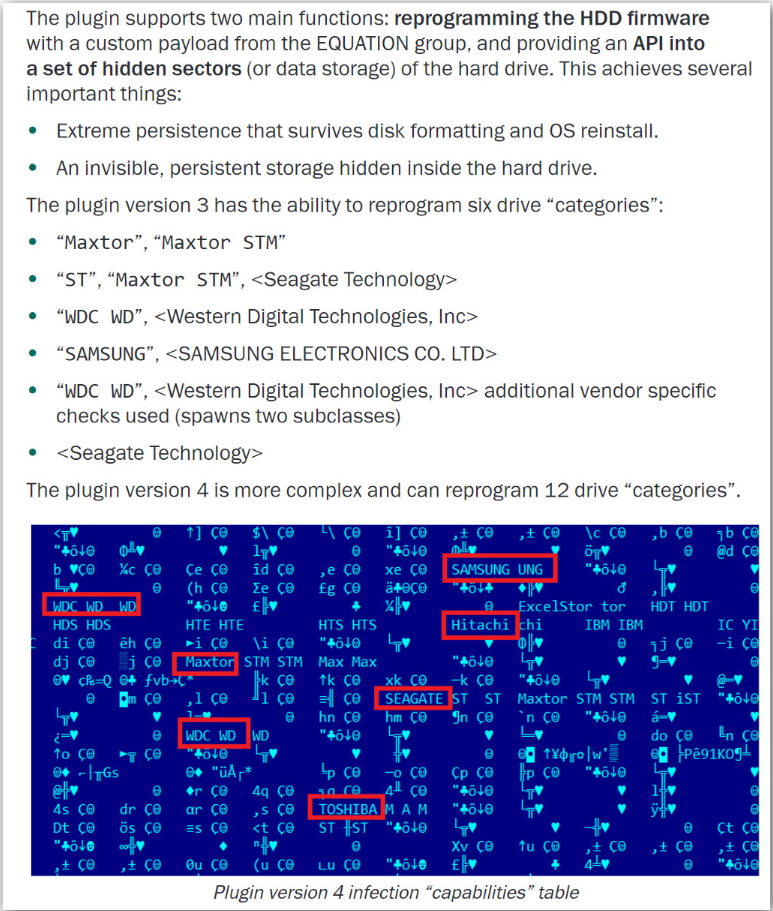
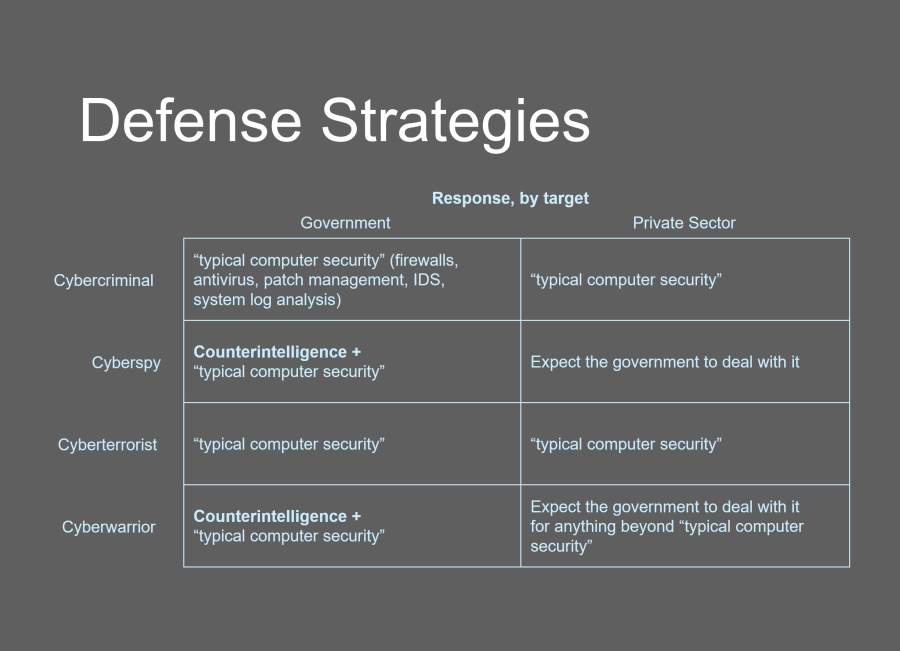

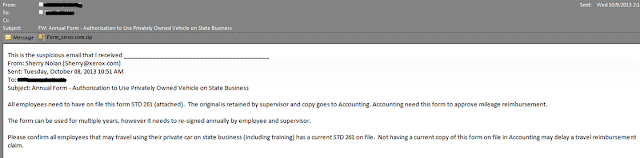

 I
can easily see how people browsing file shares and USB drives could accidentally click the wrong
folder, especially if the real folders are set to hidden.
I
can easily see how people browsing file shares and USB drives could accidentally click the wrong
folder, especially if the real folders are set to hidden.

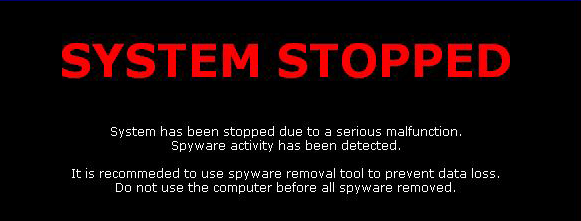


 Close Ad-Aware 6 build 181 and Ad-Watch (if running)